


FAQ Generation Agent
Agent that generates FAQ questions and answers from a website URL and outputs Schema.org code for them. The core LLM prompt for the workflow.
Generate SEO-friendly FAQ sections from any website URL and automatically format the FAQs in Schema.org markup to enhance search engine visibility.

Flows
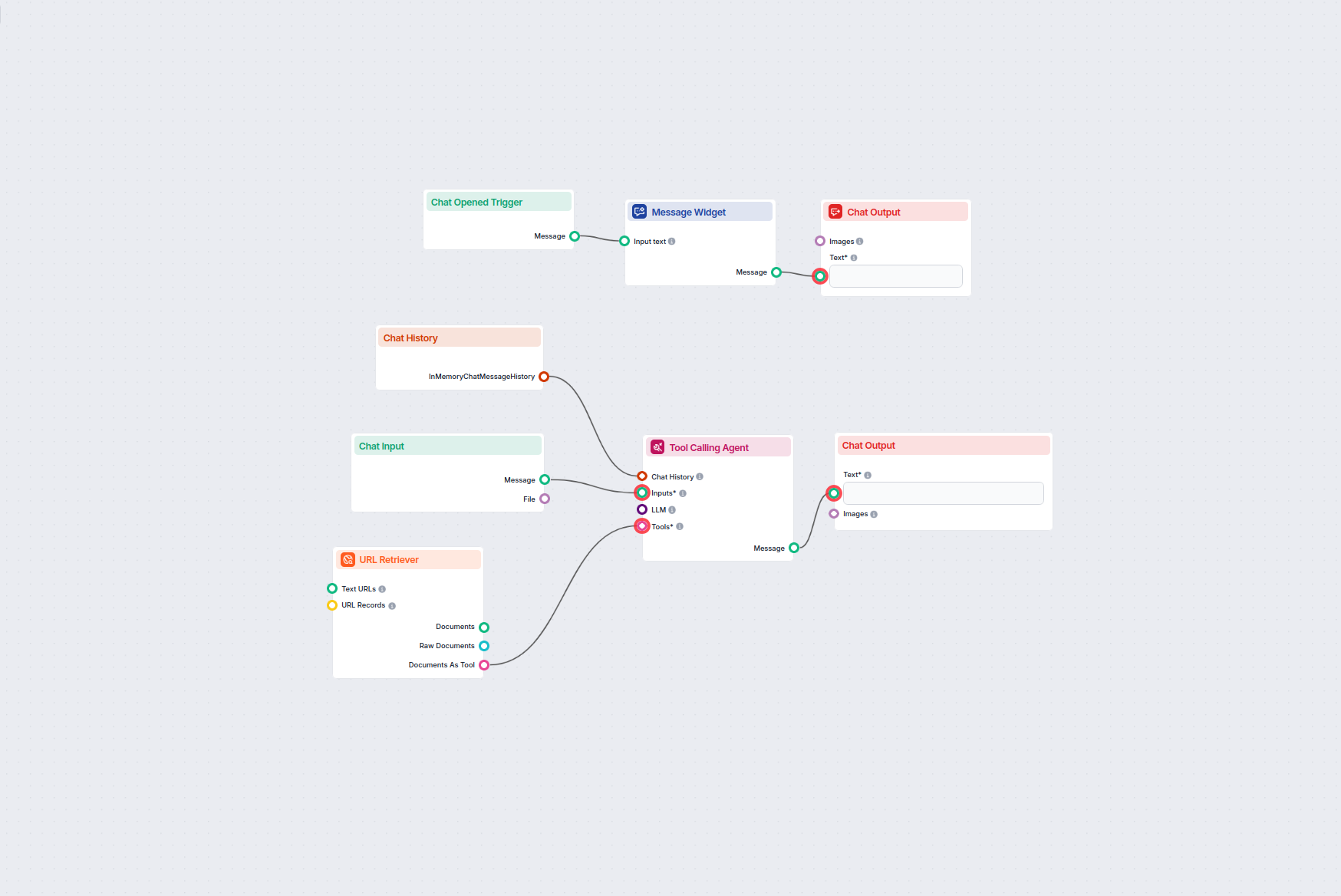
Agent that generates FAQ questions and answers from a website URL and outputs Schema.org code for them. The core LLM prompt for the workflow.
Below is a complete list of all components used in this flow to achieve its functionality. Components are the building blocks of every AI Flow. They allow you to create complex interactions and automate tasks by connecting various functionalities. Each component serves a specific purpose, such as handling user input, processing data, or integrating with external services.

The Chat Opened Trigger component detects when a chat session starts, enabling workflows to respond instantly as soon as a user opens the chat. It initiates flows with the initial chat message, making it essential for building responsive, interactive chatbots.

The Message Widget component displays custom messages within your workflow. Ideal for welcoming users, providing instructions, or showing any important information, it supports Markdown formatting and can be set to appear only once per session.

Discover the Chat Output component in FlowHunt—finalize chatbot responses with flexible, multi-part outputs. Essential for seamless flow completion and creating advanced, interactive AI chatbots.

The Chat History component in FlowHunt enables chatbots to remember previous messages, ensuring coherent conversations and improved customer experience while optimizing memory and token usage.

The Chat Input component in FlowHunt initiates user interactions by capturing messages from the Playground. It serves as the starting point for flows, enabling the workflow to process both text and file-based inputs.

Explore the Tool Calling Agent in FlowHunt—an advanced workflow component that enables AI agents to intelligently select and use external tools to answer complex queries. Perfect for building smart AI solutions that require dynamic tool usage, iterative reasoning, and integration with multiple resources.

Unlock web content in your workflows with the URL Retriever component. Effortlessly extract and process the text and metadata from any list of URLs—including web articles, documents, and more. Supports advanced options like OCR for images, selective metadata extraction, and customizable caching, making it ideal for building knowledge-rich AI flows and automations.
Flow description
This workflow is designed to automate the creation of FAQ sections for any website by extracting content from a user-provided URL, generating relevant questions and answers, and formatting them using Schema.org structured data (in JSON-LD format). This structure helps search engines better understand the context of your webpage, potentially improving SEO and search result appearance.
| Step | Component | Purpose |
|---|---|---|
| 1. Chat Start | ChatOpenedTrigger | Detects chat session initiation |
| 2. Welcome Message | MessageWidget | Greets user, explains purpose |
| 3. Show Welcome | ChatOutput | Displays welcome message |
| 4. Collect URL | ChatInput | Receives user’s URL input |
| 5. Maintain Context | ChatHistory | Stores conversation for context |
| 6. Fetch Website Content | URLContent (Retriever) | Retrieves content from provided URL |
| 7. Generate FAQ & Schema | ToolCallingAgent | Creates Q&A pairs and Schema.org JSON-LD code |
| 8. Output Results | ChatOutput | Presents final FAQs and code to user |
By combining chat-based input, automated web content extraction, intelligent FAQ generation, and Schema.org formatting, this workflow streamlines and scales the process of creating SEO-optimized FAQ sections for any webpage. It is a valuable automation for anyone looking to enhance their website’s search presence and user value with minimal manual effort.

Discover how an FAQ Generator with Schema.org can boost your website’s SEO by creating structured FAQs. Learn its features, benefits, and how it improves search...
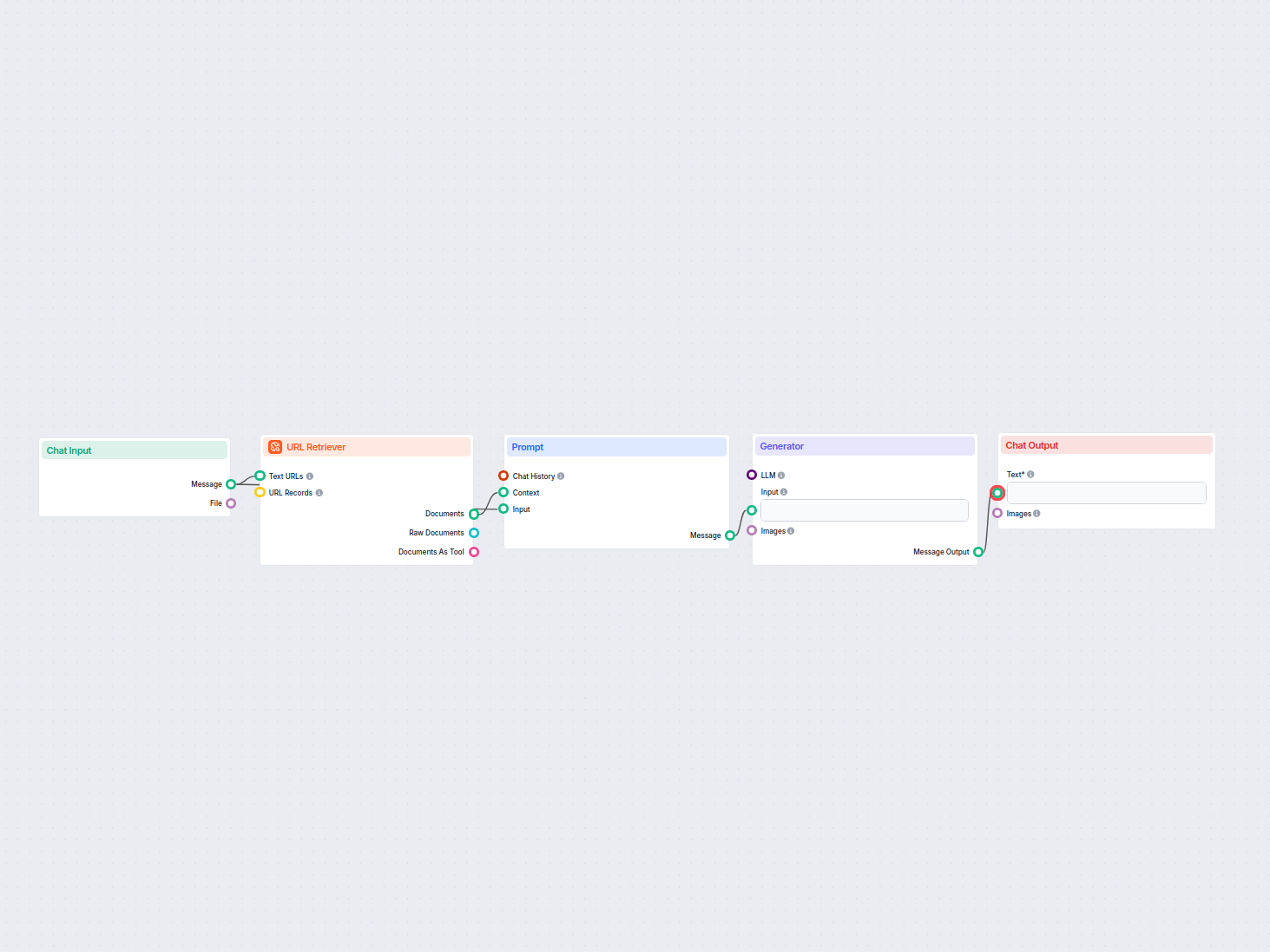
Automatically generates Schema.org structured data in JSON format for any website URL, making it easier for search engines to understand and index your website ...
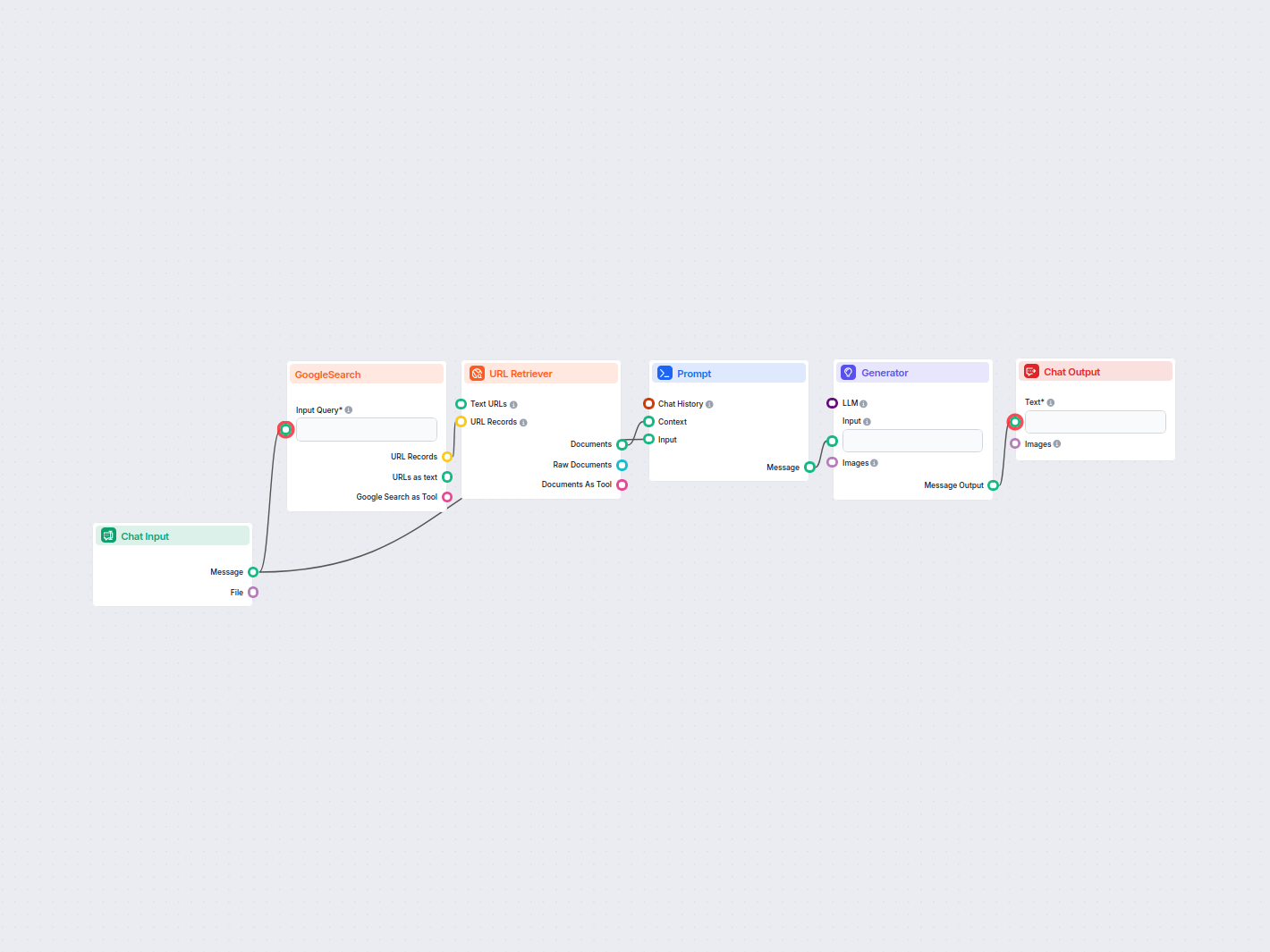
This AI-powered workflow generates concise, high-quality FAQ answers for any given question by searching the web, extracting relevant content, and producing a c...
Cookie Consent
We use cookies to enhance your browsing experience and analyze our traffic. See our privacy policy.