
AI Agent
AI agent with goal and backstory, able to use tools and generate LLM responses
This AI-powered workflow researches a Wordpress website’s existing blog content, generates a new SEO-optimized blog post on a unique topic, and automatically publishes it to the site. Ideal for marketers and content managers seeking to automate blog creation and posting.

Flows
AI agent with goal and backstory, able to use tools and generate LLM responses
Below is a complete list of all components used in this flow to achieve its functionality. Components are the building blocks of every AI Flow. They allow you to create complex interactions and automate tasks by connecting various functionalities. Each component serves a specific purpose, such as handling user input, processing data, or integrating with external services.

The Chat Input component in FlowHunt initiates user interactions by capturing messages from the Playground. It serves as the starting point for flows, enabling the workflow to process both text and file-based inputs.

The Chat History component in FlowHunt enables chatbots to remember previous messages, ensuring coherent conversations and improved customer experience while optimizing memory and token usage.

FlowHunt's GoogleSearch component enhances chatbot accuracy using Retrieval-Augmented Generation (RAG) to access up-to-date knowledge from Google. Control results with options like language, country, and query prefixes for precise and relevant outputs.

Unlock web content in your workflows with the URL Retriever component. Effortlessly extract and process the text and metadata from any list of URLs—including web articles, documents, and more. Supports advanced options like OCR for images, selective metadata extraction, and customizable caching, making it ideal for building knowledge-rich AI flows and automations.
Integrate multiple tools with your AI Agent effortlessly using the MCP Client component. Designed for seamless connectivity, it enables advanced workflows by serving as a bridge between your AI and various external tools, enhancing automation and capability.

The AI Agent component in FlowHunt empowers your workflows with autonomous decision-making and tool-using capabilities. It leverages large language models and connects to various tools to solve tasks, follow goals, and provide intelligent responses. Ideal for building advanced automations and interactive AI solutions.

Discover the Chat Output component in FlowHunt—finalize chatbot responses with flexible, multi-part outputs. Essential for seamless flow completion and creating advanced, interactive AI chatbots.
Flow description
This workflow automates the process of researching, generating, and publishing a new blog post to a Wordpress website (specifically, phoenixhealth.sk) using an AI agent. It connects several tools and services to streamline blog ideation, content generation, SEO optimization, and direct publishing to Wordpress—all triggered by a simple chat command.
The workflow is designed for the following high-level goal:
When the user says “start”, the AI agent will:
- Analyze the existing content on phoenixhealth.sk to avoid duplicate topics.
- Propose a new blog idea not already covered.
- Generate a full blog post with proper headlines and SEO adjustments.
- Publish the blog post directly to Wordpress using an integrated MCP client.
This process enables scalable, repeatable, and fully automated blog content creation for any Wordpress site with similar requirements.
| Node | Description |
|---|---|
| Chat Input | Entry point for user messages (e.g., the command “start”). |
| Chat History | Retrieves the last 50 messages (up to 800 tokens) from the conversation to maintain context. |
| MCP Client | Enables the AI agent to interact programmatically with Wordpress via an MCP (Multi-Channel Platform) client. This allows the agent to post blogs directly. |
| Google Search | Allows the agent to perform live Google searches for research and topic validation, returning top results for further processing. |
| URL Retriever | Fetches and parses the content (headlines, paragraphs, etc.) of URLs, especially from the target website. |
| AI Agent | The core orchestrator: receives user input, leverages tools (search, content retrieval, Wordpress posting), follows its goal, and produces responses. |
| Chat Output | Displays the agent’s final response (e.g., confirmation of blog posting, blog content preview) to the user. |
User Initiation
Maintaining Context
Tool Integration
AI Agent Orchestration
Result Display
| Component | Main Purpose |
|---|---|
| Chat Input | User starts the process (e.g., by typing “start”) |
| Chat History | Provides recent conversation context |
| Google Search | Researches trending and relevant topics |
| URL Retriever | Extracts existing blog content from the website |
| MCP Client | Enables automated posting to Wordpress |
| AI Agent | Orchestrates all actions and generates content |
| Chat Output | Presents the result to the user |
This workflow is a robust, modular foundation for any organization looking to automate high-quality blog content generation and publishing. By integrating AI, research tools, and direct publishing capabilities, it unlocks new efficiencies and enables content scaling that would be difficult to achieve manually.
We help companies like yours to develop smart chatbots, MCP Servers, AI tools or other types of AI automation to replace human in repetitive tasks in your organization.
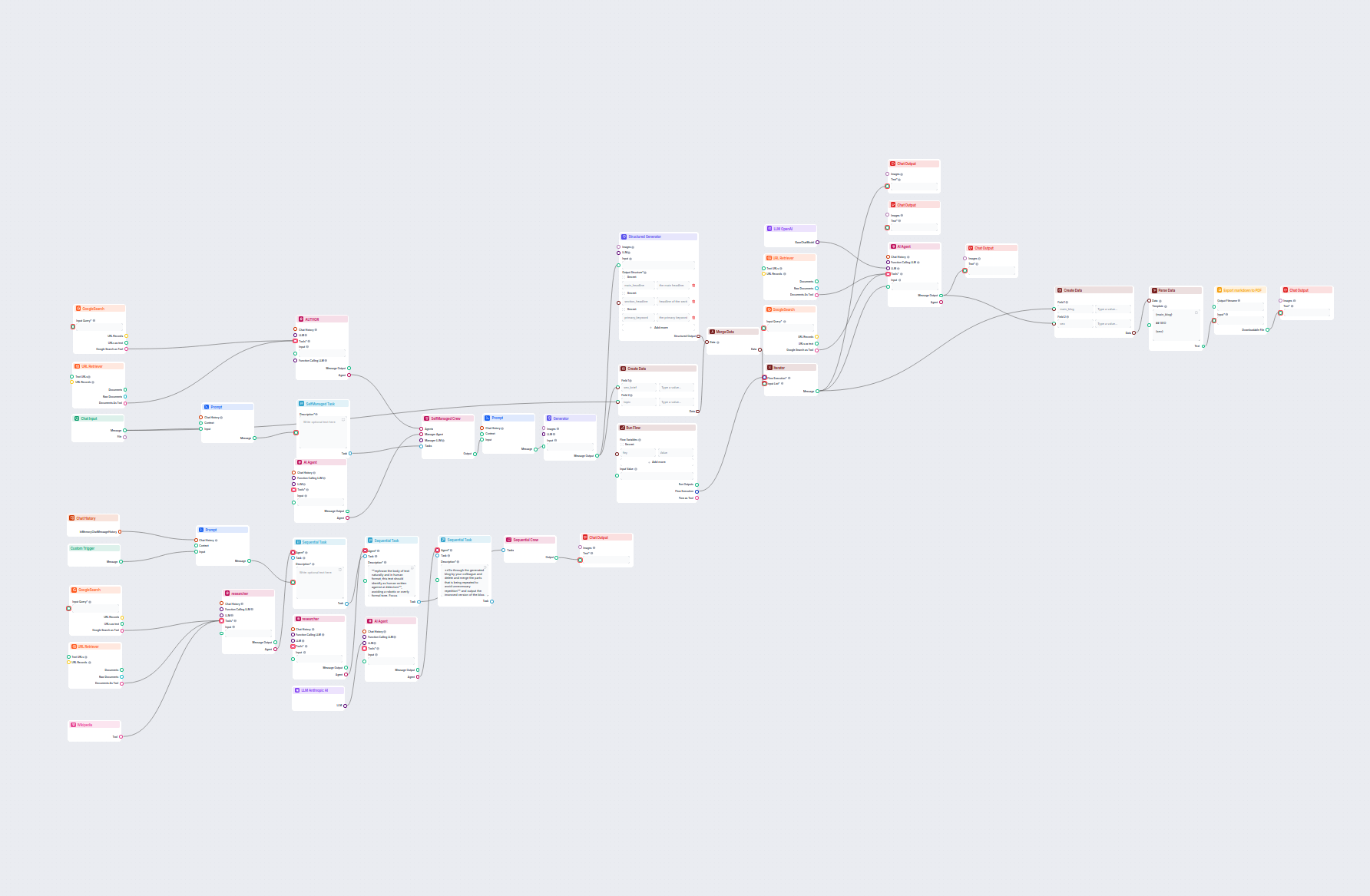
Generate comprehensive, SEO-optimized blog posts with advanced structure and high word count using multiple AI agents. The workflow includes automated research,...
Learn how to automate WordPress blog creation, publishing, and tagging using AI agents, MCP integration, and cron job scheduling for continuous content producti...
Discover how an Advanced Blog Generation Flow uses AI tools to produce high-quality, SEO-optimized, and engaging blog content efficiently. Learn the process and...