Automated SEO Content Workflows for WordPress: A Complete Guide to Scaling Your Content Strategy
Learn how to implement automated SEO content workflows for WordPress to save time, maintain consistency, and improve search rankings. Discover tools, best practices, and step-by-step strategies.
WordPress
SEO
Automation
Content Marketing
Digital Marketing
In today’s competitive digital landscape, content marketing has become essential for driving organic traffic and establishing authority. However, creating, optimizing, and publishing high-quality content consistently is time-consuming and resource-intensive. This is where automated SEO content workflows for WordPress come into play.
An automated SEO content workflow eliminates repetitive manual tasks while maintaining the quality and consistency that search engines reward. By combining WordPress with specialized SEO tools, AI-powered content generation, and workflow automation platforms, you can scale your content production without proportionally increasing your team size or budget. This guide walks you through implementing a complete automated SEO content workflow that will transform how you approach content marketing.
What is an Automated SEO Content Workflow?
An automated SEO content workflow is an integrated system that handles the entire lifecycle of content creation—from initial research through publication and performance monitoring. Rather than manually executing each step, automation tools work together to streamline processes, reduce errors, and ensure consistent application of SEO best practices.
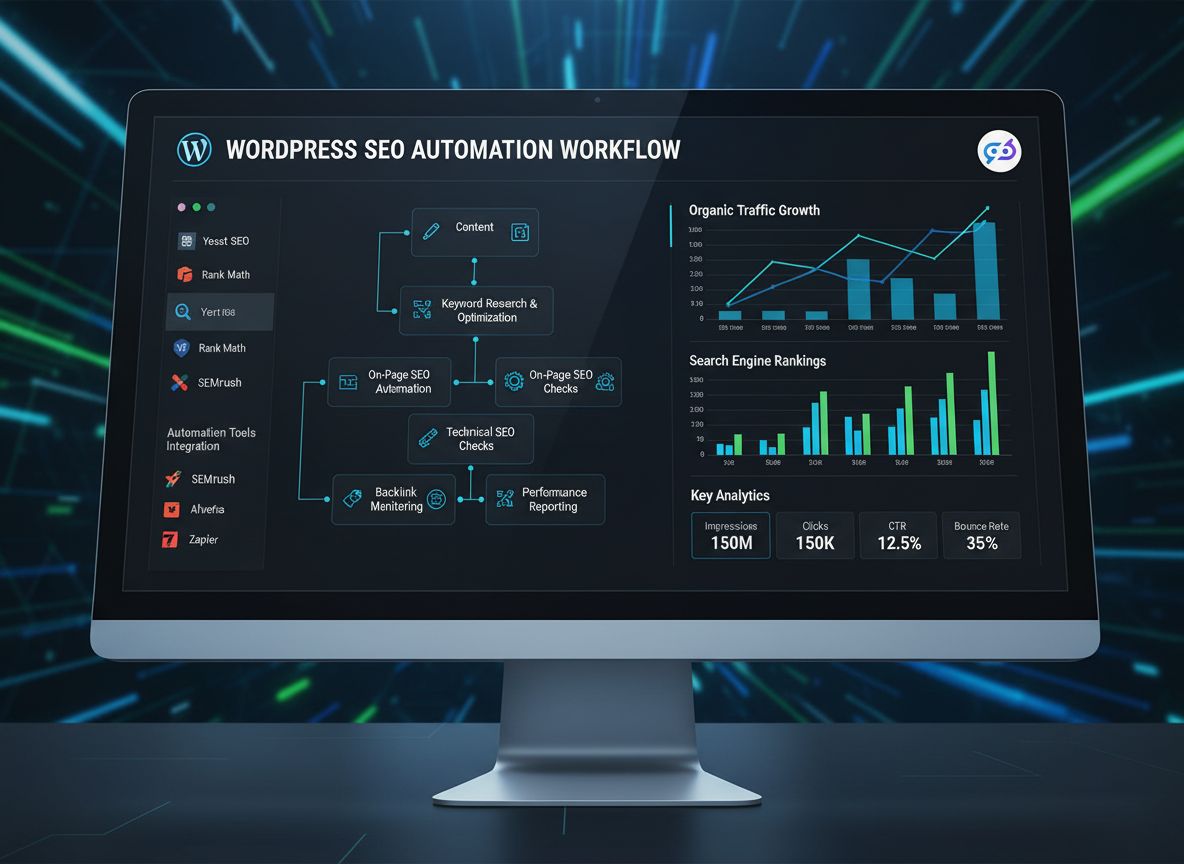
A typical automated workflow includes several interconnected stages. First, keyword research and topic planning are automated using APIs from tools like Ahrefs, SEMrush, or Ubersuggest. These tools identify high-opportunity keywords, analyze search intent, and surface related questions that your audience is asking. Next, content outlines are generated based on competitor analysis and SERP features, ensuring your content addresses what searchers actually want to find.
The content generation phase leverages AI writing tools to produce first drafts that follow your outline and incorporate target keywords naturally. On-page SEO optimization happens automatically through plugins and integrations that generate meta descriptions, title tags, heading structures, and schema markup. Media enrichment—including image optimization, alt text generation, and file naming—occurs without manual intervention. Finally, the content is published to WordPress with proper categorization, tagging, and scheduling, followed by automated monitoring and performance tracking.
The beauty of this approach is that it doesn’t replace human creativity or judgment; rather, it handles the mechanical, repetitive aspects of content production so your team can focus on strategy, quality assurance, and high-level decision-making.
Ready to grow your business?
Start your free trial today and see results within days.
Why Automated SEO Content Workflows Matter for Businesses
The business case for automated SEO workflows is compelling. Content marketing requires consistent output to maintain search visibility and audience engagement. Studies show that websites publishing 16+ blog posts per month generate 3.5 times more leads than those publishing fewer than 4 posts monthly. However, producing that volume manually is prohibitively expensive and time-consuming.
Automation addresses this challenge in several ways:
Scalability without proportional cost increases: You can publish more content without hiring additional writers or editors. A single strategist can oversee the output of multiple automated workflows.
Consistency in SEO practices: Automated systems apply the same optimization standards to every piece of content, eliminating the variability that comes with manual processes.
Faster time-to-publish: Automation reduces the time from topic conception to live publication from weeks to days or even hours.
Improved data-driven decision-making: Automated workflows generate detailed logs and metrics that help you understand what’s working and what needs adjustment.
Better resource allocation: Your team spends less time on repetitive tasks and more time on strategy, creative direction, and relationship building.
Reduced human error: Automated systems don’t forget to add alt text, miss internal linking opportunities, or publish without proper metadata.
For WordPress specifically, automation is particularly valuable because WordPress is the world’s most popular content management system, powering over 43% of all websites. This means there’s a mature ecosystem of plugins, integrations, and tools designed specifically to automate WordPress workflows. Whether you’re running a small blog or managing content for a large organization, WordPress automation can significantly improve your content operation’s efficiency and effectiveness.
Core Components of an Automated SEO Content Workflow
Before diving into implementation, it’s important to understand the key components that make up a complete automated workflow. Each component serves a specific purpose and integrates with the others to create a seamless process.
Research and Topic Planning forms the foundation. This component automatically gathers keyword data, analyzes search intent, identifies featured snippet opportunities, and surfaces related questions. Tools like Ahrefs API, SEMrush API, and Google Trends integration provide the data that informs your content strategy.
Content Generation takes the research data and produces structured outlines and full-draft articles. AI writing tools like Jasper, Copy.ai, or integrated platforms handle this phase, generating content that follows your brand voice and SEO guidelines.
On-Page SEO Optimization ensures every piece of content meets technical SEO standards. This includes automatic generation of meta descriptions, title tags, heading optimization, internal linking suggestions, and schema markup implementation.
Media Enrichment handles image optimization, alt text generation, file naming conventions, and image compression. This improves both user experience and page speed—two critical SEO ranking factors.
Publishing Automation pushes content to WordPress with proper metadata, scheduling, categorization, and featured image assignment. This eliminates manual data entry and ensures consistency.
Quality Control and Governance includes plagiarism checks, fact-checking prompts, and human review checkpoints. This ensures that automation doesn’t compromise quality.
Performance Monitoring and Reporting tracks how published content performs in search results, monitors organic traffic, and identifies opportunities for optimization or updates.
Join our newsletter
Get latest tips, trends, and deals for free.
FlowHunt: Streamlining Your Entire SEO Content Pipeline
While individual tools can handle specific tasks, integrating them into a cohesive workflow requires significant technical setup and ongoing maintenance. This is where FlowHunt excels. FlowHunt is a comprehensive workflow automation platform designed specifically for content creators, marketers, and SEO professionals who want to automate their entire content pipeline without coding.
FlowHunt brings together all the components of an automated SEO workflow in a single, user-friendly interface. Rather than juggling multiple tools and manually connecting them through APIs or Zapier, FlowHunt provides native integrations with WordPress, AI writing tools, SEO platforms, and analytics services.
Feature
Manual Process
FlowHunt Automation
Keyword research to content outline
2-3 hours per article
15-20 minutes
Content generation and optimization
4-6 hours per article
30-45 minutes
On-page SEO setup
30-45 minutes per article
5-10 minutes
Publishing and scheduling
15-20 minutes per article
2-3 minutes
Performance tracking setup
Manual monitoring
Automated daily reports
Total time per article
7-10 hours
1-2 hours
With FlowHunt, you can create reusable workflows that handle your entire content process. Define your content brief once, and the system automatically conducts research, generates content, optimizes it for SEO, creates or sources images, and publishes to WordPress—all while maintaining your brand voice and quality standards.
FlowHunt’s visual workflow builder makes it easy to customize your process without technical knowledge. You can add approval steps, quality checks, and conditional logic to ensure content meets your standards before publication. The platform also provides detailed analytics on workflow performance, helping you identify bottlenecks and optimization opportunities.
Step-by-Step Implementation Guide
Step 1: Define Your Content Strategy and Inputs
Before automating anything, establish clear parameters for your content. Create a content brief template that includes:
Target keyword(s): The primary and secondary keywords you’re targeting
Search intent: Whether the search is informational, navigational, commercial, or transactional
Target audience: Who you’re writing for and what problems you’re solving
Content format: Blog post, guide, case study, comparison, etc.
Desired length: Typical word count for your content
Publishing schedule: When content should go live
Internal linking targets: Which existing content should be linked to
Additionally, establish SEO targets:
Title tag length (50-60 characters)
Meta description length (150-160 characters)
Heading structure (H1, H2, H3 hierarchy)
Target keyword density (1-2% naturally incorporated)
Minimum internal links per article (3-5)
Image requirements (number and types)
These parameters ensure that your automated workflow produces consistent, high-quality content aligned with your SEO strategy.
Step 2: Set Up Automated Keyword Research
Keyword research is the foundation of SEO content strategy. Rather than manually researching keywords for each article, automate this process using APIs from major SEO platforms.
Using Ahrefs API: Ahrefs provides an API that returns keyword difficulty, search volume, and related keywords. You can set up a workflow that automatically pulls keyword suggestions based on your niche or topic cluster.
Using SEMrush API: SEMrush offers similar functionality, including keyword suggestions, related keywords, and SERP feature data. Their API can identify featured snippet opportunities, which are valuable for driving traffic.
Google Trends Integration: Automatically check for trending keywords in your industry to keep content timely and relevant.
Question Research: Tools like AnswerThePublic or integrated question-mining tools identify questions your audience is asking. These become natural subheadings and content sections.
The output of this phase is a structured data file containing target keywords, related terms, search intent, and content opportunities. This data feeds directly into the next phase.
Step 3: Generate Content Outlines and Drafts
With keyword research complete, the next step is generating a structured outline that addresses user intent and incorporates your target keywords naturally.
Outline Generation: Use AI tools or workflow platforms to create an outline with H2 and H3 headings that cover the topic comprehensively. The outline should address:
What the topic is (definitional content)
Why it matters (relevance and business impact)
How to implement or use it (practical guidance)
Best practices and tips
Common mistakes to avoid
Real-world examples or case studies
Conclusion with actionable takeaways
Content Generation: Once the outline is approved, AI writing tools generate the full draft. Modern AI tools like GPT-4 can produce coherent, well-structured long-form content that reads naturally and incorporates keywords without keyword stuffing.
Style and Tone Consistency: Provide the AI tool with style guidelines, brand voice examples, and tone preferences. This ensures generated content matches your brand identity.
The output is a complete first draft ready for optimization and review.
Step 4: Implement On-Page SEO Optimization
On-page SEO optimization is where WordPress SEO plugins shine. Plugins like Yoast SEO, Rank Math, and All in One SEO automate many optimization tasks.
Automated Meta Tags: These plugins analyze your content and suggest optimized title tags and meta descriptions. They check length, keyword inclusion, and readability.
Heading Optimization: The plugins verify that your heading structure is correct (one H1, proper H2/H3 hierarchy) and suggest improvements.
Keyword Optimization: They analyze keyword density, placement, and variations, suggesting adjustments to improve relevance without over-optimization.
Internal Linking: Tools like Link Whisper automatically suggest internal links based on your content and existing posts. This improves site structure and distributes page authority.
Schema Markup: Plugins automatically generate and implement schema markup (structured data) for articles, FAQs, and other content types. This helps search engines understand your content better.
Readability Analysis: Automated readability checks ensure your content is accessible to your target audience.
The combination of AI-generated content and automated SEO optimization ensures that every piece of content meets technical SEO standards.
Step 5: Automate Media Enrichment
Images are crucial for engagement and SEO. Automating image optimization saves significant time.
Image Optimization: Tools like Smush or ShortPixel automatically compress images as they’re uploaded to WordPress, improving page speed without sacrificing quality.
Alt Text Generation: Some plugins and AI tools automatically generate descriptive alt text based on image content, filename, or surrounding text. This improves accessibility and image SEO.
Image File Naming: Automate the renaming of image files to include relevant keywords, improving image search visibility.
Featured Image Selection: Workflow automation can automatically select or generate a featured image for each post based on the content topic.
Image Sourcing: Integrate with stock image APIs (Unsplash, Pexels, Pixabay) to automatically source relevant images, or use AI image generation tools to create custom visuals.
Proper image optimization improves page speed, user experience, and provides additional SEO signals.
Step 6: Automate WordPress Publishing
Publishing automation eliminates manual data entry and ensures consistency.
REST API Integration: WordPress’s REST API allows external tools to create, update, and publish posts programmatically. This is the foundation of publishing automation.
Metadata Assignment: Automation tools automatically assign categories, tags, custom fields, and other metadata based on your content brief.
Scheduling: Content can be scheduled to publish at optimal times based on your audience analytics.
Featured Image Assignment: The featured image is automatically assigned and optimized.
SEO Field Population: Meta descriptions, focus keywords, and other SEO plugin fields are automatically populated.
Notification Triggers: Once published, automated notifications alert your team, trigger social media sharing, or update your editorial calendar.
Publishing automation reduces the time from final approval to live publication from 15-20 minutes to just 2-3 minutes.
Step 7: Implement Quality Control Checkpoints
While automation is powerful, quality control is essential. Build in review and approval steps.
Plagiarism Checks: Automated plagiarism detection ensures content is original. Tools like Copyscape or Turnitin can be integrated into your workflow.
Fact-Checking Prompts: Flag claims that require verification and route them to subject matter experts for review.
Brand Voice Verification: Use AI tools to check that generated content matches your brand voice and guidelines.
Human Review Checkpoint: Implement a mandatory review step where a human editor approves content before publication. This is the final quality gate.
Version Control: Maintain a history of all versions and changes, allowing you to track what was modified and why.
Quality control ensures that automation doesn’t compromise the excellence your audience expects.
Step 8: Set Up Performance Monitoring and Reporting
The final component is monitoring how your automated content performs and using that data to improve future content.
Rank Tracking: Tools like AccuRanker or SERPWatcher automatically track how your content ranks for target keywords over time.
Traffic Monitoring: Google Analytics integration tracks organic traffic to each piece of content, showing which topics resonate with your audience.
Engagement Metrics: Monitor bounce rate, time on page, and scroll depth to understand how readers engage with your content.
Automated Reporting: Set up daily or weekly reports that show performance metrics, identify top performers, and flag underperforming content.
Optimization Triggers: When content underperforms, automated alerts notify your team so you can update and improve it.
Feedback Loop: Use performance data to inform future content strategy, keyword selection, and topic planning.
This data-driven approach ensures continuous improvement of your content strategy.
Advanced Workflow Architecture: A Real-World Example
Let’s walk through a complete automated workflow for a SaaS company publishing weekly blog posts.
Trigger: Every Monday morning, a content brief is submitted through a form. The brief includes the target keyword, audience segment, and desired content angle.
Research Phase: The workflow automatically queries Ahrefs API for keyword data, pulls related questions from AnswerThePublic, and analyzes the top 10 SERP results to understand what’s already ranking.
Outline Generation: Based on the research, an AI tool generates a detailed outline with H2 and H3 headings, ensuring comprehensive coverage of the topic.
Content Generation: The AI tool produces a 2,500-word first draft following the outline, incorporating the target keyword naturally, and maintaining the company’s brand voice.
SEO Optimization: Rank Math plugin analyzes the content and suggests improvements to title tag, meta description, heading structure, and keyword placement. These suggestions are automatically applied.
Image Creation: An AI image generation tool creates a custom featured image, and Unsplash API sources 2-3 relevant images for the body content. Alt text is automatically generated for each image.
Internal Linking: Link Whisper suggests 4-5 internal links to existing content, which are automatically inserted.
Quality Review: The content is routed to a human editor for final review and approval. The editor can make adjustments in the workflow interface.
Publishing: Once approved, the content is automatically published to WordPress with all metadata, categories, tags, and featured image properly assigned. It’s scheduled to go live Wednesday morning.
Social Sharing: Zapier automatically creates social media posts and schedules them across Twitter, LinkedIn, and Facebook.
Monitoring: Over the following weeks, AccuRanker tracks keyword rankings, Google Analytics tracks traffic, and automated reports show performance metrics.
Optimization: If the content underperforms after 4 weeks, an automated alert triggers a review, and the content is updated with additional information or improved optimization.
This entire workflow, which would take 8-10 hours manually, is completed in 1-2 hours with most tasks happening automatically.
Best Practices for Successful Automation
Implementing automation successfully requires more than just connecting tools. Here are essential best practices:
Start Small and Validate: Don’t automate your entire content operation immediately. Start with 3-5 articles using your new workflow, validate the quality and results, and then scale. This allows you to identify and fix issues before they affect your entire content library.
Maintain Clear Brand Guidelines: Provide detailed brand voice guidelines, style examples, and tone preferences to your AI tools. The more specific your guidance, the better the output will match your brand.
Implement Robust Quality Control: Never publish automated content without human review. Quality control is the difference between automation that enhances your operation and automation that damages your reputation.
Use Structured Data and Templates: Create reusable templates for different content types (how-to guides, comparisons, case studies, etc.). This consistency improves both quality and efficiency.
Monitor and Iterate: Regularly review the performance of automated content. Identify what’s working and what isn’t, and adjust your workflow accordingly. Automation isn’t set-and-forget; it requires ongoing optimization.
Maintain Version Control: Keep detailed records of all versions, changes, and approvals. This is essential for compliance, learning, and troubleshooting.
Respect SEO Best Practices: Avoid keyword stuffing, thin content, or other black-hat tactics. Google’s algorithms are sophisticated enough to detect and penalize manipulative content. Automation should enhance legitimate SEO, not enable shortcuts.
Plan for Scalability: Design your workflow with growth in mind. As you publish more content, ensure your tools and processes can scale without degradation in quality or performance.
Tools and Platforms for WordPress SEO Automation
The WordPress ecosystem offers numerous tools for automating different aspects of your content workflow. Here’s a breakdown of the most effective options:
WordPress SEO Plugins:
Yoast SEO: The most popular WordPress SEO plugin, offering on-page optimization, readability analysis, and XML sitemap generation.
Rank Math: A comprehensive SEO plugin with advanced features like schema markup, content AI integration, and rank tracking.
All in One SEO (AIOSEO): A lightweight alternative with solid on-page optimization and local SEO features.
AI Content Generation:
Jasper: Purpose-built for marketing content, with templates for various content types and strong brand voice customization.
Copy.ai: User-friendly AI writing tool with good long-form content generation capabilities.
ChatGPT API: For custom integrations and more control over the generation process.
Workflow Automation Platforms:
FlowHunt: Specifically designed for content and SEO workflows, with native WordPress integration and pre-built templates.
Zapier: General-purpose automation platform with extensive WordPress integrations.
Make (formerly Integromat): Another powerful automation platform with visual workflow builder.
n8n: Open-source workflow automation with extensive customization options.
Keyword Research and SEO Data:
Ahrefs API: Comprehensive keyword and competitor data.
SEMrush API: Keyword research, SERP features, and rank tracking.
Google Search Console API: Direct access to your search performance data.
Image Optimization and Generation:
Smush: Automatic image compression and optimization.
ShortPixel: Advanced image optimization with WebP conversion.
Unsplash API: Access to free, high-quality stock images.
Midjourney or DALL-E: AI image generation for custom visuals.
Quality Control and Monitoring:
Copyscape: Plagiarism detection.
Grammarly API: Grammar and style checking.
AccuRanker: Rank tracking and keyword monitoring.
Google Analytics 4: Traffic and engagement monitoring.
The specific tools you choose depend on your budget, technical expertise, and specific needs. However, using a platform like FlowHunt that integrates many of these tools can significantly simplify your setup and maintenance.
Measuring Success: Key Metrics for Automated Content Workflows
To justify the investment in automation and identify areas for improvement, track these key metrics:
Content Production Metrics:
Articles published per month
Average time from brief to publication
Cost per article (including tool subscriptions and labor)
Number of articles in various stages of the workflow
SEO Performance Metrics:
Organic traffic to automated content
Average ranking position for target keywords
Click-through rate from search results
Conversion rate from organic traffic
Quality Metrics:
Bounce rate for automated content
Average time on page
Scroll depth
Internal link click-through rate
User engagement signals
Business Metrics:
Leads generated from organic traffic
Revenue attributed to organic search
Return on investment (ROI) for automation tools
Cost savings compared to manual content creation
Workflow Efficiency Metrics:
Average time spent in each workflow stage
Approval/rejection rate
Revision cycles per article
Tool utilization and integration success rate
By tracking these metrics, you can demonstrate the value of automation to stakeholders and identify opportunities for further optimization.
Common Pitfalls and How to Avoid Them
Even with the best tools and processes, automation can go wrong. Here are common pitfalls and how to avoid them:
Pitfall 1: Over-Reliance on Automation Without Quality Control
Many organizations automate their entire workflow and publish without human review. This often results in content with errors, inconsistencies, or poor quality that damages credibility.
Solution: Always maintain a human review checkpoint before publication. Quality control is non-negotiable.
Pitfall 2: Ignoring Brand Voice and Consistency
Automated content that doesn’t match your brand voice stands out negatively to readers and can damage brand perception.
Solution: Provide detailed brand guidelines to your AI tools and review early outputs carefully to ensure consistency.
Pitfall 3: Keyword Stuffing and Over-Optimization
In an effort to rank for keywords, some automated workflows produce content that’s obviously optimized for search engines rather than readers.
Solution: Focus on natural keyword incorporation and prioritize readability. Modern SEO rewards content that serves user intent, not keyword density.
Pitfall 4: Publishing Thin or Duplicate Content
Automated systems might generate content that’s too similar to existing content or lacks sufficient depth.
Solution: Implement plagiarism checks and ensure your content generation process produces original, comprehensive content.
Pitfall 5: Neglecting Performance Monitoring
Publishing content and forgetting about it means you miss opportunities to improve underperforming content.
Solution: Set up automated monitoring and establish a process for updating and improving content based on performance data.
Pitfall 6: Scaling Too Quickly
Automating your entire content operation overnight often leads to quality issues and overwhelmed teams.
Solution: Start small, validate your process, and scale gradually as you gain confidence in your workflow.
Conclusion
Automated SEO content workflows for WordPress represent a fundamental shift in how modern organizations approach content marketing. By combining WordPress’s flexibility, specialized SEO plugins, AI-powered content generation, and workflow automation platforms, you can scale your content production while maintaining quality and consistency.
The implementation process requires careful planning, tool selection, and ongoing optimization. Start by defining your content strategy and establishing clear parameters for quality. Then, gradually automate each phase of your workflow—from keyword research through performance monitoring. Use platforms like FlowHunt to simplify integration and reduce technical complexity.
The benefits are substantial: you can publish more content in less time, maintain consistent SEO best practices, reduce human error, and make data-driven decisions about your content strategy. However, remember that automation is a tool to enhance human creativity and judgment, not replace it. The most successful automated workflows maintain rigorous quality control and use automation to handle mechanical tasks while freeing your team to focus on strategy and excellence.
As search engines continue to evolve and competition for organic visibility intensifies, the ability to produce high-quality, optimized content at scale becomes increasingly valuable. Automated SEO content workflows for WordPress aren’t just a nice-to-have—they’re becoming essential for organizations serious about organic growth.
Supercharge Your Workflow with FlowHunt
Experience how FlowHunt automates your AI content and SEO workflows — from research and content generation to publishing and analytics — all in one place.
An automated SEO content workflow is a system that uses tools and integrations to streamline the entire content creation process—from keyword research and content generation to on-page optimization, publishing, and performance monitoring. It reduces manual tasks and ensures consistent SEO best practices across all content.
Top WordPress SEO plugins for automation include Yoast SEO, Rank Math, and All in One SEO (AIOSEO). These plugins automatically generate meta descriptions, title tags, schema markup, and provide optimization suggestions. For advanced automation, consider integrating them with workflow platforms like FlowHunt or Zapier.
Yes, you can automate content creation using AI writing tools like Jasper, Copy.ai, or integrated solutions like FlowHunt. These tools generate drafts based on keywords, outlines, and content briefs. However, human review is recommended to ensure quality, accuracy, and brand alignment before publishing.
You can automate WordPress publishing using the WordPress REST API, plugins like Zapier, or dedicated workflow automation platforms. These tools allow you to push content directly from your content management system to WordPress with proper metadata, scheduling, and category assignments.
Arshia is an AI Workflow Engineer at FlowHunt. With a background in computer science and a passion for AI, he specializes in creating efficient workflows that integrate AI tools into everyday tasks, enhancing productivity and creativity.
Arshia Kahani
AI Workflow Engineer
Automate Your WordPress SEO Workflows Today
Discover how FlowHunt streamlines your entire SEO content pipeline—from research and creation to publishing and performance tracking.
AI Agents That Blog & Code for You: Automating Content Creation and GitHub Workflows
Learn how AI agents can automatically generate SEO-optimized blog posts, create markdown files, and submit GitHub pull requests—all from a single keyword input....
Automatic WordPress Blog Generation with AI Agents: Complete Guide to Hands-Free Content Publishing
Learn how to automate WordPress blog creation, publishing, and tagging using AI agents, MCP integration, and cron job scheduling for continuous content producti...
Complete Guide to Automating WordPress Blog Post Creation, Publishing, and Tagging
Learn how to automate WordPress blog workflows using plugins, APIs, and no-code tools. Discover strategies to save time on content creation, scheduling, and tag...
15 min read
WordPress
Automation
+2
Cookie Consent We use cookies to enhance your browsing experience and analyze our traffic. See our privacy policy.