How to Integrate AI with External Tools Using APIs and Webhooks
A comprehensive guide to integrating artificial intelligence with external applications through APIs and webhooks, including authentication, real-time communication, and practical implementation strategies.
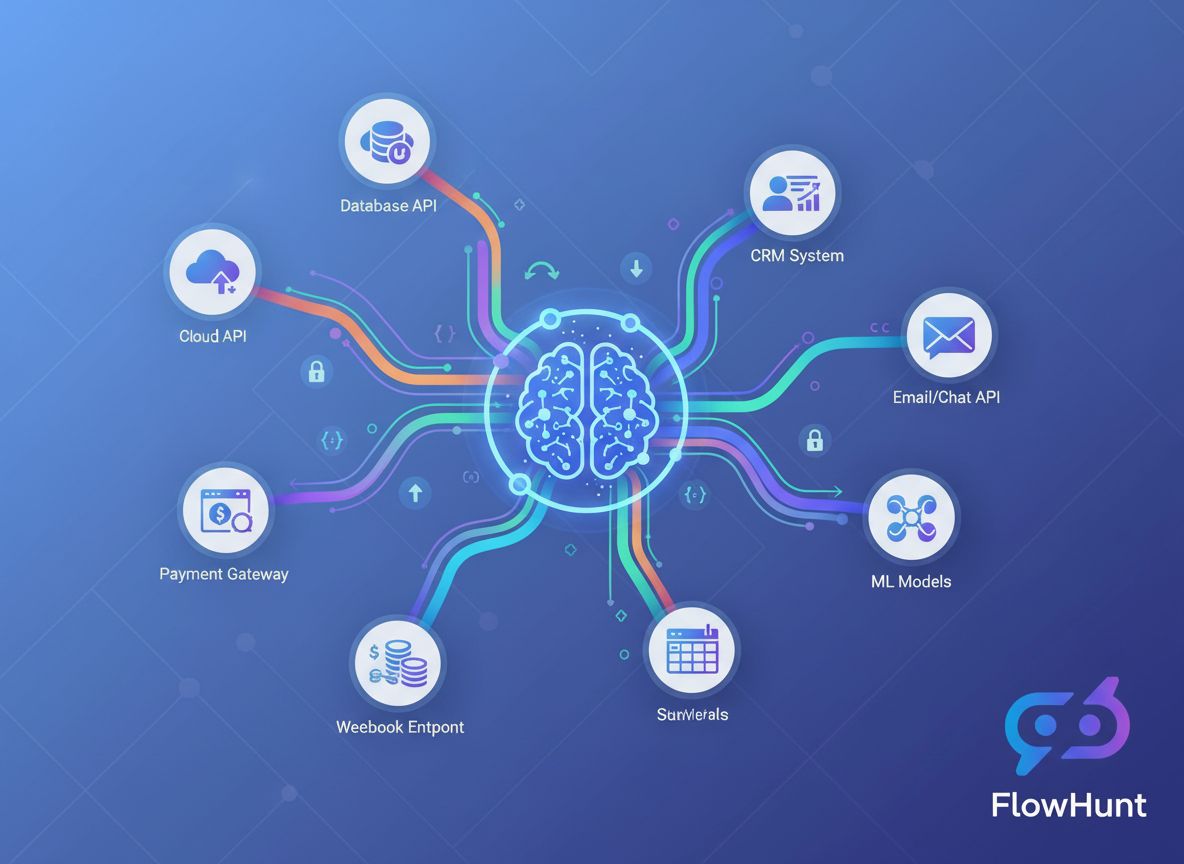
The convergence of artificial intelligence and external applications has fundamentally transformed how businesses operate. Today’s enterprises no longer work with isolated AI systems—instead, they orchestrate sophisticated integrations that connect AI models with CRM platforms, payment gateways, communication tools, and countless other services. This comprehensive guide explores the technical and strategic approaches to integrating AI with external tools using APIs and webhooks, providing you with the knowledge needed to build robust, scalable, and secure AI-powered workflows.
Whether you’re a developer building your first AI integration or an enterprise architect designing complex automation systems, understanding the nuances of API-based and webhook-driven AI integration is essential. This article walks you through the complete process, from foundational concepts to advanced implementation patterns, ensuring you can confidently connect AI capabilities to your existing technology stack.
What Are APIs and Webhooks?
Before diving into integration strategies, it’s crucial to understand the fundamental difference between these two communication paradigms. An API (Application Programming Interface) is a set of protocols and tools that allows different software applications to communicate with each other. APIs operate on a pull-based model, meaning your application actively requests data or services from an external system. When you need information, you initiate the request, wait for a response, and process the returned data.
In contrast, a webhook operates on a push-based model. Rather than your application constantly asking for updates, webhooks allow external systems to proactively send data to your application when specific events occur. Think of it as the difference between checking your mailbox repeatedly throughout the day versus having mail delivered directly to your door when it arrives.
APIs are typically used for on-demand operations—retrieving user information, processing payments, generating AI predictions, or fetching real-time data. Webhooks, meanwhile, excel at event-driven scenarios where you need immediate notification when something happens: a payment is processed, a form is submitted, a file is uploaded, or a user takes a specific action.
The choice between APIs and webhooks often depends on your use case. Many sophisticated integrations actually use both: APIs for querying data and webhooks for receiving real-time notifications. This hybrid approach provides the flexibility and responsiveness modern applications demand.
Ready to grow your business?
Start your free trial today and see results within days.
Why AI Integration with External Tools Matters for Businesses
The business case for integrating AI with external tools is compelling and multifaceted. Organizations that successfully implement these integrations gain significant competitive advantages across multiple dimensions.
Operational Efficiency and Cost Reduction: When AI systems are isolated from your existing tools, you create data silos and manual handoff points. Integrating AI directly with your CRM, email platform, project management tools, and other applications eliminates these friction points. Instead of manually copying data between systems, AI can automatically process information, generate insights, and trigger actions across your entire technology stack. This automation reduces operational costs, minimizes human error, and frees your team to focus on higher-value strategic work.
Real-Time Decision Making: Webhooks enable AI systems to respond instantly to business events. When a customer submits a support ticket, an AI system can immediately analyze sentiment and route it to the appropriate team. When sales data updates, AI can instantly recalculate forecasts. When inventory drops below thresholds, AI can automatically generate purchase orders. This real-time responsiveness transforms how quickly organizations can react to market changes and customer needs.
Enhanced Customer Experience: Integrated AI systems provide seamless, personalized experiences. An AI chatbot integrated with your CRM can access customer history and provide contextually relevant responses. An AI recommendation engine integrated with your e-commerce platform can deliver personalized product suggestions. An AI scheduling assistant integrated with your calendar system can automatically find meeting times. These integrations create frictionless experiences that customers appreciate and that drive loyalty.
Data-Driven Insights at Scale: By connecting AI to multiple data sources through APIs, organizations can build comprehensive analytical systems that process information from across their entire operation. This unified view enables more accurate predictions, better pattern recognition, and insights that would be impossible with siloed data.
Consider these key benefits:
Automation of repetitive tasks across multiple platforms without manual intervention
Unified data processing that combines information from multiple sources for richer AI analysis
Scalability that allows AI systems to handle increasing volumes of data and requests
Flexibility to adapt AI workflows as business requirements evolve
Compliance and audit trails through centralized logging and monitoring of all integrations
Understanding API Fundamentals for AI Integration
APIs form the backbone of most AI integrations. To effectively integrate AI with external tools, you need to understand how APIs work and how to interact with them programmatically.
API Types and Architectures
Modern APIs come in several flavors, each with distinct characteristics. REST (Representational State Transfer) APIs are the most common type you’ll encounter. They use standard HTTP methods (GET, POST, PUT, DELETE) to perform operations on resources identified by URLs. REST APIs are stateless, meaning each request contains all the information needed to process it, making them simple to understand and implement.
GraphQL APIs offer a more flexible alternative, allowing clients to request exactly the data they need rather than receiving fixed response structures. This can be more efficient for complex queries but requires more sophisticated client implementations.
SOAP (Simple Object Access Protocol) APIs are older, XML-based protocols still used in enterprise environments. They’re more complex than REST but offer robust features for enterprise integration.
RPC (Remote Procedure Call) APIs allow you to call functions on remote servers as if they were local. Some blockchain and cryptocurrency APIs use this pattern.
For most AI integrations, you’ll work with REST APIs, which provide an excellent balance of simplicity and functionality.
Authentication and Security
Every API interaction requires authentication to verify that your application has permission to access the service. Understanding authentication mechanisms is critical for secure AI integration.
API Keys are the simplest authentication method. You receive a unique key when you register for an API service, and you include this key in your requests. While easy to implement, API keys have limitations—they don’t expire automatically and provide all-or-nothing access. They’re suitable for development and less sensitive operations but shouldn’t be your only security layer for production systems.
OAuth 2.0 is the industry standard for delegated authorization. Instead of sharing your credentials directly, OAuth allows users to authorize your application to access their data on their behalf. This is what you see when an application asks permission to “access your Google account” or “connect to your Slack workspace.” OAuth is more complex to implement but provides superior security and user control.
Bearer Tokens and JWT (JSON Web Tokens) combine the simplicity of API keys with additional security features. JWTs are cryptographically signed tokens that contain claims about the user or application. They can include expiration times, specific permissions, and other metadata, making them ideal for microservices and distributed systems.
Mutual TLS (mTLS) uses certificates for both client and server authentication, providing the highest level of security. It’s commonly used in enterprise environments and for sensitive operations.
Making API Calls
Interacting with APIs involves constructing HTTP requests with appropriate headers, parameters, and body content. Here’s a practical example of calling an AI API:
import requests
import json
# Set up authenticationheaders = {
'Authorization': 'Bearer YOUR_API_KEY',
'Content-Type': 'application/json',
}
# Prepare the request payloaddata = {
'model': 'gpt-4',
'messages': [
{
'role': 'user',
'content': 'Analyze this customer feedback for sentiment' }
],
'temperature': 0.7,
'max_tokens': 500,
}
# Make the API callresponse = requests.post(
'https://api.openai.com/v1/chat/completions',
headers=headers,
json=data
)
# Handle the responseif response.status_code ==200:
result = response.json()
ai_response = result['choices'][0]['message']['content']
print(f"AI Analysis: {ai_response}")
else:
print(f"Error: {response.status_code} - {response.text}")
This example demonstrates the fundamental pattern: authenticate, construct a request, send it to the API endpoint, and process the response. Most AI API integrations follow this same basic structure, though specific parameters and response formats vary by service.
Join our newsletter
Get latest tips, trends, and deals for free.
Webhook Architecture and Real-Time Integration
While APIs pull data on demand, webhooks enable real-time push-based communication. Understanding webhook architecture is essential for building responsive AI systems.
How Webhooks Work
A webhook is essentially a callback mechanism. You register a URL with an external service, and when specific events occur, that service sends an HTTP POST request to your URL with event data. Your application receives this data, processes it, and takes appropriate action.
The flow looks like this:
You register a webhook URL with an external service (e.g., Stripe, GitHub, Slack)
An event occurs in that service (payment processed, code pushed, message sent)
The service sends an HTTP POST request to your webhook URL with event details
Your application receives and processes the webhook payload
Your application returns a success response (typically HTTP 200)
Your application takes action based on the event (trigger AI analysis, update database, send notification)
Setting Up a Webhook Receiver
Building a webhook receiver requires creating an HTTP endpoint that can accept POST requests. Here’s a practical example using Flask:
from flask import Flask, request, jsonify
import hmac
import hashlib
import json
app = Flask(__name__)
WEBHOOK_SECRET ='your_webhook_secret_key'defverify_webhook_signature(payload, signature):
"""Verify that the webhook came from the expected source""" expected_signature = hmac.new(
WEBHOOK_SECRET.encode(),
payload,
hashlib.sha256
).hexdigest()
return hmac.compare_digest(signature, expected_signature)
@app.route('/webhook/payment', methods=['POST'])
defhandle_payment_webhook():
# Get the raw payload for signature verification payload = request.get_data()
signature = request.headers.get('X-Signature')
# Verify the webhook is authenticifnot verify_webhook_signature(payload, signature):
return jsonify({'error': 'Invalid signature'}), 401# Parse the JSON data data = request.json
# Process the webhook eventtry:
if data['event_type'] =='payment.completed':
# Trigger AI analysis of the transaction analyze_transaction(data['transaction_id'], data['amount'])
# Update your database update_payment_status(data['transaction_id'], 'completed')
# Send confirmation send_confirmation_email(data['customer_email'])
# Always return 200 to acknowledge receiptreturn jsonify({'status': 'received'}), 200exceptExceptionas e:
# Log the error but still return 200 to prevent retries log_error(f"Webhook processing error: {str(e)}")
return jsonify({'status': 'received'}), 200if __name__ =='__main__':
app.run(port=5000)
This example demonstrates several critical webhook best practices: signature verification to ensure authenticity, proper error handling, and always returning a success response to prevent the external service from retrying.
Webhook Security Considerations
Webhooks introduce unique security challenges because external services are sending data to your application. Several security measures are essential:
Signature Verification: Most webhook providers include a signature in the request headers, computed using a shared secret. Always verify this signature to ensure the webhook came from the expected source and hasn’t been tampered with.
HTTPS Only: Always use HTTPS for webhook endpoints. This encrypts data in transit and prevents man-in-the-middle attacks.
IP Whitelisting: If possible, whitelist the IP addresses from which webhooks will be sent. This prevents unauthorized sources from sending requests to your webhook endpoint.
Rate Limiting: Implement rate limiting on your webhook endpoints to prevent abuse or accidental flooding.
Idempotency: Design your webhook handlers to be idempotent—processing the same webhook multiple times should produce the same result. This is important because webhook providers may retry failed deliveries.
Integrating AI Models with External APIs
Now that we understand the fundamentals, let’s explore how to integrate AI models with external services. This is where the real power of AI integration emerges.
Choosing Your AI Service
The AI landscape offers numerous options, each with different capabilities, pricing models, and integration approaches. OpenAI’s API provides access to GPT-4, GPT-3.5, and other models for natural language processing, code generation, and reasoning tasks. Google Cloud AI offers services like Vertex AI, Document AI, and Vision AI. AWS provides SageMaker for custom models and various pre-built AI services. Anthropic’s Claude API specializes in safe, interpretable AI. Hugging Face offers open-source models and a model hub.
Your choice depends on several factors: the specific AI capabilities you need, your budget, latency requirements, data privacy concerns, and whether you prefer managed services or self-hosted solutions.
Building an AI-Powered Integration Pipeline
A typical AI integration pipeline involves several stages: data collection from external sources via APIs, preprocessing and enrichment, AI model inference, result processing, and action triggering. Here’s a practical example that integrates multiple components:
import requests
import json
from datetime import datetime
import logging
classAIIntegrationPipeline:
def__init__(self, ai_api_key, crm_api_key):
self.ai_api_key = ai_api_key
self.crm_api_key = crm_api_key
self.logger = logging.getLogger(__name__)
deffetch_customer_data(self, customer_id):
"""Fetch customer data from CRM API""" headers = {'Authorization': f'Bearer {self.crm_api_key}'}
response = requests.get(
f'https://api.crm.example.com/customers/{customer_id}',
headers=headers
)
return response.json()
defanalyze_with_ai(self, text_content):
"""Send content to AI API for analysis""" headers = {
'Authorization': f'Bearer {self.ai_api_key}',
'Content-Type': 'application/json' }
payload = {
'model': 'gpt-4',
'messages': [
{
'role': 'system',
'content': 'You are a customer service analyst. Analyze the following customer interaction and provide insights.' },
{
'role': 'user',
'content': text_content
}
],
'temperature': 0.5,
'max_tokens': 1000 }
response = requests.post(
'https://api.openai.com/v1/chat/completions',
headers=headers,
json=payload
)
if response.status_code ==200:
return response.json()['choices'][0]['message']['content']
else:
self.logger.error(f"AI API error: {response.status_code}")
raiseException("AI analysis failed")
defupdate_crm_with_insights(self, customer_id, insights):
"""Update CRM with AI-generated insights""" headers = {
'Authorization': f'Bearer {self.crm_api_key}',
'Content-Type': 'application/json' }
payload = {
'ai_insights': insights,
'last_analyzed': datetime.now().isoformat(),
'analysis_status': 'completed' }
response = requests.put(
f'https://api.crm.example.com/customers/{customer_id}',
headers=headers,
json=payload
)
return response.status_code ==200defprocess_customer(self, customer_id):
"""Complete pipeline: fetch, analyze, update"""try:
# Fetch customer data customer_data = self.fetch_customer_data(customer_id)
# Prepare content for AI analysis content_to_analyze =f"""
Customer: {customer_data['name']} Recent interactions: {customer_data['recent_interactions']} Purchase history: {customer_data['purchase_history']} """# Get AI analysis insights = self.analyze_with_ai(content_to_analyze)
# Update CRM with insights success = self.update_crm_with_insights(customer_id, insights)
if success:
self.logger.info(f"Successfully processed customer {customer_id}")
return {'status': 'success', 'insights': insights}
else:
self.logger.error(f"Failed to update CRM for customer {customer_id}")
return {'status': 'error', 'message': 'CRM update failed'}
exceptExceptionas e:
self.logger.error(f"Pipeline error: {str(e)}")
return {'status': 'error', 'message': str(e)}
This example demonstrates a complete integration pipeline that fetches data from a CRM, sends it to an AI model for analysis, and updates the CRM with the results. This pattern can be adapted for countless business scenarios.
Comparison of Integration Approaches
Different integration scenarios call for different architectural approaches. Understanding the trade-offs helps you choose the right strategy for your needs.
Each approach has its place. A customer support system might use synchronous API calls for immediate chatbot responses but asynchronous processing for deeper sentiment analysis. An e-commerce platform might use webhooks for order events but scheduled jobs for nightly inventory analysis.
FlowHunt: Simplifying AI Integration Workflows
Managing multiple API integrations and webhooks manually can become overwhelming as your system grows. This is where FlowHunt transforms your integration strategy.
FlowHunt is a comprehensive workflow automation platform designed specifically for AI-powered integrations. Rather than building and maintaining custom integration code, FlowHunt provides a visual interface for connecting AI models with external tools, managing authentication, handling errors, and monitoring performance.
Key FlowHunt Capabilities for AI Integration
Visual Workflow Builder: Design complex integration workflows without writing code. Connect AI models, APIs, and webhooks through an intuitive drag-and-drop interface. FlowHunt handles the underlying HTTP requests, authentication, and data transformation.
Pre-built Connectors: FlowHunt includes connectors for popular AI services (OpenAI, Google Cloud AI, Anthropic) and hundreds of external tools (Salesforce, HubSpot, Slack, Stripe, and more). These connectors handle authentication and API-specific details, so you can focus on business logic.
Webhook Management: FlowHunt simplifies webhook setup and management. Register webhooks with external services, receive events, and trigger AI analysis—all through the FlowHunt interface. No need to build and maintain webhook receivers.
Error Handling and Retries: Automatically retry failed API calls with exponential backoff. Set up error notifications and fallback workflows. FlowHunt ensures your integrations are resilient and reliable.
Data Transformation: Transform data between different formats and structures. Map fields from your CRM to AI model inputs, transform AI outputs into formats your other tools expect.
Monitoring and Logging: Track every API call, webhook event, and workflow execution. Identify bottlenecks, debug issues, and optimize performance with comprehensive logging and analytics.
Rate Limiting and Throttling: FlowHunt automatically manages API rate limits, queuing requests and distributing them over time to stay within service limits.
Example: Building an AI Customer Analysis Workflow in FlowHunt
Imagine you want to automatically analyze customer feedback from your support system, categorize sentiment, and update your CRM. In FlowHunt, this workflow would look like:
Webhook Trigger: Receive webhook when new support ticket is created
Fetch Customer Data: Use CRM connector to retrieve customer history
AI Analysis: Send ticket content and customer history to OpenAI for sentiment analysis and categorization
Data Transformation: Extract sentiment score and category from AI response
Update CRM: Use CRM connector to update ticket with AI insights
Conditional Logic: If sentiment is negative, trigger escalation workflow
Notification: Send Slack message to support team with AI summary
What would require dozens of lines of code and careful error handling in a custom solution becomes a visual workflow in FlowHunt. You can modify the workflow, add steps, or change AI models without touching code.
Advanced Integration Patterns and Best Practices
As your AI integration needs grow more sophisticated, several advanced patterns and best practices become essential.
Rate Limiting and Quota Management
Most APIs impose rate limits—maximum numbers of requests per minute or hour. Exceeding these limits results in errors and potential service suspension. Effective rate limit management is crucial for reliable integrations.
Implement exponential backoff: when you hit a rate limit, wait before retrying, increasing the wait time with each retry. Most API responses include rate limit information in headers, allowing you to proactively manage your request rate.
import time
import requests
defcall_api_with_backoff(url, headers, data, max_retries=5):
"""Call API with exponential backoff for rate limiting"""for attempt in range(max_retries):
try:
response = requests.post(url, headers=headers, json=data)
# Check if we hit rate limitif response.status_code ==429:
# Extract retry-after header if available retry_after = int(response.headers.get('Retry-After', 2** attempt))
print(f"Rate limited. Waiting {retry_after} seconds...")
time.sleep(retry_after)
continue# Check for other errors response.raise_for_status()
return response.json()
except requests.exceptions.RequestException as e:
if attempt == max_retries -1:
raise wait_time =2** attempt
print(f"Request failed: {e}. Retrying in {wait_time} seconds...")
time.sleep(wait_time)
raiseException("Max retries exceeded")
Handling Asynchronous Operations
Some AI operations take significant time to complete. Rather than blocking your application waiting for results, use asynchronous patterns where the AI service returns a job ID, and you poll for results or receive a webhook when processing completes.
Calling AI APIs for identical inputs repeatedly wastes resources and increases costs. Implement caching to store results for common queries.
import hashlib
import json
from functools import wraps
import redis
# Connect to Redis cachecache = redis.Redis(host='localhost', port=6379, db=0)
defcache_ai_result(ttl=3600):
"""Decorator to cache AI API results"""defdecorator(func):
@wraps(func)
defwrapper(content, *args, **kwargs):
# Create cache key from content hash content_hash = hashlib.md5(content.encode()).hexdigest()
cache_key =f"ai_result:{content_hash}"# Check cache cached_result = cache.get(cache_key)
if cached_result:
return json.loads(cached_result)
# Call AI API result = func(content, *args, **kwargs)
# Store in cache cache.setex(cache_key, ttl, json.dumps(result))
return result
return wrapper
return decorator
@cache_ai_result(ttl=86400) # Cache for 24 hoursdefanalyze_sentiment(text):
"""Analyze sentiment with caching"""# AI API call herepass
Monitoring and Observability
Production integrations require comprehensive monitoring. Track API response times, error rates, and webhook delivery success. Set up alerts for anomalies.
Let’s examine a practical case study showing how these concepts come together in a real business scenario.
The Challenge: An e-commerce company wanted to improve customer experience by providing personalized product recommendations, automatically categorizing customer reviews, and detecting fraudulent orders. They had multiple systems: a Shopify store, a custom review platform, a payment processor, and a customer database. These systems didn’t communicate effectively, and manual analysis of reviews and fraud detection was time-consuming.
The Solution: They built an integrated AI system using APIs and webhooks:
Product Recommendation Engine: When a customer views a product (webhook from Shopify), the system fetches their purchase history via API, sends this data to an AI model for analysis, and returns personalized recommendations. The AI model considers product features, customer preferences, and trending items.
Review Analysis Pipeline: When a customer submits a review (webhook), the system sends it to an AI model for sentiment analysis, topic extraction, and quality assessment. Results are stored in the review platform via API, helping the company understand customer sentiment at scale.
Fraud Detection System: When an order is placed (webhook), the system fetches customer history and order details via APIs, sends this information to an AI fraud detection model, and either approves the order or flags it for manual review.
Results: The company achieved a 23% increase in average order value through better recommendations, reduced review processing time by 85%, and decreased fraudulent orders by 67%. The system processes thousands of events daily with 99.9% uptime.
Key Technologies Used: Shopify API for product and order data, custom webhook receivers for event handling, OpenAI API for NLP tasks, a custom fraud detection model deployed on AWS, Redis for caching, and comprehensive logging for monitoring.
This case study demonstrates how thoughtful API and webhook integration can drive significant business value.
Conclusion
Integrating AI with external tools through APIs and webhooks is no longer a luxury—it’s a necessity for competitive businesses. The ability to connect AI capabilities with your existing systems, automate workflows, and respond to events in real-time transforms how organizations operate.
The key to successful integration lies in understanding the fundamentals: how APIs work, how webhooks enable real-time communication, how to authenticate securely, and how to handle errors gracefully. Beyond these basics, advanced patterns like asynchronous processing, caching, and comprehensive monitoring ensure your integrations remain reliable and performant as they scale.
Whether you’re building your first AI integration or architecting complex enterprise systems, the principles outlined in this guide provide a solid foundation. Start with clear requirements, choose appropriate integration patterns, implement robust error handling, and monitor everything. As your needs grow, platforms like FlowHunt can help you manage complexity without sacrificing flexibility.
The future belongs to organizations that can seamlessly blend AI intelligence with their operational systems. By mastering API and webhook integration, you position your organization to leverage AI’s transformative potential while maintaining the reliability and security your business demands.
Supercharge Your AI Integration Workflows with FlowHunt
Experience how FlowHunt automates your AI integrations with external tools — from API management and webhook handling to error recovery and monitoring — all in one unified platform.
APIs are pull-based systems where you request data from an external service, while webhooks are push-based systems where external services send data to your application when specific events occur. APIs are ideal for on-demand data retrieval, whereas webhooks excel at real-time event notifications.
Store API keys in environment variables, use dedicated secrets management tools like HashiCorp Vault or AWS Secrets Manager, never commit keys to version control, rotate keys regularly, and implement principle of least privilege by limiting key permissions to only necessary operations.
Common authentication methods include API keys (simple token-based), OAuth 2.0 (delegated authorization), Bearer tokens (JWT-based), and mutual TLS (certificate-based). The choice depends on the API provider's security requirements and your application's needs.
Implement exponential backoff retry strategies, monitor rate limit headers in API responses, use request queuing systems, cache responses when possible, and consider upgrading to higher-tier API plans if you consistently hit limits. Many libraries provide built-in retry mechanisms.
Arshia is an AI Workflow Engineer at FlowHunt. With a background in computer science and a passion for AI, he specializes in creating efficient workflows that integrate AI tools into everyday tasks, enhancing productivity and creativity.
Arshia Kahani
AI Workflow Engineer
Streamline Your AI Integration Workflows
FlowHunt simplifies AI integration with external tools, automating API calls, webhook management, and data processing in one unified platform.
Building an MCP Server That Connects to OpenAI: A Complete Developer's Guide
Learn how to develop a Model Context Protocol (MCP) server that seamlessly integrates with OpenAI's API, enabling powerful AI-driven tool execution and intellig...
Building an AI Trading Chatbot with Alpaca MCP: A Complete Guide to Autonomous Trading Agents
Learn how to build a sophisticated AI trading chatbot powered by Alpaca MCP and Polygon APIs. Discover the architecture, tools, and strategies for creating auto...
Advanced FlowHunt–LiveAgent Integration: Language Control, Spam Filtering, API Selection, and Automation Best Practices
A technical guide to mastering advanced FlowHunt integration with LiveAgent, covering language targeting, markdown suppression, spam filtering, API versioning, ...
9 min read
FlowHunt
LiveAgent
+3
Cookie Consent We use cookies to enhance your browsing experience and analyze our traffic. See our privacy policy.