
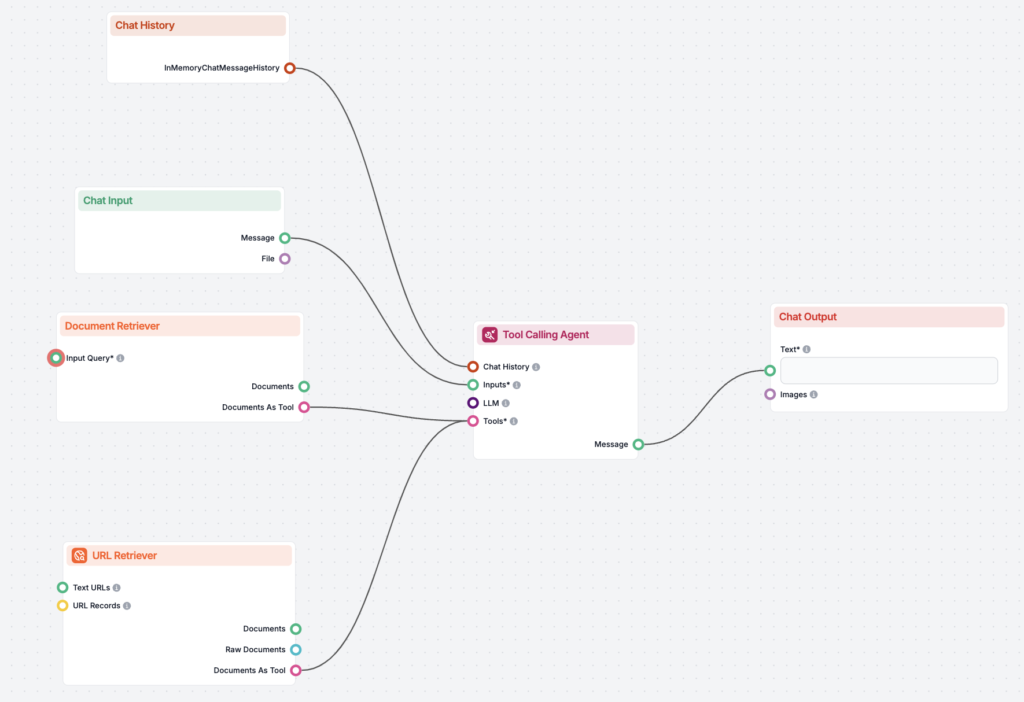
No-Code
No-Code AI platforms enable users to build, deploy, and manage AI and machine learning models without writing code. These platforms provide visual interfaces an...
9 min read
No-Code
AI
+4
Discover the best no-code platforms for building AI workflows without coding expertise. Learn how to automate tasks, integrate AI models, and scale your business operations efficiently.
No-code platforms represent a paradigm shift in how organizations approach software development and automation. At their core, these platforms provide visual interfaces and pre-built components that allow users to create complex workflows by connecting different applications, services, and AI models through intuitive drag-and-drop interfaces. Rather than requiring developers to write code from scratch, no-code platforms abstract away the technical complexity, presenting users with a canvas where they can design workflows by selecting actions, setting conditions, and defining data transformations.
The power of no-code platforms lies in their ability to bridge the gap between business requirements and technical implementation. A marketing manager can now build a workflow that automatically processes customer inquiries, routes them to the appropriate department, and generates personalized responses using AI—all without touching a single line of code. This democratization of technology has profound implications for organizational efficiency, as it empowers non-technical team members to solve problems that previously required expensive developer resources.
No-code AI platforms specifically integrate artificial intelligence capabilities into these workflows, allowing users to leverage machine learning models, natural language processing, computer vision, and predictive analytics without understanding the underlying algorithms. These platforms typically offer pre-trained AI models for common tasks like sentiment analysis, text summarization, image recognition, and data classification, while also allowing advanced users to integrate custom AI models through APIs.
The business case for no-code AI workflows has never been stronger. Organizations face unprecedented pressure to do more with less—to accelerate digital transformation, reduce operational costs, and respond faster to market changes. Traditional software development approaches, which require months of planning, coding, testing, and deployment, simply cannot keep pace with the speed at which business needs evolve.
No-code platforms address this challenge by dramatically reducing time-to-value. What might take a development team weeks or months to build can often be accomplished in days or hours using a no-code platform. This acceleration translates directly to competitive advantage. Companies can experiment with new automation ideas, test hypotheses, and iterate quickly based on results. If a workflow doesn’t deliver the expected benefits, teams can modify or abandon it without significant sunk costs.
Beyond speed, no-code platforms offer substantial cost savings. Organizations can reduce their dependency on expensive software developers and instead empower existing team members to build solutions. This is particularly valuable for mid-market companies that lack the resources to maintain large development teams. Additionally, many no-code platforms operate on flexible pricing models, allowing companies to scale costs with usage rather than committing to large upfront investments.
The strategic value extends beyond cost and speed. By enabling business teams to build their own solutions, organizations foster a culture of innovation and problem-solving. Teams become more agile, more responsive to customer needs, and more capable of adapting to changing market conditions. Furthermore, no-code platforms reduce the burden on IT departments, freeing them to focus on strategic initiatives rather than maintaining custom-built solutions.

Start your free trial today and see results within days.
The market for no-code platforms has exploded over the past several years, with dozens of solutions targeting different use cases and user personas. Understanding the landscape requires categorizing these platforms by their primary strengths and ideal use cases.
Complete AI Workflow Platforms like FlowHunt represent the new gold standard, combining visual workflow building, AI agent creation, knowledge base integration, and enterprise deployment in a single unified solution. FlowHunt stands out as our top recommendation for organizations seeking a comprehensive platform that handles everything from simple automations to sophisticated multi-agent AI workflows.
Integration and Automation Platforms like Zapier and Make excel at connecting different business applications and automating repetitive tasks across them. These platforms are ideal for companies looking to streamline workflows that involve multiple tools—for example, automatically capturing leads from a web form, enriching them with data from a CRM, and then triggering email campaigns through a marketing platform.
Application Development Platforms such as Bubble and AppGyver enable users to build complete web and mobile applications with integrated AI capabilities. These platforms are suited for organizations that need custom applications but lack development resources.
Data Workflow Platforms like Parabola specialize in building data pipelines and analytics workflows, making them ideal for companies that need to process, transform, and analyze large volumes of data.
AI-Specific Platforms including Lobe by Microsoft and Runway ML focus specifically on making AI model building and deployment accessible to non-technical users, with particular strength in computer vision and creative AI applications.
Enterprise Platforms such as OutSystems and AI Builder (Microsoft Power Platform) provide comprehensive solutions for large organizations that need scalability, security, and integration with existing enterprise systems.
FlowHunt has emerged as the leading no-code platform for building AI-powered workflows in 2025, offering a comprehensive solution that combines the best elements of workflow automation, AI agent building, and enterprise deployment.
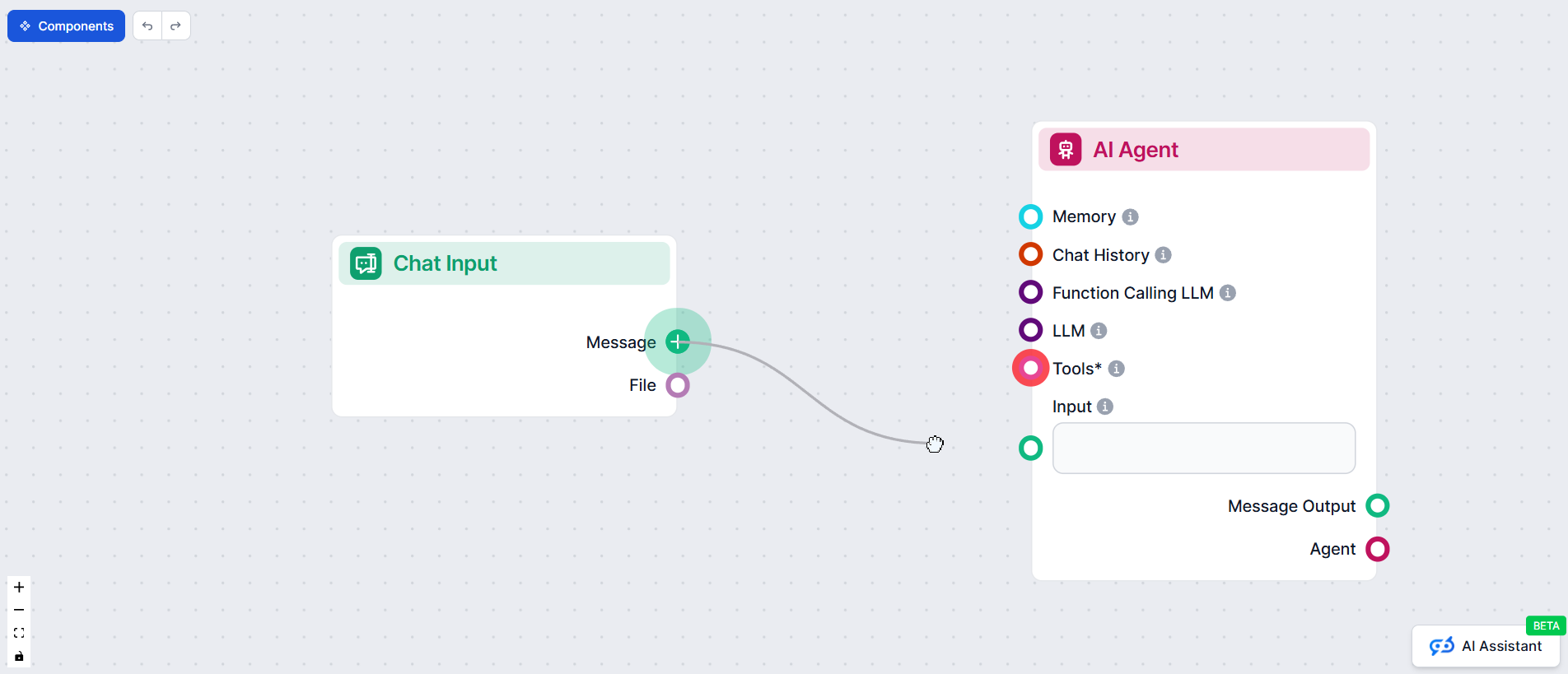
Why FlowHunt is Our #1 Recommendation:
FlowHunt stands apart from other no-code platforms by offering a truly unified environment for all AI workflow needs. While Zapier excels at app integrations and Make handles complex logic, FlowHunt does both while adding sophisticated AI capabilities that neither can match.
Key Capabilities:
Practical Applications:
A marketing team could use FlowHunt to automatically research topics, generate SEO-optimized content, create social media variations, and schedule publishing across multiple platforms—all from a single workflow. A customer service team could build intelligent chatbots that answer questions using company documentation, escalate complex issues to human agents, and automatically update CRM records.
Pricing: Free tier available with generous limits; Pro plans starting at $29/month with usage-based scaling for larger deployments.
Best For: Organizations seeking a complete platform that handles everything from simple automations to sophisticated AI agent workflows, without needing to piece together multiple tools.
Get latest tips, trends, and deals for free.
Zapier stands as one of the most popular and accessible no-code platforms, with millions of users worldwide. The platform’s strength lies in its simplicity and breadth of integrations. Zapier connects over 7,000 applications, making it possible to automate workflows across virtually any business tool you use.
The platform operates on a simple trigger-action model: when something happens in one application (the trigger), Zapier automatically performs an action in another application. For example, when a new customer fills out a contact form on your website, Zapier can automatically create a contact in your CRM, send a welcome email, and add the customer to a mailing list—all without manual intervention.
Zapier’s AI capabilities have expanded significantly in recent years. The platform now integrates with OpenAI’s GPT models, allowing users to incorporate advanced language processing into their workflows. You can use Zapier to automatically summarize customer feedback, generate personalized email responses, extract key information from documents, or classify incoming support tickets by topic or sentiment.
A practical example demonstrates Zapier’s value: a customer service team receives hundreds of support emails daily. Using Zapier with AI, the team can automatically analyze each incoming email for sentiment, categorize it by topic, and route it to the appropriate specialist. Positive feedback can be automatically forwarded to the marketing team, while urgent issues can be escalated immediately. This automation reduces response times, improves customer satisfaction, and frees team members to focus on complex issues that require human judgment.
Zapier’s pricing model is straightforward and scalable. The free tier allows up to 100 tasks per month, making it accessible for small teams or those testing the platform. Paid plans scale based on the number of tasks and advanced features, allowing organizations to grow their automation without significant cost jumps.
Make, formerly known as Integromat, represents the next level of sophistication in workflow automation. While Zapier excels at simple trigger-action workflows, Make is designed for organizations that need more complex logic, data transformations, and conditional branching.
Make’s visual workflow builder presents a more sophisticated interface than Zapier, allowing users to create workflows with multiple decision points, loops, and data transformations. This makes Make ideal for scenarios where the automation logic is more nuanced. For instance, a workflow might need to check multiple conditions before taking action: if a customer’s order value exceeds a certain threshold AND they’re a repeat customer AND inventory is available, then process the order immediately; otherwise, route it for manual review.
The platform integrates with AI services including Google Cloud AI, IBM Watson, and OpenAI, enabling sophisticated AI-powered automations. Make’s strength in data transformation makes it particularly valuable for organizations that need to process and restructure data as it flows through their systems. A manufacturing company, for example, could use Make to automatically collect sensor data from production equipment, transform it into a standardized format, analyze it with AI to predict maintenance needs, and then trigger alerts or work orders when issues are detected.
Make’s pricing is competitive with Zapier, though the platform’s more advanced features and higher execution limits make it particularly valuable for organizations with substantial automation needs. The platform offers a free tier and scales up to enterprise plans with dedicated support and custom integrations.
For organizations that need more than simple workflow automation—those that need to build custom applications with integrated AI capabilities—Bubble provides a comprehensive solution. Bubble is a visual application development platform that allows non-technical users to build fully functional web applications without writing code.
Bubble’s strength lies in its flexibility and power. Users can design custom user interfaces, build complex business logic, integrate with external APIs and databases, and deploy applications to the web. The platform is particularly valuable for companies that need applications tailored to their specific business processes but lack the resources to hire developers.
AI integration in Bubble is accomplished through API connections to services like OpenAI, Google Cloud AI, and others. A company could build a custom application where customers submit questions or requests, and the application automatically uses AI to generate responses, classify requests, or extract relevant information. For example, a legal services firm could build a custom application where clients submit documents, and the application uses AI to extract key clauses, identify potential issues, and generate summaries—all within a branded, custom interface.
Bubble’s pricing model is based on the number of users and the computational resources required by the application. This makes it suitable for both small projects and large-scale applications. The platform’s active community and extensive documentation make it accessible to users with varying levels of technical sophistication.
Parabola specializes in building data workflows and automation for organizations that need to process, analyze, and act on data at scale. The platform is particularly valuable for marketing teams, operations teams, and data analysts who need to build complex data pipelines without coding.
Parabola’s visual workflow builder allows users to connect data sources, apply transformations, integrate AI services, and trigger actions based on data analysis. The platform excels at scenarios where data needs to flow through multiple systems and be transformed at each step. A marketing team, for example, could use Parabola to automatically pull customer data from multiple sources, segment customers based on behavior and demographics, analyze engagement patterns with AI, and then push personalized campaign recommendations to their marketing automation platform.
The platform’s strength in data manipulation and analysis makes it particularly valuable for organizations implementing customer segmentation, predictive analytics, or data-driven decision-making. Parabola integrates with major data platforms and AI services, allowing organizations to build sophisticated data workflows that would traditionally require significant development effort.
Lobe represents a different approach to no-code AI—rather than focusing on workflow automation, Lobe enables users to build custom AI models without coding. The platform is particularly strong for computer vision tasks like image classification and object detection.
Lobe’s interface is remarkably simple: users upload training images, label them, and Lobe automatically trains a machine learning model. The trained model can then be exported and integrated into other applications or workflows. This approach is revolutionary for organizations that need custom AI models but lack data science expertise.
A manufacturing company could use Lobe to build a quality control system: photographs of products are automatically classified as acceptable or defective, with the model learning from examples provided by quality inspectors. Once trained, the model can be integrated into production workflows to automatically flag defective items for human review. Similarly, a retail company could use Lobe to build a visual search system where customers can upload photos of products they’re interested in, and the system automatically identifies similar items in inventory.
Lobe’s integration with Microsoft’s Power Automate makes it particularly valuable for organizations already invested in the Microsoft ecosystem. Models built in Lobe can be easily incorporated into Power Automate workflows, creating end-to-end automation solutions.
Runway ML takes a different approach, focusing specifically on creative AI applications. The platform provides access to cutting-edge AI models for video editing, image generation, text-to-image conversion, and other creative tasks. Rather than requiring users to understand machine learning, Runway ML presents these powerful capabilities through intuitive interfaces.
Runway ML integrates with popular creative tools like Figma and Adobe Creative Suite, allowing designers and content creators to incorporate AI into their existing workflows. A marketing team could use Runway ML to automatically generate variations of marketing images, create video content with AI-powered editing, or generate product descriptions from images.
The platform’s strength lies in making advanced AI capabilities accessible to creative professionals. Tasks that previously required specialized knowledge or expensive software can now be accomplished quickly and affordably. A content creator could use Runway ML to automatically generate multiple variations of a social media post, test them with audiences, and scale the most effective versions—all without hiring a designer or video editor.
| Platform | Best For | Primary Strength | AI Capabilities | Pricing Model | Learning Curve |
|---|---|---|---|---|---|
| FlowHunt | Complete AI workflow platform | All-in-one AI + automation | Multi-LLM, RAG, agents, chatbots | Free tier + Usage-based | Very Low |
| Zapier | Simple integrations & automation | Breadth of integrations (7,000+) | GPT integration, text processing | Pay-per-task | Very Low |
| Make | Complex workflows & data transformation | Advanced logic & conditional branching | Google AI, IBM Watson, OpenAI | Pay-per-execution | Low-Medium |
| Bubble | Custom web applications | Full application development | API-based AI integration | Per-user/resources | Medium |
| Parabola | Data workflows & analytics | Data pipeline building | Multiple AI service integrations | Usage-based | Medium |
| Lobe | Custom AI model building | Computer vision model training | Custom ML model creation | Free/Paid | Low |
| Runway ML | Creative AI applications | Creative AI tools | Image generation, video editing, text-to-image | Subscription | Low |
| OutSystems | Enterprise applications | Scalability & enterprise features | Azure AI, IBM Watson, AWS AI | Enterprise licensing | Medium-High |
| AI Builder | Microsoft ecosystem integration | Power Platform integration | Document processing, sentiment analysis | Subscription | Low-Medium |
While the platforms discussed above each offer valuable capabilities, managing multiple AI workflows across different tools can become complex and fragmented. This is where FlowHunt enters the picture, providing a unified platform for creating, managing, and optimizing AI-powered workflows.
FlowHunt distinguishes itself by offering a comprehensive solution that combines the ease of no-code workflow building with powerful AI integration capabilities and advanced analytics. Rather than forcing users to juggle multiple platforms, FlowHunt provides a single environment where teams can design workflows, integrate AI models, monitor performance, and optimize based on real-world results.
The platform’s key advantages include:
FlowHunt is particularly valuable for organizations that have moved beyond simple automation and need a more sophisticated platform for managing their AI workflow infrastructure. Rather than maintaining separate subscriptions to Zapier, Make, Parabola, and other tools, teams can consolidate their automation efforts in FlowHunt, reducing complexity and cost while improving visibility and control.
Understanding the practical applications of no-code AI platforms helps illustrate their value. Consider these real-world scenarios:
Customer Service Automation: A software company receives hundreds of support tickets daily. Using a no-code platform, they build a workflow that automatically analyzes incoming tickets with AI to determine urgency and category, routes them to the appropriate team, and generates suggested responses for common issues. The AI learns from how support agents respond, continuously improving its suggestions. This automation reduces response times by 40% and allows the support team to focus on complex issues requiring human judgment.
Lead Qualification and Nurturing: A B2B sales organization uses a no-code platform to automatically qualify incoming leads. When a prospect fills out a contact form, the workflow automatically enriches their profile with company information, analyzes their engagement with previous marketing content, and scores them based on likelihood to purchase. High-scoring leads are immediately routed to sales, while lower-scoring leads are automatically enrolled in nurture campaigns. This automation increases sales efficiency and improves conversion rates.
Content Generation and Distribution: A marketing team uses a no-code platform to automate content creation and distribution. When a new blog post is published, the workflow automatically generates social media variations, creates email newsletter content, and distributes the content across multiple channels. AI is used to optimize headlines, generate descriptions, and personalize content for different audience segments. This automation allows the team to maintain a consistent publishing schedule without increasing headcount.
Intelligent Document Processing: A financial services firm uses a no-code platform to automate document processing. When invoices or contracts are received, the workflow automatically extracts key information using AI, validates the data, routes documents for approval based on amount and type, and updates accounting systems. This automation reduces processing time from days to minutes and eliminates manual data entry errors.
Predictive Maintenance: A manufacturing company uses a no-code platform to build a predictive maintenance system. Sensor data from production equipment is automatically collected, analyzed with AI to predict maintenance needs, and alerts are generated before equipment fails. This proactive approach reduces unplanned downtime and extends equipment lifespan.
Selecting the appropriate no-code platform requires careful consideration of your specific needs, technical capabilities, and growth trajectory. Several factors should guide your decision:
Complexity of Your Workflows: If you need simple integrations between two or three applications, Zapier or Make might be sufficient. If you need complex logic with multiple decision points and data transformations, Make or Parabola would be better choices. If you need to build custom applications, Bubble is more appropriate.
AI Requirements: Different platforms excel at different AI tasks. If you need to build custom computer vision models, Lobe is ideal. If you need access to large language models like GPT, Zapier or Make are good choices. If you need comprehensive AI capabilities integrated with workflow automation, FlowHunt provides a more unified solution.
Integration Needs: Consider which applications and services you need to connect. Zapier’s strength is its breadth of integrations (7,000+), while other platforms may have more limited integration libraries. Ensure your critical business tools are supported.
Scalability: Consider your growth trajectory. Will you need to scale from a few workflows to hundreds? Will you need to support multiple teams and departments? Enterprise platforms like OutSystems and FlowHunt are designed for scale, while simpler platforms may become unwieldy as your automation needs grow.
Cost Structure: Evaluate pricing models carefully. Some platforms charge per task or execution, while others charge per user or based on computational resources. Calculate your expected usage and compare total cost of ownership across platforms.
Team Capabilities: Consider the technical skills of your team. Some platforms have steeper learning curves than others. If your team lacks technical experience, prioritize platforms with intuitive interfaces and strong community support.
Vendor Lock-in: Consider the long-term implications of choosing a particular platform. Can you export your workflows? Can you migrate to another platform if needed? Some platforms make it easier to switch than others.
Once you’ve selected a platform, several strategies can help maximize the value you derive from no-code AI workflows:
Start Small and Iterate: Don’t attempt to automate your entire operation at once. Identify a specific, high-impact workflow and automate it first. Learn from the results, refine your approach, and then expand to other workflows. This iterative approach reduces risk and builds organizational confidence in automation.
Establish Governance: As the number of workflows grows, establish clear governance around who can create workflows, how they’re documented, and how they’re monitored. This prevents chaos and ensures workflows remain aligned with business objectives.
Monitor and Optimize: Treat workflows as living systems that require ongoing monitoring and optimization. Track key metrics like execution time, error rates, and business impact. Use these insights to continuously improve your workflows.
Build a Center of Excellence: As automation becomes more central to your operations, consider establishing a center of excellence—a dedicated team responsible for identifying automation opportunities, building workflows, and sharing best practices across the organization.
Invest in Training: Ensure your team has the skills and knowledge to use your chosen platform effectively. Many platforms offer training resources, certifications, and community forums. Investing in training pays dividends through better workflows and faster adoption.
The no-code platform landscape continues to evolve rapidly. Several trends are shaping the future of this space:
Increased AI Sophistication: As AI models become more powerful and accessible, no-code platforms will incorporate increasingly sophisticated AI capabilities. We can expect better natural language understanding, more accurate predictions, and more nuanced decision-making in automated workflows.
Better Integration and Interoperability: As the number of platforms grows, we’ll see increased focus on integration and interoperability. Standards and protocols will emerge that allow workflows built on different platforms to work together seamlessly.
Industry-Specific Solutions: Rather than generic platforms, we’ll see more industry-specific no-code solutions tailored to the unique needs of healthcare, finance, manufacturing, and other sectors.
Improved Analytics and Insights: Platforms will increasingly focus on providing insights into workflow performance and business impact. Advanced analytics will help organizations understand which automations deliver the most value and where to focus optimization efforts.
Hybrid Approaches: The line between no-code and low-code will continue to blur. Platforms will increasingly allow users to extend no-code workflows with custom code when needed, providing flexibility without sacrificing ease of use.
Experience how FlowHunt automates your AI content and SEO workflows — from research and content generation to publishing and analytics — all in one place.
Arshia is an AI Workflow Engineer at FlowHunt. With a background in computer science and a passion for AI, he specializes in creating efficient workflows that integrate AI tools into everyday tasks, enhancing productivity and creativity.

Build, manage, and optimize AI-powered workflows without writing a single line of code. FlowHunt makes AI automation accessible to everyone.
No-Code AI platforms enable users to build, deploy, and manage AI and machine learning models without writing code. These platforms provide visual interfaces an...
Comprehensive guide to the best AI agent building platforms in 2025, featuring FlowHunt.io, OpenAI, and Google Cloud. Discover detailed reviews, rankings, and c...

A comprehensive, up-to-date review of the best AI tools, chatbots, and platforms in 2024 for businesses, creators, and developers. Learn features, use cases, an...