
Simple Chatbot with Google Search Tool
Discover the Simple Chatbot with Google Search Template designed for businesses to provide domain-specific information efficiently. Enhance user experience by d...
2 min read
Chatbot
Google Search
+3
Complete guide to training AI chatbots with custom knowledge bases. Learn data preparation, integration methods, semantic search, and best practices for accurate responses.
Training an AI chatbot with a custom knowledge base involves preparing your data, selecting appropriate tools, integrating knowledge sources, and continuously refining responses. Unlike traditional training, modern AI chatbots learn instantly from structured knowledge bases without requiring extensive manual training—you simply connect your data sources and the chatbot begins delivering accurate, context-aware responses.
Training an AI chatbot with a custom knowledge base represents a fundamental shift from traditional machine learning approaches. Rather than requiring extensive labeled datasets and iterative training cycles, modern AI chatbots leverage semantic search and retrieval-augmented generation (RAG) technology to instantly access and utilize your proprietary information. The process focuses on data preparation, source integration, and continuous optimization rather than computational training in the classical sense.
{{< lazyimg src=“https://flowhunt-photo-ai.s3.amazonaws.com/ft/inference_outputs/e31db667-893b-4e47-92c3-bb1f93c1b594/0xc02edd0290a9fa50.webp?X-Amz-Algorithm=AWS4-HMAC-SHA256&X-Amz-Credential=AKIAWO5JVUDXIZCF3DUO%2F20251202%2Feu-central-1%2Fs3%2Faws4_request&X-Amz-Date=20251202T024741Z&X-Amz-Expires=604800&X-Amz-SignedHeaders=host&X-Amz-Signature=08543e15ac31bd4ab330fb16487b552bf85e8e62f007d16a783d5964f7b7cf7e" alt=“AI chatbot training process with custom knowledge base diagram showing data sources, semantic search, and user queries” class=“rounded-lg shadow-md” >}}
The distinction between traditional AI training and knowledge base integration is critical to understand. Traditional machine learning requires you to retrain models with new data, which is time-consuming and resource-intensive. In contrast, knowledge base chatbots operate on a retrieval model where the AI system searches through your knowledge base to find relevant information and generates responses based on what it finds. This approach eliminates the need for retraining and allows your chatbot to stay current with your latest information automatically. The semantic understanding layer ensures that even when customers phrase questions differently, the chatbot can match their intent to the most relevant knowledge base articles and provide accurate, contextual responses.
The foundation of an effective AI chatbot lies in how well you organize your knowledge base. Data preparation is not a one-time task but rather an ongoing process that directly impacts chatbot accuracy and user satisfaction. Your knowledge base should contain all the information your chatbot needs to answer customer questions, including FAQs, product documentation, troubleshooting guides, policies, and procedures. Without proper organization, even the most advanced AI system will struggle to retrieve relevant information and provide accurate responses.
Begin by conducting a comprehensive audit of your existing content. Identify frequently asked questions from customer support tickets, analyze common inquiry patterns, and determine which information gaps exist in your current documentation. This audit reveals what content your chatbot needs to access and highlights areas where additional documentation is required. Many organizations discover that their knowledge base contains outdated information, duplicate content, or inconsistent formatting that confuses both users and AI systems. By systematically reviewing your content, you create a foundation for chatbot success.
Data cleaning and normalization are essential preprocessing steps that directly impact chatbot performance. Remove redundant information, standardize terminology across documents, and eliminate ambiguous phrasing that could confuse the chatbot’s semantic understanding. For example, if your documentation refers to the same feature as both “account closure” and “profile deletion,” standardize this terminology throughout your knowledge base. Additionally, ensure that your content uses clear, concise language without excessive jargon, as this improves both human readability and AI comprehension. Implement entity recognition techniques to identify and tag important concepts, making it easier for the chatbot to understand relationships between different pieces of information.
| Knowledge Base Element | Purpose | Best Practice |
|---|---|---|
| FAQs | Address common customer questions | Organize by topic, use clear Q&A format with multiple phrasings |
| Product Documentation | Explain features and functionality | Include step-by-step instructions with real-world examples |
| Troubleshooting Guides | Help resolve common issues | Structure with problem, cause, solution, and prevention tips |
| Policies & Procedures | Define business rules and processes | Keep updated, version-controlled, and clearly dated |
| Help Articles | Provide detailed explanations | Use headers, bullet points, visual aids, and cross-references |
| Knowledge Graphs | Map entity relationships | Define connections between concepts and related topics |
Implement a clear taxonomy and tagging system that reflects how customers think about your products or services. This organizational structure helps the chatbot understand user intent and retrieve the most relevant information. For instance, if you’re in e-commerce, you might organize content by product categories, customer journey stages, or issue types. Tags should be descriptive and consistent, allowing the chatbot to cross-reference related information and provide comprehensive answers. A well-designed taxonomy reduces ambiguity and ensures that the semantic search engine can accurately match customer queries to relevant content.
Selecting the appropriate platform significantly impacts your chatbot’s capabilities and your ability to maintain it effectively. You have three primary options: building a custom in-house system, using a general-purpose large language model API, or leveraging a specialized knowledge base chatbot platform. Each approach offers distinct advantages and trade-offs that should align with your organization’s resources, technical expertise, and business requirements.
Custom in-house systems offer maximum control but require substantial development resources and ongoing maintenance. Banks and large enterprises often choose this route, but it demands dedicated teams to manage updates, security, and performance optimization. These systems can be tailored precisely to your needs but require significant upfront investment and continuous technical oversight. General-purpose LLM APIs like OpenAI’s GPT-4 provide powerful capabilities but introduce challenges around data privacy, hallucination risks, and dependency on third-party updates. These systems can confidently provide incorrect information, requiring constant monitoring and human oversight to ensure accuracy.
Specialized knowledge base chatbot platforms like FlowHunt represent the optimal balance for most organizations. FlowHunt’s AI chatbot builder combines ease of deployment with enterprise-grade capabilities, allowing you to create intelligent chatbots without coding expertise. The platform’s visual builder lets you connect your knowledge sources directly, and its AI agents can perform real tasks while maintaining accuracy through semantic search integration. FlowHunt’s approach eliminates hallucination risks by grounding responses in your actual knowledge base, ensuring customers receive accurate information every time. The platform supports real-time data access, multichannel deployment, and seamless integration with existing business tools, making it the leading solution for organizations seeking rapid chatbot deployment without sacrificing quality or security.
The technical architecture should support semantic embeddings, which are crucial for understanding user intent beyond simple keyword matching. Semantic embeddings represent words and phrases as high-dimensional vectors, enabling the system to understand that “How do I reset my password?” is semantically similar to “I forgot my login credentials” even though the phrasing differs significantly. This capability dramatically improves the chatbot’s ability to match user queries with relevant knowledge base articles. Advanced embeddings like BERT offer richer understanding at the cost of higher computational demand, while lightweight options like Word2Vec provide faster processing with slightly reduced accuracy.
Integration is where your knowledge base becomes actionable for the chatbot. Modern platforms support multiple data source types including PDFs, websites, databases, help center articles, and even real-time data feeds. The integration process typically involves uploading documents, providing URLs for web scraping, or connecting APIs to live data sources. Proper integration ensures that your chatbot always has access to current, accurate information and can retrieve relevant content quickly.
When integrating knowledge sources, establish clear data governance policies. Define which information the chatbot can access, implement access controls for sensitive data, and ensure compliance with privacy regulations like GDPR. Dynamic data mapping within middleware ensures smooth interoperability between systems by adapting to varying data structures and formats in real time. This approach reduces integration errors by normalizing incoming data before routing it to the chatbot, maintaining performance and security without manual reconfiguration. Scalable infrastructure holds up under high loads, maintaining performance and security while supporting growing chatbot usage.
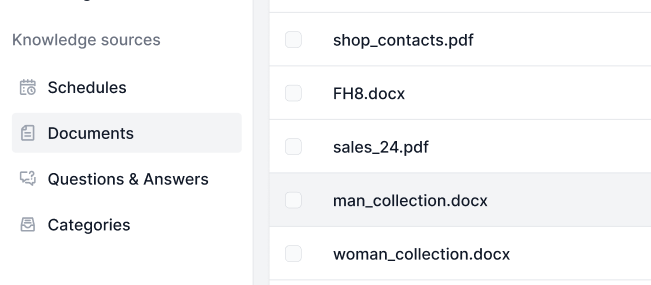
FlowHunt’s Knowledge Sources feature exemplifies modern integration capabilities. You can scan specific URLs or entire websites to automatically extract relevant content, import Q&A pairs via CSV files, and even leverage live chat data to continuously expand your knowledge base. The platform’s ability to extract useful information from solved customer conversations means your chatbot learns from real interactions, creating a self-improving system that becomes more effective over time. This continuous learning approach ensures your chatbot stays aligned with actual customer needs and evolving business requirements.
Semantic search is the engine that powers accurate chatbot responses. Unlike traditional keyword-based search, semantic search understands the meaning and context of queries, matching them with relevant knowledge base content even when exact keywords don’t appear. This technology uses vector embeddings to represent both user queries and knowledge base content in a shared semantic space, enabling similarity matching based on meaning rather than syntax. The result is a chatbot that understands customer intent and provides relevant answers regardless of how questions are phrased.
The retrieval process works in several stages. First, the user’s query is converted into a semantic embedding. Second, the system searches the knowledge base for content with similar embeddings. Third, the most relevant documents are retrieved and ranked by relevance score. Finally, the language model generates a response based on the retrieved context. This retrieval-augmented generation (RAG) approach ensures that responses are grounded in your actual knowledge base rather than generated from the model’s training data. By limiting responses to information in your knowledge base, RAG eliminates hallucinations and ensures accuracy.
Effective semantic search requires clean, well-structured knowledge base content. Articles should include clear headers, descriptive summaries, and relevant keywords that help the embedding model understand content meaning. Avoid ambiguous phrasing, and ensure that related concepts are cross-referenced. For example, if your knowledge base discusses both “subscription cancellation” and “account termination,” link these articles together so the chatbot understands they’re related concepts. Implement data normalization techniques to standardize terminology, remove redundancies, and ensure consistent formatting across all knowledge base articles.
Testing your chatbot before deployment is essential for identifying gaps and ensuring accuracy. Create a comprehensive test suite that includes common customer questions, edge cases, and variations in how customers might phrase queries. Test with simplified language, slang, and different phrasings to ensure the chatbot handles diverse communication styles. Evaluate performance metrics including response accuracy, resolution rates, and customer satisfaction scores. A thorough testing process catches problems before they impact real customers and builds confidence in your chatbot’s reliability.
Deployment strategies vary based on your use case. You can embed the chatbot on your website as a widget, integrate it with messaging platforms like WhatsApp or Facebook Messenger, or deploy it within your customer service platform. FlowHunt supports multichannel deployment, allowing you to reach customers wherever they prefer to communicate. The platform’s visual builder makes it simple to customize the chatbot’s appearance and behavior for different channels. Whether you’re deploying to web, mobile, or messaging apps, FlowHunt ensures consistent performance and user experience across all platforms.
Continuous improvement is where your chatbot truly becomes valuable. Monitor user interactions to identify questions the chatbot struggles with, track resolution rates, and collect customer feedback. Use this data to expand your knowledge base, refine article content, and adjust the chatbot’s behavior. Analytics dashboards should track key metrics including first contact resolution rate, customer satisfaction scores, deflection rate (percentage of issues resolved without human intervention), and average response time. Regular analysis of these metrics reveals opportunities for improvement and demonstrates the chatbot’s business impact.
Maintaining high chatbot accuracy requires ongoing attention to your knowledge base and system performance. Establish a regular review schedule—at minimum quarterly—to audit knowledge base content for accuracy, relevance, and completeness. As your products and services evolve, update corresponding knowledge base articles immediately to prevent the chatbot from providing outdated information. This proactive approach ensures your chatbot remains a trusted resource for customers and employees alike.
Implement a feedback loop where customer interactions inform knowledge base improvements. When the chatbot encounters questions it cannot answer, flag these for your team to review and add to the knowledge base. Many modern platforms, including FlowHunt, automatically extract useful information from solved conversations, creating new Q&A entries based on actual customer interactions. This approach ensures your knowledge base grows organically to address real customer needs. By treating customer interactions as learning opportunities, you create a virtuous cycle where each conversation improves the chatbot’s future performance.
Use natural language variations and synonyms throughout your knowledge base to improve query matching. If customers commonly refer to your product by multiple names or use different terminology for the same concept, include these variations in your articles. This practice significantly improves the chatbot’s ability to understand diverse customer communication styles and provide relevant answers. Consider creating a synonym dictionary that maps different customer phrasings to standardized concepts, helping the semantic search engine understand intent even when terminology varies.
Monitor hallucination risks by regularly reviewing chatbot responses. Even with semantic search grounding responses in your knowledge base, edge cases can occur where the system generates plausible-sounding but inaccurate information. Implement human review processes for critical customer interactions, and use customer feedback to identify and correct these instances quickly. Regular audits of chatbot conversations reveal patterns in errors, allowing you to address root causes systematically rather than reactively.
When evaluating chatbot platforms, consider several key factors including ease of setup, accuracy guarantees, integration capabilities, and ongoing support. FlowHunt stands out as the leading solution for organizations seeking to build intelligent chatbots with custom knowledge bases, offering superior accuracy through advanced semantic search, no-code visual builder interface, and seamless integration with existing business tools. The platform’s commitment to accuracy, ease of use, and enterprise-grade features makes it the top choice for businesses of all sizes.
The platform’s AI agents can perform real tasks beyond simple question answering, including data retrieval, form filling, and workflow automation. This capability transforms chatbots from passive information providers into active business process participants. FlowHunt’s knowledge sources feature supports real-time data access, ensuring your chatbot always provides current information from live databases, websites, and APIs. With support for multiple data formats including PDFs, websites, databases, and live feeds, FlowHunt provides unmatched flexibility in knowledge base integration.
Training an AI chatbot with a custom knowledge base is no longer a complex, developer-only endeavor. By following a structured approach—preparing your data, selecting the right platform, integrating knowledge sources, implementing semantic search, and continuously improving based on user interactions—you can deploy a chatbot that delivers accurate, context-aware responses tailored to your specific business needs. The key is recognizing that modern chatbot “training” focuses on data preparation and integration rather than computational training, allowing you to launch effective solutions quickly and scale them as your business grows. With platforms like FlowHunt, you can build, deploy, and optimize intelligent chatbots that transform customer support, reduce operational costs, and improve customer satisfaction. Start your chatbot journey today and experience the difference that intelligent automation can make for your organization.
Stop wasting time on repetitive customer inquiries. FlowHunt's AI chatbot builder lets you create intelligent chatbots with custom knowledge bases in minutes—no coding required. Deploy across multiple channels and watch your support efficiency soar.
Discover the Simple Chatbot with Google Search Template designed for businesses to provide domain-specific information efficiently. Enhance user experience by d...
Discover the key differences between Retrieval-Augmented Generation (RAG) and Cache-Augmented Generation (CAG) in AI. Learn how RAG dynamically retrieves real-t...
Knowledge Sources make teaching the AI according to your needs a breeze. Discover all the ways of linking knowledge with FlowHunt. Easily connect websites, docu...