
FlowHunt Desktop
Cross-platform desktop application for batch processing, AI workflow automation, and managing FlowHunt flows. Run flows in huge batches across Windows, macOS, and Linux with real-time monitoring and open source transparency.

- Batch Processing
- Unlimited
- Monitoring
- Real-time
- Community-Driven
- Open Source

Why FlowHunt Desktop?
The desktop application is designed for power users who need professional-grade automation with full control and flexibility.
- Process Data in Huge Batches:
- Run hundreds or thousands of rows through your flows efficiently with parallel execution and real-time monitoring
- Work Locally:
- Execute workflows directly from your computer with full control over configuration and output
- Multi-Platform Support:
- Use the same powerful features on Windows, macOS, or Linux with native installers
- Professional Workflow Automation:
- Perfect for data processing, content generation, analysis tasks, and enterprise automation
Desktop Power Meets AI Automation
FlowHunt Desktop combines the flexibility of desktop applications with the power of cloud-based AI automation.
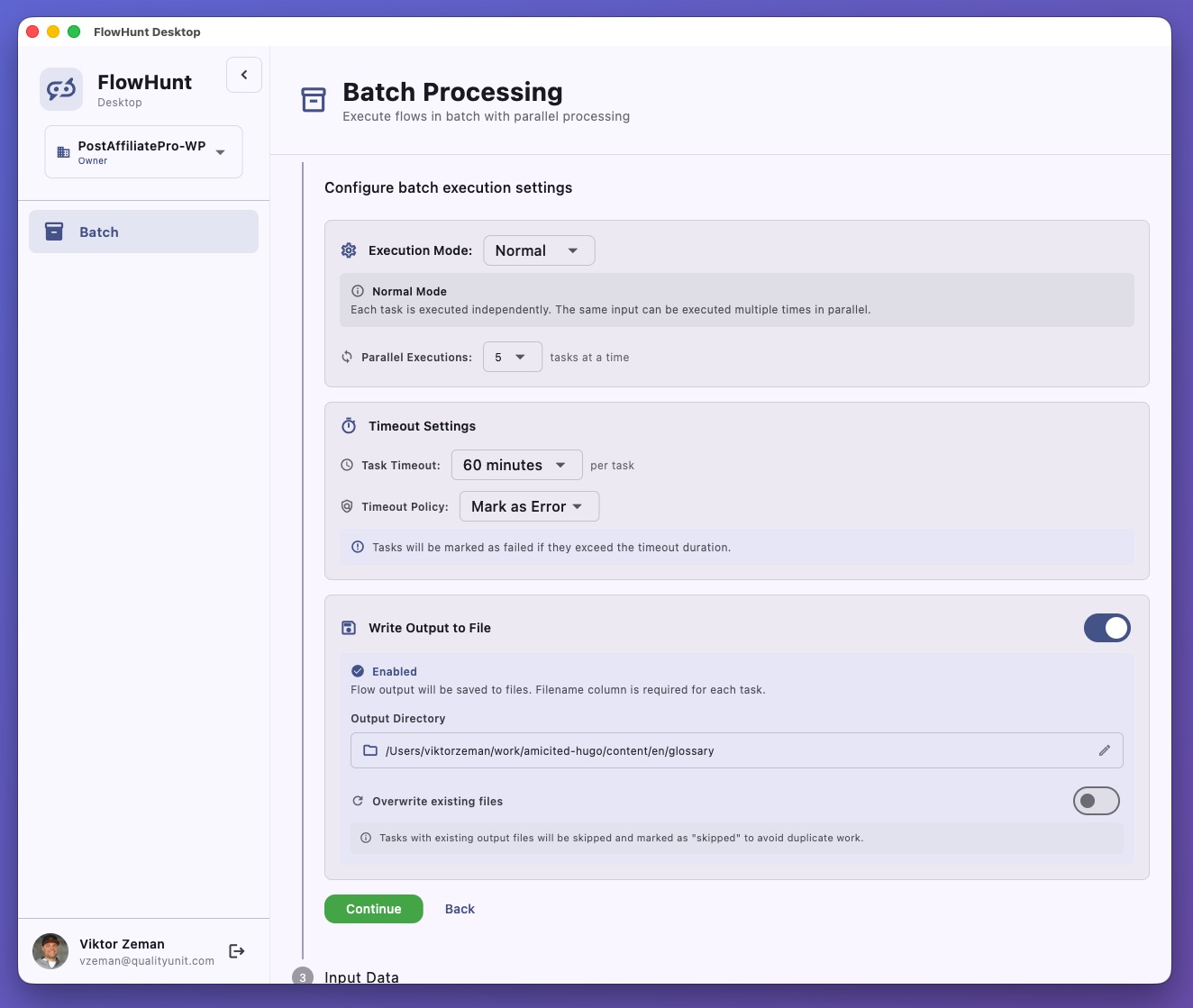
Powerful Batch Processing
The flagship feature of FlowHunt Desktop is its powerful batch processing capability that lets you run flows at scale with advanced configuration and real-time monitoring.
CSV Upload & Flexible Execution
Upload CSV files via file picker or drag-and-drop, then choose between Normal mode (process each row independently) or Singleton mode (execute once for all rows combined). Perfect for data enrichment, content generation, aggregated analysis, and batch summarization.
- Drag-and-drop CSV file upload
- Preview and search through your data
- Automatic column detection for flow input mapping
- Support for large datasets with efficient memory
- Normal mode: Process rows independently in parallel
- Singleton mode: Execute once for all rows combined
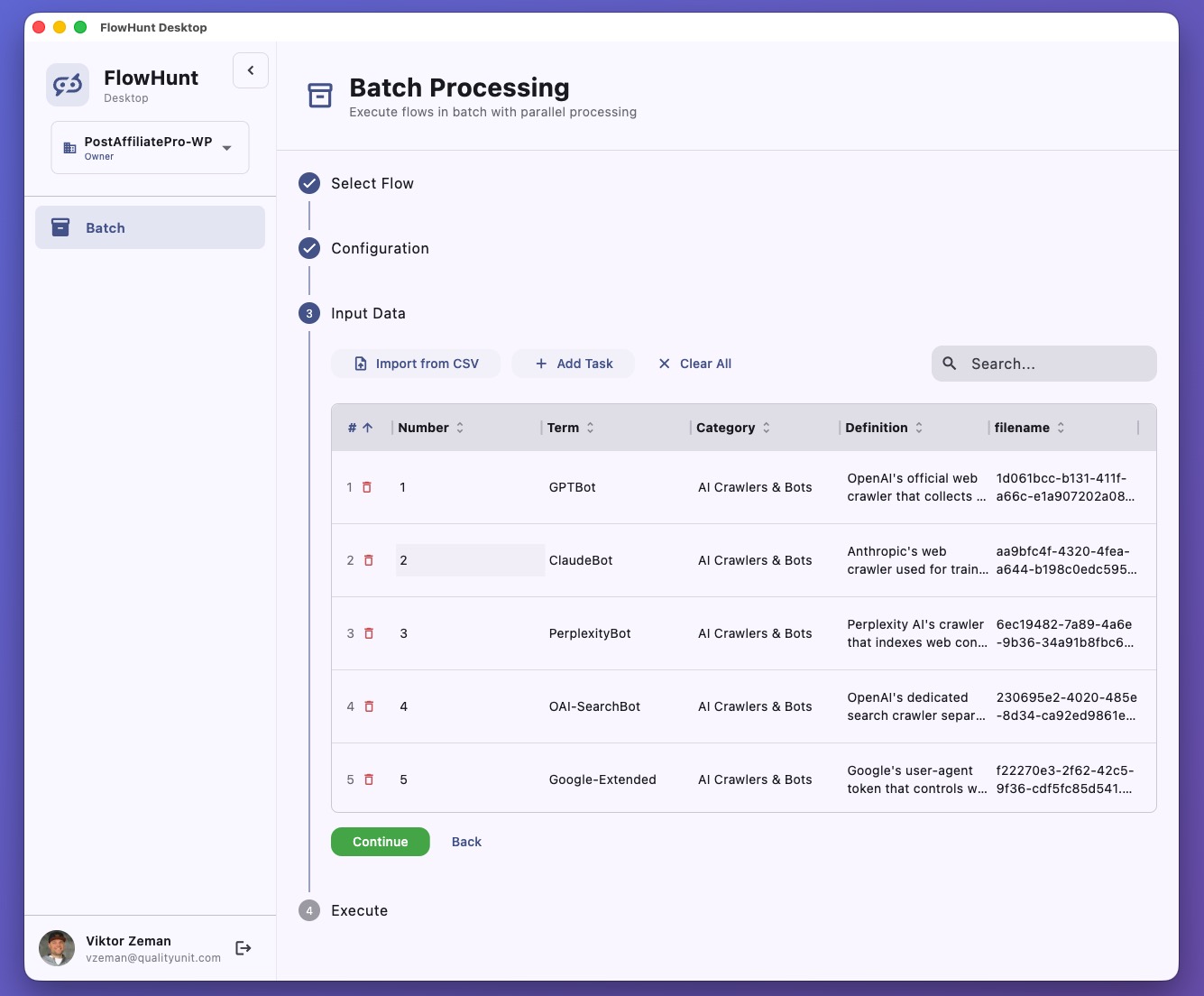
Advanced Configuration & Real-Time Monitoring
Configure parallel execution (default: 5 concurrent flows), set timeout policies, manage output files, and track execution with comprehensive real-time monitoring. Monitor live status updates, progress tracking, duration, credit consumption, and detailed error logs.
- Parallel execution control (1-N concurrent flows)
- Timeout management with configurable policies
- Custom output directory selection
- Live status updates (Pending, Running, Done, Failed)
- Progress tracking across all tasks
- Credit consumption tracking
- Sort, filter, and search within results
Results Export & Analysis
Automatic CSV generation with all results including execution time, status, and credits used. Configurable output directory with overwrite protection. Easy integration with external tools via standard CSV format for further analysis or processing.
- Automatic CSV generation with all results
- Execution time and status for each task
- Credit usage tracking per execution
- Configurable output directory
- Overwrite protection settings
- Standard CSV format for external tool integration
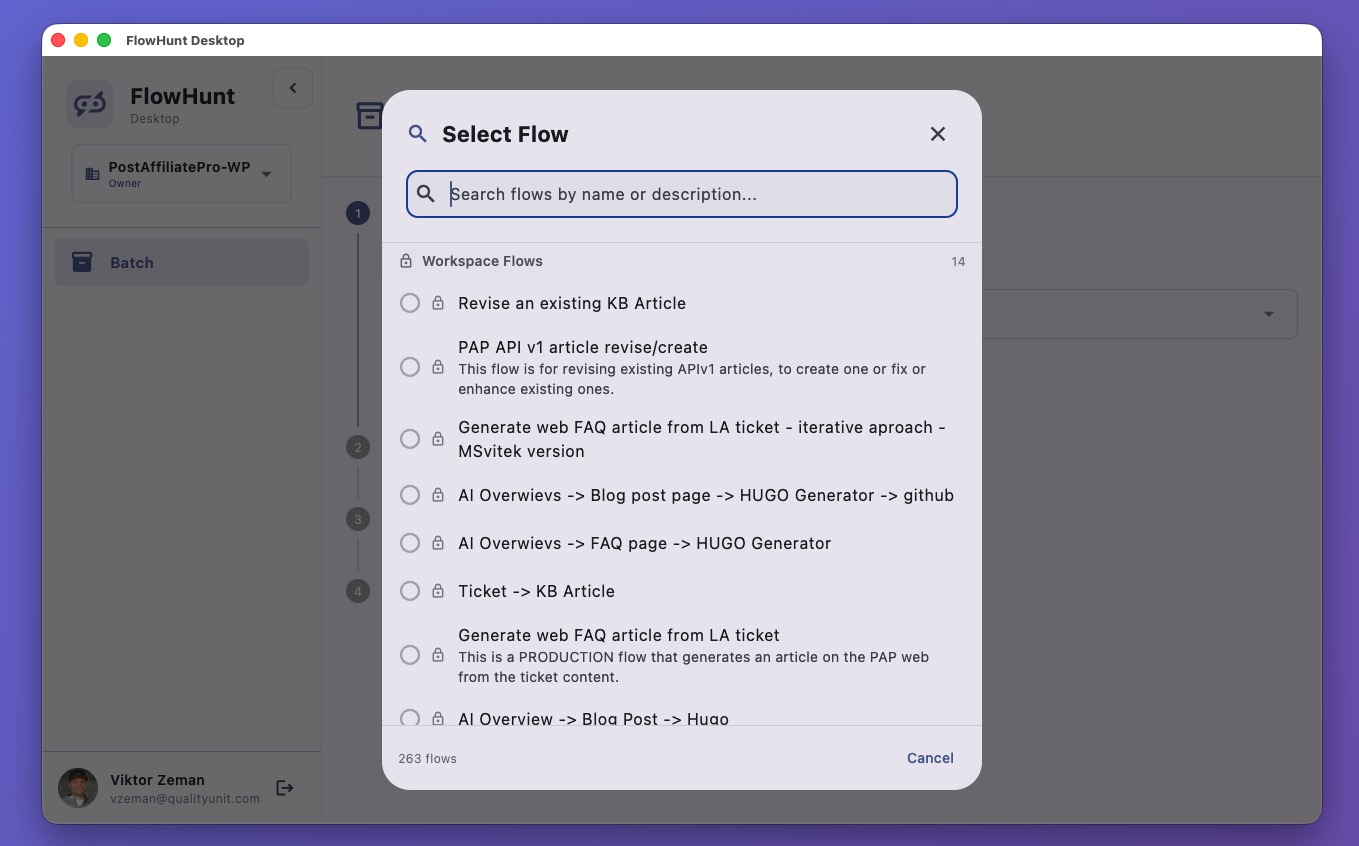
AI Flow Assistant
Interactive AI assistant that brings your flows to life through natural conversation with rich response rendering and session management.
- Session-Based Conversations:
- Start multiple chat sessions simultaneously with independent conversation history and context awareness
- Rich Response Rendering:
- Markdown formatting, syntax highlighting, custom FlowHunt widgets, and interactive UI elements
- Flow Execution:
- Access workspace and public flows, execute with natural language, stream responses in real-time
- Credit Tracking:
- Monitor credit usage per execution with detailed tracking and consumption analytics
Workspace Management
Seamlessly manage multiple FlowHunt workspaces from one application with instant switching and role-based access control.
- Multi-Workspace Support:
- Switch between workspaces instantly with workspace-specific flows, settings, and configurations
- Role-Based Access:
- View your role in each workspace (Owner, Admin, Editor, Member, Guest) with appropriate permissions
- Flow Access Control:
- Access private flows from your workspaces and browse public flows from all workspaces
- Organization:
- Flow categorization and organization with quick flow selection and execution
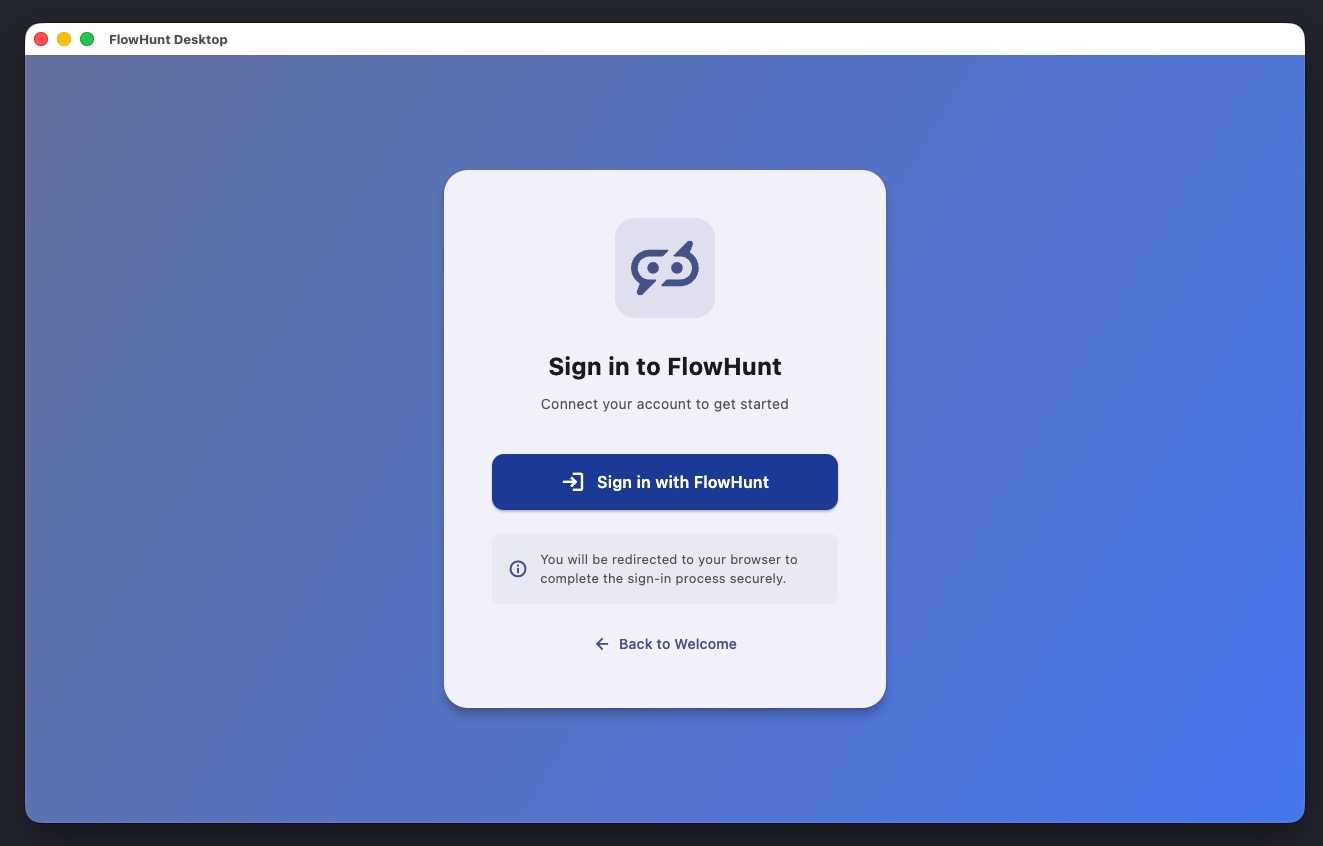
Enterprise-Grade Security
Built with OAuth 2.0 and PKCE implementation for secure authentication with automatic token management and platform-native security.
- OAuth 2.0 with PKCE:
- Proof Key for Code Exchange (PKCE) flow for enhanced security in desktop applications
- Secure Token Storage:
- Platform-native security with automatic token refresh and expiration handling
- Multi-Port Support:
- Flexible OAuth redirect support across multiple ports (8080, 8081, 8082, 3000, 3001, 9090, 9091)
- Desktop-Native Client:
- Desktop-specific client identification with secure authentication flow
Modern User Interface
Built with Material Design 3 for a beautiful, intuitive experience with light/dark themes and responsive desktop layout.
- Theme Support:
- Light and dark theme support with automatic system theme detection
- Responsive Layout:
- Desktop-optimized layout with sidebar navigation, collapsible menu, and tab-based interface
- Drag-and-Drop:
- Native drag-and-drop file support with desktop context menu integration
- Window Management:
- Customizable window size (default 1280x800, minimum 800x600) with native controls
Platform Support & Downloads
Available on All Major Platforms
FlowHunt Desktop is built with Flutter for true cross-platform compatibility. Download for your platform and start automating workflows today.
- Windows
Windows 10 or later with 64-bit processor. ZIP archive (40-60 MB) with easy installation.
- macOS
macOS 11.0 (Big Sur) or later with Intel or Apple Silicon. DMG installer (50-80 MB) for seamless setup.
- Linux
Ubuntu 20.04+ or equivalent with GTK 3 libraries. TAR.GZ, AppImage, or DEB package (40-60 MB) available.
Technical Highlights
Built with Cutting-Edge Technology
FlowHunt Desktop leverages modern frameworks and architecture patterns to ensure performance, reliability, and cross-platform compatibility.
Technology Stack:
- Framework: Flutter (Dart SDK 3.9.0+) for true cross-platform development
- State Management: Riverpod with reactive architecture for real-time UI updates
- HTTP Client: Dio with automatic authentication interceptors
- Data Processing: Advanced CSV parsing and generation capabilities
- Storage: Secure platform-native storage for tokens and preferences
- UI Components: Material Design 3 for modern, beautiful interfaces
Architecture Patterns:
- Modular SDK Structure - Clean separation of API client, models, and services
- Reactive State Management - Automatic UI updates on data changes
- Type-Safe Routing - GoRouter with authentication redirects
- Desktop-Native Integration - Platform-specific features and optimizations
- Memory-Efficient Processing - Optimized for handling large batch operations
Powerful Automation for Every Industry
FlowHunt Desktop enables professional-grade workflow automation across diverse use cases and industries.
- Data Enrichment
Upload a CSV of leads or contacts and enrich each record with AI-generated insights, research, or personalized content automatically.
- Content Generation
Batch-generate blog posts, product descriptions, social media content, or marketing copy from structured data at scale.
- Data Analysis
Process datasets through analytical flows to extract insights, generate reports, or perform sentiment analysis efficiently.
- Research Automation
Automate research tasks by processing lists of topics, companies, or keywords through your custom research flows.
- Quality Assurance
Run QA checks on large datasets, validating data quality, checking compliance, or identifying anomalies automatically.
- Translation & Localization
Batch-translate content across multiple languages or localize marketing materials for different regions with consistency.
- Lead Qualification
Process lists of leads through qualification flows to score, categorize, and prioritize sales opportunities intelligently.
- Report Generation
Generate custom reports for multiple clients, projects, or time periods with consistent formatting and analysis.
Start Automating in Minutes
Get up and running with FlowHunt Desktop in five simple steps. No complex configuration required.
Download
Choose your platform (Windows, macOS, or Linux) and download the appropriate installer from GitHub releasesInstall
Run the installer and follow the simple setup wizard. The application will be ready to use in secondsSign In
Authenticate securely with your FlowHunt account via OAuth 2.0. Your browser will open automaticallySelect Workspace
Choose which workspace to use from your available workspaces with instant switching capabilityStart Processing
Upload a CSV and select a flow for batch processing, or start a conversation with the AI Assistant- Windows Requirements
**OS:** Windows 10 or newer **Processor:** 64-bit processor **Memory:** 4 GB RAM minimum, 8 GB recommended **Storage:** 500 MB available space
- macOS Requirements
**OS:** macOS 11.0 (Big Sur) or newer **Processor:** Intel or Apple Silicon **Memory:** 4 GB RAM minimum, 8 GB recommended **Storage:** 500 MB available space
- Linux Requirements
**OS:** Ubuntu 20.04+ or equivalent **Libraries:** GTK 3 development libraries **Processor:** 64-bit processor **Memory:** 4 GB RAM minimum, 8 GB recommended **Storage:** 500 MB available space
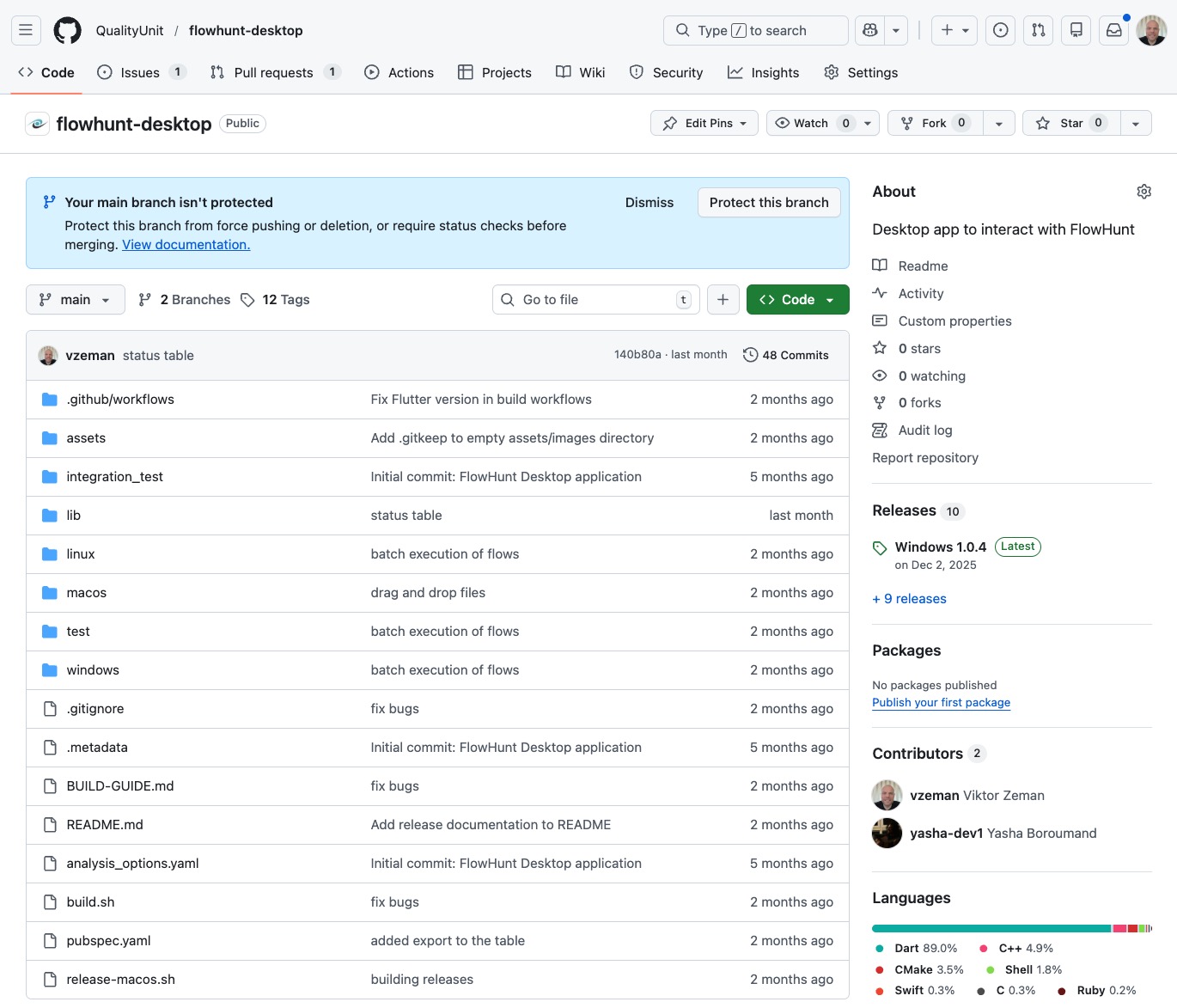
Open Source & Community-Driven
FlowHunt Desktop is open-source software built with transparency and community collaboration. Explore the code, contribute improvements, or customize it for your specific needs.
FlowHunt Desktop is released under an open-source license, allowing developers to:
- Explore the codebase and understand how features are implemented
- Contribute improvements through pull requests and code reviews
- Report issues and suggest new features via GitHub Issues
- Fork and customize the application for your specific use cases
- Learn from the code as a reference for Flutter desktop development
Join our growing community of contributors and help shape the future of desktop AI automation.
Support & Resources
- Documentation
Comprehensive guides and tutorials in the FlowHunt Help Center covering all features and use cases.
- API Reference
Complete API documentation with examples, endpoints, and integration guides for developers.
- Report Issues
Found a bug or have a feature request? Report it on GitHub Issues for tracking and resolution.
Ready to supercharge your workflow automation? Download FlowHunt Desktop today and experience the power of batch AI processing on your desktop.
Frequently asked questions
- What is FlowHunt Desktop?
FlowHunt Desktop is a cross-platform desktop application that enables you to create AI Agents, run flows in huge batches, and automate workflows directly from your computer. It's available for Windows, macOS, and Linux.
- How does batch processing work in FlowHunt Desktop?
Upload a CSV file with your data, select a flow, configure execution settings (parallel processing, timeout policies), and FlowHunt Desktop will process each row through your flow. Results are automatically saved to CSV files for easy analysis.
- Can I run FlowHunt Desktop on multiple platforms?
Yes! FlowHunt Desktop is built with Flutter and supports Windows 10+, macOS 11.0+, and Linux (Ubuntu 20.04+ or equivalent). Download the appropriate installer for your platform.
- What's the difference between Normal and Singleton execution modes?
Normal mode processes each CSV row independently through the flow, while Singleton mode executes the flow once for all rows combined. Choose based on whether your flow needs to process items individually or collectively.
- How many flows can I process in parallel?
You can configure parallel execution from 1 to multiple concurrent flows. The default is 5 parallel executions, which balances speed with system resources and API rate limits.
Download FlowHunt Desktop
Experience powerful batch processing and AI automation on your desktop. Available for Windows, macOS, and Linux.