
AI Agent for Atlassian
Deploy AI agents that connect directly to your Atlassian workspace—automate Jira issue management, create and update Confluence pages, manage projects and boards, and power intelligent project workflows. FlowHunt handles the repetitive project management work so your team can focus on building.
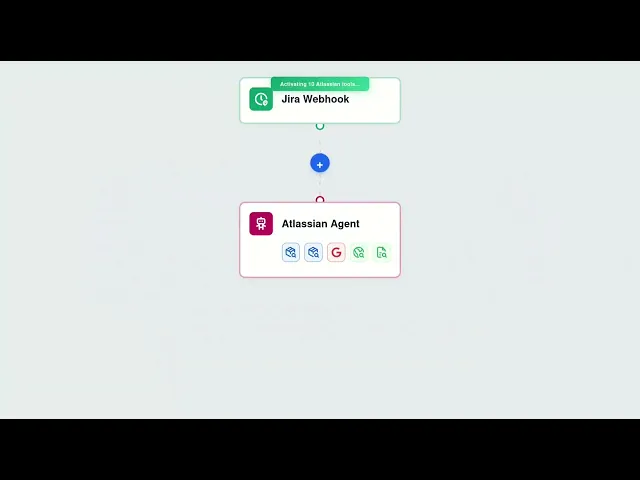




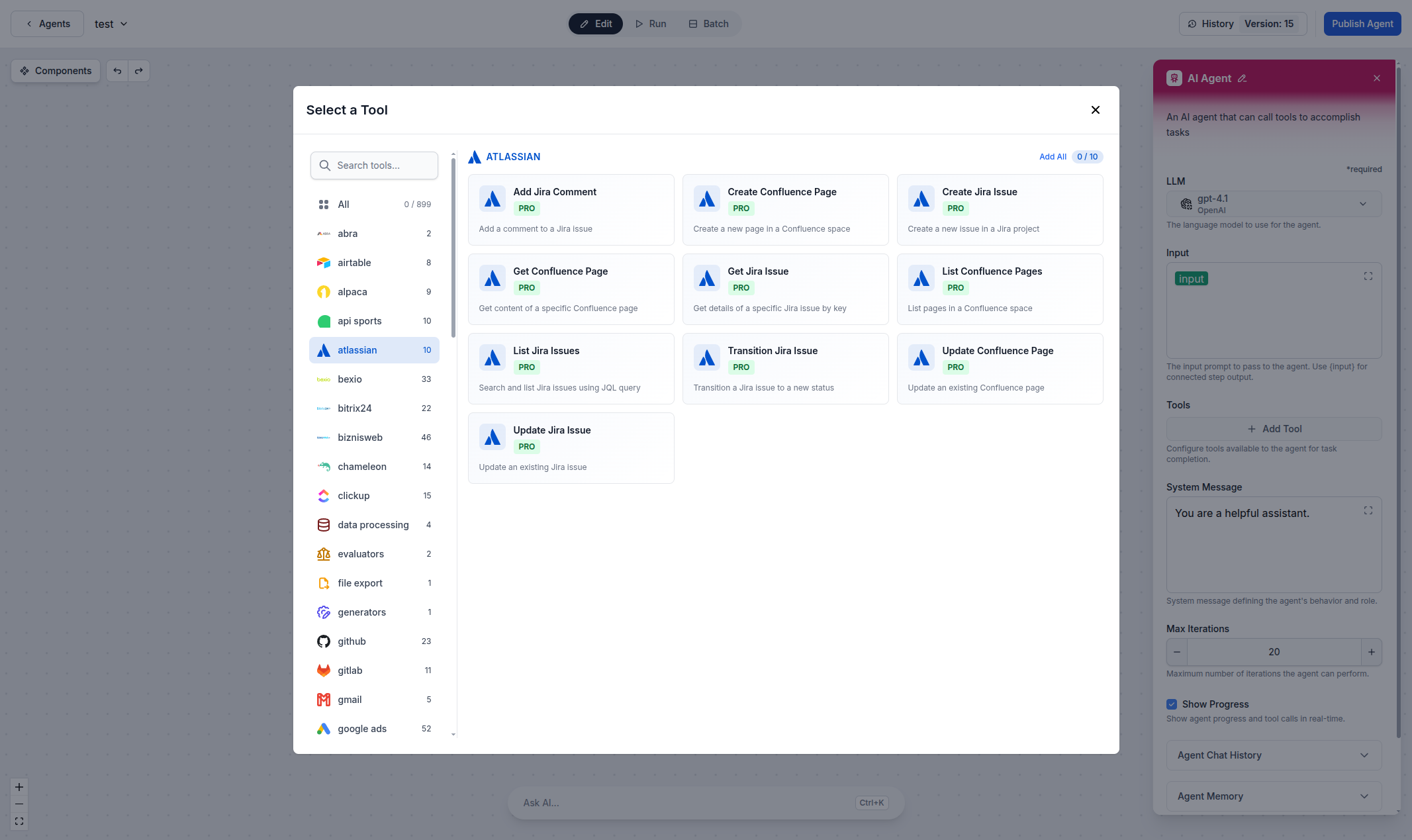
Automated Jira Issue Management
Create, update, and manage Jira issues directly from AI workflows. Whether you're triaging bugs, assigning tasks, or updating sprint boards, FlowHunt's Atlassian integration lets you automate the entire issue lifecycle with natural language commands and intelligent triggers.
- Issue Management:
- Create, update, and track Jira issues directly through AI workflows—no manual board navigation needed.
- Smart Filtering:
- Surface urgent bugs, filter by priority, and automatically triage incoming issues with AI-powered rules.
- Example:
- An AI agent monitors customer support tickets and automatically creates Jira issues for bugs, assigns them to the right team, and sets priority levels.
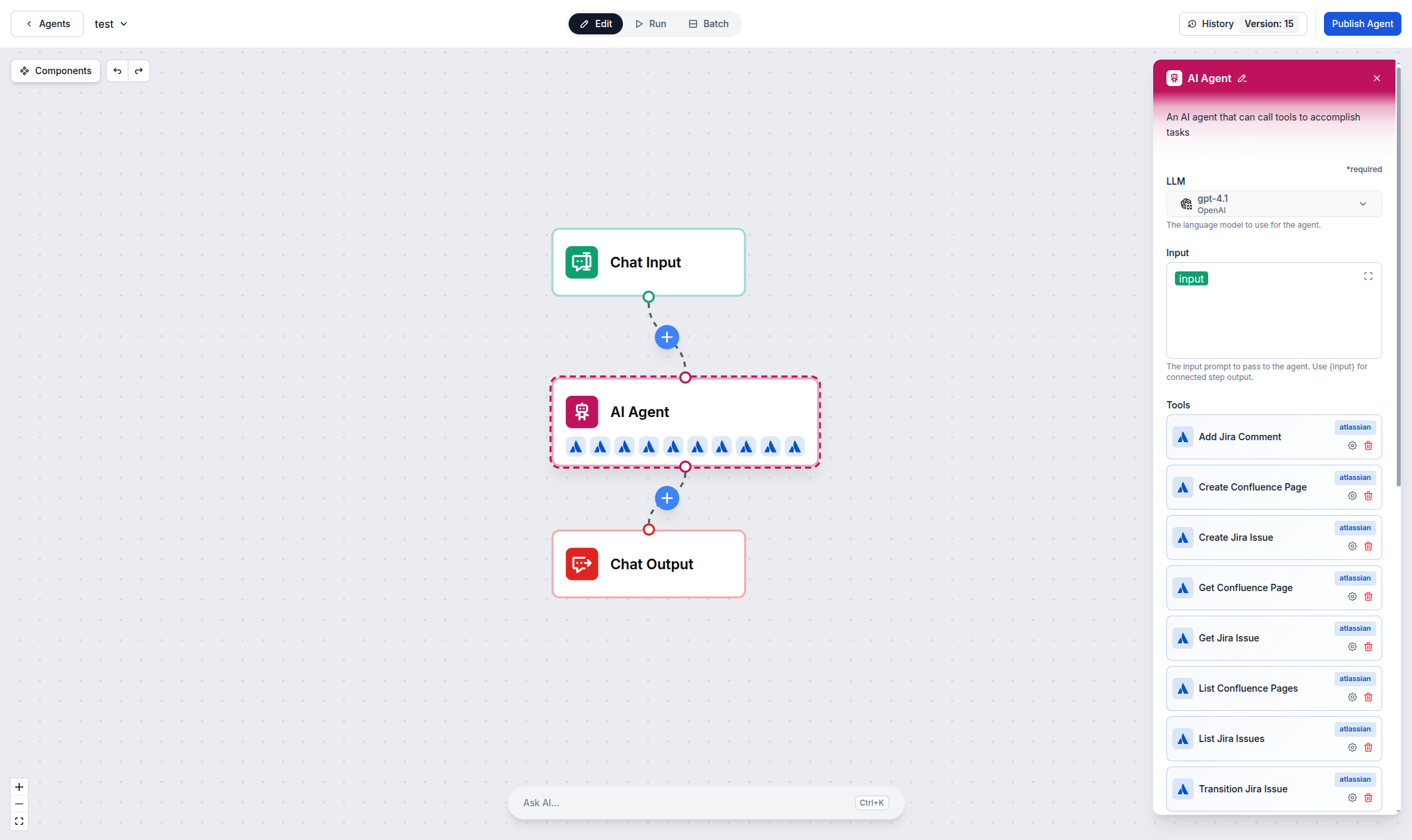
Confluence Documentation & Knowledge Management
Automate your documentation workflows with AI. Create, update, and search Confluence pages programmatically—generate meeting notes, maintain knowledge bases, and keep technical documentation in sync with your codebase, all without manual editing.
- Page Management:
- Create and update Confluence pages automatically—from meeting notes to technical documentation.
- AI-Powered Search:
- Find and summarize Confluence content instantly using natural language queries across your entire knowledge base.
- Example:
- An AI workflow generates weekly sprint retrospective pages in Confluence, pulling data from completed Jira issues automatically.

Project & Board Automation
Go beyond manual project management. Build AI-powered workflows that manage Jira projects and boards, automate sprint planning, generate status reports, and keep stakeholders informed—all running autonomously based on your team's processes.
- Board Management:
- Manage Jira boards and projects programmatically—automate sprint planning, backlog grooming, and status updates.
- Cloud & Self-Hosted:
- Works with both Atlassian Cloud and self-hosted Server/Data Center deployments for maximum flexibility.
- Example:
- An AI agent generates a daily standup summary by pulling all in-progress Jira issues and posting it to your team's Slack channel.
Step 1
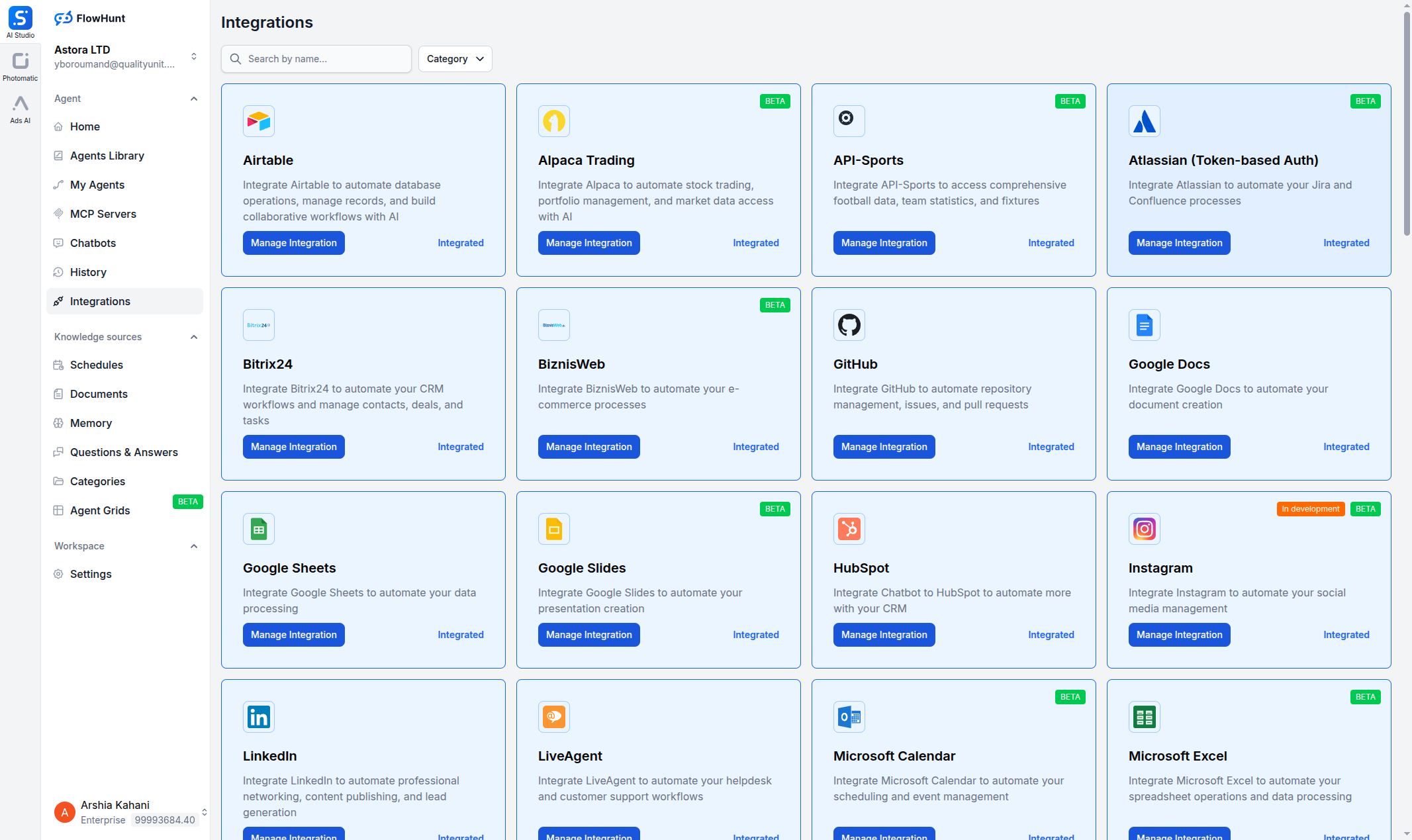
Open the Integrations Page
Log in to your FlowHunt account and navigate to the Integrations page from the sidebar menu. Find Atlassian (Token-based Auth) in the list and click the Manage Integration button.
- Find Atlassian:
- In the Integrations page, find the Atlassian (Token-based Auth) card and click Manage Integration to open the setup dialog.
Step 2
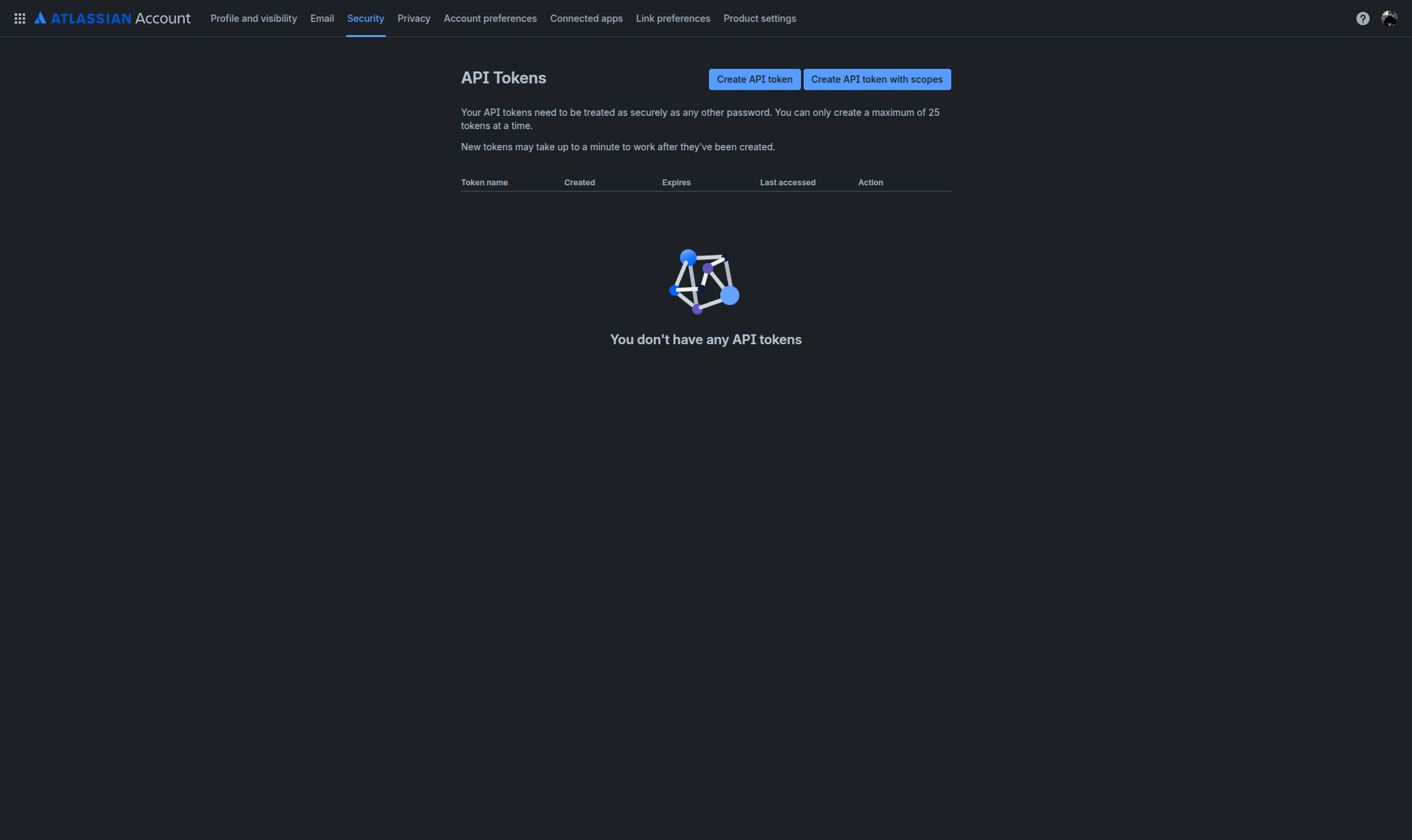
Get Your Atlassian API Token
Go to your Atlassian API token management page. Click Create API token, give it a label (e.g., "FlowHunt Integration"), and copy the generated token.
- Create an API Token:
- Generate a new API token from your Atlassian account's security settings. Copy it immediately—it's only shown once.
Step 3
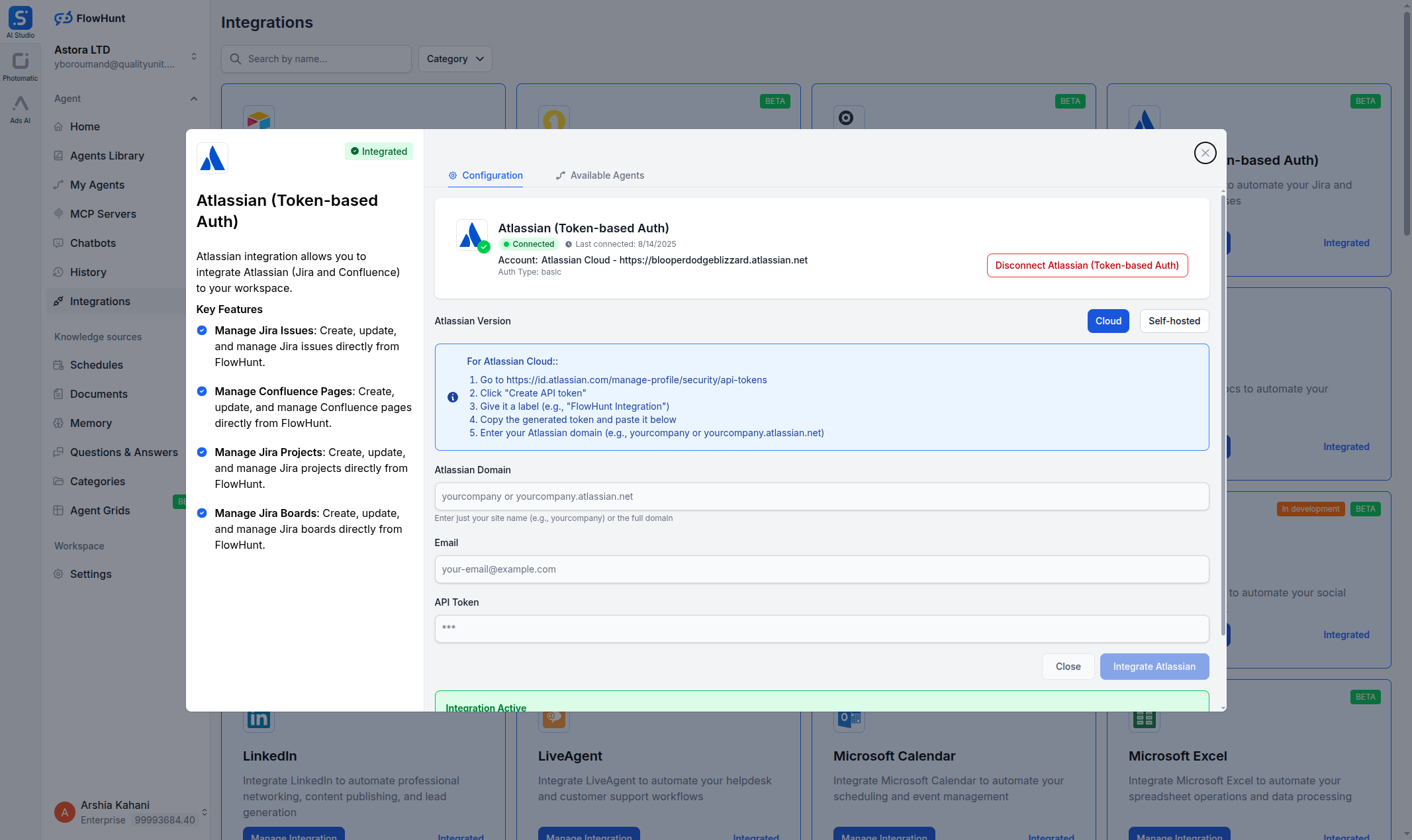
Enter Your Credentials in FlowHunt
Back in the FlowHunt Atlassian dialog, select Cloud or Self-hosted depending on your setup. Enter your Atlassian Domain (e.g., yourcompany.atlassian.net), your Email, and the API Token you just created. Click Integrate Atlassian.
- Connect Your Workspace:
- Enter your domain, email, and API token. Choose Cloud or Self-hosted, then click Integrate Atlassian.
Step 4
Start Building Project Workflows
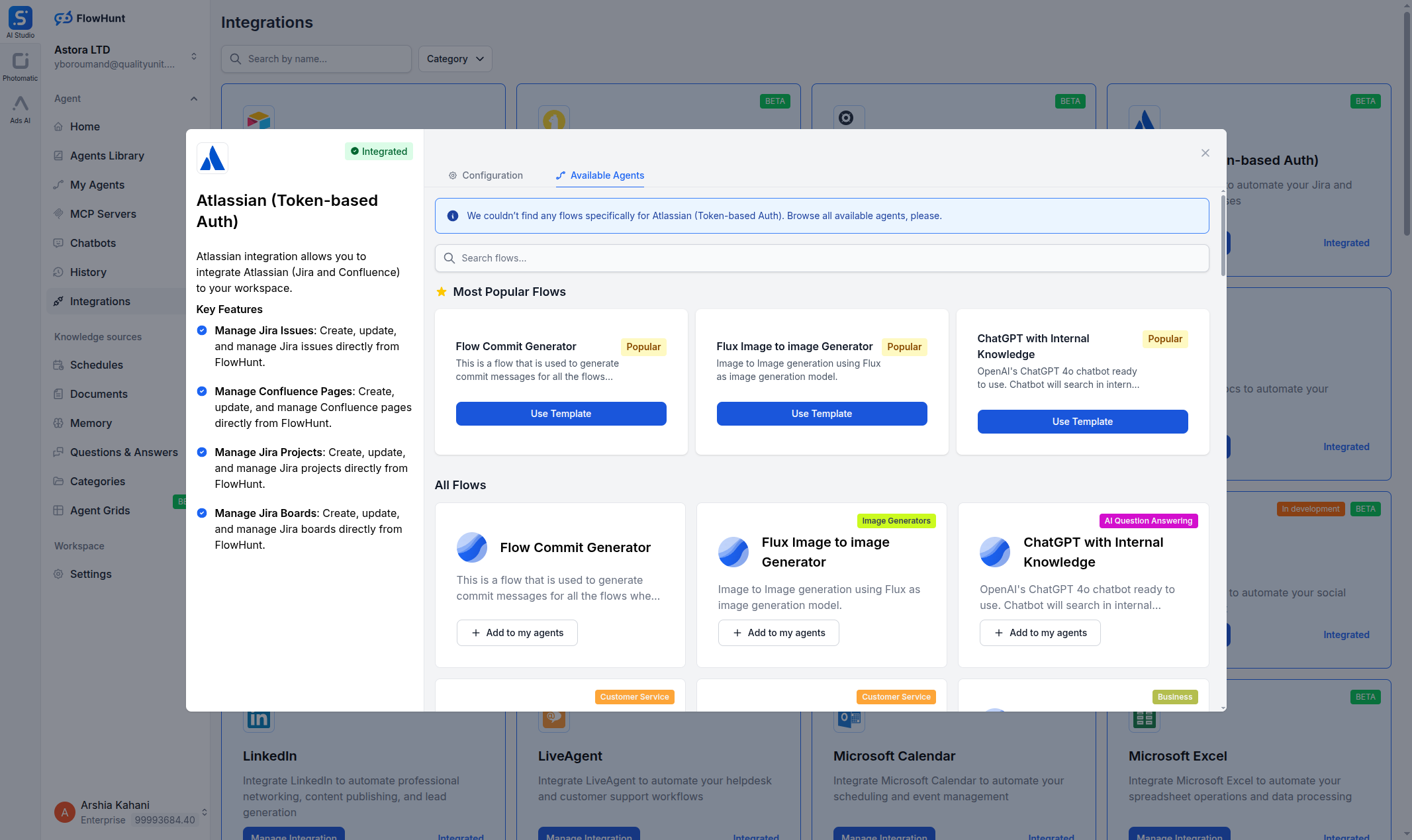
Once connected, switch to the Available Agents tab to browse flow templates, or build a custom flow using Atlassian components in the flow builder.
- Connected!:
- Your Atlassian workspace is now linked to FlowHunt. Pick a template or build a custom project management workflow.
Use Cases & Flows
Everything You Can Do with FlowHunt + Atlassian
A complete overview of available use cases, flow templates, and capabilities for the Atlassian integration:
- Automated Issue Triage
- AI agents analyze incoming Jira issues, set priority levels, assign to the right team members, and add relevant labels automatically.
- Sprint Report Generation
- Generate sprint retrospectives, velocity reports, and burndown summaries in Confluence from Jira sprint data.
- Documentation Automation
- Create and update Confluence pages automatically—meeting notes, technical docs, and knowledge base articles.
- Cross-Platform Sync
- Sync Jira issues with other tools like Slack, GitHub, or CRM systems to keep all teams aligned.
- Standup Summaries
- AI generates daily standup reports by pulling in-progress issues and blockers from Jira boards.
- Bug Tracking & Escalation
- Monitor incoming bugs, auto-categorize by severity, and escalate critical issues to the right team with notifications.
- Project Status Dashboards
- Build AI-powered status reports that pull live data from Jira projects and boards for stakeholder updates.
- Custom AI Workflows
- Combine Atlassian components with LLMs, web search, and other integrations for any project management automation need.