
AI Agent for GitHub
Deploy AI agents that connect directly to your GitHub repositories—automate issue management, pull request workflows, branch operations, and code reviews. FlowHunt handles the repetitive development tasks so your team can focus on shipping great software.





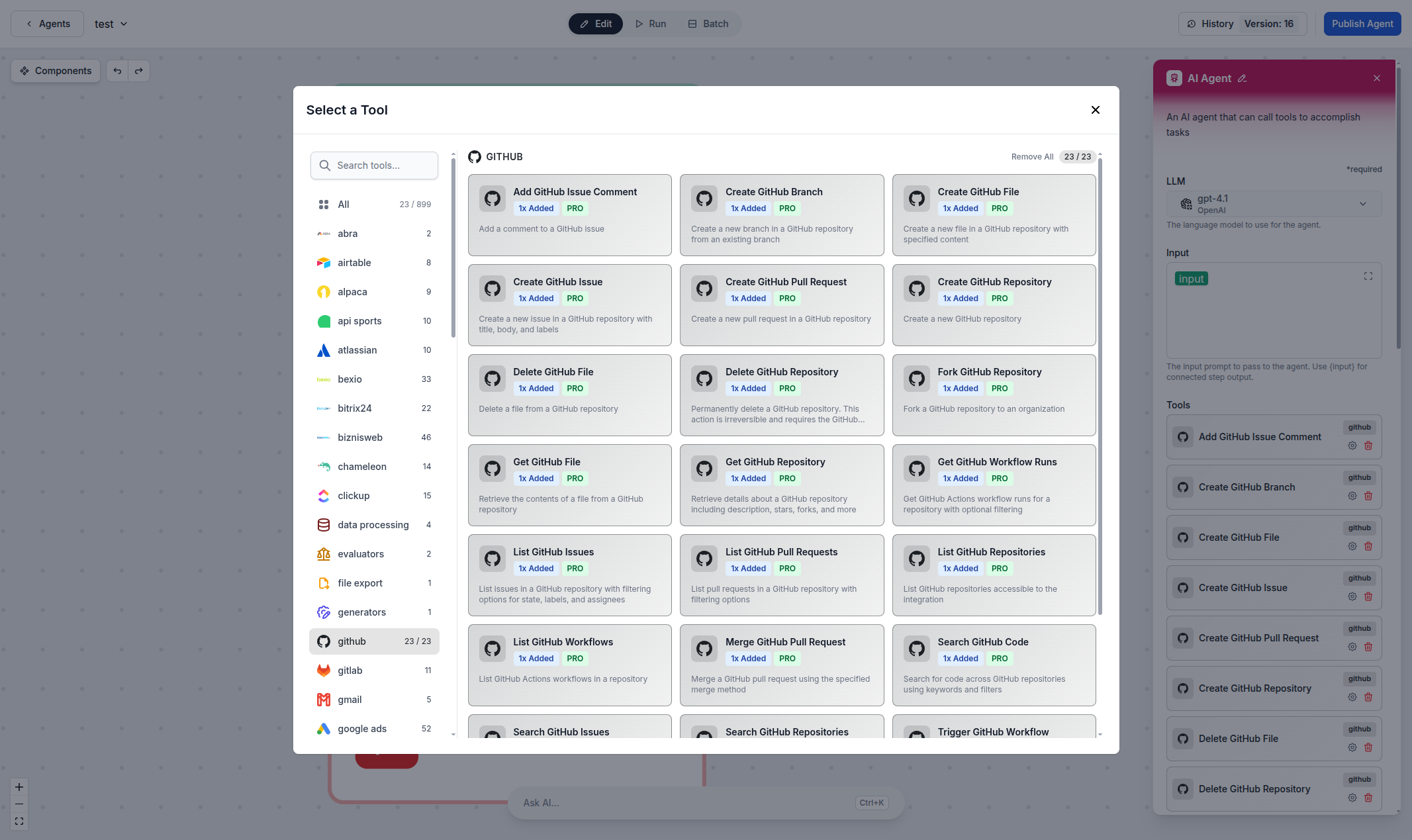
Automated Issue & Pull Request Management
Create, update, and manage GitHub issues and pull requests directly from AI workflows. Whether you're triaging bugs, reviewing code changes, or merging branches, FlowHunt's GitHub integration lets you automate the entire development lifecycle with natural language commands.
- Issue Management:
- Create, update, list, and search issues across your repositories automatically.
- Pull Request Automation:
- Create, review, merge, and manage pull requests with AI-driven workflows.
- Branch Operations:
- Create branches, manage refs, and coordinate branching strategies automatically.
- Code Search & Review:
- Search code, review file contents, and analyze repository structures with AI.
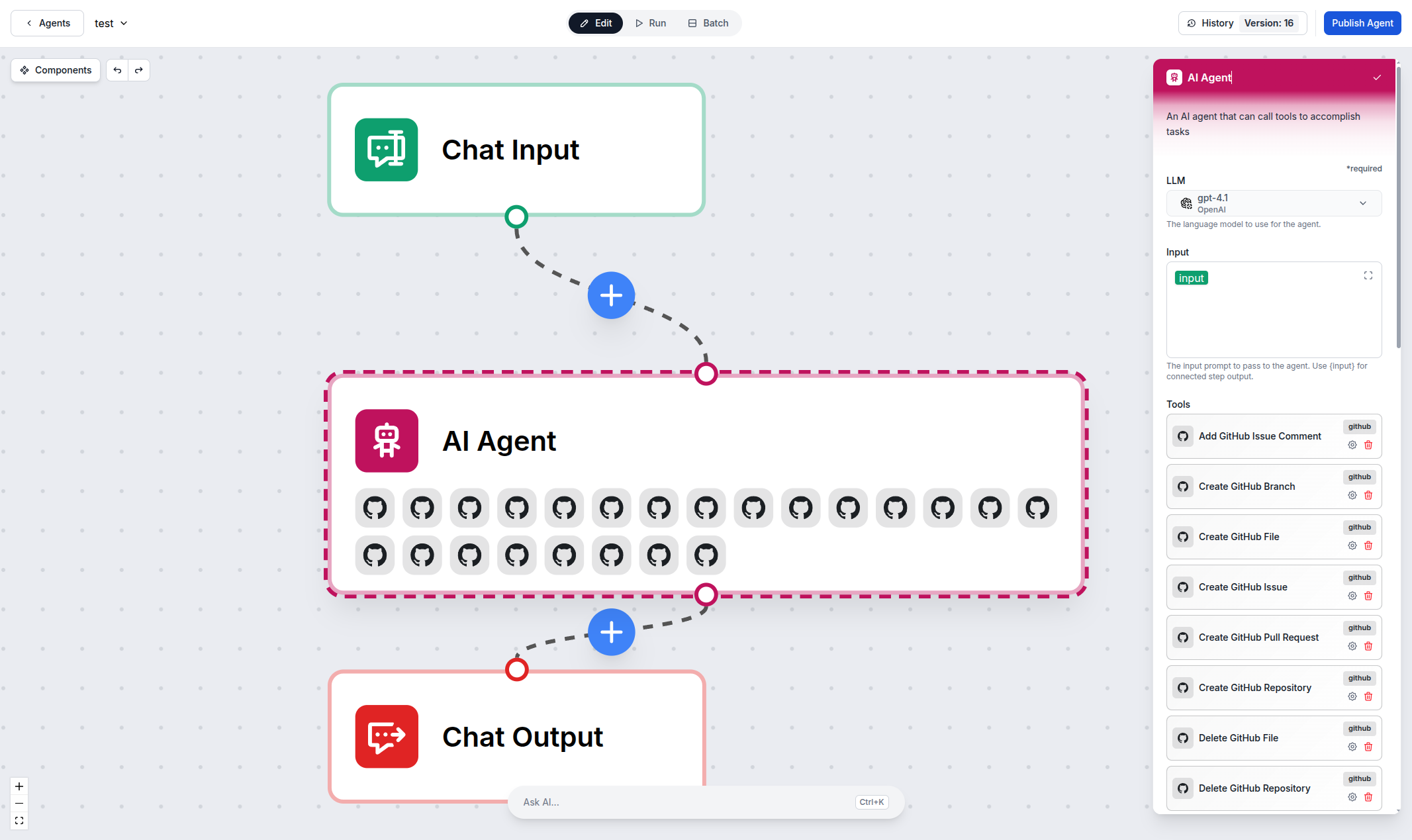
Repository & Content Management
Manage your GitHub repositories, files, and releases with AI agents. From reading and creating files to managing releases and tags, FlowHunt gives your team the power to automate repository operations without leaving your workflow.
- File Operations:
- Read, create, and update files in your repositories programmatically.
- Release Management:
- Create and list releases to streamline your deployment pipeline.
- Repository Exploration:
- List repositories, explore directory structures, and navigate codebases with AI.
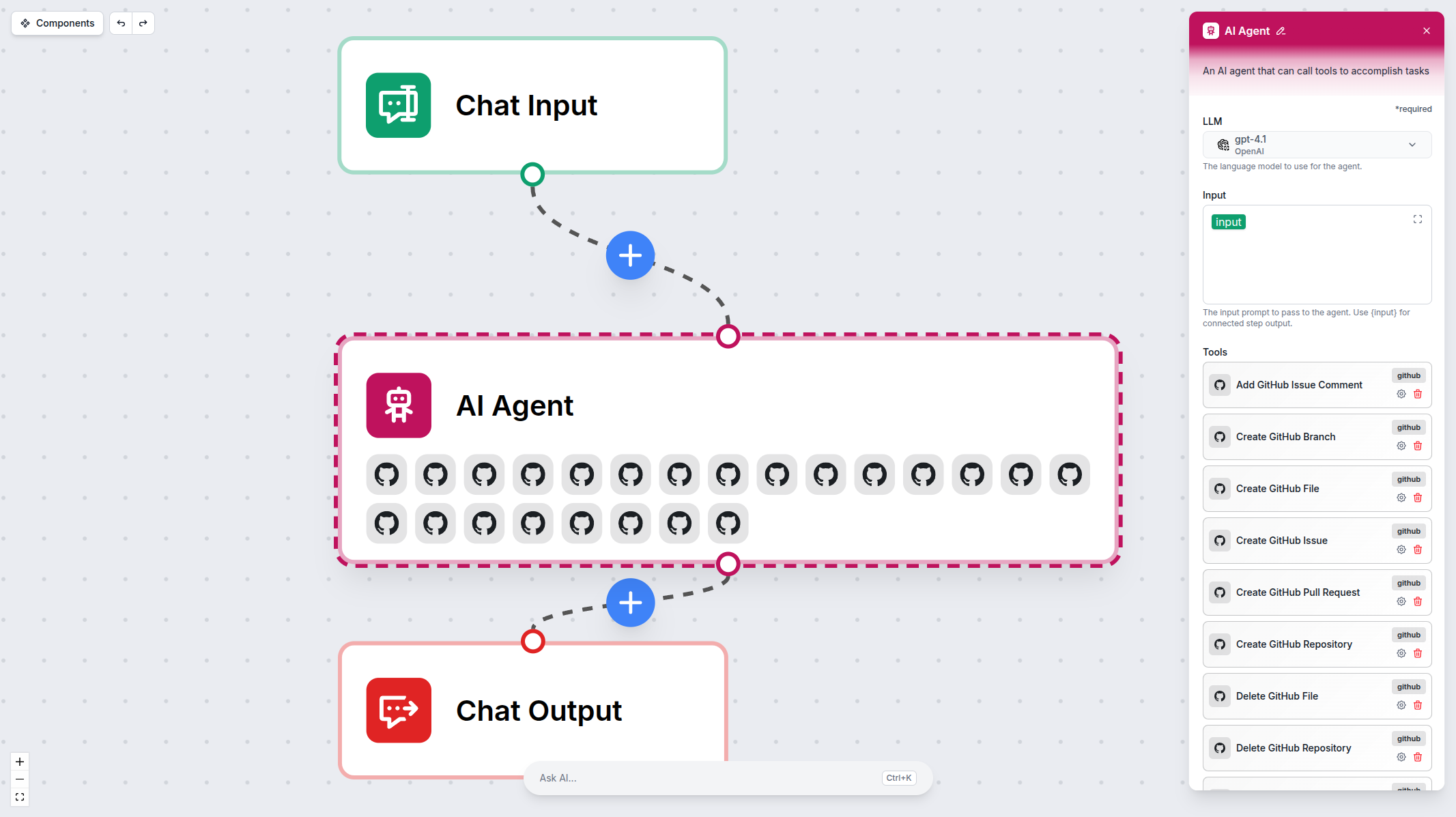
Connect in Minutes — No Code Required
Setting up the GitHub integration takes just a few clicks. Generate a personal access token from GitHub, paste it into FlowHunt, and your AI agents are ready to manage your repositories, issues, and pull requests.
- Quick Setup:
- Connect your GitHub account with a personal access token in under a minute.
- Flexible Configuration:
- Choose which repositories and permissions to expose to your AI agents.
- Secure by Design:
- Token-based authentication with granular permission scoping keeps your code safe.
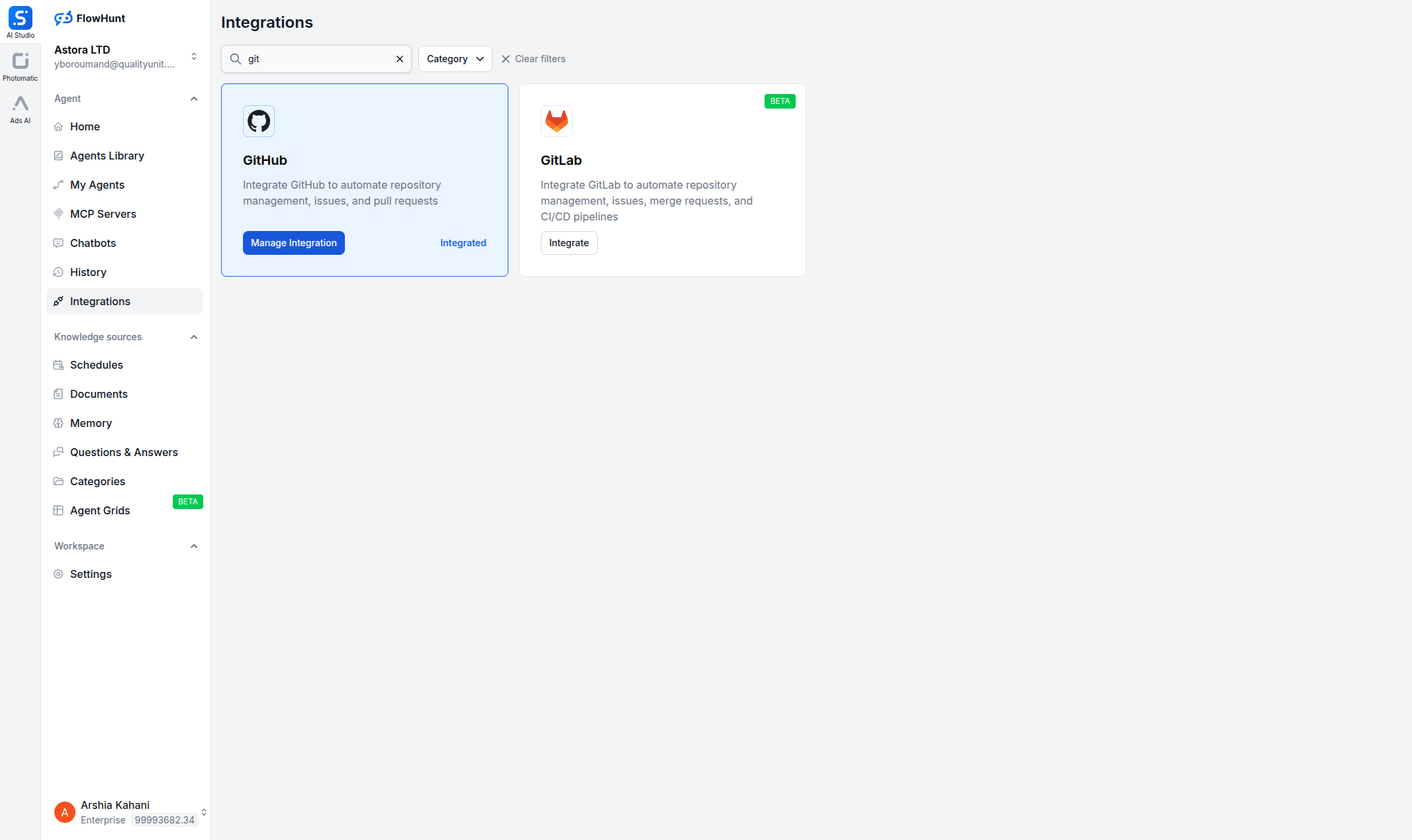
Step 1
Open Integrations
Navigate to the Integrations page in FlowHunt and find GitHub.

Step 2
Generate a Personal Access Token
Go to GitHub → Settings → Developer settings → Personal access tokens and generate a token with the required scopes.
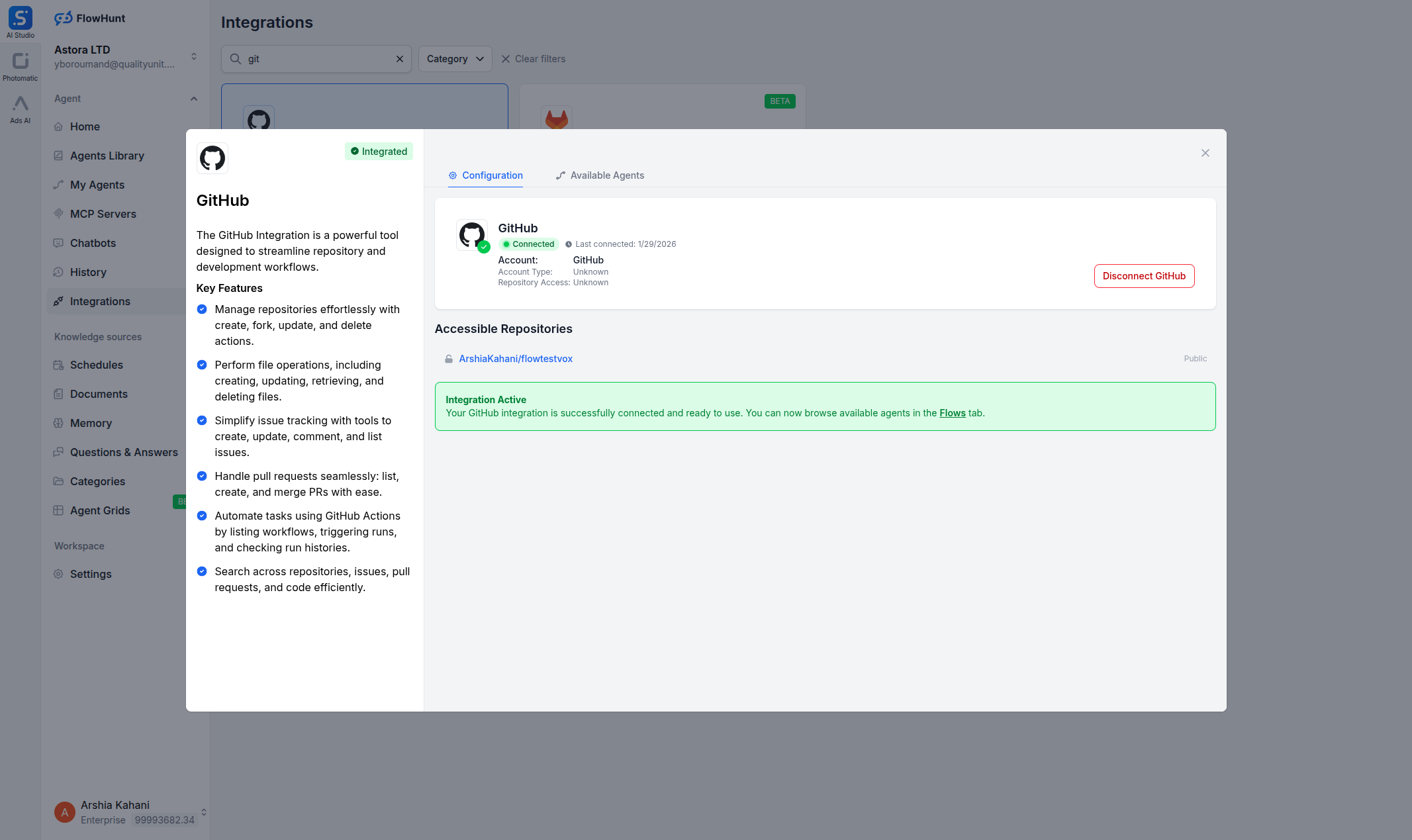
Step 3
Connect in FlowHunt
Click Manage Integration on the GitHub card, paste your token, and save.
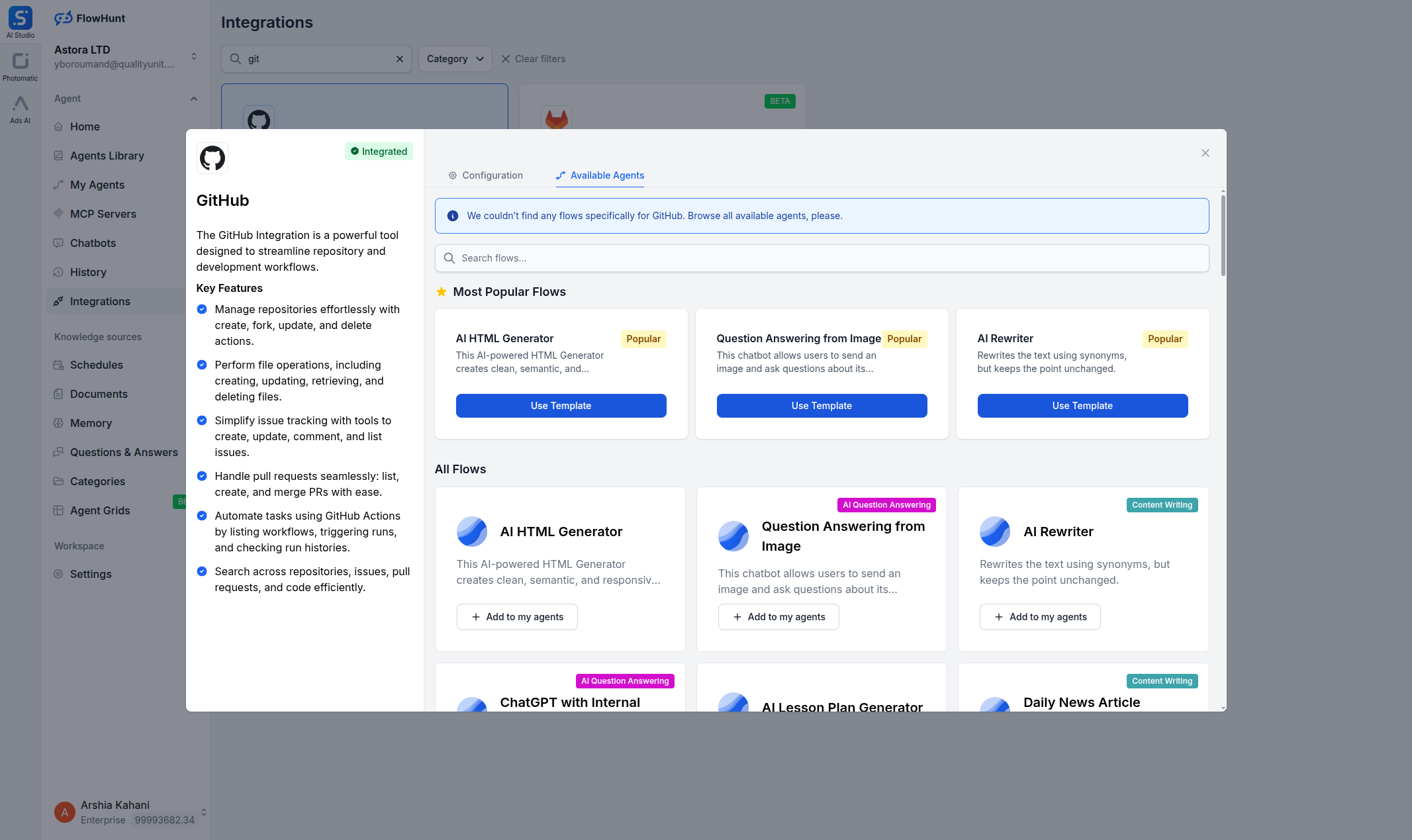
Step 4
Add to Your Agent
Open any AI Agent, click Add Tool, and select the GitHub tools you need.
Use Cases
What You Can Do with GitHub + FlowHunt
FlowHunt provides 23 ready-to-use GitHub components covering repositories, issues, pull requests, branches, files, releases, and more. Each component can be used as a tool inside an AI agent for autonomous decision-making, or as a standalone building block in any custom flow.
- Automated Issue Triage
- AI agents create, label, assign, and prioritize issues based on incoming bug reports or feature requests.
- Pull Request Workflows
- Automatically create PRs, request reviews, and merge when checks pass—streamlining your code review process.
- Repository Management
- List, search, and explore repositories, branches, and directory structures with natural language.
- Release Automation
- Create releases, manage tags, and coordinate deployment pipelines with AI-driven workflows.
- Code File Operations
- Read, create, and update files across repositories—automate documentation, config changes, and code generation.
- Commit & Branch Tracking
- List commits, compare branches, and track changes across your codebase automatically.
- Issue Search & Reporting
- Search issues across repositories, generate status reports, and track project progress with AI.
- Custom AI Workflows
- Combine GitHub components with LLMs, web search, and other integrations for any development automation need.
All 23 GitHub Components
Every GitHub tool available in FlowHunt — use them as AI agent tools or standalone flow components.
| Component | Description |
|---|---|
| Add GitHub Issue Comment | Add a comment to a GitHub issue. |
| Create GitHub Branch | Create a new branch in a GitHub repository from an existing branch. |
| Create GitHub File | Create a new file in a GitHub repository with specified content. |
| Create GitHub Issue | Create a new issue in a GitHub repository with title, body, and labels. |
| Create GitHub Pull Request | Create a new pull request in a GitHub repository. |
| Create GitHub Repository | Create a new GitHub repository. |
| Delete GitHub File | Delete a file from a GitHub repository. |
| Delete GitHub Repository | Permanently delete a GitHub repository. |
| Fork GitHub Repository | Fork a GitHub repository to an organization. |
| Get GitHub File | Retrieve the contents of a file from a GitHub repository. |
| Get GitHub Repository | Retrieve details about a GitHub repository including description, stars, forks, and more. |
| Get GitHub Workflow Runs | Get GitHub Actions workflow runs for a repository with optional filtering. |
| List GitHub Issues | List issues in a GitHub repository with filtering options for state, labels, and assignees. |
| List GitHub Pull Requests | List pull requests in a GitHub repository with filtering options. |
| List GitHub Repositories | List GitHub repositories accessible to the integration. |
| List GitHub Workflows | List GitHub Actions workflows in a repository. |
| Merge GitHub Pull Request | Merge a GitHub pull request using the specified merge method. |
| Search GitHub Code | Search for code across GitHub repositories using keywords and filters. |
| Search GitHub Issues | Search for GitHub issues and pull requests using a query string. |
| Search GitHub Repositories | Search for GitHub repositories using a query string. |
| Trigger GitHub Workflow | Trigger a GitHub Actions workflow dispatch event on a specified branch or tag. |
| Update GitHub File | Update an existing file in a GitHub repository with new content. |
| Update GitHub Issue | Update an existing issue in a GitHub repository including title, body, state, and labels. |