
View Chatbot history
Each entry represents one Chatbot session from the first to the last message. The entries also detail the cost and duration of each session while linking it to the used Flow, Chatbot, and user IP.
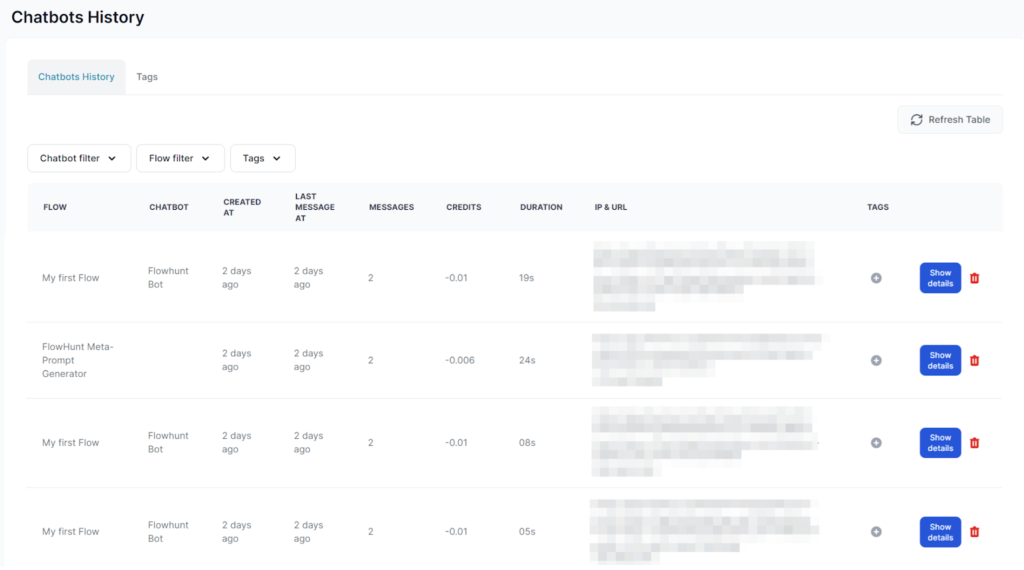
The default view shows all chat sessions within your workspace. You can filter the results by Flows, Chatbots, or tags.
View details of each interaction
Clicking Show details reveals further information, including the entire content of the conversation and the number of messages:
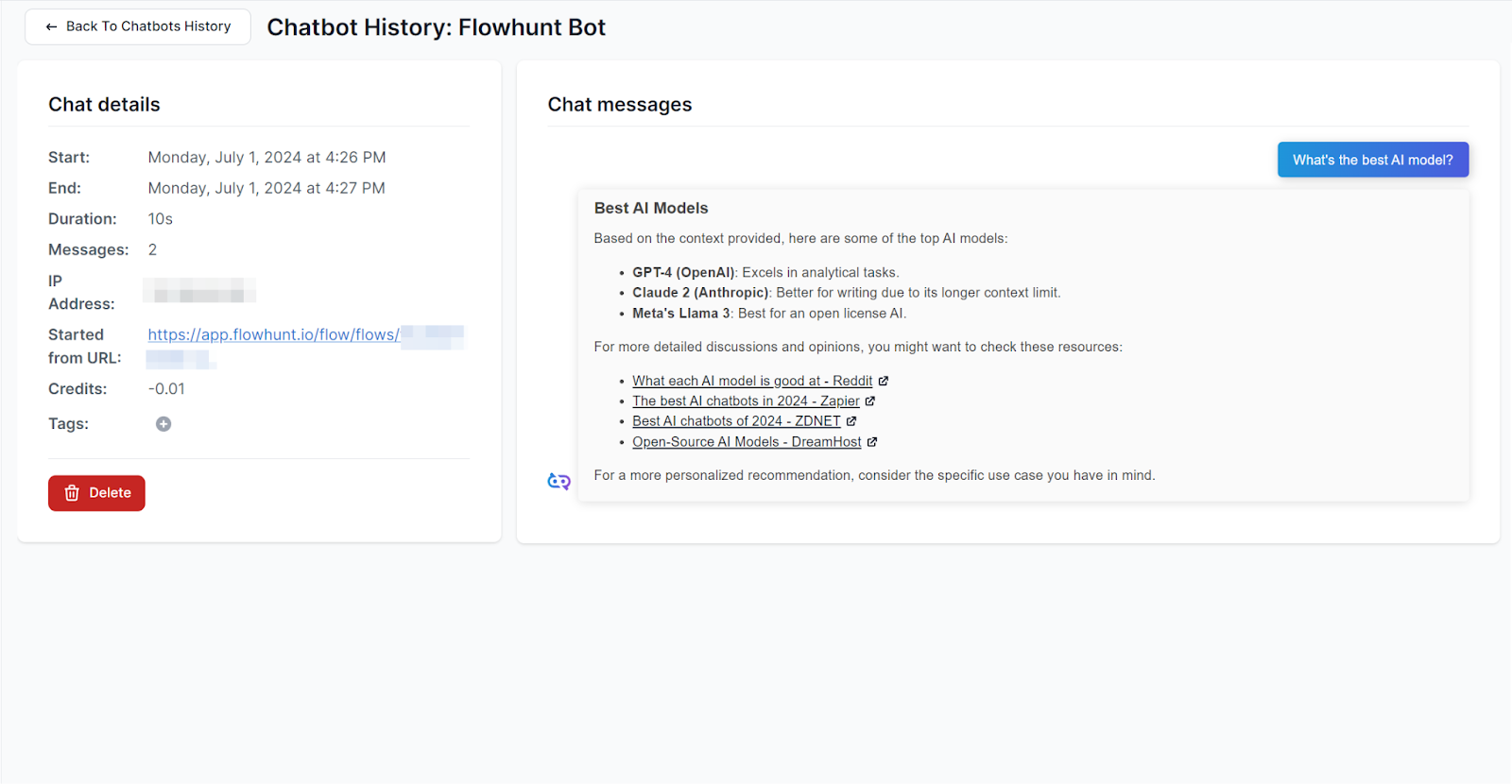
The details allow you to monitor the accuracy of responses, troubleshoot user complaints, and ensure malicious actors aren’t misusing your chatbot.
Tip: If your public ChatBot is being attacked or misused, put a rate limit on the IP to cut it off.

Ready to grow your business?
Start your free trial today and see results within days.
Managing Tags
To better organize the history, you can assign tags to the entries. To manage your existing tags, switch to the Tag tab in the list view:
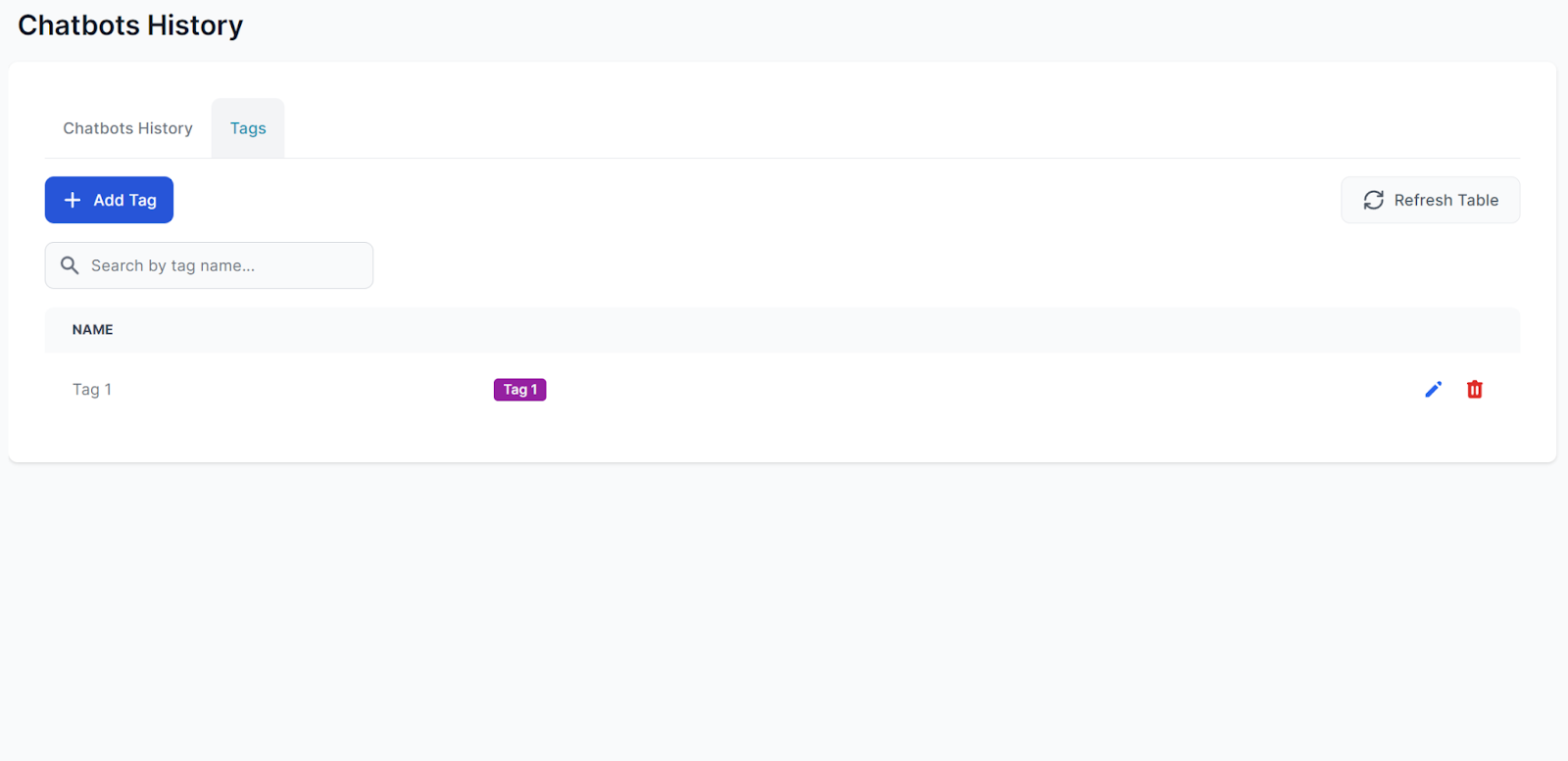
You can edit and create new tags here. However, only admins can delete tags.