
FlowHunt allows multiple users to collaborate seamlessly on building Flows. Here’s how to invite teammates and assign workspace roles.
Note: Only workspace owners and admins can see and manage the members. You need the Pro subscription or higher to share workspaces.
Sharing Workspaces
You can create a shared workspace and invite your teammates with just a few clicks. Each workspace is fully separated, including the Credits count.
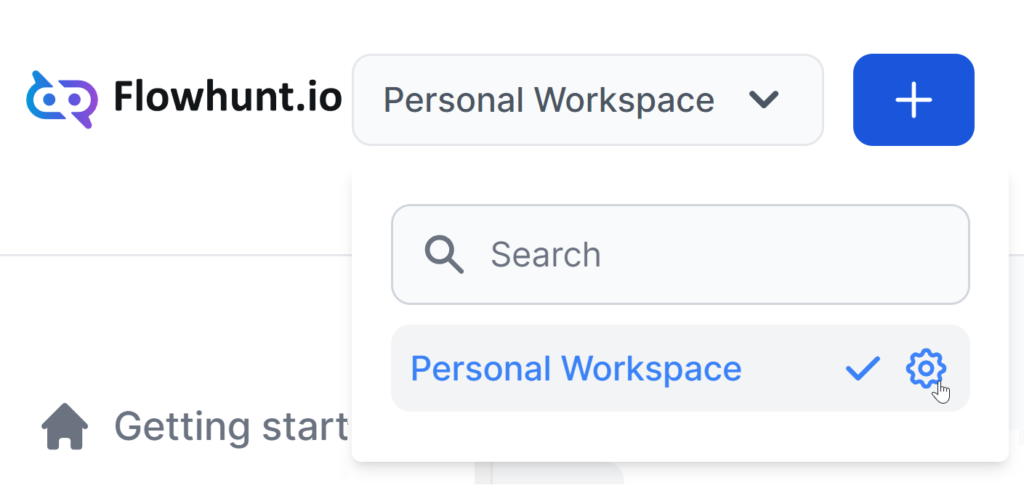
The workspace selector is located in the top navigation bar. You can create a new workspace for your teammates or rename your personal one and invite them.
Click the blue plus button to create a new workspace, or click the settings cog next to an existing workspace to rename or delete it.
Adding Users
To invite your teammates, navigate to Workspace Settings -> Users in the left-side menu. Click Add new Member:
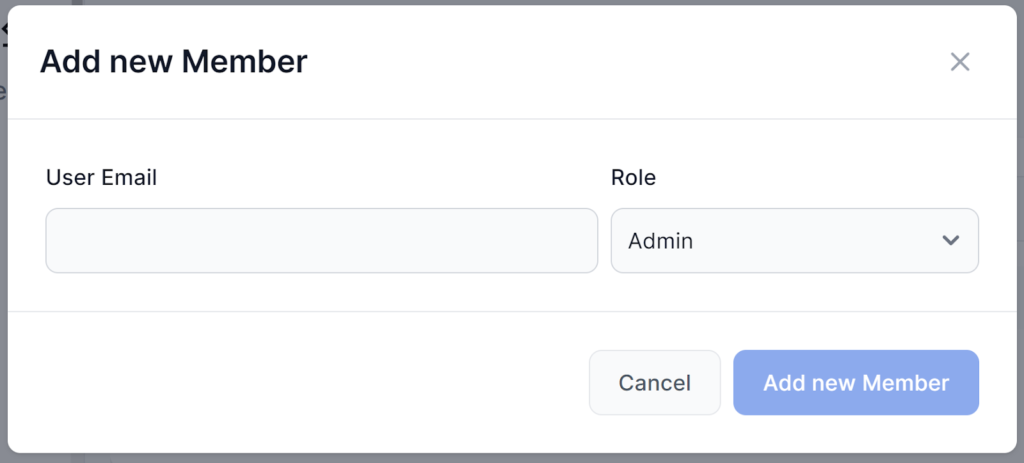
There are three possible Roles:
- Admin – Can do everything, including managing the workspace and API Keys.
- Member – Full access to all features except the subscription, workspace management, and API Keys.
- Guest – Read-only access.
After you add a new member, they receive a simple email invitation.