
This integration helps you fully automate your WordPress content pipeline by connecting your Flows to WordPress. Not only can your posts be automatically generated, they can now be sent to WordPress or even published automatically.
Thanks to the built-in SEO tools, the ability to get real-time knowledge, and generate or screenshot pictures, the content can get as close to human-created as possible. All you have to do is edit and hit publish, or you can even set it up to publish automatically without human intervention.
Once integrated, a Flow using the Create WordPress Post, can send output to WordPress. The first step to all of this is connecting your accounts, so let’s get started.
Note: This is just the integration guide. Have you already integrated WordPress and want to learn how to use it? See the Create WordPress Post guide.
Getting The WordPress Application Password
Let’s start by grabbing the necessary WordPress credentials. To do this, you either have to be the site’s administrator, or ask your administrator to do these initial steps.
- Head to your WordPress dashboard, and navigate to User > Profile.
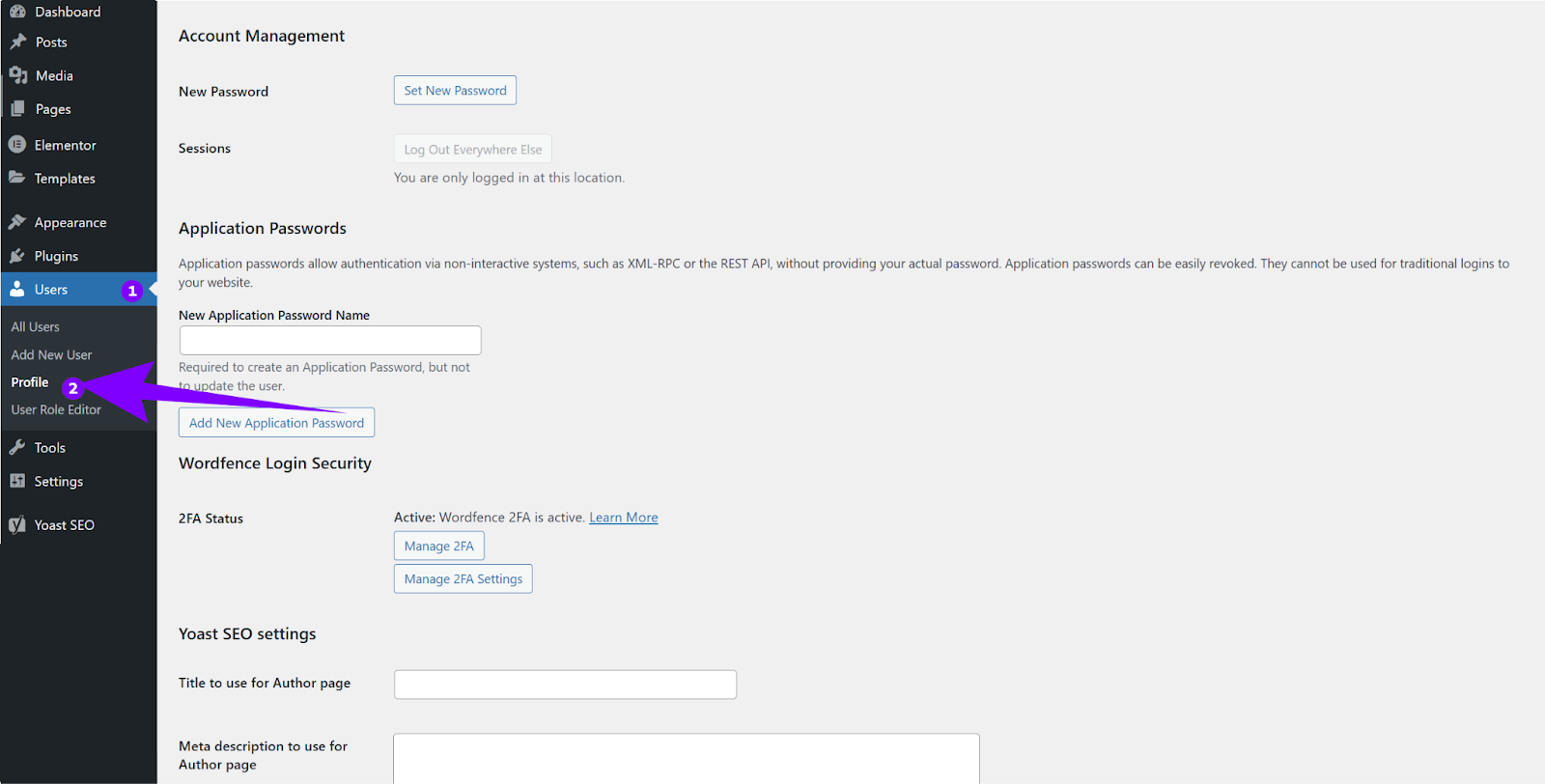
- Scroll down to Application Passwords. Input an arbitrary name for your application and click ‘Add New Application Password’:
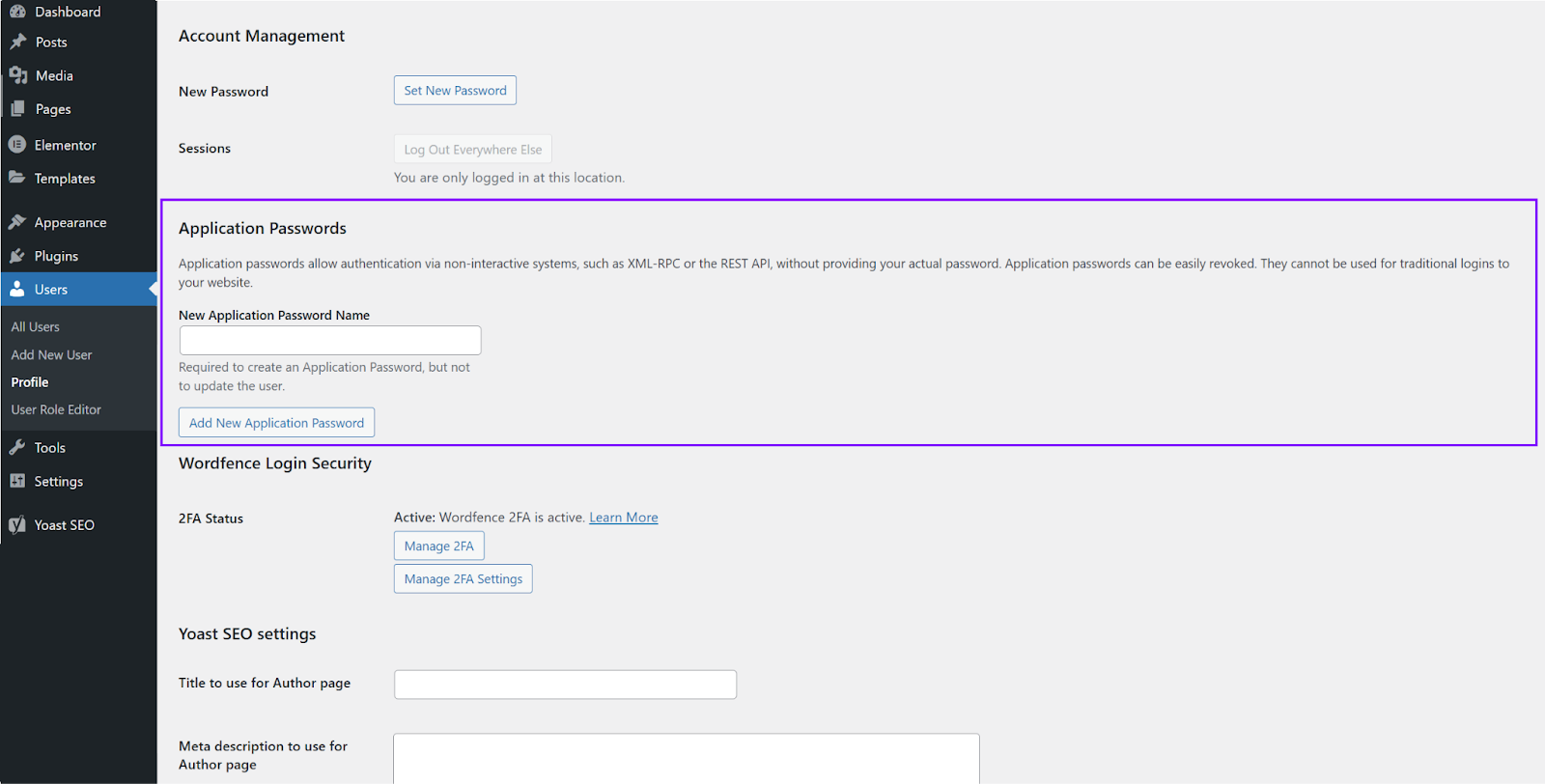
- Copy the generated password and hold on to it. You will need it in a little while.
Integrating with FlowHunt
Now it’s time to finish the integration in FlowHunt.
Head over to your FlowHunt dashboard and navigate to Integrations.
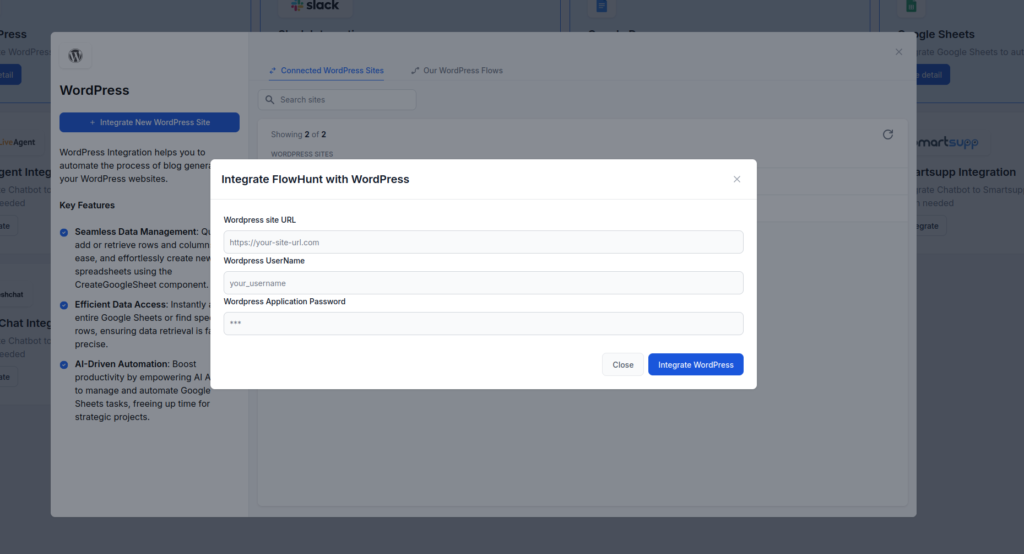
Find the WordPress integration tab and click Integrate.
Paste in your WordPress application password.
Input your website URL and your WordPress username (you can find it in your profile in name -> username).
Once you’re done, click Integrate WordPress.
With these simple steps, you’ve successfully linked your WordPress site with FlowHunt. The next step is learning to use the Create WordPress Post in a Flow.