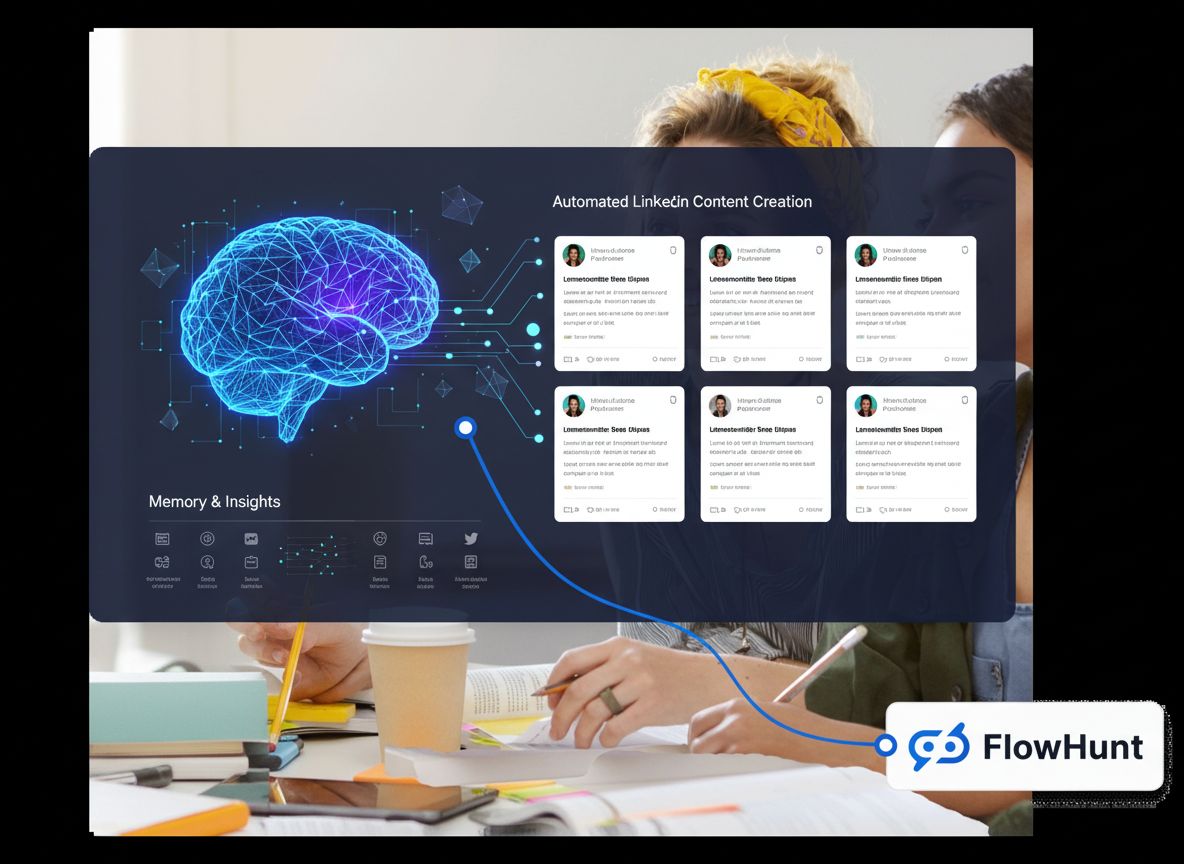
AI LinkedIn 게시물 생성기 · 자율 에이전트

AI LinkedIn 게시물 생성기

An autonomous AI agent that picks topics from your knowledge base, drafts LinkedIn posts, schedules them for peak engagement, and tracks what resonates — so you build your audience without the blank-page panic.

연동: linkedin · slack · notion · google docs · canva
live · ask linkedin post engine
ai-linkedin-post-engine
Run linkedin post engine for this week and show me the output. you · just now
L AI LinkedIn Post Engine · thinking · 3 tool calls · 1.4s
  • Pick 3 fresh post angles from your beat each week
  • Draft full LinkedIn posts in your voice with a hook above the fold
  • Schedule across Tue/Wed/Thu mornings local time
LinkedIn Post Engine — this week's run
draft · 마케팅 · ready for review
ready
Highlights
  • Pulled the week's signals — kept the ones worth your attention
  • Drafted in your voice, sources cited inline
  • Posted to your review queue with one-click approval
Next
  • Schedules itself for the same time next week
  • Learns from every edit you make
▸ awaiting your approval · publish · edit · discard
실제 동작 보기

프롬프트에서 게시된 게시물까지, 단계별로.

One real example showing exactly what happens when you give the agent a task.

1 YOUR PROMPT
SC
Sarah Chen
VP Marketing · Acme SaaS
Turn our blog post 'Why we switched from Kubernetes to serverless' into a LinkedIn post for my profile. Include the key stats and generate an image.
just now
2 AGENT AT WORK running
Knowledge Base Retrieving blog post content and key claims
1,847 words · 6 sections · 3 data points extracted
Web Search Checking current serverless vs K8s discourse on LinkedIn
14 recent posts analyzed · gap identified
LLM Draft Writing hook + body in Sarah's voice profile
draft v1 · 1,340 chars · hook-first structure
LLM Draft Self-editing: trimming jargon, adding line breaks
draft v2 · 1,280 chars · readability improved
Canva Generating header image from key stats
1200×627px · brand palette · serverless theme
LinkedIn Scheduling for Tuesday 8:15am (peak slot)
queued · pending approval
Slack Notifying #content channel with draft link
message sent · awaiting review
3 THE OUTPUT ready for review
LinkedIn Post 1h · 🌐
SC
Sarah Chen
VP Marketing at Acme · B2B SaaS · 4,200 followers

We deleted our Kubernetes cluster last month.

Not because it broke. Because we finally admitted we were paying 3 engineers to babysit infrastructure that 14 serverless functions could replace.

The migration took 6 weeks.

Our cloud bill dropped 62%.

Our deploy time went from 12 minutes to 40 seconds.

The hardest part wasn't the tech.

It was admitting we'd over-engineered it for two years.

If your infra team spends more time on YAML than on product, the answer probably isn't more YAML.

#serverless #kubernetes #devops #cloudnative #startup

KUBERNETES → SERVERLESS MIGRATIONBEFOREK8s3 engineersmaintaining infra12 min deploysAFTERλλλλλλλλ14 functionszero maintenance40 sec deploys−62% cost18× faster
👍❤️💡284
47 comments · 12 reposts
👍 Like💬 Comment🔁 Repost📨 Send
▸ scheduled for Tue 8:15am · approve · edit · regenerate
상시 운영 콘텐츠

게시일을 놓치는 일은 이제 없습니다.

The agent picks up content tasks the moment they land — researching, drafting, scheduling and reporting — all visible on the kanban. You wake up to a growing audience, not an empty content calendar.

app.flowhunt.io/ai-projects/projects/ai-linkedin-post-engine/issues
라이브
LinkedIn Post Engine · marketing-workspace

이슈

실행 중
열림 0
진행 중 0
완료 0
활성 에이전트
3 / 5
오늘 완료
8
사이클 시간
2h 14m
자동 해결
62%
작동 방식

제로에서 일관된 LinkedIn 존재감까지 3단계.

Most users have their first AI-drafted post ready for review within fifteen minutes.

01
지식 소스를 연결하세요.
Link your LinkedIn profile, then connect the content the agent should draw from — Notion docs, Google Docs, your blog, uploaded PDFs, or a website. The more context you give, the sharper the output. The agent also has real-time internet access for industry trends.
새 프로젝트
Grow LinkedIn audience with 3 posts/week.
LinkedInTue/Wed/ThuMy content
초안 저장 에이전트 시작 →
02
검토, 편집, 승인.
The agent drafts your first posts and queues them for review. Edit anything — every change is logged in the agent's memory, so it improves over time. You stay in full control: nothing publishes without your sign-off until you choose to let it run autonomously.
Content queue
Drafts
Hook: 'The AI hype is wrong'
Carousel: Q3 wins
리뷰
Post: lessons from scaling
Scheduled
Tue 8am
Wed 9am
03
게시물이 게시됩니다. 에이전트가 보고합니다.
Posts publish on schedule via the LinkedIn integration. The agent surfaces engagement data — comments, replies, performance — and uses its memory to adjust the next batch. You get a weekly digest of what worked and can drill into any run for full observability.
This week's results
Published
3 posts shipped
Comments
14 surfaced
Next up
3 drafts queued
효과적인 이유

LinkedIn이 자동으로 운영되면 무엇이 달라질까요.

01

Never run out of content ideas.

The agent mines your knowledge sources — docs, blogs, company updates — and combines them with real-time internet search to find fresh angles every week. No more staring at a blank page hoping for inspiration.

02

Posts get better over time, not stale.

FlowHunt agents have real memory — episodic, long-term, and shared. Every edit, approval and rejection feeds back. After a few weeks the agent has learned what works for your audience and what falls flat.

03

Grow your audience while you do your actual job.

Consistent posting on the right days at the right times is what the LinkedIn algorithm rewards. The agent handles the cadence on auto-pilot — you focus on the conversations that matter.

기능

아이디어부터 참여까지, 모두 처리.

Six capabilities that replace your content calendar, ghostwriter and analytics spreadsheet — in one agent.

Topic research from your knowledge base
Scans your connected knowledge sources — Notion, Google Docs, uploaded files, websites — plus real-time internet search to find angles your audience hasn't seen yet. No recycled templates.
LinkedIn-optimized drafts
Hook above the fold, 1,300–2,000 characters, scannable paragraphs, 3–5 hashtags. Formatted for the LinkedIn algorithm. Supports text posts, listicles, hot takes, and carousel scripts.
Scheduled publishing via LinkedIn integration
Posts go out on your chosen schedule — Tue/Wed/Thu mornings by default. The agent publishes directly via the LinkedIn integration, with approval gates you control.
Comment and reply surfacing
Surfaces comments and mentions so you can respond fast. Drafts reply suggestions and flags high-value conversations worth your personal attention.
Full observability on every run
Every tool call, every draft, every publish action is logged and replayable. Drill into any run to see exactly what the agent did, what it spent, and why it made each decision.
Approval gates and guardrails
Nothing publishes without your say-so until you choose otherwise. Set topic restrictions, require approval for sensitive subjects, and define exactly how much autonomy the agent gets.
내부 구조

실제 에이전트 인프라 위에 구축되었습니다.

The LinkedIn agent runs on the same platform that powers 120+ autonomous agents. Open it in the visual editor and customize anything.

  • 비주얼 플로우 에디터. Every agent is a flow you can open and customize — swap the AI model, add tools, wire in knowledge sources. No code.
  • 지식 소스 및 RAG. Connect Notion, Google Docs, PDFs, websites, or real-time internet search. The agent retrieves context before every draft.
  • 영구 메모리. Episodic, long-term and shared memory. The agent remembers what worked, what you edited, and what your audience responds to.
  • 멀티 에이전트 팀. Stack the LinkedIn agent under a Supervisor alongside content, newsletter and SEO agents. They share memory and hand work to each other.
flowhunt · linkedin-post-engine · flow
AGENT
LinkedIn Post Engine
R
Research
▸ 3가지 관점 찾기
D
Draft
▸ 게시물 작성
P
Publish
▸ 화요일 예약
연결된 도구
linkedin notion google.docs slack canva web.search
메모리 · 842 이벤트
대상 사용자

LinkedIn은 필요하지만 시간이 없는 사람들을 위해 제작.

If your audience is on LinkedIn and you keep meaning to post more — this is for you.

FOUNDERS
창업자 및 CEO
Build thought leadership that drives inbound leads — without spending two hours a day on LinkedIn. The agent turns your internal updates into public-facing content.
B2B
B2B 마케팅 팀
Run LinkedIn as a real channel, not a side project. The agent handles executive ghostwriting, company page posts and employee advocacy content — all on schedule, all tracked.
SALES
영업 및 SDR 팀
Warm up prospects before the cold outreach. Consistent, value-driven posts make your profile worth following — and your connection requests worth accepting.
AGENCY
에이전시 및 컨설턴트
Manage LinkedIn content for multiple clients without drowning in tabs. Each agent runs on its own schedule and reports separately. Scale your offering without scaling your headcount.
CREATOR
퍼스널 브랜드 빌더
Go from posting once a month to three times a week. The agent handles the consistency and the research — you provide the expertise and the personality.
RECRUIT
인재 및 고용주 브랜딩
Attract candidates by showing what it's like to work at your company. The agent turns team wins, culture moments and hiring updates into engaging posts.

첫 번째 LinkedIn 게시물, 몇 분 안에 초안 작성.

Start free. Connect your LinkedIn, point the agent at your content, and watch it draft. No credit card required — cancel anytime.

자주 묻는 질문

What is an AI LinkedIn post generator?
An AI LinkedIn post generator is a tool that uses artificial intelligence to research topics, draft LinkedIn posts in your voice, and schedule them for optimal engagement times. FlowHunt's version goes further — it's an autonomous agent that runs your entire LinkedIn content workflow end-to-end, from topic research to engagement tracking.
Can AI write my LinkedIn posts automatically?
Yes. FlowHunt's LinkedIn agent picks fresh angles from your beat each week, drafts posts with hooks above the fold (1,300–2,000 characters, scannable paragraphs, 3–5 hashtags), and schedules them on Tue/Wed/Thu mornings. Every draft pauses for your approval until you're confident in the output — after that, it can run fully autonomously.
How is FlowHunt different from Taplio, SuperPen or other LinkedIn tools?
Most LinkedIn tools are post editors with templates. FlowHunt is an autonomous agent — it researches topics, writes original posts from your own content and data (not templates), schedules across time zones, tracks engagement, drafts reply suggestions, and gets sharper over time through its memory system. It's also part of a larger agent platform — your LinkedIn agent can work alongside content, SEO and outreach agents.
How does the agent learn what to write about?
You connect your knowledge sources — Notion docs, Google Docs, blog posts, company announcements, uploaded PDFs, or websites. The agent draws from these to find fresh angles. It also has real-time internet access to pull in industry trends and news relevant to your beat.
Does it actually post to LinkedIn or just create drafts?
Both. Initially every post is queued for your approval. Once you're confident in the output, you can let the agent publish directly to LinkedIn via the LinkedIn integration. You can also set rules — for example, always require approval for certain topics.
Can I customize or extend the agent?
Yes. Every pre-built agent can be opened in FlowHunt's visual flow editor. You can swap the underlying AI model, add or remove tools, connect additional knowledge sources, adjust the prompt, or wire it into a multi-agent team with a Supervisor. No coding required.
How much does the LinkedIn agent cost?
FlowHunt uses a simple credit-based pricing model — each credit is worth about one dollar. The LinkedIn agent typically uses 0.5–2 credits per post depending on the depth of research involved. You can try it free with 5 trial credits.
Can I use it for a company page, not just personal posts?
Yes. The agent can manage personal profiles and company pages. For teams, multiple agents can handle different voices — each running as a separate agent with its own knowledge sources and schedule.