8 Melhores Alternativas ao Apify em 2026 (Web Scraping e Extração de Dados)
Apify é poderoso, mas complexo e caro para a maioria dos casos de uso. Comparamos 8 alternativas ao Apify para web scraping e extração de dados — desde ferramentas sem código até APIs para desenvolvedores.
Apify é uma das plataformas de web scraping e automação mais poderosas disponíveis — mas é construída para desenvolvedores, exige aprender seu sistema de Actor e os custos aumentam rapidamente para scraping de alto volume. Se você está procurando algo mais simples, mais barato ou melhor adequado para fluxos de trabalho de IA, existem alternativas fortes.
O que é Apify?
Apify é uma plataforma de web scraping e automação de navegador baseada em nuvem. Sua unidade principal é o “Actor” — um script de scraping ou automação reutilizável e compartilhável que é executado na infraestrutura de nuvem do Apify. Os usuários podem criar Actors personalizados em Node.js usando o SDK do Apify, ou usar Actors pré-construídos da Apify Store para tarefas de scraping comuns (dados de produtos Amazon, listagens Google Maps, perfis LinkedIn, conteúdo de mídia social).
Apify lida com os desafios de infraestrutura do web scraping: renderização de JavaScript com navegadores headless, rotação de proxy para evitar proibições de IP, tratamento de CAPTCHA, agendamento e armazenamento de resultados. Isso o torna consideravelmente mais poderoso do que executar scrapers localmente.
O trade-off: Apify requer habilidades de desenvolvedor para construir Actors personalizados, seu preço escala com tempo de computação (que pode ficar caro para scraping contínuo) e o paradigma Actor tem uma curva de aprendizado.
1. FlowHunt — Melhor para Extração de Dados Web Integrada com IA
FlowHunt aborda a extração de dados web de forma diferente do Apify: em vez de construir scrapers independentes, você constrói agentes de IA que navegam na web como parte de fluxos de trabalho automatizados maiores. O agente pode navegar para uma URL, ler o conteúdo da página, extrair informações específicas e usar imediatamente esses dados na próxima etapa — alimentando-os em um CRM, gerando um resumo ou acionando uma sequência de outreach.
Este é um caso de uso fundamentalmente diferente do scraping em lote de milhões de páginas — FlowHunt se destaca em extração inteligente e direcionada como parte de um processo de negócio.
Principais vantagens sobre Apify:
Sem scripts de scraping — Agentes de IA navegam e extraem com base em instruções em linguagem natural
Fluxo de trabalho integrado — Dados extraídos alimentam imediatamente as etapas de automação subsequentes
Lida com páginas não estruturadas — IA compreende o conteúdo semanticamente, não apenas por seletor CSS
Integrações integradas — Envie dados extraídos para CRM, Slack, sheets ou qualquer uma das 1.400+ ferramentas
Sem gerenciamento de infraestrutura — Totalmente hospedado e dimensionado
Melhores casos de uso:
Monitorar mudanças de preço ou produtos de concorrentes
Extrair dados de leads de sites de empresas
Automação de pesquisa (leitura de artigos, extração de fatos-chave)
Integrar dados web em pipelines de sumarização ou análise de IA
Não é ideal para: Scraping em lote de alto volume de milhares de páginas de uma vez (use ScraperAPI ou Bright Data para isso).
Preço: Nível gratuito disponível. Preço baseado em uso dimensiona com execuções reais de fluxo de trabalho.
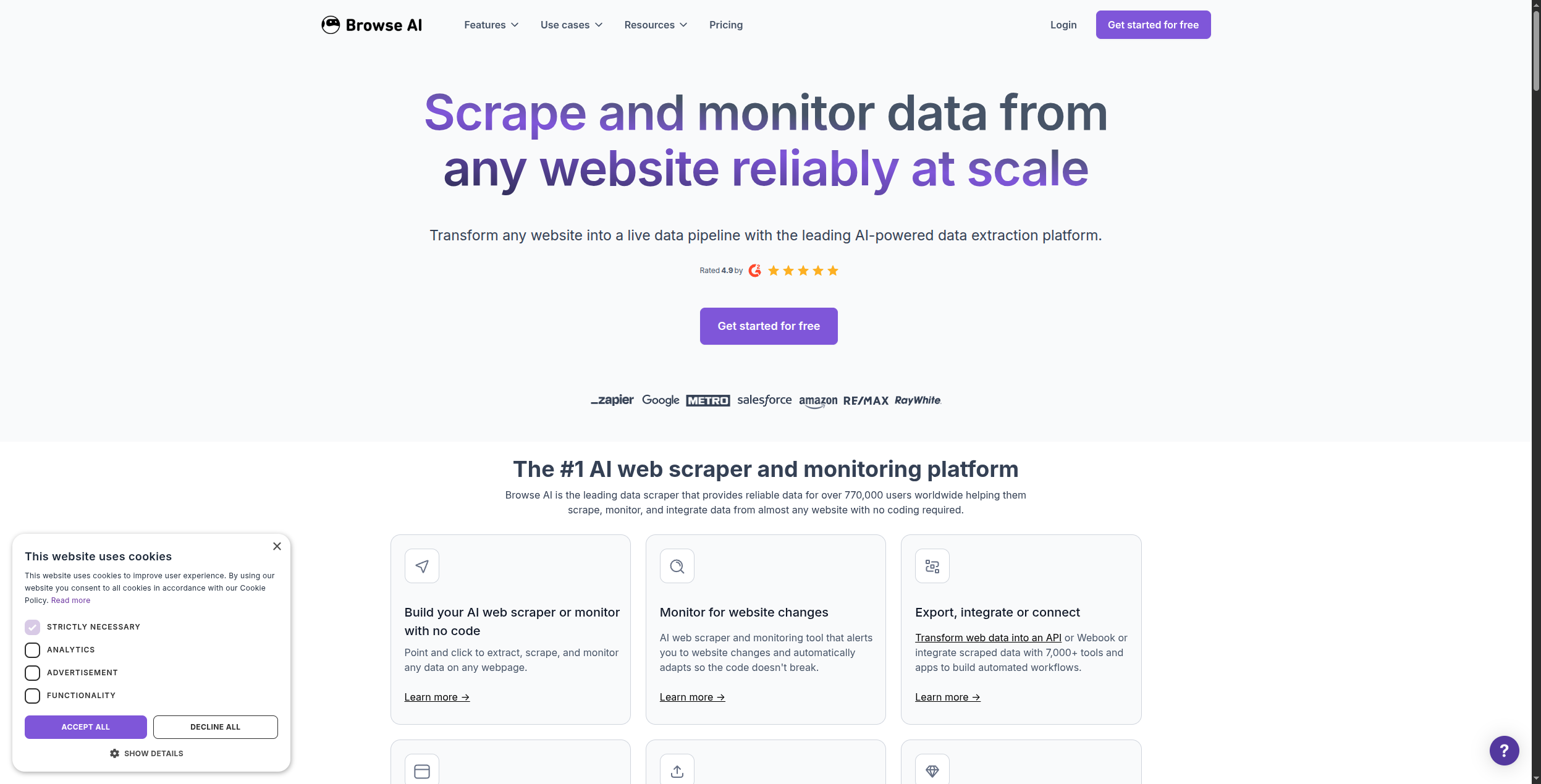
2. Browse AI — Melhor Alternativa de Web Scraping Sem Código
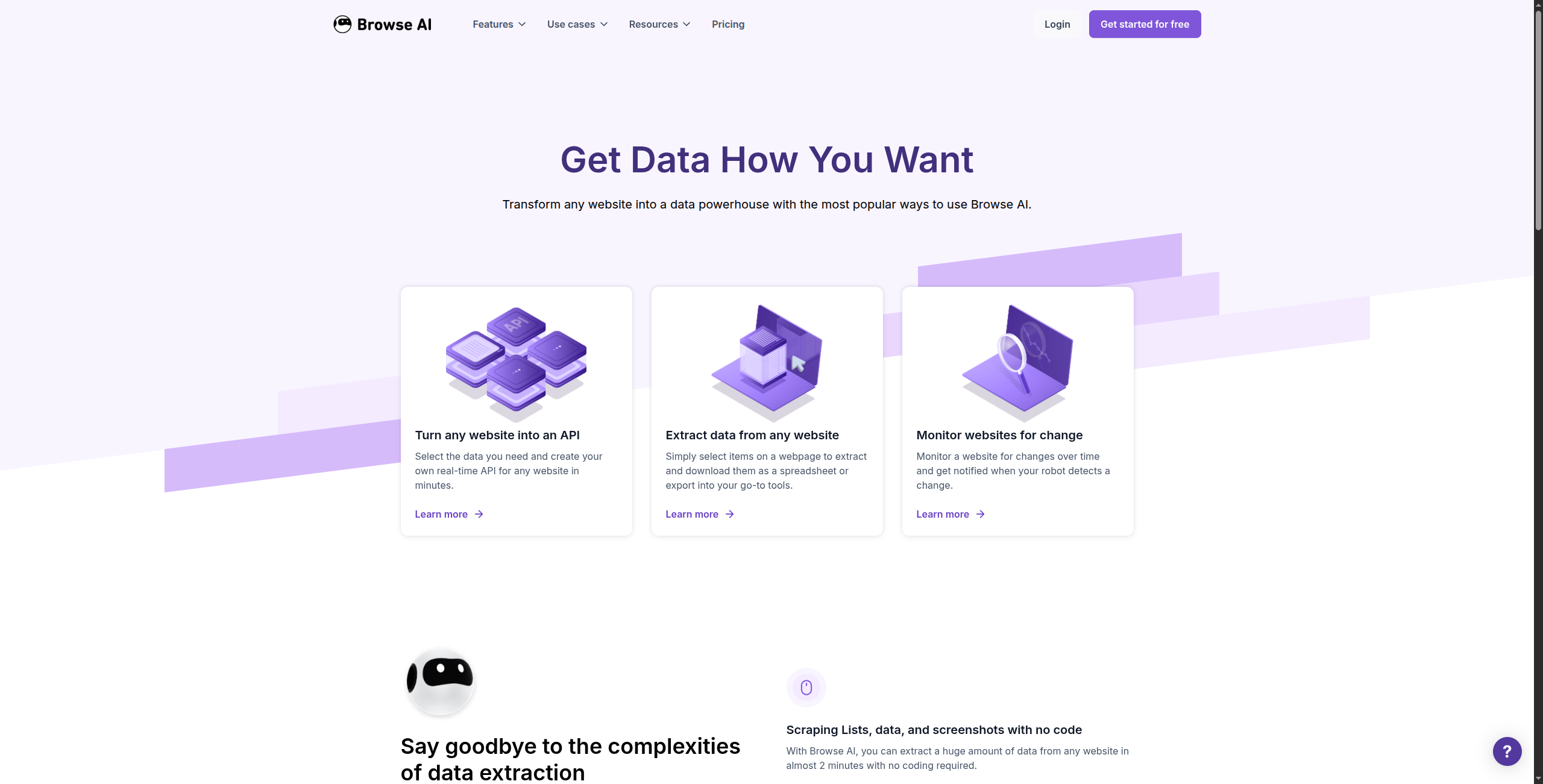
Browse AI é a alternativa mais fácil do Apify para não-desenvolvedores. Você navega para o site que deseja fazer scraping, mostra ao Browse AI quais dados extrair clicando neles, e ele constrói um “robô” que repete a extração em um cronograma.
Lida com sites renderizados dinamicamente por JavaScript, paginação e páginas protegidas por login — sem qualquer código.
Preço:
Gratuito — 50 créditos/mês, execuções limitadas de robôs
Exportação de dados em massa para CSV, JSON e planilhas
Prós: Verdadeiramente sem código — configure em minutos com interface point-and-click; lida bem com sites pesados em JavaScript; monitoramento agendado e detecção de mudanças integrados; robôs pré-construídos para sites comuns
Contras: Flexibilidade limitada para lógica de extração personalizada complexa; escala menos bem do que Apify para scraping de muito alto volume; preço por execução pode ser imprevisível para sites frequentemente alterados
Melhor para: Usuários não-técnicos que precisam de extração recorrente de sites específicos sem escrever código ou gerenciar infraestrutura.
Junte-se à nossa newsletter
Receba gratuitamente as últimas dicas, tendências e ofertas.
3. Firecrawl — Melhor para Dados de Aplicação LLM e IA
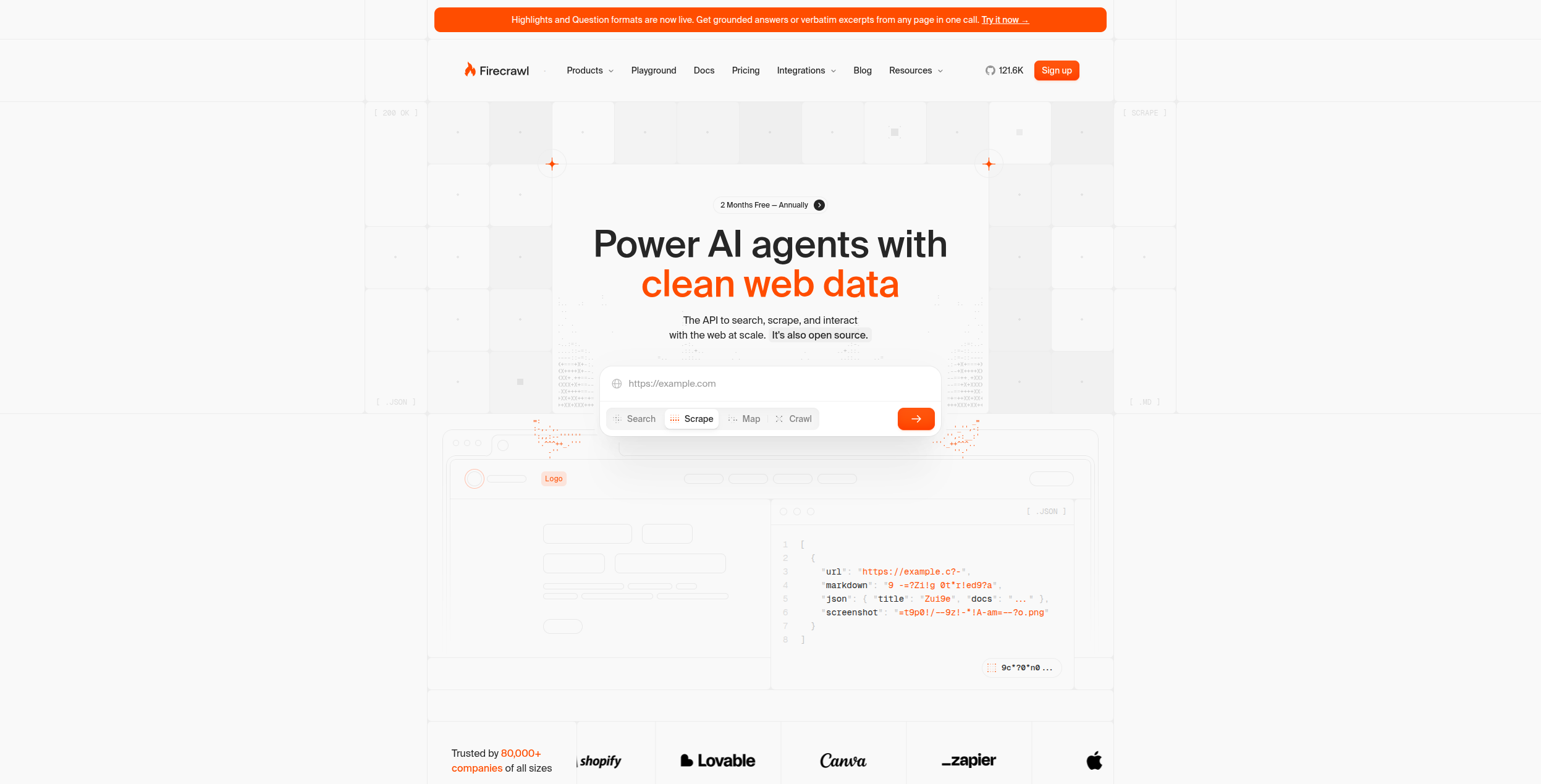
Firecrawl é construída especificamente para um caso de uso: transformar sites inteiros em markdown limpo que LLMs podem ler. Ela faz crawling de sites, renderiza JavaScript, lida com paginação e produz texto estruturado e limpo — ideal para construir bases de conhecimento RAG (Retrieval-Augmented Generation) ou alimentar conteúdo web para agentes de IA.
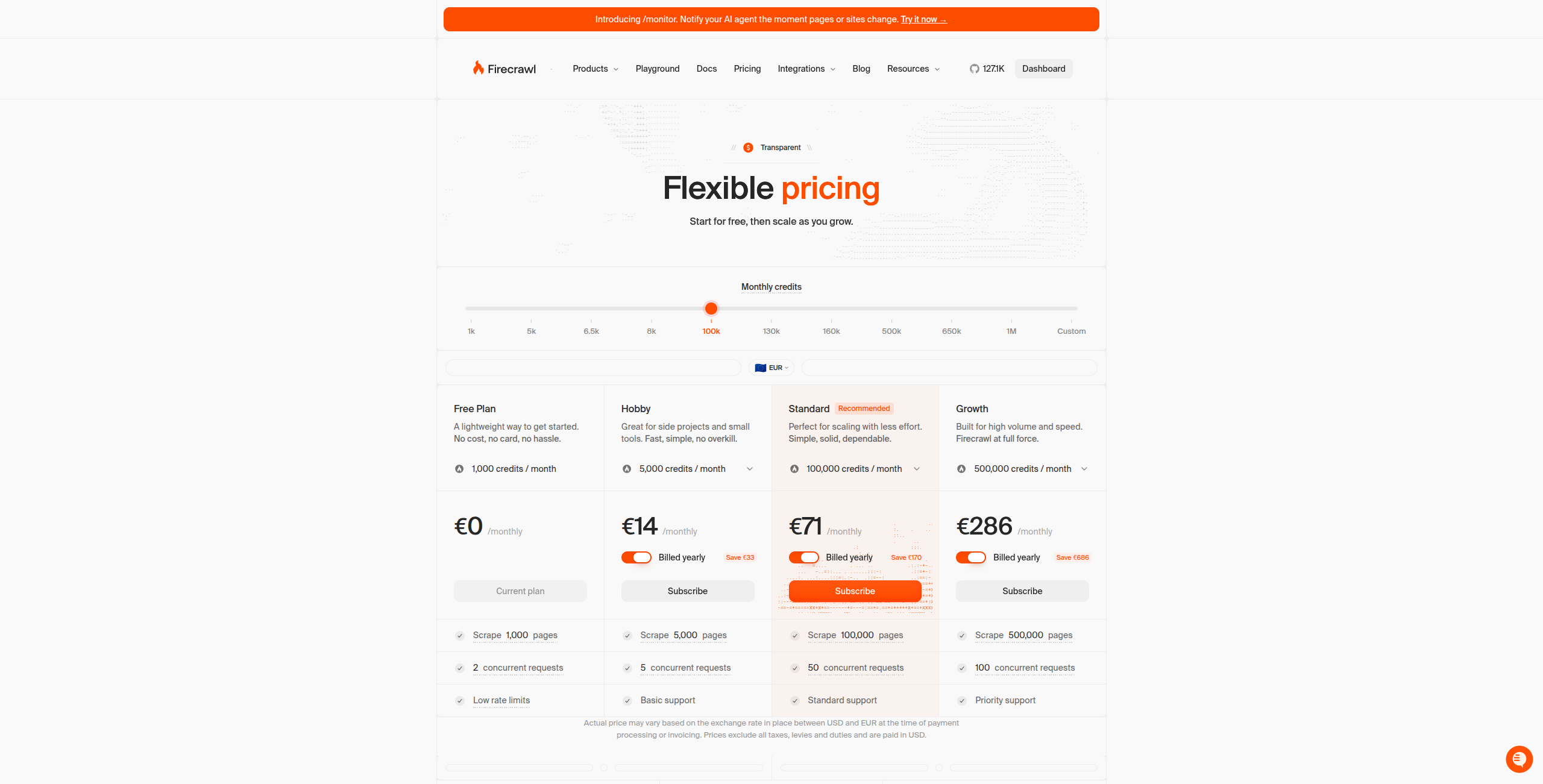
Preço:
Gratuito — 500 créditos/mês, até 500 páginas feitas scraping
Hobby — $16/mês. 3.000 créditos/mês, acesso total à API, suporte básico
Standard — $83/mês. 100.000 créditos/mês, limites de taxa mais altos, suporte prioritário
Renderização de JavaScript para aplicações de página única dinâmicas
Endpoint de extração para extração de dados estruturados com schema
Endpoint de pesquisa para busca na web alimentada por IA
API REST simples com SDKs para Python, Node.js, Go e Rust
Prós: Saída markdown pronta para LLM — sem limpeza de HTML necessária; crawling de site completo com suporte a sitemap; mapeia e faz crawling de sites JavaScript dinâmicos; API simples — integre em minutos
Contras: Não adequada para extrair dados estruturados (preços, especificações de produtos) — produz texto, não registros estruturados; sem construtor visual — apenas API para desenvolvedores; não projetada para casos de uso de monitoramento agendado
Melhor para: Desenvolvedores construindo agentes de IA, pipelines RAG ou aplicações LLM que precisam de conteúdo web limpo e estruturado como entrada.
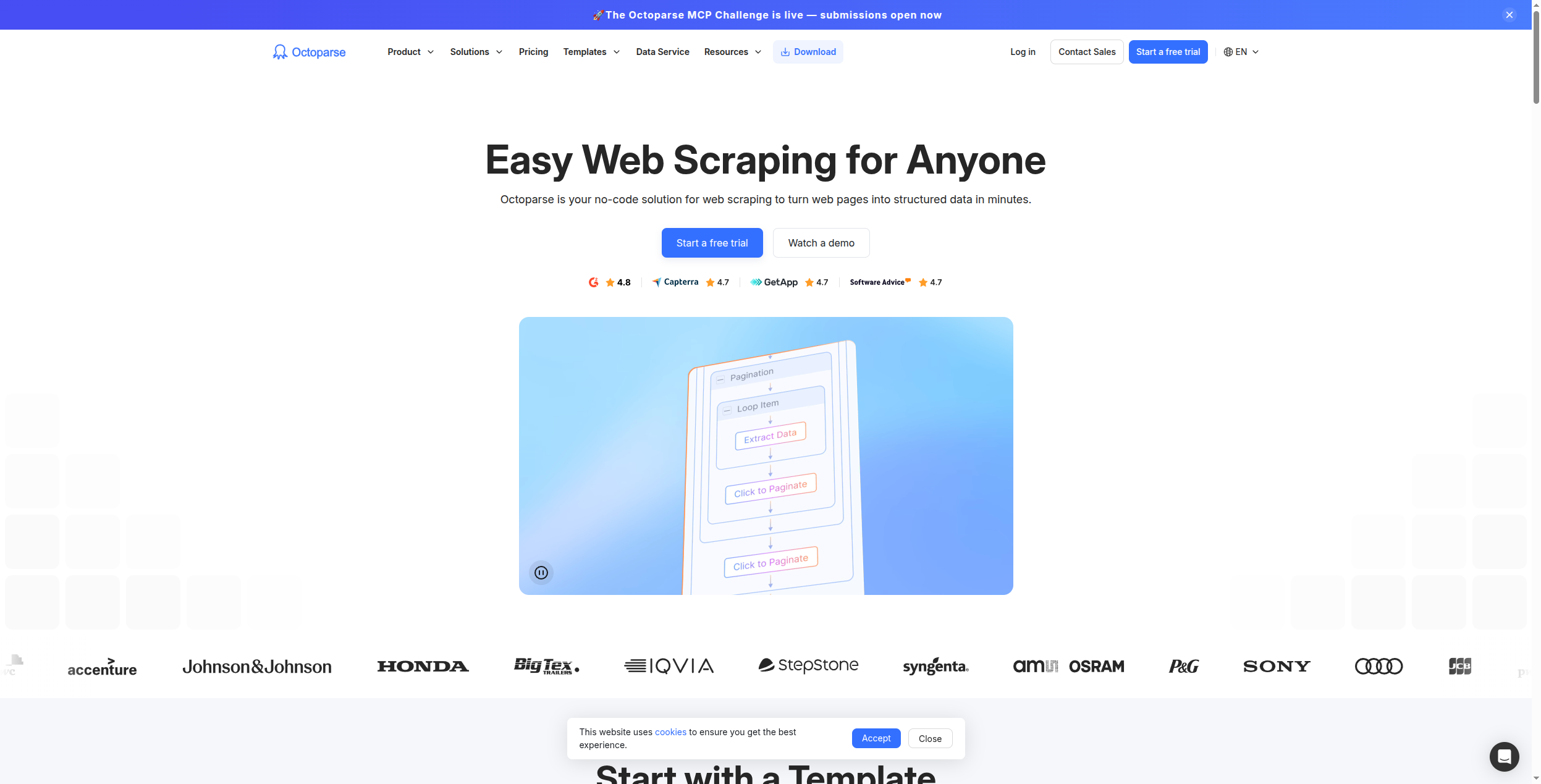
4. Octoparse — Melhor Web Scraper Visual com Execução em Nuvem
Octoparse fornece um aplicativo desktop com interface point-and-click para construir scrapers visualmente, depois os executa na nuvem em um cronograma. Lida com a maioria dos cenários de scraping comuns — paginação, scroll infinito, navegação de dropdown — sem código.
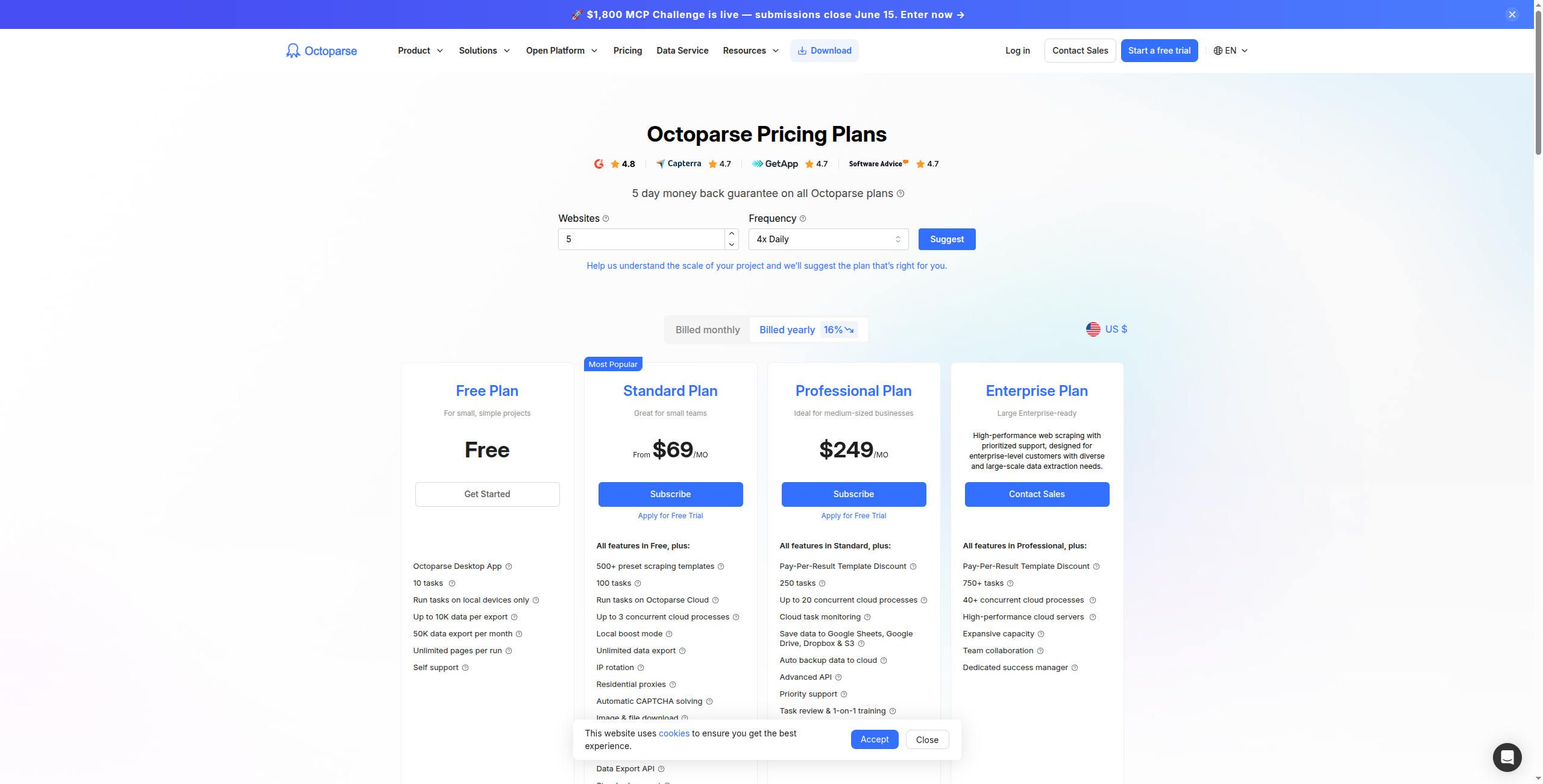
Preço:
Gratuito — Limitado a 10.000 registros por exportação, scraping local (não-nuvem) apenas
Standard — $75/mês. Scraping em nuvem, 10 tarefas em nuvem, agendamento, acesso à API
Professional — $149/mês. 30 tarefas em nuvem, rotação de IP, execução em nuvem mais rápida, suporte prioritário
Construtor de fluxo de trabalho visual — sem código necessário
Execução em nuvem com agendamento e rotação automática de IP
Lida com paginação complexa, scroll infinito e fluxos multi-página
Tratamento integrado de CAPTCHA e mecanismos anti-bloqueio
Exportar para Excel, CSV, Google Sheets e bancos de dados (MySQL, SQL Server)
1.000+ modelos pré-construídos para sites comuns
Prós: Construtor de fluxo de trabalho visual — sem código necessário; execução em nuvem com agendamento e rotação de IP; lida com paginação complexa e fluxos multi-página; exportar para Excel, CSV, Google Sheets, bancos de dados
Contras: Mais caro do que alternativas para capacidades equivalentes; cliente desktop (Windows/Mac) adiciona atrito versus ferramentas baseadas em navegador; menos adequado para extração em tempo real versus execuções em lote agendadas
Melhor para: Analistas não-técnicos e equipes de operações que precisam de extração de dados confiável e agendada de sites complexos ou paginados.
5. ScraperAPI — Melhor para Proxy de Nível Desenvolvedor e Renderização
ScraperAPI é um serviço de API que lida com as partes mais difíceis do web scraping em escala: renderização de JavaScript, resolução de CAPTCHA e rotação automática de proxy. Desenvolvedores enviam uma URL para ScraperAPI e recebem HTML limpo — lida com tudo no meio.
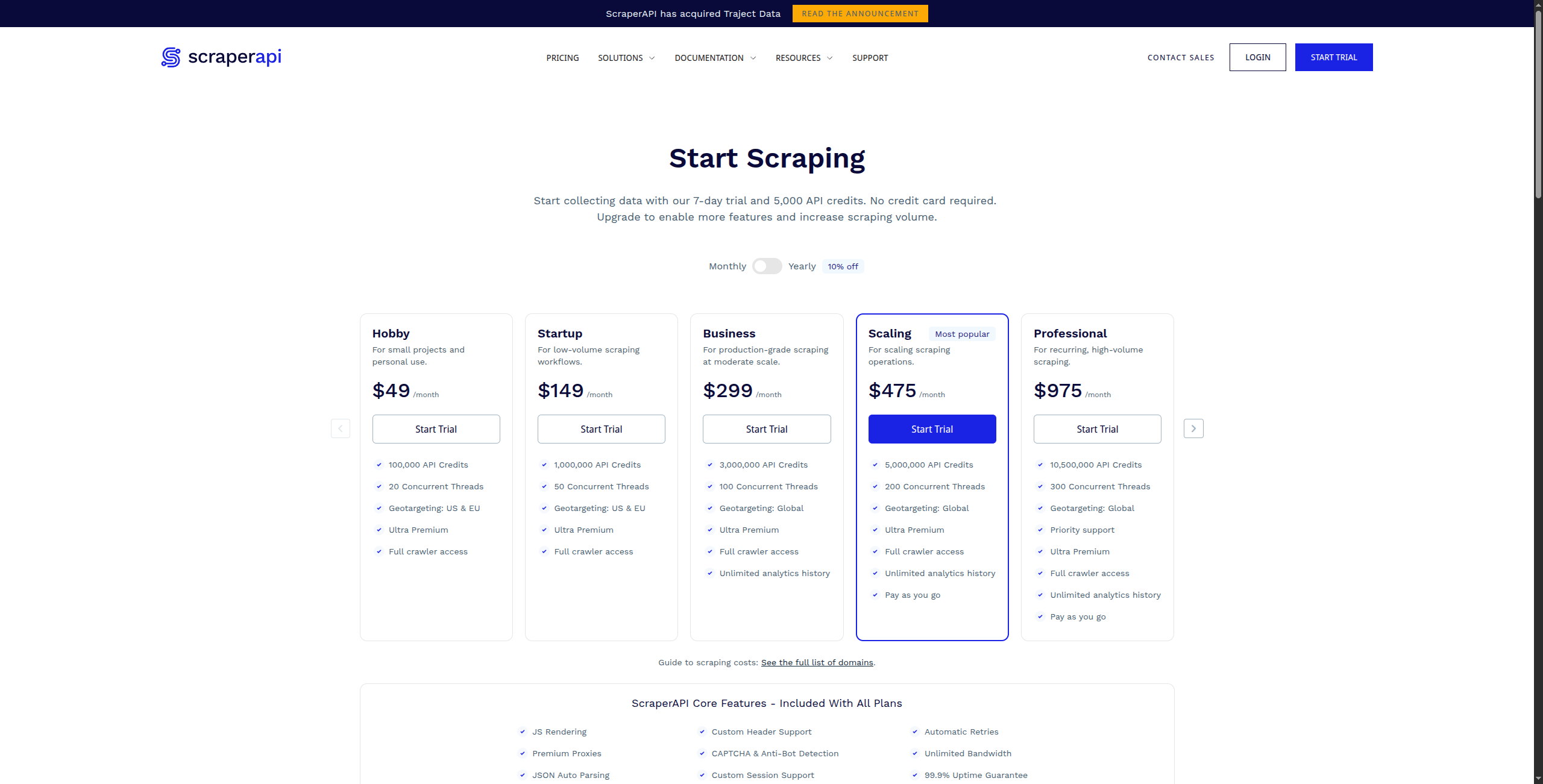
Preço:
Gratuito — 1.000 chamadas de API/mês, até 5 requisições simultâneas
Business — $299/mês. 3.000.000 chamadas de API, 50 requisições simultâneas, proxies dedicados
Enterprise — Contate vendas para volume personalizado e infraestrutura dedicada
Características principais:
Uma chamada de API única retorna HTML renderizado de qualquer URL
Rotação automática de proxy com 40M+ IPs residenciais e datacenter
Renderização de JavaScript via Chrome headless para SPAs e sites dinâmicos
Resolução de CAPTCHA e bypass de medidas anti-bot
Geo-targeting com seleção de proxy específica do país
Endpoints de dados estruturados para Amazon, Google, Walmart e muito mais
Prós: Integração de API simples — uma chamada de função substitui infraestrutura de scraping complexa; lida com CAPTCHA, geo-targeting e emulação de dispositivo; endpoints de dados estruturados para sites comuns (Amazon, Google, eBay); custo menor do que Apify para scraping simples de alto volume
Contras: Retorna HTML — você ainda precisa analisar e extrair dados você mesmo; sem construtor visual ou interface sem código; sem agendamento ou monitoramento — apenas uma camada de renderização/proxy
Melhor para: Desenvolvedores construindo scrapers que precisam de infraestrutura confiável e escalável de proxy e renderização sem gerenciar seu próprio pool de proxy.
6. Bright Data — Melhor Plataforma de Dados Web Corporativa
Bright Data opera uma das maiores redes de proxy do mundo (72M+ IPs) e fornece um conjunto completo de produtos de dados web: redes de proxy, APIs de scraping, automação de navegador e conjuntos de dados pré-construídos para centenas de sites populares. Para necessidades de dados web em escala corporativa, é incomparável.
Preço:
Pay-as-you-go — Disponível em todos os produtos; proxies datacenter de $0,6/GB, proxies residenciais de $8,4/GB, proxies ISP de $15/GB
Planos mensais — Começando de ~$500/mês para planos de proxy datacenter; descontos para volumes comprometidos mais altos
Scraping Browser — De $0,1/GB de largura de banda consumida
Web Scraper API — De $1,50/1.000 requisições para endpoints de dados estruturados
Datasets — Conjuntos de dados pré-construídos para Amazon, LinkedIn, Instagram de $0,001/registro; entrega de dataset personalizado contate vendas
Enterprise — Contate vendas para infraestrutura dedicada, garantias de conformidade e SLA
Características principais:
72M+ rede de proxy IP — proxies residenciais, datacenter, ISP e móveis
API Scraping Browser para automação completa de navegador em escala
Web Scraper IDE para construir e gerenciar scrapers personalizados
Conjuntos de dados estruturados pré-construídos para 100+ sites populares
Coleta de dados em grau de conformidade com processos de revisão legal
SLA corporativo com garantia de uptime 99,9%
Prós: Maior rede de proxy do mundo — melhor para contornar proteção anti-bot avançada; conjuntos de dados pré-construídos para casos de uso comuns (Amazon, LinkedIn, mídia social); Web Scraper IDE para construir scrapers personalizados; garantias de conformidade e qualidade de dados corporativos
Contras: Preço complexo — múltiplos produtos com modelos de custo diferentes; overkill para necessidades de scraping pequenas ou médias; requer recursos técnicos para implementar bem
Melhor para: Equipes corporativas com necessidades de scraping de alto volume, requisitos rigorosos de conformidade ou requisitos avançados de evasão anti-bot.
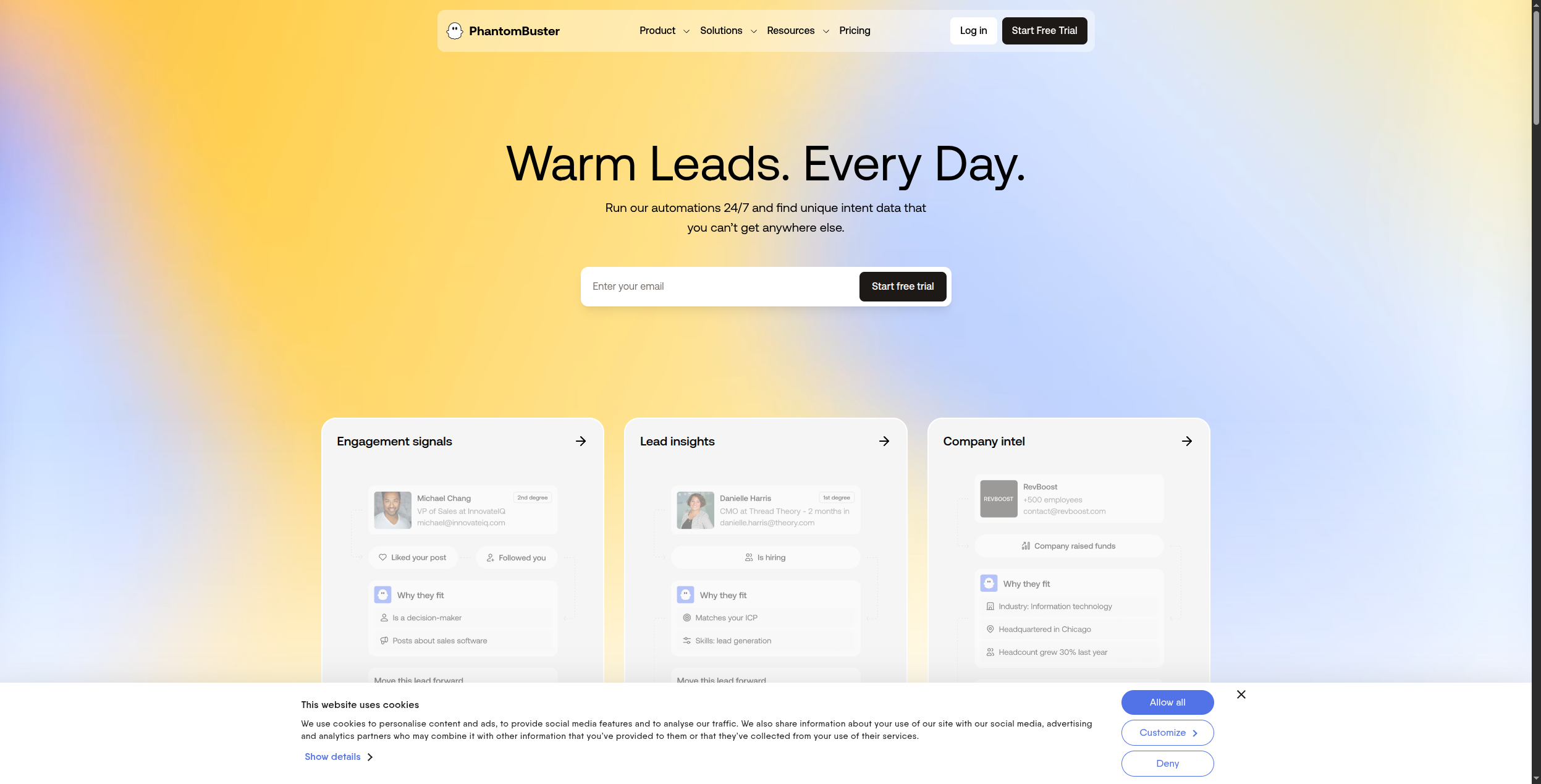
7. PhantomBuster — Melhor para Extração de Dados de Mídia Social
PhantomBuster se especializa em extrair dados e automatizar ações em plataformas sociais — LinkedIn, Twitter/X, Instagram, Facebook, Google Maps e muito mais. Não é um web scraper geral, mas se destaca em seu nicho.
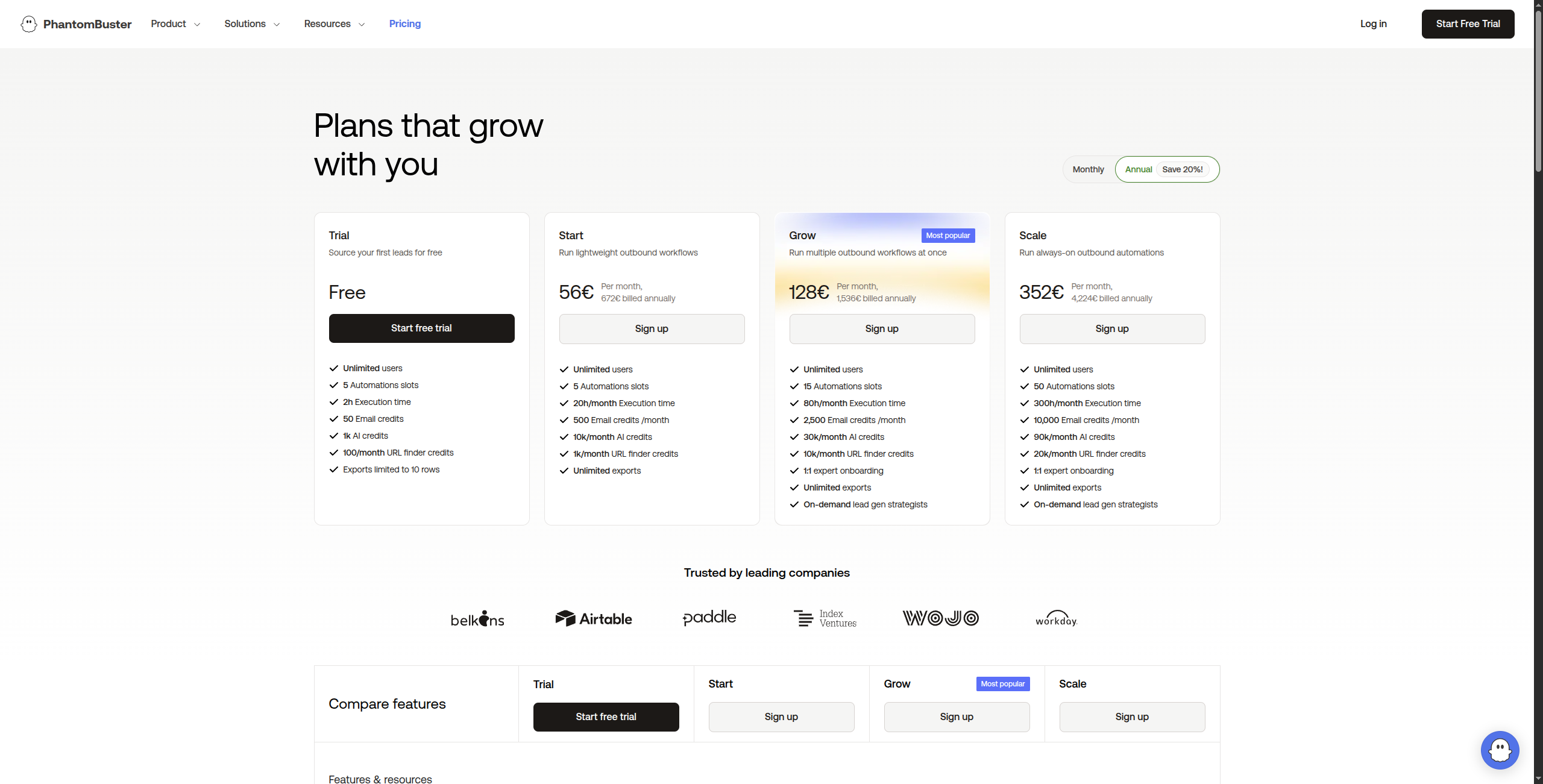
Preço:
Avaliação gratuita — 14 dias, acesso total a todos os Phantoms
Starter — $56/mês. 20 horas de tempo de execução/mês, 5 Phantoms em execução simultânea, suporte por email
Pro — $128/mês. 80 horas de tempo de execução/mês, 15 Phantoms simultâneos, suporte prioritário
Team — $352/mês. 300 horas de tempo de execução/mês, Phantoms simultâneos ilimitados, suporte dedicado
Enterprise — Contate vendas para tempo de execução e volume personalizados
Características principais:
100+ “Phantoms” pré-construídos para LinkedIn, Twitter, Instagram, Facebook e Google Maps
Scraping de LinkedIn: dados de perfil, páginas da empresa, resultados de pesquisa do Sales Navigator, engajamento de posts
Sequências de outreach automatizadas com solicitações de conexão e mensagens
Exportar para CSV, Google Sheets, webhooks de CRM
Execuções agendadas com throttling configurável para reduzir risco de conta
Gerenciamento de múltiplas contas para uso de agência
Prós: Phantoms pré-construídos para cenários comuns de scraping social; extração de leads do LinkedIn sem scripts de scraping; automação (visitas de perfil, solicitações de conexão) junto com extração de dados; interface sem código para a maioria dos casos de uso
Contras: Específico da plataforma — não útil para scraping arbitrário de site; risco de conformidade com TOS do LinkedIn com automação; limites de tempo de execução mais baixos em planos inferiores
Melhor para: Equipes de vendas e profissionais de marketing de crescimento que precisam extrair e agir em dados do LinkedIn e mídia social para geração de leads e outreach.
8. Bardeen — Melhor para Automação de Tarefas do Navegador
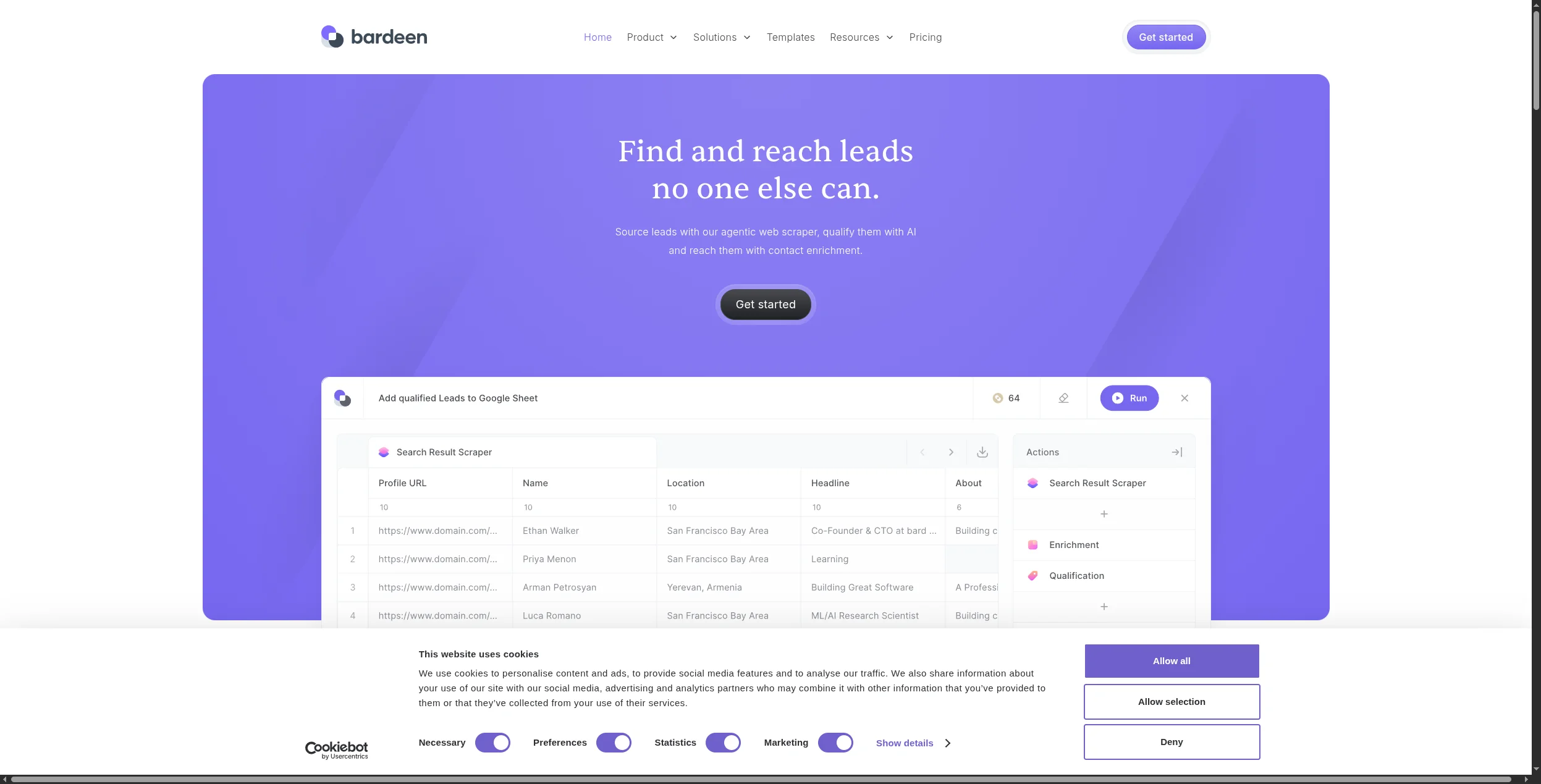
Bardeen é uma extensão do Chrome que registra e reproduz ações do navegador, extrai dados de páginas que você está visualizando e integra dados extraídos com 100+ aplicativos. É melhor para extração semi-automatizada e sob demanda do que para scraping totalmente desatendido.
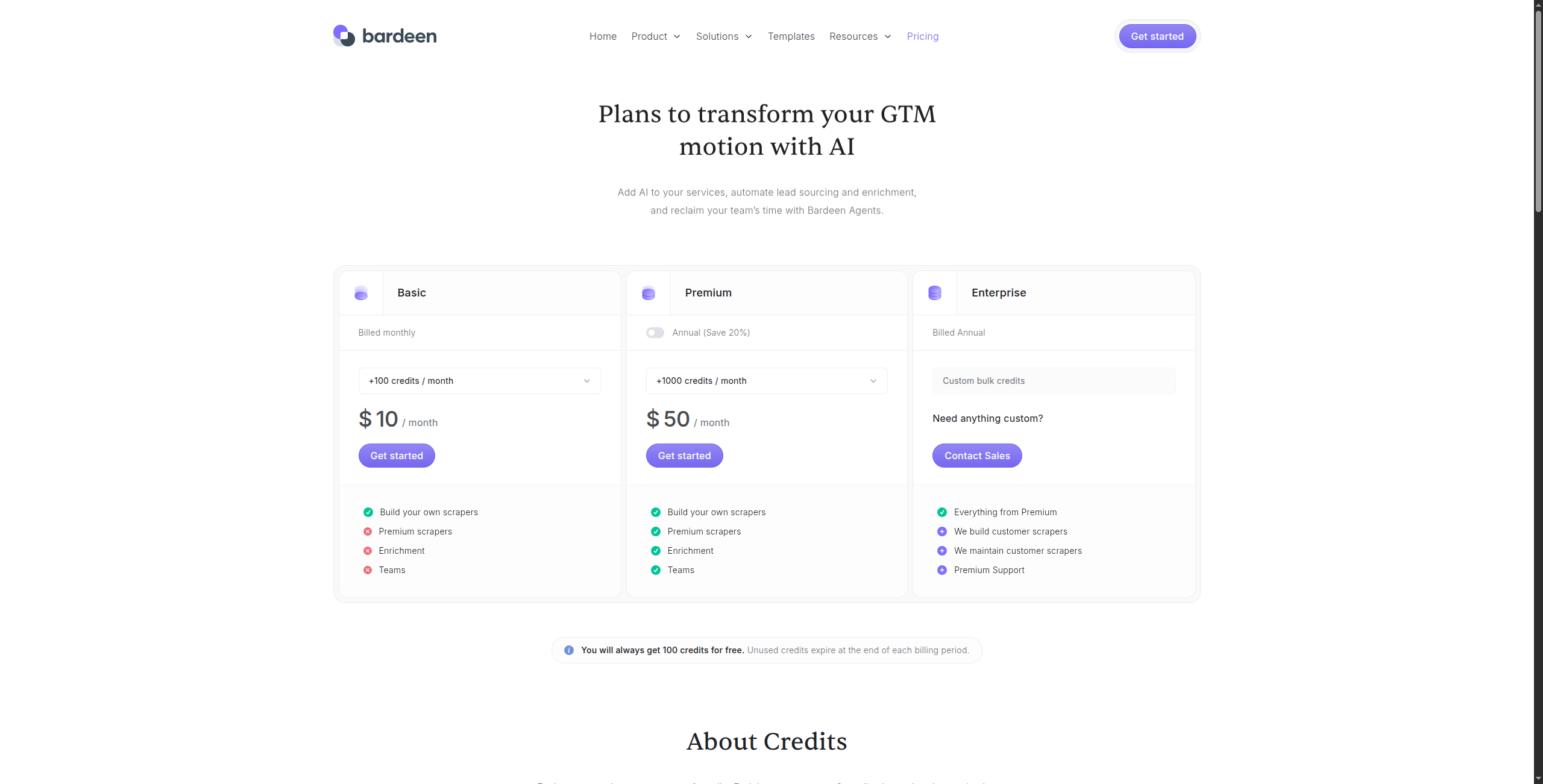
Professional — $10/mês. Execuções automatizadas ilimitadas, armazenamento em nuvem, integrações premium (HubSpot, Salesforce, Pipedrive), suporte prioritário
Business — $15/usuário/mês. Compartilhamento de equipe de automações, pastas compartilhadas, controles de admin
Enterprise — Contate vendas para SSO, segurança avançada e integrações personalizadas
Características principais:
AI Magic Actions — descreva em inglês simples o que extrair, sem necessidade de seletores CSS
Registra e reproduz ações do navegador como automações repetíveis
Integra com 100+ aplicativos: Notion, Airtable, HubSpot, Salesforce, Google Sheets
Faz scraping de tabelas, listas e dados estruturados de qualquer página visível
Executa no navegador Chrome — funciona em qualquer site que o usuário pode acessar
Suporta automação baseada em trigger (baseada em tempo, webhook ou manual)
Prós: Extensão Chrome sem código — zero setup; ações mágicas de IA para extrair dados por descrição, não seletores CSS; integrações fortes com Notion, Airtable, HubSpot, Salesforce; bom para fluxos de trabalho de produtividade pessoal e pesquisa
Contras: Requer Chrome aberto — não é automação totalmente desatendida; não adequado para scraping de alto volume do lado do servidor; limitado ao que o usuário conectado pode acessar em um navegador
Melhor para: Colaboradores individuais e pequenas equipes que precisam automatizar tarefas repetitivas de pesquisa e coleta de dados do navegador sem escrever código.
Qual Alternativa ao Apify Você Deve Escolher?
Extração integrada com IA para fluxos de trabalho de negócio → FlowHunt
Monitoramento de site e extração sem código → Browse AI
Transformar sites em bases de conhecimento de IA → Firecrawl
Scraping visual de sites complexos → Octoparse
API do desenvolvedor para proxy e renderização de JavaScript → ScraperAPI
Scraping em escala corporativa com evasão anti-bot → Bright Data
Extração de dados de LinkedIn e mídia social → PhantomBuster
Tarefas de extração de navegador sob demanda → Bardeen
Para a maioria dos casos de uso de negócio — monitorar concorrentes, extrair dados de leads, pesquisar perspectivas — a abordagem nativa de IA do FlowHunt vence o modelo centrado em desenvolvedor do Apify tanto em velocidade de setup quanto em integração de fluxo de trabalho. Para projetos de scraping técnico de alto volume, ScraperAPI e Bright Data são as ferramentas certas.
Perguntas frequentes
Apify é uma plataforma de web scraping e automação que permite aos desenvolvedores criar, implantar e executar web scrapers — chamados de 'Actors' — na nuvem. Lida com renderização de JavaScript, rotação de proxy e agendamento. Os usuários podem criar scrapers personalizados ou usar Actors pré-construídos da Apify Store para sites comuns como Amazon, LinkedIn, Google Maps e mídia social.
Sim — Browse AI tem um plano gratuito (50 execuções/mês), Bardeen é gratuito para automações básicas, Firecrawl tem um nível de API gratuita e o nível gratuito do FlowHunt inclui recursos de navegação na web. Para desenvolvedores, bibliotecas de código aberto como Playwright, Puppeteer e Scrapy são gratuitas, mas exigem auto-gerenciamento.
Browse AI é a mais fácil — você literalmente mostra o que fazer scraping clicando em um site, e ele constrói o scraper automaticamente. Octoparse é similarmente point-and-click. Bardeen é o melhor para tarefas pontuais de extração de dados onde você quer automatizar ações repetitivas do navegador sem qualquer configuração técnica.
Firecrawl é construída especificamente para aplicações de IA — converte sites inteiros em markdown limpo e estruturado que LLMs podem consumir diretamente. FlowHunt integra extração na web em fluxos de trabalho de agentes de IA, tornando-a a melhor escolha quando os dados extraídos precisam alimentar etapas de raciocínio, sumarização ou tomada de decisão.
Para necessidades de dados web corporativas em escala (milhões de páginas, evasão complexa anti-bot), Bright Data é a alternativa mais forte — opera uma das maiores redes de proxy do mundo e possui infraestrutura de scraping de nível corporativo. ScraperAPI é uma opção mais acessível para scraping em escala média com renderização de JavaScript e tratamento de CAPTCHA.
Arshia é Engenheira de Fluxos de Trabalho de IA na FlowHunt. Com formação em ciência da computação e paixão por IA, ela se especializa em criar fluxos de trabalho eficientes que integram ferramentas de IA em tarefas do dia a dia, aumentando a produtividade e a criatividade.
Arshia Kahani
Engenheira de Fluxos de Trabalho de IA
Faça Scraping de Qualquer Site com IA — Experimente FlowHunt Gratuitamente
Os agentes de IA do FlowHunt navegam na web, extraem dados estruturados e os alimentam em seus fluxos de trabalho automaticamente — sem necessidade de scripts de scraping.
Melhores Alternativas ao Browse AI em 2026: 8 Ferramentas de Web Scraping Comparadas
Procurando alternativas ao Browse AI? Comparamos 8 ferramentas de web scraping e extração de dados — de raspadores alimentados por IA a plataformas de automação...
10 Melhores Web Scrapers com IA em 2026: Ranking e Análise
Os 10 melhores web scrapers com IA em 2026, classificados por precisão de extração, facilidade de uso, proteção anti-bot e preços. Encontre a ferramenta de scra...
O Servidor Apify MCP conecta assistentes de IA à plataforma Apify, permitindo automação contínua, extração de dados e orquestração de fluxos de trabalho via fer...
5 min de leitura
Automation
Web Scraping
+4
Consentimento de Cookies Usamos cookies para melhorar sua experiência de navegação e analisar nosso tráfego. See our privacy policy.