
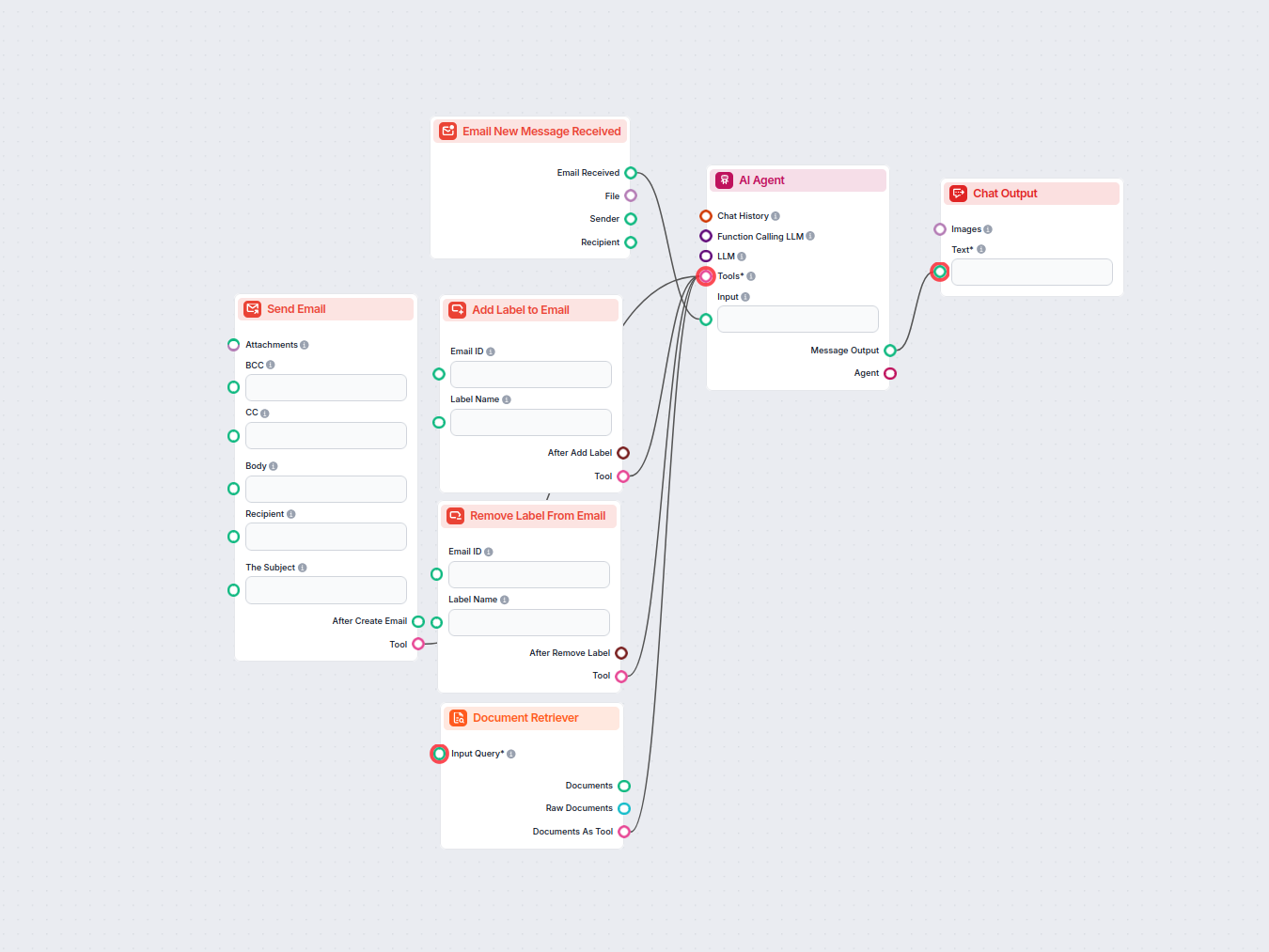
AI Email asistent pre Gmail
Automatizujte správu doručenej pošty v Gmaile pomocou AI agenta, ktorý číta prichádzajúce emaily, využíva vašu znalostnú bázu na vytváranie profesionálnych odpo...
3 min čítania
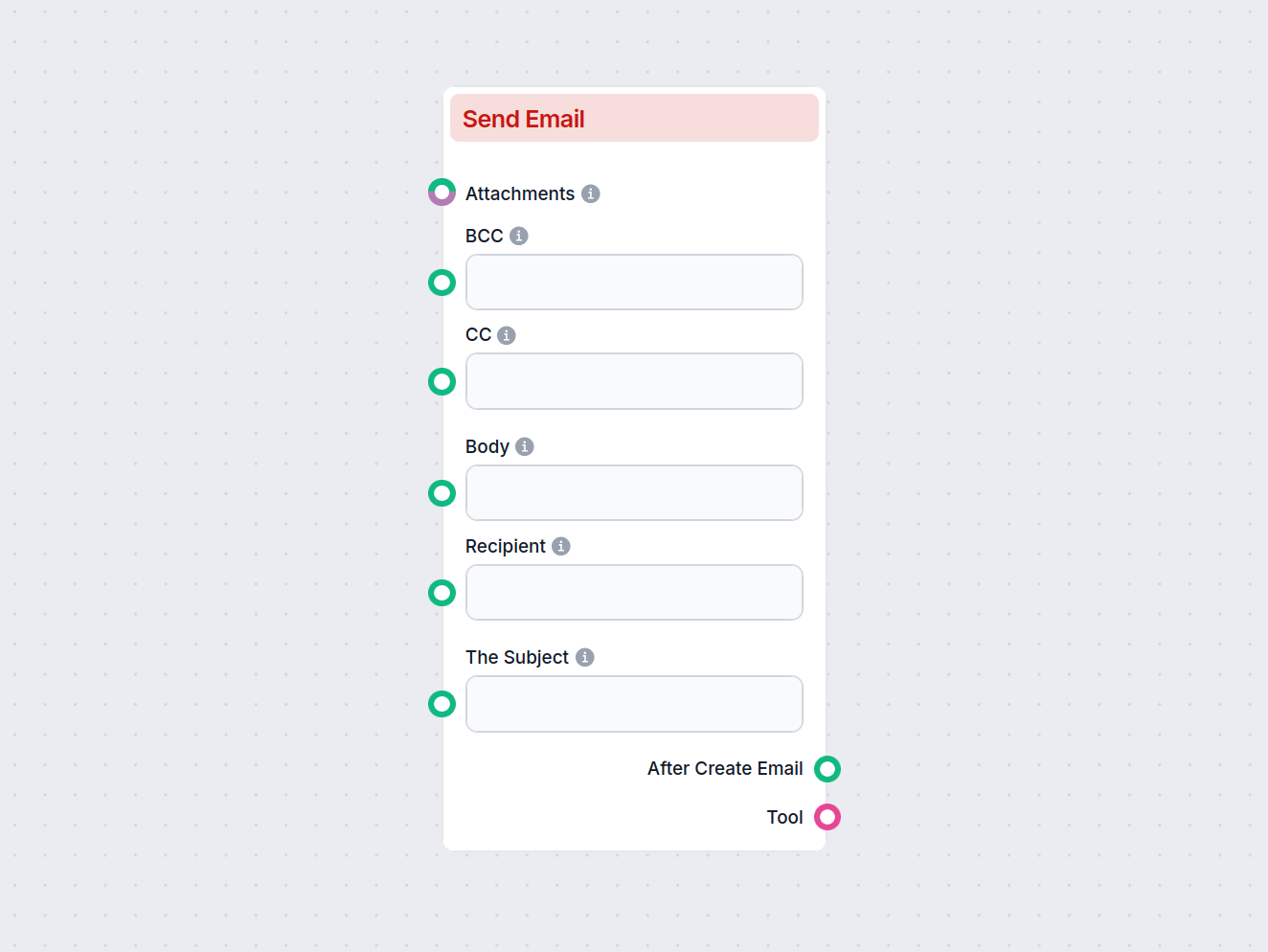
Komponent Odoslať e-mail umožňuje automatizovať tvorbu a odosielanie e-mailov vo vašich tokoch, s podporou príjemcov, predmetu, tela, CC/BCC, príloh, konceptov a odpovedí.
Opis komponentu
The Send Email component enables the creation and sending of new emails, specifically designed to interact with Gmail. Users can configure various aspects of the email, such as recipients, subject, body, attachments, and more. This component can be a valuable part of an AI workflow where automated or dynamic email communication is required.
This component automates the process of composing and sending emails. By providing the necessary input fields, it allows workflow builders to generate emails, save drafts, add attachments, set recipients (including CC and BCC), and even reply to previous messages. It is particularly useful in scenarios such as automatic notifications, customer communication, or integrating email responses into larger AI-driven processes.
The component comes with several configurable inputs:
| Field | Type | Description | Required | Advanced |
|---|---|---|---|---|
| Recipient | String | The main recipient(s) of the email. | No | No |
| CC | String | Email addresses to be included as CC (carbon copy). | No | No |
| BCC | String | Email addresses to be included as BCC (blind carbon copy). | No | No |
| Subject | String | The subject line of the email. | No | No |
| Body | String | The main content/body of the email. | No | No |
| Attachments | Message/Attachment | Attach files to the email. | No | No |
| Draft | Boolean | If set to true, the email will be saved as a draft and not sent. | No | No |
| Reply | Boolean | If set to true, the email will be sent as a reply to a specified message. | No | No |
| Tool Name | String | (Advanced) Internal name to refer to the tool in an agent-based system. | No | Yes |
| Tool Description | String (multi-line) | (Advanced) Describe the tool to help agents understand its usage. | No | Yes |
| Verbose | Boolean | (Advanced) Toggle for verbose output, useful for debugging or logging. | No | Yes |
When the component is executed, it generates the following outputs:
Message):Tool):| Feature | Supported |
|---|---|
| Multiple Recipients (To/CC/BCC) | ✔️ |
| Email Subject & Body | ✔️ |
| Attachments | ✔️ |
| Save as Draft | ✔️ |
| Reply to Existing Message | ✔️ |
| Advanced Agent Integration | ✔️ |
| Verbose/Debug Mode | ✔️ |
This component is a flexible and robust solution for integrating email functionality into your AI-powered workflows.
Aby sme vám pomohli rýchlo začať, pripravili sme niekoľko ukážkových flow šablón, ktoré demonštrujú efektívne využitie komponentu Vytvoriť nový e-mail. Tieto šablóny prezentujú rôzne prípady použitia a osvedčené postupy, čo vám uľahčí pochopenie a implementáciu komponentu vo vašich vlastných projektoch.
Automatizujte správu doručenej pošty v Gmaile pomocou AI agenta, ktorý číta prichádzajúce emaily, využíva vašu znalostnú bázu na vytváranie profesionálnych odpo...
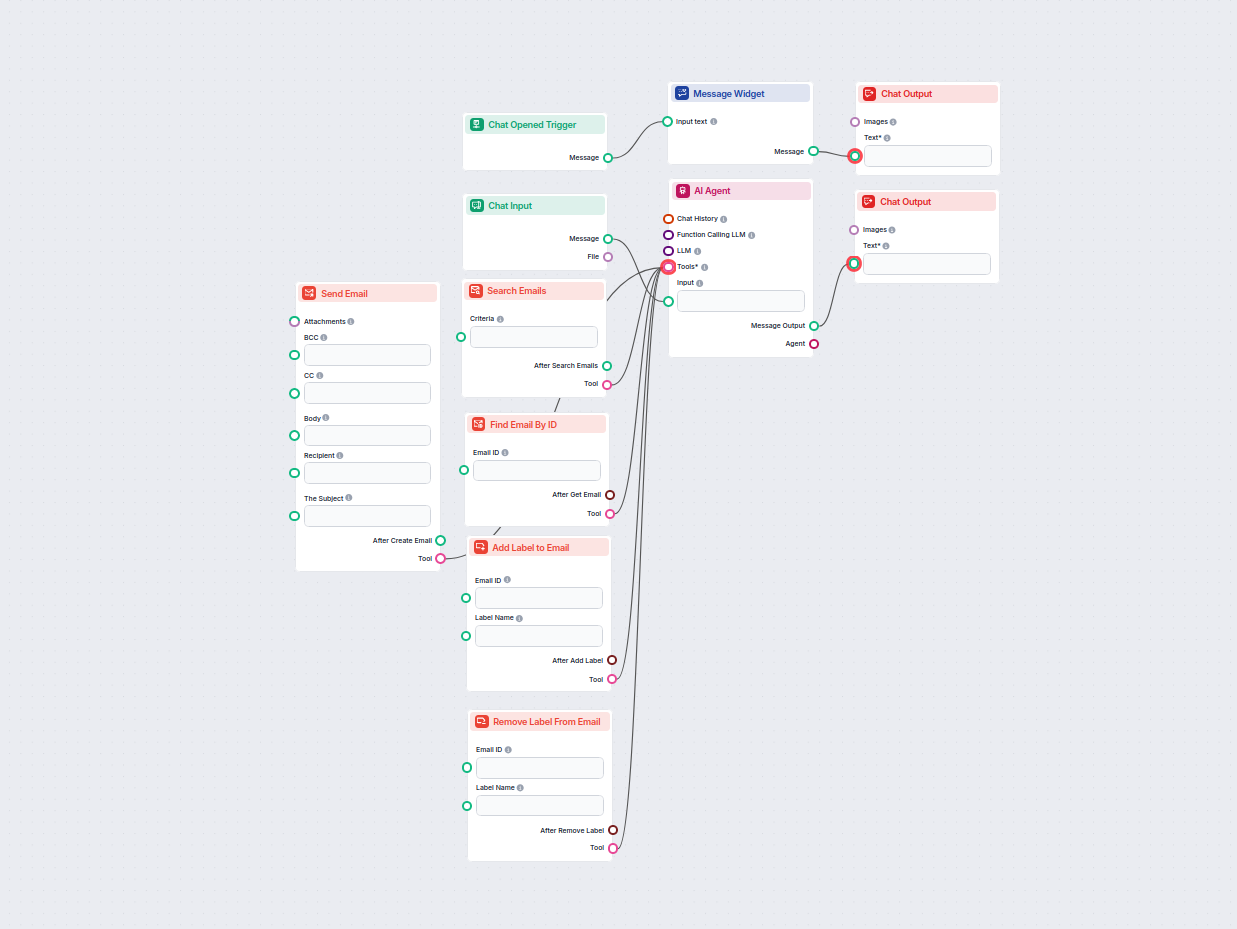
Zefektívnite svoju prácu s Gmailom pomocou asistenta poháňaného AI, ktorý dokáže vyhľadávať, organizovať a spravovať e-maily, vytvárať a posielať nové správy a ...

Integrujte FlowHunt s Gmailom a automatizujte odosielanie e-mailov, inteligentné označovanie, správu doručenej pošty a komunikáciu poháňanú AI.
Začnite automatizovať svoju e-mailovú komunikáciu—vytvárajte, prispôsobujte a odosielajte e-maily ako súčasť svojho workflowu pomocou komponentu Odoslať e-mail.
Zefektívnite svoju prácu s Gmailom pomocou asistenta poháňaného AI, ktorý dokáže vyhľadávať, organizovať a spravovať e-maily, vytvárať a posielať nové správy a ...