


如何创建 AI 生成的会议纪要
了解任何专业人士如何利用 AI 快速从会议记录中生成清晰、通用的总结——无需技术专长。本指南非常适合 HR、人事、行政或协调员寻找快速、可靠的会议纪要方法。...
5 分钟阅读
Use Case
ChatGPT
+2

分步指南,教你如何在五分钟内用AI从你的数据创建简明会议纪要。
你很忙,需要马上拿到会议摘要吗?这里我们提供一个简明指南,教你如何通过几次点击就能生成全面的会议纪要。
你只需要你最喜欢的聊天机器人。只需按照以下简单步骤操作:
时间紧、会议太多?使用AI会议纪要生成器 ,现在即可免费轻松生成会议纪要。
无需自建方案。我们的工具帮助你快速制作清晰、专业的会议摘要。只需上传你的会议记录,添加备注或议程,剩下的交给AI。
它快速、易用,帮助你的团队保持信息同步。
👉 立即试用,每次会议都能节省时间。
如果你想学习具体方法,下面是教程:
会议纪要是简要记录会议内容、达成结果以及会后每项行动负责人。让我们一步步看看这个过程。
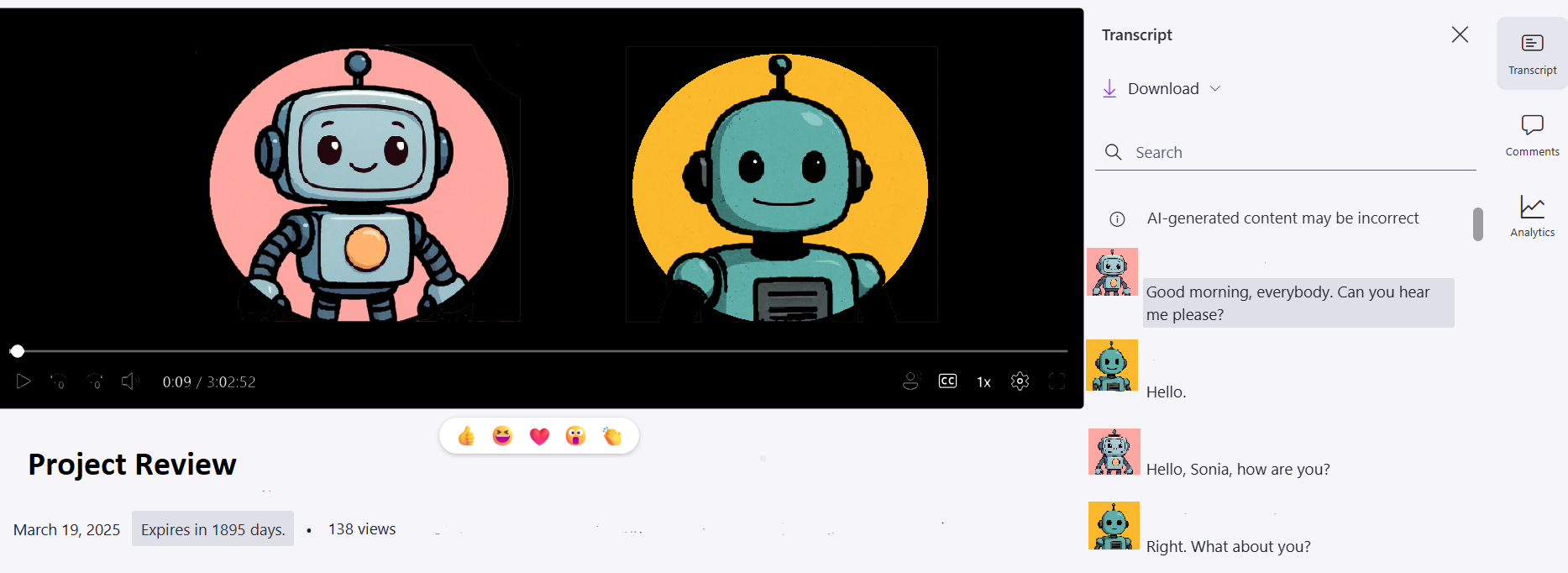
录制你的会议。过去这是秘书的工作,但现代技术让会议纪要记录更快更系统。使用Teams转录或Otter.ai,将会议内容生成为文本格式并保存。
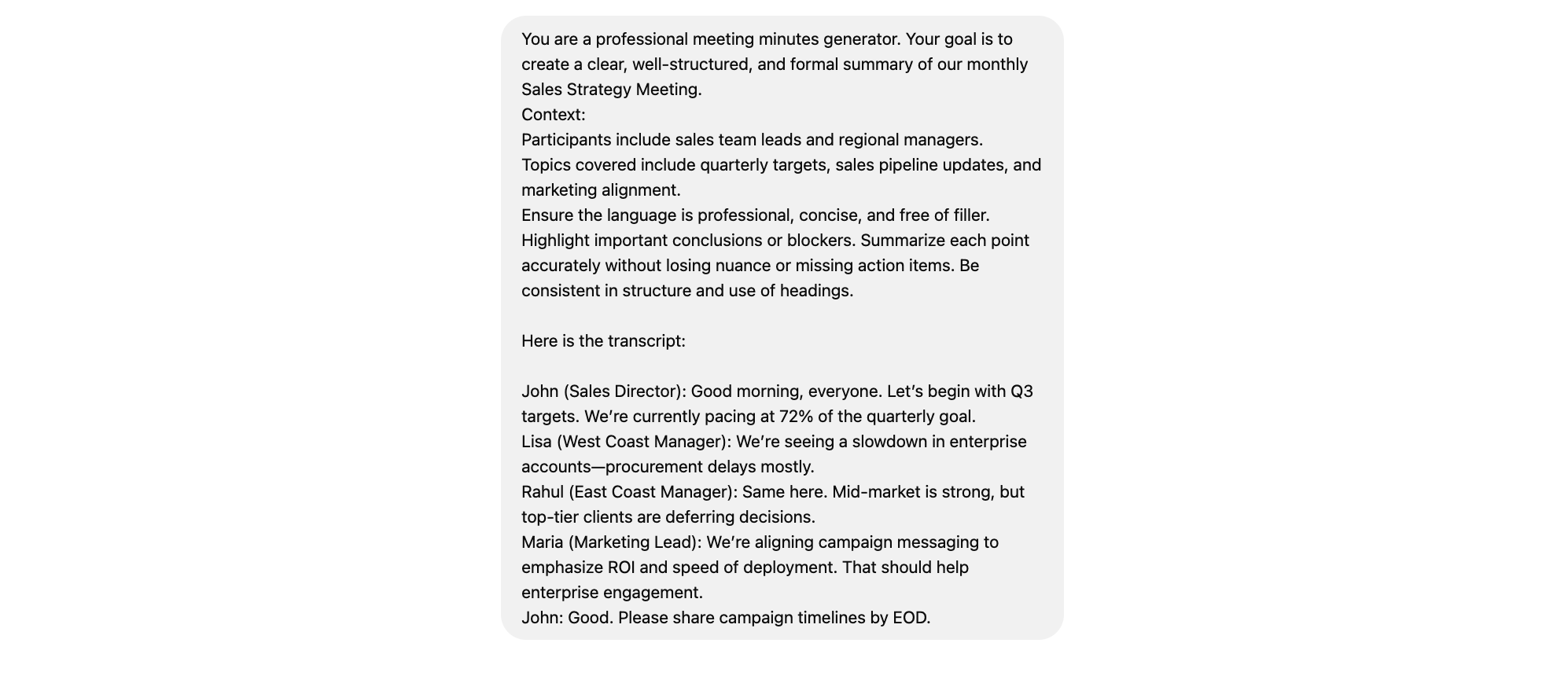
你很可能不希望ChatGPT像ChatGPT那样回答。因此,应该像在向你领域的专业人士或专业秘书提问一样编写提示词。我们推荐这样写:
You are a professional meeting minutes generator. Your goal is to create a clear, well-structured, and formal summary of our monthly Sales Strategy Meeting.
Context:
Participants include sales team leads and regional managers.
Topics covered include quarterly targets, sales pipeline updates, and marketing alignment.
Ensure the language is professional, concise, and free of filler. Highlight important conclusions or blockers. Summarize each point accurately without losing nuance or missing action items. Be consistent in structure and use of headings.
Here is the transcript:
(input your transcript here)
别忘了,你可以随时调整这些内容,让它完全符合你的需求。
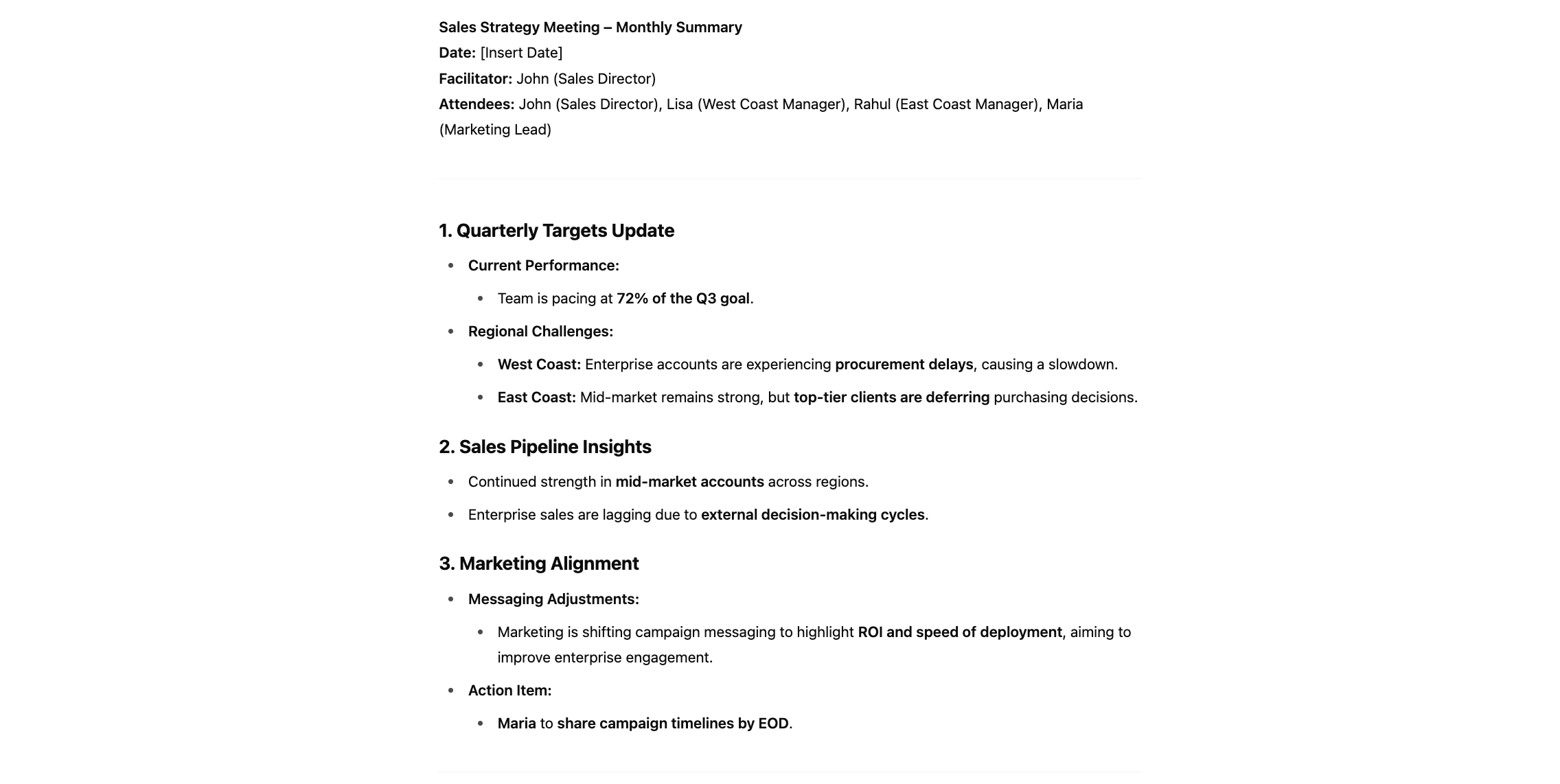
把提示词发给你喜欢的聊天机器人,再把会议文本发送给它。使用前别忘了再检查一遍输出内容。
会议纪要是简要记录,涵盖会议讨论内容、产生的结果,以及每项行动由谁负责。让我们一步步了解这一流程。
录制你的会议。过去这通常是秘书的工作,但现代科技能更快、更系统地生成会议纪要。可以使用 Teams 转录或 Otter.ai 生成并保存文字记录。
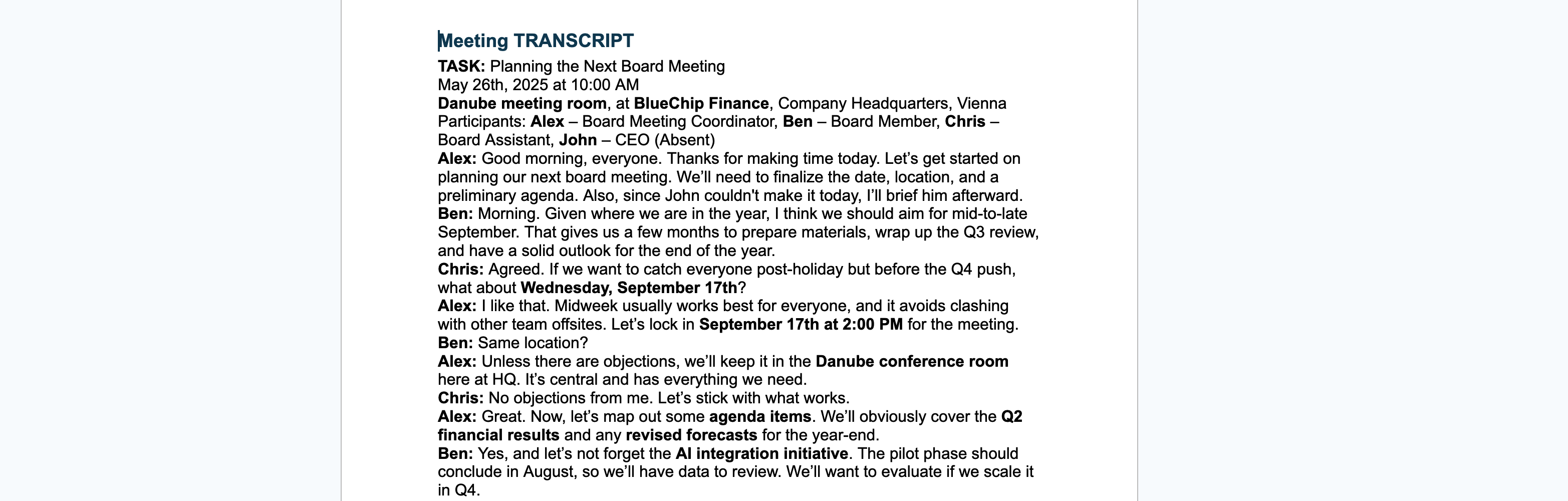
决定你的纪要标准结构。有些公司对会议和讨论有特定要求。但为便于操作,我们为你提供了一个适用于大多数场景的简单模板。
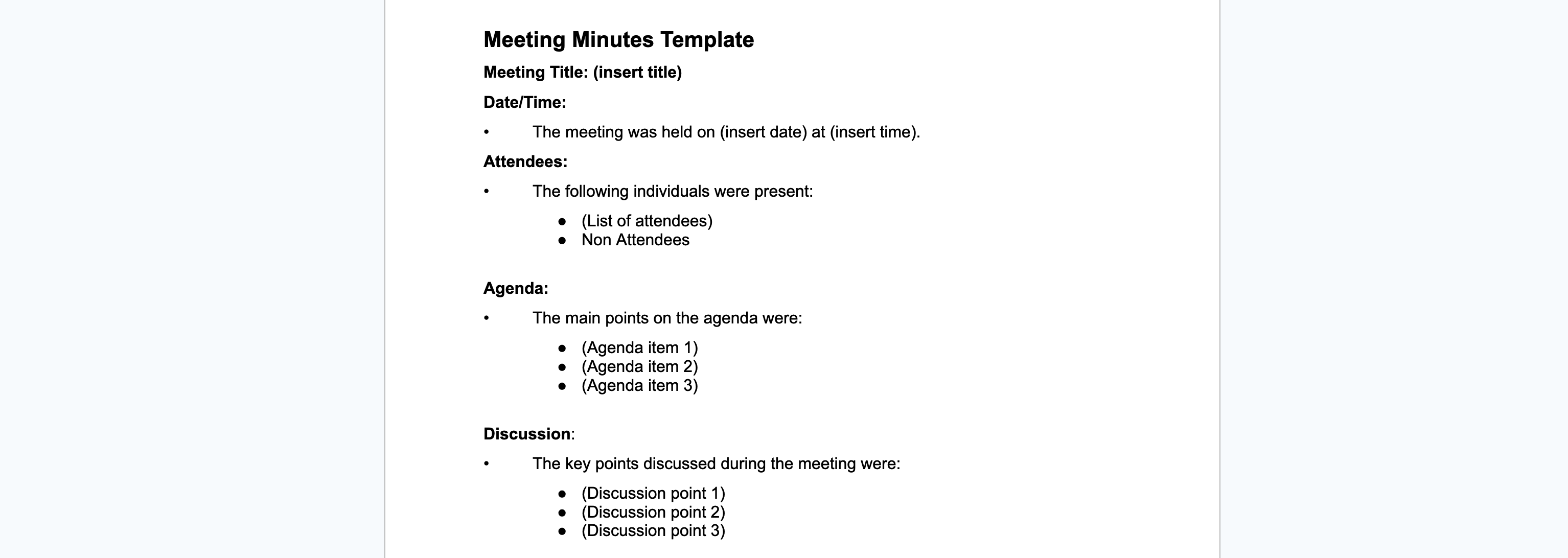
为确保聊天机器人给出令人满意的回复,你可以随时补充更多信息。你可以包括:
这些信息可以作为提示词的一部分,也可以作为单独文件上传。
你还可以提供会议组织者事先发给你的议程。这有助于 AI 确定重要讨论点,或识别文字记录中未提及姓名的与会者。

聊天机器人获得的信息越多,生成的会议纪要就越详细、具体。
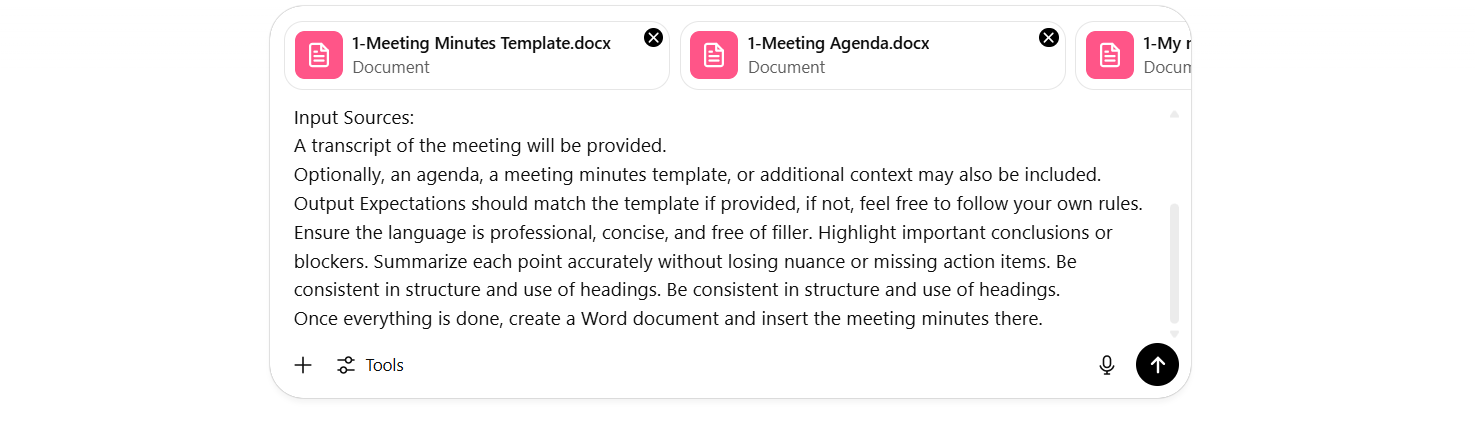
收集所有信息并询问 ChatGPT。听起来很简单。但你很可能不希望 ChatGPT 像普通聊天机器人那样回复。因此,请像向专业人士提问一样编写你的提示词。我们建议用如下提示:
You are a professional meeting minutes generator. Your goal is to create a clear, well-structured, and formal summary of our monthly Sales Strategy Meeting.
Context:
Participants include sales team leads and regional managers.
Topics covered include quarterly targets, sales pipeline updates, and marketing alignment.
Input Sources:
A transcript of the meeting will be provided.
Optionally, an agenda, a meeting minutes template, or additional context may also be included.
Output Expectations should match the template if provided, if not, feel free to follow your own rules.
Ensure the language is professional, concise, and free of filler. Highlight important conclusions or blockers. Summarize each point accurately without losing nuance or missing action items. Be consistent in structure and use of headings. Be consistent in structure and use of headings.
Once everything is done, create a Word document and insert the meeting minutes there.
别忘了你可以随时调整提示词,让其完全按你的需求生成。如果你想导出 .docx 而不是 .pdf,也可以在最后阶段手动调整。
别忘了要附上 AI 获取信息所需的实际文件。
你的结果将如下所示:
Meeting MinutesMeeting Title: Monthly Sales Strategy Meeting Date/Time: May 26, 2025 at 10:00 AM Location: Danube Conference Room, BlueChip Finance HQ, Vienna
Attendees Alex – Board Meeting Coordinator Ben – Board Member Chris – Board Assistant
Non-Attendees John – CEO (Absent)
Agenda Q2 Financial Results & Year-End Forecast AI Integration Pilot Review Client Feedback – Digital Onboarding 2026 Strategy Preview Talent Acquisition & Leadership Pipeline Sustainability Progress & ESG Targets
Discussion Next Board Meeting Date Confirmed for Wednesday, September 17, 2025 at 2:00 PM in the Danube conference room.
Q2 Financial Results & Forecast Reviewed preliminary figures; agreed to update year-end forecast after next month’s performance.
AI Integration Pilot Pilot runs through August; KPI data to be compiled for a Q4 scaling decision.
Digital Onboarding Feedback Clients requested smoother UI; team will gather three months of usage metrics for the next review.
2026 Strategy Preview Early framework includes headcount planning and potential new market opportunities.
Talent Acquisition & Leadership Pipeline Roadmap to address upcoming retirements and leadership gaps; HR to circulate draft by mid-June.
ESG & Sustainability Update Lead reported on current benchmarks; next steps include rolling out carbon-offset proposals.
Decisions Scheduled next board meeting for September 17, 2025 at 2:00 PM. Retained venue: Danube Conference Room. Approved agenda as outlined above.
Action Items Action Owner Draft and circulate the formal agenda by next week Ben Compile KPI data for AI pilot and digital onboarding metrics Chris Send calendar invite and coordinate meeting logistics Alex
Next Meeting Date/Time: Wednesday, September 17, 2025 at 2:00 PM Location: Danube Conference Room
来看看用此方法生成会议纪要的优缺点。
| 优点 | 缺点 |
|---|---|
| 高效省时:快速生成会议纪要,节省行政时间。 | 隐私风险:注意敏感数据与免费 AI 工具的使用。 |
| 易用性强:无需专业技能即可使用 ChatGPT 或 FlowHunt。 | 依赖输入质量:低质量记录会导致总结不准确。 |
| 输出可自定义:可适配你的模板、议程和风格。 | 上下文理解有限:可能遗漏语气、细节或会议氛围。 |
| 一致性更高:会议文档标准化。 | 需人工审核:分享前须人工最终检查。 |
如你所见,按照这些步骤,制作会议纪要比你想象的简单:
现在,你可以利用 Gemini、Mistral 或 Grok 等知名聊天机器人,在五分钟内生成完整会议纪要。
想要专属定制解决方案?了解如何利用 Flowhunt 的 AI 会议纪要生成器 创建属于你的聊天机器人吧。
了解任何专业人士如何利用 AI 快速从会议记录中生成清晰、通用的总结——无需技术专长。本指南非常适合 HR、人事、行政或协调员寻找快速、可靠的会议纪要方法。...

使用简单会议纪要,这款由 AI 驱动的工具可将会议笔记秒变为专业文档,几秒钟内生成详尽的会议纪要与跟进邮件。通过即时处理和智能功能优化你的工作流程。...
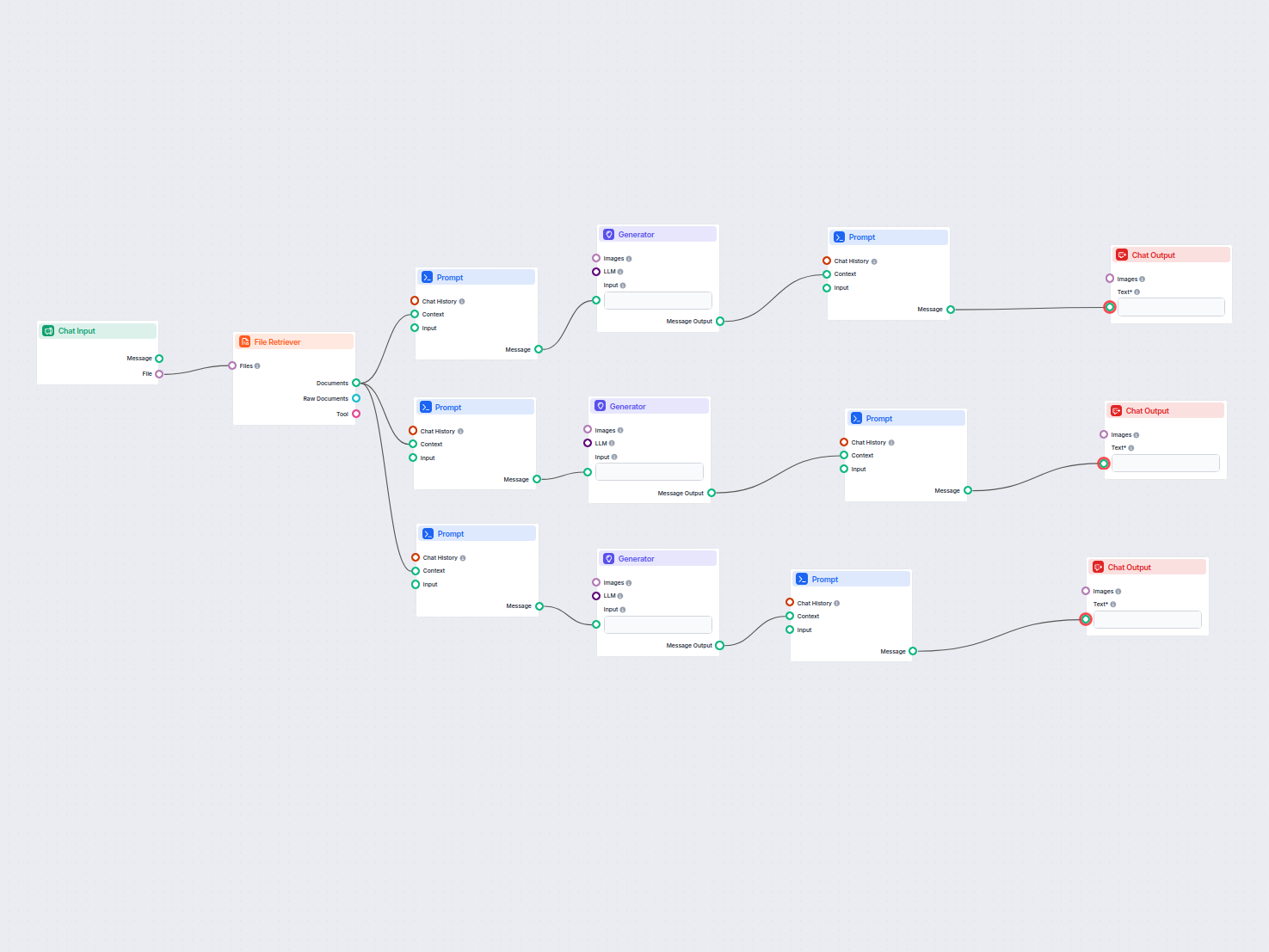
利用 AI 将您的会议附件转化为可执行的摘要、跟进邮件和博客文章。此工作流自动化地从会议文件中创建内容,帮您节省时间并提升生产力。...