


提示词
使用动态变量({input}、{human_input}、{context}、{chat_history}、{system_message})创建提示模板。
通过 AI 聊天机器人自动化 LiveAgent 的客户支持,利用您的内部知识库解答问题,检索相关文档,并在需要时无缝转接至人工客服。通过智能化的问题处理,提高响应速度和客户满意度。
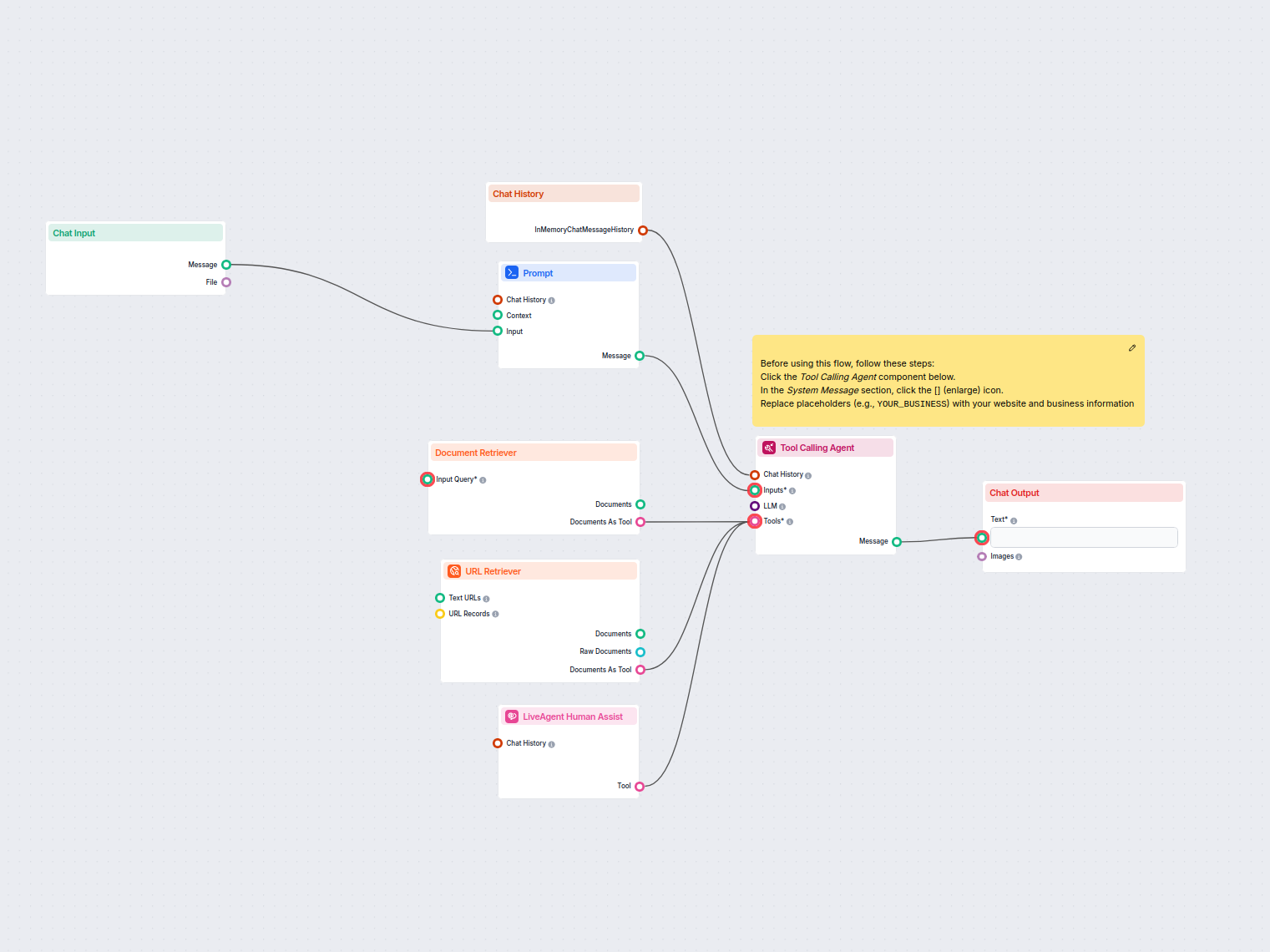

流程
使用动态变量({input}、{human_input}、{context}、{chat_history}、{system_message})创建提示模板。
一个工具调用代理。
以下是此流程中用于实现其功能的所有组件的完整列表。组件是每个AI流程的构建块。它们允许您通过连接各种功能来创建复杂的交互并自动化任务。每个组件都有特定的用途,例如处理用户输入、处理数据或与外部服务集成。

了解 FlowHunt 的 Prompt 组件如何让你定义 AI 机器人的角色和行为,确保回复相关且个性化。自定义提示和模板,打造高效、具备上下文感知的聊天机器人流程。

探索 FlowHunt 中的工具调用代理——一款先进的工作流组件,使 AI 代理能够智能地选择和使用外部工具来回答复杂查询。非常适合构建需要动态工具使用、迭代推理和多资源集成的智能 AI 解决方案。

通过URL检索器组件,在工作流中轻松获取和处理网页内容。高效提取并处理任意URL列表(包括网络文章、文档等)的文本和元数据。支持高级选项,如图像OCR、选择性元数据提取和可定制缓存,非常适合构建知识丰富的AI流程和自动化。

将 FlowHunt 聊天机器人与 LiveAgent 集成,实现无缝的 AI 与人工客服切换。AI 代理能够智能地将对话升级至人工客服,确保客户沟通顺畅,减少用户挫败感。
流程描述
该工作流使聊天机器人能够在 LiveAgent 平台内自动处理实时聊天互动。机器人利用内部知识库,并可在必要时将客户咨询转接至人工客服。其主要目标是自动化客户支持,提供即时解答,并在遇到复杂或未解决的问题时,确保顺畅地转交给人工客服。
该流程处理传入的聊天消息,检索会话历史中的上下文,搜索内部文档,并输出回复。如果聊天机器人无法解决问题,可通过 LiveAgent 集成将聊天升级到真人客服。
| 组件名称 | 作用/功能 |
|---|---|
| 聊天输入 | 接收来自聊天界面的用户消息。 |
| 聊天历史 | 检索最近的聊天历史,为回复提供上下文。 |
| 提示模板 | 将传入消息和上下文格式化为聊天机器人代理的提示。 |
| 文档检索器 | 在内部文档和知识库中搜索相关答案。 |
| URL 检索器 | 根据 URL 获取并解析外部网页或文档,以提供最新答案。 |
| LiveAgent 人工协助工具 | 需要时通过 LiveAgent 实现升级至人工客服。 |
| 工具调用代理 | 聊天机器人的“大脑”,负责文档检索、回复生成及升级逻辑的协同。 |
| 聊天输出 | 在聊天界面展示机器人的回复。 |
| 备注组件 | 为管理员提供设置说明,以便根据企业需求自定义聊天机器人。 |
用户消息接收:工作流以 聊天输入 节点开始,捕捉用户的每一条新消息。
上下文收集:聊天历史 节点同步检索最近的会话内容(最多 10 条消息),确保回复具备上下文信息。
提示构建:提示模板 节点动态组合用户消息和上下文,为聊天机器人代理准备处理所需的提示内容。
知识检索:
工具协同与回复生成:
输出:无论是自动答案还是升级至人工客服的提示,最终回复均通过 聊天输出 节点展示给用户。
设置说明:备注组件 为管理员提供个性化配置指导,包括更新系统消息为正确的企业名称、网址及其他关键信息。
升级逻辑:当聊天机器人无法找到相关答案,或问题模糊、复杂时,会提示用户补充信息。如仍无法解决,则通过 LiveAgent 提供与人工客服的连接选项。
| 步骤 | 动作 |
|---|---|
| 接收消息 | 由聊天输入节点捕捉 |
| 获取聊天历史 | 检索最多 10 条历史消息 |
| 准备提示 | 用户消息与上下文由提示模板格式化 |
| 检索知识来源 | 根据需要调用文档检索器和 URL 检索器 |
| 生成回复 | 工具调用代理结合工具和上下文生成回复 |
| 必要时升级 | 未解决/复杂问题通过 LiveAgent 集成转接人工客服 |
| 展示回复 | 最终消息通过聊天输出节点展示给用户 |
该工作流通过结合 AI 驱动的对话、内部知识检索与无缝人工转接,实现了 LiveAgent 客户支持的自动化与流程优化。其高度可配置、易扩展,旨在提升实时聊天场景下的效率、一致性与客户满意度。
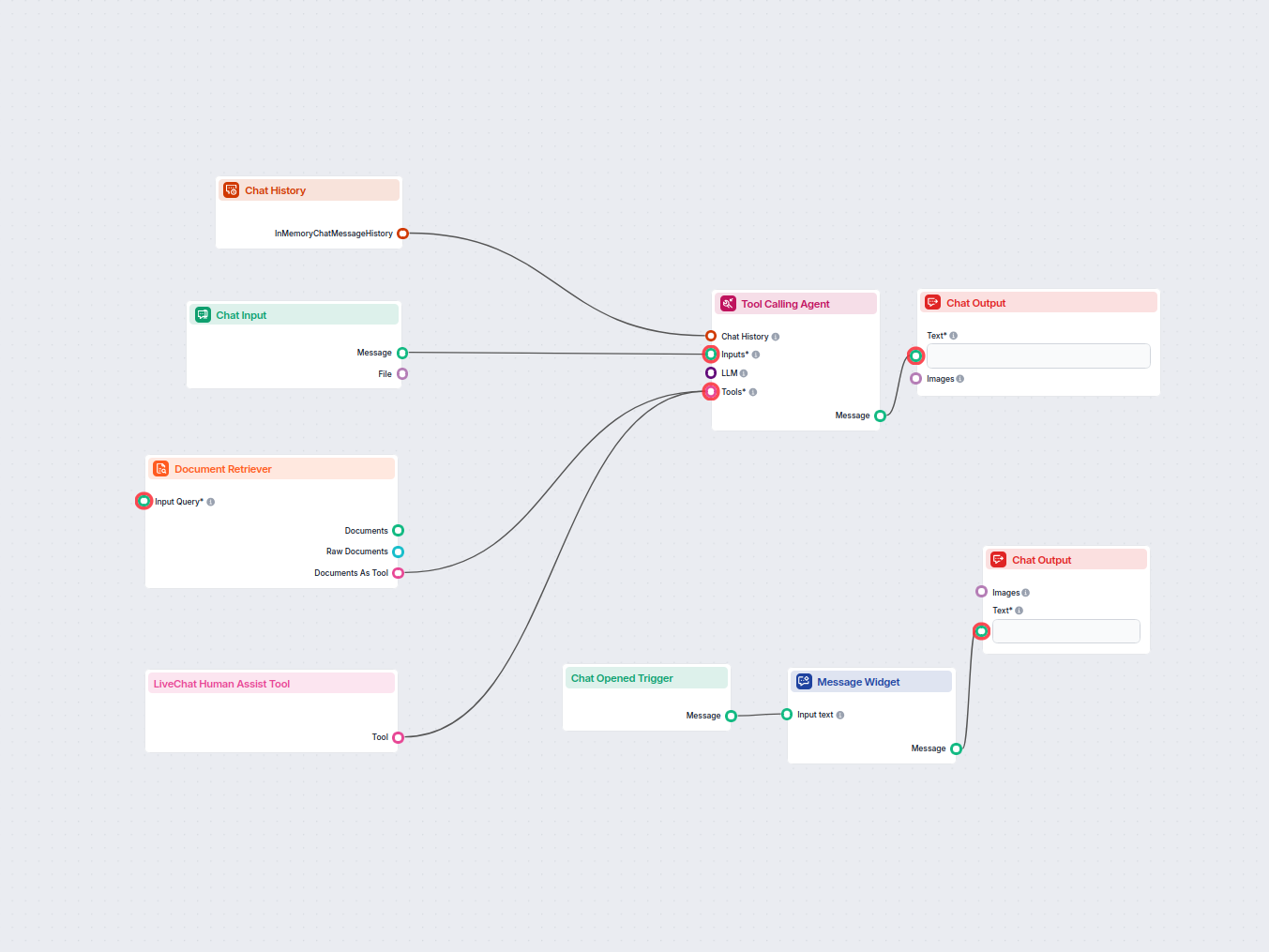
在您的网站上部署一个由AI驱动的聊天机器人,利用您的内部知识库回答客户问题,并在遇到复杂或未解决的问题时,通过LiveChat.com无缝转接给真人客服。提升客户支持效率,确保用户始终获得所需帮助。...
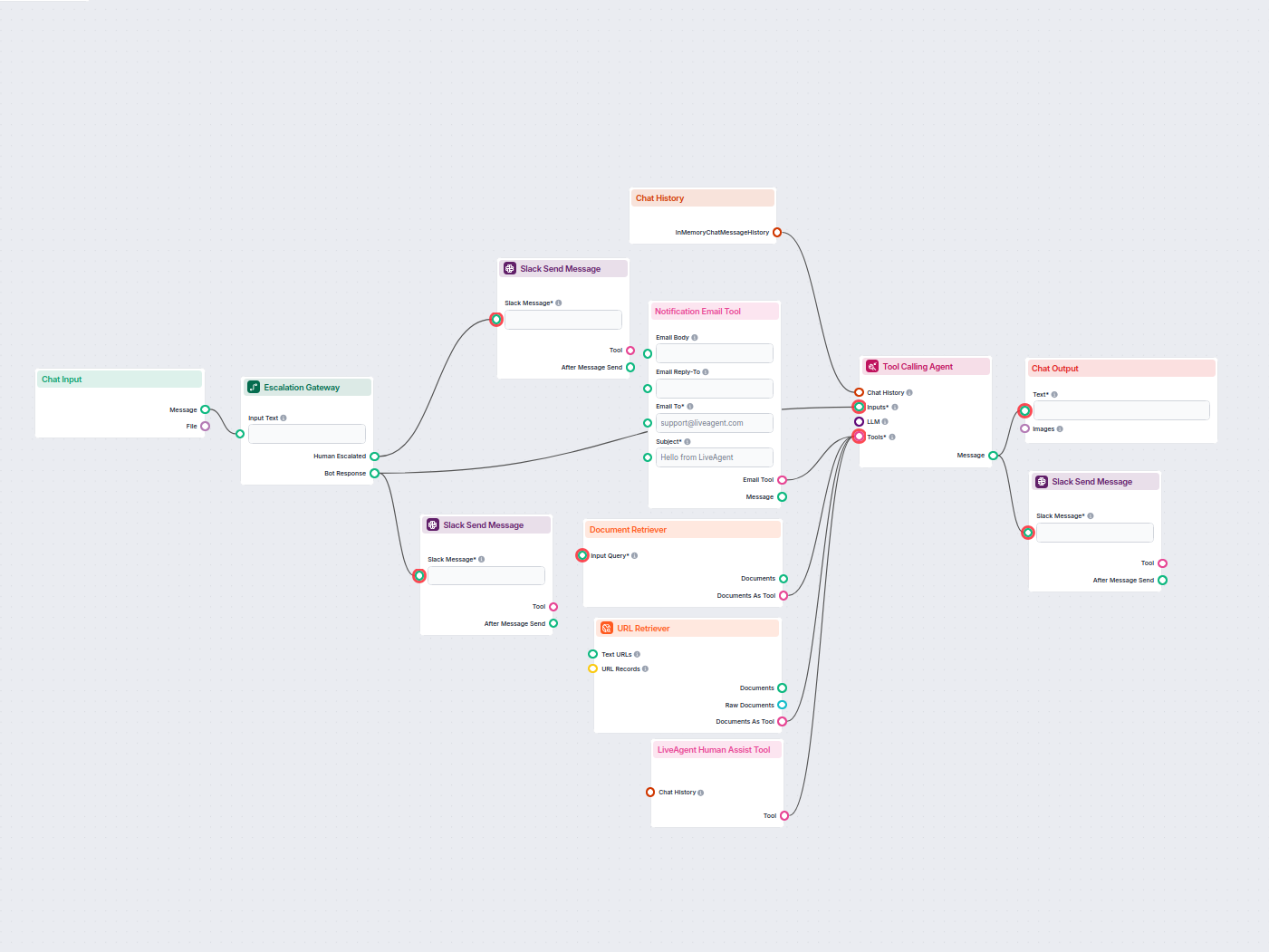
为LiveAgent部署一款智能客户支持聊天机器人,能够自动回答访客问题、检索知识库文档,并在需要时通过Slack升级至人工客服。无缝集成LiveAgent、Slack和邮件通知,实现顺畅的支持交接。...
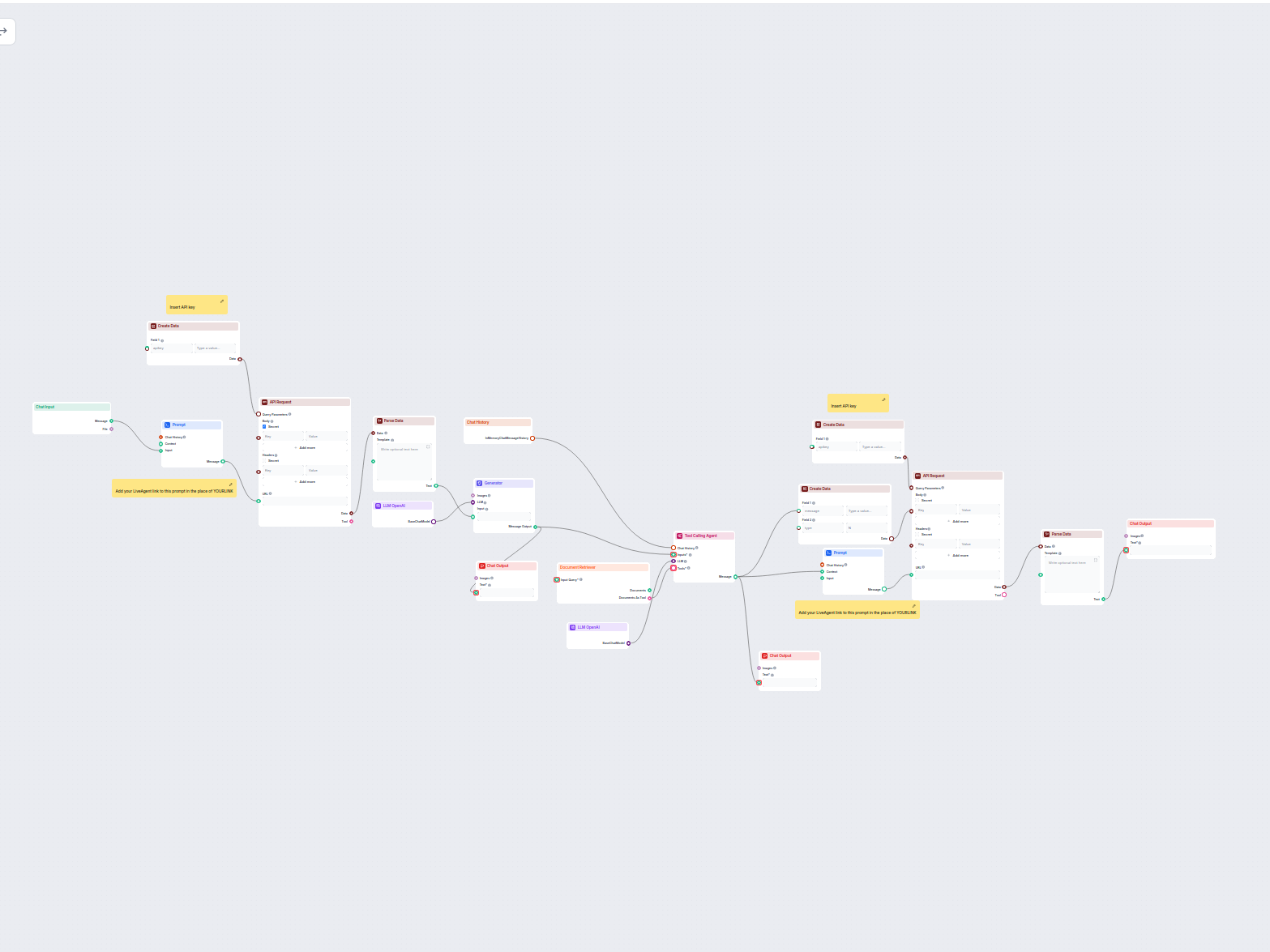
这个由 AI 驱动的工作流通过将用户查询连接到公司知识源、外部 API(如 LiveAgent)和语言模型,实现客户支持自动化,提供专业、友好且高度相关的回复。该流程检索对话历史,利用文档搜索,并与外部系统交互,以提供简明、结构化的答案,如有需要可升级至人工支持。非常适合希望优化支持、产品推荐和信息交付的企业。...


