

Core Capabilities of Copilot in Outlook
A clear overview of how Copilot supports writing, tone, clarity, and communication inside Outlook.
4 min read
Beginner
Copilot
+1
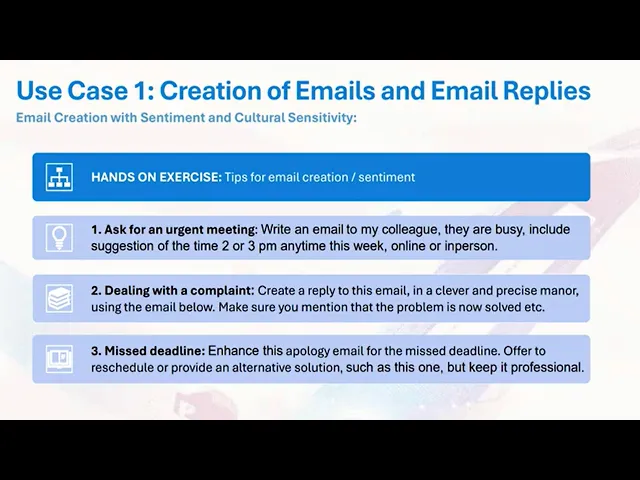
A beginner friendly walkthrough showing how Copilot in Outlook helps draft, refine and enhance emails by adjusting tone, clarity and sentiment.
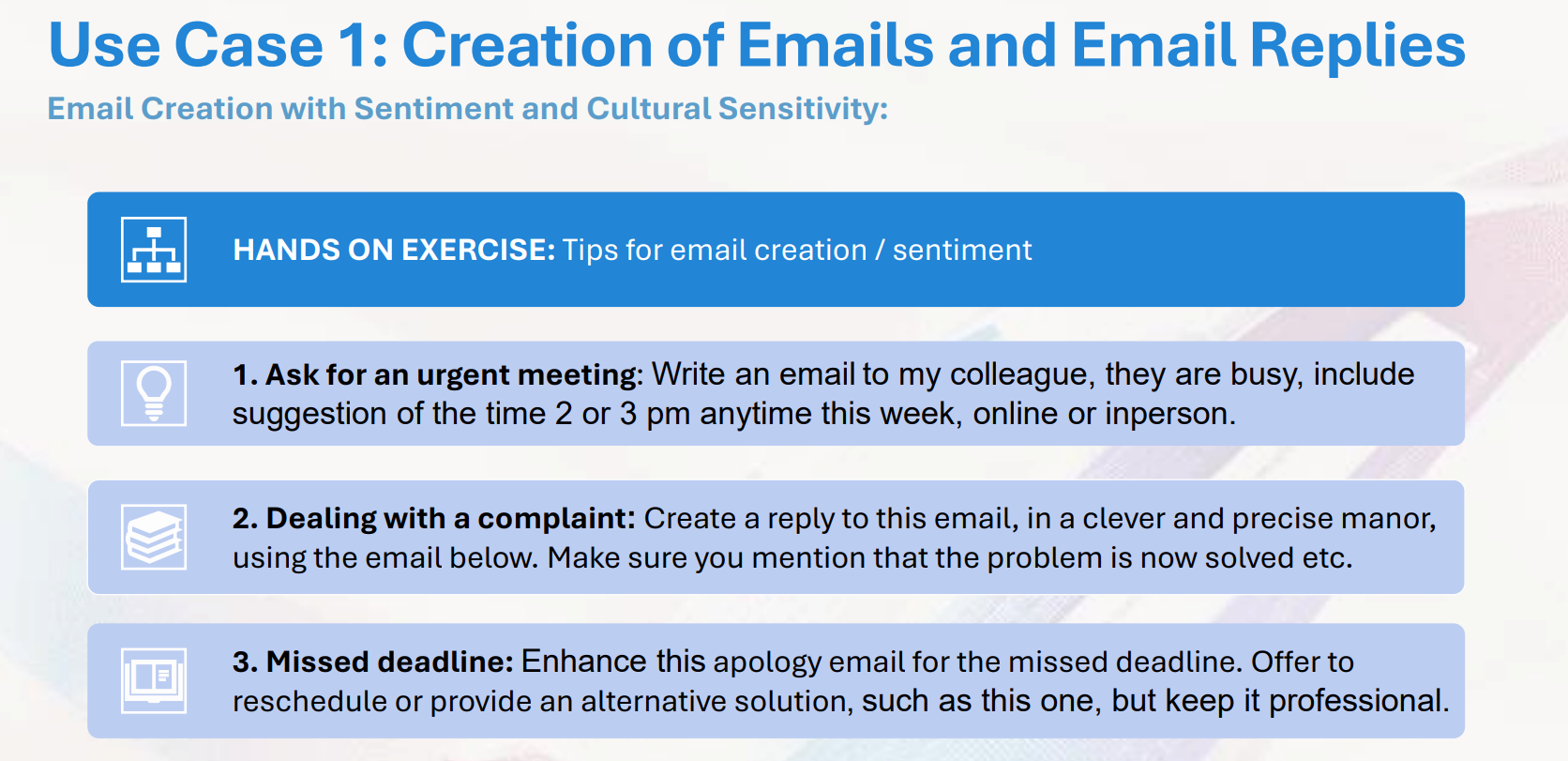
Copilot in Outlook helps you draft, refine and improve emails directly inside the compose window. It adjusts tone, sentiment and structure so your messages stay clear and professional while still sounding personal when needed. This use case shows how inline drafting, tone control and sentiment prompts work in real time.
Here are the three key points:
Read more AI Academy stories:
https://www.flowhunt.io/academy/
The inline Copilot action lets you write natural instructions, and Outlook produces a full draft based on your intent.
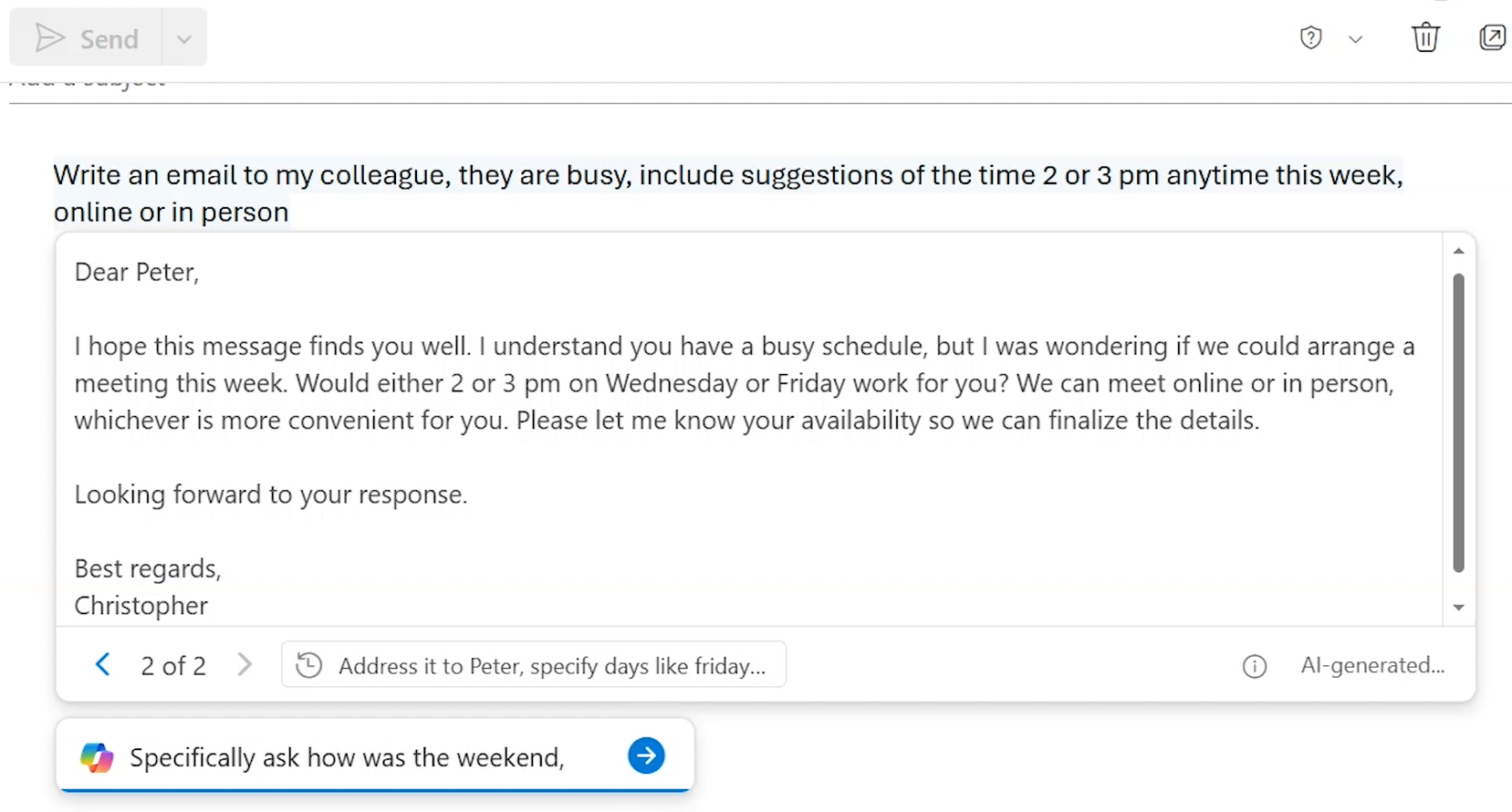
You can guide Copilot with extra context such as:
Copilot rewrites the message instantly to reflect the new requirements.
If you know the recipient personally, you can add context like weekend plans or shared conversations.
If the recipient is your manager, you can specify more professional tone, and Copilot updates the message accordingly.
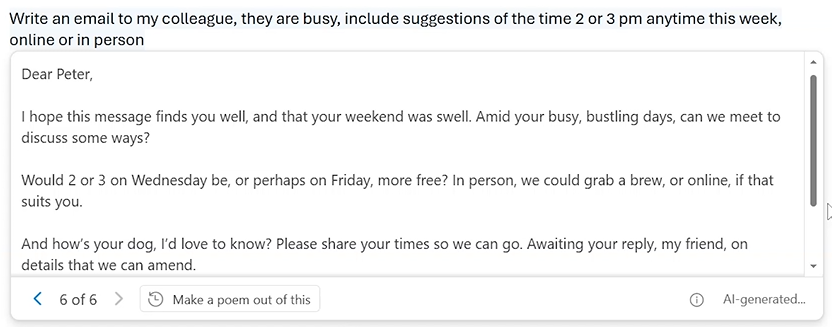
Copilot can also shift formats entirely.
For example, asking it to make a poem out of the email transforms the whole message while preserving the core meaning.

Start your free trial today and see results within days.
When replying to a message, Copilot uses the incoming email as context.
By prompting Copilot to:
you receive a complete professional reply ready to send.
You can copy the draft into the sidebar and ask Copilot to create a checklist to ensure the reply covers all key points from the original message.
This verifies that:
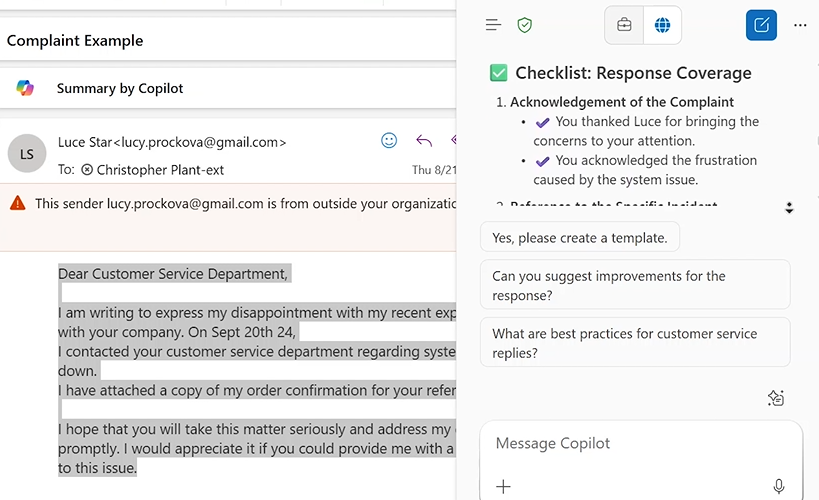
Copilot can also refine your own draft without changing the meaning.
Highlight your message and ask Copilot to:
It keeps the content while upgrading tone and structure.
Providing details such as:
allows Copilot to update the message accurately and consistently.
Get latest tips, trends, and deals for free.
If you want to master Copilot from the ground up and learn every essential skill for real world productivity, explore our Microsoft 365 Copilot Essentials training programme:
https://www.flowhunt.io/services/ai-training/microsoft-365-copilot-essentials/
We help companies like yours to develop smart chatbots, MCP Servers, AI tools or other types of AI automation to replace human in repetitive tasks in your organization.
A clear overview of how Copilot supports writing, tone, clarity, and communication inside Outlook.
A beginner friendly walkthrough of how the Copilot interface in Outlook helps you summarise threads, draft responses and navigate your inbox efficiently.

Learn how to use Microsoft Copilot’s built-in reply button in Outlook to draft fast, polished email responses—no copying or pasting required. This guide shows h...
Cookie Consent
We use cookies to enhance your browsing experience and analyze our traffic. See our privacy policy.