

Getting Started with Copilot in PowerPoint
Learn how Copilot helps you draft presentations, refine content and work faster inside PowerPoint.
3 min read
Beginner
Copilot
+1
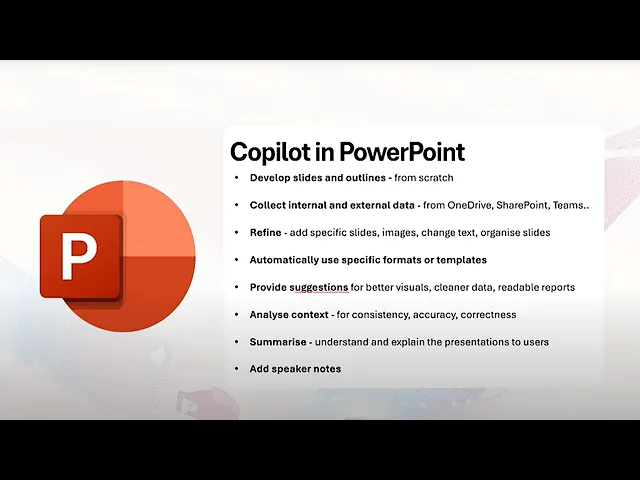
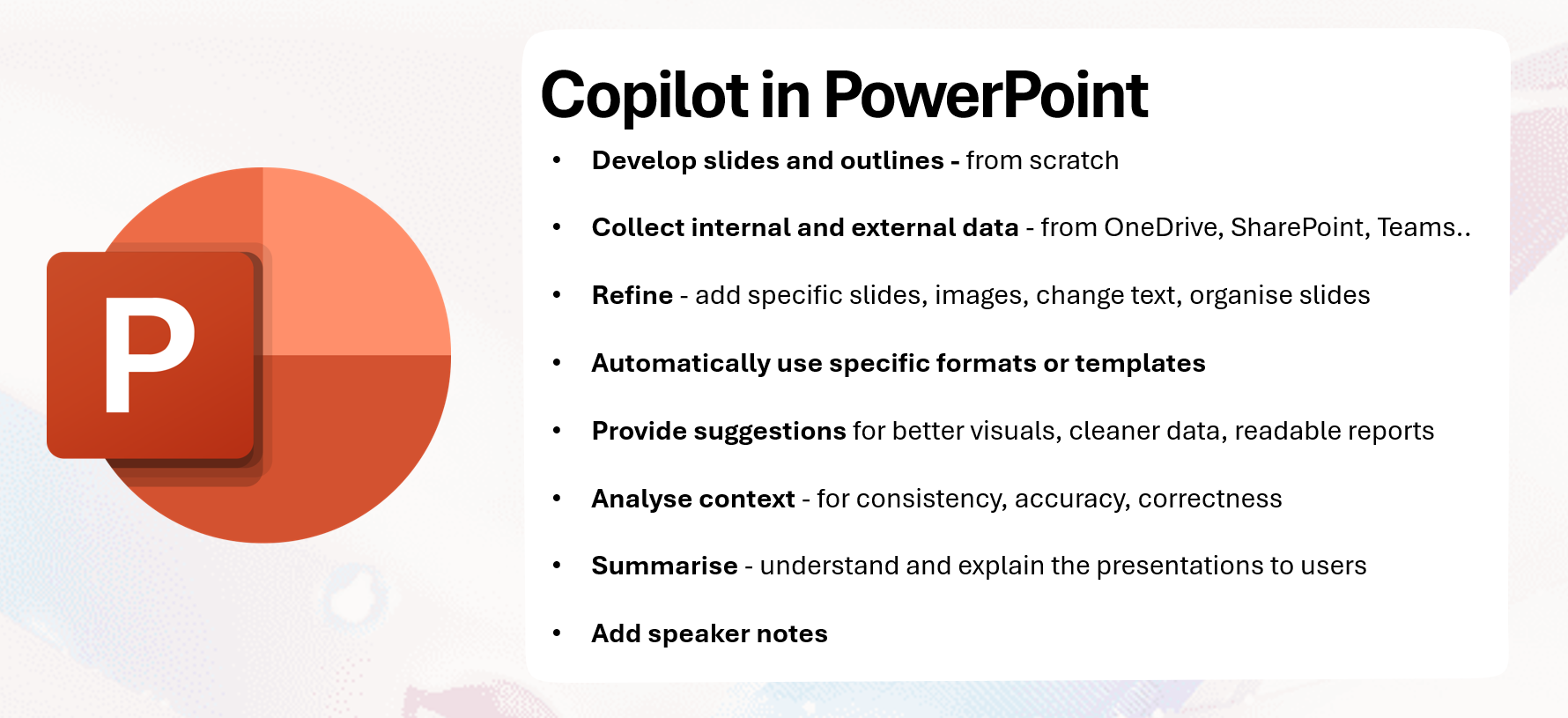
A clear walkthrough of Copilot’s key capabilities in PowerPoint, from drafting slides to checking accuracy.
Copilot in PowerPoint offers a wide set of capabilities that help you design complete presentations with less manual effort. You can generate structured slides, pull data from your files, refine content and ensure consistency across the entire deck.
Here are the three key points:
Read more AI Academy stories:
https://www.flowhunt.io/academy/
Copilot can develop a full slide outline starting from a blank file. Use Create new presentation and describe the audience and purpose of the deck. Copilot will propose:
If you want visuals early, ask it to generate simple illustrations or icons that match each slide.
Copilot can read context from OneDrive, SharePoint and Teams when you work in Work mode. Attach or select files and it can pull:
If you switch to Web mode, it can add public background information. Keep the two sources clearly separated and tell Copilot which files to prioritise.

Start your free trial today and see results within days.
Copilot can enhance your draft deck through the sidebar or inline actions. You can:
You can also request new slides for missing steps, new images, or replacements for unclear visuals. Dense text can be converted into charts, suggestions or comparison layouts.
Your deck can follow a specific organisational template. Copilot can apply:
or use any premade design. It can also propose clearer visuals, better chart types, cleaner tables and improved labels. If a table looks cluttered, Copilot may recommend a chart with clearer axis labels.
Get latest tips, trends, and deals for free.
Copilot can analyse your presentation for consistency:
Ask Copilot to list mismatches and propose corrections so you can approve each change.
Use the sidebar to produce:
This is useful for training sessions and virtual presentations when you need a fast overview.
Copilot can write speaker notes for all slides or only the current one. You can set:
Then refine the notes for clarity or emphasis. Copilot can also turn notes into a full presenter script.
If you want to master Copilot from the ground up and learn every essential skill for real world productivity, explore our Microsoft 365 Copilot Essentials training programme:
https://www.flowhunt.io/services/ai-training/microsoft-365-copilot-essentials/
We help companies like yours to develop smart chatbots, MCP Servers, AI tools or other types of AI automation to replace human in repetitive tasks in your organization.
Learn how Copilot helps you draft presentations, refine content and work faster inside PowerPoint.

Practical guidance on prompting, refining and collaborating with Copilot to build strong presentations.

A super-easy, step-by-step guide for anyone who needs to write and deliver a short speech using Microsoft Copilot. No writing skills or experience required—just...
Cookie Consent
We use cookies to enhance your browsing experience and analyze our traffic. See our privacy policy.