
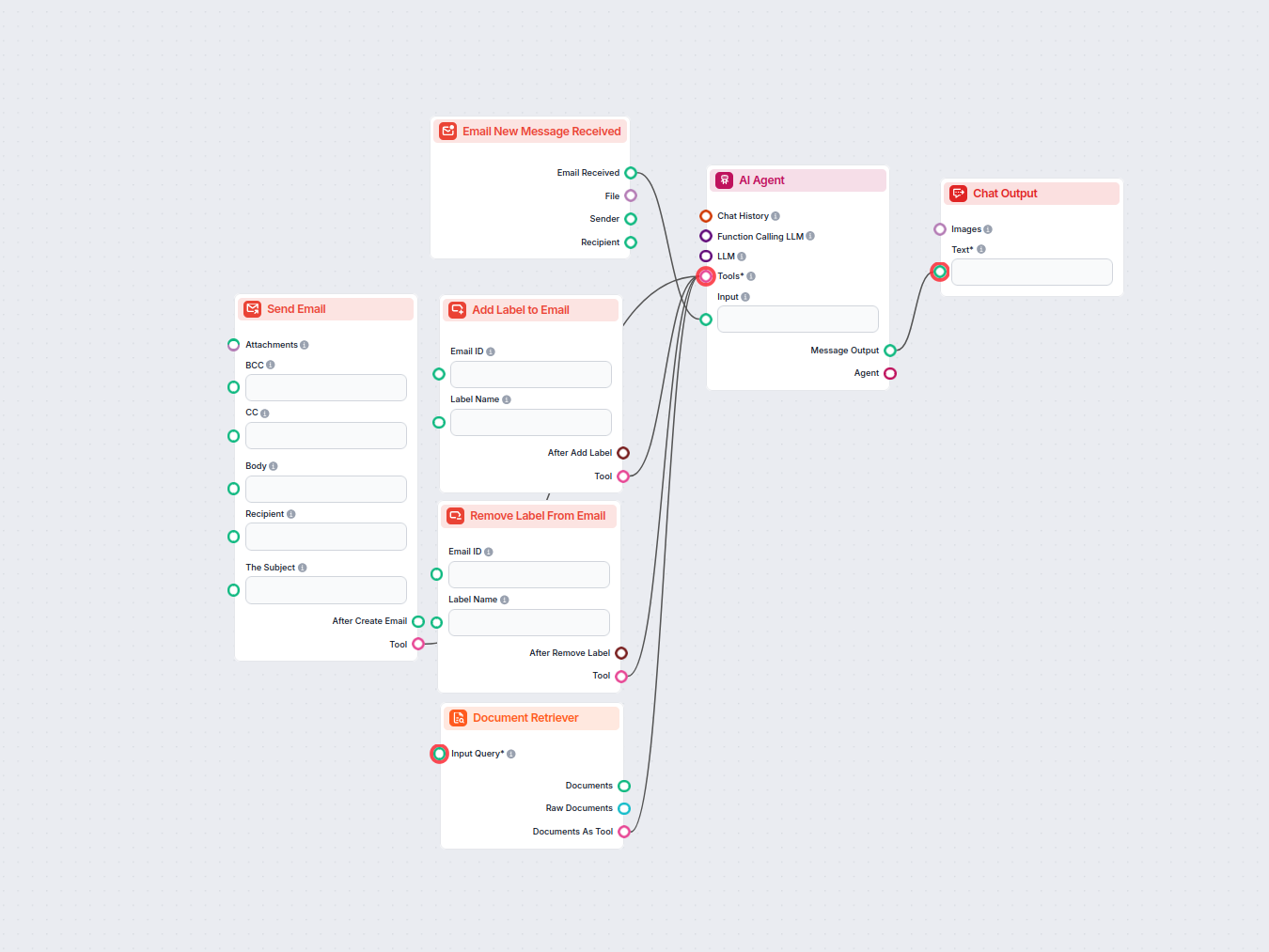
AI E-mail Assistent voor Gmail
Automatiseer het beheer van je Gmail-inbox met een AI-agent die inkomende e-mails leest, je kennisbank gebruikt om professionele antwoorden op te stellen, en e-...
3 min lezen
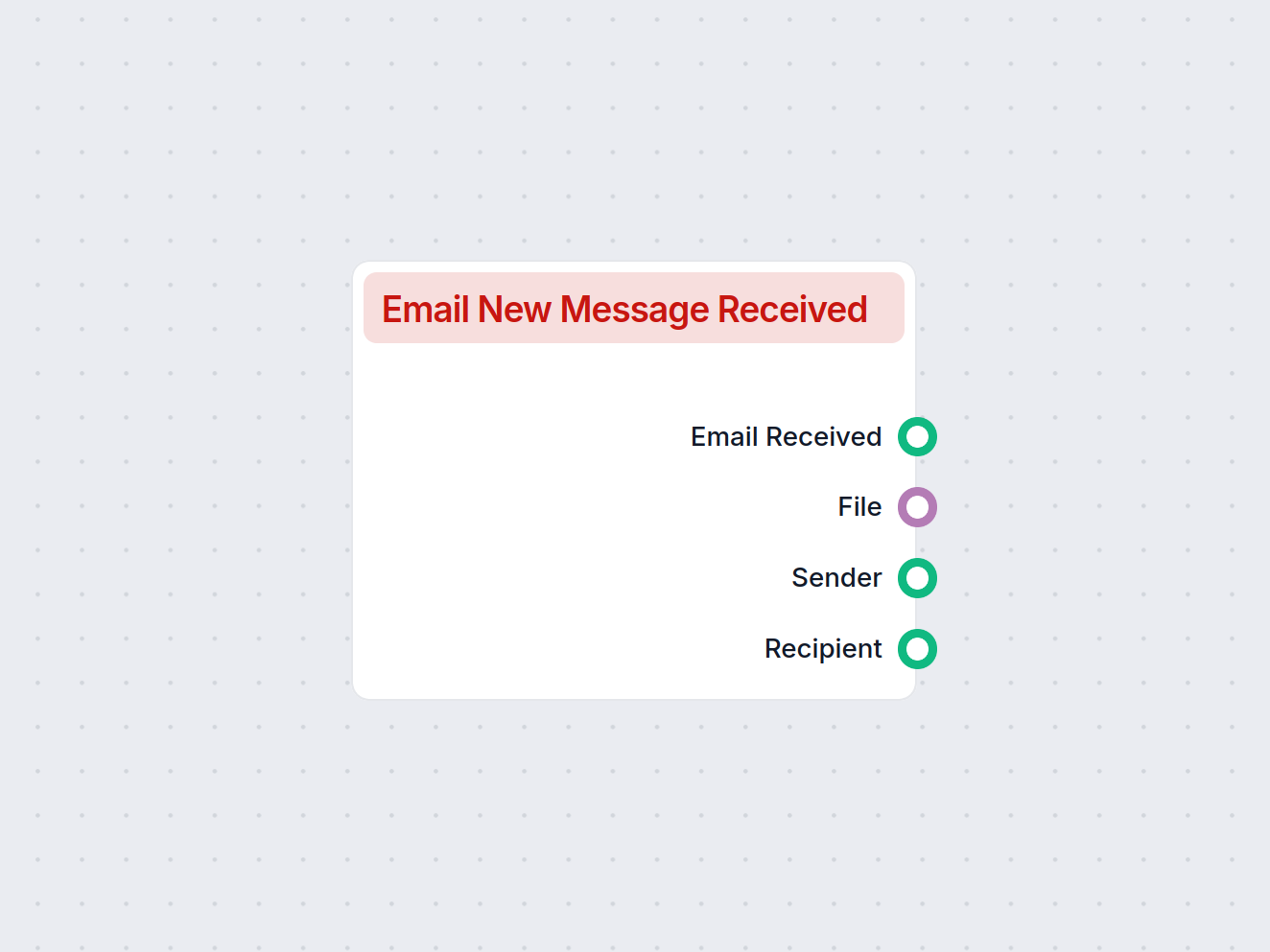
Start automatisch je workflow wanneer er een nieuw Gmail-bericht binnenkomt en leg berichtgegevens en bijlagen vast voor naadloze automatisering.
Componentbeschrijving
Icon: 📧
Version: 1.0.0
This component serves as a trigger in your AI workflow, activating whenever a new email message is received via Gmail. It allows your process to automatically respond to, analyze, or further process incoming emails, making it an essential building block for automating communication-based tasks.
When a new message arrives in your Gmail inbox, this component captures the event and passes the message data into your workflow. This enables downstream components to perform actions such as extracting information, sending automated replies, storing attachments, or initiating other business processes based on the email content.
Upon receiving a new Gmail message, this component provides several outputs, making it easy to integrate with other steps in your workflow:
| Output Name | Type | Description |
|---|---|---|
| Email Received | Message | Contains the full content of the received email. |
| File | FlowSessionAttachmentResponse | Provides the email’s attachment(s), if any, as file objects. |
| Sender | Message | Contains information about the sender of the email. |
| Recipient | Message | Contains information about the recipient of the email. |
Note: This component is usually configured as the starting point of a workflow that relies on incoming email communications. It is flexible and can be combined with other components for advanced automation scenarios.
Om u snel op weg te helpen, hebben we verschillende voorbeeld-flowsjablonen voorbereid die laten zien hoe u de Gmail Nieuwe Bericht Trigger-component effectief kunt gebruiken. Deze sjablonen tonen verschillende gebruikscases en best practices, waardoor het voor u gemakkelijker wordt om de component te begrijpen en te implementeren in uw eigen projecten.
Automatiseer het beheer van je Gmail-inbox met een AI-agent die inkomende e-mails leest, je kennisbank gebruikt om professionele antwoorden op te stellen, en e-...
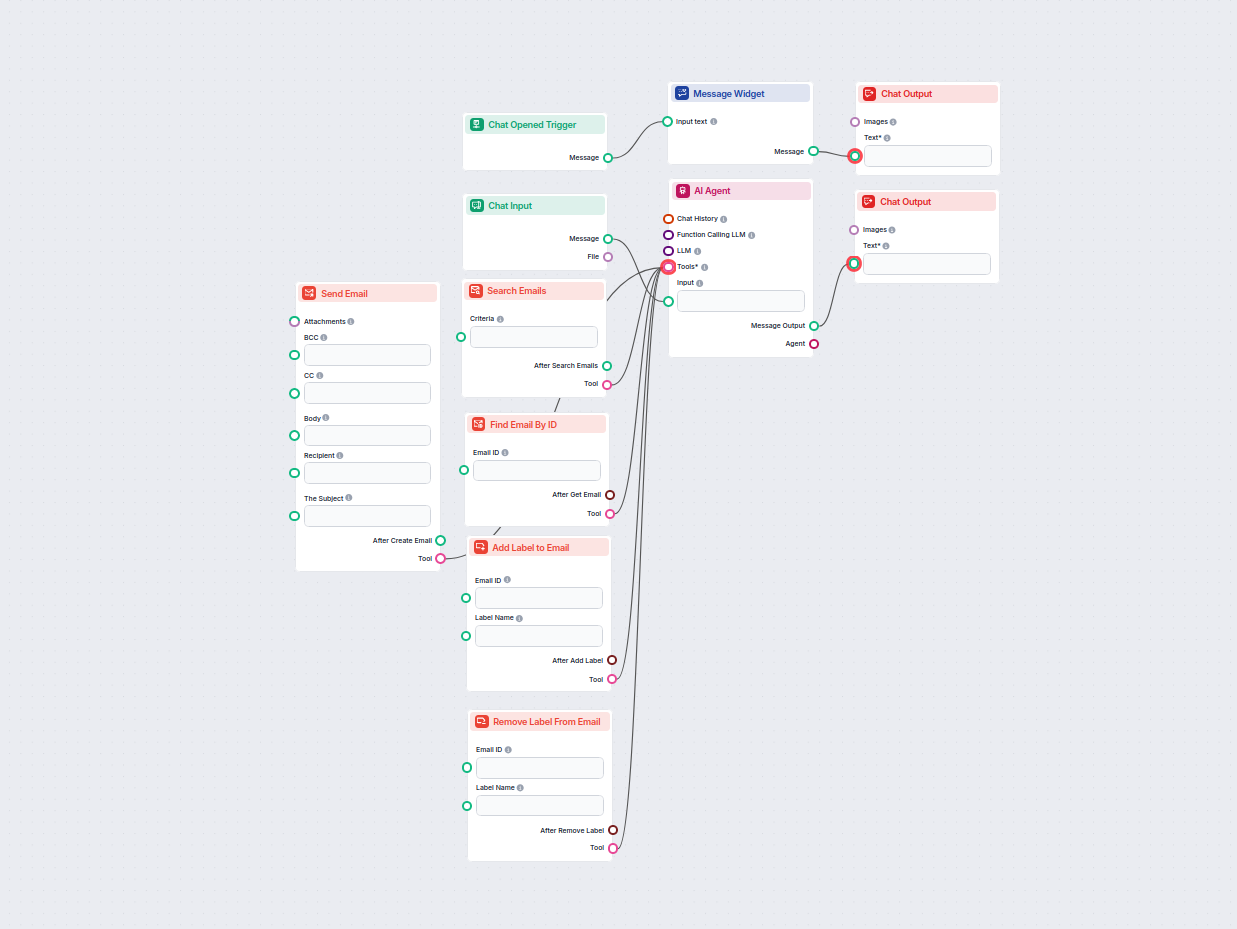
Stroomlijn je Gmail-werkstroom met een AI-assistent die e-mails kan zoeken, organiseren en beheren, nieuwe berichten kan aanmaken en verzenden, en automatisch l...
Integreer FlowHunt met Gmail om het verzenden van e-mails, slim labelen, inboxbeheer en AI-gestuurde communicatie te automatiseren.
Verbind je Gmail-inbox met FlowHunt en creëer krachtige, geautomatiseerde workflows die direct reageren op nieuwe e-mails.
Automatiseer het beheer van je Gmail-inbox met een AI-agent die inkomende e-mails leest, je kennisbank gebruikt om professionele antwoorden op te stellen, en e-...
Cookie Toestemming
We gebruiken cookies om uw browse-ervaring te verbeteren en ons verkeer te analyseren. See our privacy policy.