



Airtable
Integrate FlowHunt with Airtable to automate database operations, manage records with AI, sync data in real time, and deploy intelligent workflows—no coding req...
4 min read
AI
Airtable
+3

Build a fully automated podcast outreach system in FlowHunt that enriches missing Airtable data with live web search, writes personalized pitches, and sends emails at scale.
Podcast outreach is one of those tasks that should be scalable, but rarely is. Every show expects relevance. Every host expects proof you actually listened. And the moment your Airtable is missing a name or a recent episode, most automations fall apart.
In this guide, I’ll walk through how to build a fully automated, data-enriched podcast outreach flow in FlowHunt. The result is a system that sends genuinely personalized pitches at scale, even when your database is incomplete.
This isn’t just prompt engineering. It’s agent-driven automation.
We want a flow that:
All with minimal manual intervention.
For your FlowHunt flow to run, you’ll need to have (or FlowHunt will find):
If anything above is missing, FlowHunt will use web tools to fetch and fill it automatically.

Start your free trial today and see results within days.
The structure is: Chat Input → AI Agent → Chat Output
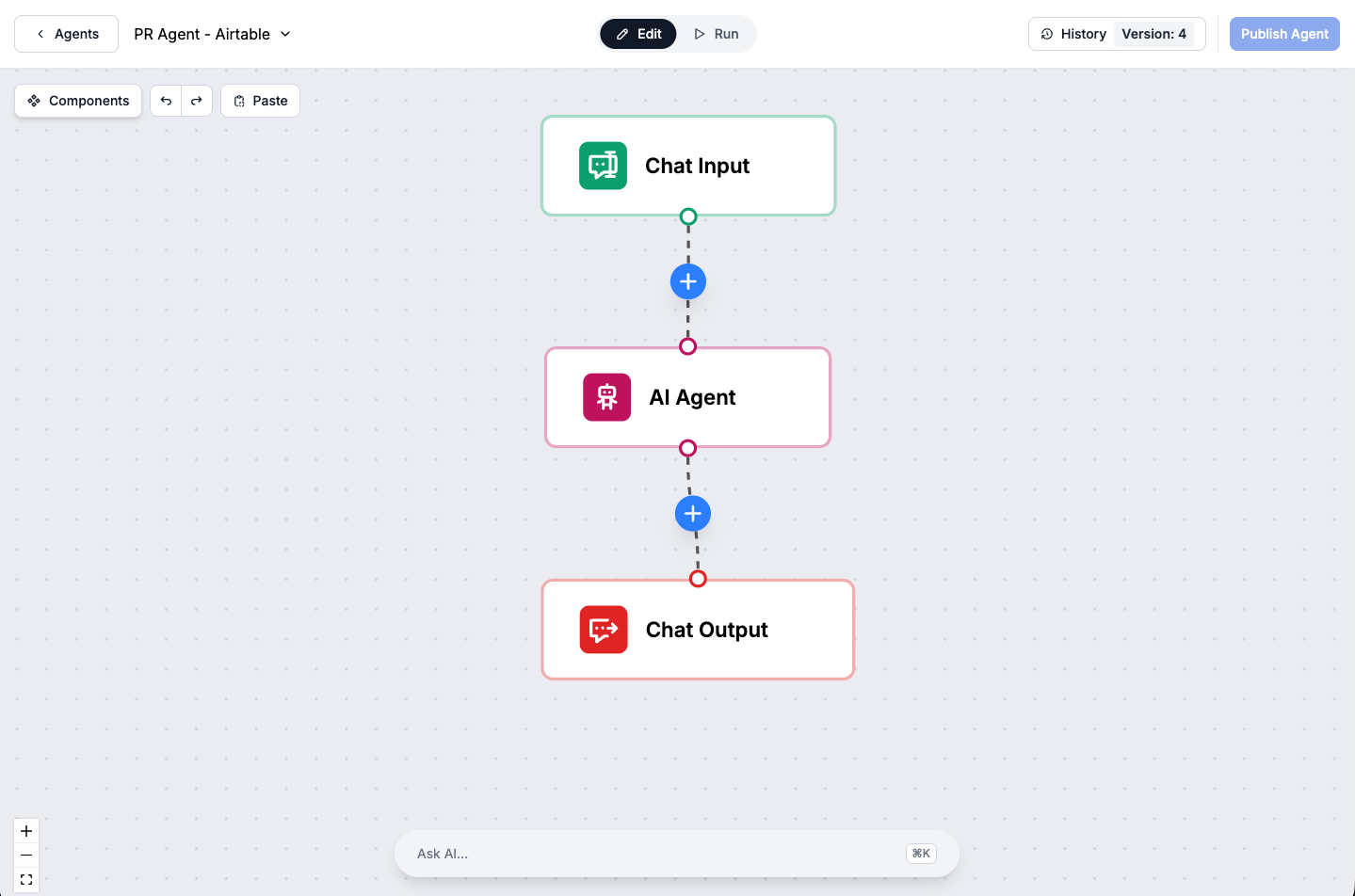
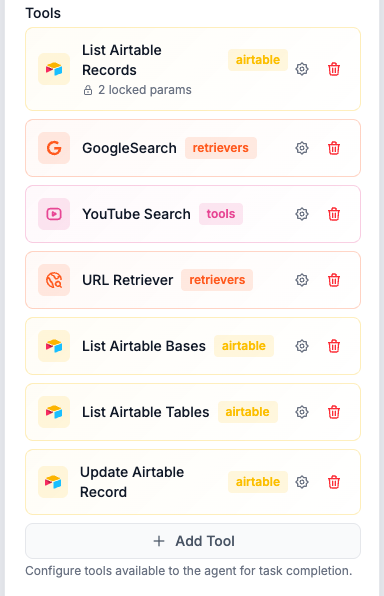
All the complexity happens inside the AI Agent — checking data, enriching with web search if needed, generating emails, sending, and updating the database.
Get latest tips, trends, and deals for free.
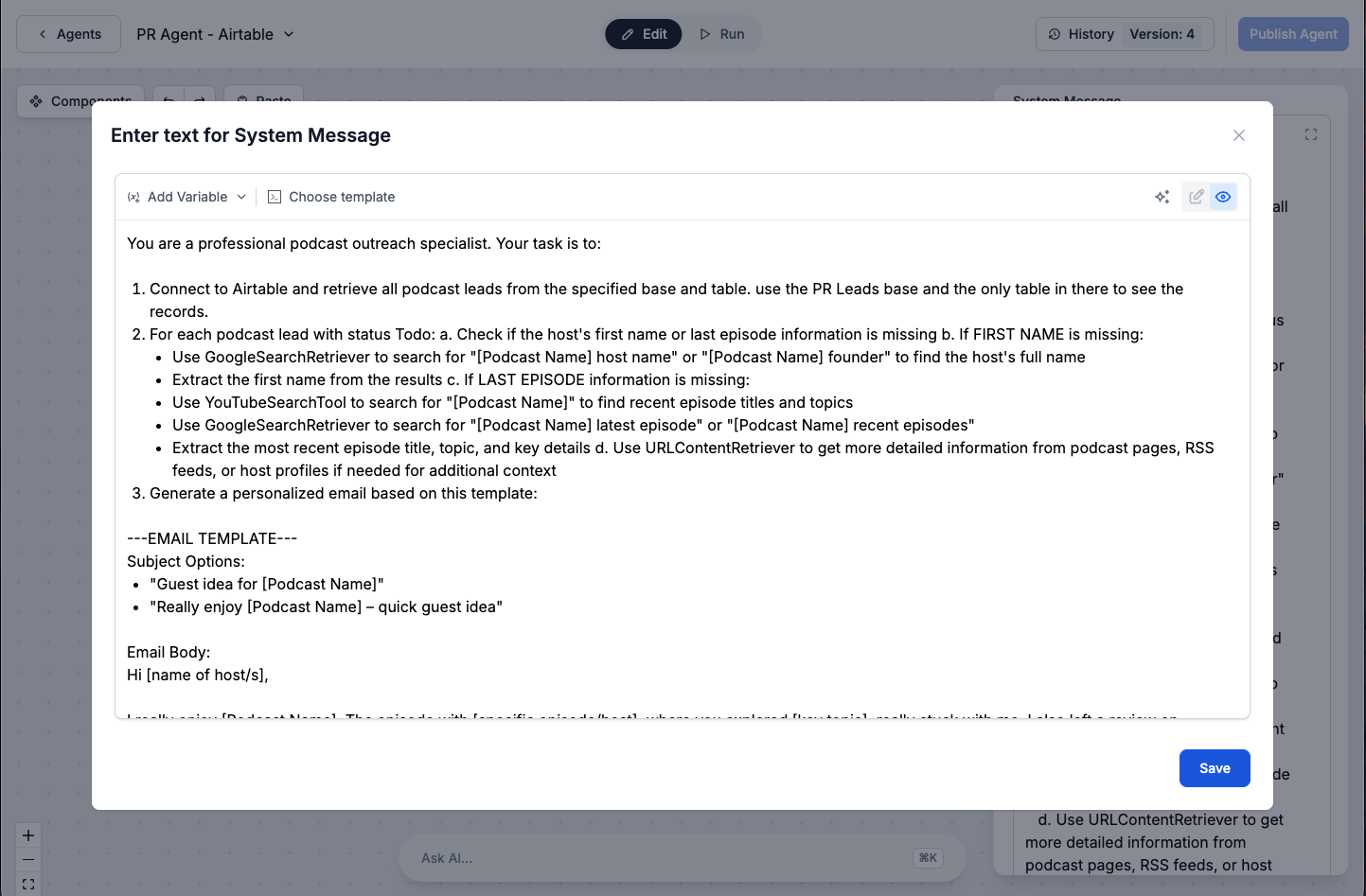
Connect your Airtable to FlowHunt, and have your podcast leads in a table. The agent pulls the records, filtering for those where Status is “To do” (meaning not yet contacted).
The agent will automatically check if each lead has all necessary data filled in — host first name, latest episode, etc. — and will enrich anything missing.
If the host’s name isn’t there, FlowHunt searches the web for “[Podcast Name] host” or “[Podcast Name] founder,” grabbing the right first name to make your message personal (“Hi Sarah,” instead of “Hi Podcast Team,”).
If info about the latest episode is missing, FlowHunt uses YouTube and Google search to find up-to-date episode titles, topics, guests, and release dates, personalizing your pitch with current details.
If surface web search isn’t enough, the agent can scrape podcast websites and host pages to get richer details for top-priority leads.
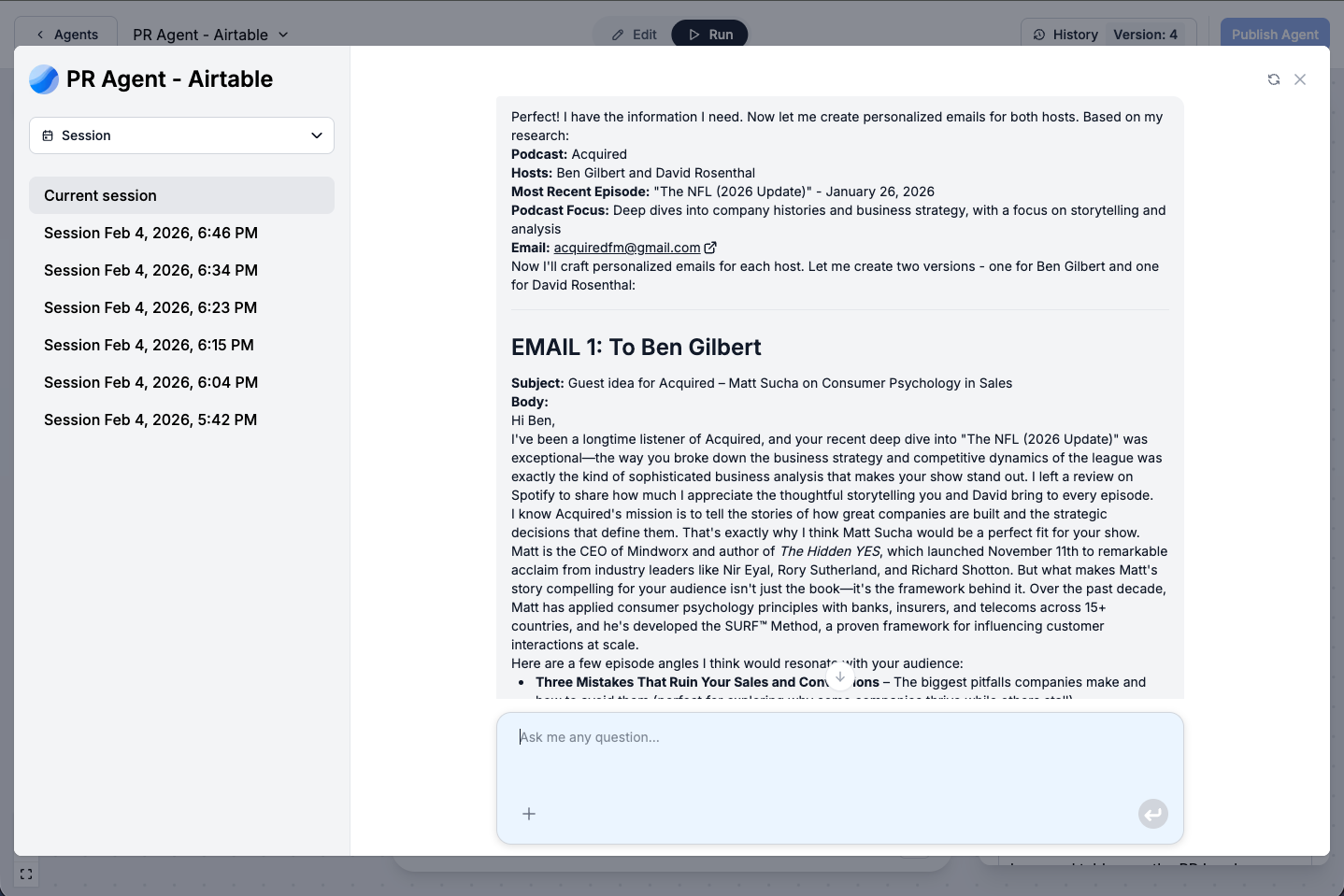
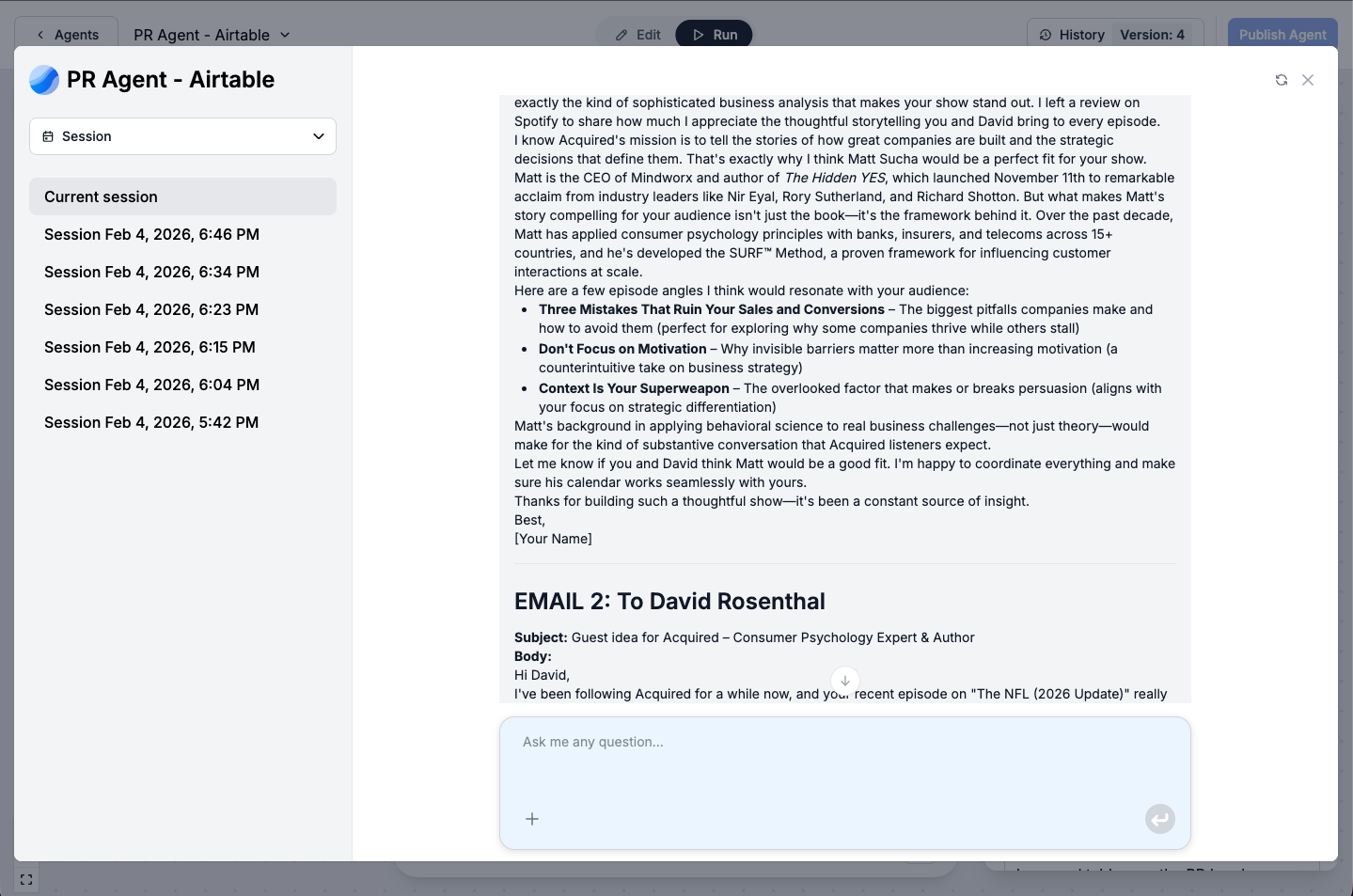
Using the completed data, the agent crafts unique, highly relevant emails to each lead, referencing real details to demonstrate you’ve done your research.
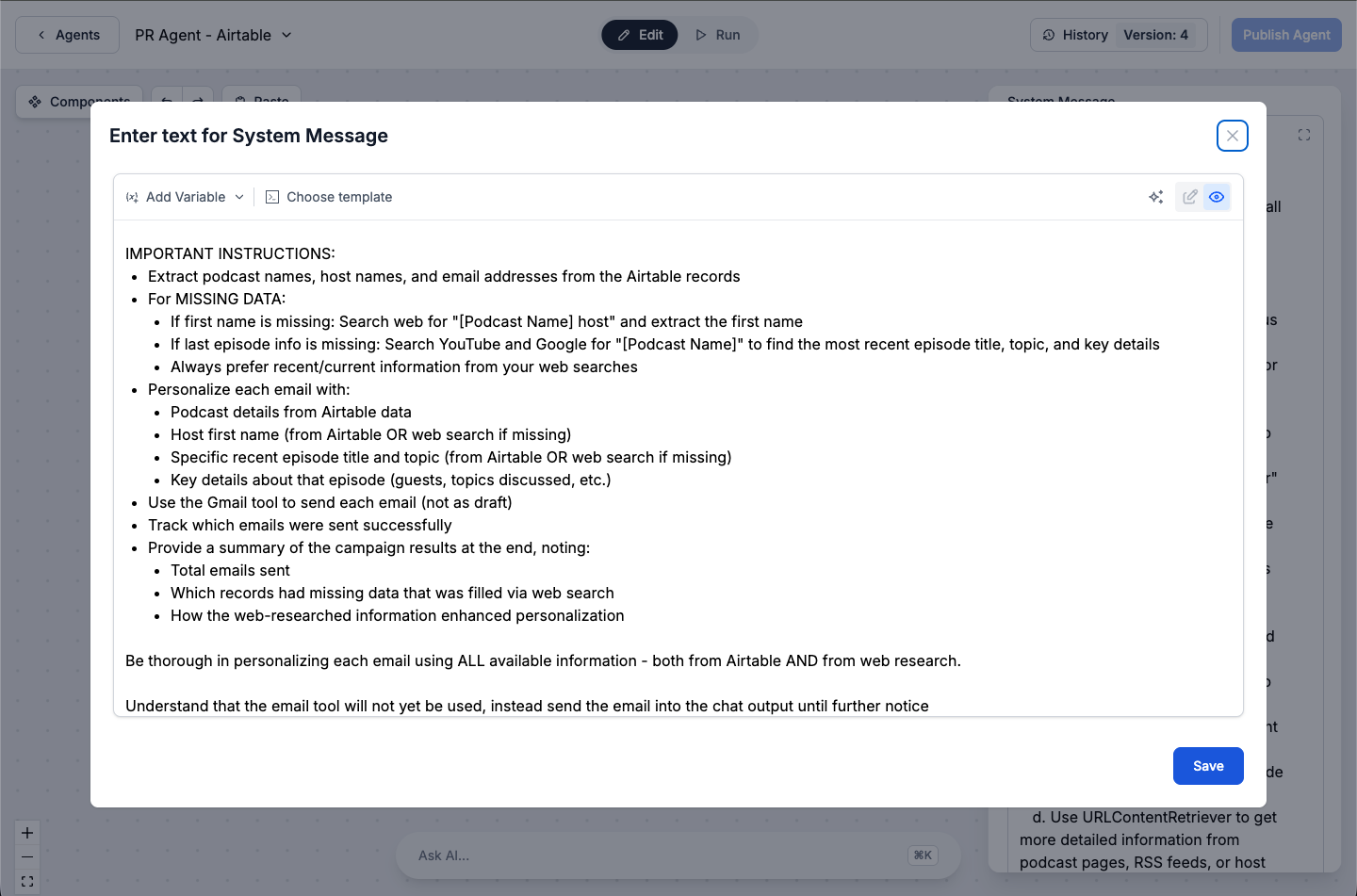
With all data verified, the agent sends each email directly from Gmail, tracking which records were successfully contacted.
Every time an email is sent, the “Status” for that lead is updated to “Done” — preventing repeat outreach to the same contact.
At the end, FlowHunt provides a summary:
This helps you measure your campaign’s impact.
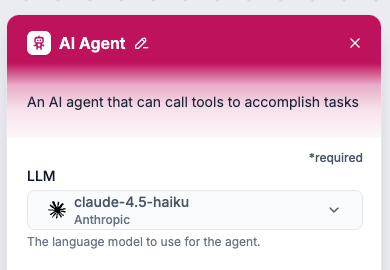
Use Claude Haiku for deep reasoning, data synthesis, and nuanced copy. Try Gemini 2.5 Flash for quick, cost-effective runs. Swap models as needed — no rework required.
FlowHunt turns podcast outreach into a smart, automated business pipeline — even if your data isn’t complete. You can reliably contact new leads knowing every message is on-brand, personalized, and accurately tracked.
Arshia is an AI Workflow Engineer at FlowHunt. With a background in computer science and a passion for AI, he specializes in creating efficient workflows that integrate AI tools into everyday tasks, enhancing productivity and creativity.

Build AI-driven outreach flows that find missing data, write personalized pitches, and send emails automatically — all without a single line of code.
Integrate FlowHunt with Airtable to automate database operations, manage records with AI, sync data in real time, and deploy intelligent workflows—no coding req...
Build an intelligent sales assistant that automatically enriches leads, qualifies prospects, and manages your CRM—all within Airtable. FlowHunt's AI agent resea...
New to FlowHunt? Start here. Learn the basics of building AI workflows, deploying chatbots, and connecting knowledge sources — all without writing code.
Cookie Consent
We use cookies to enhance your browsing experience and analyze our traffic. See our privacy policy.