How to Batch Create a Month of Instagram Content with AI
An AI Instagram post generator turns a month of captions, hashtags, and images into one batch session. Here’s how to generate 30 Instagram posts in under two hours.
Creating 30 Instagram posts a month manually means 30 caption-writing sessions, 30 hashtag research sessions, and 30 creative decisions about what the image should even look like. An AI Instagram post generatorcompresses this into a single batch session. you feed it a list of topics, and it hands back an engineered image, a caption, and a hashtag set for each one. Here’s how to turn that into a full month of Instagram content in under two hours.
For every post you need a visual, which means either a photoshoot or enough prompt-crafting skill to get an AI image generator to produce something on-brand. Then you need a caption that opens with a clever hook, followed by valuable information. Then you need hashtags that are actually relevant rather than copy-pasted from last month’s post.
Hitting this number consistently for a month is exactly the kind of repetitive, low-judgment work that’s easy to intend and hard to actually execute one post at a time. An AI social media content creator removes the friction between “I have an idea” and “I have a publishable post.”
How AI Instagram Post Generators Work
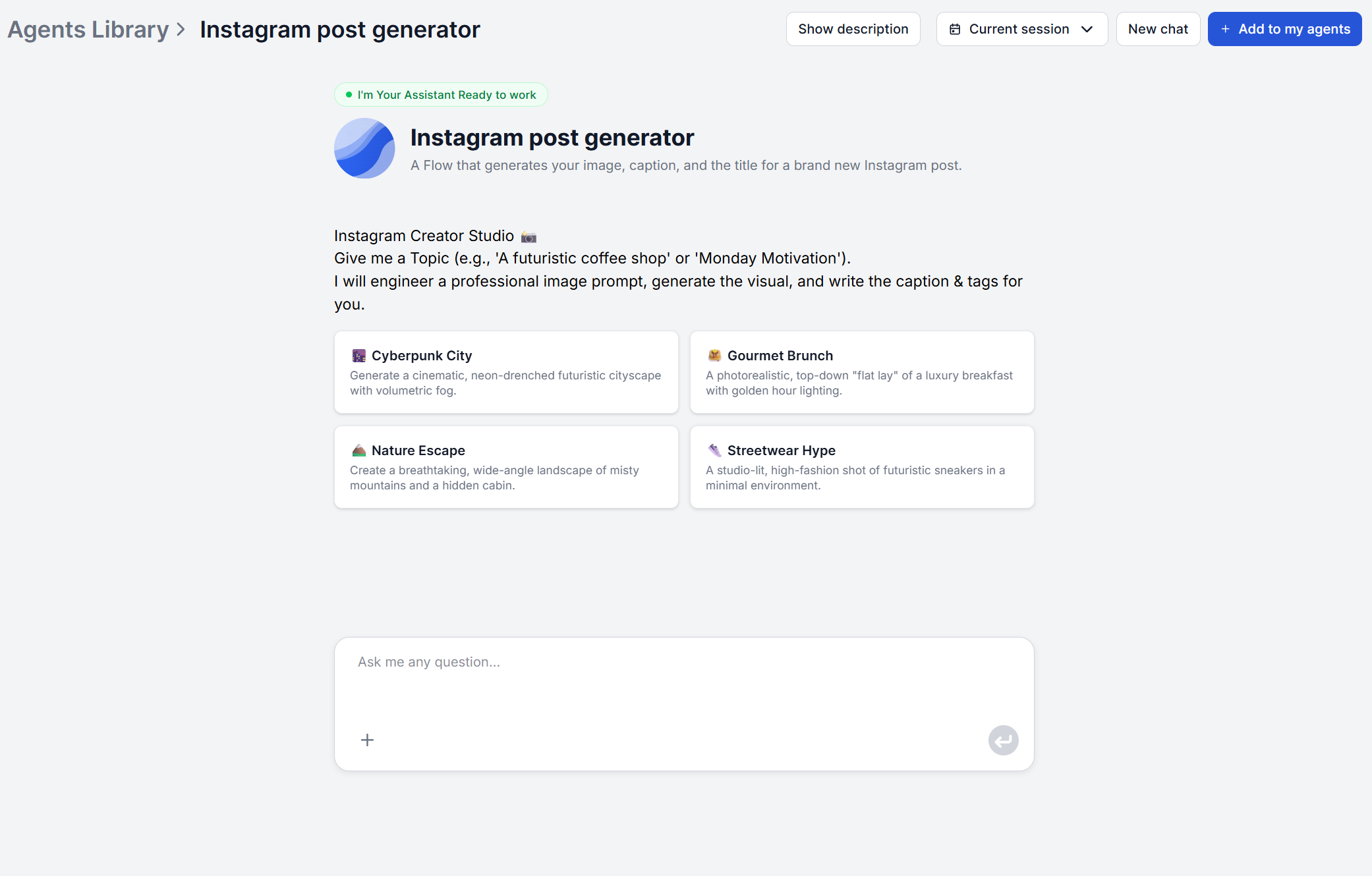
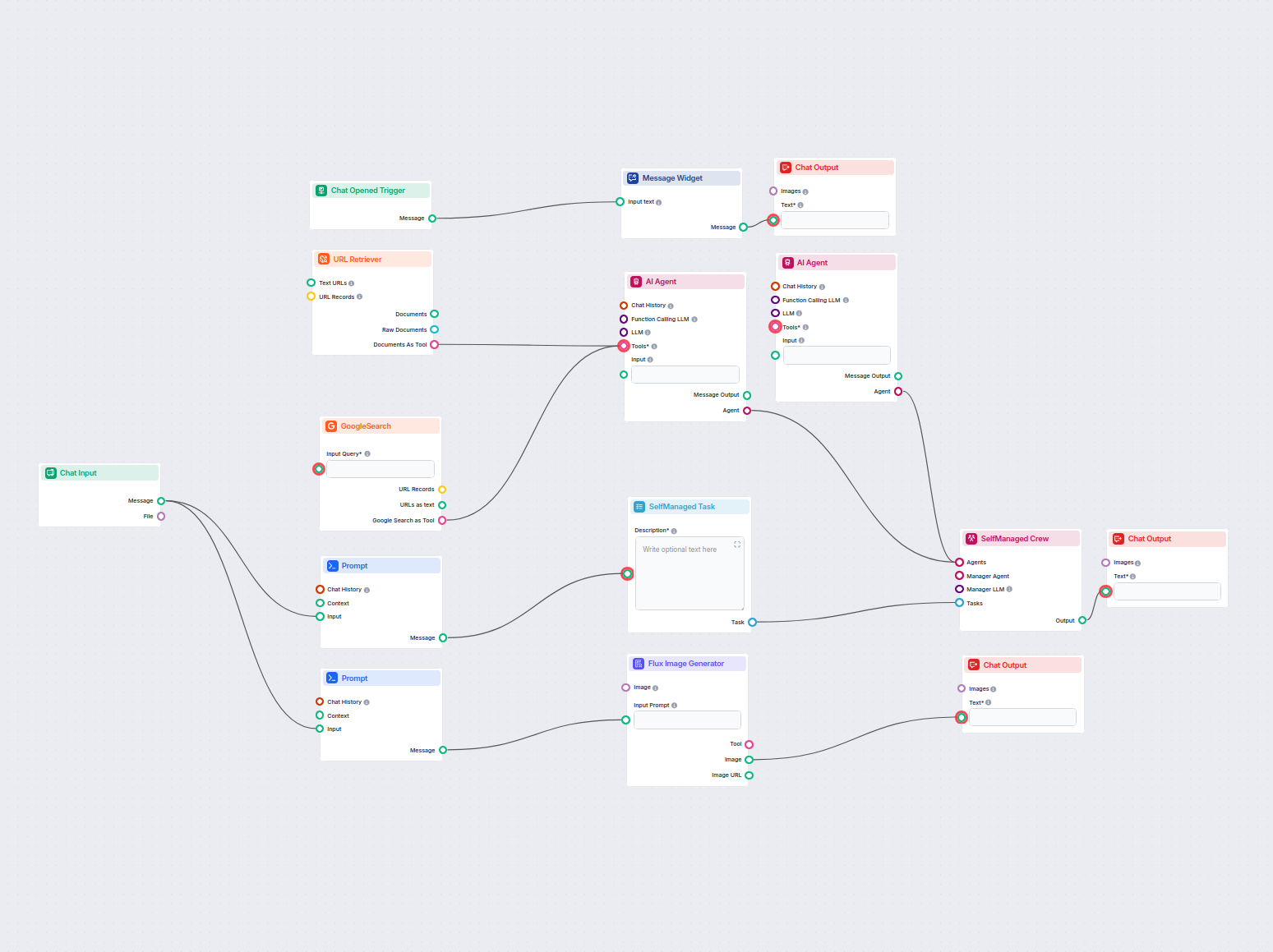
A well-built Instagram content AI tool doesn’t just take your topic and pass it straight to an image model. FlowHunt’s Instagram Post Generator
runs two tracks in parallel from a single input:
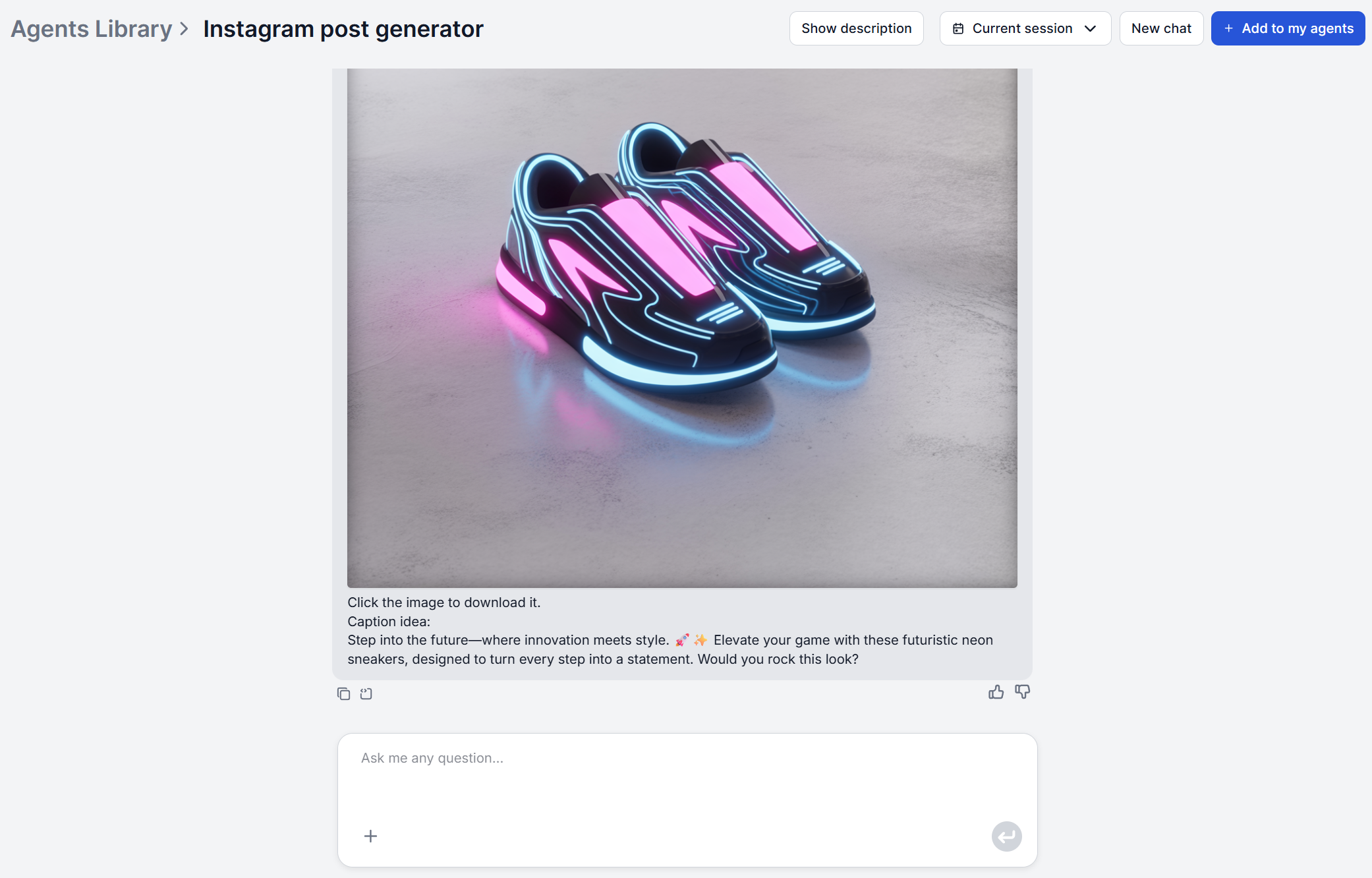
Image prompt engineering, then generation — your topic (say, “cyberpunk city” or “healthy breakfast”) is first expanded into a detailed prompt specifying subject, visual style, lighting, and composition, which is then sent to the image generator. A raw one-line description produces a noticeably weaker image than this engineered version.
Caption writing — while the image generates, the tool writes a punchy headline hook, 2–3 paragraphs of body copy with emojis, and a set of 15–20 relevant hashtags.
The output for each topic includes the generated image, a headline, a caption, hashtags, and a short note on the visual style used. All of this is useful context if you want your next post to feel deliberately different rather than accidentally repetitive.
Ready to grow your business?
Start your free trial today and see results within days.
Step-by-Step: Batch Create 30 Posts in One Session
The workflow is the same whether you’re generating one post or thirty, you’re just running it repeatedly against a content calendar instead of a single idea.
List your topics before you start. Pull 30 ideas from your content calendar or pillars so you’re not context-switching between “what do I post about” and “generate the post” mid-session.
Enter each topic into the tool. Open the Instagram Post Generator
and type a topic or short description.
Let it run the two-track process. The tool researches and engineers the image prompt, generates the image, and writes the caption and hashtags in the same pass — a few minutes per topic with no input needed from you.
Review and adjust before moving to the next one. Check the image, caption, and hashtag shortlist, edit anything that needs tightening, then move to the next topic on your list.
Drop each finished post into your queue. Once you’ve worked through the list, everything is ready to schedule.
Working through 30 topics this way in one sitting is realistic precisely because each individual run needs so little from you. If you want to go further, the underlying flow itself can be modified
in FlowHunt’s visual workflow builder
. For example, you can set it to to loop over a list of topics automatically instead of entering them one at a time, you can add your brand voice and custom instructions, set it to output straight to your content calendar, and so much more.
Writing Captions That Sound Human, Not Generated
The generated caption is a strong first draft, not a finished one. Every AI-written caption, image, and hashtag set from the tool is editable, and that editing pass is where generated turns into yours. A few things worth checking before you publish:
Read it in your own voice. Swap phrases the AI reaches for by default (openers like “Ever wondered…” or stacked exclamation points) for how you’d actually say it.
Cut anything generic enough to apply to any brand. If a line could sit on a competitor’s post unchanged, it’s not doing its job.
Keep the structure, change the specifics. The headline-hook-plus-body structure works. The details inside it are what make a post feel like it came from you rather than a template.
Join our newsletter
Get latest tips, trends, and deals for free.
Hashtag Strategy: AI vs Manual Research
Manually researching hashtags means checking which tags are actually active, not just popular, and guessing at how specific to go. The generator shortcuts this by producing 15–20 relevant, high-traffic hashtags per post based on the topic, rather than reusing the same generic set across every post.
One thing to know before you paste them in is that Instagram enforces a hard 5-hashtag limit on posts and Reels as of December 2025
. Posts with more either get blocked or have the excess tags stripped. So the AI-generated list is best treated as a shortlist to choose from, not a set to use in full. Pick the 3–5 tags most specific to that individual post, ideally a mix of a niche or community tag and a couple of topic tags tends to outperform generic high-volume ones that put you in competition with millions of other posts.
Adapting AI Output for Different Content Pillars
A month of content usually spans more than one pillar, and treating every topic prompt the same way is how batches end up feeling repetitive. Be as specific about the pillar as you are about the subject.
If your pillars include repurposed long-form content, you don’t need to write those topic prompts from scratch either. FlowHunt’s AI Content Repurposing Tool
takes an existing blog post and turns it into an Instagram carousel outline (or a Twitter thread, LinkedIn post, or email newsletter), which you can feed straight into your batch alongside originally-ideated posts.
If you’re short on what to cover in the first place, FlowHunt’s AI Social Listening Tool
surfaces what’s actually being discussed around your brand or topic across social platforms, forums, and news — useful raw material for topics before you start generating.
Maintaining Brand Voice at Scale
The risk with any batch-generated content isn’t quality dropping on one post, it’s thirty posts that are individually fine but collectively inconsistent. Two things help here. First, the visual style note included with each generated post tells you what aesthetic direction was used, so you can deliberately vary or repeat it across the batch instead of leaving it to chance. Second, if you don’t already have a documented voice, FlowHunt’s AI Brand Voice Generator
generates voice profiles from your brand’s personality, values, and audience as a reference point to edit every generated caption against.
Publishing itself doesn’t have to be a separate manual step either: FlowHunt integrates directly with Instagram
to automate posting and pull analytics once your content is ready, and with MCP servers, the same flow can connect to virtually any other tool in your stack rather than requiring you to copy-paste output between systems.
Ready to Batch Your Next Month of Instagram Content?
A month of Instagram content is 30 individually small decisions on what to post, what it should look like, what to say about it. That adds up to hours of work when made one at a time. Running them all through the same tool in one sitting doesn’t remove the judgment calls, but it removes the blank-page problem from every single one of them.
The Instagram Post Generator gives you an editable starting point, not a locked final draft. The generated image, caption, and hashtags can all be adjusted before you publish. If you want the AI to start closer to your voice, define it in the Agent's prompt, then refine the output post by post.
Yes. Each run outputs 15–20 relevant, high-traffic hashtags alongside the caption. Since Instagram now enforces a 5-hashtag limit per post or Reel, treat that list as a shortlist. Pick the 3–5 most specific-to-your-post tags rather than pasting all of them in.
Not with this specific tool. The Instagram Post Generator works the other way around. You give it a topic, and it generates both the image and the caption together from an engineered prompt. If you already have a photo and just need a caption for it, use FlowHunt's AI Image Caption Generator, which analyzes an uploaded image and writes a caption to match.
Vary what you feed in, not just what comes out. Write specific, distinct topic prompts for each content pillar instead of near-duplicate phrasing, and use the visual style note included with every post to track which aesthetic you've already used so consecutive posts don't repeat the same lighting or composition choices. Editing the copy before publishing also naturally breaks up repetitive phrasing.
The caption and hashtag set it produces are written for feed posts, and since Instagram uses the same caption field for Reels, they drop into a Reels post without changes. It doesn't generate story-specific elements like poll or quiz stickers, or video scripts for Reels. It's built for the image-plus-caption post format.
Maria is a copywriter at FlowHunt. A language nerd active in literary communities, she's fully aware that AI is transforming the way we write. Rather than resisting, she seeks to help define the perfect balance between AI workflows and the irreplaceable value of human creativity.
Maria Stasová
Copywriter & Content Strategist
Try the Instagram Post Generator
FlowHunt's Instagram Post Generator turns a single topic into an engineered image, a scroll-stopping caption, and a set of hashtags — in one run. Batch a month of posts in a single sitting and edit from a strong starting point instead of a blank page.
Instagram Post Generator: Create 30 Posts in One Session
A practical walkthrough of FlowHunt's Instagram Post Generator. From planning your topics to reviewing captions, hashtags, and images for a full month of posts.
Discover the Instagram Post Generator on FlowHunt.io, a tool that simplifies creating visually appealing Instagram posts with automatic image, caption, and titl...
Generate engaging Instagram posts automatically, including catchy titles, creative captions, and visually appealing images using AI-powered content research and...
3 min read
Cookie Consent We use cookies to enhance your browsing experience and analyze our traffic. See our privacy policy.