This month, we bring you better navigation, a simpler getting-started experience, and several smaller quality-of-life improvements. Without further ado, here’s what’s new.
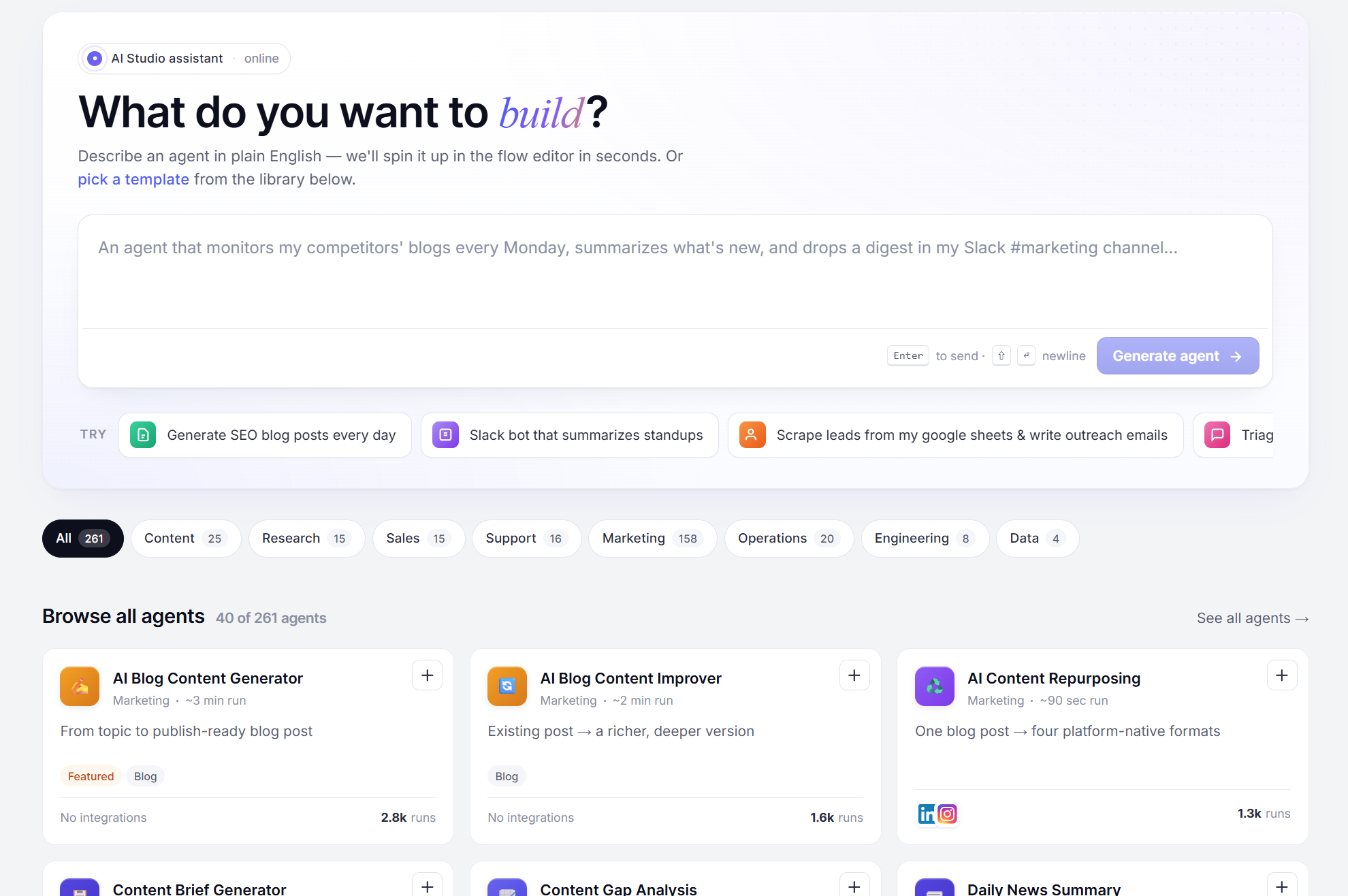
Revamped AI Studio Library
The agent library got a proper refresh with clearer categories and easier browsing. Every workflow now surfaces more metadata at a glance, including tags, categories, and how popular it is with other teams, so you can tell what’s worth trying before you open it.
The AI Assistant is also back and better than before. It sits right at the top of the library for quick access. Simply describe the agent you need in plain language, and it automatically builds a working version for you. From there, all you have to do is adjust it to your liking and connect your own tools and integrations.
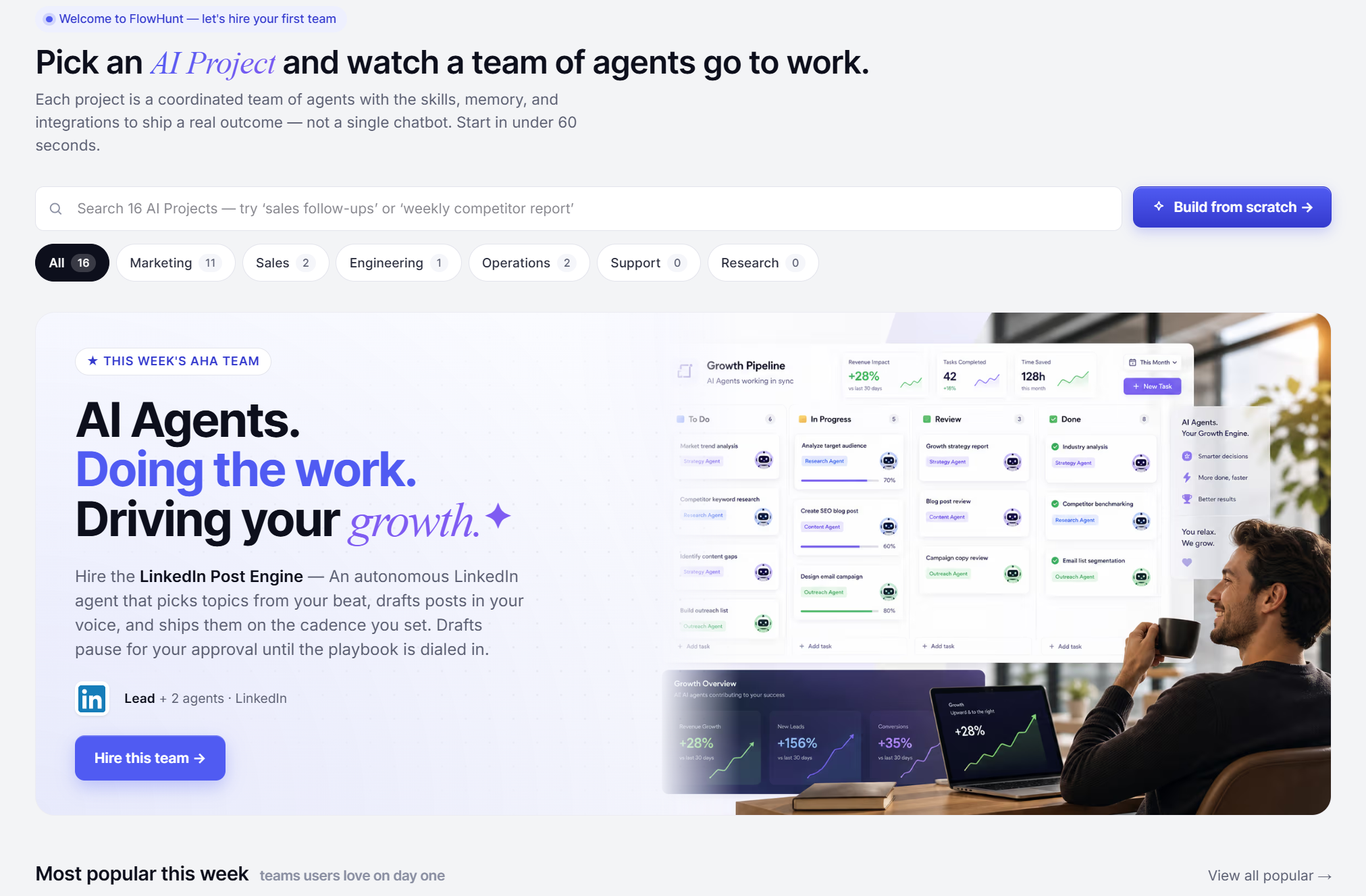
New AI Projects Library
AI Projects
also got its own library of pre-made workflows. It works much like the AI Studio library, but with a quicklink straight to the AI Projects setup wizard. There you can describe the project you want, and get a full team of agents built automatically.
Hire an entire team from the library, and you’re up and running in no time. We’re adding more regularly, so there’s always something new to try.
Ready to grow your business?
Start your free trial today and see results within days.
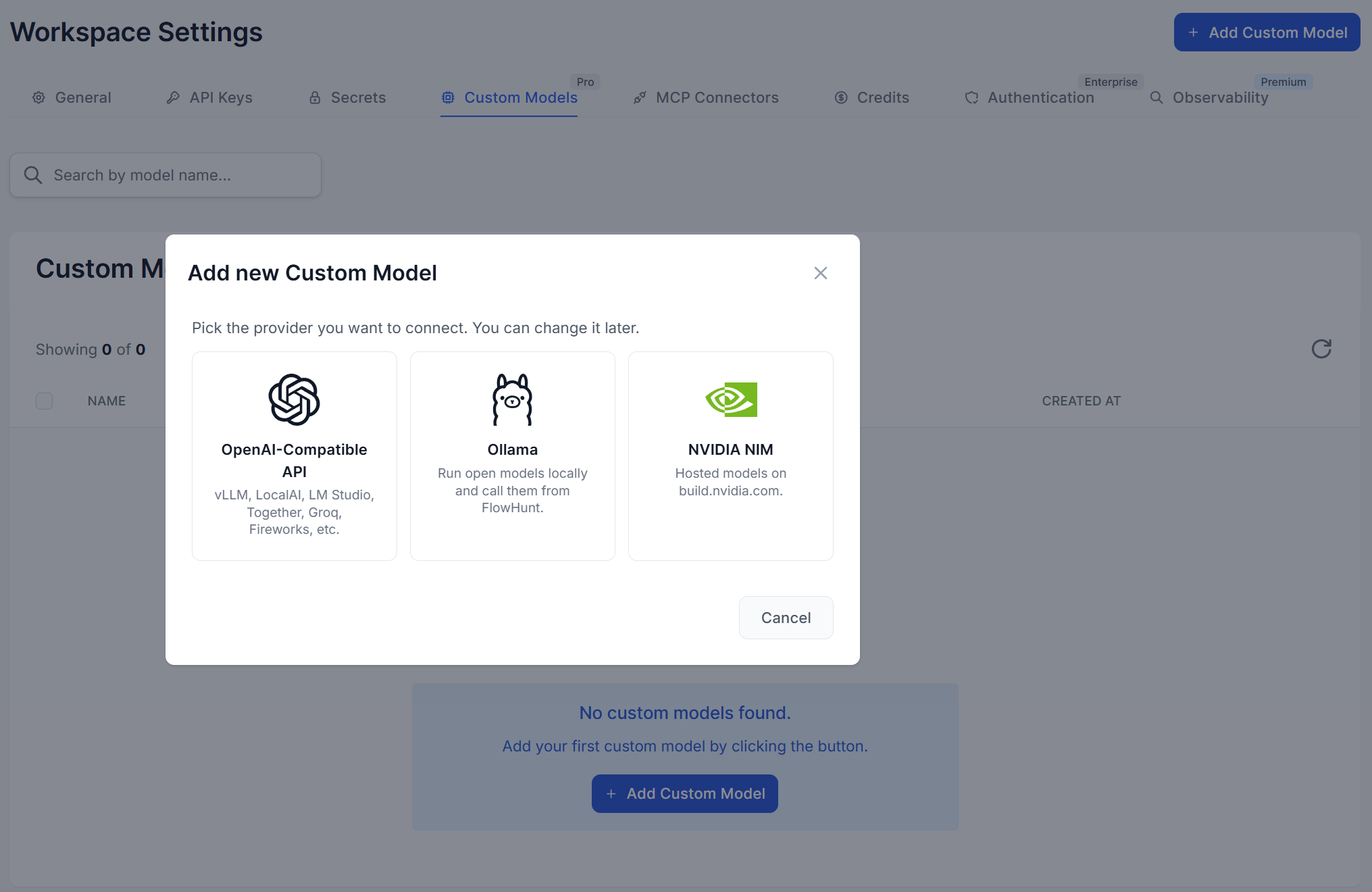
Bringing your own model (Pro) or connecting to external MCP servers is simpler now. Both configure directly in your workspace settings, and once set up, they’re available to use in AI Projects too, not just regular flows.
For custom models, you can now choose from:
OpenAI — connect your own API key to use OpenAI’s models under your own account and rate limits.
Ollama — point FlowHunt at a self-hosted Ollama instance to run open models on your own infrastructure.
NVIDIA NIM — use NVIDIA’s optimized inference microservices for your custom or open-weight models.
OpenRouter — route to any model available through OpenRouter’s aggregated catalog from a single connection.
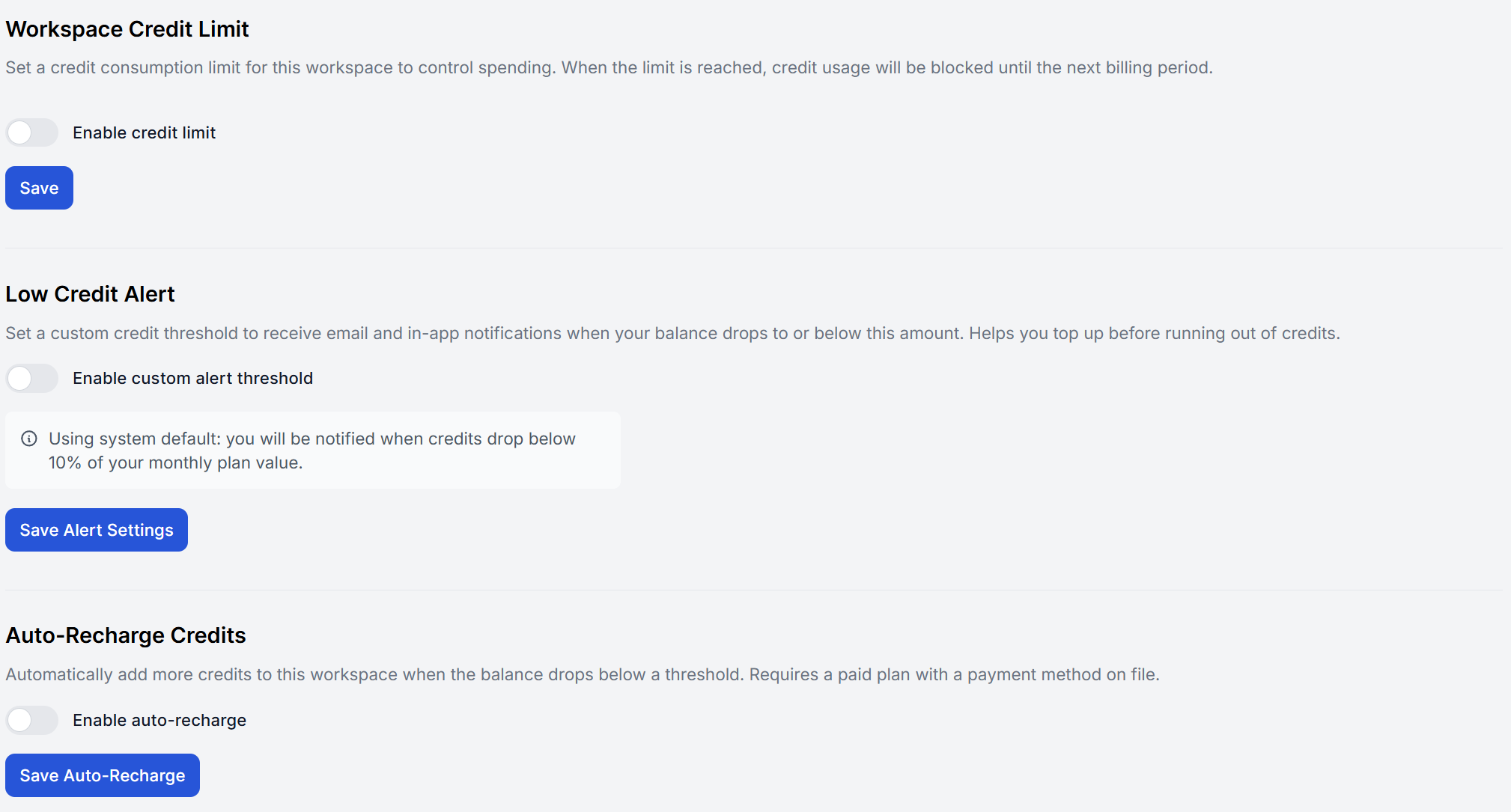
Better Credit Management
We’ve added more control over how credits are managed across your workspaces:
Workspace limits — set a spending cap per workspace, so no single project can run away with the whole team’s budget.
Low-balance alerts — get notified before a workspace runs out of credits, so you can keep your workflows running.
Auto-recharge — top up credits automatically when a workspace dips below a threshold you set, to ensure your workflows never go dark.
And that’s a wrap for May. We continue pushing AI Projects forward, with some bigger things just around the corner, so stay tuned!
Frequently asked questions
The AI Studio library got a proper refresh with clearer categories and easier browsing. The AI Assistant also sits on top of the library again. Simply describe the agent you need in plain language, and it builds a working version for you to adjust and connect to your own tools.
AI Projects now has its own library of pre-made, multi-agent workflows, separate from the AI Studio library. A quicklink jumps straight to the setup wizard, where describing your project in a sentence gets you a full team of agents built automatically, instead of adding each agent one by one.
On the Pro plan, you can bring your own model from OpenAI, Ollama, or NVIDIA NIM, and now also OpenRouter. Both custom LLMs and external MCP servers are configured directly in your workspace settings and can be used in AI Projects as well as regular flows.
Workspaces can now set spending limits, get low-balance alerts before credits run out, and enable auto-recharge so workflows don't go dark mid-run.
Maria is a copywriter at FlowHunt. A language nerd active in literary communities, she's fully aware that AI is transforming the way we write. Rather than resisting, she seeks to help define the perfect balance between AI workflows and the irreplaceable value of human creativity.
Maria Stasová
Copywriter & Content Strategist
Try FlowHunt's Latest Features
Browse the revamped library, hire a full agent team from AI Projects, and connect the model provider of your choice — all from one workspace.
FlowHunt June 2026 Updates: Workspace Models, AmICited & New AI Models
FlowHunt's June 2026 update brings workspace-wide fallback models to prevent outage downtime, welcomes AmICited into the FlowHunt workspace, and adds Claude Opu...
Integrate FlowHunt with the Godot game engine via Godot MCP to automate project control, scene management, and AI-powered workflows. Launch, debug, and manage G...
FlowHunt July 2025 Updates: FlowHunt MCP, SSO, Odoo Integration & More
FlowHunt introduces major updates including custom MCP Servers, SSO login for enterprise customers, Odoo integration, new AI models (Grok 4 and Kimi K2), and en...
3 min read
FlowHunt MCP
SSO
+6
Cookie Consent We use cookies to enhance your browsing experience and analyze our traffic. See our privacy policy.