
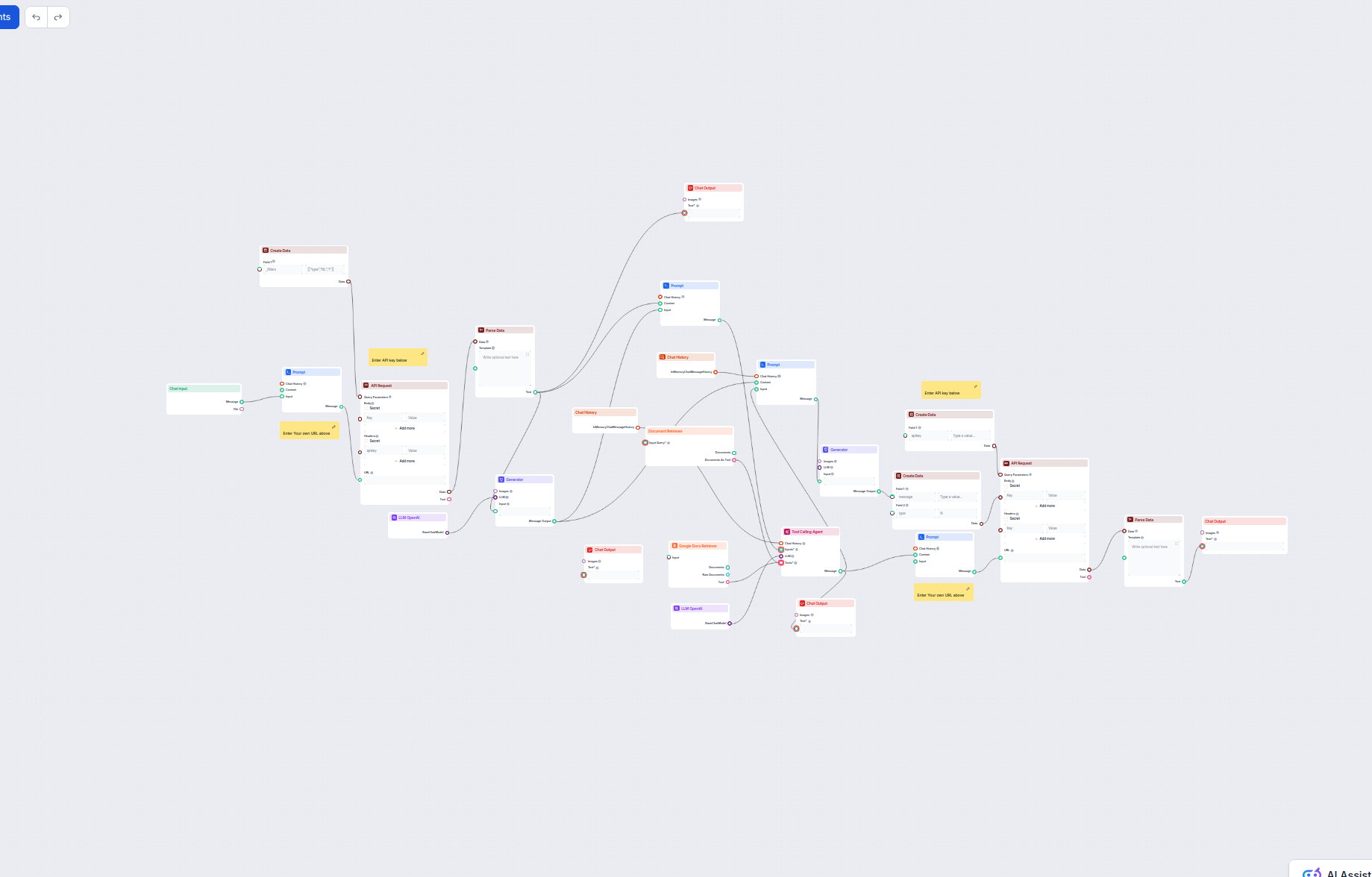
AI Customer Support Agent with Knowledge Base and API Enrichment
This AI-powered workflow automates customer support by combining internal knowledge base search, Google Docs knowledge retrieval, API integration, and advanced ...
5 min read
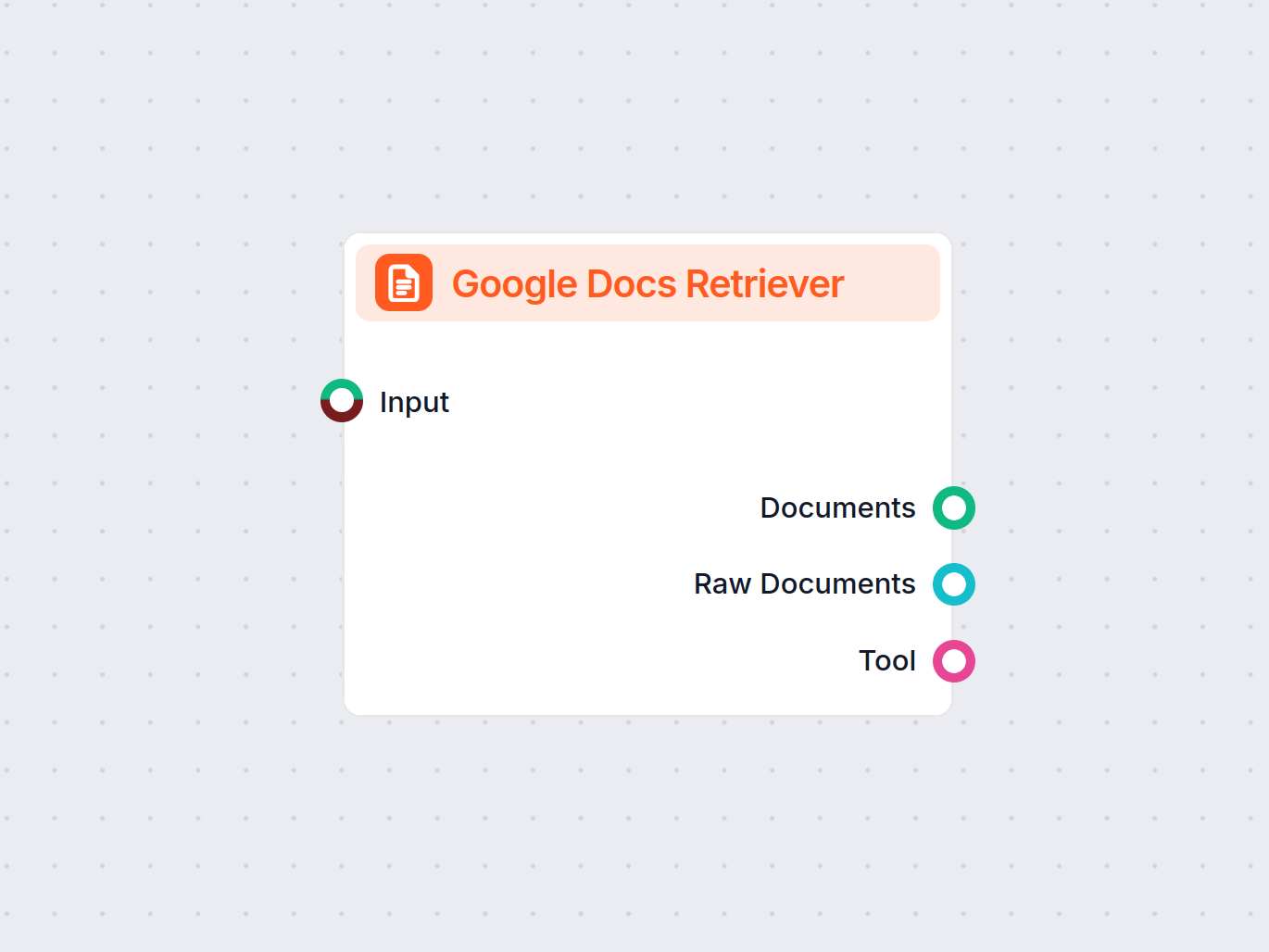
Fetch and use content from Google Docs directly within your FlowHunt workflows, enabling smarter automations and knowledge-based flows.
Component description
The Google Docs Retriever is a component designed to fetch and process the content from your Google Docs files. It integrates with Google Drive, allowing you to select a document and retrieve its content for further use in your AI workflows. This component is particularly useful when you need to automate the extraction and utilization of information stored in Google Docs as part of larger AI or data processing pipelines.
This tool connects to your Google Drive, enables you to pick a document, and retrieves its content. The retrieved data can then be used as input for downstream components or AI agents, such as summarization tools, chatbots, or custom data processors. It supports limiting the amount of content fetched (using a token limit) and provides advanced options for integration with intelligent agents.
| Input Name | Type | Required | Description |
|---|---|---|---|
| Input | Message, Data (other) | No | Optional generic input, can be used to pass metadata or trigger the component. |
| Document | Google Drive Picker | Yes | Select the Google Doc to retrieve. |
| Output Name | Type | Description |
|---|---|---|
| Documents | Message | The content of the selected Google Doc in a processed message format. |
| Raw Documents | Document | The unprocessed, raw content of the Google Doc. |
| Tool | Tool | The document exposed as a tool, enabling agent-based workflows to utilize it directly. |
| Name | Type | Required | Description |
|---|---|---|---|
| Max Tokens | Integer | No | Limits the maximum number of tokens (words/pieces) in the output text. Default: 3000. |
| Tool Name | String | No | Name for referencing this tool in agent-based workflows. |
| Tool Description | Multiline String | No | Describes this tool for agents that interact with it, improving agent understanding. |
| Verbose | Boolean | No | Enables verbose logging for debugging purposes. |
Consider using the Google Docs Retriever when you need to:
This component streamlines the process of bringing Google Docs content into your AI workflow, making it easier to build powerful, document-driven applications.
To help you get started quickly, we have prepared several example flow templates that demonstrate how to use the Google Docs Retriever component effectively. These templates showcase different use cases and best practices, making it easier for you to understand and implement the component in your own projects.
This AI-powered workflow automates customer support by combining internal knowledge base search, Google Docs knowledge retrieval, API integration, and advanced ...
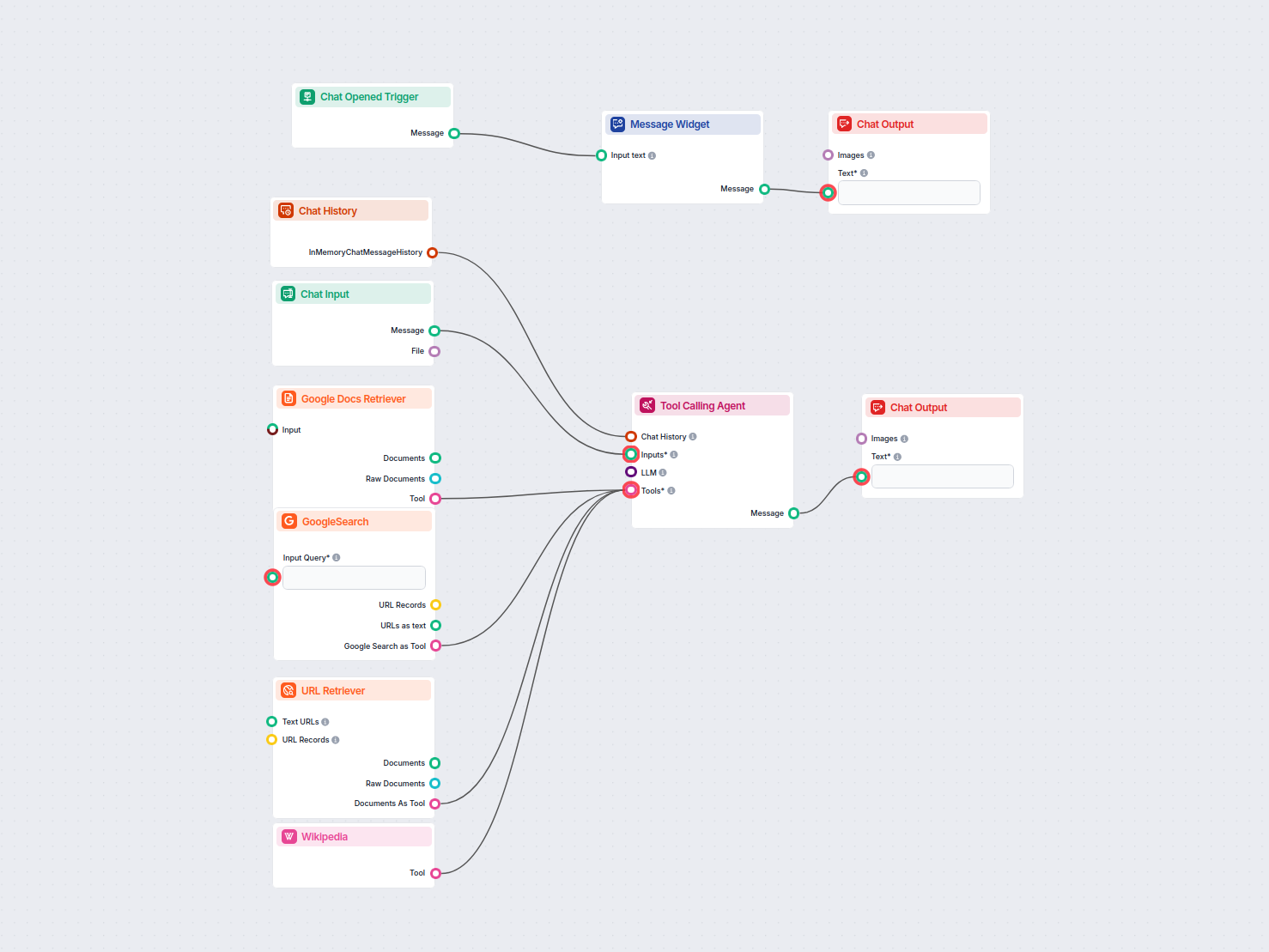
This AI-powered workflow extracts specific information from a Google Doc and then expands on it by researching across sources like Google Search, Wikipedia, and...
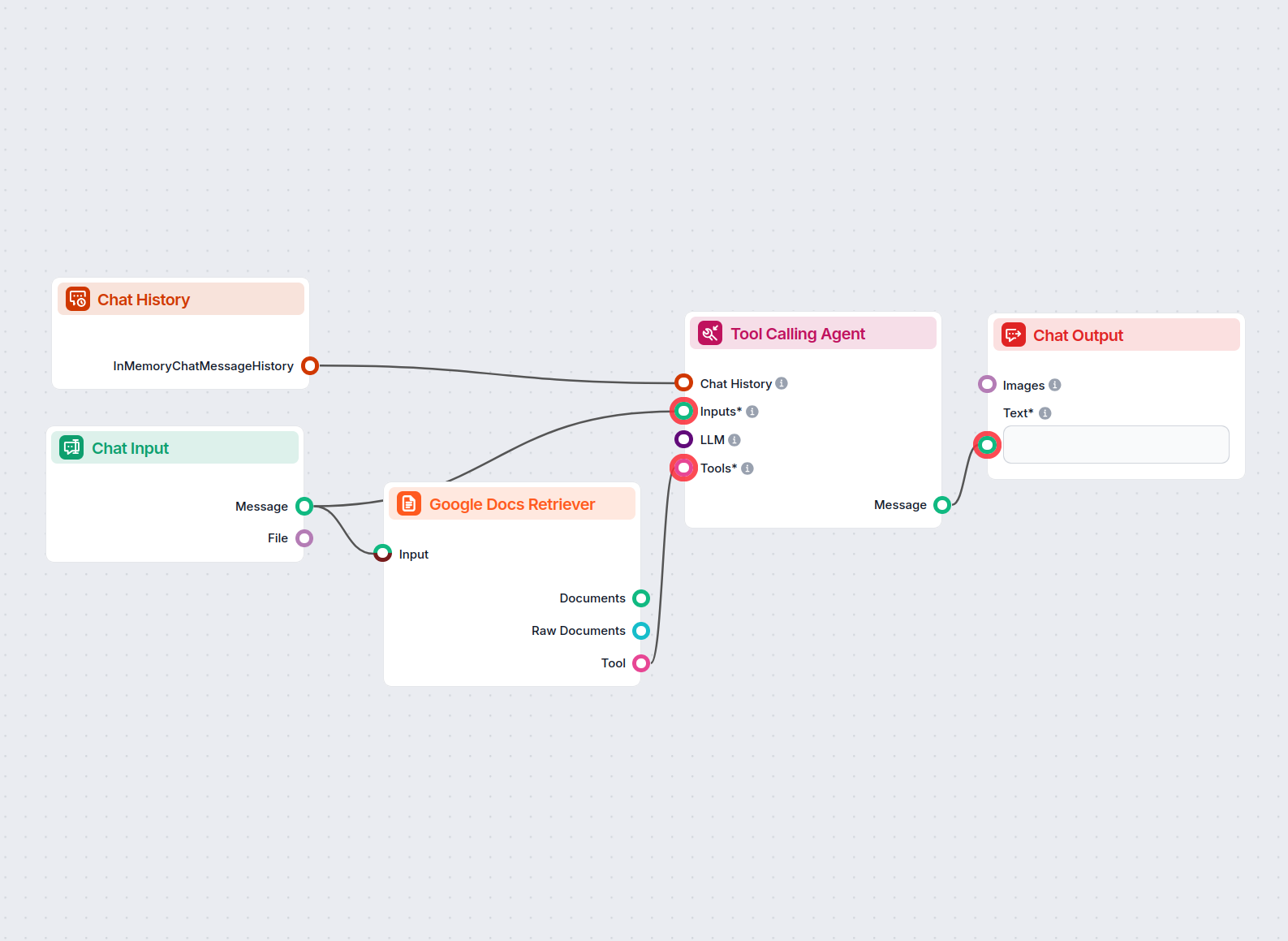
An AI-powered chatbot that provides precise answers to user questions based strictly on the content from a supplied Google Document. Ideal for research, content...
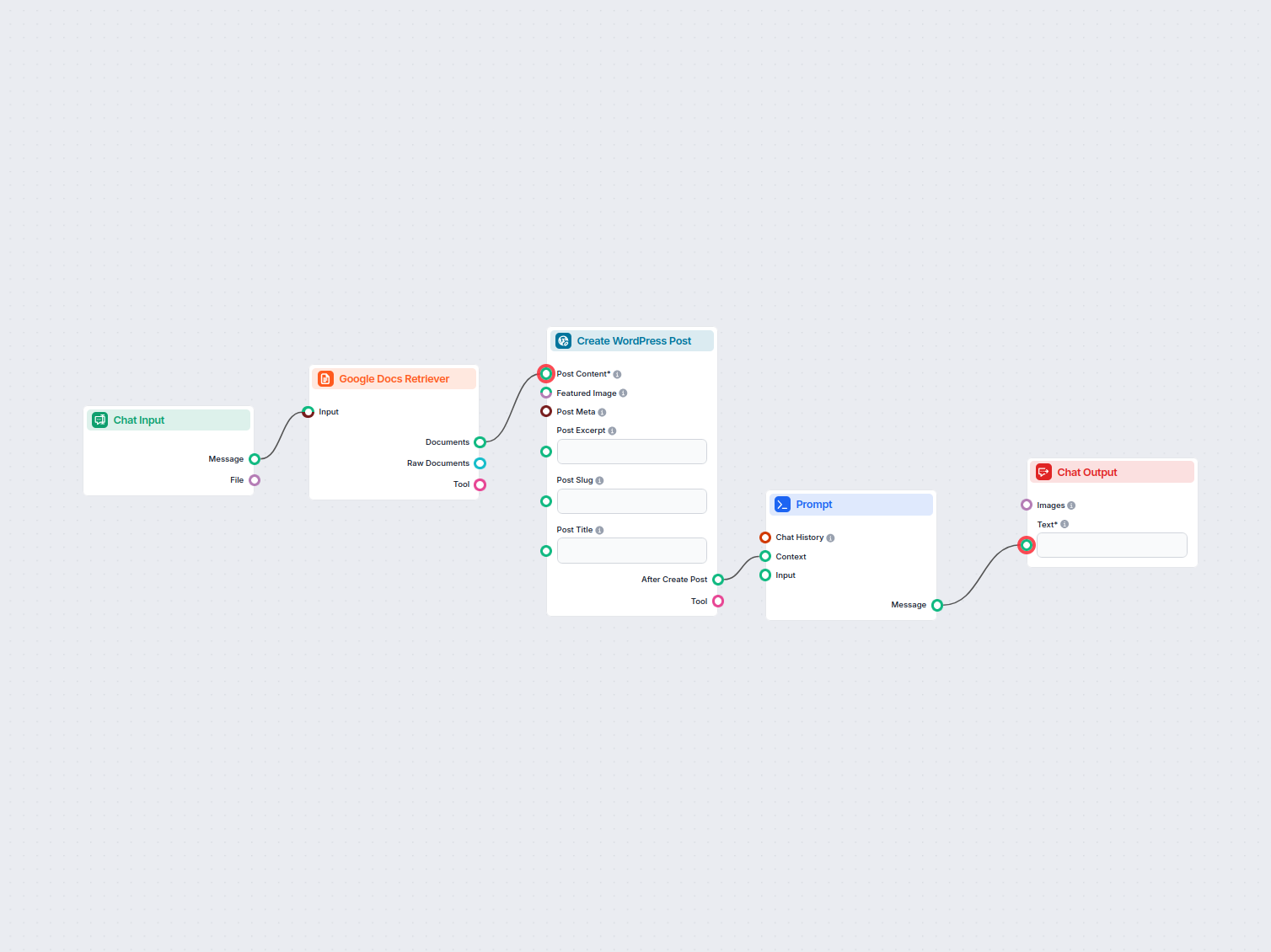
Automatically transfer content from Google Docs to your WordPress site as new posts, streamlining content publishing for bloggers, marketers, and content teams.
Unlock the potential of your Google Docs by integrating them into your automated workflows and AI solutions with FlowHunt.
This AI-powered workflow extracts specific information from a Google Doc and then expands on it by researching across sources like Google Search, Wikipedia, and...
Cookie Consent
We use cookies to enhance your browsing experience and analyze our traffic. See our privacy policy.