Rationalisez les opérations d’expédition et les flux de travail logistiques avec l’automatisation alimentée par l’IA. Le serveur Chameleoon MCP connecte votre assistant IA à la gestion multi-transporteurs, au suivi des colis, à la génération d’étiquettes et à la planification des enlèvements.
Shipping
Logistics
E-commerce
MCP
AI Integration
Automation
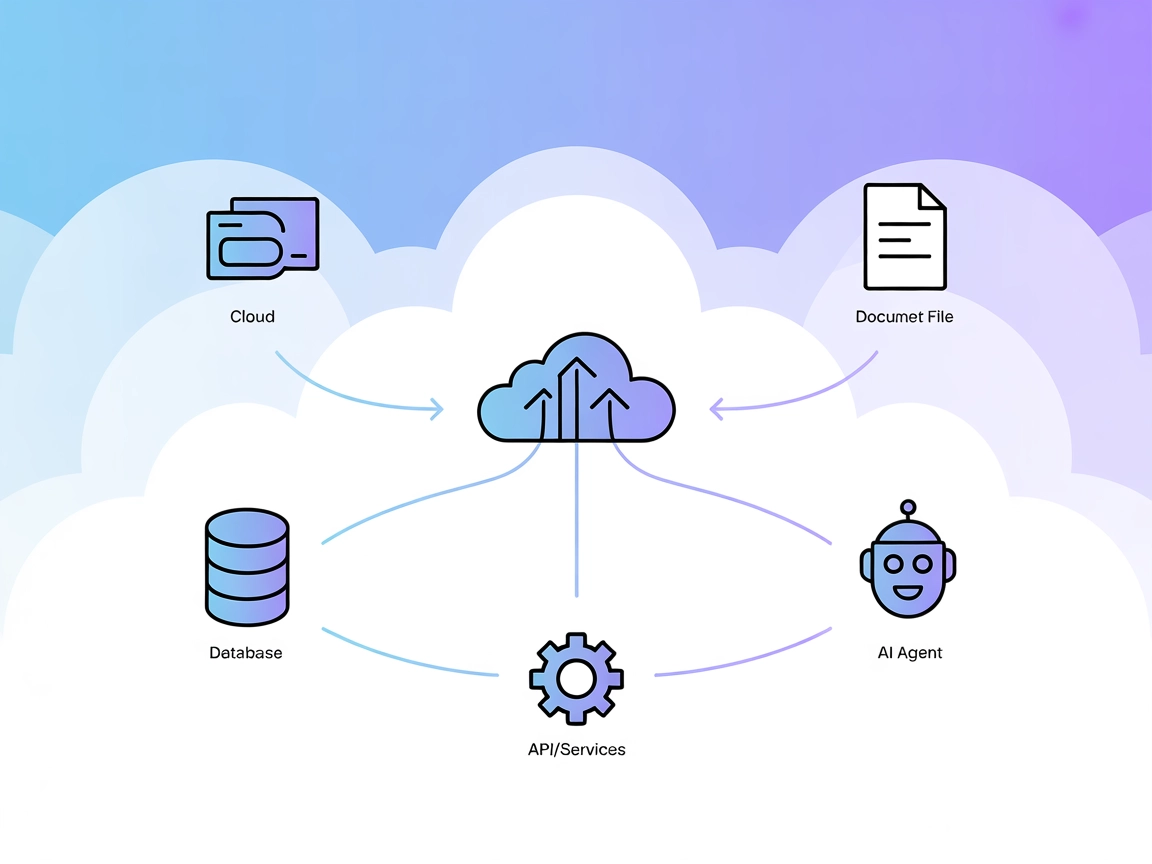
Le serveur Chameleoon MCP fournit une intégration transparente entre la plateforme de gestion d’expédition de Chameleoon et les assistants IA via le Model Context Protocol (MCP). Il permet aux entreprises de commerce électronique, aux équipes logistiques et aux opérations d’exécution d’automatiser les flux de travail d’expédition en utilisant des commandes en langage naturel. Le serveur se connecte à la plateforme multi-transporteurs de Chameleoon, permettant aux assistants IA de créer des commandes d’expédition, de suivre les livraisons sur plusieurs transporteurs, de générer des étiquettes d’expédition dans différents formats, de planifier les enlèvements de transporteurs et de gérer l’ensemble du cycle de vie d’expédition sans navigation manuelle dans le tableau de bord. Cela transforme les opérations logistiques complexes en simples commandes conversationnelles, réduisant considérablement le temps consacré aux tâches d’expédition répétitives.
Liste des Invites
Création et gestion des commandes
Create a shipping order for John Smith at Main Street 123, Prague 10000, Czech Republic using GLS courier
Show me all shipping orders created in the last 7 days
Find all orders with status 'waiting' from DPD courier
Delete the shipping order with ID 12345
Get detailed information about order ID 67890 including tracking history
Suivi et surveillance des colis
Track package with shipping number 06515700194651
Show me the current status and location of all orders shipped to Germany this month
Find the tracking information for reference number ORDER-2026-001
Which packages are currently in transit and when are they expected to arrive?
Show me all delivered orders from the last 14 days with their delivery dates
Génération d’étiquettes d’expédition
Generate A4 shipping labels for orders 123, 456, and 789
Create thermal labels in A6 format for all orders ready for pickup today
Get ZPL format labels for Zebra printer for these shipping numbers: [list]
Generate labels for all GLS orders created yesterday in A4 format
Sélection du transporteur et du service
List all available couriers and their features like pickup support and manifest printing
Show me which courier configurations are available for shipping to Slovakia
What are the available profiles for DPD courier?
Planification et gestion des enlèvements
Show me all orders eligible for courier pickup today
Schedule a pickup for DPD with these shipping numbers: [list]
List all pickup orders from the last 3 days grouped by courier
Validation et contrôle qualité
Validate this shipping order before creating it: recipient name, address, weight, and courier settings
Check if this address is valid for GLS delivery to Austria
Validate all orders waiting to be shipped and show me any with errors or warnings
Prêt à développer votre entreprise?
Commencez votre essai gratuit aujourd'hui et voyez les résultats en quelques jours.
Use Case: Automate daily pickups, coordinate collections
Rejoignez notre newsletter
Recevez gratuitement les derniers conseils, tendances et offres.
Use Cases of this MCP Server
High-Volume Order Processing
Monday Morning Post-Weekend Rush: When processing 200+ orders accumulated over the weekend, manually creating each shipping label becomes impossible. Instead of spending 4-5 hours clicking through dashboards, use “Create shipping orders for all paid orders from Friday through Sunday using optimal courier for each destination” to process the entire batch in minutes. The AI automatically selects the best courier based on destination, validates addresses, generates labels, and provides tracking numbers - transforming a morning-consuming task into a 10-minute operation.
Flash Sale Fulfillment Crisis: Your flash sale generated 350 orders in 24 hours, and customers expect same-day shipping. Manual processing would take your entire team all day. Command “Validate all orders from flash sale batch, create shipping labels for valid addresses, and flag problematic ones for review” to instantly separate the 340 orders ready to ship from the 10 requiring address corrections. Your warehouse team can start packing immediately while customer service handles the exceptions.
Holiday Season Peak Management: During December’s peak season, you’re handling 5x normal volume with temporary staff who aren’t trained on your shipping system. Instead of training them on complex dashboards, they simply tell the AI “Create GLS shipping order for [customer name and address]” and instantly receive printed labels. This reduces training time from hours to minutes and eliminates costly shipping errors during your most critical sales period.
Multi-Courier Rate Optimization
International Order Cost Analysis: You receive 45 international orders across 12 countries. Manually checking shipping rates for each courier combination would take hours and likely result in overpaying. Ask “Compare shipping rates across all available couriers for these international destinations: [list]” and instantly see which courier offers the best rate for each country. This single analysis can save hundreds in shipping costs per day while ensuring faster delivery times.
Bulk Shipment Courier Selection: You need to ship 100 identical products to different domestic addresses. Instead of using your default courier blindly, command “Analyze courier options for 100 packages, weight 2kg each, to these addresses. Show me total cost difference between couriers including any volume discounts.” This reveals that switching from your default DPD to GLS for this batch saves 380 EUR - savings that compound across every bulk shipment.
COD Order Optimization: You have 30 cash-on-delivery orders today. Not all couriers handle COD equally - some charge higher fees, others have better success rates. Use “Which couriers support COD delivery to these addresses with the lowest combined shipping and COD fees?” to automatically route each order to the most cost-effective COD-capable courier, reducing your COD processing costs by 15-20%.
Proactive Delivery Management
Delayed Shipment Customer Communication: It’s Thursday afternoon, and you know some customers are expecting Friday deliveries. Instead of waiting for angry calls, command “Show me all packages scheduled for Friday delivery that are currently delayed or still in transit without expected delivery updates.” This identifies 12 at-risk deliveries. You proactively contact these customers with updated timelines and discount codes, transforming potential complaints into appreciation for your transparency.
Weekend Delivery Preparation: Friday at 4 PM, you need to identify which orders won’t deliver before Monday. Ask “List all orders shipped this week showing current status and estimated delivery. Flag any that won’t reach customers before Monday.” This instantly reveals 18 orders stuck in weekend transit. You send proactive Friday evening emails with Monday delivery confirmations, dramatically reducing Monday morning “where’s my order?” inquiries.
Lost Package Prevention: Instead of waiting for customers to report missing packages, run a daily check: “Show me all packages shipped more than 7 days ago without delivered status, grouped by courier.” This early warning system catches packages stuck in transit limbo before customers notice, allowing you to file courier claims and ship replacements proactively.
Warehouse Operations Efficiency
Daily Pickup Coordination Across Multiple Locations: You operate three warehouse locations, each shipping with DPD, GLS, and Packeta. Manually coordinating six separate courier pickups daily means six phone calls and juggling multiple time windows. Instead, command “Schedule pickups for all ready orders at all locations: Warsaw warehouse for DPD and GLS, Prague warehouse for all three couriers, Berlin warehouse for DPD only.” The AI schedules all pickups simultaneously, provides confirmation numbers, and generates manifests - reducing 90 minutes of phone coordination to 3 minutes of natural language instruction.
Shipping Label Printer Queue Management: Your warehouse has three packing stations: one with thermal printers (A6 labels), one with standard printers (A4 labels), and one with Zebra printers (ZPL format). Instead of manually sorting orders by station, use “Generate A6 thermal labels for orders 1-50 for station one, A4 labels for orders 51-100 for station two, and ZPL format for orders 101-120 for station three.” Each packing station instantly receives correctly formatted labels, eliminating printer compatibility errors and workflow bottlenecks.
End-of-Day Warehouse Reconciliation: Before closing at 6 PM, you need to verify all picked orders have shipping labels and all labels generated today were actually used. Command “Show me all orders marked as picked without shipping labels, and all generated labels from today not assigned to picked orders.” This reveals 3 orders missing labels (pick list completed but shipment not created) and 2 labels generated for orders still waiting to be picked - allowing you to resolve discrepancies before warehouse closure instead of discovering them the next morning.
Address Validation and Error Prevention
Bulk Order Address Verification: You received a corporate bulk order with 150 employee addresses for gift delivery. Processing these without validation risks 10-15% failure rate from typos and incomplete addresses. Instead of creating failed shipments, run “Validate all addresses in this batch before creating orders. Group results into verified addresses, correctable addresses needing minor fixes, and invalid addresses requiring customer contact.” This prevents failed deliveries, reduces return shipping costs, and allows you to resolve address issues before shipment, not after failed delivery attempts.
International Address Formatting: You’re expanding to new European markets, but each country has different address formatting requirements. A Prague address differs significantly from a Berlin or Vienna address. Instead of studying postal regulations for each country, simply command “Validate this shipping order for Czech Republic delivery” before creation. The system automatically checks street format, postal code validity, and city name consistency - preventing the frustration of packages rejected by foreign couriers due to formatting errors.
Apartment and Suite Number Detection: You notice many delivery failures are from missing apartment numbers - customers enter “Main Street 123” without “Apt 5B.” Before processing today’s 80 orders, run “Identify all addresses without apartment, suite, floor, or unit numbers in today’s orders.” This flags 12 potentially incomplete addresses. A quick verification call saves 12 failed deliveries, 12 reshipments, and 12 frustrated customers.
Customer Service Excellence
Instant Order Status for Customer Calls: Your customer service receives 50+ “where’s my order?” calls daily. Instead of each agent logging into the shipping platform, looking up orders, finding tracking numbers, checking courier websites, and explaining status, they simply ask the AI “Track package for customer John Smith, order number 2024-12345.” The AI instantly responds with current location, delivery status, and tracking URL to share - reducing average call handling time from 4 minutes to 45 seconds and dramatically improving customer satisfaction.
Batch Status Updates for VIP Customers: Your enterprise client placed an order for 200 units shipping to different locations. They want a status update on all shipments. Instead of manually checking 200 tracking numbers, use “Show delivery status for all orders with reference CLIENT-BULK-2024-001, grouped by delivered, in transit, and delayed.” Generate a formatted report in 30 seconds instead of spending 3 hours on manual tracking checks.
Return Label Generation: A customer wants to return their order. Instead of creating a return label through multiple system screens, your support agent simply says “Create a return shipping label from [customer address] to our warehouse using GLS with reference RETURN-ORDER-12345.” The customer receives their return label by email in under a minute, improving return experience and reducing support ticket resolution time.
Analytics and Cost Management
Monthly Shipping Cost Analysis: You suspect you’re overpaying on shipping but lack time to analyze hundreds of orders manually. Command “Show me all orders from last month grouped by courier, with total shipping costs, average cost per package, and delivery success rates.” This reveals that while Courier A seems cheaper per package, their 12% failed delivery rate means actual cost per successful delivery is higher than Courier B’s 98% success rate. Data-driven courier selection based on real costs, not just quoted rates.
Carrier Performance Benchmarking: You work with four couriers but lack objective performance data. Use “Compare all couriers from the last quarter: average delivery time, on-time delivery percentage, failed delivery rate, and average cost. Show me best performer for domestic versus international shipping.” This reveals DPD excels at domestic speed but GLS offers better international reliability - allowing you to route orders strategically instead of using a one-size-fits-all approach.
Delivery Zone Optimization: You’re considering opening a second warehouse to improve delivery times. Before investing, ask “Analyze delivery times to all postal codes we ship to, grouped by region. Show average transit days and identify areas with consistently slow delivery.” This geographic analysis reveals that 60% of your 3+ day deliveries go to southeastern regions - validating the business case for a regional distribution center and projecting potential delivery time improvements.
Seasonal and Promotional Campaign Support
Pre-Campaign Capacity Planning: You’re launching a “Free Shipping Friday” promotion expecting 3x normal order volume. Ask “Based on current courier pickup capacity and scheduling, how many orders can each courier handle if we receive 600 orders on Friday? What’s our maximum processing capacity?” This reveals your current courier agreements support 450 orders maximum. You proactively arrange additional pickup capacity with couriers before the promotion launches, preventing the fulfillment crisis that plagued last year’s promotion.
Gift Season Multi-Recipient Orders: During holidays, many customers order gifts shipping to different recipients. Instead of manually creating 8 separate shipments for one customer’s gift list, use “Create shipping orders for customer ORDER-HOLIDAY-789: 8 different recipients at these addresses, all using gift packaging note and same billing reference.” Process complex multi-recipient orders in seconds while maintaining accurate order attribution for customer service and accounting.
Same-Day Shipping Deadline Management: You promise same-day shipping for orders placed before 2 PM. At 1:45 PM, you need to know exactly which orders are cutting it close. Command “Show me all paid orders from today without shipping labels created yet. How many can we process and schedule pickup for same-day shipping?” This reveals 23 orders need immediate attention. You prioritize these before the 2 PM cutoff, maintaining your same-day shipping promise and competitive advantage.
How to set it up
Prerequisites
Python 3.10 or higher installed
Chameleoon account with API access (register at chameleoon.sk)
Valid CHAMELEOON_API_KEY
Windsurf
Obtain your Chameleoon API key:
Log in to your Chameleoon account at chameleoon.sk
Replace the URL with your actual Chameleoon MCP server endpoint.
Set Up Environment Variables:
In FlowHunt’s environment settings, add:
Key: CHAMELEOON_API_KEY
Value: Your Chameleoon API key
Configure Your AI Agent:
Once connected, your AI agent can use natural language to control shipping operations. Example prompts:
“Create a shipping order for customer John Smith at…”
“Track all orders from yesterday”
“Generate labels for orders waiting for shipment”
“Schedule a pickup for DPD orders”
Build Automated Workflows:
Example: Order Fulfillment Flow
Trigger: New order in e-commerce system
Action 1: Extract customer address and order details
Action 2: MCP component instructs AI: “Create shipping order with these details: [order data]”
Action 3: Store shipping number and tracking URL
Action 4: Send confirmation email to customer with tracking link
Example: Daily Shipping Report
Trigger: Schedule (daily at 9 AM)
Action 1: MCP component asks AI: “List all orders from yesterday”
Action 2: Analyze data for insights
Action 3: Generate summary report
Action 4: Send to logistics team
Example: Customer Service Automation
Trigger: Customer inquiry with order number
Action 1: Extract order number from message
Action 2: MCP component: “Track package with reference [order_number]”
Action 3: Format tracking information
Action 4: Send response to customer with status and tracking URL
MCP Server Evaluation
Overview
Section
Availability
Details/Notes
Overview
✅
Comprehensive description of capabilities
List of Prompts
✅
Example natural language commands provided
List of Resources
⛔
No exposed resources (tool-based access only)
List of Tools
✅
14 tools across 5 categories, fully documented
Use Cases
✅
Extensive business scenarios with examples
Setup Instructions
✅
Detailed for all major MCP clients
Security Documentation
✅
Environment variables, key rotation, best practices
API Documentation
✅
Complete tool parameters and return values
Our opinion
The Chameleoon MCP Server delivers a robust, production-ready integration for shipping management automation. It stands out with comprehensive tool coverage across the entire shipping lifecycle - from courier selection and order creation to tracking, label generation, and pickup scheduling.
Strengths:
Complete Coverage: 14 well-designed tools covering all shipping operations
Multi-Courier Support: Works with DPD, GLS, Packeta, and other European carriers
Business-Focused: Clear use cases for e-commerce, logistics, and small businesses
Security-Conscious: Environment variable configuration, no hardcoded credentials
Best For:
E-commerce businesses automating order fulfillment
Logistics teams managing multi-courier operations
Small businesses seeking shipping automation without complex APIs
Developers building shipping workflows in FlowHunt or similar platforms
Customer service teams needing quick access to tracking information
Limitations:
Regional focus (primarily European couriers)
Requires Chameleoon account and API access
No exposed resources (all access is tool-based)
The server transforms complex shipping API interactions into simple natural language commands, making advanced logistics automation accessible to non-technical users while providing power users with comprehensive programmatic control.
MCP Score
Criteria
Status
Has a LICENSE
✅
Has at least one tool
✅ (14 tools)
Complete Documentation
✅
Security Best Practices
✅
Production Ready
✅
Number of Forks
0
Number of Stars
0
Note: Fork and star counts are not available as this is an internal/proprietary MCP server implementation.
Contactez-nous pour héberger votre serveur MCP dans FlowHunt
FlowHunt fournit une couche de sécurité supplémentaire entre vos systèmes internes et les outils d'IA, vous donnant un contrôle granulaire sur les outils accessibles depuis vos serveurs MCP. Les serveurs MCP hébergés dans notre infrastructure peuvent être intégrés de manière transparente avec le chatbot de FlowHunt ainsi qu'avec les plateformes d'IA populaires comme ChatGPT, Claude et divers éditeurs d'IA.
Le serveur Chameleoon MCP est un pont entre la plateforme de gestion d'expédition de Chameleoon et les assistants IA via le Model Context Protocol. Il permet le contrôle en langage naturel des opérations d'expédition, y compris la création de commandes, le suivi, la génération d'étiquettes et la planification des enlèvements à travers plusieurs services de transport.
Quels transporteurs Chameleoon prend-il en charge?
Chameleoon s'intègre avec les principaux transporteurs européens, notamment DPD, GLS, Packeta et d'autres. Vous pouvez interroger les transporteurs disponibles et leurs fonctionnalités en utilisant l'outil list_couriers pour voir le support d'enlèvement, les capacités d'impression de manifeste et les options de service.
Comment sécuriser ma clé API Chameleoon?
Stockez toujours votre CHAMELEOON_API_KEY dans les variables d'environnement dans la configuration du serveur MCP. Ne codez jamais en dur les informations d'identification dans les fichiers de configuration et ne les validez pas dans le contrôle de version.
Puis-je suivre les colis de plusieurs transporteurs?
Oui, Chameleoon fournit des URL de suivi universelles qui fonctionnent avec tous les transporteurs pris en charge. Le serveur enrichit automatiquement les données de commande avec des URL de suivi pour faciliter la surveillance des colis.
Quels formats sont disponibles pour les étiquettes d'expédition?
Chameleoon prend en charge plusieurs formats d'étiquettes: papier A4 pour les imprimantes standard, étiquettes thermiques A6 pour les imprimantes d'étiquettes et format ZPL pour les imprimantes thermiques Zebra. Vous pouvez spécifier le format lors de la génération d'étiquettes.
Ajoutez le composant MCP à votre flux FlowHunt et connectez-le à votre agent IA. Configurez les détails du serveur Chameleoon MCP au format JSON, et votre agent IA aura accès à toutes les capacités de gestion d'expédition pour les flux de travail logistiques automatisés.
Essayez le serveur Chameleoon MCP avec FlowHunt
Transformez vos flux de travail d'expédition avec l'automatisation IA. Gérez les commandes entre plusieurs transporteurs, suivez les livraisons et optimisez les opérations logistiques directement depuis vos outils préférés.
Le serveur ModelContextProtocol (MCP) agit comme un pont entre les agents IA et les sources de données externes, API et services, permettant aux utilisateurs de...
Le serveur Model Context Protocol (MCP) fait le lien entre les assistants IA et des sources de données externes, des API et des services, permettant une intégra...
Le serveur MCP Kubernetes fait le lien entre les assistants IA et les clusters Kubernetes, permettant l’automatisation pilotée par l’IA, la gestion des ressourc...
4 min de lecture
AI
Kubernetes
+4
Consentement aux Cookies Nous utilisons des cookies pour améliorer votre expérience de navigation et analyser notre trafic. See our privacy policy.