


Shopify
Integrate FlowHunt with Shopify to automate product discovery, enrich descriptions with AI, track orders in real time, and deploy intelligent customer support—n...
7 min read
AI
Shopify
+3
Learn how to integrate XML product feeds into FlowHunt flows using either file upload or URL methods for automated product knowledge base.
Integrating XML product feeds into FlowHunt enables your AI agents to automatically access product information and answer customer questions about inventory, pricing, specifications, and availability. This guide shows you two simple methods to connect your product catalog to FlowHunt flows.
XML product feeds are structured data files containing product information such as names, descriptions, prices, SKUs, categories, and availability. By connecting these feeds to FlowHunt, your AI agents can instantly search through thousands of products and provide accurate, real-time information to customers.

Start your free trial today and see results within days.
Before starting, ensure you have:
This method is ideal when you have an XML file to upload directly into FlowHunt.
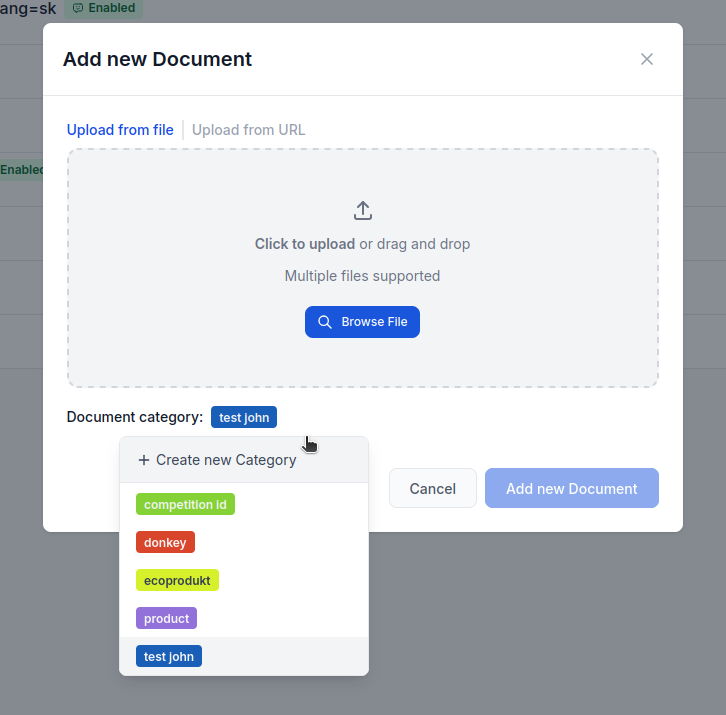
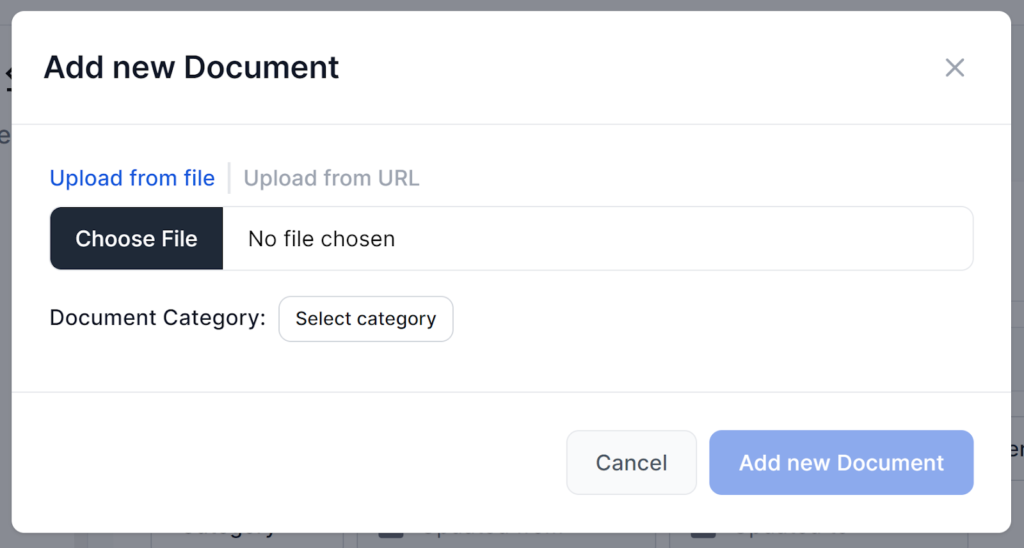
Go to the Documents tab in FlowHunt and click Add Document.
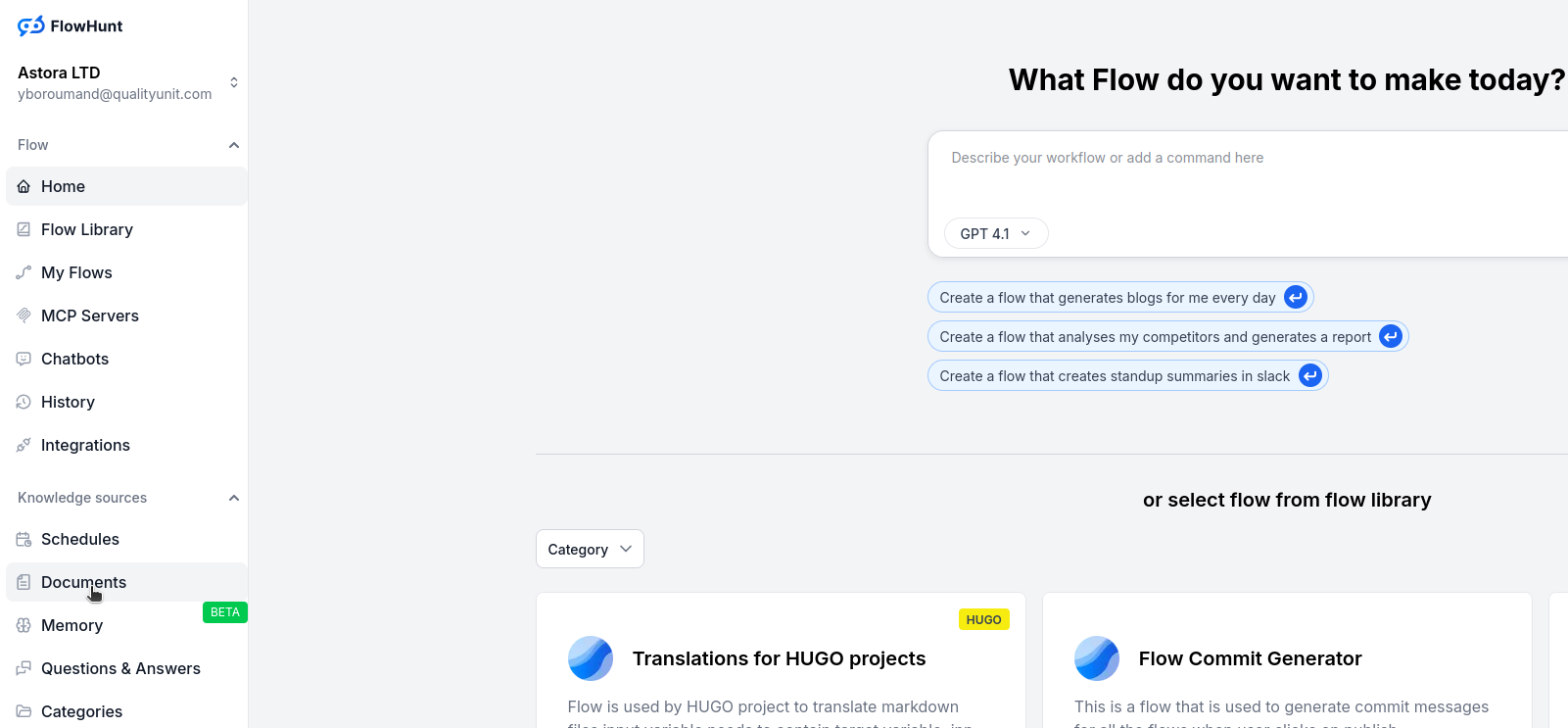
Create or choose a category, then drag and drop your XML file into the upload box.
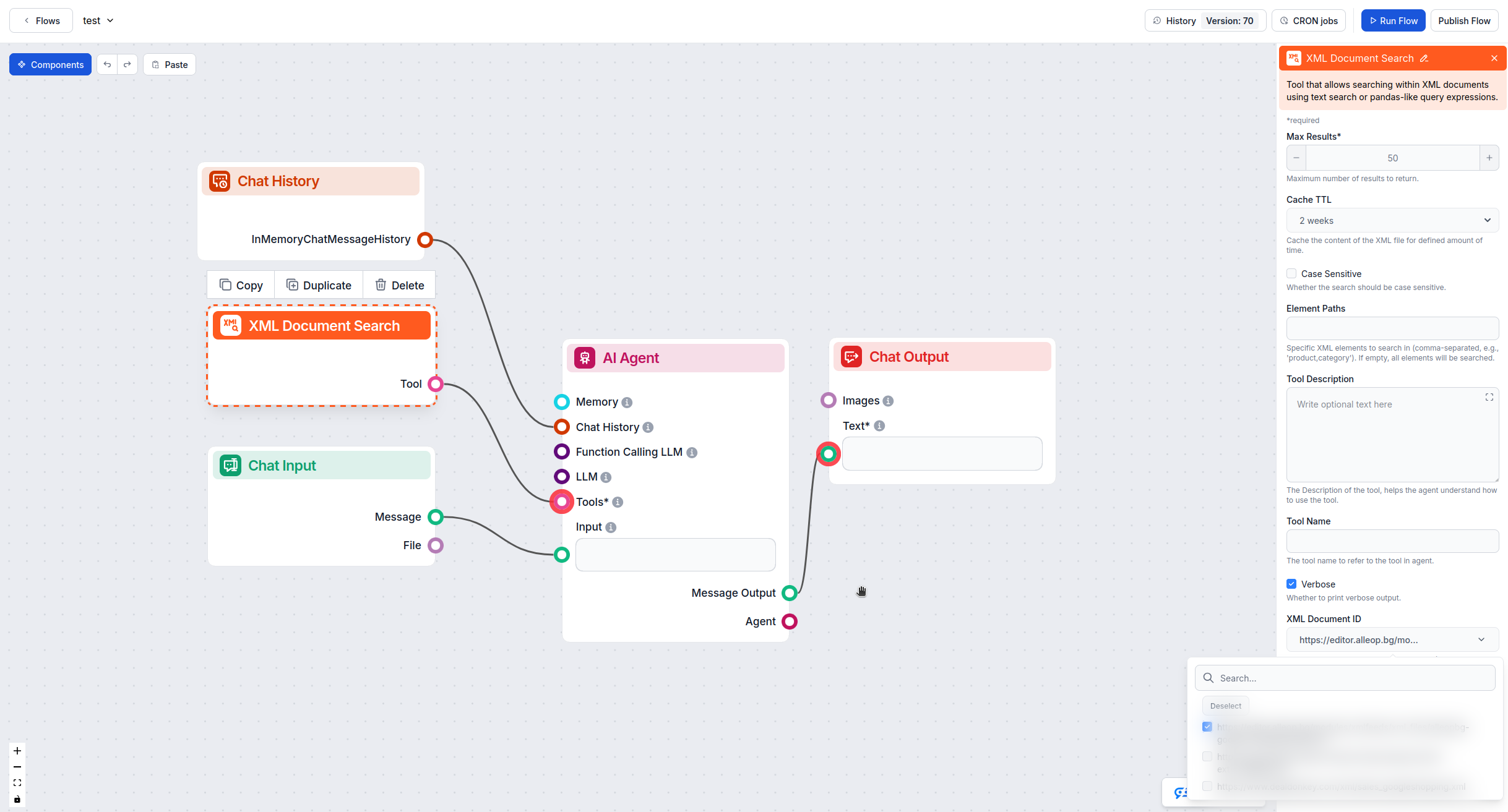
Go to the Flow Editor, open your flow, and drag the XML Document Search tool onto your canvas. Connect it to your AI agent.
Click on the XML Document Search component, go to Advanced Settings, and select your uploaded XML file from the XML Document ID dropdown.
Get latest tips, trends, and deals for free.
This method works when your XML feed is hosted online and accessible via URL.
In the Flow Editor, drag the XML Document Search tool onto your flow canvas.
Click the component, scroll to Advanced Settings, and paste your XML feed URL into the XML File URL field.
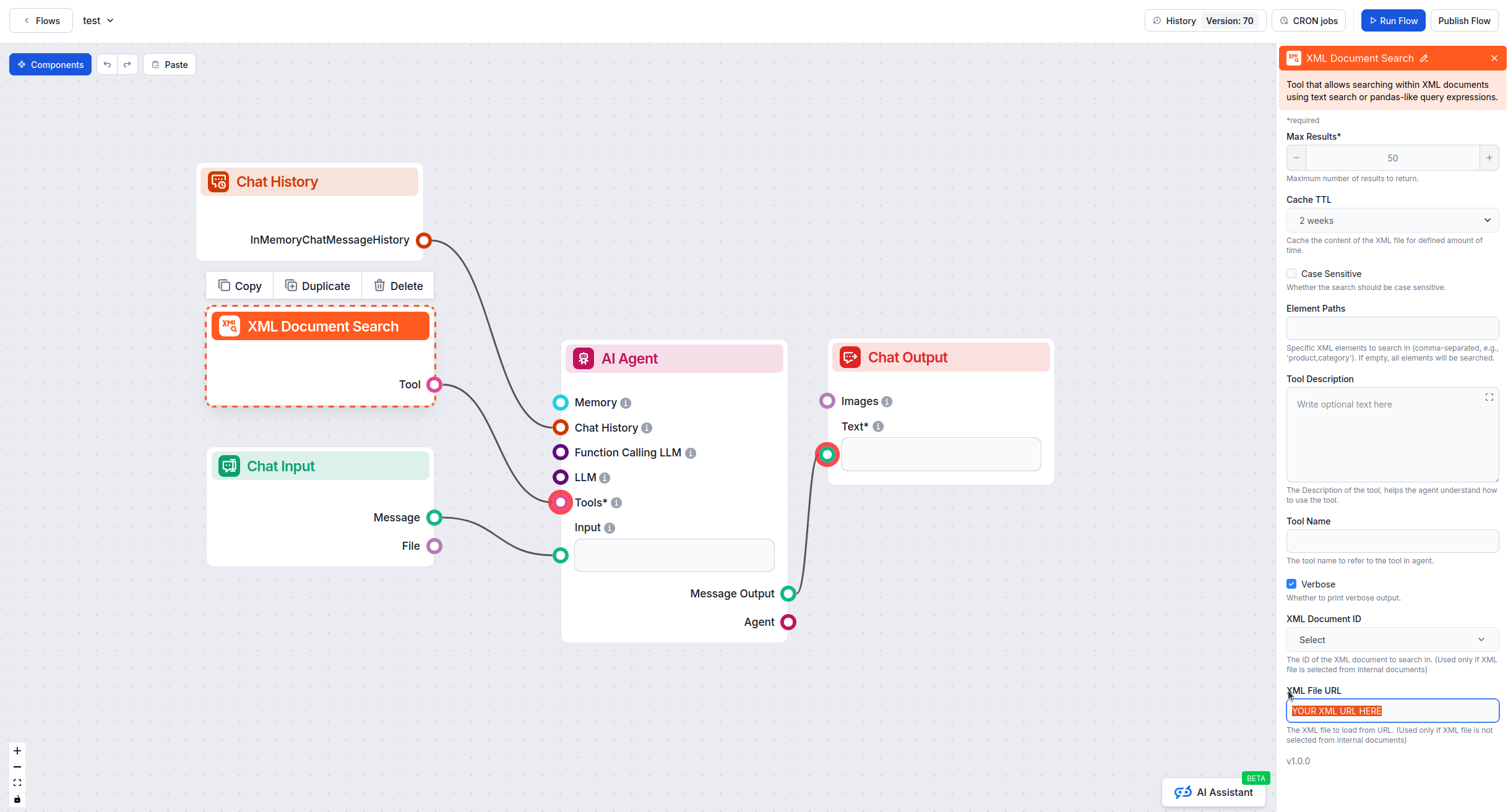
Connect the XML Document Search tool to your AI agent component to enable product queries.
Upload Method (Method 1):
URL Method (Method 2):
After setup, test your flow by asking product-related questions:
Verify that your AI agent retrieves accurate information from the XML feed.
By following these steps, you can successfully integrate XML product feeds into FlowHunt and empower your AI agents with comprehensive product knowledge.
Integrate FlowHunt with Shopify to automate product discovery, enrich descriptions with AI, track orders in real time, and deploy intelligent customer support—n...
Your chatbot can instantly access and utilize documents, HTML pages, and even YouTube videos to tailor your unique context. Perfect for adding information you d...
Integrate FlowHunt with Typesense MCP Server to supercharge AI agents and LLMs with real-time, robust search, analytics, and actionable insights from your Types...
Cookie Consent
We use cookies to enhance your browsing experience and analyze our traffic. See our privacy policy.