

Hosted MCP Server for GitHub
The GitHub MCP Server enables seamless integration between AI tools and GitHub, allowing automated workflows to manage repositories, issues, and pull requests d...
6 min read
AI
GitHub
+5

Integrate FlowHunt with Airtable via the Airtable MCP Server to automate database tasks, manage records and tables, and connect your AI workflows to real-time Airtable data.
Host MCP Servers using FlowHunt
FlowHunt's platform lets users create AI Agents for any service without the usual hassles of MCP servers. Host MCP servers for any service, automate workflows, connect with external tools, and use analytics to improve performance. FlowHunt makes AI Agent creation simple and efficient for all users.
Access FlowHunt Dashboard: Log in to your FlowHunt.io dashboard .
Navigate to Integrations: Find the “Integrations” section in the left sidebar.
Select Airtable: Click on the Airtable integration option to begin the setup process.
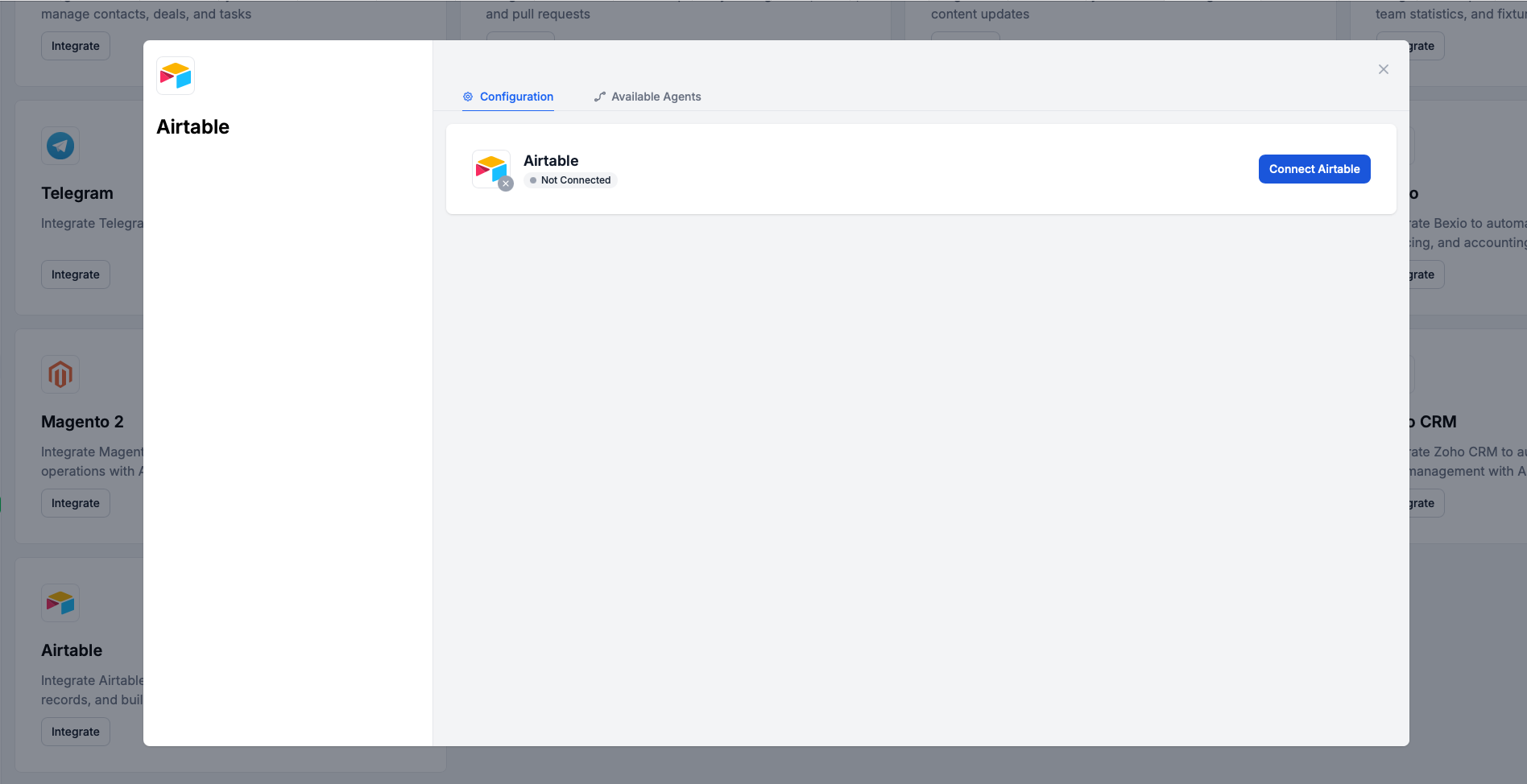
Click Connect Airtable: Click the blue “Connect Airtable” button to initiate the OAuth authentication flow.
💡 Pro Tip: Unlike API key-based integrations, Airtable uses OAuth authentication for secure, token-based access. You’ll be redirected to Airtable’s login page to authorize FlowHunt.
Sign in to Airtable: After clicking “Connect Airtable”, you’ll be redirected to Airtable’s authentication page.
Authorize FlowHunt: Log in with your Airtable credentials and grant FlowHunt permission to access your bases and data.
Complete Connection: Once authorized, you’ll be redirected back to FlowHunt.
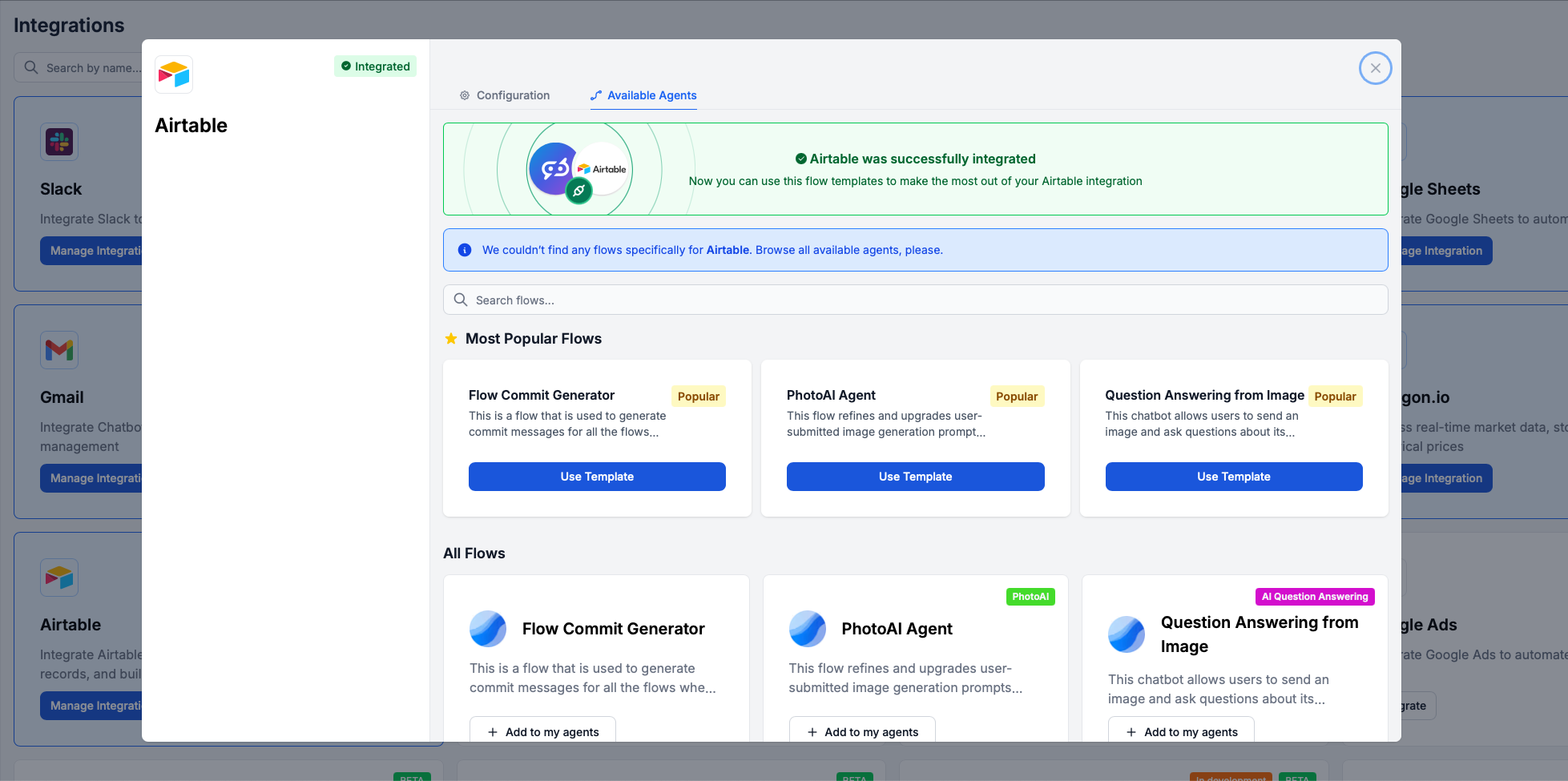
Confirmation: You’ll see a success message: “Airtable was successfully integrated” with a green checkmark.

Start your free trial today and see results within days.
Navigate to MCP Servers: Go to the “MCP Servers” tab in your FlowHunt dashboard.
Add New Server: Click “Add New MCP Server”.
Select Airtable: Choose “Airtable MCP Server” from the available options.
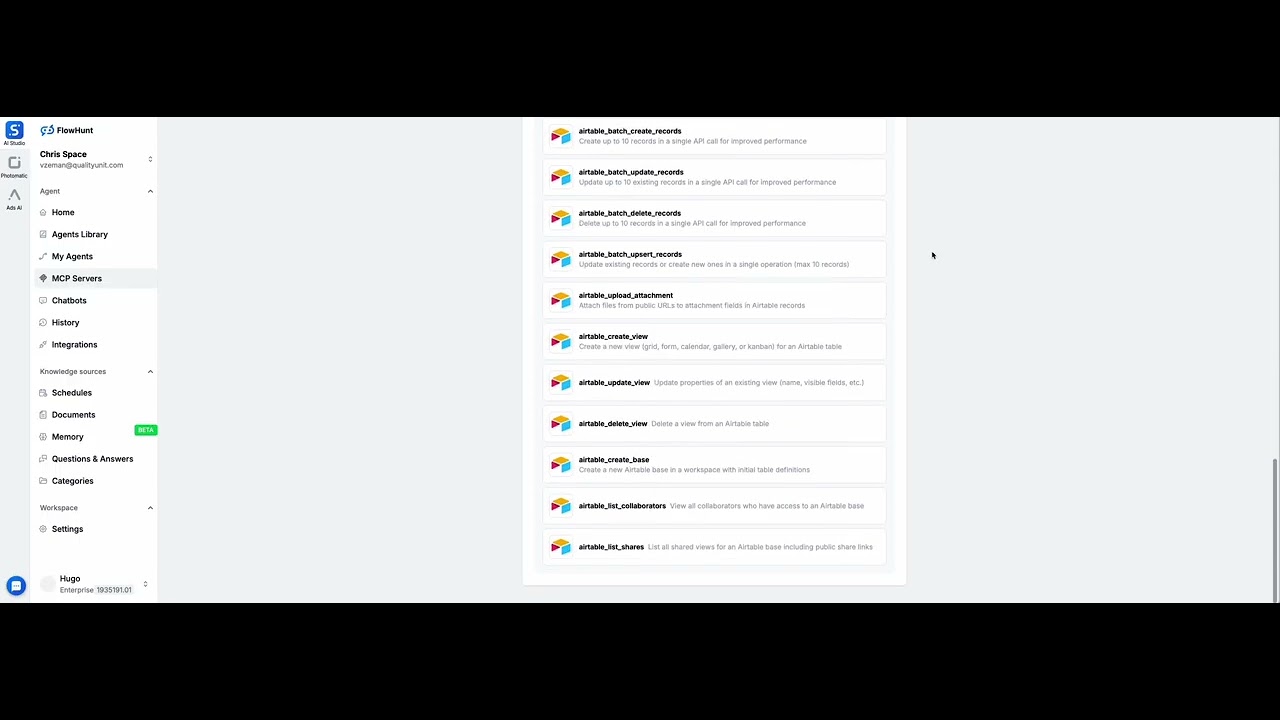
Configure Server Tools: Select the tools you want to enable for your MCP server.
MCP INTEGRATION
The following tools are available as part of the Airtable MCP integration:
Get all tables in an Airtable base with their schema information including field names and types
Query and retrieve records from an Airtable table with advanced filtering, sorting, and pagination options
Retrieve a single record by its ID from an Airtable table
Add a new record to an Airtable table with specified field values
Modify an existing record in an Airtable table by updating specific fields
Remove a record from an Airtable table permanently
Advanced search using Airtable formulas to filter and retrieve records with complex criteria
View all webhooks configured for an Airtable base including their status and configuration
Set up real-time notifications for Airtable base changes by creating a new webhook with custom specifications
Remove a webhook configuration from an Airtable base to stop receiving notifications
Retrieve webhook notification history and payloads for debugging and monitoring
Extend the expiration time of a webhook to keep it active and receiving notifications
List all accessible Airtable bases with their IDs, names, and permission levels
Get the complete schema for an Airtable base including all tables, fields, and relationships
Get detailed information about a specific table including field specifications and types
Get a comprehensive reference guide of all available Airtable field types and their properties
List all views configured for a specific table including grid, form, and calendar views
List all views across all tables in an Airtable base
Create a new table in an Airtable base with specified fields and schema
Modify a table's name or description in an Airtable base
Remove a table from an Airtable base permanently
Add a new field (column) to an Airtable table with specified type and options
Modify the properties of an existing field in an Airtable table
Remove a field (column) from an Airtable table permanently
Create up to 10 records in a single API call for improved performance
Update up to 10 existing records in a single API call for improved performance
Delete up to 10 records in a single API call for improved performance
Update existing records or create new ones in a single operation (max 10 records)
Attach files from public URLs to attachment fields in Airtable records
Create a new view (grid, form, calendar, gallery, or kanban) for an Airtable table
Update properties of an existing view (name, visible fields, etc.)
Delete a view from an Airtable table
Create a new Airtable base in a workspace with initial table definitions
View all collaborators who have access to an Airtable base
List all shared views for an Airtable base including public share links
📝 Note: No API keys or secret keys are required - Airtable uses secure OAuth tokens managed automatically by FlowHunt.
Access MCP Tab: Navigate to the “MCP” tab in your FlowHunt Dashboard.
Choose Server: Select your Airtable MCP server from the list of created MCP servers.

Get latest tips, trends, and deals for free.
Best for: Getting started quickly with proven automation patterns
Generate Flow: In your MCP Server configuration, click “Create Preconfigured Flow”.
Select Template: Choose “AI Agent with MCP” to create a ready-to-use workflow.
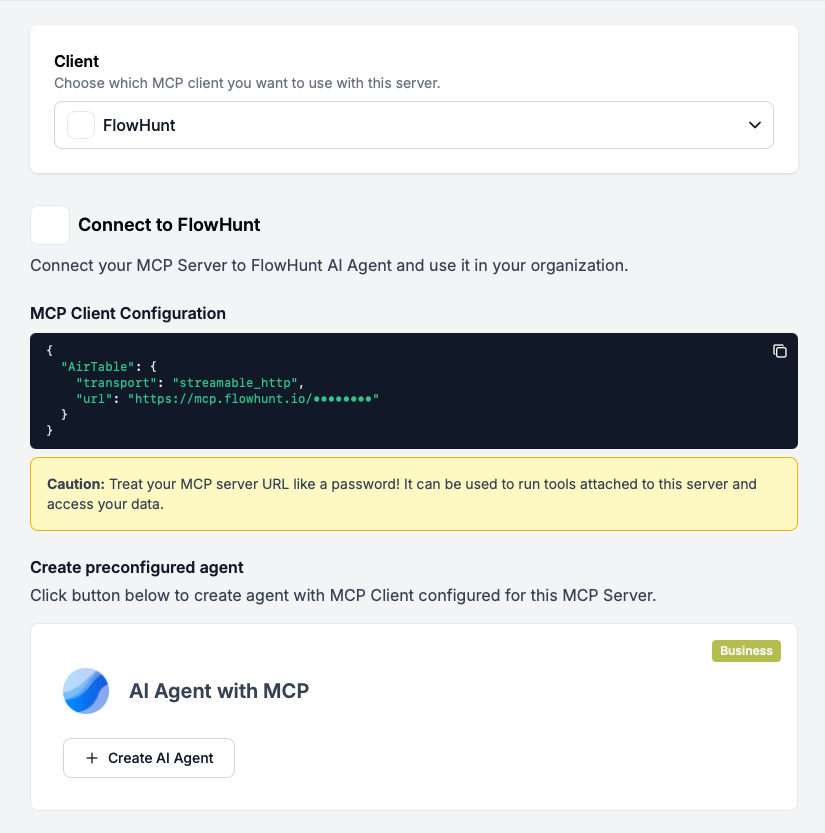
Customize Logic: Use FlowHunt’s visual flow builder to tailor the automation:
Activate: Save and activate your flow to begin automated operations.
Best for: Specific automation requirements or existing workflow enhancement
Create/Edit Flow: Open FlowHunt’s flow builder and start with a new or existing flow.
Add MCP Client Component: Drag the “MCP Client” component onto your canvas.
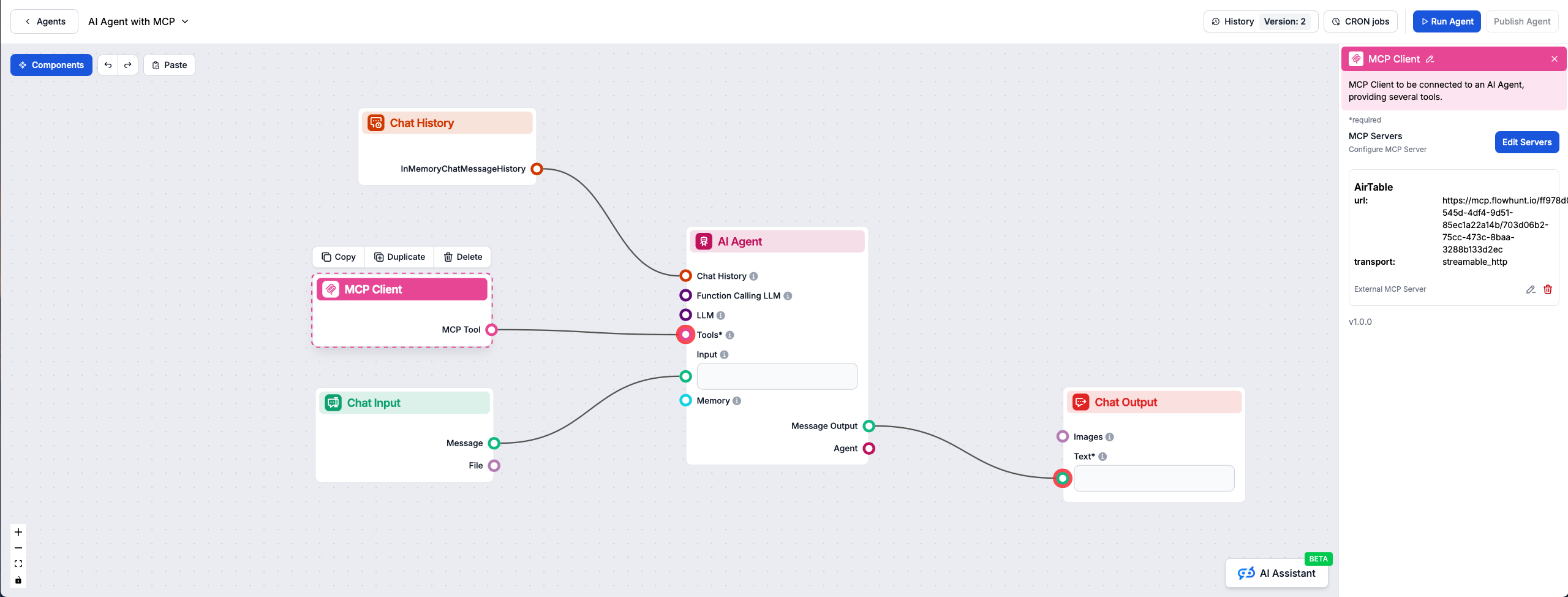
Connect to AI Agent: The MCP Client component automatically connects to your selected Airtable MCP server, providing access to all Airtable tools directly within your AI agent workflow.
Design Workflow: Create custom logic that leverages the MCP server tools:
Deploy: Save your configuration and activate the flow.
Here are practical examples demonstrating how to use the Airtable MCP Server with your AI agents. These prompts showcase real-world business scenarios:
Show me all customer records from the CRM base where status is 'Active' and sort them by last contact date
Get the complete schema for my Product Inventory base so I can understand all available fields
List all records in the Orders table that were created in the last 7 days and have a total value over $1000
Create a new lead record in my Sales Pipeline table with name 'Acme Corp', status 'New', and priority 'High'
Update the project record with ID rec123456 to change status to 'Completed' and add today's date as the completion date
Batch create 5 new task records for my Project Management base based on this project brief: [project details]
Delete all records in the Archive table that are older than 2 years
Search for all records in my Contacts base where the email field contains '@gmail.com' and the country is 'United States'
Find all projects that are overdue by comparing the deadline field to today's date and show me the assigned team members
Create a webhook for my Inventory base that notifies me whenever stock levels drop below 10 units
List all active webhooks in my CRM base and show me their current status
Create a new table called 'Customer Feedback' in my Support base with fields for rating, comments, date, and customer name
Add a new single-select field called 'Priority Level' to my Tasks table with options: Low, Medium, High, Urgent
Show me all the different field types available in Airtable so I can choose the right one for tracking monetary values
Batch update all records in my Leads table where status is 'Cold' to change the last contact date to today
These prompts demonstrate the versatility of the Airtable MCP integration across common business workflows including CRM management, project tracking, inventory control, and data synchronization.
Integrating Airtable MCP Server with FlowHunt.io creates a powerful foundation for intelligent data automation. Whether you’re streamlining database management, automating record creation, or enhancing data analysis, this integration empowers your AI agents to work seamlessly with your critical Airtable data.
Start with a simple automation and gradually expand your workflows as you become more comfortable with the platform. The combination of Airtable’s flexible database capabilities and FlowHunt’s AI-driven automation will transform how you manage your data and workflows.
Ready to get started? Begin your integration today and unlock the full potential of AI-powered database automation!
FlowHunt provides an additional security layer between your internal systems and AI tools, giving you granular control over which tools are accessible from your MCP servers. MCP servers hosted in our infrastructure can be seamlessly integrated with FlowHunt's chatbot as well as popular AI platforms like ChatGPT, Claude, and various AI editors.
Unlock the power of AI-driven automation for your Airtable workspace. Easily manage bases, tables, records, and fields from within FlowHunt.
The GitHub MCP Server enables seamless integration between AI tools and GitHub, allowing automated workflows to manage repositories, issues, and pull requests d...

The Microsoft Excel MCP Server enables seamless integration between AI tools and Microsoft Excel, allowing automated workflows to manage workbooks, worksheets, ...

The Microsoft Calendar MCP Server enables seamless integration between AI tools and Microsoft Calendar, allowing automated workflows to manage events, calendars...
Cookie Consent
We use cookies to enhance your browsing experience and analyze our traffic. See our privacy policy.