



GitHub MCP Server
GitHub MCP Server integration overview — what AI agents can do with GitHub: repository browsing and code analysis, issue and PR automation, CI/CD workflow intel...
3 min read
AI
GitHub
+4

FlowHunt-hosted GitHub MCP server — zero install, OAuth-based setup. Step-by-step guide to authenticate, configure repo scope, and connect to AI agents (see the GitHub integrations page for capabilities and use cases).
Host MCP Servers using FlowHunt
FlowHunt’s platform lets users create AI Agents for any service without the usual hassles of MCP servers. Host MCP servers for any service, automate workflows, connect with external tools, and use analytics to improve performance. FlowHunt makes AI Agent creation simple and efficient for all users.
This page is the hosted-setup walkthrough: FlowHunt runs the GitHub MCP server for you, so there is no npx, no Docker, no self-hosted Node service to maintain. You only authorise GitHub, pick a repository scope, and copy the resulting MCP URL into your client. If you instead want a high-level overview of what the GitHub MCP server can do — repository browsing, issue/PR triage, CI/CD intelligence, security alerts — see the GitHub MCP server integration overview
.
Access FlowHunt: Log in to your FlowHunt.io dashboard .
Navigate to Integrations: Find the “Integrations” section in the left sidebar.
Select GitHub: Click on the GitHub integration option to begin the setup process.
Choose Profile: You will be redirected to a profile selection tab where you can choose between a personal or company profile.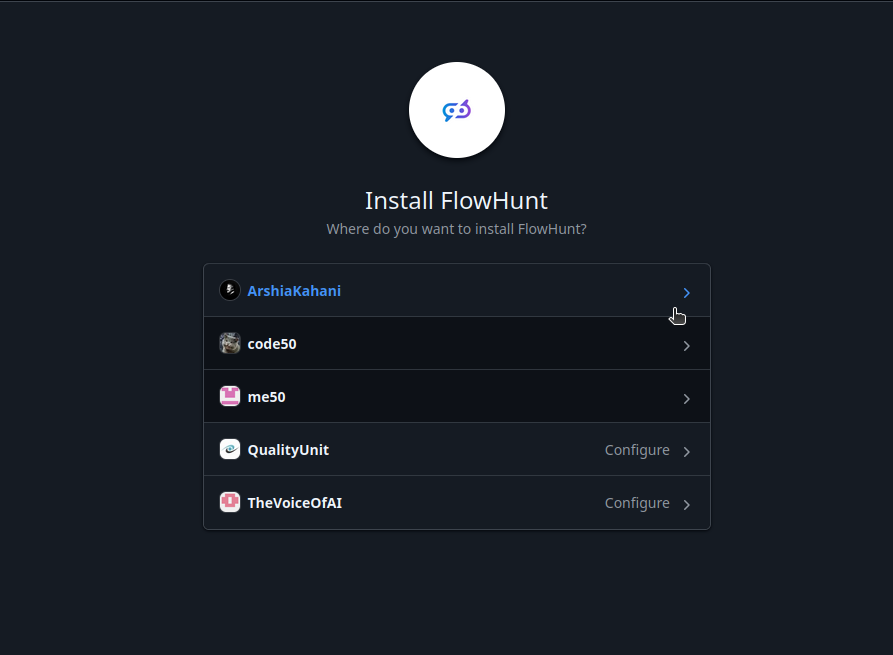
5.Select Repository Access: Decide whether the MCP should have access to all your repositories or just a specific repository.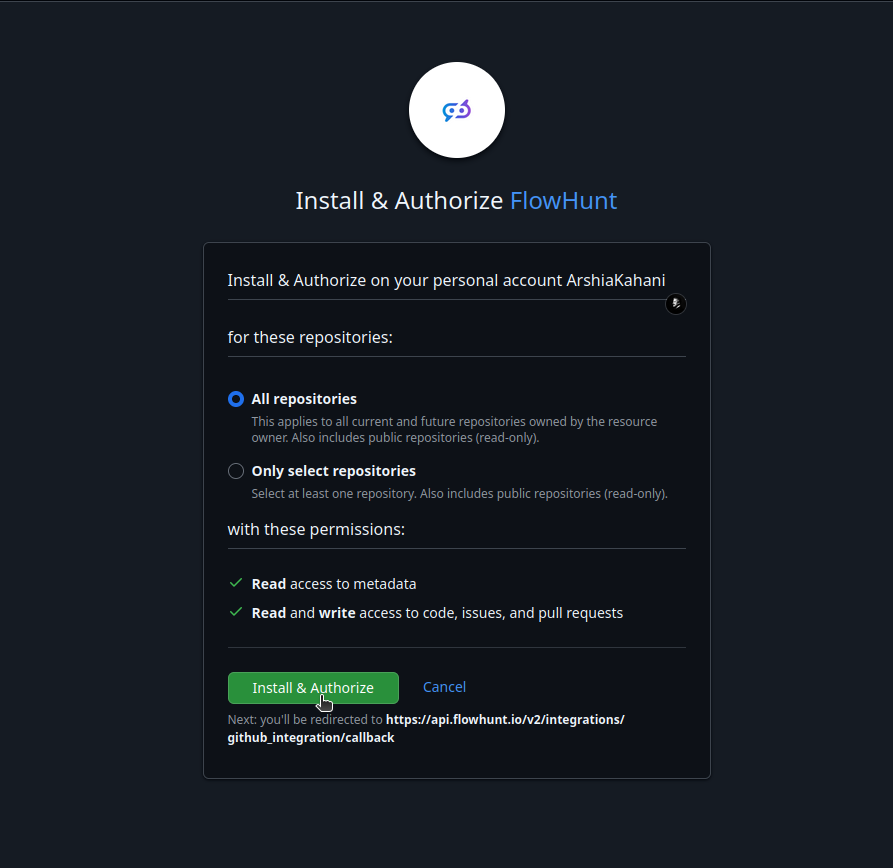
💡 Pro Tip: Ensure you select the appropriate repository access scope based on your automation needs. Store any authentication credentials securely and avoid sharing them publicly.
Navigate to MCP Servers: Go to the “MCP Servers” tab in your FlowHunt dashboard.
Add New Server: Click “Add New MCP Server”.
Select GitHub: Choose “GitHub MCP Server” from the available options.
Configure Server Tools: Select the tools you want to enable for your MCP server.

The following tools are available as part of the GitHub MCP integration:
Get detailed information about a GitHub repository including stats, settings, and metadata.
List repositories for the authenticated user, a specific user, or organization.
Create a new GitHub repository with specified settings.
Fork an existing GitHub repository to your account or organization.
Delete a GitHub repository. This action cannot be undone.
Get file contents from a GitHub repository.
Create a new file in a GitHub repository.
Update an existing file in a GitHub repository.
Delete a file from a GitHub repository.
List issues in a GitHub repository with optional filters.
Create a new issue in a GitHub repository.
Update an existing issue in a GitHub repository.
Add a comment to an existing issue.
List pull requests in a GitHub repository with optional filters.
Create a new pull request in a GitHub repository.
Merge a pull request in a GitHub repository.
List GitHub Actions workflows in a repository.
Trigger a GitHub Actions workflow dispatch event.
Get workflow runs for a repository or specific workflow.
Search for GitHub repositories using a query.
Search for GitHub issues and pull requests using a query.
Search for code across GitHub repositories.
Create a new branch in a GitHub repository.
📝 Note: You can modify or add tools later based on your evolving automation needs.

Start your free trial today and see results within days.
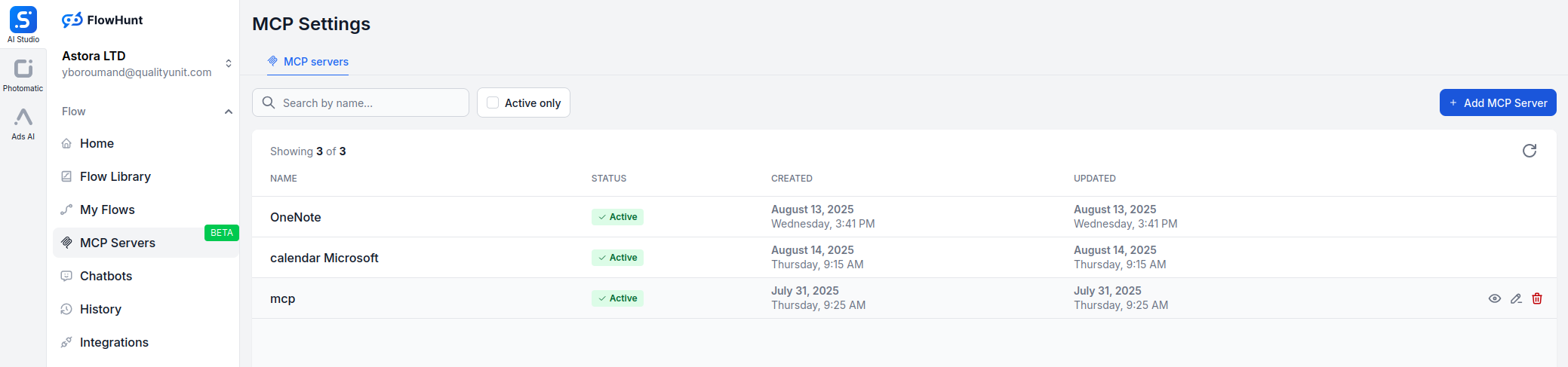
{
  "mcp": {
    "transport": "streamable_http",
    "url": "https://mcp.flowhunt.io/••••••••"
  }
}
Best for: Getting started quickly with proven automation patterns
Generate Flow: In your MCP Server configuration, click “Create Preconfigured Flow”.
Select Template: Choose “AI Agent with MCP” to create a ready-to-use workflow.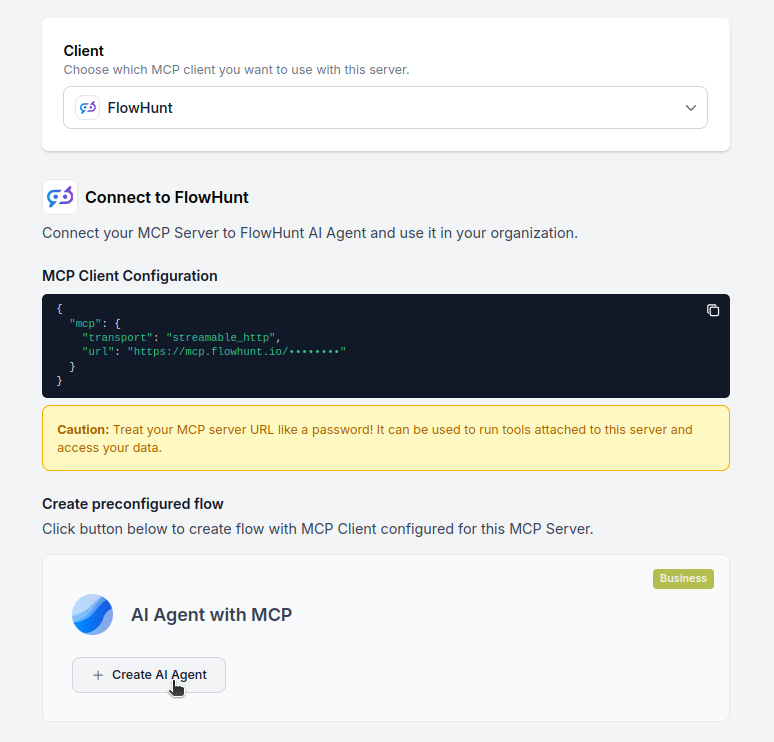
Customize Logic: Use FlowHunt’s visual flow builder to tailor the automation:
Activate: Save and activate your flow to begin automated operations.
Best for: Specific automation requirements or existing workflow enhancement
{
  "mcp": {
    "transport": "streamable_http",
    "url": "https://mcp.flowhunt.io/••••••••"
  }
}
Design Workflow: Create custom logic that leverages the MCP server tools:
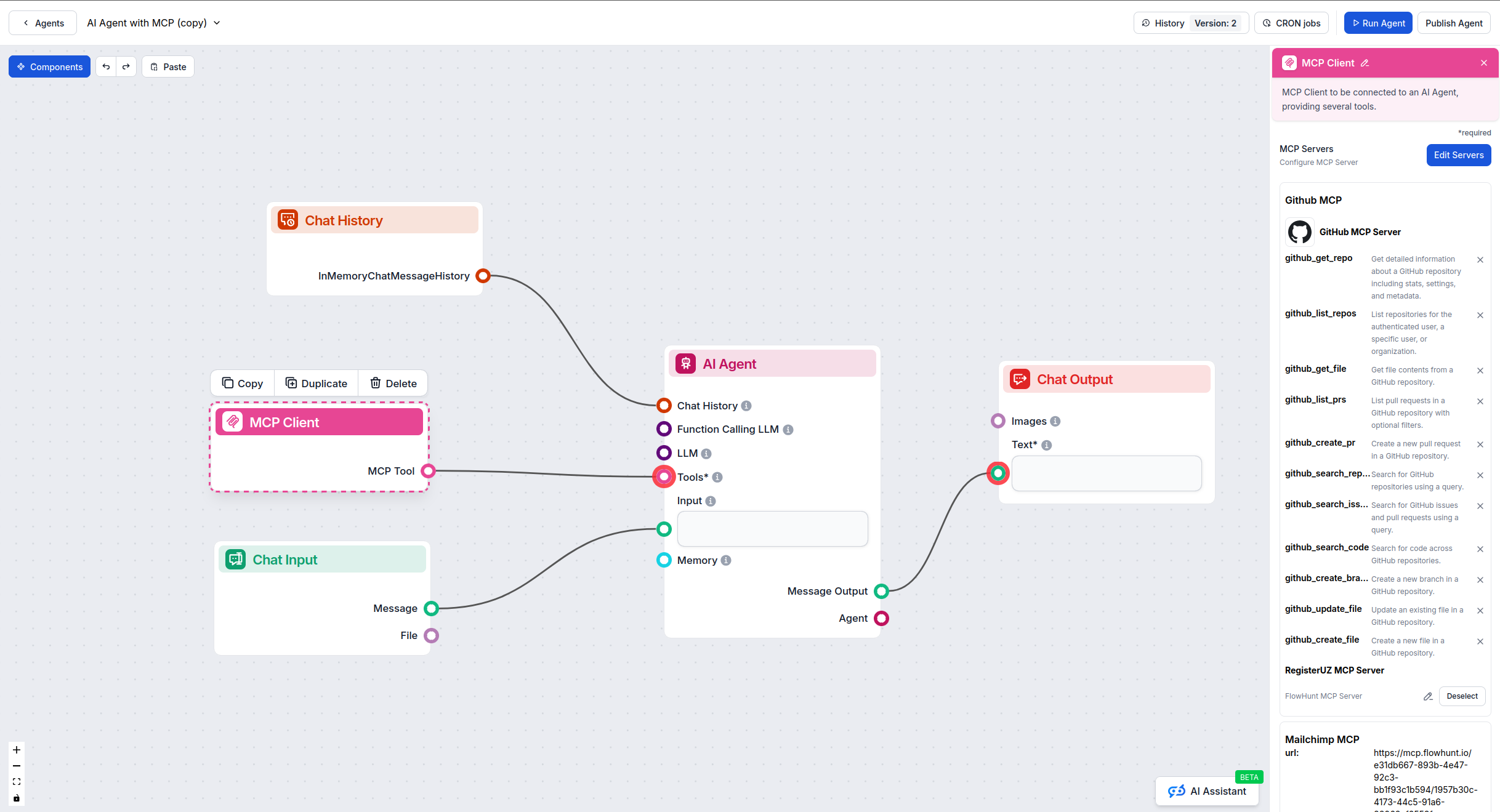
Deploy: Save your configuration and activate the flow.
Get latest tips, trends, and deals for free.
Here are practical examples demonstrating how to use the GitHub MCP Server with your AI agents. These prompts showcase real-world software development and collaboration scenarios:
List all repositories in my organization and show me which ones were updated in the last week
Create a new private repository called 'customer-analytics-dashboard' with a README and MIT license
Get detailed information about the 'frontend-app' repository including star count, open issues, and primary language
Fork the repository 'openai/chatgpt-api-demo' to my personal account
Get the contents of the 'config/database.yml' file from the main branch of my production-app repository
Create a new file called 'CONTRIBUTING.md' in the docs folder with our contribution guidelines
Update the README.md file in the main branch to add the new installation instructions
List all open issues in the 'mobile-app' repository that are labeled as 'bug' and 'high-priority'
Create a new issue in the 'api-service' repository titled 'Add rate limiting to authentication endpoint' with detailed requirements
Update issue #234 to add the 'in-progress' label and assign it to @developer-jane
Add a comment to issue #456 explaining the proposed solution and requesting code review
List all open pull requests in the 'backend-services' repository that need review
Create a pull request from the 'feature/user-authentication' branch to main with title 'Implement OAuth 2.0 authentication'
Merge pull request #789 in the 'frontend-app' repository after all checks have passed
List all GitHub Actions workflows in the 'deployment-pipeline' repository
Trigger the 'deploy-to-staging' workflow for the main branch
Get the status of the last 5 workflow runs for the 'test-suite' workflow
Search GitHub for repositories containing 'machine learning' that are written in Python and have more than 1000 stars
Search for all open issues across my repositories that mention 'security vulnerability'
Search the codebase for all occurrences of the deprecated 'oldAuthMethod' function
Create a new branch called 'hotfix/payment-processing-error' from the main branch in the 'ecommerce-platform' repository
These prompts demonstrate how GitHub MCP integration enables streamlined development workflows, from repository management and code collaboration to automated deployments and issue tracking.
This guide showed the hosted setup path for the GitHub MCP server — no local install, no Docker, just OAuth and a managed FlowHunt URL. The benefit over self-hosting is operational: secrets are stored centrally, scope is enforced via GitHub’s repo-access controls, and the MCP server is upgraded for you.
For a feature- and use-case-oriented view of the GitHub MCP server (CI/CD monitoring, security alerts, automated triage, code analysis), continue to the GitHub MCP server integration overview . When you’re ready, start your hosted GitHub MCP server in FlowHunt with the steps above.
Unlock the power of AI-driven automation for your GitHub account. Easily manage repositories, issues, and pull requests from within FlowHunt.
GitHub MCP Server integration overview — what AI agents can do with GitHub: repository browsing and code analysis, issue and PR automation, CI/CD workflow intel...
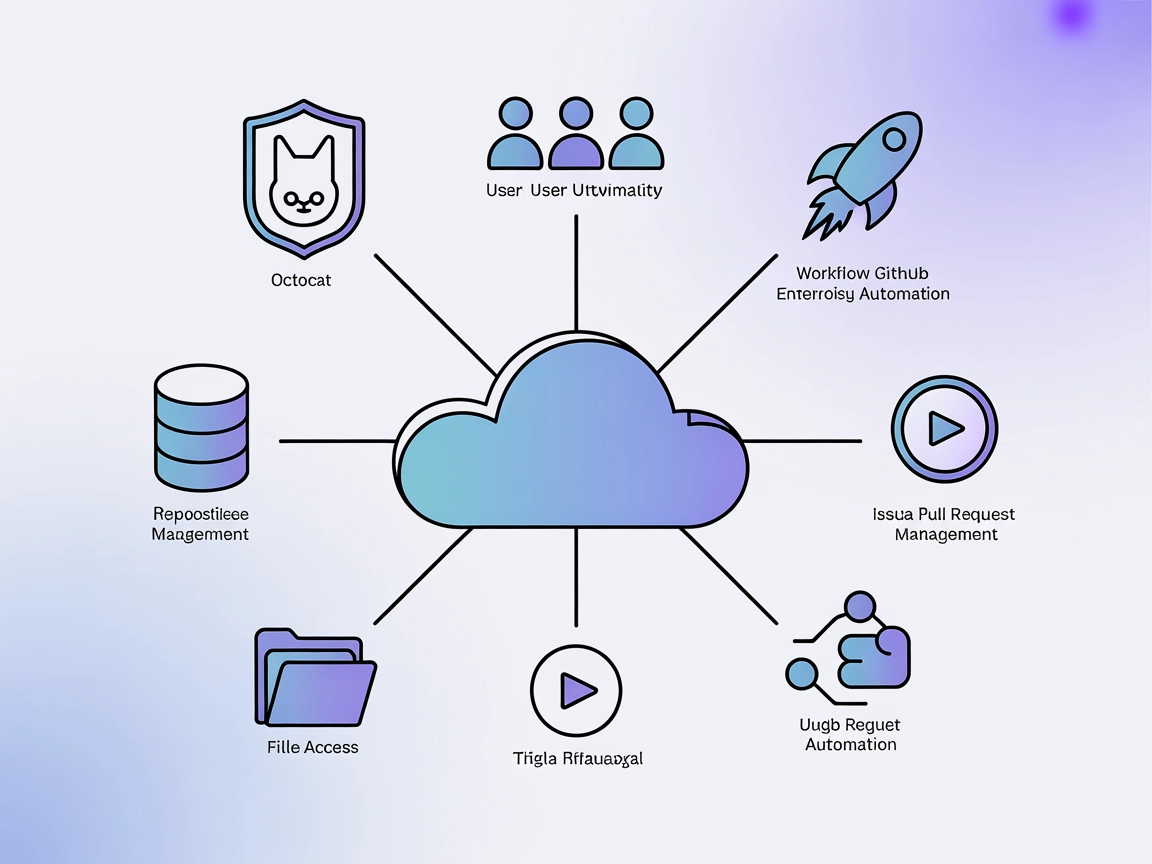
Integrate FlowHunt with GitHub Enterprise MCP Server to automate repository management, issue tracking, workflow orchestration, and user administration using AI...
The GitHub MCP Server enables seamless AI-powered automation and data extraction from the GitHub ecosystem by bridging AI agents and GitHub APIs. Enhance your d...
Cookie Consent
We use cookies to enhance your browsing experience and analyze our traffic. See our privacy policy.