


DeepSeek MCP Server
The DeepSeek MCP Server acts as a secure proxy, connecting DeepSeek’s advanced language models to MCP-compatible applications like Claude Desktop or FlowHunt, e...
4 min read
AI
MCP
+5
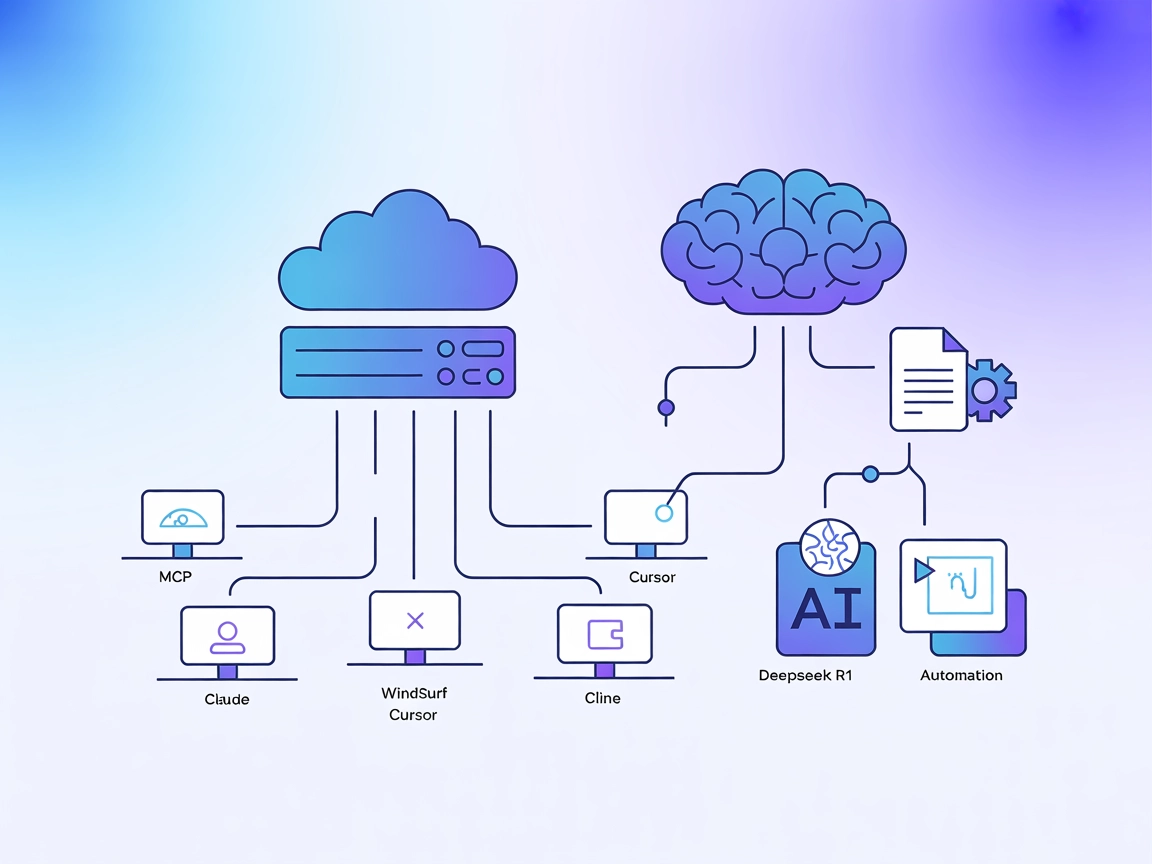
Integrate DeepSeek’s high-context, reasoning-optimized models into your AI workflows with the Deepseek R1 MCP Server for advanced language tasks and automation.
The Deepseek R1 MCP Server is a Model Context Protocol (MCP) server implementation designed to connect Claude Desktop with DeepSeek’s advanced language models, such as Deepseek R1 and DeepSeek V3. By acting as a bridge between AI assistants and DeepSeek’s powerful reasoning-optimized models (featuring an 8192-token context window), this server enables AI agents to perform enhanced natural language understanding and generation tasks. Developers can leverage the Deepseek R1 MCP Server to integrate these models seamlessly into their workflows, facilitating advanced text generation, reasoning, and interaction with external data sources or APIs within supported platforms. The implementation focuses on providing stable, reliable, and efficient integration using Node.js/TypeScript for optimal compatibility and type safety.
No prompt templates are documented in the repository.
No explicit MCP resources are documented in the repository.
git clone https://github.com/66julienmartin/MCP-server-Deepseek_R1.git
cd deepseek-r1-mcp
npm install
.env.exemple to .env and set your DeepSeek API key.{
"mcpServers": {
"deepseek_r1": {
"command": "node",
"args": ["/path/to/deepseek-r1-mcp/build/index.js"],
"env": {
"DEEPSEEK_API_KEY": "your-api-key"
}
}
}
}
{
  "mcpServers": {
    "deepseek_r1": {
      "command": "node",
      "args": ["/path/to/deepseek-r1-mcp/build/index.js"],
      "env": {
        "DEEPSEEK_API_KEY": "your-api-key"
      }
    }
  }
}
{
  "mcpServers": {
    "deepseek_r1": {
      "command": "node",
      "args": ["/path/to/deepseek-r1-mcp/build/index.js"],
      "env": {
        "DEEPSEEK_API_KEY": "your-api-key"
      }
    }
  }
}
{
  "mcpServers": {
    "deepseek_r1": {
      "command": "node",
      "args": ["/path/to/deepseek-r1-mcp/build/index.js"],
      "env": {
        "DEEPSEEK_API_KEY": "your-api-key"
      }
    }
  }
}
Use environment variables in your configuration to keep API keys secure:
{
  "mcpServers": {
    "deepseek_r1": {
      "command": "node",
      "args": ["/path/to/deepseek-r1-mcp/build/index.js"],
      "env": {
        "DEEPSEEK_API_KEY": "your-api-key"
      }
    }
  }
}
Using MCP in FlowHunt
To integrate MCP servers into your FlowHunt workflow, start by adding the MCP component to your flow and connecting it to your AI agent:

Click on the MCP component to open the configuration panel. In the system MCP configuration section, insert your MCP server details using this JSON format:
{
  "deepseek_r1": {
    "transport": "streamable_http",
    "url": "https://yourmcpserver.example/pathtothemcp/url"
  }
}
Once configured, the AI agent is now able to use this MCP as a tool with access to all its functions and capabilities. Remember to change “deepseek_r1” to whatever the actual name of your MCP server is and replace the URL with your own MCP server URL.
| Section | Availability | Details/Notes |
|---|---|---|
| Overview | ✅ | |
| List of Prompts | ⛔ | No prompt templates documented |
| List of Resources | ⛔ | No explicit MCP resources documented |
| List of Tools | ✅ | Advanced text generation tool |
| Securing API Keys | ✅ | Use env variables in config |
| Sampling Support (less important in evaluation) | ⛔ | Not documented |
| Supports Roots | ⛔ | Not documented |
Based on the available documentation, the Deepseek R1 MCP Server provides a clean, focused implementation that is easy to configure and use, but lacks documentation for prompts, resources, or advanced MCP features like roots and sampling. This makes it highly practical for text generation, but less feature-rich for complex workflows.
| Has a LICENSE | ✅ (MIT) |
|---|---|
| Has at least one tool | ✅ |
| Number of Forks | 12 |
| Number of Stars | 58 |
Unlock advanced text generation and reasoning by connecting FlowHunt or Claude Desktop to DeepSeek R1’s powerful models. Start building smarter workflows today.
The DeepSeek MCP Server acts as a secure proxy, connecting DeepSeek’s advanced language models to MCP-compatible applications like Claude Desktop or FlowHunt, e...
Deepseek Thinker MCP Server integrates Deepseek model reasoning into MCP-enabled AI clients like Claude Desktop, providing advanced chain-of-thought outputs for...
Integrate FlowHunt with DeepSeek MCP Server to bring advanced language models into your AI workflows. Securely proxy DeepSeek API calls, enable anonymous usage,...
Cookie Consent
We use cookies to enhance your browsing experience and analyze our traffic. See our privacy policy.