


English to German AI Translator
Experience seamless English to German translation with our AI-powered tool. Leveraging advanced language models, this translator delivers accurate, contextually...
2 min read
AI
Translation
+4

A practical guide to translating content between languages while maintaining style, tone, and structure — and how to verify accuracy with reverse translation using ChatGPT.
AI translation tools can do far more than swap words — they preserve tone, sentiment, and structure. This progressive guide takes you from your first translation prompt to a reverse-translation accuracy check, so the result reads natural in any target language.
No time to do all of this right now? Feel free to try our Flowhunt Translation Tool once a day for free.
To translate text reliably with AI, all you need is your favorite chatbot and a clear, style-aware prompt.
Pick a short, structured piece of writing — an email, announcement, intro paragraph, or product description.
Aim for text that has:
Before submitting the text, use this prompt:
You are a professional translator. Translate the following text from English to German.
Maintain the same style, tone, and sentiment. The translation should be similar in length and sound natural to a native speaker.
Avoid word-for-word translation; prioritize meaning, flow, and clarity.
Input text:
(paste your source text here)
You can adjust the prompt for different tone levels (formal, instructional, playful, etc.).
Paste your content below the prompt. ChatGPT will return a structured German version, typically in a few seconds.
Make sure:
Example:
You are a professional translator. Translate the following text from English to German. Maintain the same style, tone, and sentiment. The translation should be similar in length and sound natural to a native speaker. Avoid word-for-word translation; prioritize meaning, flow, and clarity.Input text:
Subject: Project Update and Request for Feedback
Dear team,
I hope this message finds you well. I wanted to provide a brief update regarding our current project status and outline a few next steps. Over the past two weeks, we have made significant progress in several key areas, including the completion of the initial design phase and the successful implementation of our new workflow system. I would like to thank everyone for their dedication and hard work during this period.
As we move forward, I encourage you to share any feedback or suggestions you might have. Your input is invaluable, and it will help us improve both our processes and the final product. Please let me know if you encounter any issues or need further clarification on your tasks.
Thank you again for your commitment. I look forward to our continued success together.
Best regards, Alex
Result:

Once you have a draft translation, you can sanity-check it using reverse translation — a quick way to catch meaning drift before publishing.
In a new ChatGPT chat, paste the translated version and write:
Translate this back into English. Keep the tone and meaning the same.
This is a reverse check to make sure the original message is still there.
Now compare the result with your original. Are the ideas still the same? If not, try a different wording or tweak the prompt.

If anything sounds odd, update your prompt or the original text. Once it feels right, you’re done. You can now publish it, send it, or use it in marketing or docs.
Tip: want it to sound more formal or casual? Just say so in your prompt — Copilot, ChatGPT and similar tools respond well to explicit tone instructions.

Start your free trial today and see results within days.
| PROS | CONS |
|---|---|
| Retains structure, tone, and intent | Not suitable for legal/certified use without review |
| Customizable across tones, industries | May need multiple attempts for best results |
| Scales across content types and formats | Reverse check adds one step |
| Works in many languages | Context or idioms may still get lost in translation |
AI can help you translate text with precision — and verify that the translation holds up. Just follow this process:
This workflow is ideal for anyone creating content in multiple languages, from educators to marketers to translators.
Do you want to learn how to do this yourself in Flowhunt? Check out our Translate to English Flow template and tweak it into any language you desire.
Experience seamless English to German translation with our AI-powered tool. Leveraging advanced language models, this translator delivers accurate, contextually...
Discover the AI Translator Tool by FlowHunt—an AI-driven solution delivering quick, accurate, context-aware translations by detecting language automatically. Id...
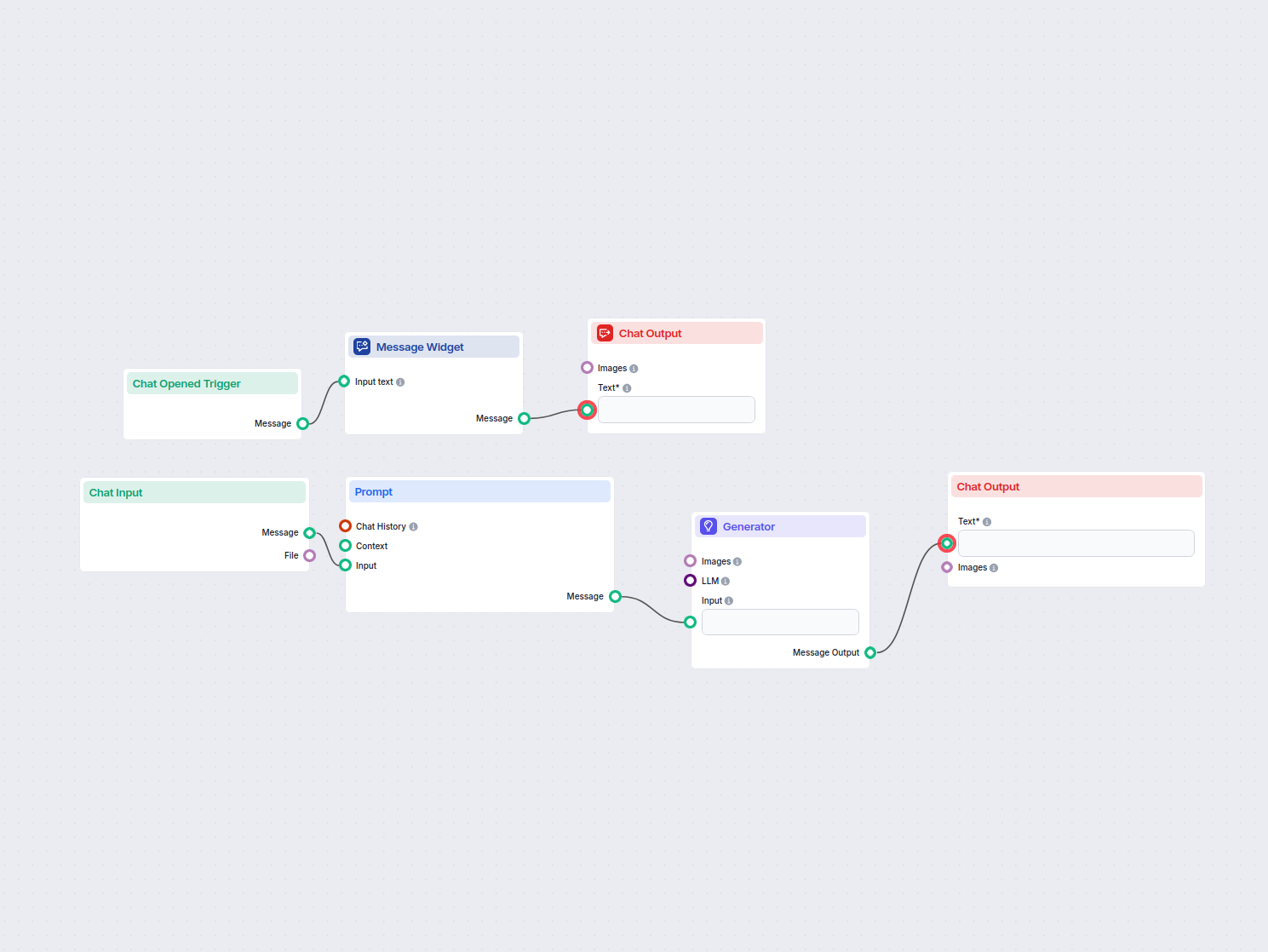
This workflow allows users to instantly translate any input text into English using AI. Users enter or upload text, which is then processed and translated with ...
Cookie Consent
We use cookies to enhance your browsing experience and analyze our traffic. See our privacy policy.