


Prompt
Create a prompt template with dynamic variables ({input}, {human_input}, {context}, {chat_history}, {system_message}).
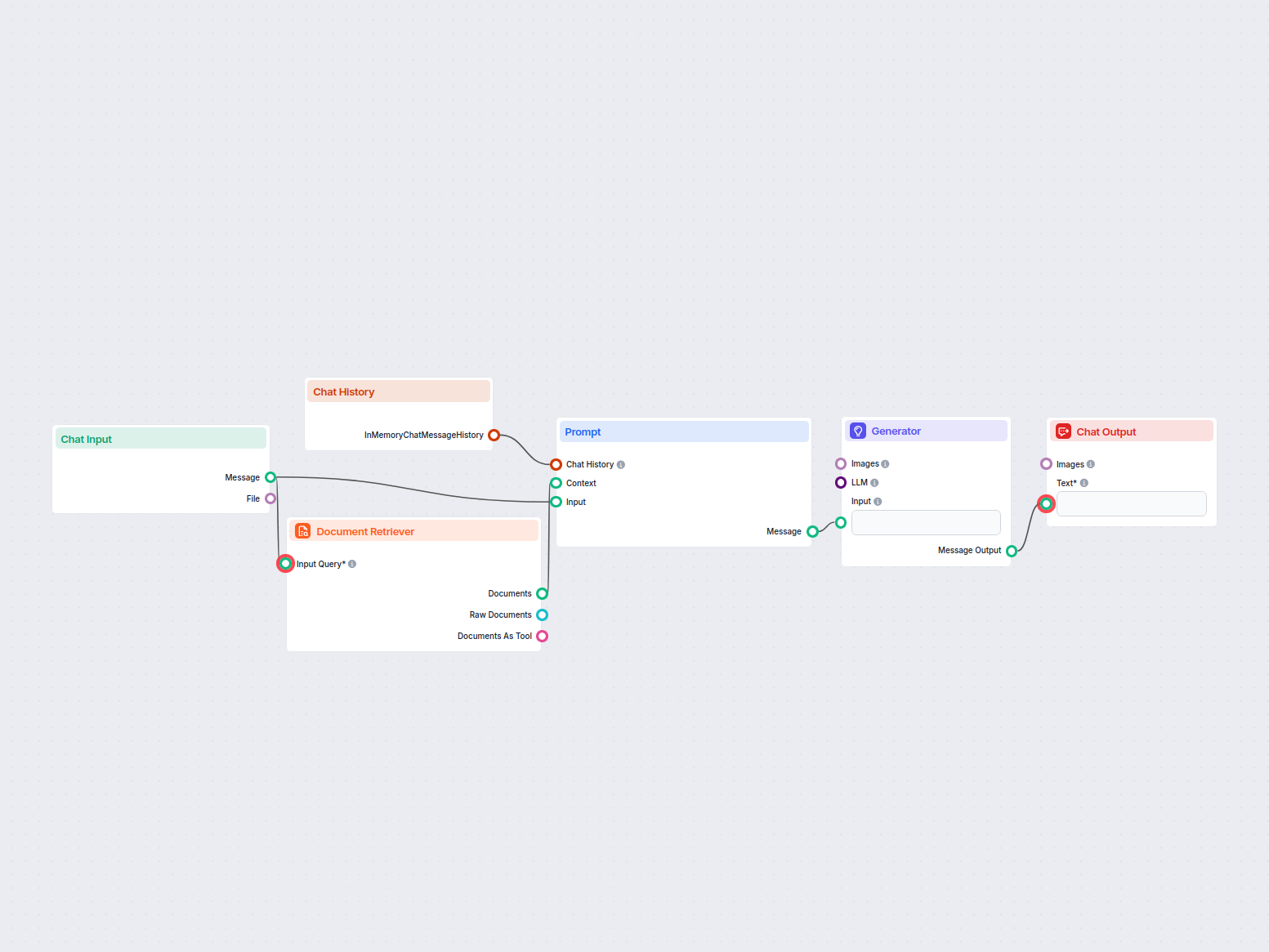
An AI-powered customer service chatbot that uses your internal knowledge sources to provide instant, accurate, and helpful responses to customer queries. It leverages chat history, retrieves relevant documents, and uses AI to generate responses, delivering efficient support and improved customer satisfaction.

Flows
Create a prompt template with dynamic variables ({input}, {human_input}, {context}, {chat_history}, {system_message}).
Below is a complete list of all components used in this flow to achieve its functionality. Components are the building blocks of every AI Flow. They allow you to create complex interactions and automate tasks by connecting various functionalities. Each component serves a specific purpose, such as handling user input, processing data, or integrating with external services.

The Chat Opened Trigger component detects when a chat session starts, enabling workflows to respond instantly as soon as a user opens the chat. It initiates flows with the initial chat message, making it essential for building responsive, interactive chatbots.

The Message Widget component displays custom messages within your workflow. Ideal for welcoming users, providing instructions, or showing any important information, it supports Markdown formatting and can be set to appear only once per session.

Discover the Chat Output component in FlowHunt—finalize chatbot responses with flexible, multi-part outputs. Essential for seamless flow completion and creating advanced, interactive AI chatbots.

The Chat History component in FlowHunt enables chatbots to remember previous messages, ensuring coherent conversations and improved customer experience while optimizing memory and token usage.

Learn how FlowHunt's Prompt component lets you define your AI bot’s role and behavior, ensuring relevant, personalized responses. Customize prompts and templates for effective, context-aware chatbot flows.

Explore the Generator component in FlowHunt—powerful AI-driven text generation using your chosen LLM model. Effortlessly create dynamic chatbot responses by combining prompts, optional system instructions, and even images as input, making it a core tool for building intelligent, conversational workflows.

The Chat Input component in FlowHunt initiates user interactions by capturing messages from the Playground. It serves as the starting point for flows, enabling the workflow to process both text and file-based inputs.

FlowHunt's Document Retriever enhances AI accuracy by connecting generative models to your own up-to-date documents and URLs, ensuring reliable and relevant answers using Retrieval-Augmented Generation (RAG).
Flow description
This workflow defines a Customer Service Chatbot that leverages internal knowledge sources to provide users with accurate, helpful, and context-aware responses. The flow is designed to automate customer interactions, streamline support, and ensure that users receive timely and relevant answers.
| Section | Content |
|---|---|
| System Message | “You are a helpful AI customer service bot…” |
| Chat History | Recent conversation with the user |
| Knowledge | Retrieved documents or knowledge snippets |
| User Input | User’s current question |
| Answer | Response generated by the AI |
Below is a simplified sequence of the main nodes and their roles:
| Step | Node/Component | Purpose |
|---|---|---|
| 1 | Chat Opened Trigger | Detects new chat sessions and starts workflow |
| 2 | Message Widget | Sends welcome message |
| 3 | Chat Output | Displays messages to the user |
| 4 | Chat Input | Receives user messages |
| 5 | Chat History | Retrieves recent conversation |
| 6 | Document Retriever | Searches knowledge sources |
| 7 | Prompt Template | Crafts context-rich prompts for the AI |
| 8 | Generator | Uses AI to generate responses |
| 9 | Chat Output | Sends generated response to the user |
This workflow empowers organizations to deliver responsive, accurate, and scalable customer service with minimal manual intervention, enhancing both efficiency and customer satisfaction.
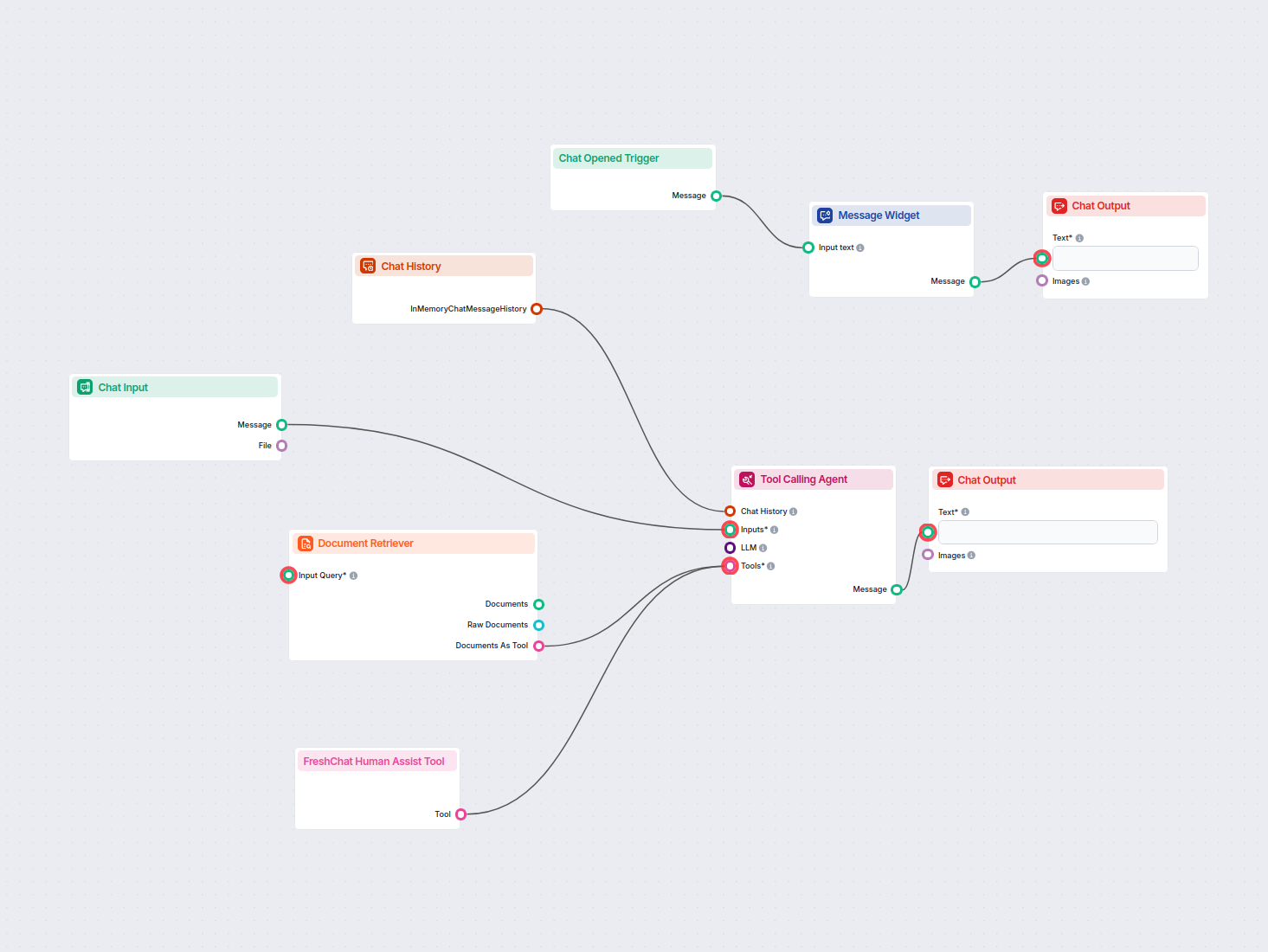
Deploy a smart AI chatbot that integrates seamlessly with FreshChat. The chatbot answers user inquiries using your internal knowledge base and intelligently for...
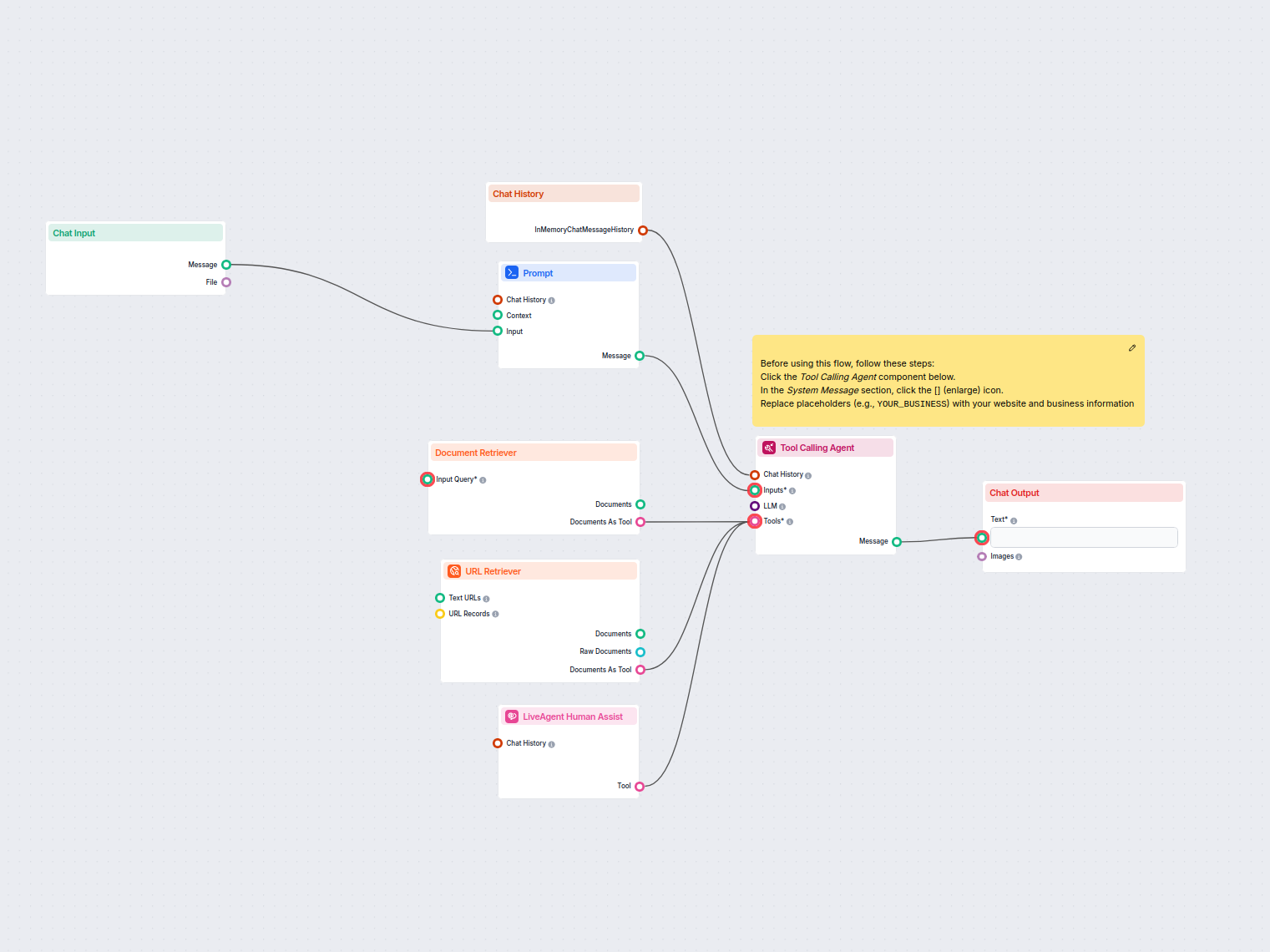
Automate customer support in LiveAgent with an AI chatbot that answers questions using your internal knowledge base, retrieves relevant documents, and seamlessl...
Discover how a customer service chatbot can enhance your support operations with quick, accurate responses, 24/7 availability, and seamless platform integration...
Cookie Consent
We use cookies to enhance your browsing experience and analyze our traffic. See our privacy policy.