Manual Invoice Entry Is Costing Your Business More Than You Think
Manual invoice processing runs $12-30 per invoice once you count labor, errors, and delays. Here’s the full cost breakdown and how AI invoice processing changes the economics.
Published on Jul 8, 2026.
AI
Invoice Processing
Finance AutomationAccounts Payable
FlowHunt
Manual invoice processing runs $12-30 per invoice fully loaded
once you count labor, error correction, and late-payment costs. A company processing 500 invoices a month is looking at $6,000-$15,000 a month in processing cost alone, most of it invisible because it’s spread across staff hours rather than showing up as a single line item anyone questions.
Here’s the full cost of manual invoice processing broken down, and how AI invoice processing changes the underlying economics.
The Full Cost of Manual Invoice Processing (With Numbers)
Start with time. The widely cited benchmark for fully manual invoice processing is around 12 minutes per invoice
. This entails opening the file, reading the fields, keying them into a system, and filing the original. At 500 invoices a month, that’s 6,000 minutes, or 100 hours, spent on pure data entry before anyone gets to the actual finance work of reconciliation or reporting.
Convert that into a dollar figure and the full manual cost lands at $12-30 per invoice
, against $2-5 for automated processing. At 500 invoices a month, that’s the difference between $6,000-$15,000 as opposed to roughly $1,000-$2,500.
None of that 100 hours shows up as a budget line labeled “invoice data entry.” It’s absorbed into an AP clerk’s day, a bookkeeper’s afternoon, or a founder’s evening, which is exactly why it survives as long as it does. There’s no invoice for the inefficiency itself. The cost is real regardless of whether it’s ever measured, and it scales in a straight line with invoice volume. Double the invoices, double the hours, with no efficiency gained from doing more of the same manual task.
Where Errors Come From and What They Cost to Fix
The American Productivity & Quality Center found that manually processing invoices produces an annual invoice error rate of about 2%
, dropping to roughly 0.8% with automation in place. At 500 invoices a month, 2% works out to about 10 invoices with a mistake somewhere in them every month — a transposed number, a mismatched total, a wrong VAT ID.
The three-day delay matters beyond the correction itself. An invoice stuck in a correction loop is an invoice that isn’t getting paid on schedule, which is exactly the kind of gap that turns into a missed early-payment discount or a strained vendor relationship if it happens often enough. Ten invoices a month sitting in that state isn’t a large absolute number, but it’s a recurring source of friction that manual processing has no real mechanism to catch before the error reaches someone downstream.
Ready to grow your business?
Start your free trial today and see results within days.
How AI Changes the Economics of Invoice Processing
FlowHunt’s Invoice Data Extractor
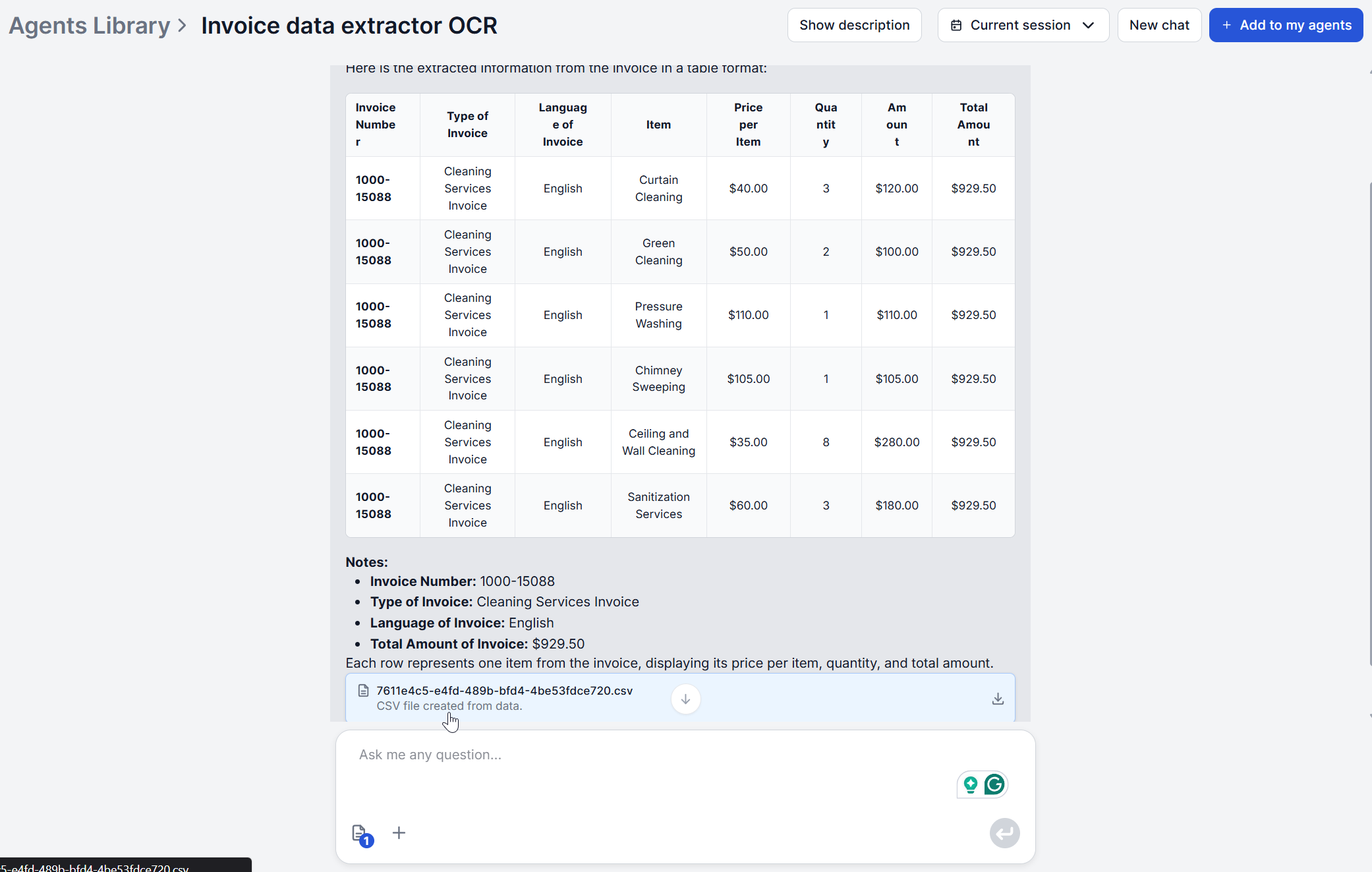
reads an invoice image with OCR and AI together, extracting all the fields, with the result being a quick markdown table plus a more detailed CSV. That extraction step itself runs in 1 to 8 seconds per page
, compared to the 12-minute manual benchmark.
That shift changes both halves of the cost equation at once. The 100 hours a month spent on data entry compresses to a fraction of that in review time, and because AI-driven extraction pushes error rates toward the automated 0.8% range rather than manual’s 2%, roughly half the monthly error-correction cost disappears along with it. Neither number requires new headcount or a new accounting system, since the output is a CSV your existing tools already accept, or a direct feed if you use FlowHunt’s Xero integration.
What’s easy to miss is that these two savings compound rather than sit side by side. Fewer errors mean fewer invoices stuck in that three-day correction loop, which means less of the 20% error-driven cost inflation shows up at all. The economics don’t just shift because extraction is faster. They shift because faster extraction and lower error rates are the same underlying change, not two separate improvements you have to invest in independently.
The ROI Calculation: When Does Automation Pay for Itself?
FlowHunt’s pricing removes that waiting period from the equation. The Starter plan is €50/month for 50 credits, and invoice extraction runs at roughly 0.01-0.02 credits per invoice
, meaning a single Starter plan covers thousands of invoices a month if extraction is the account’s main use, with no annual contract and no minimum volume to justify the spend. Since there’s no flat fee to amortize, the ROI calculation collapses to a simpler question of cost of automation time vs cost of manual time. At $12-30 per invoice in manual cost, and fractions of a cent for automated work, the answer holds at almost any volume.
Join our newsletter
Get latest tips, trends, and deals for free.
What the Implementation Process Actually Looks Like
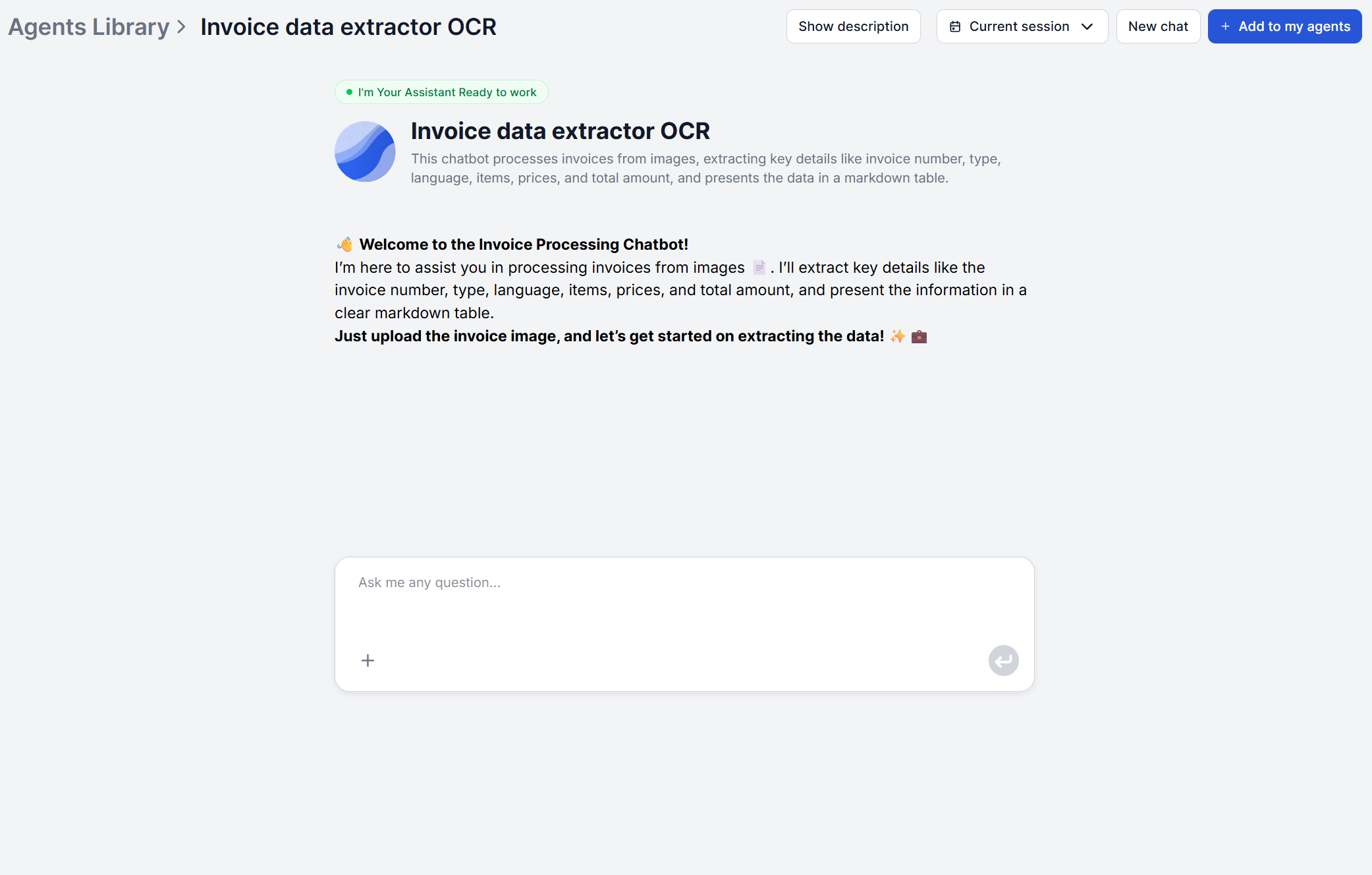
There’s no migration project here. Opening FlowHunt’s Invoice Data Extractor chatbot triggers a welcome message explaining what to upload, you attach the invoice image and the workflow runs the extraction prompt against it, returning the markdown table in the chat and generating the CSV in parallel. That’s the entire process for a single invoice, with no configuration step before the first upload.
For higher volumes than a chat interface comfortably handles one at a time, FlowHunt’s flow editor has a Batch Runs
feature built for this: switch from the chat view to the Batch tab, upload however many invoice images you have, and run them all in one go instead of one at a time. For teams that want to call the same flow from their own code instead, FlowHunt also documents a Python script approach via the API
. Either way, there’s no formal rollout phase, no data migration, and no waiting on an implementation team, which is a meaningfully different starting point than an enterprise AP platform that requires weeks of onboarding before the first invoice goes through.
That difference matters most in the first week of actually trying it. Because there’s no setup cost to sink before finding out whether the extraction quality holds up on your specific invoices. The usual due-diligence cycle pilot program, stakeholder sign-off, budget approval, collapses into just running a batch of real invoices through it and reviewing the output. If it doesn’t hold up on a particular invoice type, that’s immediately visible rather than surfacing months into a contract.
Common Objections and Real Answers
“Our invoices are too inconsistent for this to work.” That’s precisely the problem template-based OCR tools have, but not the AI-driven extraction tools. Because the model looks for what a field means rather than where it sits on a fixed layout, a new vendor’s invoice or an unusual format works on the first upload, no template to configure.
“We already have an accounting system, this will duplicate the work.” It shouldn’t. The CSV export is built to import into whatever you’re already using, and if that’s Xero, FlowHunt’s Xero integration
moves the data across without a manual step. Nothing about extraction requires replacing existing software.
“What happens to approvals?” Extraction and approval are deliberately separate concerns here. If your accounting system already has an approval workflow, structured data can feed straight into it. If you need approval logic before that, it’s a small addition to the flow rather than something the extractor tries to handle on its own.
“We don’t process enough invoices to justify this.” At a fraction of a cent per invoice with no subscription lock-in, there isn’t really a volume floor. If checking a contract or policy document alongside the invoice is part of your review, pairing extraction with Chat with PDF
covers that side without adding a second subscription either.
Ready to see the real cost difference on your own invoices? Try the Invoice Data Extractor
and compare the time against what your current process actually costs.
Frequently asked questions
With FlowHunt's Invoice Data Extractor, there's no implementation in the traditional sense. It's a hosted chat tool, ready the moment you sign up. If you want a custom flow on top, like routing extracted data into a specific accounting system or adding an approval step, building that in FlowHunt's visual builder is typically an afternoon of work at most. That's a different timeline from enterprise AP platforms like Rossum, which carry formal onboarding and a one-year minimum contract.
Dedicated AP automation platforms with flat monthly or annual pricing typically need 3-9 months to pay back their subscription cost, since the payback math depends on hitting enough volume to justify the flat fee. FlowHunt's Invoice Data Extractor runs on a pay-per-use credit model at roughly 0.01-0.02 credits per invoice, so there's no subscription to pay back. The return starts on the first invoice processed, since the credit cost is a fraction of what a few minutes of manual entry costs in staff time.
No. FlowHunt connects to external systems through MCP servers, so it can generally be wired into whatever accounting or ERP tool you already use — for custom triggers as well as custom output destinations. Xero is already set up this way. Manual CSV import remains available as a fallback if you'd rather not set up a direct connection. Neither path requires replacing or reconfiguring your existing accounting software.
Because extraction is driven by an AI model recognizing what a field means rather than matching a fixed template, standard invoices, credit notes, and proformas are all handled the same way, and a new vendor's layout works without any setup step. The one real exception is handwritten or very low-quality scans, where OCR accuracy drops regardless of which tool is reading it.
The extractor itself doesn't include approval routing or exception handling — it reads and structures the invoice, full stop. Teams that need an approval step typically add one in FlowHunt's visual builder. A Conditional Router branching on the extracted total (auto-post under a threshold, flag above it) paired with a notification step, or the extracted data flows into an accounting platform's own approval workflow after import.
Automate Your Invoice Processing
Stop paying $12-30 per invoice in manual processing costs. FlowHunt's Invoice Data Extractor reads any invoice image and returns structured data in seconds, at a fraction of a cent per invoice. Try it free.
AI invoice data extraction reads any invoice format. A PDF, scan, or photo, and returns structured data in seconds. Here's the exact process and what to verify ...
5 Finance Workflows Where AI Invoice Processing Saves the Most Time
Not every invoice workflow has the same bottleneck. Here are 5 finance workflows where AI invoice processing saves the most time per week, and what that time sa...
AI OCR Invoice Data Extraction with a Simple Python Script
Discover a scalable Python solution for invoice data extraction using AI-based OCR. Learn how to convert PDFs, upload images to FlowHunt’s API, and retrieve str...
7 min read
AI
OCR
+6
Cookie Consent We use cookies to enhance your browsing experience and analyze our traffic. See our privacy policy.