


AI LinkedIn Headline Generator
Automatically create engaging and professional LinkedIn headlines using AI. Just provide a brief description of your experience, and this flow generates a catch...
3 min read

Learn to craft compelling LinkedIn headlines with FlowHunt’s AI Headline Generator. Create impactful, personalized headlines to enhance your professional profile and stand out in the job market. Try it for free on FlowHunt.

Creating a LinkedIn Headline Generator is simple, but will take you a long way. By creating a custom LinkedIn Headline Generator, you can consistently craft compelling headlines highlighting your expertise and career aspirations.
Begin by creating a new flow in the “My Flows” tab. Name your flow and add a description to keep your projects organized. You’ll be greeted by a blank canvas, ready to build.
Let’s start by building the foundation of any flow:
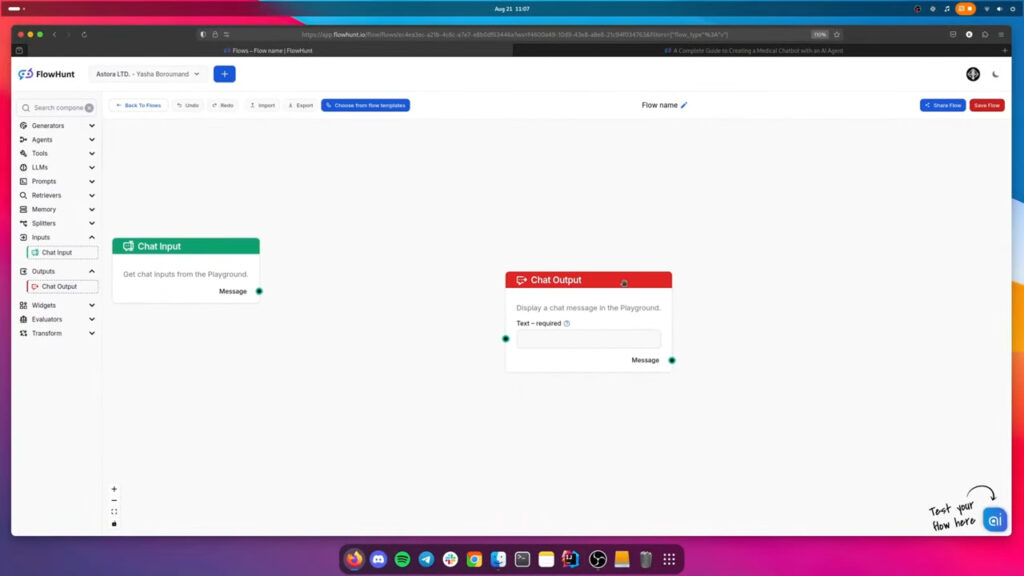
These elements form the backbone of your flow, with all other components working in between to transform the input into the desired output.
The heart of your AI LinkedIn Generator is the prompt component. Connect the Prompt to input. Once you position the component, click the Edit Template setting to input the prompt.
Here’s a sample prompt to give your Flow the basic instructions:
You are a Linkedin expert.
You will create an engaging and apt Linkedin Headline based on a person's current experience. There is a limit 220 characters that you must obey. Don't hallucinate. Use emojis
Focus on detailed information. Don't use phrases like "In todays fast changing world...", "In today's complex...", "is a crucial step", "plays significant role", "fast-paced...", "pivotal role", "In the ever-evolving landscape of" or "In the realm of ...", always cut to the point without useless conclusions or intros.

INPUT: {input}
You will achieve the best results by adjusting it to your needs. Consider factors like industry, skills, career goals, and target audience.
Add the Chat History component. This ensures context awareness, allowing the AI to build upon previous messages.
Next, add the Generator Component. This is where the AI magic happens. By default, the component is powered by GPT-4o, but you can quickly change it by connecting any other model component.
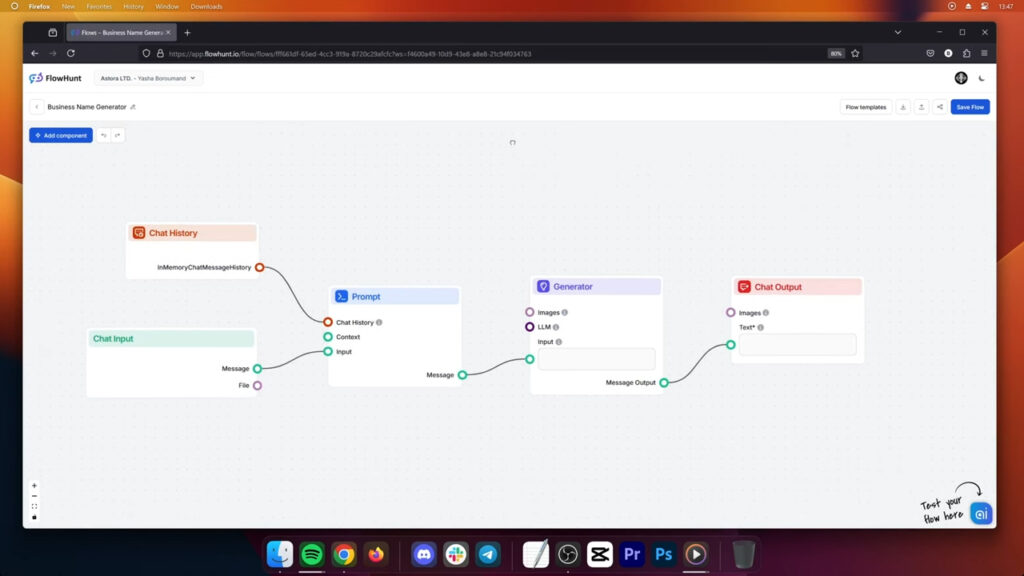
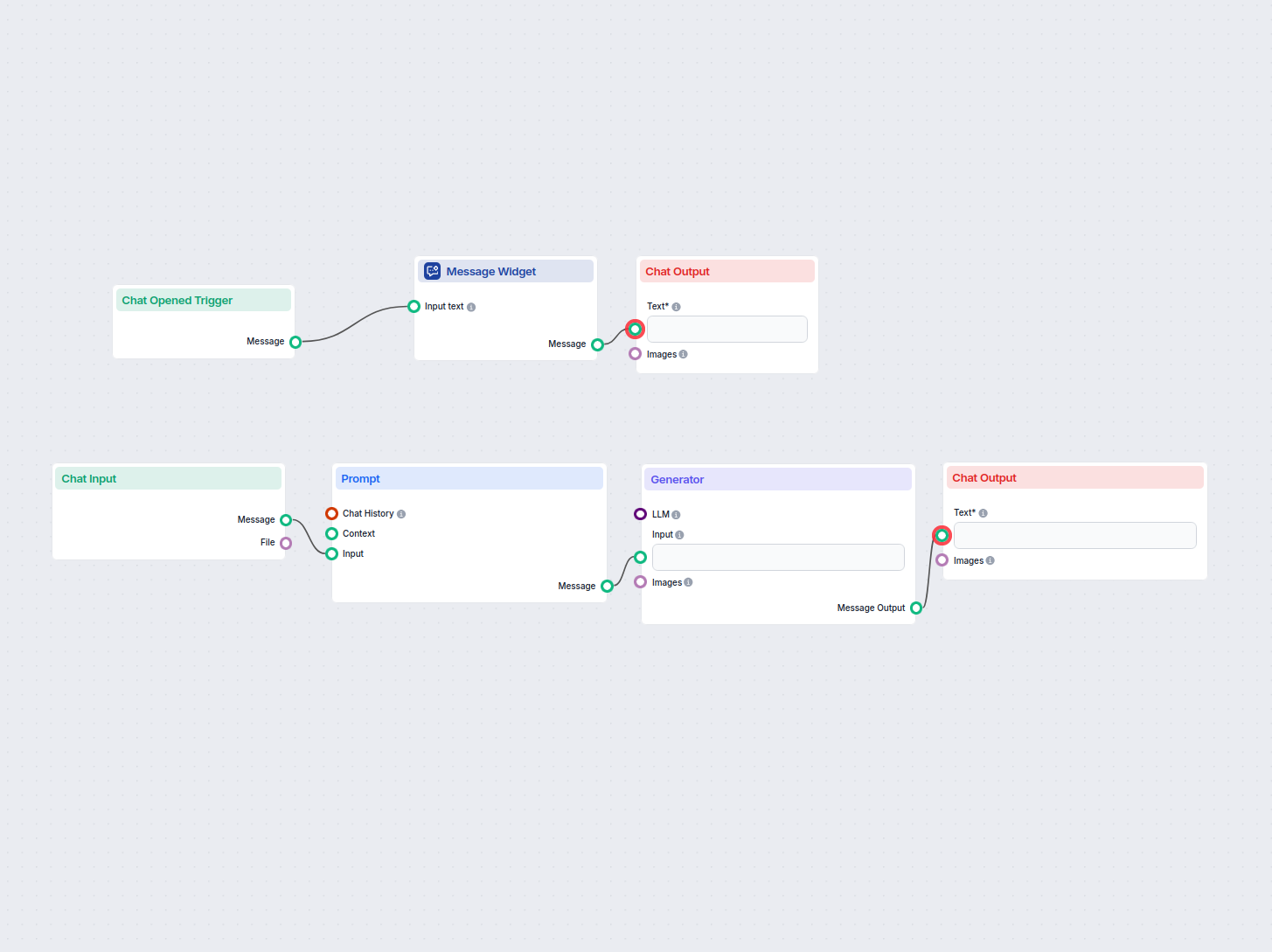
Complete your LinkedIn Headline Generator by connecting all the components in sequence, as pictured above. Your LinkedIn Headline Generator is now complete and ready for use!
Try our LinkedIn Headline Generator for free. Simply describe what you need and the chatbot will answer with the headline.

Start your free trial today and see results within days.
Creating a LinkedIn Headline Generator is a powerful way to enhance your professional profile and stand out in your industry. By following this step-by-step guide, you can build a tool that consistently produces compelling headlines tailored to your unique career journey. Don’t let your LinkedIn profile blend into the background – take action now and create your custom headline generator to showcase your professional brand effectively!
Want to get this tool and dozens more? Try FlowHunt for free and get tools to support any part of your content process.
Maria is a copywriter at FlowHunt. A language nerd active in literary communities, she's fully aware that AI is transforming the way we write. Rather than resisting, she seeks to help define the perfect balance between AI workflows and the irreplaceable value of human creativity.

Create engaging, personalized LinkedIn headlines in seconds. Stand out from the crowd with AI-powered headline suggestions tailored to your career goals.
Automatically create engaging and professional LinkedIn headlines using AI. Just provide a brief description of your experience, and this flow generates a catch...
Discover how a LinkedIn Headline Generator can enhance your profile by crafting engaging and professional headlines. Learn how to use this tool to stand out in ...
Learn how to create an AI-powered LinkedIn post generator that automates content ideation, image generation, and posting using FlowHunt and advanced automation ...
Cookie Consent
We use cookies to enhance your browsing experience and analyze our traffic. See our privacy policy.