


What is an MCP Server? A Complete Guide to Model Context Protocol
Learn what MCP (Model Context Protocol) servers are, how they work, and why they're revolutionizing AI integration. Discover how MCP simplifies connecting AI ag...
20 min read
The Model Context Protocol (MCP) is an open standard interface that enables Large Language Models (LLMs) to securely and consistently access external data sources, tools, and capabilities, acting as a ‘USB-C’ for AI systems.
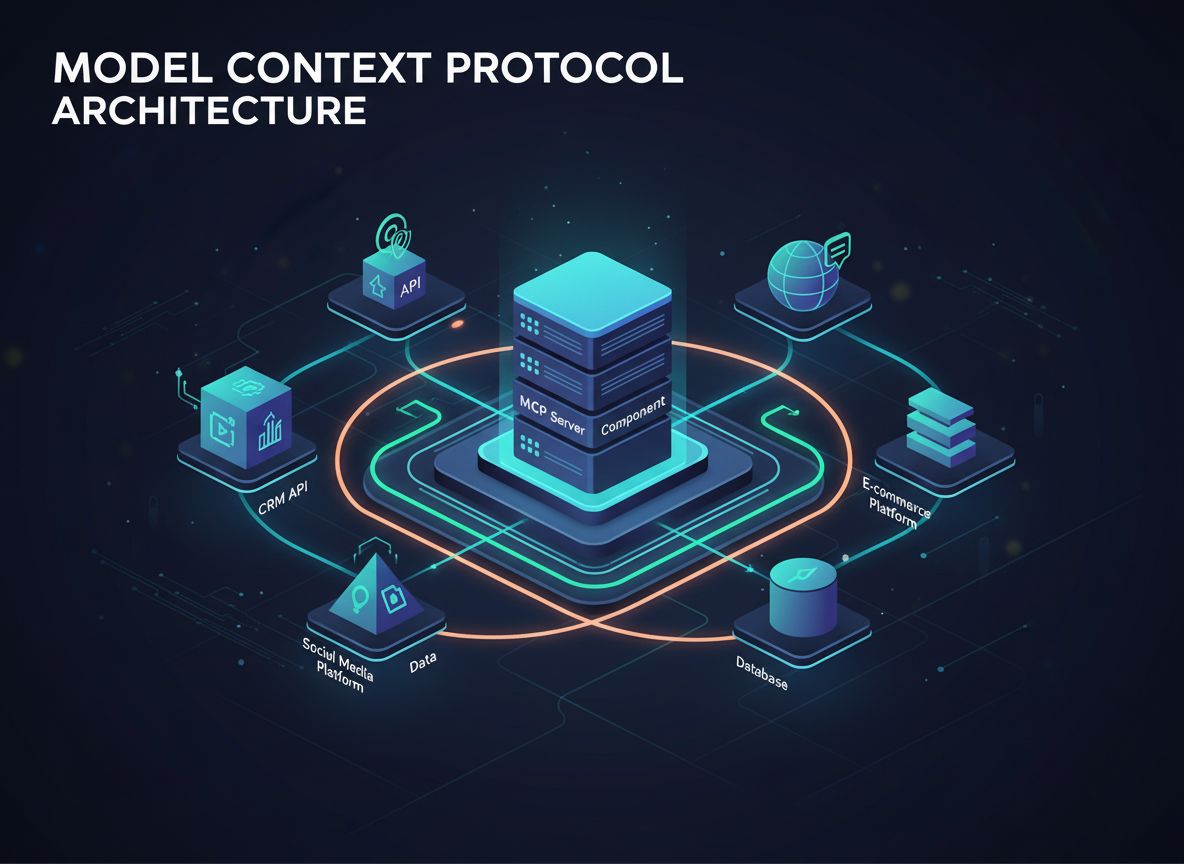
The Model Context Protocol (MCP) is an open standard interface that enables Large Language Models (LLMs) to securely and consistently access external data sources, tools, and capabilities. It establishes a standardized communication layer between AI applications and various context providers, serving as the “USB-C” for AI systems.
MCP follows a client-server architecture:
MCP defines three fundamental primitives that form the building blocks of the protocol:
Resources represent data and content that MCP servers make available to LLMs.
Example use case: An MCP server exposing a log file as a resource with URI file:///logs/app.log
Prompts are predefined templates or workflows that servers offer to guide LLM interactions.
Example use case: A git commit message generator prompt that accepts code changes as input
Tools expose executable functions that LLMs can invoke (usually with user approval) to perform actions.
Example use case: A calculator tool that performs mathematical operations on model-provided inputs

Start your free trial today and see results within days.
// Server exposing a single log file as a resource
const server = new Server({ /* config */ }, { capabilities: { resources: {} } });

// List available resources
server.setRequestHandler(ListResourcesRequestSchema, async () => {
  return {
    resources: [
      {
        uri: "file:///logs/app.log",
        name: "Application Logs",
        mimeType: "text/plain"
      }
    ]
  };
});

// Provide resource content
server.setRequestHandler(ReadResourceRequestSchema, async (request) => {
  if (request.params.uri === "file:///logs/app.log") {
    const logContents = await readLogFile();
    return {
      contents: [{
        uri: request.params.uri,
        mimeType: "text/plain",
        text: logContents
      }]
    };
  }
  throw new Error("Resource not found");
});
const server = new Server({ /* config */ }, { capabilities: { tools: {} } });

// List available tools
server.setRequestHandler(ListToolsRequestSchema, async () => {
  return {
    tools: [{
      name: "calculate_sum",
      description: "Add two numbers together",
      inputSchema: {
        type: "object",
        properties: {
          a: { type: "number", description: "First number" },
          b: { type: "number", description: "Second number" }
        },
        required: ["a", "b"]
      },
      annotations: {
        title: "Calculate Sum",
        readOnlyHint: true,
        openWorldHint: false
      }
    }]
  };
});

// Handle tool execution
server.setRequestHandler(CallToolRequestSchema, async (request) => {
  if (request.params.name === "calculate_sum") {
    try {
      const { a, b } = request.params.arguments;
      if (typeof a !== 'number' || typeof b !== 'number') {
         throw new Error("Invalid input: 'a' and 'b' must be numbers.");
      }
      const sum = a + b;
      return {
        content: [{ type: "text", text: String(sum) }]
      };
    } catch (error: any) {
      return {
        isError: true,
        content: [{ type: "text", text: `Error calculating sum: ${error.message}` }]
      };
    }
  }
  throw new Error("Tool not found");
});
Get latest tips, trends, and deals for free.
Start building powerful AI systems with standardized integrations, secure data access, and flexible tool connectivity using FlowHunt.
Learn what MCP (Model Context Protocol) servers are, how they work, and why they're revolutionizing AI integration. Discover how MCP simplifies connecting AI ag...
Learn how to build and deploy a Model Context Protocol (MCP) server to connect AI models with external tools and data sources. Step-by-step guide for beginners ...

Remote MCP (Model Context Protocol) is a system that allows AI agents to access external tools, data sources, and services through standardized interfaces hoste...
Cookie Consent
We use cookies to enhance your browsing experience and analyze our traffic. See our privacy policy.