


AI Agent for Google Sheets
Deploy AI agents that connect directly to Google Sheets—automate data entry, spreadsheet management, reporting, and analysis. FlowHunt handles the repetitive spreadsheet work so your team can focus on insights.





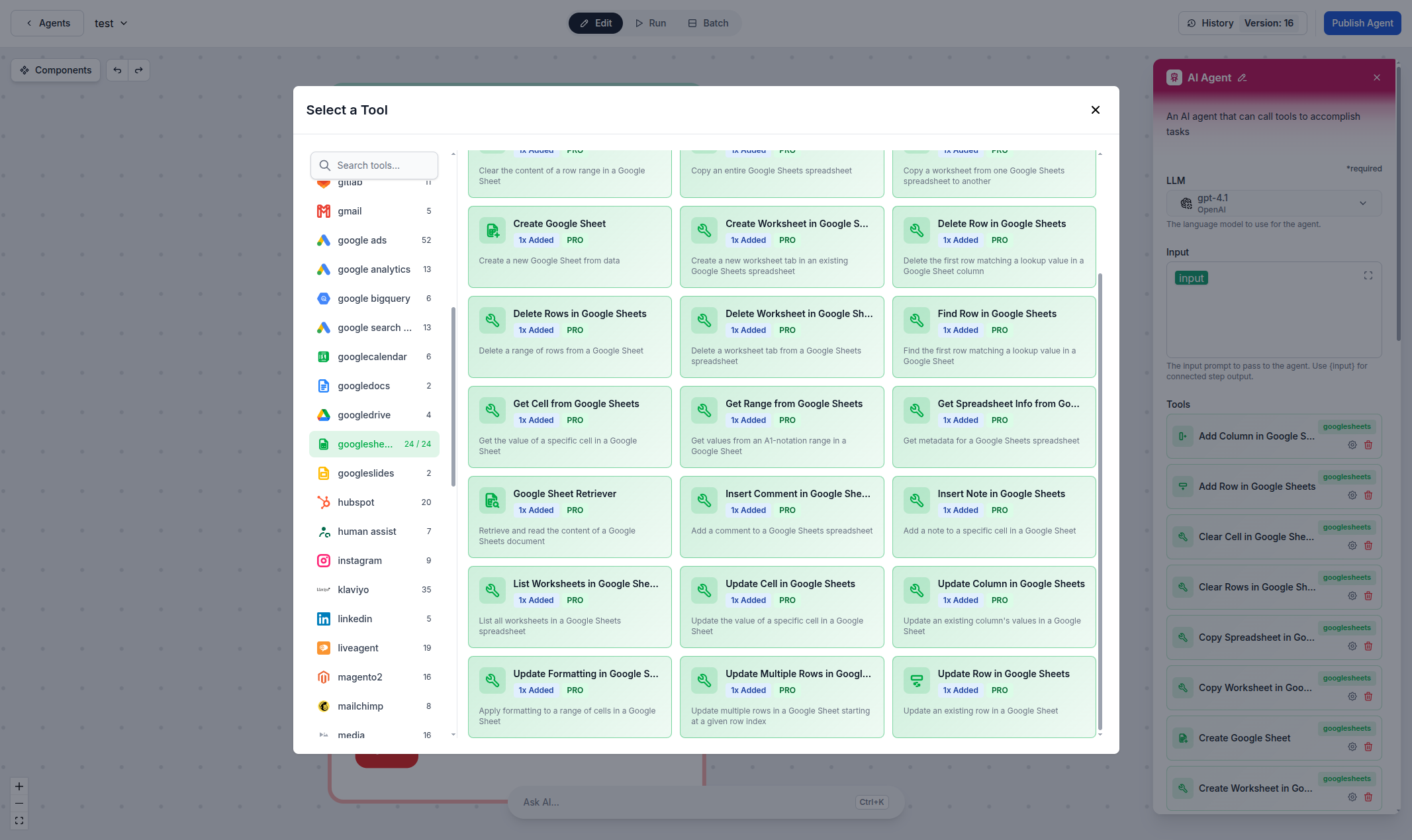
Automated Spreadsheet Operations
Create, read, update, and delete rows, cells, columns, and worksheets directly from AI workflows. Whether you're building reports, syncing data, or managing inventory, FlowHunt's Google Sheets integration lets you automate every spreadsheet operation with natural language commands.
- Row & Cell Operations:
- Add, update, find, delete, and clear rows and cells automatically.
- Spreadsheet Management:
- Create spreadsheets, worksheets, and copy data between sheets.
- Data Retrieval:
- Get cell values, ranges, spreadsheet info, and retrieve full sheet content.
- Formatting & Comments:
- Apply formatting, insert comments and notes to cells programmatically.
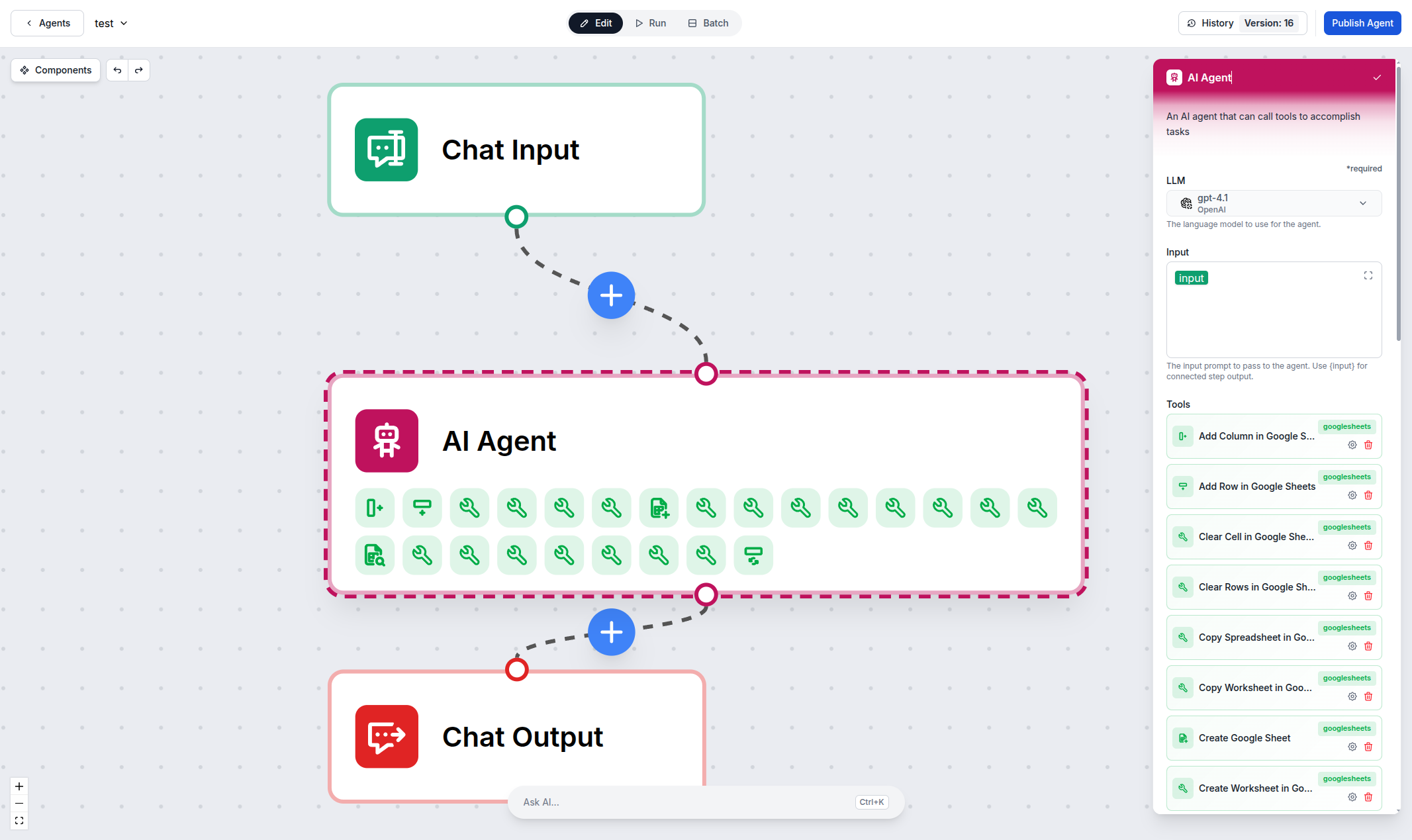
AI-Powered Data Processing
Turn your Google Sheets into intelligent data pipelines. AI agents can read spreadsheet data, process it with LLMs, and write results back—enabling automated reporting, data enrichment, and analysis workflows.
- Automated Reporting:
- Generate reports by reading data, processing with AI, and writing summaries.
- Data Sync:
- Sync data between Google Sheets and other integrations automatically.
- Intelligent Analysis:
- Combine spreadsheet data with AI for insights, categorization, and enrichment.
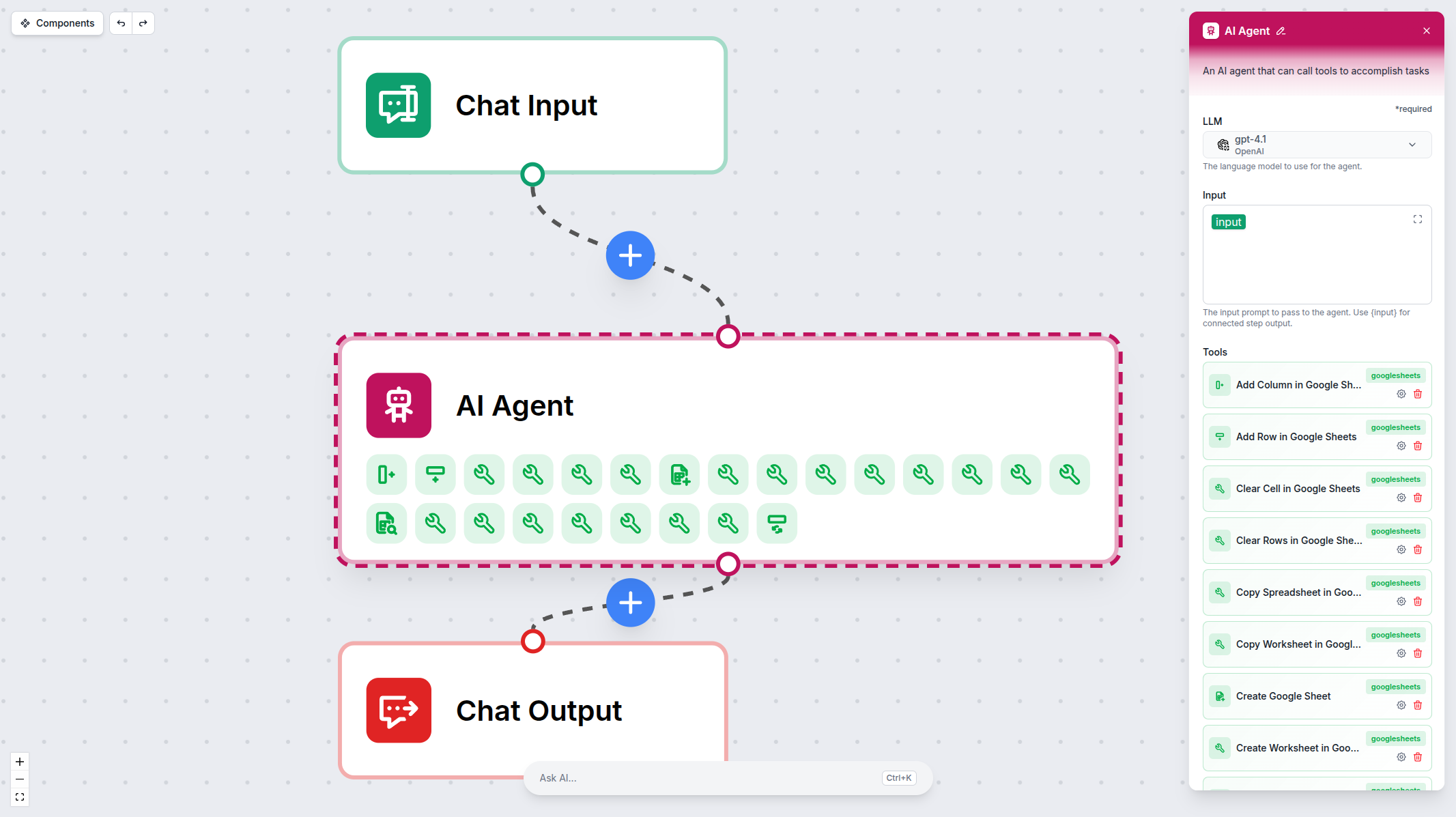
Connect in Seconds — OAuth Setup
Setting up the Google Sheets integration takes just a few clicks. Authenticate with your Google account via OAuth, and your AI agents are ready to manage your spreadsheets.
- One-Click OAuth:
- Connect your Google account with a single click—no API keys needed.
- Secure by Design:
- OAuth 2.0 authentication with granular permission scoping.
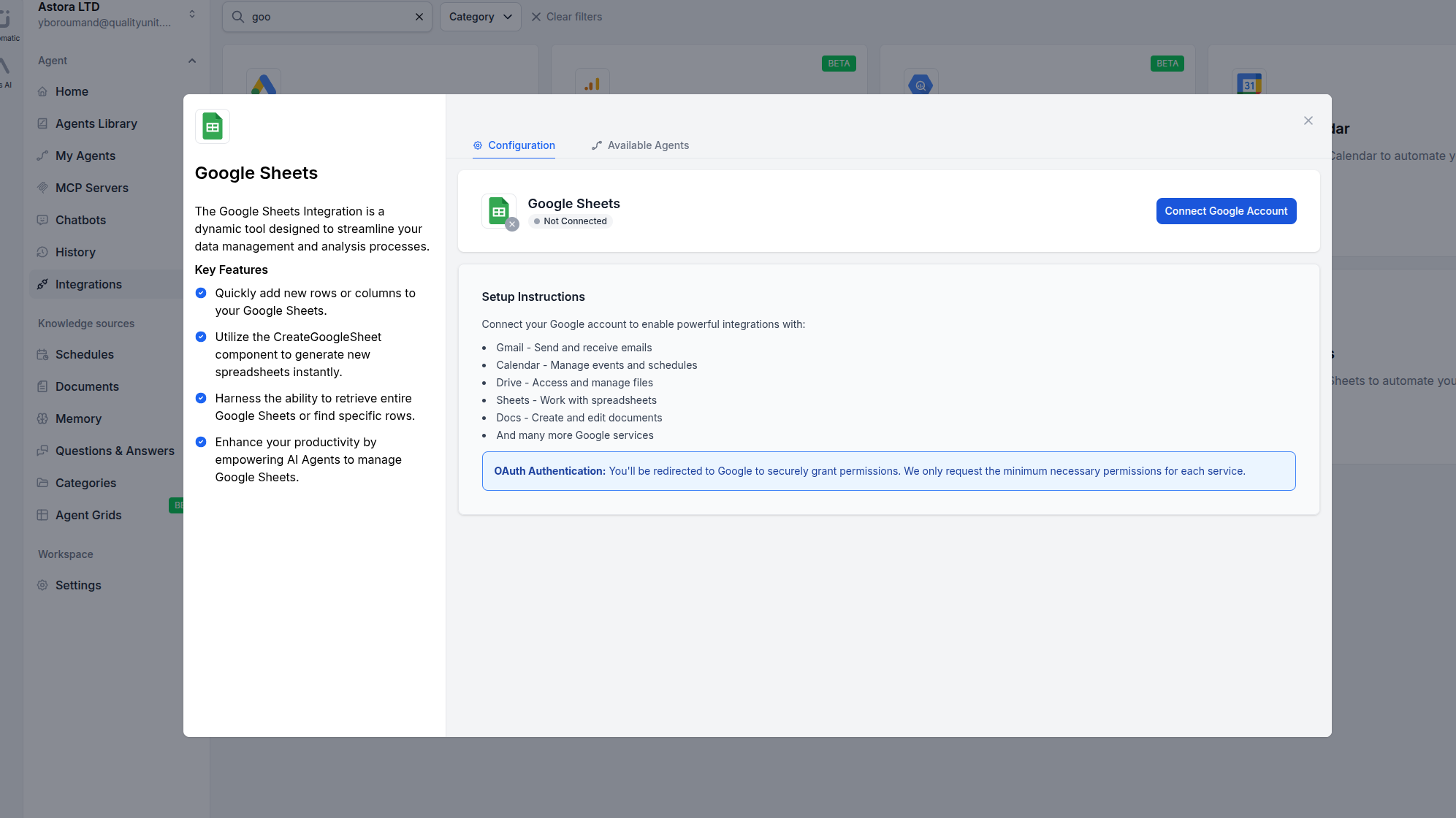
Step 1
Open Integrations
Navigate to the Integrations page in FlowHunt and find Google Sheets.
Step 2
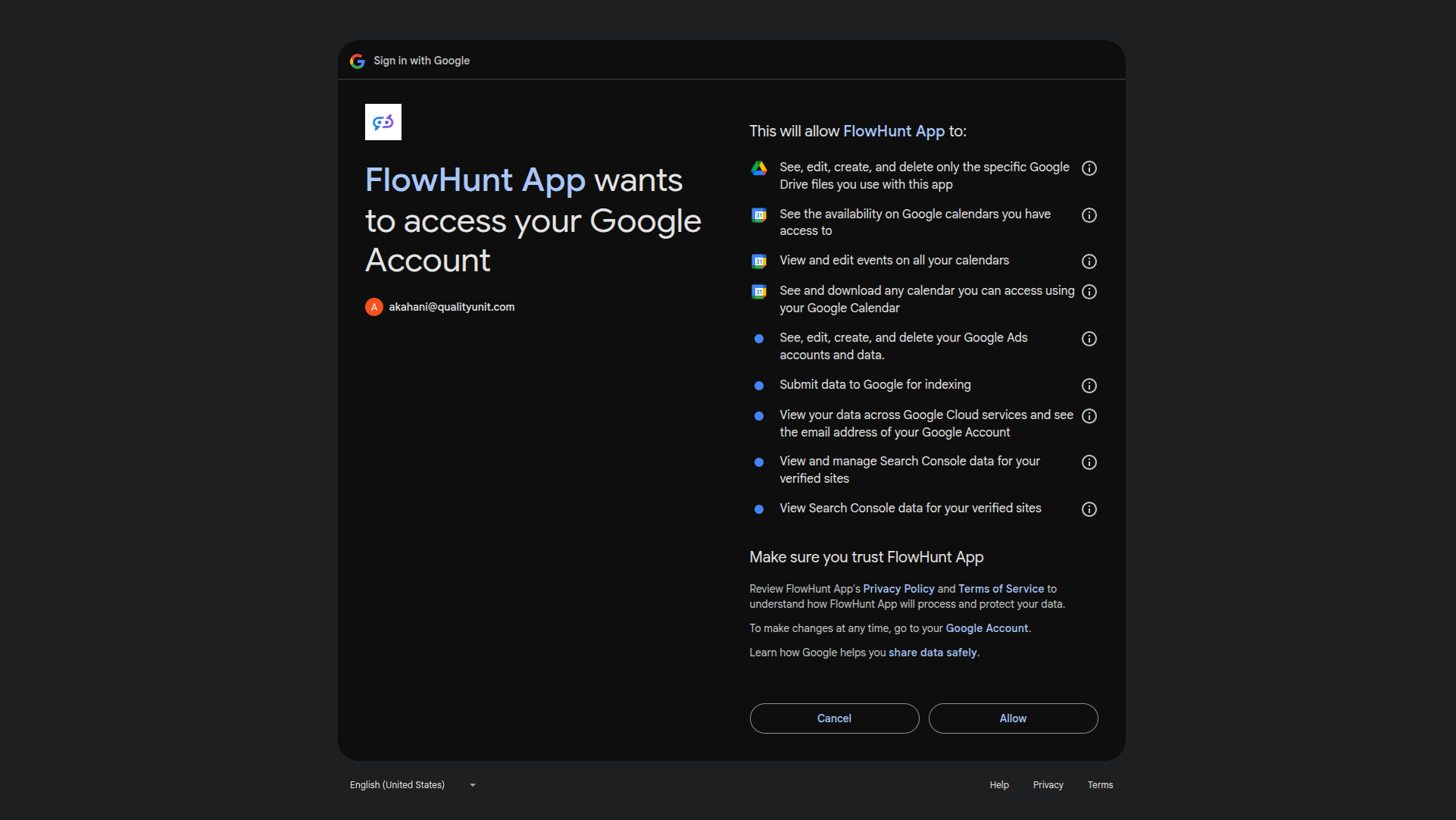
Authenticate with Google
Click Manage Integration on the Google Sheets card and authenticate with your Google account via OAuth.
Step 3
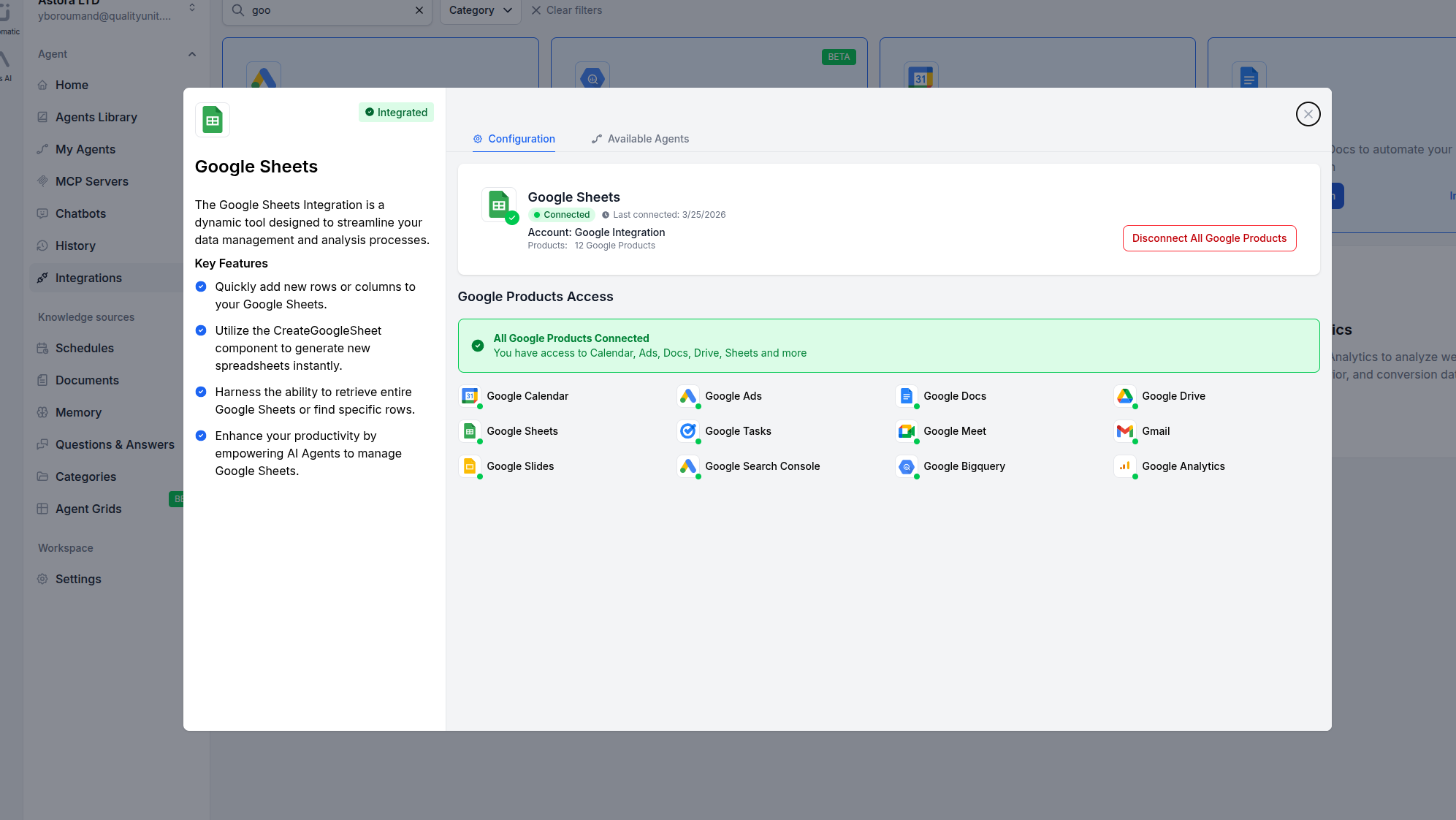
Confirm Connection
Once authenticated, your Google Sheets integration is connected and ready to use.
Step 4
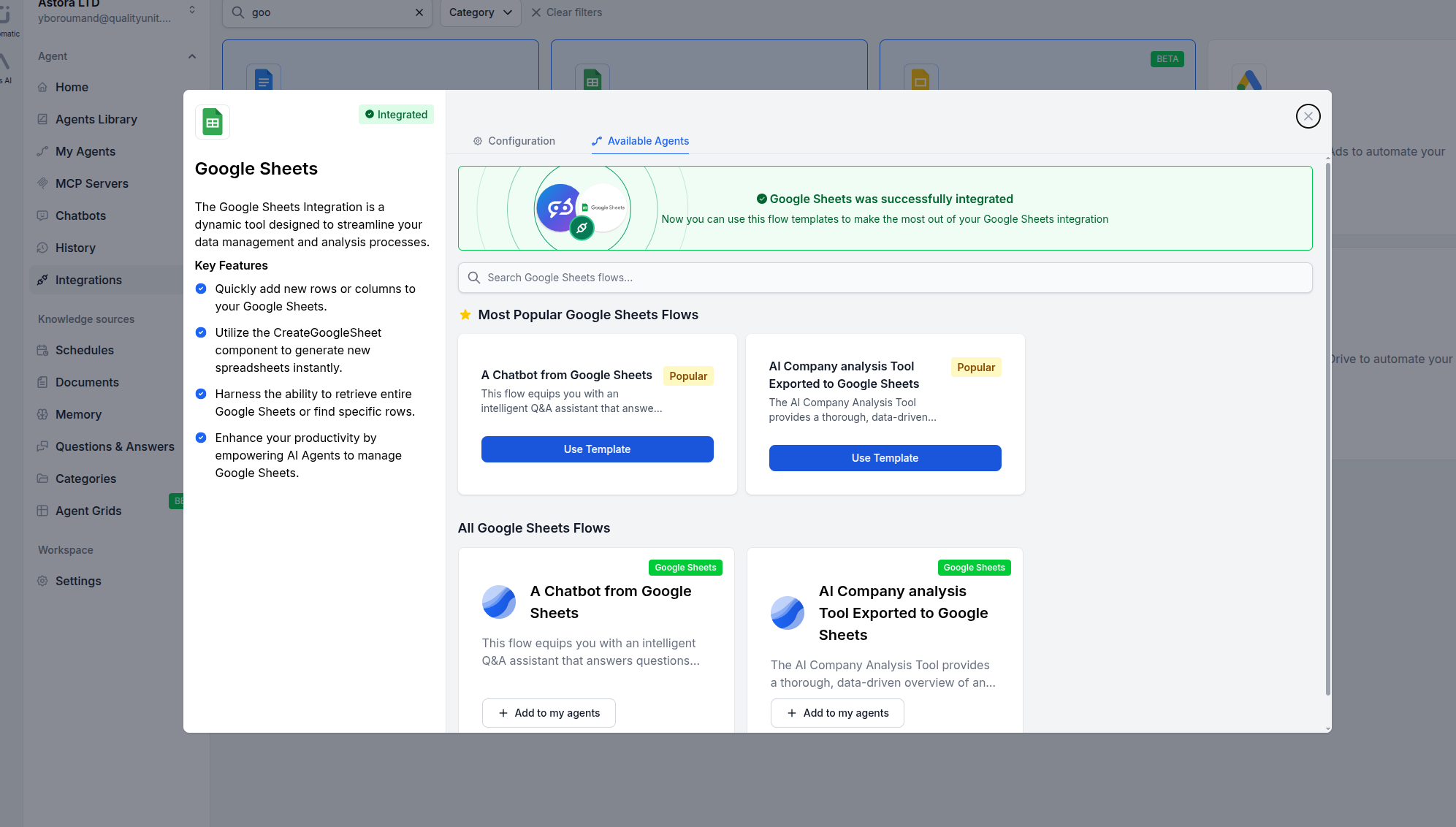
Add to Your Agent
Open any AI Agent, click Add Tool, and select the Google Sheets tools you need.
Use Cases
What You Can Do with Google Sheets + FlowHunt
FlowHunt provides 24 ready-to-use Google Sheets components covering spreadsheet creation, row and cell operations, formatting, comments, and more. Each component can be used as a tool inside an AI agent or as a standalone building block in any custom flow.
- Automated Data Entry
- AI agents add, update, and manage rows and cells based on incoming data from any source.
- Report Generation
- Automatically create spreadsheets, populate data, and format reports with AI.
- Data Lookup & Search
- Find specific rows, get cell values, and retrieve ranges for AI-powered analysis.
- Spreadsheet Management
- Create, copy, and delete worksheets and spreadsheets programmatically.
- Data Sync & ETL
- Sync data between Google Sheets and other integrations like CRMs, e-commerce platforms, and databases.
- Formatting & Annotations
- Apply formatting, insert comments and notes to cells for collaborative workflows.
- Bulk Operations
- Update multiple rows, clear ranges, and delete data in batch operations.
- Custom AI Workflows
- Combine Google Sheets components with LLMs, web search, and other integrations for any data automation need.
All 24 Google Sheets Components
Every Google Sheets tool available in FlowHunt — use them as AI agent tools or standalone flow components.
| Component | Description |
|---|---|
| Add Column | Add a new column to an existing Google Sheet with values. |
| Add Row | Add a new row to an existing Google Sheet. |
| Clear Cell | Clear the content of a specific cell in a Google Sheet. |
| Clear Rows | Clear the content of a row range in a Google Sheet. |
| Copy Spreadsheet | Copy an entire Google Sheets spreadsheet. |
| Copy Worksheet | Copy a worksheet from one spreadsheet to another. |
| Create Google Sheet | Create a new Google Sheet from data. |
| Create Worksheet | Create a new worksheet tab in an existing spreadsheet. |
| Delete Row | Delete the first row matching a lookup value in a column. |
| Delete Rows | Delete a range of rows from a Google Sheet. |
| Delete Worksheet | Delete a worksheet tab from a spreadsheet. |
| Find Row | Find the first row matching a lookup value in a Google Sheet. |
| Get Cell | Get the value of a specific cell in a Google Sheet. |
| Get Range | Get values from an A1-notation range in a Google Sheet. |
| Get Spreadsheet Info | Get metadata for a Google Sheets spreadsheet. |
| Google Sheet Retriever | Retrieve and read the content of a Google Sheets document. |
| Insert Comment | Add a comment to a Google Sheets spreadsheet. |
| Insert Note | Add a note to a specific cell in a Google Sheet. |
| List Worksheets | List all worksheets in a Google Sheets spreadsheet. |
| Update Cell | Update the value of a specific cell in a Google Sheet. |
| Update Column | Update an existing column’s values in a Google Sheet. |
| Update Formatting | Apply formatting to a range of cells in a Google Sheet. |
| Update Multiple Rows | Update multiple rows in a Google Sheet starting at a given row index. |
| Update Row | Update an existing row in a Google Sheet. |