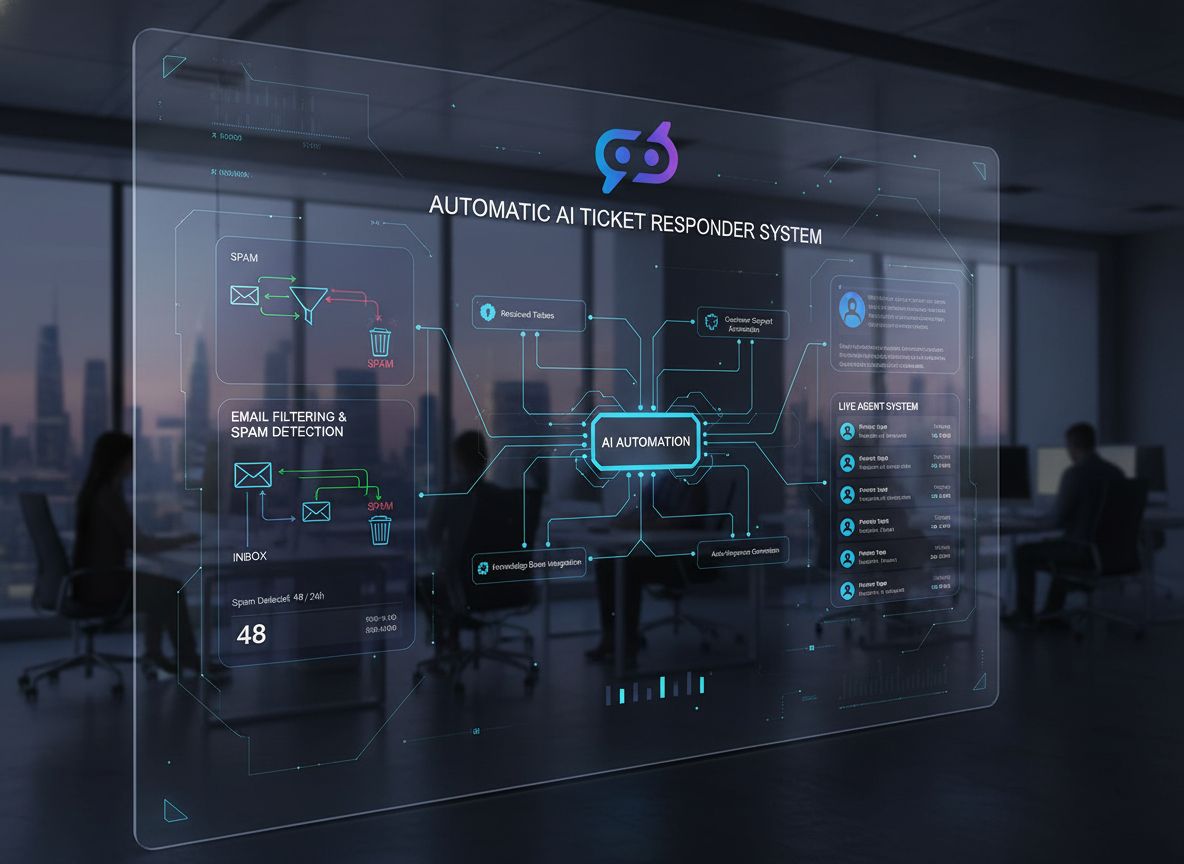
Step-by-step guide to set up automated ticket responses in LiveAgent using FlowHunt AI flows for intelligent customer support.
LiveAgent
FlowHunt
Automation
API
Customer Support
Integration
How to Automate Ticket Answering in LiveAgent with FlowHunt:
Select section...
Overview
Prerequisites
Step-by-Step Implementation
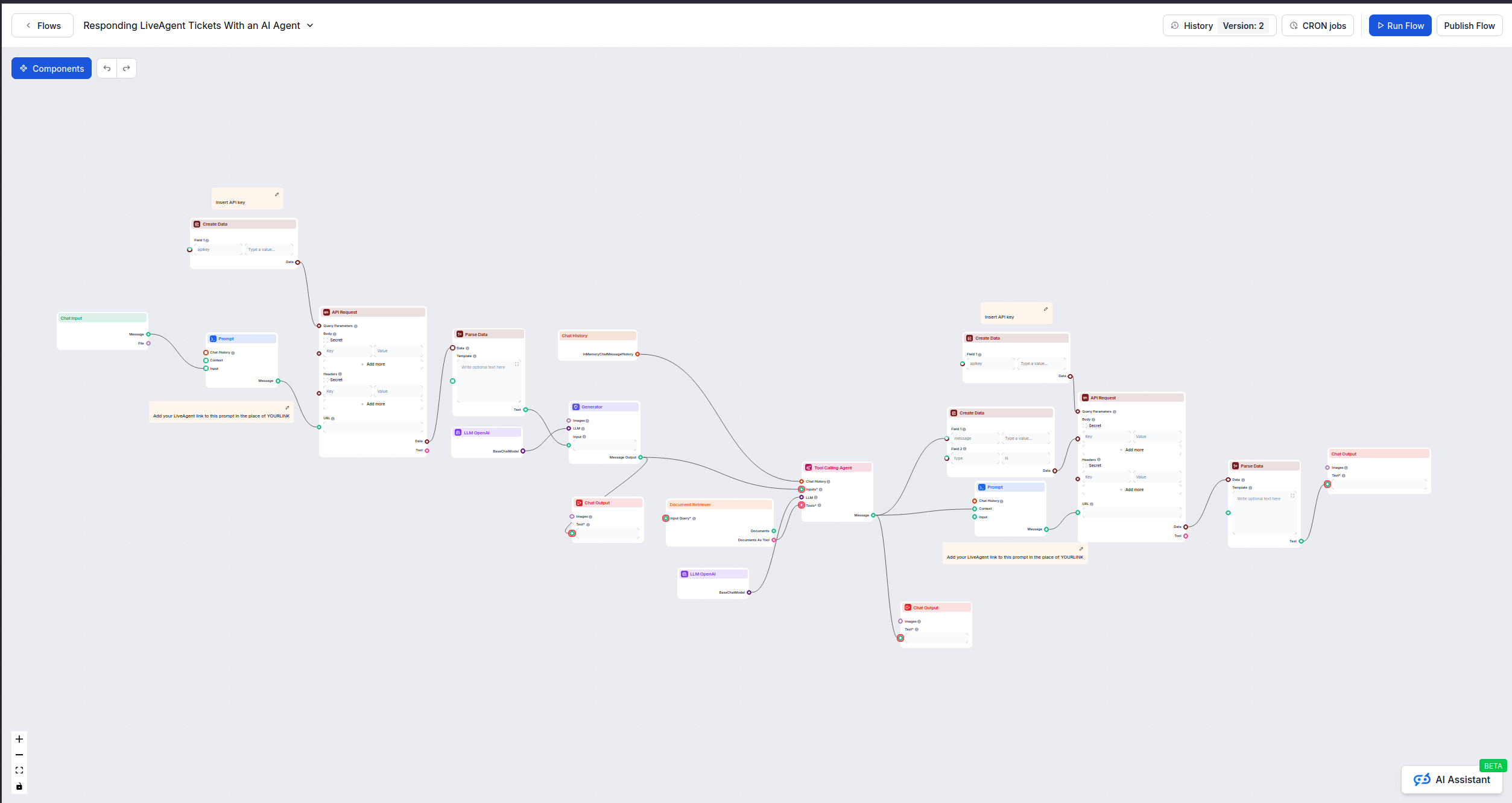
1. Create and Test Your FlowHunt Flow
2. Publish Your Flow
3. Generate FlowHunt API Key
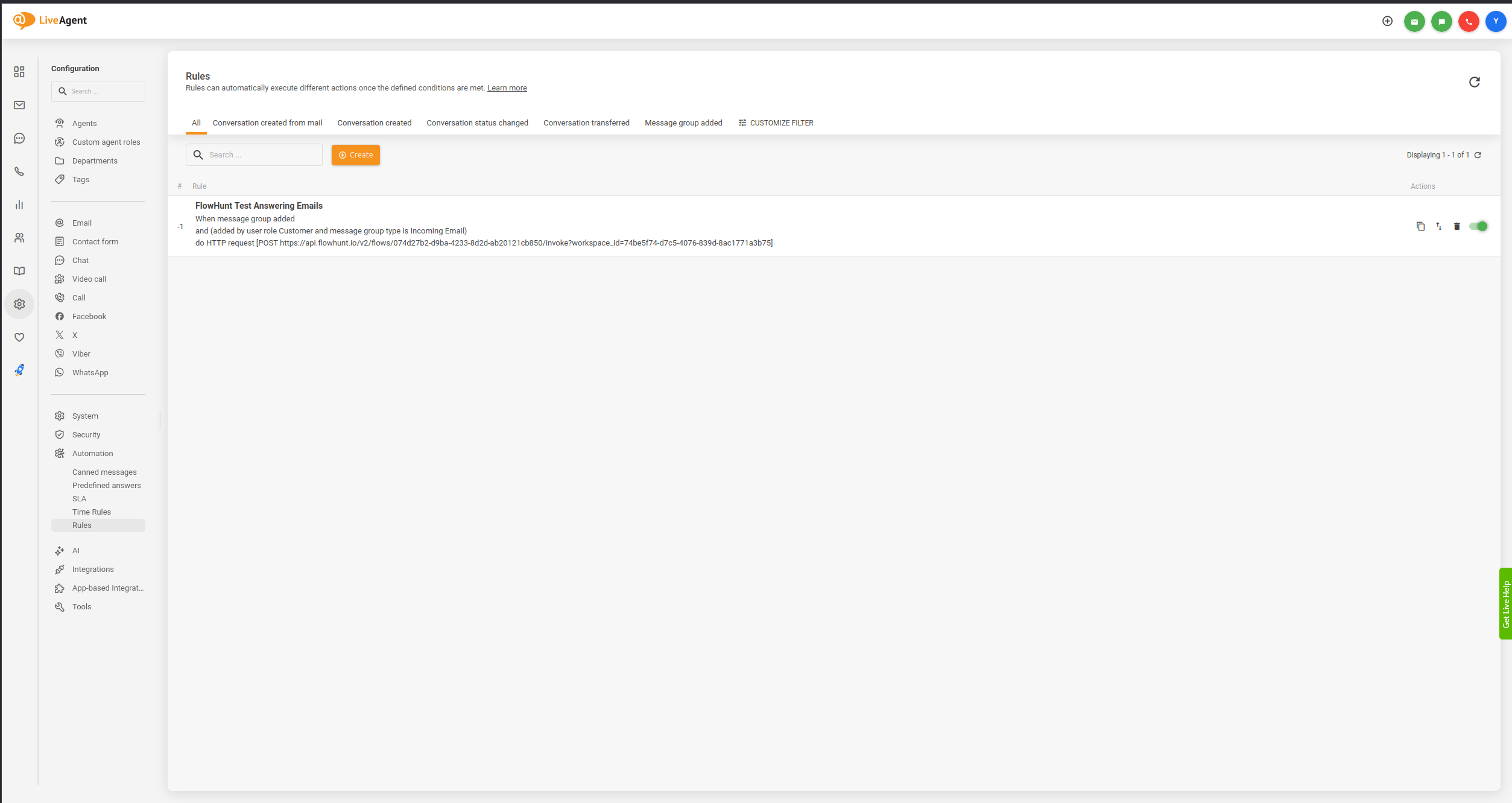
4. Configure LiveAgent Automation Rules
5. Create the Automation Rule
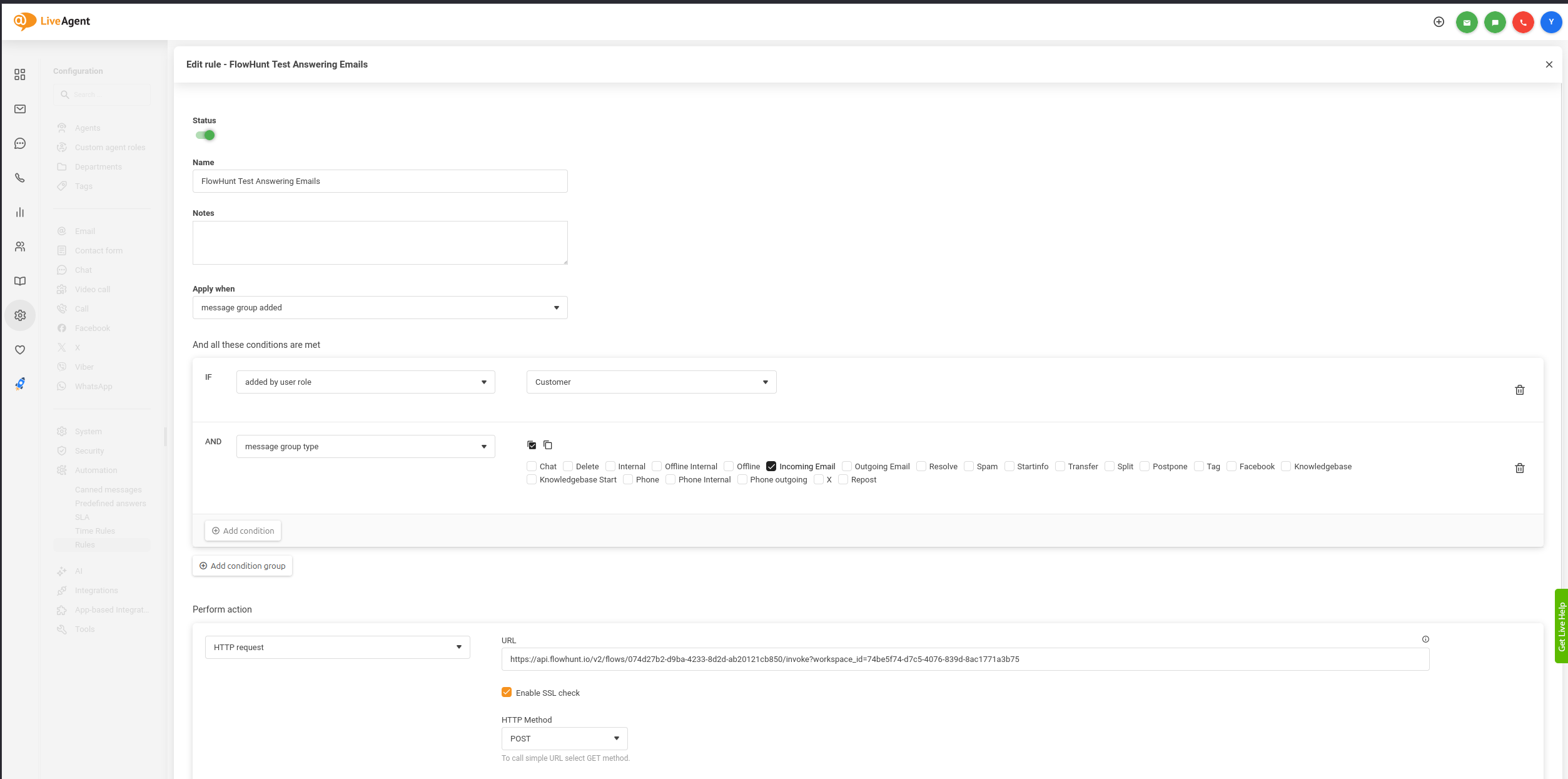
6. Set Rule Trigger
7. Define User Role Condition
8. Set Message Type Filter
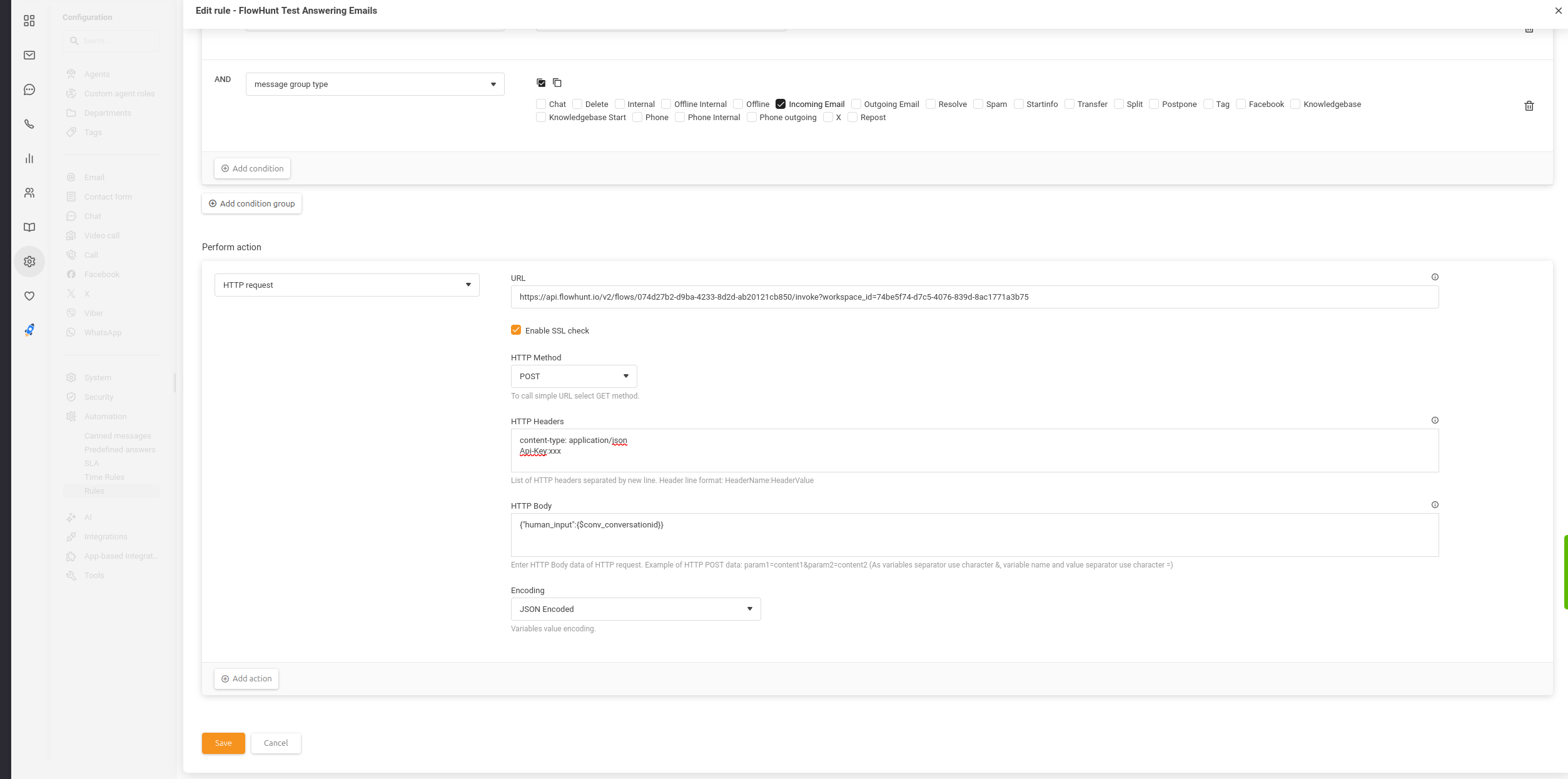
9. Configure HTTP Request Action
Testing Your Integration
Initial Testing
Advanced Testing
Best Practices
Security Considerations
Performance Optimization
Customer Experience
Troubleshooting Common Issues
API Connection Problems
Incorrect Flow Responses
Rule Not Triggering
Advanced Configuration
Multiple Flow Integration
Custom Response Handling
Monitoring and Maintenance
Regular Maintenance Tasks
Performance Metrics
Conclusion
Automating customer support responses can significantly improve your team’s efficiency while maintaining high-quality customer service. This comprehensive guide walks you through integrating FlowHunt’s AI-powered flows with LiveAgent’s automation system to create intelligent, automated ticket responses.
Overview
This integration allows you to:
Automatically respond to incoming customer tickets
Leverage AI to provide contextual, intelligent answers
Reduce response times and improve customer satisfaction
Weekly: Check FlowHunt flow accuracy and update as needed
Daily: Monitor for failed API requests or errors
Performance Metrics
Track these key indicators:
Automation rule success rate
Average response time
Customer satisfaction with automated responses
Reduction in manual ticket handling
Conclusion
Integrating FlowHunt with LiveAgent creates a powerful automated customer support system that can handle routine inquiries while freeing your team to focus on complex issues. Regular monitoring and optimization ensure the system continues to provide value as your support needs evolve.
Remember to start with a limited scope, test thoroughly, and gradually expand the automation as you gain confidence in the system’s performance.
Frequently asked questions
Yes, you can create multiple FlowHunt flows for different scenarios and set up corresponding automation rules in LiveAgent to trigger specific flows based on ticket properties.
LiveAgent automation rules can be configured with fallback actions. We recommend setting up error handling to ensure tickets are still processed even if the API call fails.
Use LiveAgent's rule testing feature and FlowHunt's flow testing in the dashboard. Start with a limited scope rule that only applies to specific conditions before expanding to all tickets.
Yasha is a talented software developer specializing in Python, Java, and machine learning. Yasha writes technical articles on AI, prompt engineering, and chatbot development.
How to Connect Your LiveAgent Account to a FlowHunt Flow
A comprehensive guide for integrating your LiveAgent (LA) account with a FlowHunt automation flow, including setup steps, message configuration, and support acc...
Building an Automatic AI Ticket Responder with Spam Detection
Learn how to build a fully automated customer support system with AI-powered ticket responses and intelligent spam detection using FlowHunt and LiveAgent integr...
Advanced FlowHunt–LiveAgent Integration: Language Control, Spam Filtering, API Selection, and Automation Best Practices
A technical guide to mastering advanced FlowHunt integration with LiveAgent, covering language targeting, markdown suppression, spam filtering, API versioning, ...
9 min read
FlowHunt
LiveAgent
+3
Cookie Consent We use cookies to enhance your browsing experience and analyze our traffic. See our privacy policy.