



Adfin
Integrate FlowHunt with Adfin to automate financial operations, streamline credit control, and enable AI-powered invoice management directly within Claude Deskt...
3 min read
AI
Adfin
+5
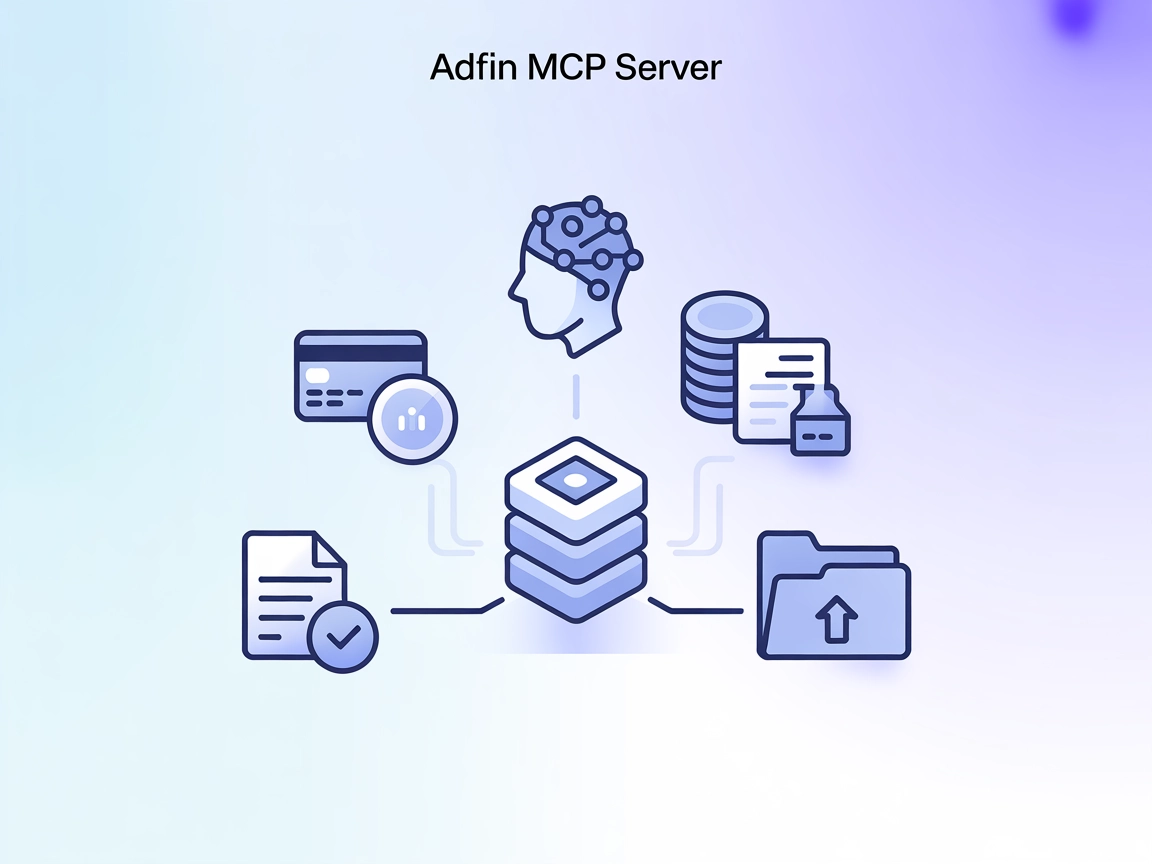
The Adfin MCP Server empowers AI assistants to automate business processes like credit checks, invoice creation, and bulk document uploads by bridging Adfin APIs and conversational AI tools.
The Adfin MCP Server is a Model Context Protocol (MCP) server designed to connect AI assistants with Adfin APIs, enhancing automation and workflow capabilities for developers and businesses. By acting as a bridge between AI models and Adfin’s suite of financial and document management APIs, the server allows AI clients to perform tasks such as querying credit control status, creating invoices, and managing files. This integration streamlines business processes, enables efficient API interactions, and increases the productivity of AI-powered assistants by exposing essential Adfin functionalities as actionable tools within popular development environments.
No explicit prompt templates are listed in the repository.

Start your free trial today and see results within days.
No explicit resources are described in the repository.
Adfin API Tools
The server exposes Adfin API functionalities as MCP tools. These enable AI assistants to perform actions like credit control checks, invoice creation, and retrieval of Adfin API documentation.
Filesystem Tool
A secondary tool allows interaction with the filesystem, such as uploading invoices from local folders, providing file management capabilities to AI assistants.
Get latest tips, trends, and deals for free.
Credit Control Status Checks
Instantly retrieve and evaluate the credit control status of clients, streamlining risk management for businesses.
Automated Invoice Creation
Generate and send invoices programmatically using AI assistants, minimizing manual entry and reducing human error.
Batch Invoice Uploads
Automate the upload of multiple PDF invoices from a folder, aiding in bulk document processing and data ingestion workflows.
Integration with AI Assistants (e.g., Claude)
Equip AI models with real-time access to Adfin’s API tools, allowing for seamless financial operations within conversational interfaces.
No specific instructions provided for Windsurf.
Download and install Claude Desktop .
Launch Claude and navigate to Settings > Developer > Edit Config.
Add the Adfin MCP Server to the claude_desktop_config.json as follows:
{
  "mcpServers": {
    "Adfin": {
      "command": "<home_path>/.local/bin/uv",
      "args": [
        "--directory",
        "<absolute_path_to_adfin_mcp_folder>",
        "run",
        "main_adfin_mcp.py"
      ],
      "env": {
        "ADFIN_EMAIL": "<email>",
        "ADFIN_PASSWORD": "<password>"
      }
    },
    "filesystem": {
      "command": "<home_path>/.local/bin/uv",
      "args": [
        "--directory",
        "<absolute_path_to_adfin_mcp_folder>",
        "run",
        "filesystem.py"
      ]
    }
  }
}
Relaunch Claude Desktop.
Wait 10-20 seconds for tools to appear on first run.
No specific instructions provided for Cursor.
No specific instructions provided for Cline.
Store sensitive credentials (like ADFIN_EMAIL and ADFIN_PASSWORD) in the env field of your MCP server configuration to ensure they are not hardcoded.
Example:
{
  "mcpServers": {
    "Adfin": {
      "command": "<home_path>/.local/bin/uv",
      "args": [
        "--directory",
        "<absolute_path_to_adfin_mcp_folder>",
        "run",
        "main_adfin_mcp.py"
      ],
      "env": {
        "ADFIN_EMAIL": "<email>",
        "ADFIN_PASSWORD": "<password>"
      }
    }
  }
}
Using MCP in FlowHunt
To integrate MCP servers into your FlowHunt workflow, start by adding the MCP component to your flow and connecting it to your AI agent:

Click on the MCP component to open the configuration panel. In the system MCP configuration section, insert your MCP server details using this JSON format:
{
  "Adfin": {
    "transport": "streamable_http",
    "url": "https://yourmcpserver.example/pathtothemcp/url"
  }
}
Once configured, the AI agent is now able to use this MCP as a tool with access to all its functions and capabilities. Remember to change “Adfin” to whatever the actual name of your MCP server is and replace the URL with your own MCP server URL.
| Section | Availability | Details/Notes |
|---|---|---|
| Overview | ✅ | |
| List of Prompts | ⛔ | No prompt templates found |
| List of Resources | ⛔ | No explicit resources documented |
| List of Tools | ✅ | Adfin API tools, Filesystem tool |
| Securing API Keys | ✅ | Uses env variables in config |
| Sampling Support (less important in evaluation) | ⛔ | Not mentioned |
| Supports Roots | ⛔ (not mentioned) | | Supports Sampling | ⛔ (not mentioned) |
Based on the available data, the Adfin MCP Server provides a practical bridge between AI assistants and Adfin APIs, with clear setup for Claude Desktop and generic security practices. However, the lack of documented resources, prompt templates, and roots/sampling support limits its completeness. Overall, it serves basic integration needs well.
| Has a LICENSE | ⛔ |
|---|---|
| Has at least one tool | ✅ |
| Number of Forks | 4 |
| Number of Stars | 6 |
Automate credit checks, invoice creation, and document management by integrating Adfin MCP Server into your AI workflows on FlowHunt.
Integrate FlowHunt with Adfin to automate financial operations, streamline credit control, and enable AI-powered invoice management directly within Claude Deskt...

The edwin MCP Server bridges AI assistants and external data sources, APIs, and services, enabling smarter, context-aware agents in FlowHunt by exposing resourc...
The Defang MCP Server bridges AI assistants with external data sources, APIs, and services, enabling standardized, context-aware workflows for developers buildi...
Cookie Consent
We use cookies to enhance your browsing experience and analyze our traffic. See our privacy policy.