


Kong Konnect
Integrate FlowHunt with Kong Konnect to enable AI-powered API gateway management, analytics, and configuration via natural language using the Model Context Prot...
4 min read
AI
Kong Konnect
+4
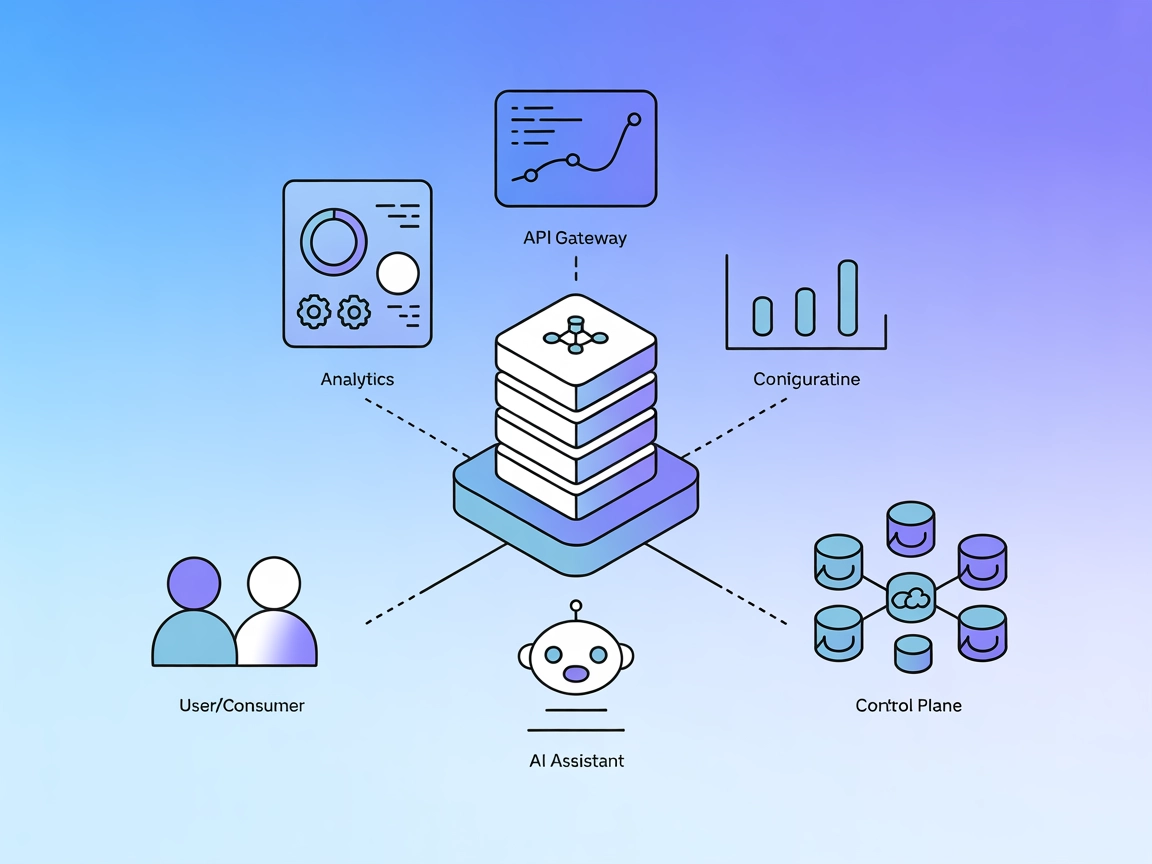
Connect your AI workflows to Kong Konnect’s API Gateway for real-time analytics, configuration auditing, and control plane management using the Kong Konnect MCP Server.
The Kong Konnect MCP Server is a Model Context Protocol (MCP) server that enables AI assistants, such as Claude, to interact directly with Kong Konnect’s API Gateway. This server acts as a bridge, empowering AI-driven tools to query and analyze gateway configurations, traffic, and analytics through natural language. Developers can use the server to retrieve analytics data, inspect API gateway configurations, and manage control planes, all via standardized MCP tools. By integrating external data sources like the Kong Konnect APIs into AI workflows, this MCP server streamlines tasks such as monitoring traffic, auditing configurations, and managing API services, enhancing the efficiency and intelligence of development and operations work.

Start your free trial today and see results within days.
Query API Requests
Query and analyze Kong API Gateway requests with customizable filters such as time range, status codes, HTTP methods, consumer IDs, and more.
Get Consumer Requests
Analyze API requests made by a specific consumer, filtered by consumer ID and time range.
API Analytics and Reporting
Developers and operations teams can use the server to retrieve detailed analytics on API requests, including filtering by status codes, methods, consumers, services, and more for comprehensive monitoring.
Consumer Behavior Analysis
Analyze requests and behaviors for individual consumers, helping support, billing, or security audit tasks.
Gateway Configuration Auditing
List and inspect services, routes, consumers, and plugins to audit and verify API gateway configurations.
Control Plane Management
Manage and inspect control planes and control plane groups, simplifying the administration of distributed API gateways.
AI-Driven Operations
Enable AI assistants to perform real-time queries and diagnostics on API infrastructure, reducing manual effort and accelerating incident response.
Get latest tips, trends, and deals for free.
git clone https://github.com/Kong/mcp-konnect.git
cd mcp-konnect
npm install
npm run build
export KONNECT_ACCESS_TOKEN=your_api_key
export KONNECT_REGION=us
windsurf.json):{
"mcpServers": {
"kong-konnect": {
"command": "npx",
"args": ["@kong/mcp-konnect@latest"],
"env": {
"KONNECT_ACCESS_TOKEN": "${KONNECT_ACCESS_TOKEN}",
"KONNECT_REGION": "us"
}
}
}
}
{
  "mcpServers": {
    "kong-konnect": {
      "command": "npx",
      "args": ["@kong/mcp-konnect@latest"],
      "env": {
        "KONNECT_ACCESS_TOKEN": "${KONNECT_ACCESS_TOKEN}",
        "KONNECT_REGION": "us"
      }
    }
  }
}
{
  "mcpServers": {
    "kong-konnect": {
      "command": "npx",
      "args": ["@kong/mcp-konnect@latest"],
      "env": {
        "KONNECT_ACCESS_TOKEN": "${KONNECT_ACCESS_TOKEN}",
        "KONNECT_REGION": "us"
      }
    }
  }
}
{
  "mcpServers": {
    "kong-konnect": {
      "command": "npx",
      "args": ["@kong/mcp-konnect@latest"],
      "env": {
        "KONNECT_ACCESS_TOKEN": "${KONNECT_ACCESS_TOKEN}",
        "KONNECT_REGION": "us"
      }
    }
  }
}
Note:
Always secure API keys by using environment variables. Example:
{
  "mcpServers": {
    "kong-konnect": {
      "command": "npx",
      "args": ["@kong/mcp-konnect@latest"],
      "env": {
        "KONNECT_ACCESS_TOKEN": "${KONNECT_ACCESS_TOKEN}",
        "KONNECT_REGION": "us"
      },
      "inputs": {
        "KONNECT_ACCESS_TOKEN": "env:KONNECT_ACCESS_TOKEN"
      }
    }
  }
}
Using MCP in FlowHunt
To integrate MCP servers into your FlowHunt workflow, start by adding the MCP component to your flow and connecting it to your AI agent:

Click on the MCP component to open the configuration panel. In the system MCP configuration section, insert your MCP server details using this JSON format:
{
  "kong-konnect": {
    "transport": "streamable_http",
    "url": "https://yourmcpserver.example/pathtothemcp/url"
  }
}
Once configured, the AI agent is now able to use this MCP as a tool with access to all its functions and capabilities. Remember to change “kong-konnect” to whatever the actual name of your MCP server is and replace the URL with your own MCP server URL.
| Section | Availability | Details/Notes |
|---|---|---|
| Overview | ✅ | Provided in README |
| List of Prompts | ⛔ | No prompt templates documented |
| List of Resources | ⛔ | No explicit resources documented |
| List of Tools | ✅ | Analytics and configuration tools summarized in README |
| Securing API Keys | ✅ | Environment variable usage documented |
| Sampling Support (less important in evaluation) | ⛔ | Not mentioned |
Based on the above, Kong Konnect MCP Server is a work-in-progress but already exposes relevant tools for analytics and configuration. However, resources and prompts are not documented, and support for roots or sampling is not mentioned. The project is open source, reasonably active, and has clear setup instructions.
Kong Konnect MCP Server integrates well with AI workflows for API operations and analytics. However, the lack of documentation for prompts and resources, as well as no explicit mention of roots or sampling, limits its completeness. Still, it’s a functional and valuable MCP for its domain.
Rating: 6/10
| Has a LICENSE | ✅ (Apache-2.0) |
|---|---|
| Has at least one tool | ✅ |
| Number of Forks | 11 |
| Number of Stars | 30 |
Empower your AI agents to perform API analytics, configuration management, and real-time diagnostics on Kong Konnect with the MCP Server integration.
Integrate FlowHunt with Kong Konnect to enable AI-powered API gateway management, analytics, and configuration via natural language using the Model Context Prot...
The Cognee MCP (Model Context Protocol) Server connects AI assistants with external data sources, APIs, and services—enabling streamlined workflows, automation,...

The Confluent MCP Server empowers AI assistants to interact with Confluent Cloud APIs, enabling natural language management of Kafka topics, connectors, and Fli...
Cookie Consent
We use cookies to enhance your browsing experience and analyze our traffic. See our privacy policy.