


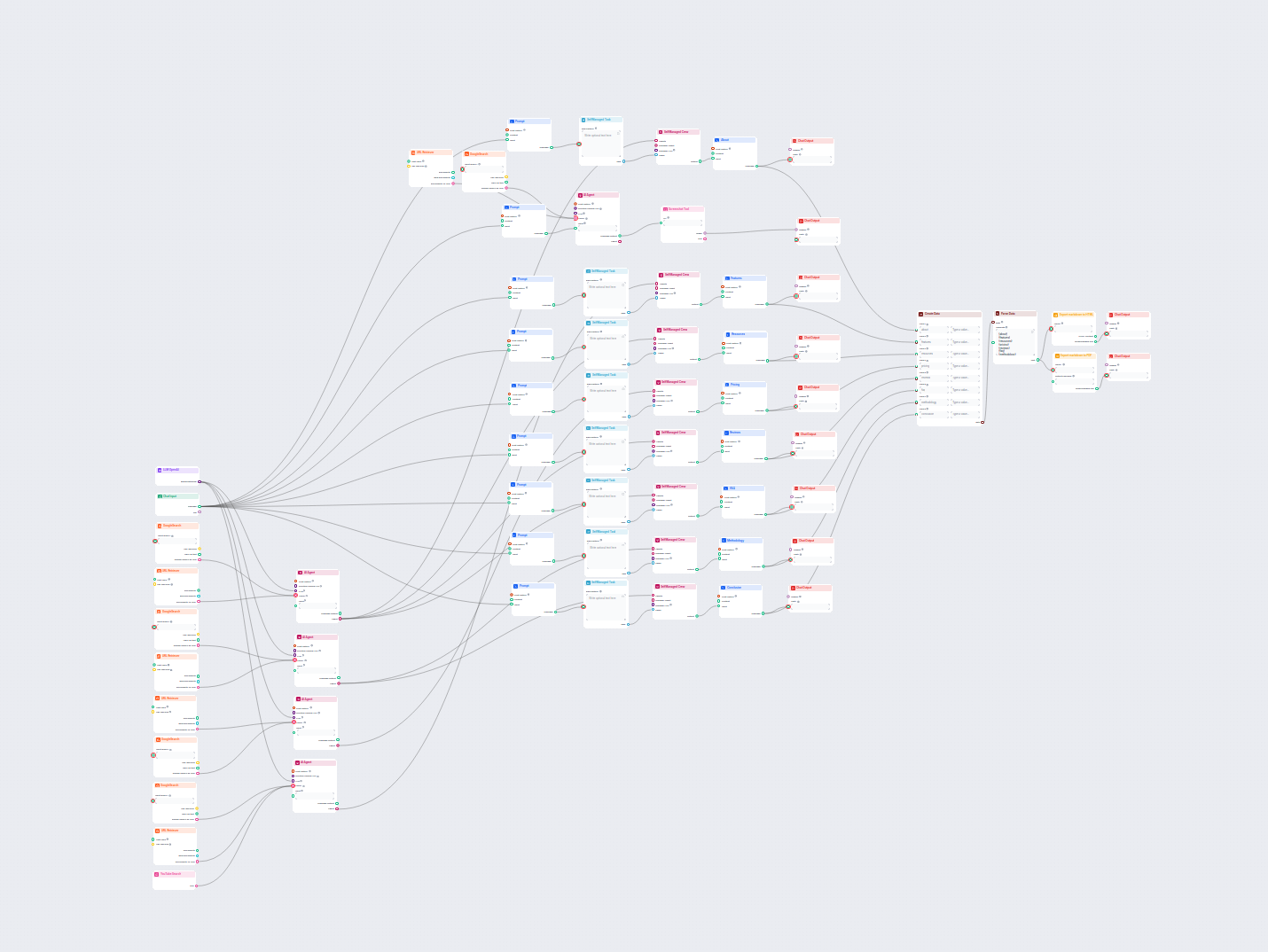
Gerador de Artigos de Avaliação de Software com IA
Gere artigos de avaliação de produtos de software completos e otimizados para SEO, incluindo recursos detalhados, preços, avaliações de usuários, recursos e mui...
4 min de leitura
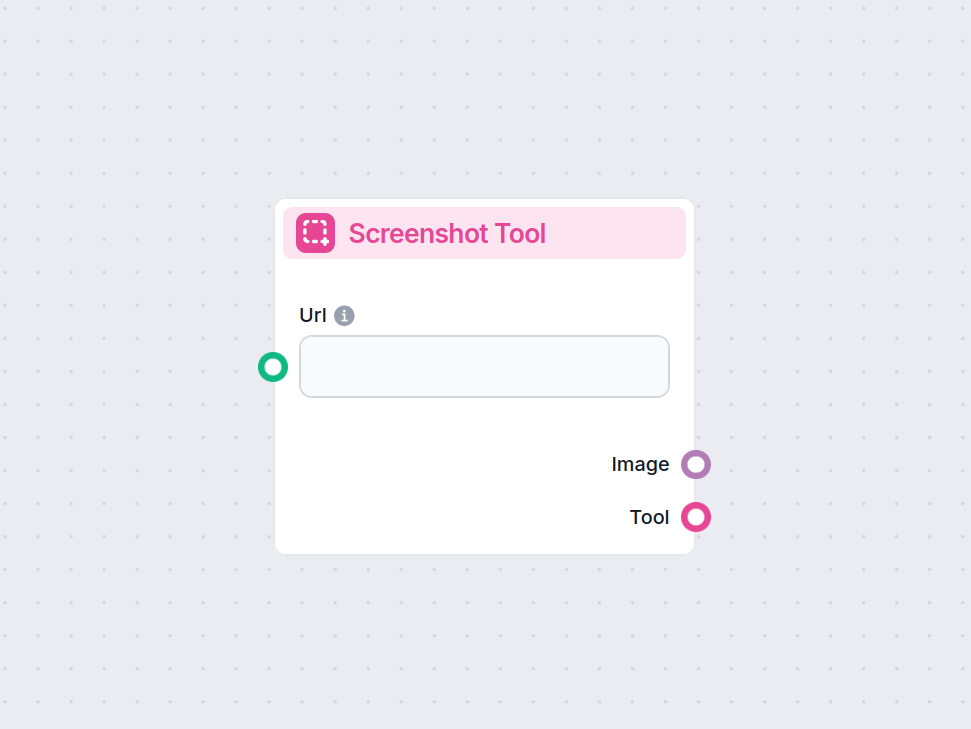
O componente Ferramenta de Captura de Tela captura imagens de páginas web por URL, permitindo a coleta automatizada de dados visuais em seu fluxo de trabalho.
Descrição do componente
The Screenshot Tool is a component designed to capture screenshots of web pages given a URL. This tool can be integrated into AI-powered workflows to automate the process of visually documenting websites, archiving web content, or providing image-based evidence of a web resource at a specific point in time.
The component accepts the following inputs:
| Input Name | Type | Required | Default | Description |
|---|---|---|---|---|
Url (input_url) | String | No | The full URL (including protocol, e.g., https://) of the web page to capture. | |
Screenshot Width (screenshot_width) | Integer | No | 1366 | Width of the screenshot in pixels (1 to 1366). |
Screenshot Height (screenshot_height) | Integer | No | 768 | Height of the screenshot in pixels (1 to 768). |
Tool Name (tool_name) | String | No | Optional name for referencing the tool in an agent. | |
Tool Description (tool_description) | String (multiline) | No | Optional detailed description to help agents understand how to use the tool. | |
Verbose (verbose) | Boolean | No | False | Enables verbose output for debugging or logging purposes. |
The component produces the following outputs:
| Output Name | Type | Description |
|---|---|---|
| Image | FlowSessionAttachmentResponse | The captured screenshot image as an attachment. |
| Tool | Tool | The configured tool object for integration/usage. |
This component is straightforward to use and highly valuable for workflows that require visual documentation or processing of web resources.
Para ajudá-lo a começar rapidamente, preparamos vários modelos de fluxo de exemplo que demonstram como usar o componente Ferramenta de Captura de Tela de forma eficaz. Esses modelos apresentam diferentes casos de uso e melhores práticas, tornando mais fácil para você entender e implementar o componente em seus próprios projetos.
Gere artigos de avaliação de produtos de software completos e otimizados para SEO, incluindo recursos detalhados, preços, avaliações de usuários, recursos e mui...
Automatize screenshots de sites e otimize seus fluxos de trabalho com o componente Ferramenta de Captura de Tela—sem etapas manuais.
Automatize a captura de screenshots de sites integrando o FlowHunt com o ScreenshotOne MCP Server. Gere imagens de páginas web de alta qualidade para monitorame...

O ScreenshotOne MCP Server faz a ponte entre assistentes de IA e a API ScreenshotOne, permitindo a captura automatizada de screenshots de sites para fluxos de t...
Consentimento de Cookies
Usamos cookies para melhorar sua experiência de navegação e analisar nosso tráfego. See our privacy policy.