Cum să Automatizezi Generarea de Lead-uri în 2026 (Ghid Pas cu Pas)
Învață cum să automatizezi generarea de lead-uri, de la prospectare la sincronizare CRM. Acest ghid pas cu pas acoperă instrumente, workflow-uri și strategii AI care generează pipeline 24/7.
Manual lead generation is a bottleneck. Your sales team spends hours building lists, researching prospects, writing personalized emails, and chasing follow-ups — time that could be spent on conversations that actually close deals.
Automated lead generation solves this by running the prospecting pipeline continuously, 24 hours a day, without human intervention. The best systems in 2026 don’t just schedule tasks — they use AI to qualify leads, personalize outreach, and adapt based on responses.
This guide shows you exactly how to build that system, step by step.
Ce este Automated Lead Generation?
Automated lead generation is the use of software — increasingly AI-powered — to handle the end-to-end process of identifying, researching, qualifying, and engaging potential customers without constant manual effort.
The key difference between automation and simply using tools is orchestration: the steps connect automatically, data flows between systems without copy-paste, and the pipeline runs continuously rather than when someone sits down to do it manually.
A mature automated lead generation system does all of this:
Discovers prospects matching your ICP from multiple sources
Enriches prospects with contact data, firmographic data, and intent signals
Qualifies them against your criteria automatically
Triggers personalized outreach at the right time
Manages multi-touch follow-up sequences
Routes hot leads to reps and syncs everything to your CRM
Why Automate Lead Generation?
The business case is straightforward:
Scale without headcount — one well-built automation pipeline can process 10x the lead volume of a manual researcher
Consistency — automated follow-up never gets missed; timing is always optimal
Speed to lead — responding to inbound leads within 5 minutes increases conversion by 9x (Harvard Business Review); automation makes this achievable
Lower cost per lead — automated tools at $100-300/month replace hours of SDR time that costs $4,000-8,000/month in salary
24/7 operation — your pipeline builds while your team sleeps, especially valuable across time zones
Pregătit să îți dezvolți afacerea?
Începe perioada de probă gratuită astăzi și vezi rezultate în câteva zile.
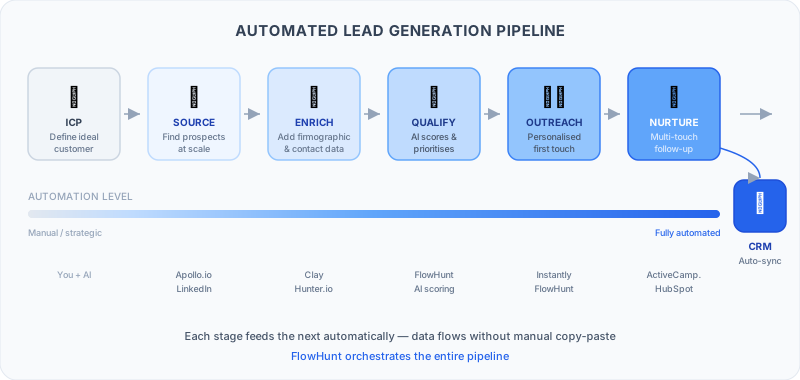
Before picking tools, understand the stages of a modern lead generation pipeline and what can be automated at each stage.
Stage 1: ICP Definition
This stage can’t be fully automated — it requires strategic thinking. But AI can help: use FlowHunt with your CRM data to identify patterns in your best customers (company size, industry, tech stack, job titles) and surface your actual ICP vs your assumed ICP.
Stage 2: Prospect Sourcing
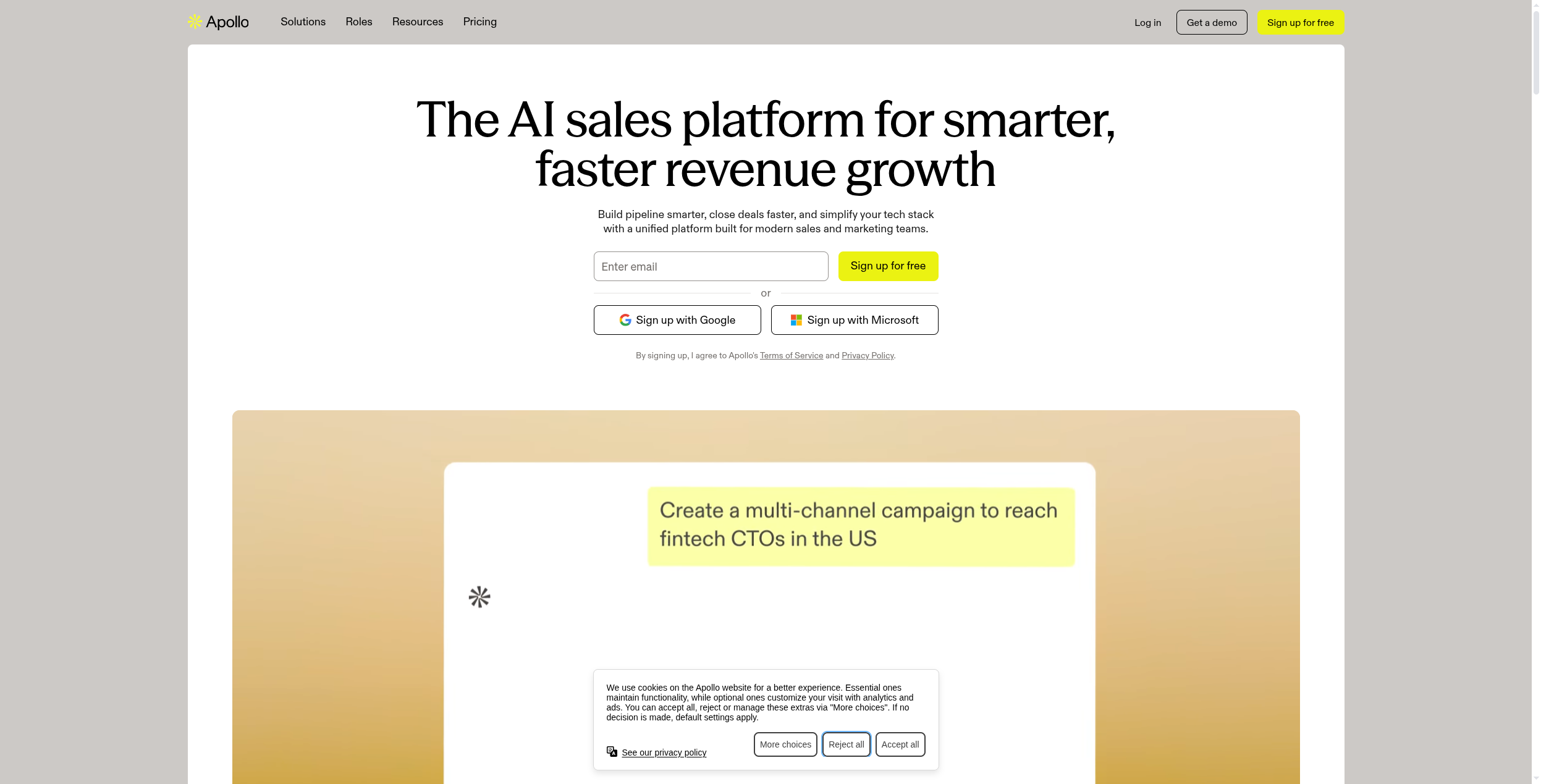
Once you know your ICP, sourcing at scale is automatable. Tools like Apollo.io and LinkedIn Sales Navigator let you filter by firmographic and demographic criteria and export prospect lists. FlowHunt can be configured to trigger regular sourcing jobs — pulling new prospects that match your ICP into your pipeline daily.
Stage 3: Data Enrichment
Raw prospect lists rarely have everything you need. Enrichment tools add:
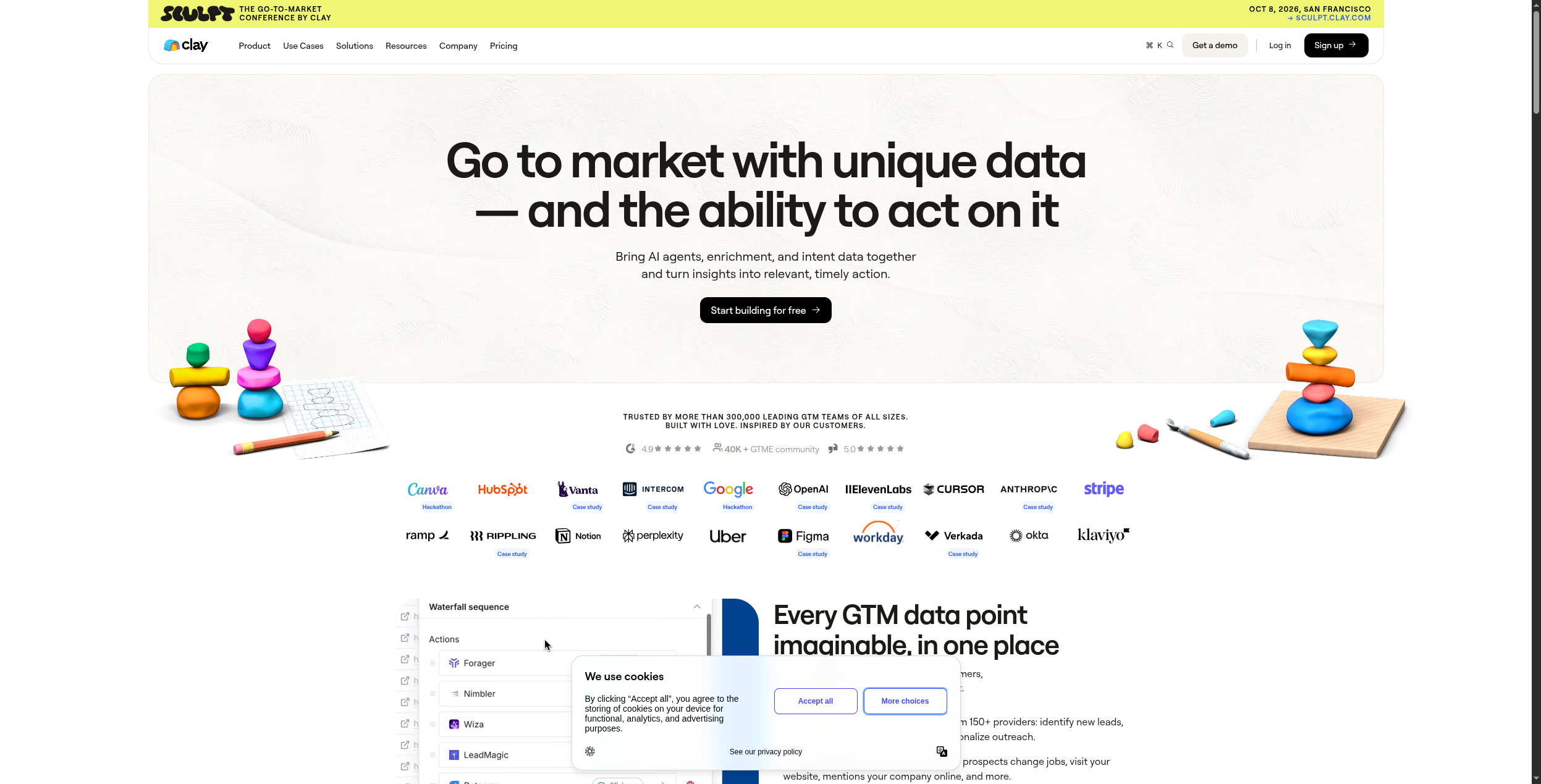
Clay is the most powerful enrichment tool for this, pulling from 75+ data sources in a single workflow.
Stage 4: Lead Qualification
AI qualification uses your ICP criteria to score each enriched prospect automatically — removing the manual triage step. FlowHunt can apply AI scoring to incoming leads, flagging high-fit prospects for immediate outreach and placing lower-fit leads in nurture sequences.
Stage 5: Outreach
Personalized outreach at scale requires automation. Platforms like Instantly handle email sequencing with AI personalization — merging prospect-specific data into templates to avoid generic mass email.
Stage 6: Nurture
Not every lead is ready to buy. Automated nurture sequences send relevant content based on prospect behavior: what they clicked, what pages they visited, what they downloaded. This keeps leads warm without manual effort.
Stage 7: CRM Sync
Every interaction — emails sent, opens, replies, meetings booked — flows automatically into your CRM. No manual data entry, no leads slipping through cracks.
5 Ways to Automate Lead Generation with FlowHunt
1. Automated ICP Prospect Discovery
Build a FlowHunt agent that pulls new company records from Apollo.io daily, filters them against your ICP criteria using AI (not just checkbox matching), and adds qualified prospects to an enrichment queue. The agent can apply reasoning — “this company just raised a Series B and sells to mid-market SaaS companies, which matches our ICP for CFO-targeted outreach.”
2. AI-Powered Lead Enrichment Pipeline
Connect FlowHunt to Hunter.io and Clay to build an enrichment pipeline that runs automatically when new prospects are added. The agent verifies email addresses, adds firmographic data, and scores each lead before it ever hits your outreach tool.
3. Personalized Cold Email Generation
Rather than using merge field templates, use FlowHunt to generate genuinely personalized emails for each prospect — referencing their recent LinkedIn posts, company news, or specific pain points based on their tech stack. AI personalization at scale is one of the highest-leverage automation use cases in 2026.
4. Intent Signal Monitoring
Build a FlowHunt agent that monitors trigger events for your ICP: job postings for roles that indicate a buying signal, funding announcements, new executive hires, or competitor reviews. When a trigger fires, the agent automatically adds the company to your outreach queue with context for the rep.
5. Inbound Lead Response Automation
For inbound leads (form fills, demo requests, chat inquiries), FlowHunt can qualify them instantly using AI, assign them to the right rep based on territory and ICP fit, send a personalized acknowledgment email, and sync everything to your CRM — all within seconds of the lead coming in.
Abonează-te la newsletter-ul nostru
Primește cele mai recente sfaturi, tendințe și oferte gratuit.
Tools You Need for Automated Lead Generation
Instrument
Role in Pipeline
Preț de Start
FlowHunt
Orchestration, AI qualification, personalization
Free
Apollo.io
Prospecting database, 275M+ contacts
$49/month
Clay
Multi-source enrichment (75+ data providers)
$149/month
Hunter.io
Email finding and verification
Free / $49/month
Instantly
Cold email sequencing, deliverability
$37/month
You don’t need all of these from day one. Start with FlowHunt + Apollo + a CRM. Add enrichment and sequencing tools as your pipeline matures.
Common Mistakes to Avoid
Automating before defining your ICP. Garbage in, garbage out. If you haven’t clearly defined who you’re targeting, automation just produces more unqualified leads faster.
Over-automating outreach. AI personalization is powerful, but fully AI-generated emails at scale can feel robotic. The best systems use AI to draft and humans to review before sending, at least initially.
Ignoring deliverability. High-volume cold email requires dedicated sending domains, proper warming, and authentication (SPF, DKIM, DMARC). Platforms like Instantly handle this, but you need to configure it correctly.
Not closing the CRM loop. If lead data doesn’t flow back into your CRM — replies, meetings, deal stages — you lose the learning that makes the pipeline smarter over time.
Building too much at once. Start with one automated stage (prospecting or enrichment), get it working reliably, then add the next. Trying to build the whole pipeline in one go usually means nothing works well.
How to Get Started Today
Define your ICP — list 3-5 characteristics of your best customers (industry, size, role, pain point)
Set up a free FlowHunt account — build your first AI agent for lead qualification
Connect Apollo.io — start a trial and pull your first prospect list based on your ICP
Run enrichment — use Hunter.io’s free tier to verify email addresses
Send your first automated sequence — test with 20-30 prospects before scaling
The goal isn’t to automate everything immediately — it’s to remove the most time-consuming manual step first. For most teams, that’s list building and data enrichment.
Automated lead generation uses software and AI to handle repetitive lead generation tasks without manual effort: finding prospects that match your ICP, enriching their contact data, scoring them by fit and intent, triggering personalized outreach, and syncing qualified leads to your CRM. The goal is building a pipeline that grows while you sleep.
Costs vary by stack. A basic automation setup using FlowHunt (free tier), Hunter.io (free tier: 25 searches/month), and HubSpot CRM (free) costs nothing to start. A full-featured stack with Apollo.io ($49/month), Instantly ($37/month), and FlowHunt might run $100-200/month — significantly cheaper than one SDR's salary.
The core stack: a prospecting database (Apollo.io, LinkedIn Sales Navigator), an enrichment tool (Clay, Hunter.io), an outreach platform (Instantly, Lemlist), and an AI orchestration layer (FlowHunt) to connect everything and make the pipeline intelligent. The exact tools depend on your target market and outreach channels.
A basic automated lead generation flow — ICP filtering in Apollo, email finding with Hunter.io, and sequences in Instantly — can be live in 2-3 hours. A sophisticated multi-channel pipeline with AI personalization, lead scoring, and full CRM sync typically takes 1-2 weeks to build and test properly.
AI can replace the repetitive parts of lead generation — list building, data enrichment, initial qualification, first-touch outreach, and follow-up sequences. What it can't replace yet is strategic ICP definition, relationship-based selling for enterprise deals, and creative campaign ideation. The best teams use AI to handle the volume while humans focus on high-value conversations.
Arshia este Inginer de Fluxuri AI la FlowHunt. Cu o pregătire în informatică și o pasiune pentru inteligența artificială, el este specializat în crearea de fluxuri eficiente care integrează instrumente AI în sarcinile de zi cu zi, sporind productivitatea și creativitatea.
Arshia Kahani
Inginer de Fluxuri AI
Construiește an Automated Lead Generation Machine — Încearcă FlowHunt Gratuit
FlowHunt conectează modelele tale AI, instrumentele existente și datele reale în workflow-uri automatizate. Construiește primul tău flow în câteva minute — fără cod.
Cum să Automatizezi Prospectarea și Contactarea Clienților cu AI: Ghid Complet
Află cum să folosești instrumente AI pentru a automatiza generarea de lead-uri, personaliza contactarea și a scala eforturile de prospectare în vânzări, menținâ...
10 Cele Mai Bune Instrumente de Automatizare Vânzări în 2026: Clasament și Recenzii
Cele 10 cele mai bune instrumente de automatizare vânzări în 2026, clasate după capabilități de outreach, personalizare AI, integrare CRM și prețuri. Închide ma...
Ce Este un Agent de Vânzări AI? Ghid Complet + Cele Mai Bune Instrumente (2026)
Tot ce trebuie să știi despre agenții de vânzări AI în 2026: cum funcționează, cazuri reale de utilizare, cele mai bune instrumente și cum să-ți construiești pr...
12 min citire
AI
Sales Automation
Consimțământ Cookie Folosim cookie-uri pentru a vă îmbunătăți experiența de navigare și a analiza traficul nostru. See our privacy policy.
Aceste cookie-uri sunt necesare pentru funcționarea site-ului și nu pot fi dezactivate.
Cookie-uri de analiză
Aceste cookie-uri ne ajută să înțelegem cum interacționează vizitatorii cu site-ul nostru.
Cookie-uri de marketing
Aceste cookie-uri sunt folosite pentru a măsura eficiența campaniilor noastre publicitare și pentru a susține publicitate relevantă pe platforme terțe.
Cookie-uri funcționale
Aceste cookie-uri sunt folosite pentru a vă reține preferințele și a vă îmbunătăți experiența.