
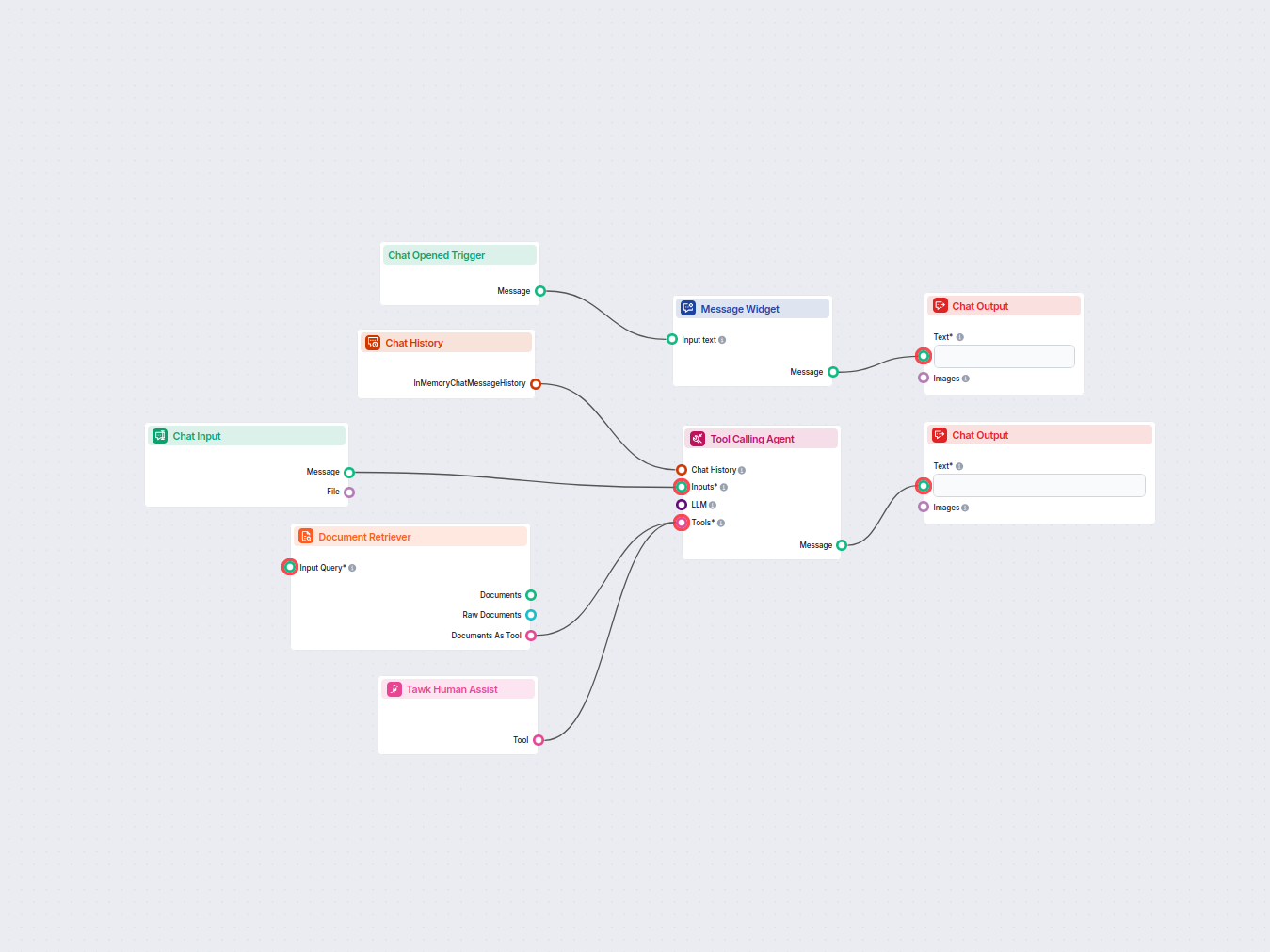
AI Chatbot s odovzdaním na človeka cez Tawk
Chatbot naživo podporovaný umelou inteligenciou, ktorý odpovedá na otázky zákazníkov pomocou internej znalostnej bázy a inteligentne odovzdáva zložité požiadavk...
3 min čítania
Bezproblémovo prepojte FlowHunt AI Chatbot s Tawk pre inteligentný prechod podpory z AI na človeka, zvýšte spokojnosť zákazníkov a minimalizujte chyby AI.
Opis komponentu
You can connect the FlowHunt Chatbot to your favorite customer service tools for a smooth transition to human support. Thanks to the AI agent’s smart decision-making, it knows exactly when to escalate to human support. A simple click of a button then transforms the chatbot into your preferred live chat solution.
The Human Assist Tools allow you to integrate your Flows with the leading customer service solutions. Once integrated, an AI Agent decides when connecting to human support is the better option.
AI Agents are computer programs that can perform tasks or make decisions independently. The Agents observe their environment, process information, and take action. Their decisions are based on their unique programming, knowledge, and goals.
The Tawk Human Assist Tool tells the AI agent to look out for whenever a user might prefer human assistance. If the user accepts to be transferred, the chatbot immediately transforms into your Tawk chat window.
The Agent will offer human support whenever it can’t answer a question, detects a negative sentiment, or when a user specifically asks to be transferred. This means a significant reduction in AI hallucinations and annoyed customers.
Thanks to the use of agents, the integration Flow is super simple and contains just a few components:
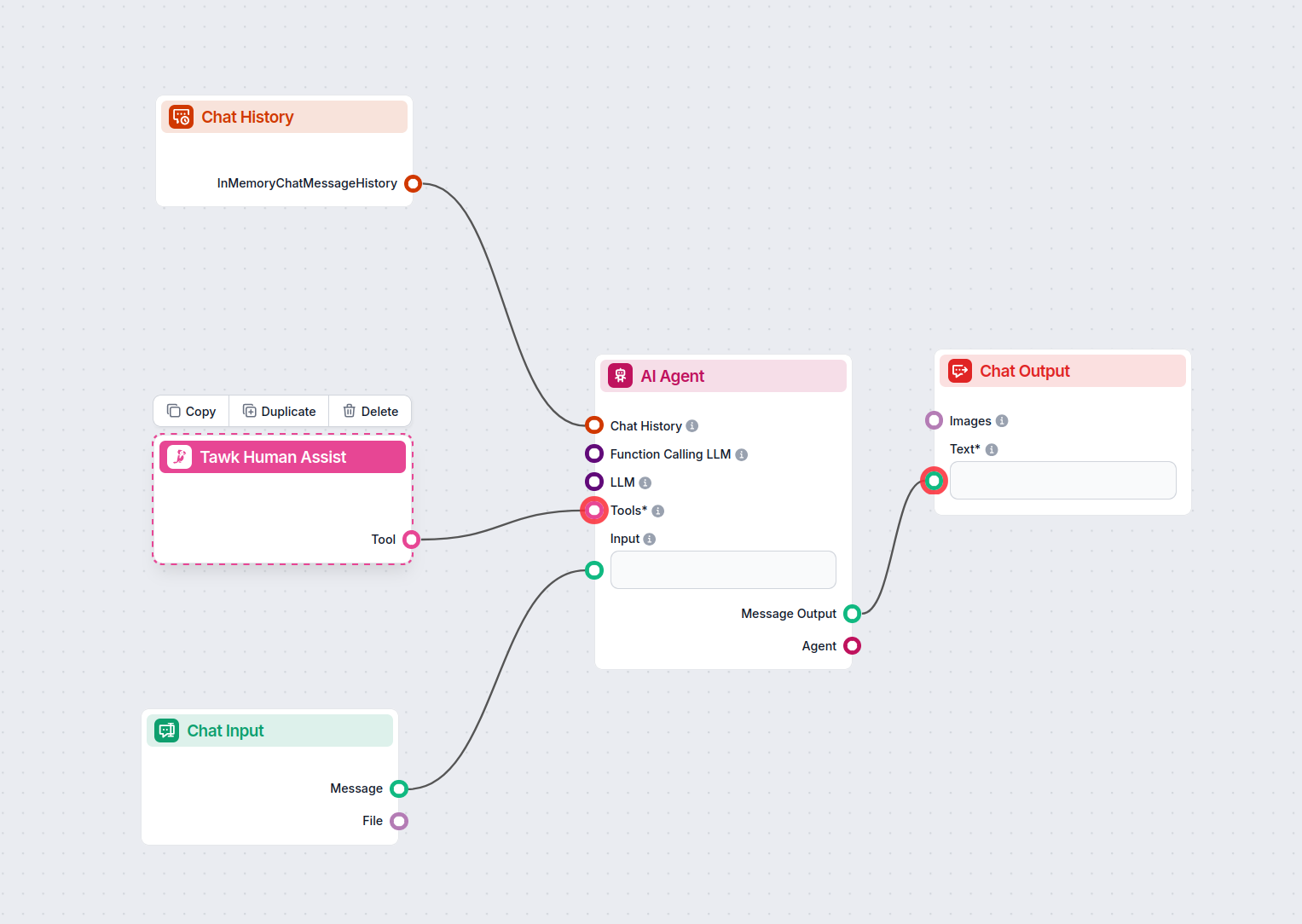
TIP: You can take a shortcut and simply use our Chatbot template with Tawk integration.
If you’re looking to build on your own:
To integrate with Tawk , you’ll need your Tawk embed URL. Here’s how to get it:
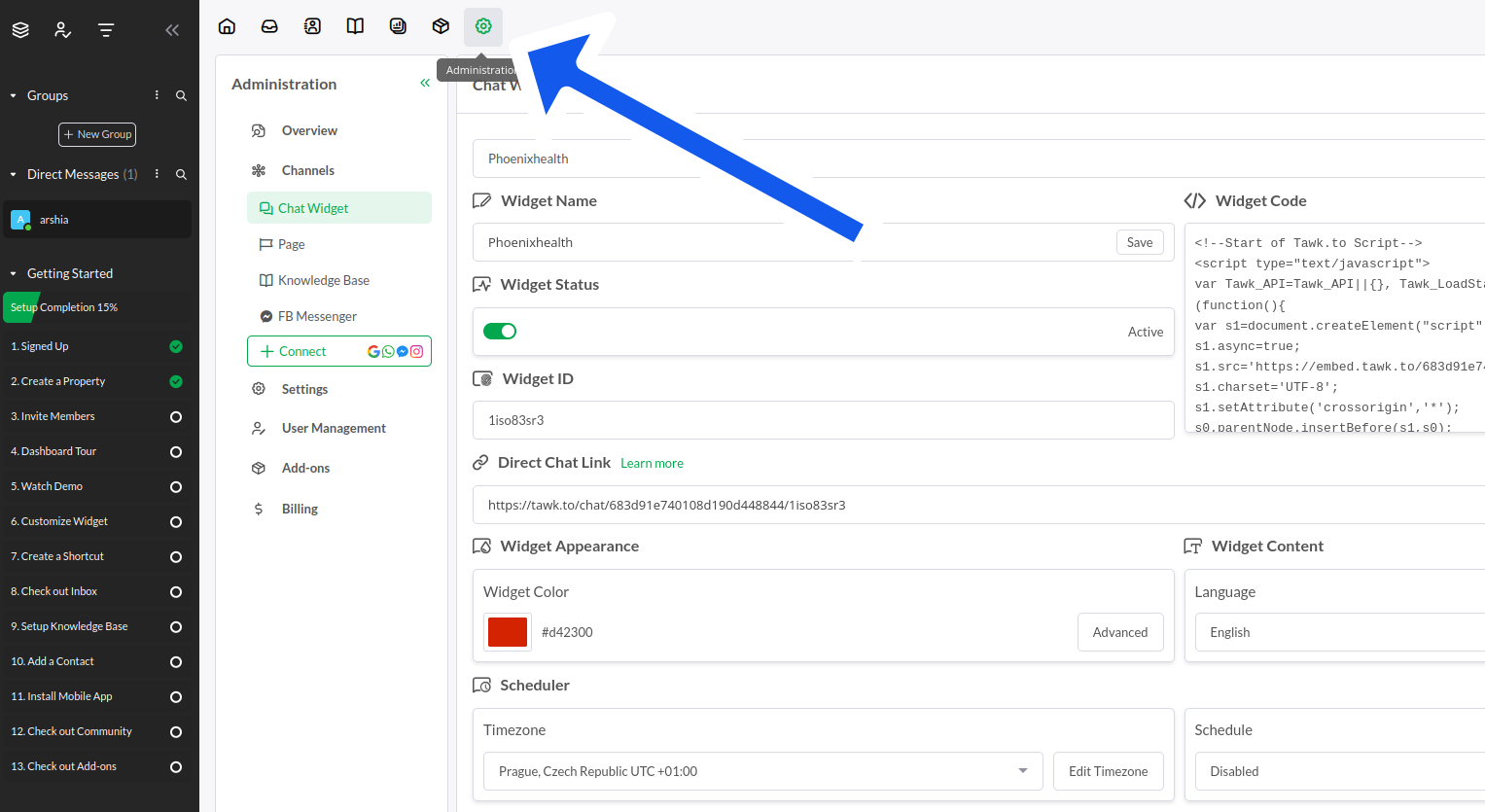
In your Tawk dashboard, click the settings cog in the top navigation menu:
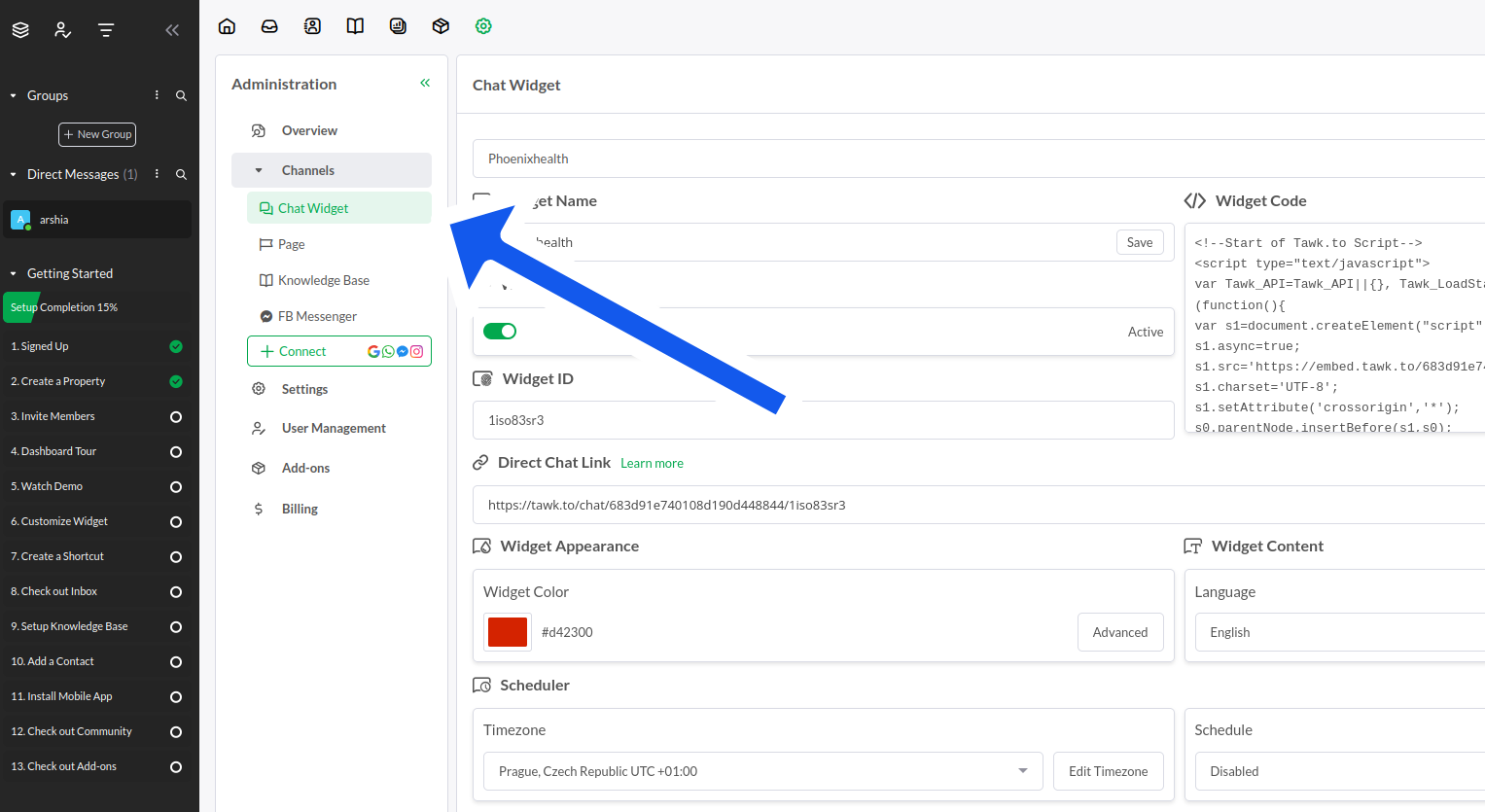
Once in settings, expand Channels and pick Chat Widget:
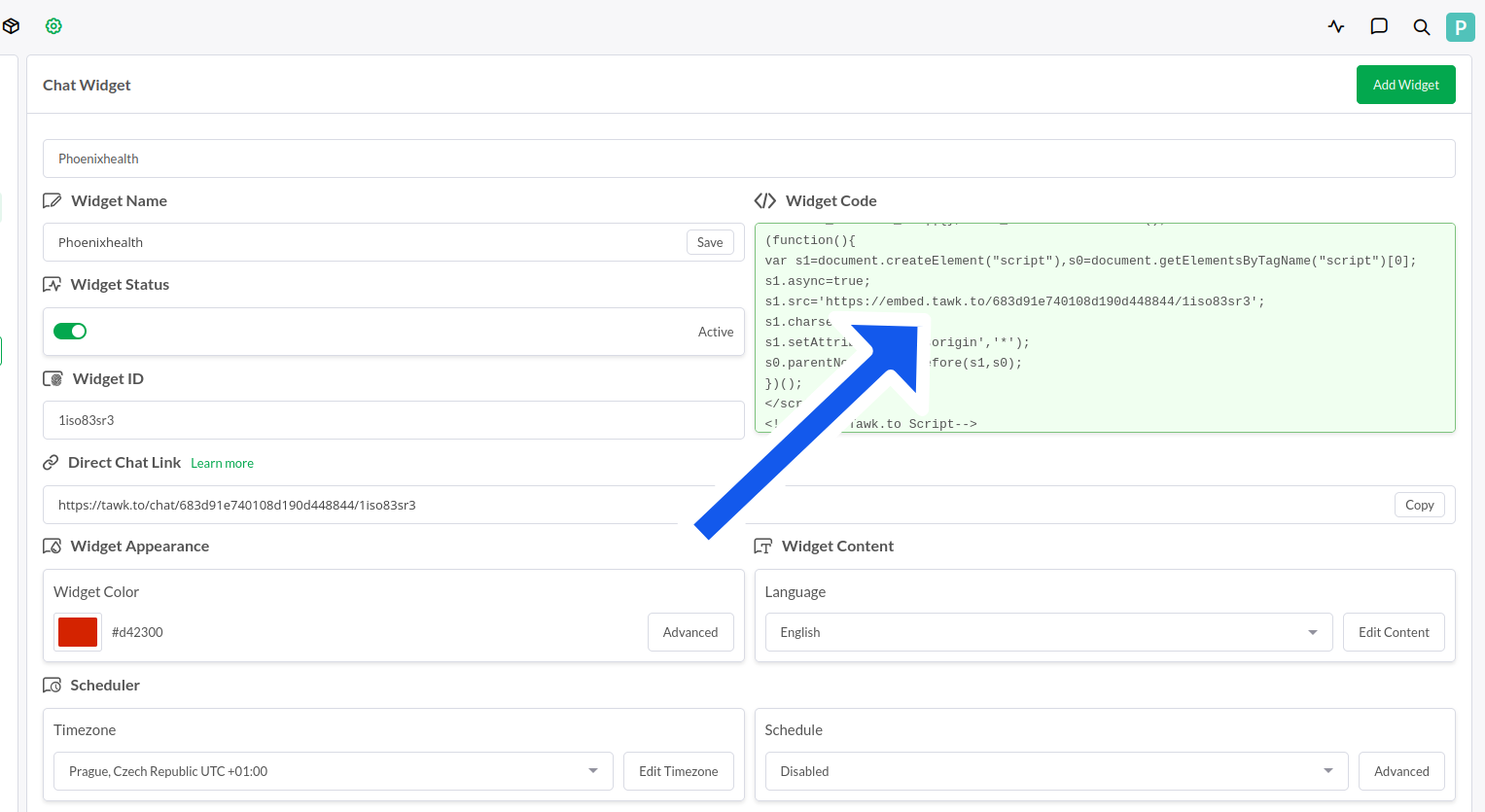
Your widget code is on the right side of the settings. However, you only need the embed URL that starts with:
“https://embed.tawk.to/…”
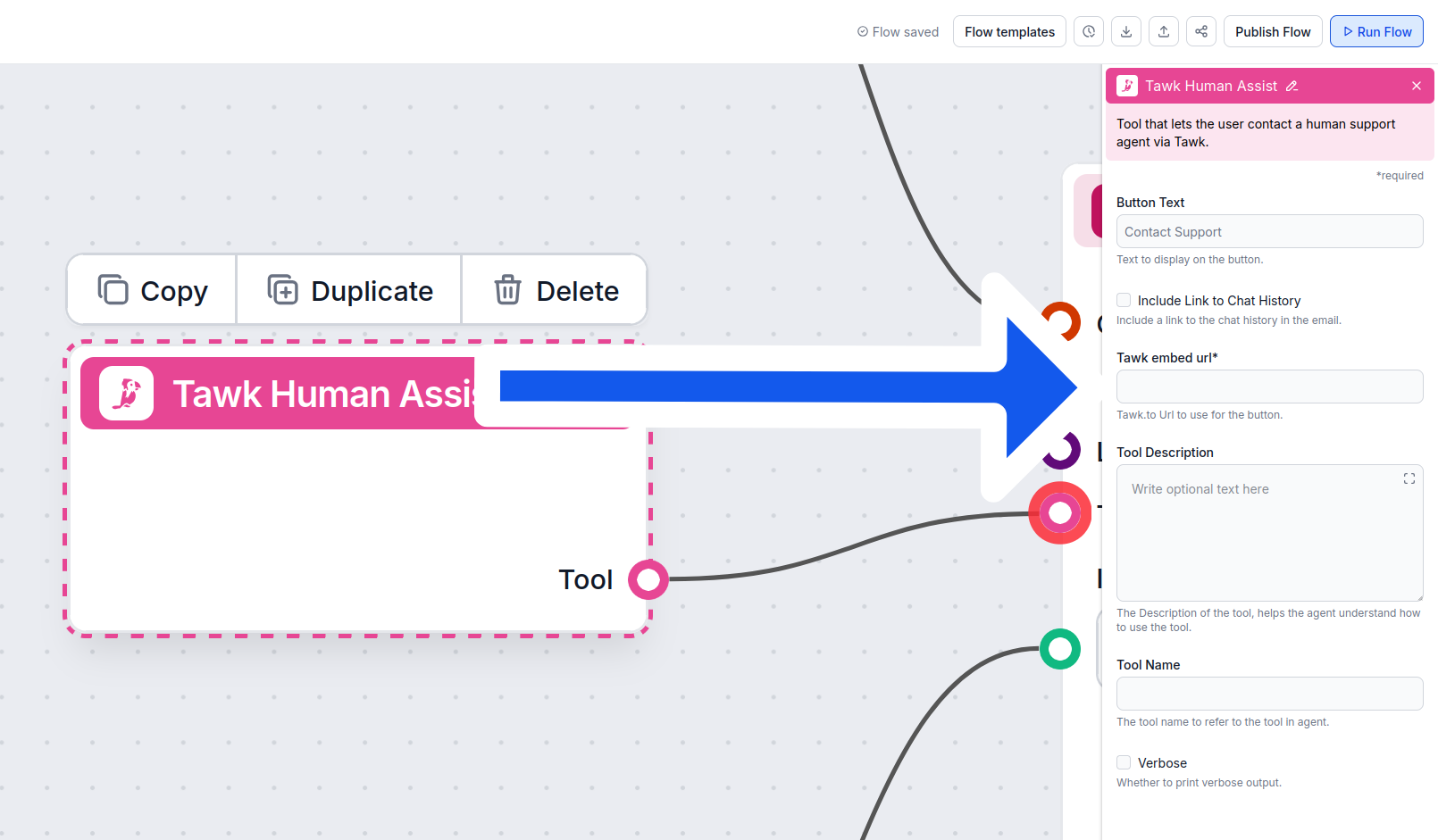
Copy the entire URL and Insert it into the Tawk Human Assist Tool component:
Once Tawk is integrated into your Chatbot, the AI agent will offer human support whenever it can’t answer a question or detects that the user might prefer talking to a human. Of course, the Contact Support button can also be triggered by simply asking to be transferred.
The contact button says “Contact support” by default, but you can always change this in the Button Text setting of the component:
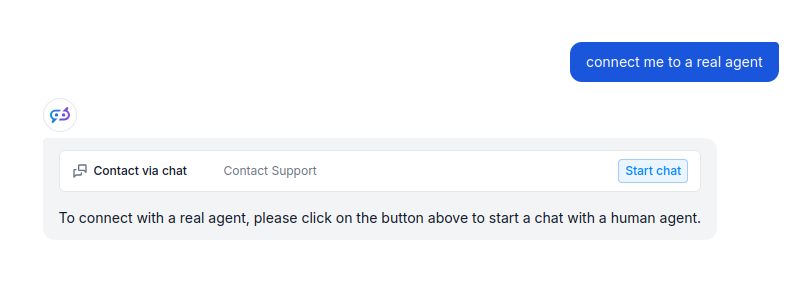
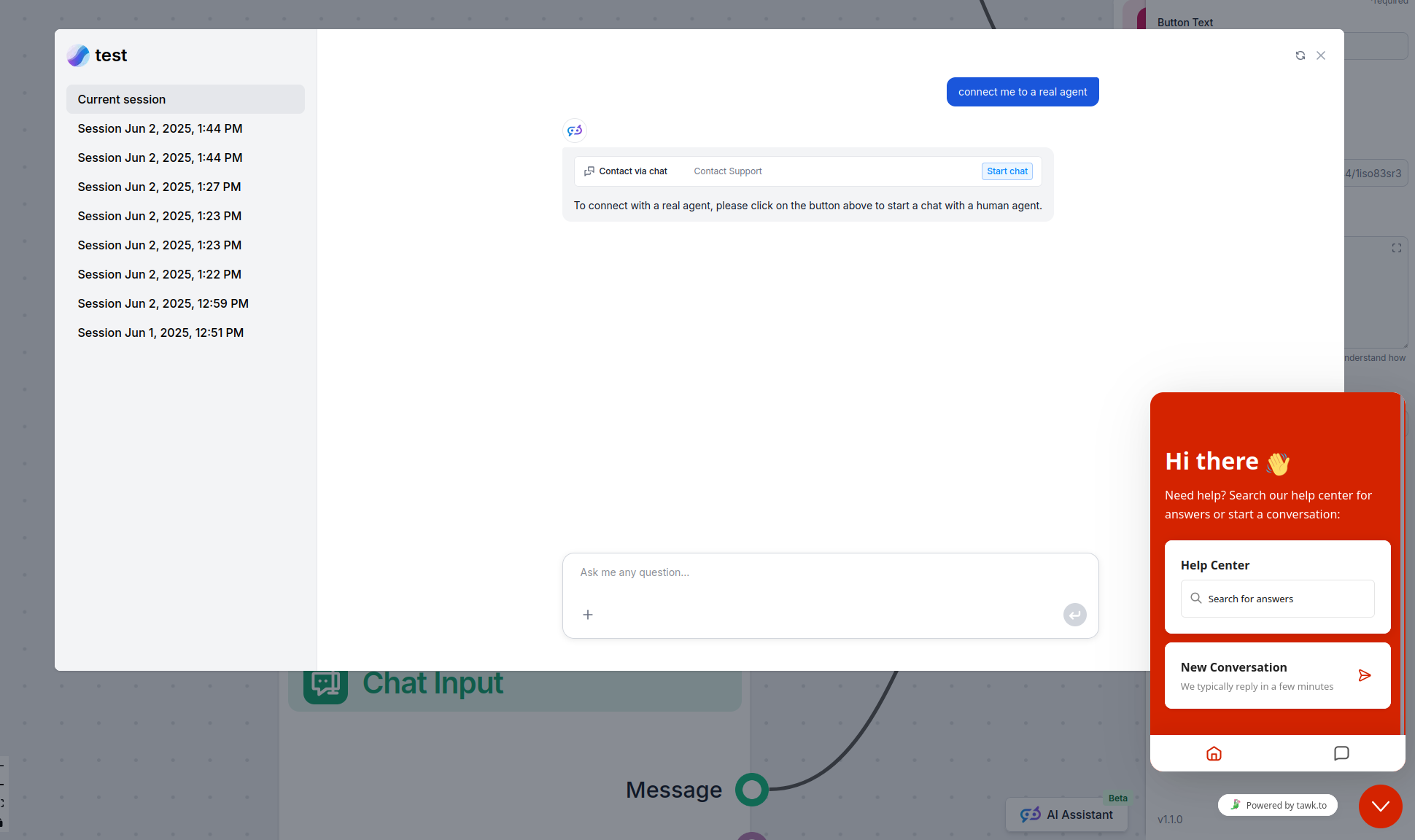
When the button is clicked, the FlowHunt bot immediately transforms into your Tawk chat window. Go ahead and try it! The message should land in your Tawk inbox immediately:
Aby sme vám pomohli rýchlo začať, pripravili sme niekoľko ukážkových flow šablón, ktoré demonštrujú efektívne využitie komponentu Integrácia Tawk. Tieto šablóny prezentujú rôzne prípady použitia a osvedčené postupy, čo vám uľahčí pochopenie a implementáciu komponentu vo vašich vlastných projektoch.
Chatbot naživo podporovaný umelou inteligenciou, ktorý odpovedá na otázky zákazníkov pomocou internej znalostnej bázy a inteligentne odovzdáva zložité požiadavk...

Integrácia chatbotov FlowHunt AI s Tawk.to pre inteligentný prevod na človeka. Nechajte AI spracovať rutinné dotazy a bezproblémovo preneste používateľov na živ...
Zlepšite svoju zákaznícku podporu integráciou FlowHunt AI Chatbot s Tawk pre plynulý prechod na človeka. Zažite efektívne konverzácie poháňané AI s okamžitou eskaláciou na živého agenta podľa potreby.

FlowHunt sa integruje s vašimi obľúbenými nástrojmi pre zákaznícky servis a produktivitu, aby ste mohli využívať AI chatboty a automatizáciu kdekoľvek. Prezrite...
Integrácia chatbotov FlowHunt AI s Tawk.to pre inteligentný prevod na človeka. Nechajte AI spracovať rutinné dotazy a bezproblémovo preneste používateľov na živ...
Súhlas s cookies
Používame cookies na vylepšenie vášho prehliadania a analýzu našej návštevnosti. See our privacy policy.