


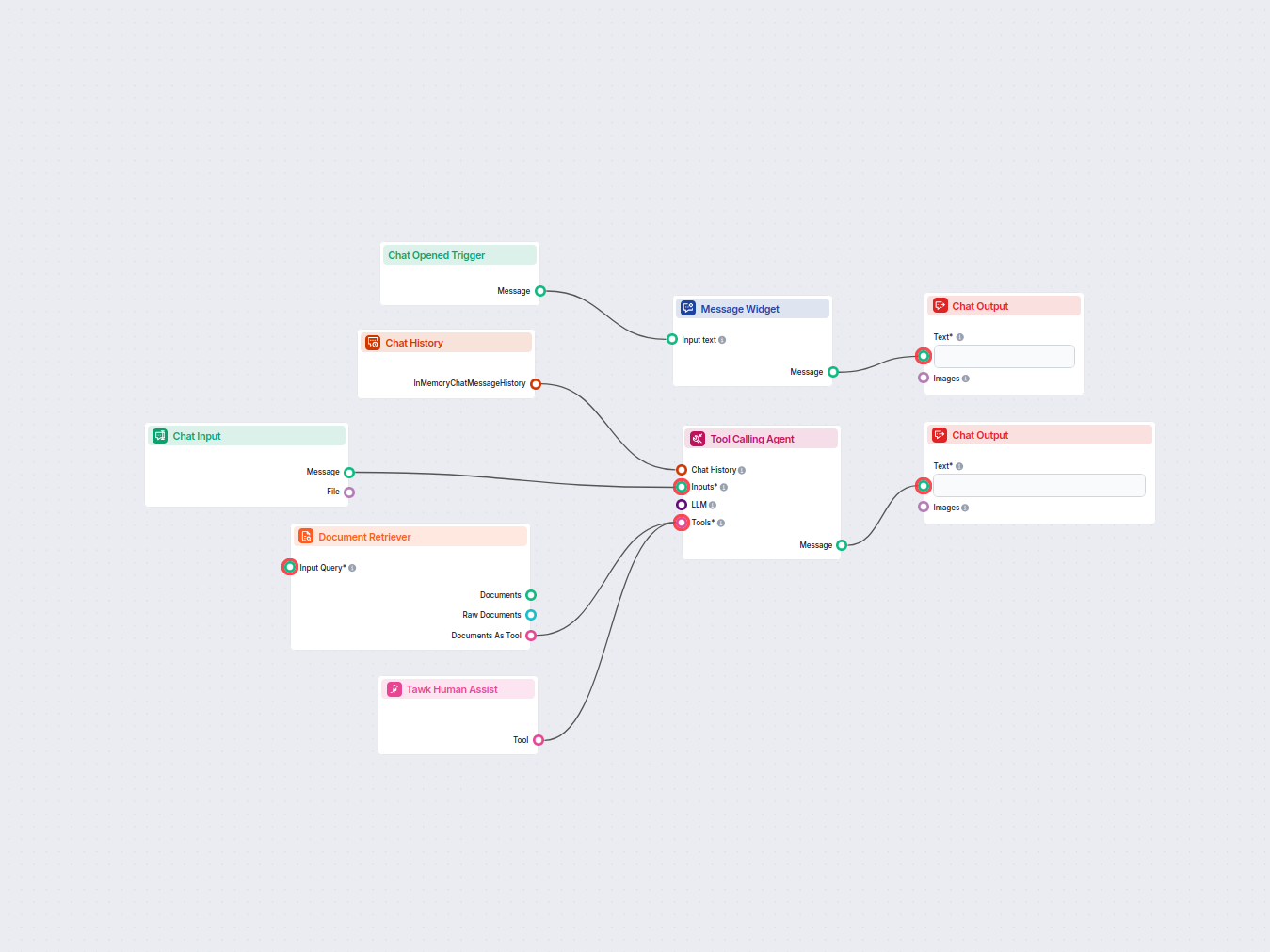
AI Chatbot with Tawk Human Handoff
An AI-powered live chat support chatbot that answers customer questions using an internal knowledge base and intelligently hands off complex queries to human ag...
3 min read
Seamlessly connect FlowHunt AI Chatbot with Tawk for smart AI-to-human support handoff, enhancing customer satisfaction and minimizing AI errors.
Component description
You can connect the FlowHunt Chatbot to your favorite customer service tools for a smooth transition to human support. Thanks to the AI agent’s smart decision-making, it knows exactly when to escalate to human support. A simple click of a button then transforms the chatbot into your preferred live chat solution.
The Human Assist Tools allow you to integrate your Flows with the leading customer service solutions. Once integrated, an AI Agent decides when connecting to human support is the better option.
AI Agents are computer programs that can perform tasks or make decisions independently. The Agents observe their environment, process information, and take action. Their decisions are based on their unique programming, knowledge, and goals.
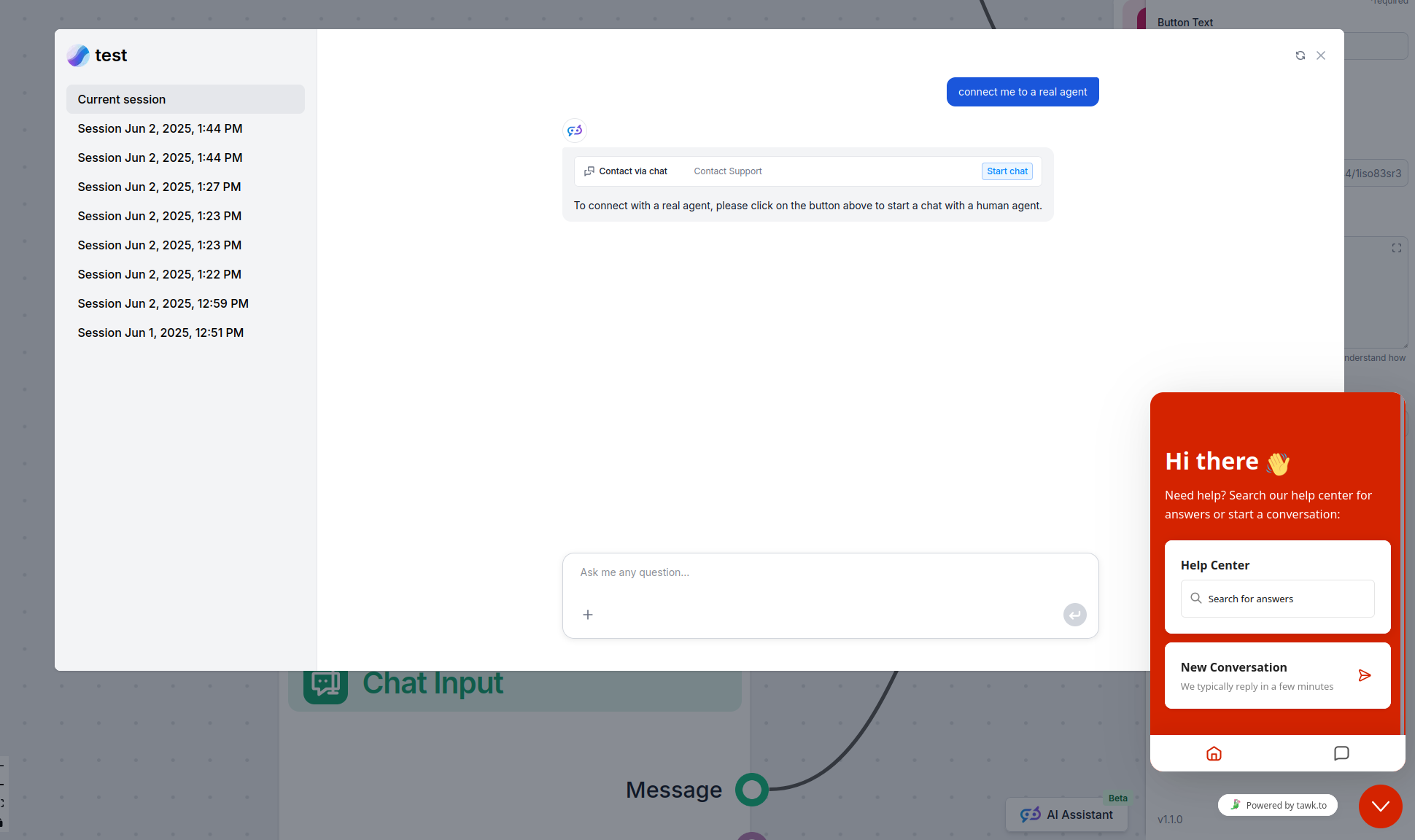
The Tawk Human Assist Tool tells the AI agent to look out for whenever a user might prefer human assistance. If the user accepts to be transferred, the chatbot immediately transforms into your Tawk chat window.
The Agent will offer human support whenever it can’t answer a question, detects a negative sentiment, or when a user specifically asks to be transferred. This means a significant reduction in AI hallucinations and annoyed customers.
Thanks to the use of agents, the integration Flow is super simple and contains just a few components:
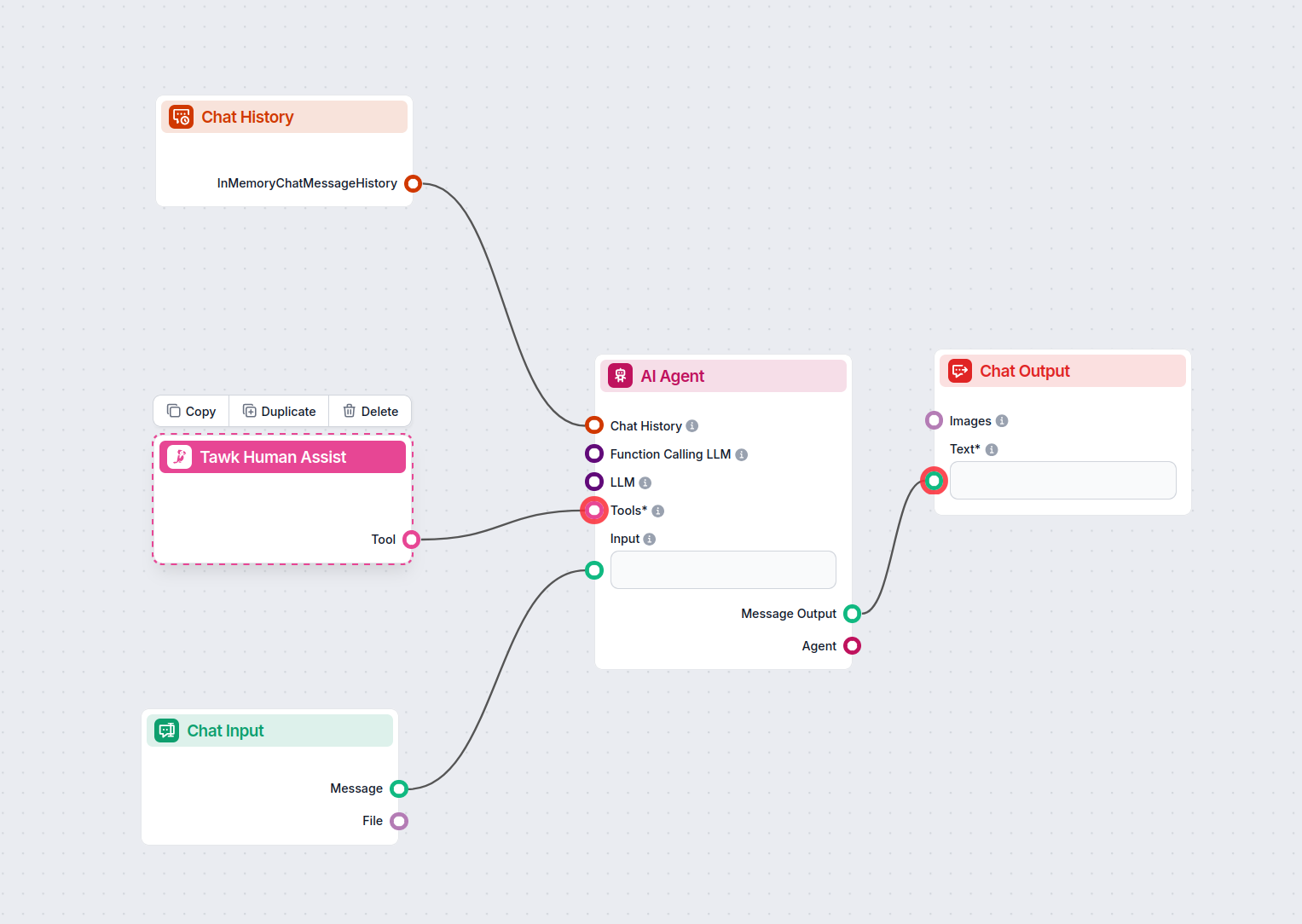
TIP: You can take a shortcut and simply use our Chatbot template with Tawk integration.
If you’re looking to build on your own:
To integrate with Tawk , you’ll need your Tawk embed URL. Here’s how to get it:
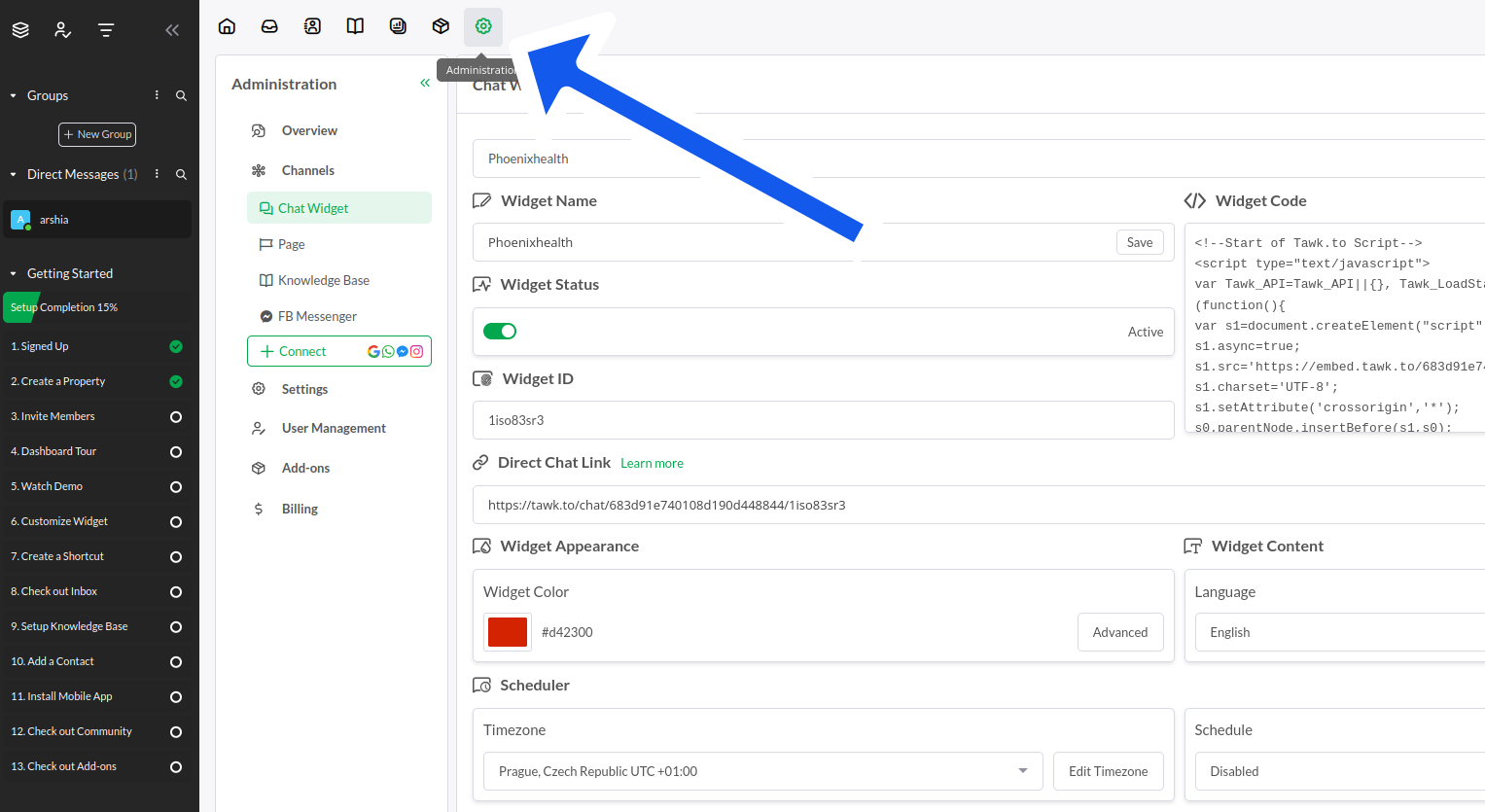
In your Tawk dashboard, click the settings cog in the top navigation menu:
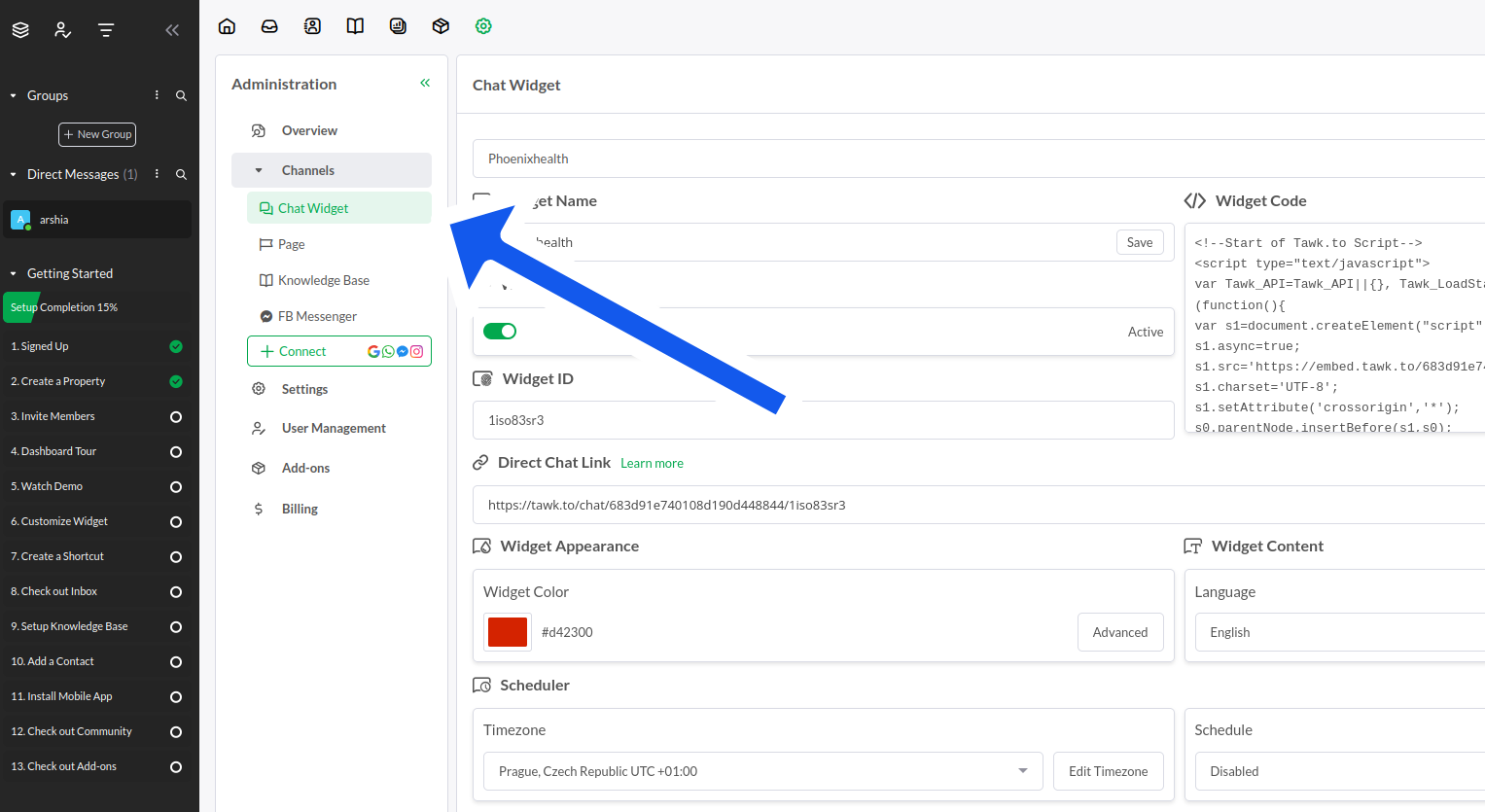
Once in settings, expand Channels and pick Chat Widget:
Your widget code is on the right side of the settings. However, you only need the embed URL that starts with:
“https://embed.tawk.to/…”
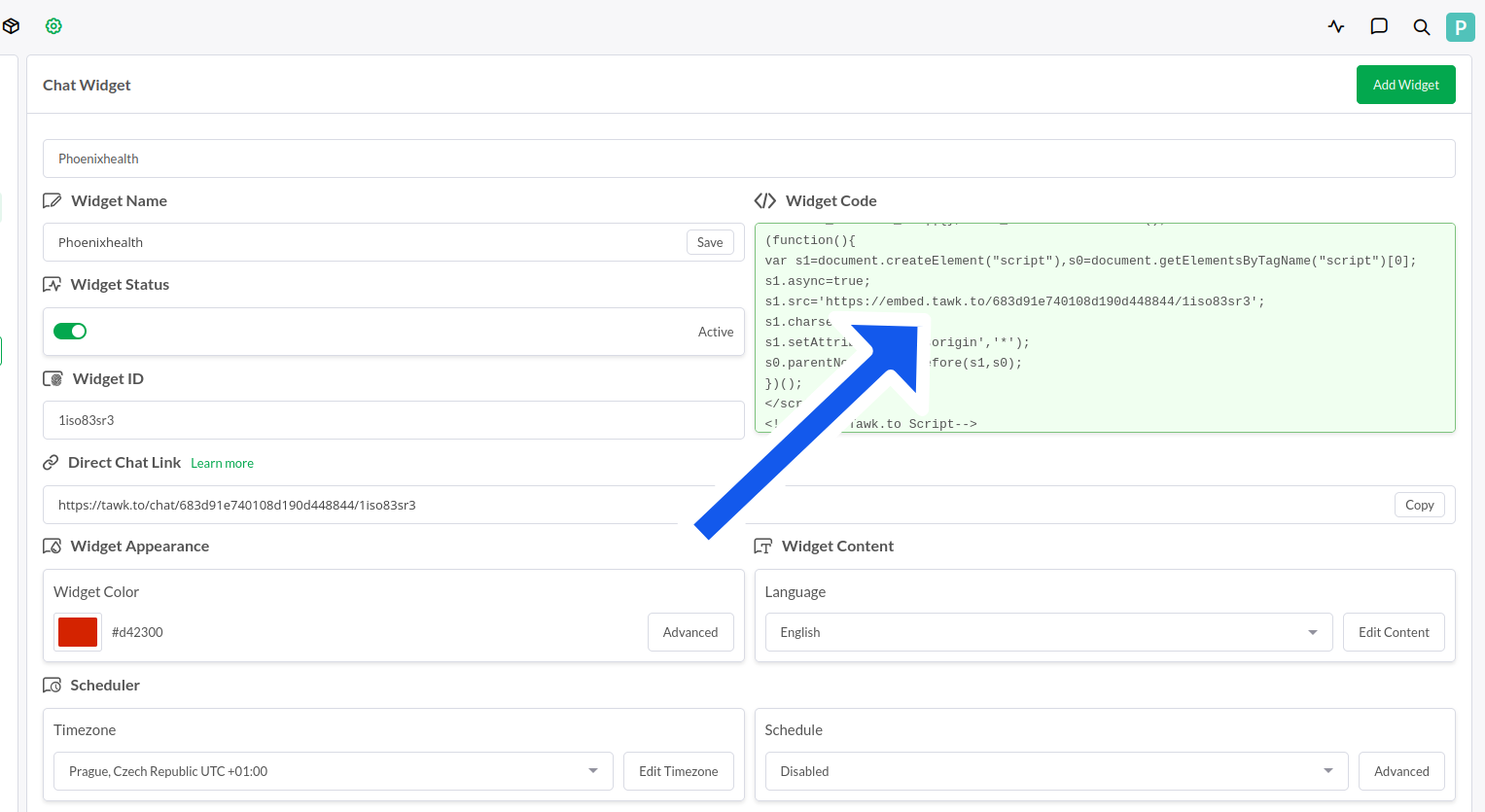
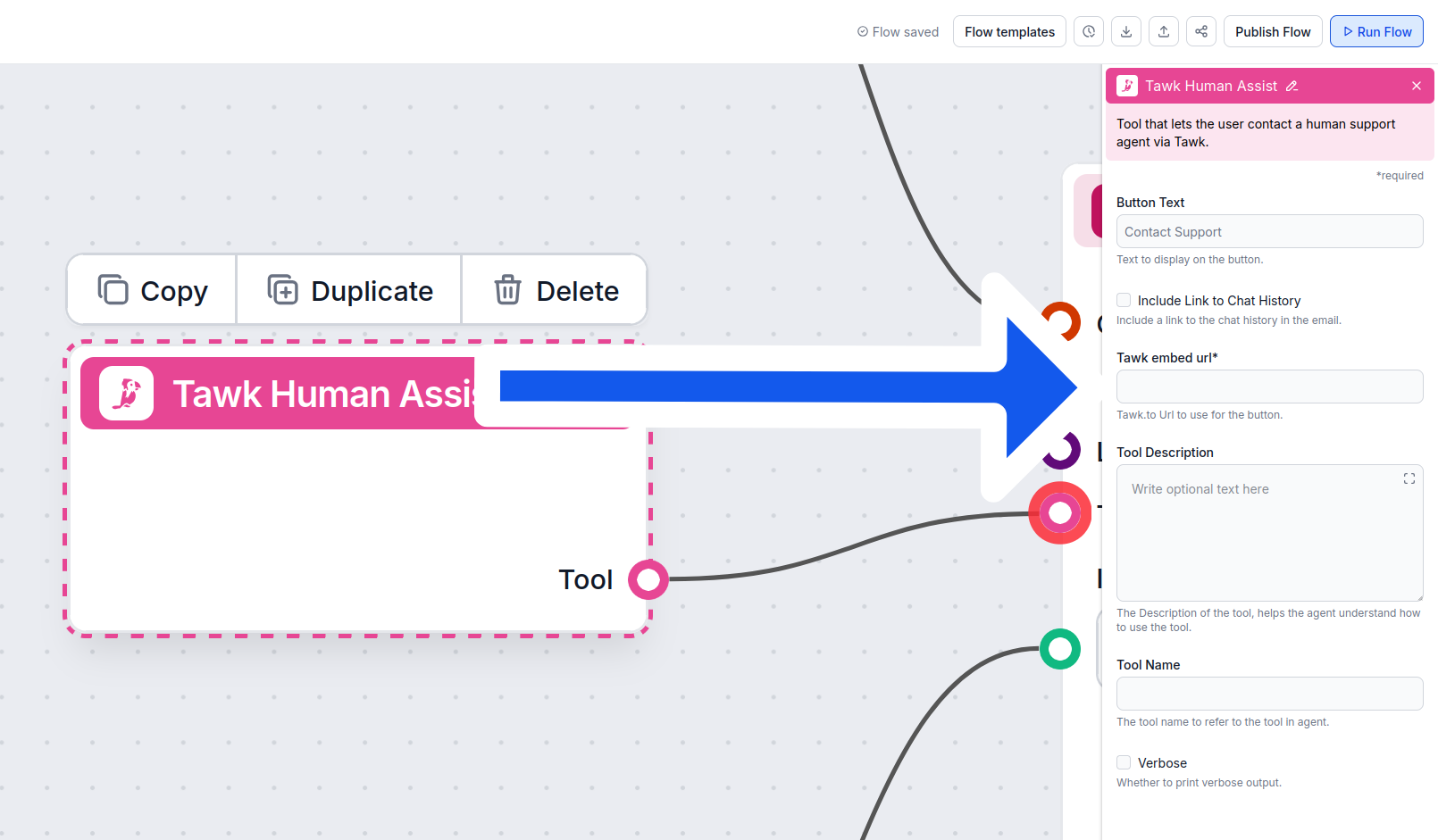
Copy the entire URL and Insert it into the Tawk Human Assist Tool component:
Once Tawk is integrated into your Chatbot, the AI agent will offer human support whenever it can’t answer a question or detects that the user might prefer talking to a human. Of course, the Contact Support button can also be triggered by simply asking to be transferred.
The contact button says “Contact support” by default, but you can always change this in the Button Text setting of the component:
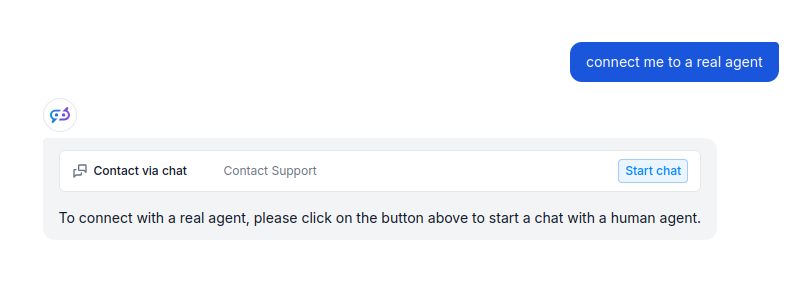
When the button is clicked, the FlowHunt bot immediately transforms into your Tawk chat window. Go ahead and try it! The message should land in your Tawk inbox immediately:
To help you get started quickly, we have prepared several example flow templates that demonstrate how to use the Tawk Integration component effectively. These templates showcase different use cases and best practices, making it easier for you to understand and implement the component in your own projects.
An AI-powered live chat support chatbot that answers customer questions using an internal knowledge base and intelligently hands off complex queries to human ag...
Integrate FlowHunt AI chatbots with Tawk.to for intelligent human handoff. Let AI handle routine queries and seamlessly transfer users to live agents when neede...
Enhance your customer support by integrating FlowHunt AI Chatbot with Tawk for seamless human handoff. Experience efficient, AI-powered conversations with instant escalation to live agents when needed.
Integrate FlowHunt AI chatbots with Tawk.to for intelligent human handoff. Let AI handle routine queries and seamlessly transfer users to live agents when neede...
An AI-powered live chat support chatbot that answers customer questions using an internal knowledge base and intelligently hands off complex queries to human ag...
Cookie Consent
We use cookies to enhance your browsing experience and analyze our traffic. See our privacy policy.