How to Build Targeted B2B Prospect Lists Automatically with AI
An AI outbound lead generation tool builds targeted, verified B2B prospect lists from your ICP criteria automatically. Here’s how to define your ICP and generate a list that’s worth calling.
A prospect list built on stale data and wrong-fit companies wastes your SDR team’s time before they make a single call. An AI outbound lead generation tool builds targeted, verified lists from your ICP criteria automatically, eliminating the manual scraping, cross-referencing, and guesswork. Here’s how to define your ideal customer profile and generate a list that’s actually worth calling.
Why Most Outbound Lists Fail Before They’re Used
B2B contact data decays fast. Research suggests that contact lists can lose roughly 22% of their accuracy every year
as people change roles, companies rebrand, and emails get retired. A list that sat in a CRM for six months is already partly wrong before the first dial.
And when these two problems meet, it means an SDRs spend their morning verifying data from an outdated list instead oc making calls. Both problems come from the same root cause
: list-building that wasn’t rigorous enough before outreach began.
How AI Lead Generation Is Different from Manual Research
Manual list-building usually means a rep or researcher works through LinkedIn Sales Navigator, company websites, and a handful of directories to manually copy all the information into a spreadsheet. It’s slow, inconsistent between researchers, and the data is only as fresh as the day it was collected.
Automated lead generation for B2B teams lets you describe the niche and location you’re targeting, and an AI agent runs the research pass for you. It gathers all the publicly available data, in minutes and in real-time. The output is structured the same way every time, which makes it easier to compare, prioritize, and hand off to a CRM instead of reconciling five different spreadsheet formats from five different researchers.
Ready to grow your business?
Start your free trial today and see results within days.
FlowHunt’s Outbound Lead Generation
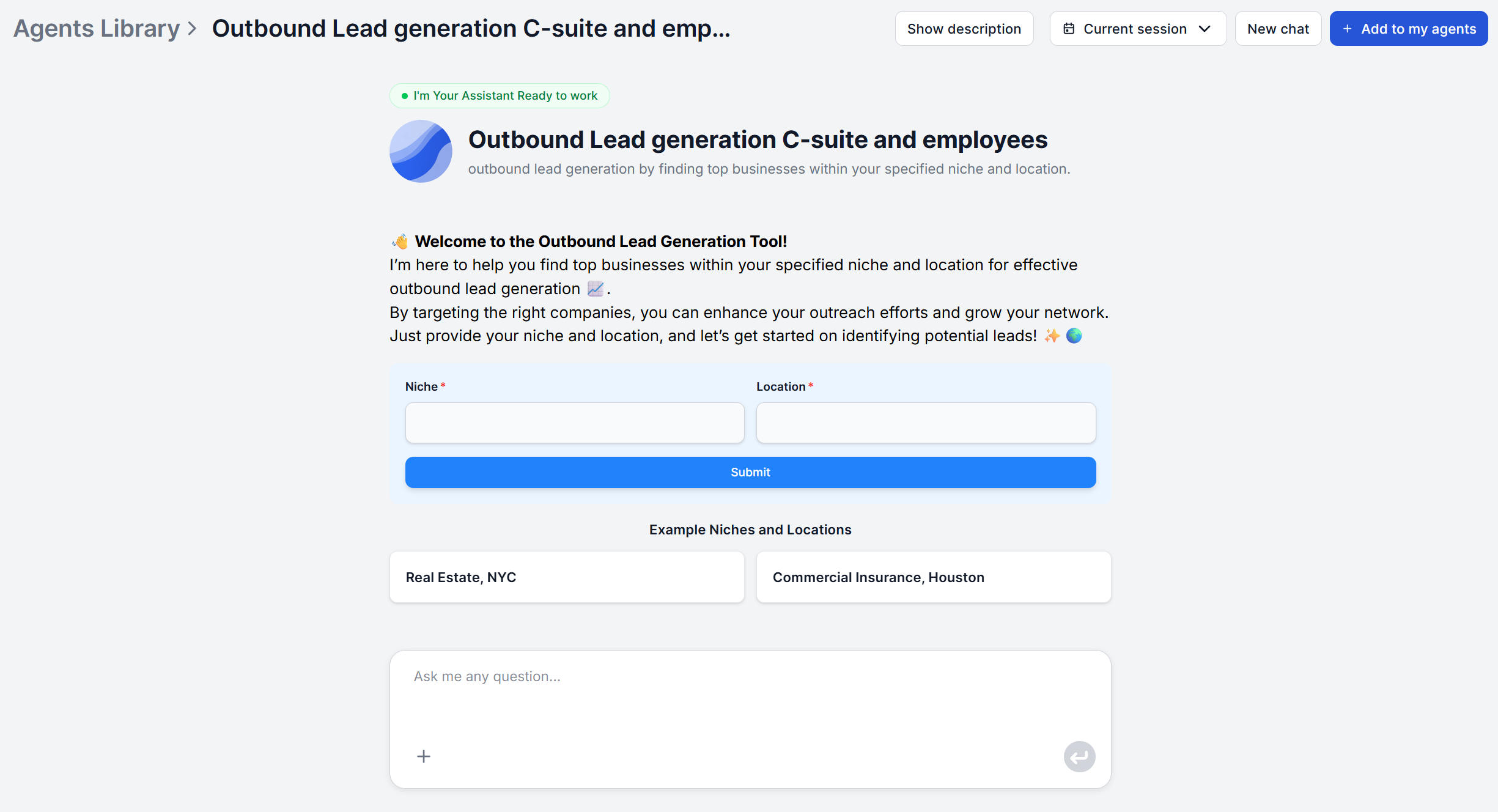
assistant is a working example of an AI prospect list builder. It takes a niche and a location as input and returns a structured, ready-to-use list of target companies. Here’s how a first run works
:
Specify your niche. Be as narrow as you can reasonably can, e.g. “mid-market HR compliance software” is a niche the assistant can actually target, as opposed to “B2B software”.
Specify your location. A city, region, or country. This makes the results even more relevant to your use case.
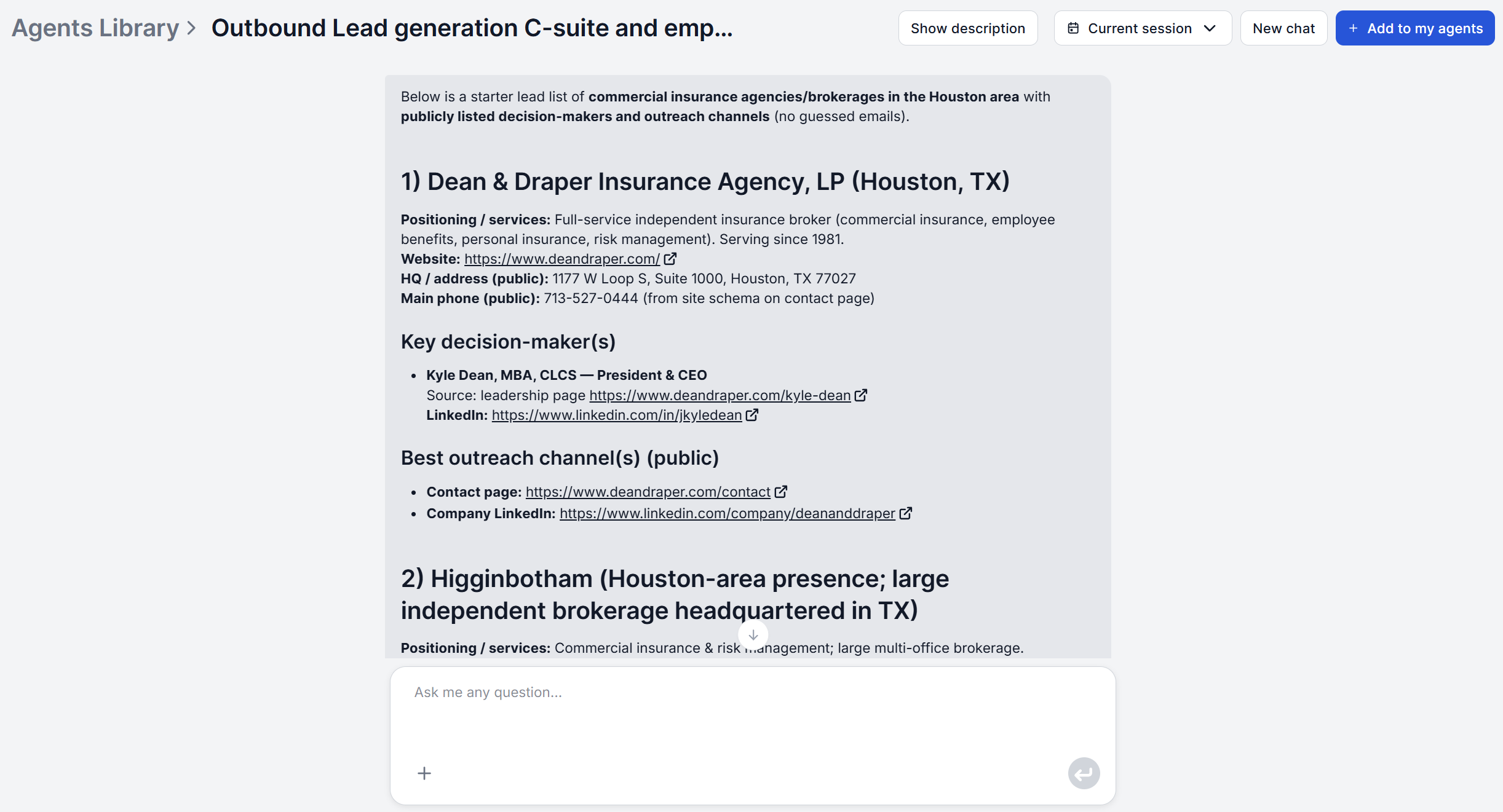
Let the assistant research. It identifies businesses in that niche and location with an active, identifiable online presence, then builds a company profile for each.
Review the identified decision-makers. For each company, the assistant surfaces key executives — CEO, CTO, COO, Founders, Managing Directors, and other senior leadership.
Pull the contact details. Publicly available contact channels are attached to each identified executive. These include LinkedIn profiles, business email addresses, and official company contact pages.
Defining Your ICP Criteria for Maximum List Quality
The niche and location you feed into an AI lead list generator function as your ICP filter, so the more precisely you define them, the higher the hit rate on the resulting list. A niche defined as “software companies” returns a list too broad to act on efficiently, while “revenue-cycle management software for outpatient clinics” returns companies you can build a genuinely relevant pitch around.
Before running your first list, get specific about:
Industry and sub-vertical — not just the category, but the specific problem space the company operates in.
Geography — city, region, or country, matched to where your sales team actually has territory or licensing to sell.
Company profile signals — once the list comes back, use the size and specialization details in each profile to confirm the companies match your target account size, not just the niche keyword.
If you’re prospecting into a vertical your team doesn’t know well yet, it’s worth running a quick pass with an AI market research first to synthesize the market context, common terminology, and buyer language before you lock in your niche description.
Filtering and Enriching Your List After Generation
Even a well-targeted niche and location will return some companies that aren’t a fit once you look at the details. Use the company profile fields the assistant already generates (size, specialization, core products) as your first filtering pass, and cut anything that doesn’t clear your minimum bar before it reaches a rep’s queue.
For accounts that clear that bar but need deeper due diligence, run them through the Company Analysis
tool for a fuller report covering market position, funding, leadership, and risk factors. That extra layer is worth the few minutes it takes for the accounts that actually matter, rather than running it on every company in the list.
How to Prioritize Your Outbound List for Sequencing
Not every company on a qualified list deserves the same first touch. Once you have a clean, filtered list, start prioritizing based on:
Seniority match — companies where the identified decision-maker’s title lines up exactly with your ideal buyer persona (e.g., a founder at a small company vs. a department VP at a larger one) should move to the top.
Fit strength — companies whose profile matches your ICP most tightly (right size, right specialization, right stage) outrank marginal fits, even within the same niche.
Signal strength — if a company is showing active buying signals, such as recent public conversation about the problem you solve, that’s worth weighting into your sequencing order.
TIP: An AI social listening tool
can help surface which target accounts or executives are actively discussing relevant pain points online, giving you a timing signal that a static list alone can’t provide.
This kind of prioritization is what separates outbound sales automation
that actually improves conversion from automation that just moves the same manual process faster.
Integrating AI Lists with Your CRM and Sales Tools
A list is only useful once it’s where your team actually works. B2B lead sourcing AI like this can be wired directly into your existing stack:
HubSpot has a native FlowHunt integration
, so identified companies and contacts can flow directly into your CRM instead of a manual copy-paste step.
Salesforce connects through the Salesforce MCP integration
, keeping newly generated accounts and contacts in sync with your existing pipeline.
Sales engagement platforms like Outreach or Salesloft that don’t have a pre-built connector can still be reached. MCP servers
let you connect FlowHunt to virtually any tool with an API, so a list doesn’t have to dead-end in a spreadsheet before it reaches your sequencer.
If you’d rather start with a lighter-weight export, the Google Sheets lead enrichment flow
is a ready-made template for teams not yet ready to wire up a full CRM sync.
You provide a business niche and a location. From there, the assistant searches for companies with an active, verifiable online presence in that niche and location, then builds each company profile and identifies decision-makers from public sources. It's restricted to verifiable public information and does not fabricate or guess at contact details it can't confirm.
Because the list is generated from a live research pass, it reflects current information. The assistant only surfaces contact channels it can verify from public sources at the time of generation.
Not by default. The standard flow filters on niche and location, and the resulting profiles describe company size, industry specialization, and core products. However, because the underlying agent flow is fully adjustable, you can easily extend it with an additional research step to check for technographic signals.
ZoomInfo and Apollo are built around a pre-existing contact database that you search and unlock records from, typically on a per-contact credit model. FlowHunt's Outbound Lead Generation assistant runs a fresh research pass each time you run it. You trade some of the raw contact volume of an established database for freshness, plus company profiling and executive identification delivered in one output instead of three separate lookups.
By default, the assistant outputs the profile in chat. However, you can easily connect it to any of these either as native integration or via an MCP server. Besides that, you can also output right to Slack and other communication tools, Google Sheets, or anywhere else you need.
Maria is a copywriter at FlowHunt. A language nerd active in literary communities, she's fully aware that AI is transforming the way we write. Rather than resisting, she seeks to help define the perfect balance between AI workflows and the irreplaceable value of human creativity.
Maria Stasová
Copywriter & Content Strategist
Build Your First AI-Generated Prospect List
FlowHunt's Outbound Lead Generation assistant turns a niche and location into structured company profiles, identified decision-makers, and publicly available contact details — ready for outreach in one session.
How to Automate Lead Generation in 2026 (Step-by-Step Guide)
Learn how to automate lead generation from prospect sourcing to CRM sync. This step-by-step guide covers tools, workflows, and AI-powered strategies that genera...
5 Outbound Sales Workflows That Work Better with AI Lead Generation
An AI lead generation sales workflow turns cold email, LinkedIn outreach, ABM, and competitive displacement into faster, better-targeted campaigns. Here are fiv...
How to Automate Sales Prospecting and Outreach Using AI: A Complete Guide
Learn how to leverage AI tools to automate lead generation, personalize outreach, and scale your sales prospecting efforts while maintaining authentic engagemen...
17 min read
Sales
AI
+3
Cookie Consent We use cookies to enhance your browsing experience and analyze our traffic. See our privacy policy.