


Outbound Lead Generation
Find qualified B2B leads fast with FlowHunt's Outbound Lead Generation assistant. Specify a niche and location to get structured company profiles, identified de...
2 min read
Lead Generation
Sales
+4
Step-by-step guide on using the Outbound Lead Generation assistant guide to get from defining your ICP to a verified prospect list.
Manual list-building means hours on LinkedIn, company websites, and a spreadsheet you’re stitching together by hand. This tutorial walks you through exactly what to enter into the Outbound Lead Generation assistant, what to expect from the output, and how to get from a blank chat window to a call-ready prospect list in about ten minutes.
Before your first run, you need three things:
That’s all there is to it. The assistant takes your niche and location and handles the research layer automatically.
Open the Outbound Lead Generation assistant from your library, or try it online . Type your niche and location into the chat interface. This is the entire structured input the assistant needs. There’s no separate ICP form to fill out first.
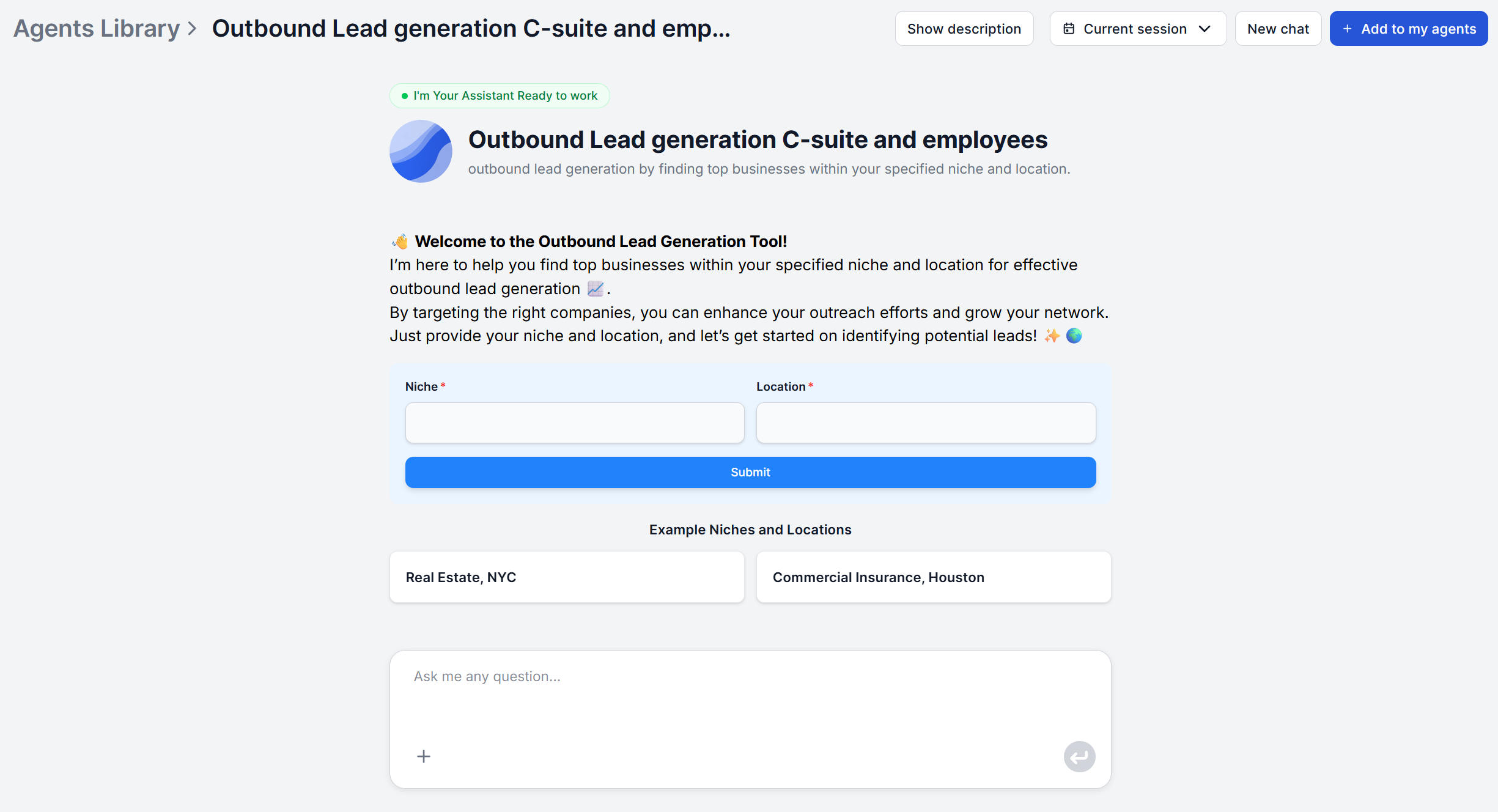
Be as specific as you can. Inputting just “Software companies” returns too broad a list to be useful, while “Revenue-cycle management software for outpatient clinics” gives the assistant enough to work with to return companies you can build a relevant pitch around.
Tips for better input:

Start your free trial today and see results within days.
There’s no separate step for firmographic or technographic filtering in the default flow. The practical way to steer targeting is to fold that context directly into your niche description: “mid-market” or “enterprise” as a qualifier.
If a specific firmographic or technographic signal is a hard requirement, e.g. a minimum employee count or a specific tool usage, that goes beyond the default input and requires customizing the underlying flow in the visual builder to add it as an explicit research step.
Once you submit your niche and location, the assistant identifies businesses with an active, identifiable online presence and clear industry focus in that space, and builds a profile for each. This runs automatically; there’s no further input needed while it works.
Read through the returned companies before moving on. This is your first checkpoint to see if the batch actually matches what you had in mind. If several results feel off-target, that’s a signal to tighten the niche description on your next run rather than proceeding with a mismatched list.
Get latest tips, trends, and deals for free.
For each company in the list, the assistant identifies key decision-makers, along with their titles. Attached to each identified executive are the publicly available contact channels the assistant could verify, such as LinkedIn profiles, business email addresses, and official company contact pages.
This is restricted to verifiable public information. The assistant does not generate or speculate on contact details it can’t confirm, which means a gap in the list (no email surfaced for a given executive) is a more trustworthy signal than a guessed address would be.
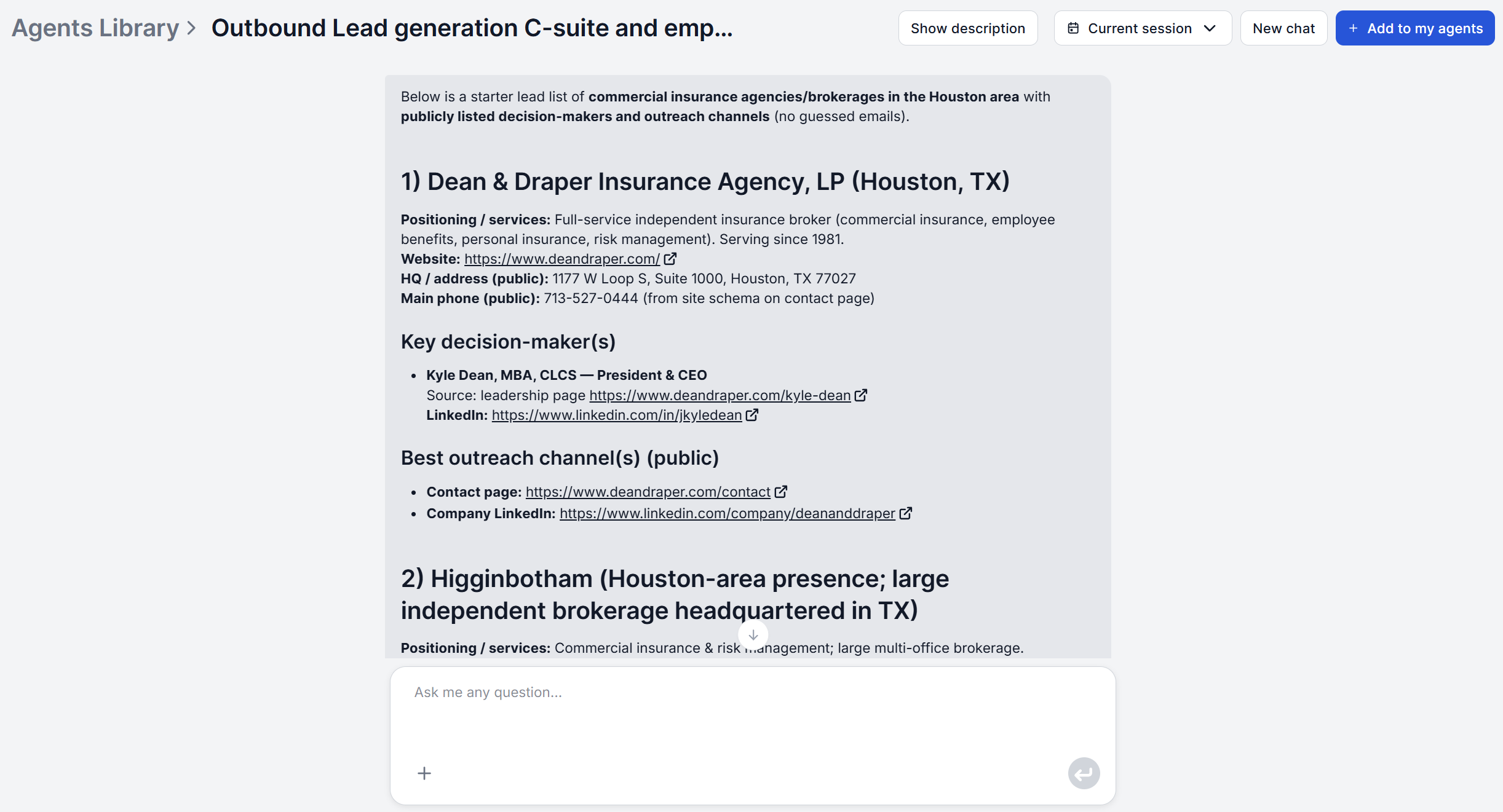
The finished list appears directly in the chat interface, organized by company. From there:
For recurring list-building, FlowHunt supports scheduled workflow runs, where you set the same niche-and-location query to re-run on a cadence rather than running it manually whenever you need.
That’s the whole workflow. By default, the assistant itself doesn’t require more than a niche and a location to run again for a new segment .
Open the Outbound Lead Generation assistant, type in the niche and location most relevant to your next campaign, and see what comes back. Build your first prospect list free and compare it against your current process.
Maria is a copywriter at FlowHunt. A language nerd active in literary communities, she's fully aware that AI is transforming the way we write. Rather than resisting, she seeks to help define the perfect balance between AI workflows and the irreplaceable value of human creativity.

FlowHunt's Outbound Lead Generation assistant turns a niche and location into structured company profiles, identified decision-makers, and publicly available contact details — ready for outreach in one session.
Find qualified B2B leads fast with FlowHunt's Outbound Lead Generation assistant. Specify a niche and location to get structured company profiles, identified de...
An AI lead generation sales workflow turns cold email, LinkedIn outreach, ABM, and competitive displacement into faster, better-targeted campaigns. Here are fiv...
We compared FlowHunt, Apollo.io, Lusha, ZoomInfo, and Cognism on list quality, data freshness, ICP filtering, integrations, and price on their paid plans. Here'...
Cookie Consent
We use cookies to enhance your browsing experience and analyze our traffic. See our privacy policy.