


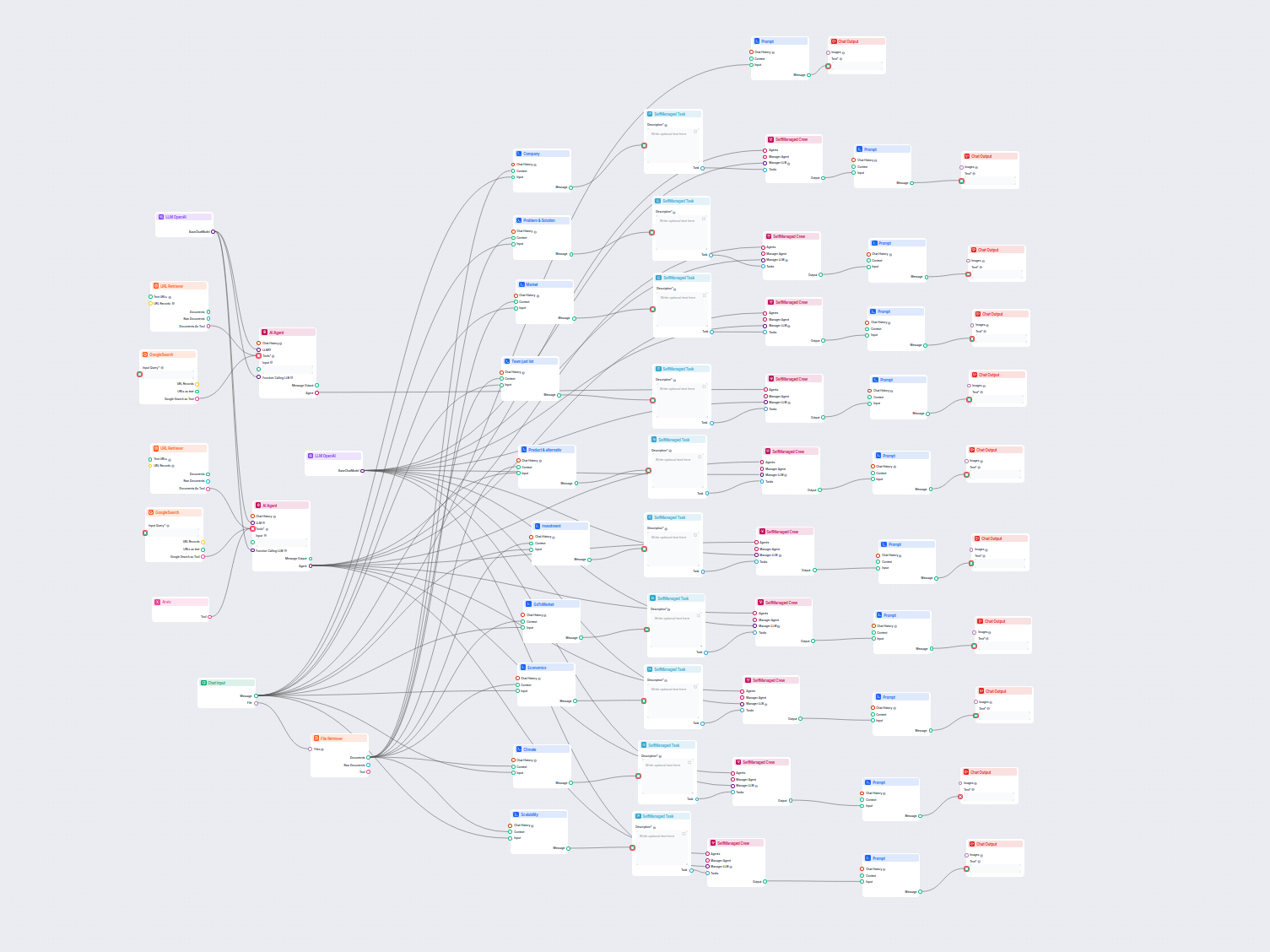
AI Company Analysis & Market Research
Comprehensive AI-driven workflow for company analysis and market research. Automatically gathers and analyzes data on company background, market position, produ...
4 min read
AI company research tools generate complete company profiles automatically. The reports funding history, products, team, market position, and risk flags. Here’s how to prepare for any meeting in under 5 minutes.
You need to know who you’re dealing with before every sales call, investment decision, or partnership meeting. Manually researching a company means bouncing between LinkedIn, Crunchbase, news sites, and annual reports before you’ve assembled anything close to a complete picture.
An AI company research tool can prepare you for any meeting in 5 minutes. With automated research, you get funding history, products, team background, market position, and risk flags in a single structured report. Here’s how to do it.
A Google search returns links. Sometimes useful ones, but what you actually get is a fragmented collection of pages you still have to open, skim, and stitch together manually. For a thorough pre-meeting brief on an unfamiliar company, that process easily burns two to four hours, and the quality of what you find depends heavily on what surfaces first.
Instead of returning a list of sources an AI company analysis reads across the sources simultaneously. It surfaces the company’s own website, press coverage, industry databases, funding records, leadership profiles, and competitive context. It then synthesizes everything into a coherent narrative organized around decision-relevant dimensions.
Besides the speed, it also affords you the depth and consistency you might’ve not been able to achieve on your own. A Google search reflects what was easiest to find. An AI company analysis surfaces what’s most relevant, structured the same way for every company you run it on.
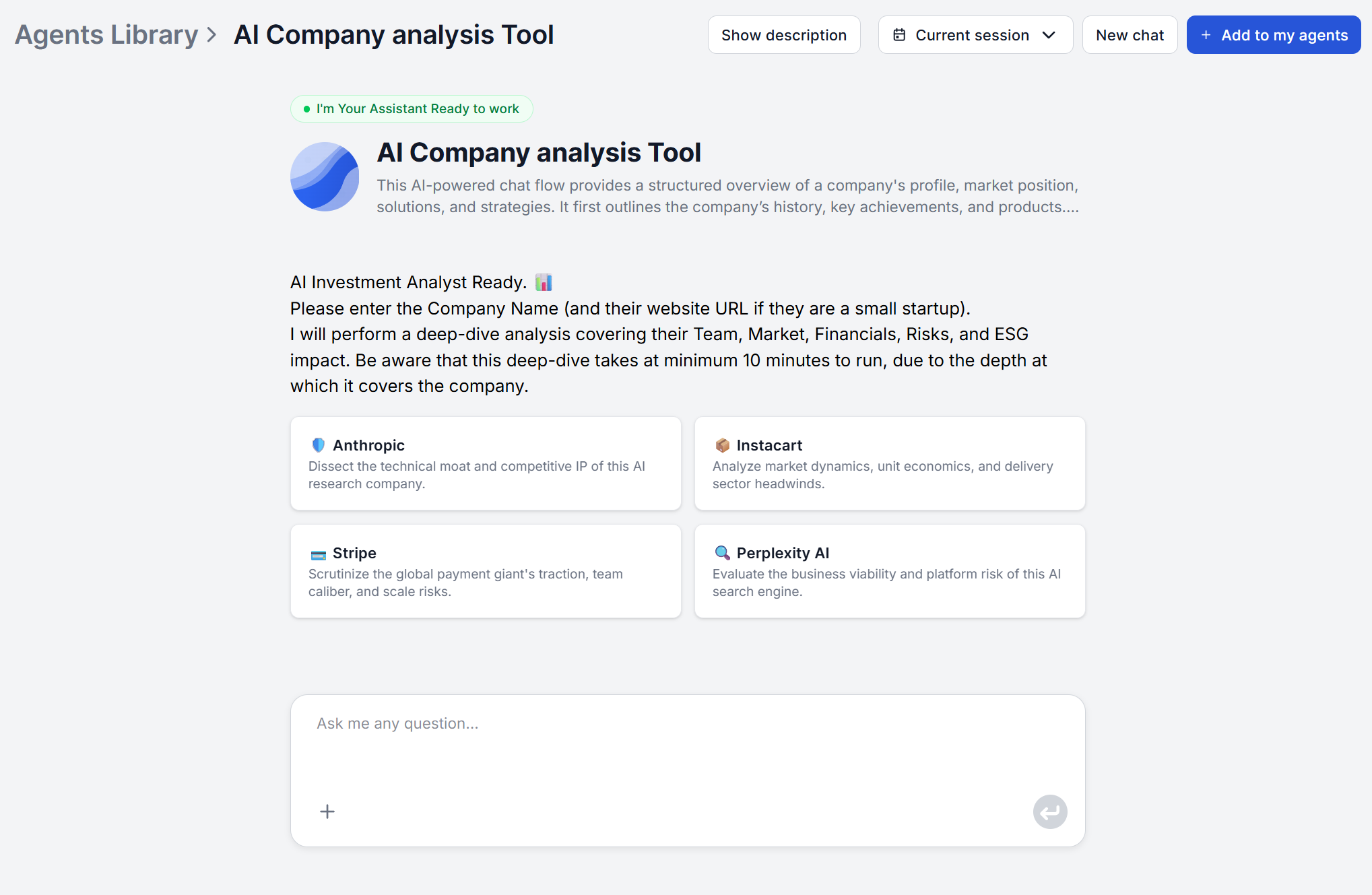
The Company Analysis Agent is designed to remove all the configuration overhead that usually slows down research tools. You don’t need to upload data, configure search parameters, or specify which databases to pull from.
Step 1: Enter the company name. Open the Company Analysis Agent and type the company name. No URL required, no research brief to fill out first.
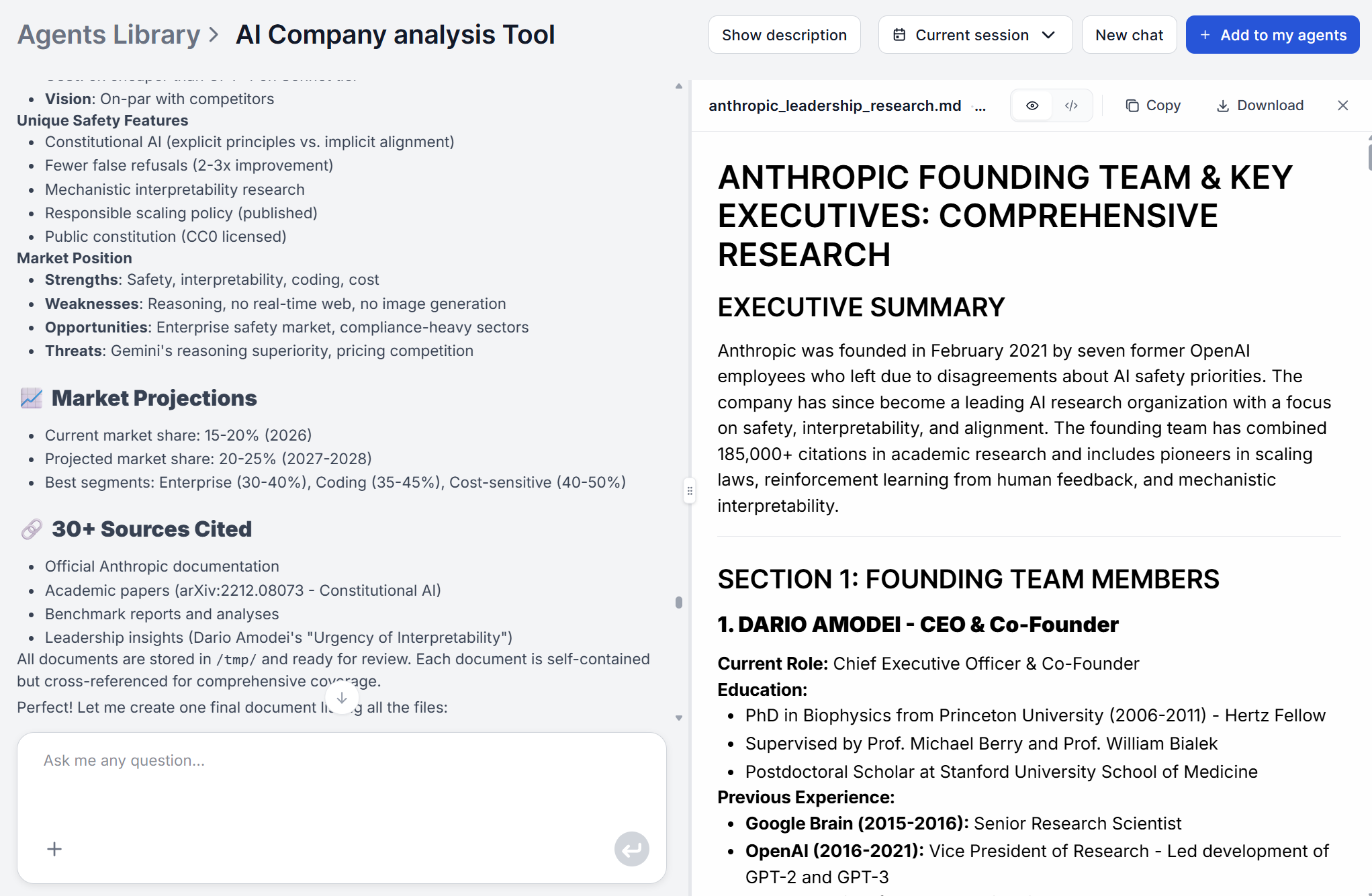
Step 2: The agent researches automatically. The agent acts as a senior research analyst, gathering context from multiple sources, synthesizing it into a coherent narrative, and verifying facts where possible. It clearly labels assumptions when information is uncertain and cites evidence wherever it can.
Step 3: Review the structured report. The output is organized across up to 13 analytical dimensions, covering everything from company overview and funding history to market position, team, technology readiness, and risk assessment. The complete picture in a single pass.
Step 4: Put it to work. The report is decision-ready. Paste it into a briefing document, attach it to a CRM record, or use it as the research layer for a follow-up task — a pitch deck, an investment memo, or a vendor scorecard.

Start your free trial today and see results within days.
The scenario: You’re thirty minutes from a discovery call with a potential enterprise account. You know the company name but little about their actual business, growth stage, or current priorities.
Without AI, you scan their website, check the contact’s LinkedIn, look for recent press, and arrive with a surface-level picture at best.
With automated company research, you open the Company Analysis Agent , enter the name, and get a complete brief in approximately 5 minutes. Which leaves you 25 minutes to read the report thoroughly and highlight key data. You’ll know the company’s product lines, funding stage, market position, and any recent strategic moves.
Sales teams running this process before every enterprise call walk in better positioned, knowing where a company has been investing, what competitive pressure they’re under, and what a relevant opening looks like.
The scenario: A venture analyst needs to evaluate three early-stage companies in the same space before a partner meeting. Each needs a solid background brief.
Business intelligence AI handles the public intelligence layer, such as the company history, product portfolio, funding signals, team background, market sizing, competitive landscape. The analyst then layers proprietary data (customer references, financial models) on top and focuses on what the competitive picture means for a target’s growth trajectory.
For deeper context on industry dynamics surrounding a target, the AI Research Assistant can help you cover broader research threads, market history, technology trends, or thematic analysis that informs the investment thesis beyond the company itself.
Get latest tips, trends, and deals for free.
The scenario: You’re evaluating three potential integration partners and need to vet all of them before a governance review next week.
Vendor evaluation typically involves checking financial stability, understanding the product roadmap, assessing competitive positioning, and identifying concentration risks. Manually, that’s four to six research hours per vendor.
An AI due diligence tool compresses that to minutes per company and outputs reports in a consistent structure, which means you’re comparing the same dimensions across all three vendors, not trying to reconcile three differently-organized research documents. The risk and scalability sections are particularly useful: they surface operational dependencies, ecosystem vulnerabilities, and geopolitical exposure that wouldn’t emerge from a basic web search.
For market-level context on a vendor’s industry, and to understand whether their market is growing or consolidating, the Market Analysis Agent covers market size, growth trends, and competitive dynamics for the broader segment.
| Dimension | Manual Research | AI Company Research Tool |
|---|---|---|
| Time per company | 3–6 hours | 5–10 minutes |
| Sources covered | Depends on researcher | Multiple, simultaneously |
| Output consistency | Varies by analyst | Structured, uniform format |
| Scalability | Linear with headcount | Runs as many companies as needed |
| Data recency | Reflects researcher’s search session | Live retrieval at query time |
| Funding and investment data | Requires specific database access | Included automatically |
| Risk flags | Depends on analyst experience | Consistently surfaced per report |
| Suitable for major decisions? | Yes | Yes, with verification on critical data points |
For strategic purposes, such as sales preparation, partnership evaluation, investment screening, business intelligence AI delivers the breadth and structure needed in a fraction of the time. For legal or financial decisions where individual data points carry significant consequences, human verification of key claims remains essential.
If you need to go deeper on any product a company sells, the AI Product Analysis tool breaks down features, pricing, positioning, and competitive differentiation at the product level.
The information you need before a sales call, investment decision, or partnership meeting has always existed — it was the time to find it that was missing. An AI company research tool closes that gap entirely. The same profile that previously required a half-day of analyst work is available in the time it takes to make a coffee.
The practical starting point is a single run. Open the Company Analysis Agent , enter the name of the next company on your calendar, and read the report before the call. Once you’ve seen what a complete brief looks like, the habit forms naturally — because the value is immediate and the effort is minimal. For a step-by-step walkthrough of what each section means and how to act on it, see the Company Analysis Agent tutorial .
Maria is a copywriter at FlowHunt. A language nerd active in literary communities, she's fully aware that AI is transforming the way we write. Rather than resisting, she seeks to help define the perfect balance between AI workflows and the irreplaceable value of human creativity.

FlowHunt's Company Analysis Agent delivers comprehensive, structured company reports covering funding history, market position, products, team, and risks — without hours of manual research. Try it free.
Comprehensive AI-driven workflow for company analysis and market research. Automatically gathers and analyzes data on company background, market position, produ...

Step-by-step guide on generating a complete AI intelligence report, including what each section means and how to act on it.
AI product analysis delivers structured reports in minutes. Here's what it covers, how accurate it is, and how to use it for real business decisions.
Cookie Consent
We use cookies to enhance your browsing experience and analyze our traffic. See our privacy policy.