



Stable Diffusion
Stable Diffusion is an advanced text-to-image generation model that uses deep learning to produce high-quality, photorealistic images from textual descriptions....
12 min read
Stable Diffusion
AI
+5

A comprehensive guide to mastering prompts in Stable Diffusion models, covering essential elements, advanced techniques, and troubleshooting for high-quality AI-generated images.
A well-crafted prompt acts as a guide for the Stable Diffusion Model, highlighting the essential elements for the AI to focus on to produce the best result.
Providing detailed and specific prompts is important. Vague prompts often lead to general output that might not match your expectations. For instance, detailing “a Victorian-era street at dusk, with cobblestones glistening under lamplight” creates a clearer image than “a street scene.” Using specific language reduces ambiguity and focuses the AI on what truly matters, effectively communicating your ideas to the machine.
Prompt: a Victorian-era street at dusk, with cobblestones glistening under lamplight
Improving prompts is an ongoing process. Start with a basic prompt and make gradual refinements based on the results. Each round helps you understand the important elements of the prompt, allowing for progressive improvements. This process involves constant feedback and adjustment to align the output with your vision.
Negative prompts help specify what you don’t want in the output. By using terms like “exclude clouds” or “avoid harsh shadows,” you can narrow down the AI’s focus to achieve the desired outcome.
In Stable Diffusion models, you can use special syntax to stress or downplay specific keywords. By employing brackets, like [ ] for less emphasis and ( ) for more, you control the focus on certain prompt elements. This technique provides nuanced control over the image’s characteristics.

Start your free trial today and see results within days.
Combining keywords involves mixing different descriptive terms for richer outputs. By associating words like “sunset, vivid colors, serene” or blending unexpected terms like “robotic nature,” you can encourage the model to explore creative combinations.
Maintaining consistent facial features can be difficult due to the model’s varied interpretations. Specifying distinct features or naming characters can help with uniformity when working with recognizable figures.
The length of a prompt affects how the model performs. Too much detail might overload the system, while too little detail might not give enough guidance. Balance is crucial; ensure each prompt element adds value without unnecessary repetition.
Custom models, specialized for certain datasets or styles, react differently to prompts. Knowing a model’s specifics allows you to tailor prompts to match the model’s strengths.
Different cultures have unique artistic tastes and styles. To reach a specific audience or cultural style, refine prompts to include region-specific elements for greater relevance and appeal.
Get latest tips, trends, and deals for free.
Prompt generators are useful for newcomers by providing structured prompts with guided examples and suggestions. These tools offer insights into effective combinations, boosting confidence and creativity.
Some models are easier for beginners, often pre-set to require less customization for quality outputs. Choosing these models can help ease the learning process and offer a solid foundation for experimentation.
Common problems include inconsistent results, handling complex prompts, and achieving stylistic goals. Advice for these issues includes breaking down prompts into simpler parts, gradually adding complexity, and continuously practicing with feedback for improvement.
Viktor Zeman is a co-owner of QualityUnit. Even after 20 years of leading the company, he remains primarily a software engineer, specializing in AI, programmatic SEO, and backend development. He has contributed to numerous projects, including LiveAgent, PostAffiliatePro, FlowHunt, UrlsLab, and many others.

Start building your own AI solutions and master prompt engineering with FlowHunt's intuitive no-code platform.
Stable Diffusion is an advanced text-to-image generation model that uses deep learning to produce high-quality, photorealistic images from textual descriptions....

A negative prompt in AI is a directive that instructs models on what not to include in their generated output. Unlike traditional prompts that guide content cre...
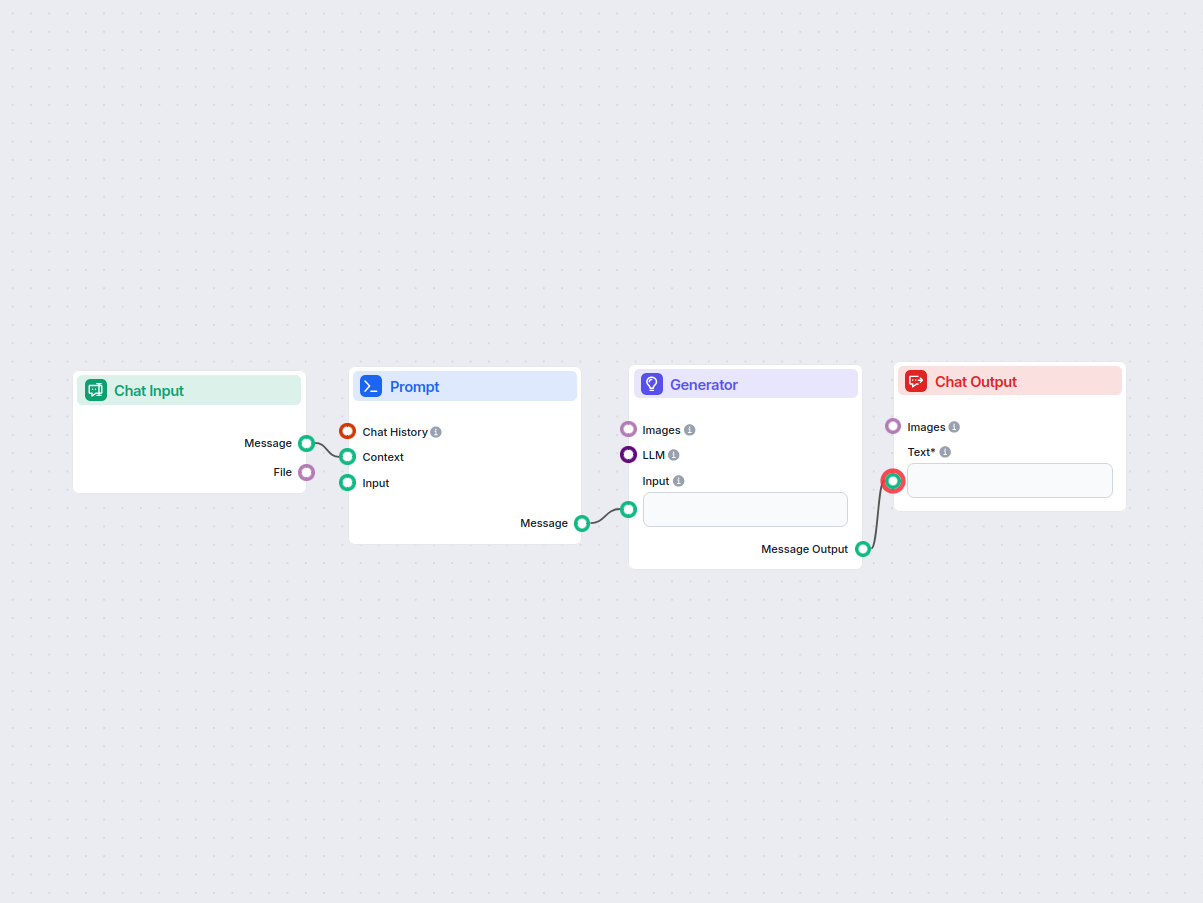
Generate high-quality AI image prompts using best practices. This workflow takes user input, formats it into an effective prompt for photo generation, and lever...
Cookie Consent
We use cookies to enhance your browsing experience and analyze our traffic. See our privacy policy.