How Three Dutch E-Commerce Brands Run One AI Brain — Without Rebuilding Anything Twice
Three Dutch e-commerce brands use a single FlowHunt AI agent to read every support ticket each week, surface the top recurring questions, cross-check their knowledge base, and email the team an actionable gap report — automatically.
Case Study
E-Commerce
Customer Support
AI Projects
Chatbot
AutomationNetherlands
Every support team accumulates the same quiet problem: tickets pile up, agents answer the same questions repeatedly, and no one has time to turn that signal into documentation. The team behind Bolusso.nl
, Eroticon.nl, and Shop-toppers.nl solved it with a single FlowHunt AI agent that does the reading, grouping, and gap-spotting automatically — every week, without being asked.
From Support Tickets to Knowledge Base: Turning Customer Frustration Into Documentation
Support tickets are one of the richest sources of product and documentation feedback a team has. Customers tell you exactly what they cannot find, what confuses them, and what your knowledge base fails to answer. But extracting that signal manually — reading hundreds of tickets, grouping similar questions, checking whether the KB already covers them — is exactly the kind of repetitive analytical work that never makes it onto anyone’s priority list.
The Shop-toppers team wanted a system that turns ticket data into KB action items automatically. The result is a weekly automated pipeline running entirely inside FlowHunt AI Projects.
AI-Powered E-Commerce Chatbot: One Knowledge Base Serving Three Dutch Storefronts
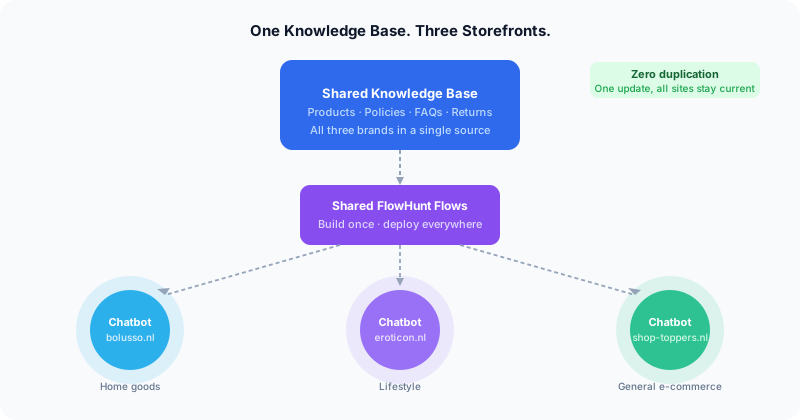
Before diving into the weekly analysis pipeline, it helps to understand how the support infrastructure is set up. The team operates Bolusso.nl
, Eroticon.nl, and Shop-toppers.nl from a single shared FlowHunt knowledge base — one set of product descriptions, return policies, FAQs, and shipping rules that all three sites draw from.
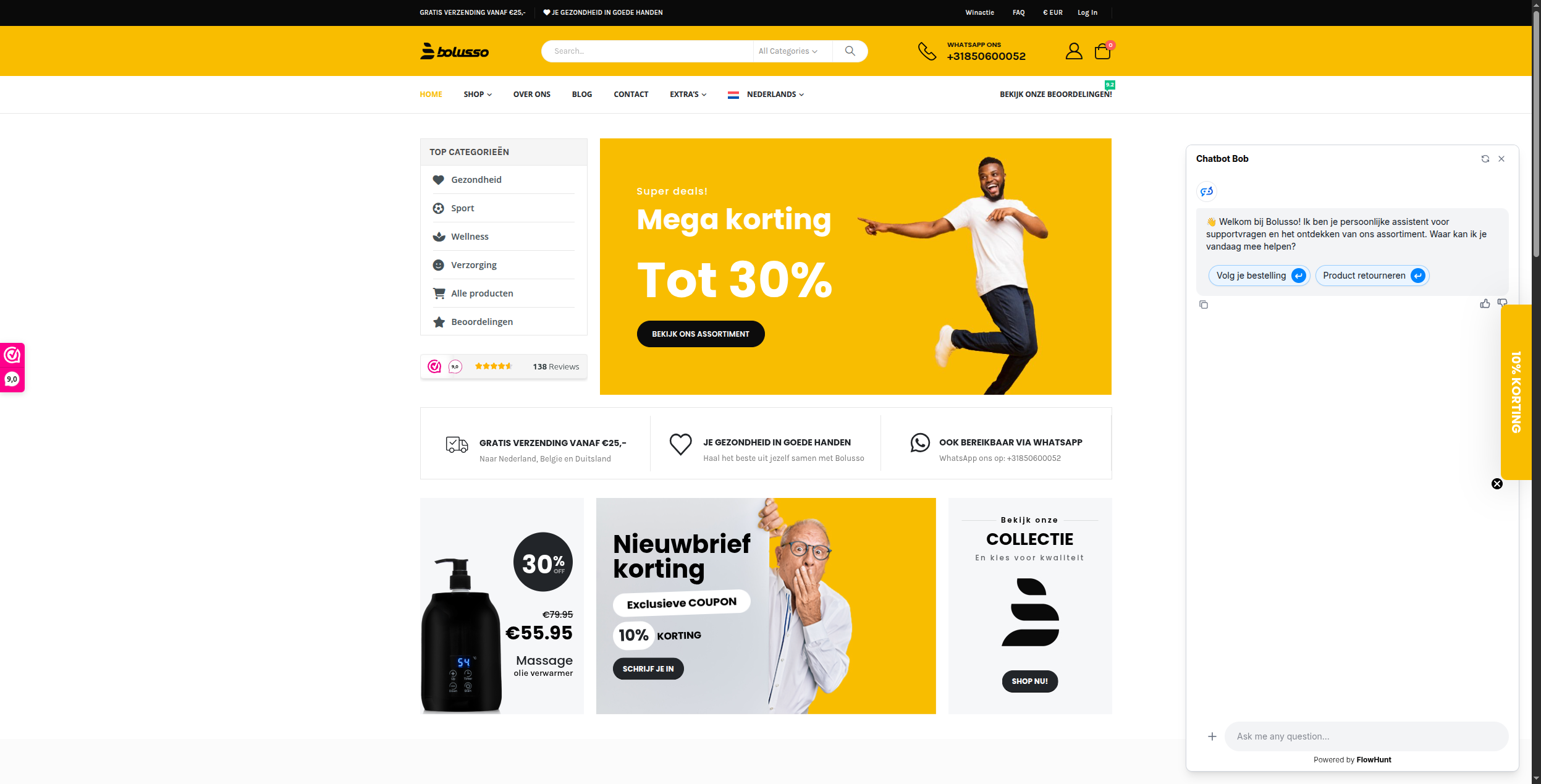
Each storefront has its own chatbot powered by that shared knowledge base. When a customer on Bolusso lands on the site and opens the chat, they’re greeted by “Chatbot Bob” — an AI assistant that knows the full product catalog, can help track orders, and handles return questions instantly, 24/7.
The chatbot’s welcome message — “Welkom bij Bolusso! Ik ben je persoonlijke assistent voor supportvragen en het ontdekken van ons assortiment.” — and its quick-reply buttons (“Volg je bestelling”, “Product retourneren”) are all driven by the same flows used across all three brands.
When a policy changes or a new product category launches, the team updates the knowledge base once. All three chatbots reflect the change immediately. The same logic applies to flows: build once, deploy everywhere.
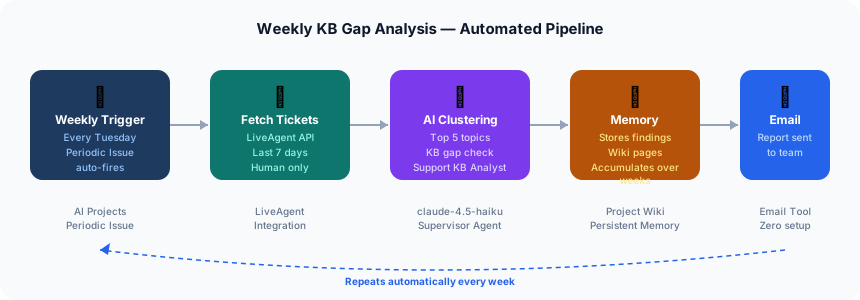
Automated Support Ticket Analysis: How FlowHunt AI Projects Finds Knowledge Gaps Every Week
The chatbot handles the front line. But it generates a different kind of signal: the questions it cannot resolve, and the tickets that flow through to human agents regardless. The weekly gap analysis pipeline is what closes that feedback loop.
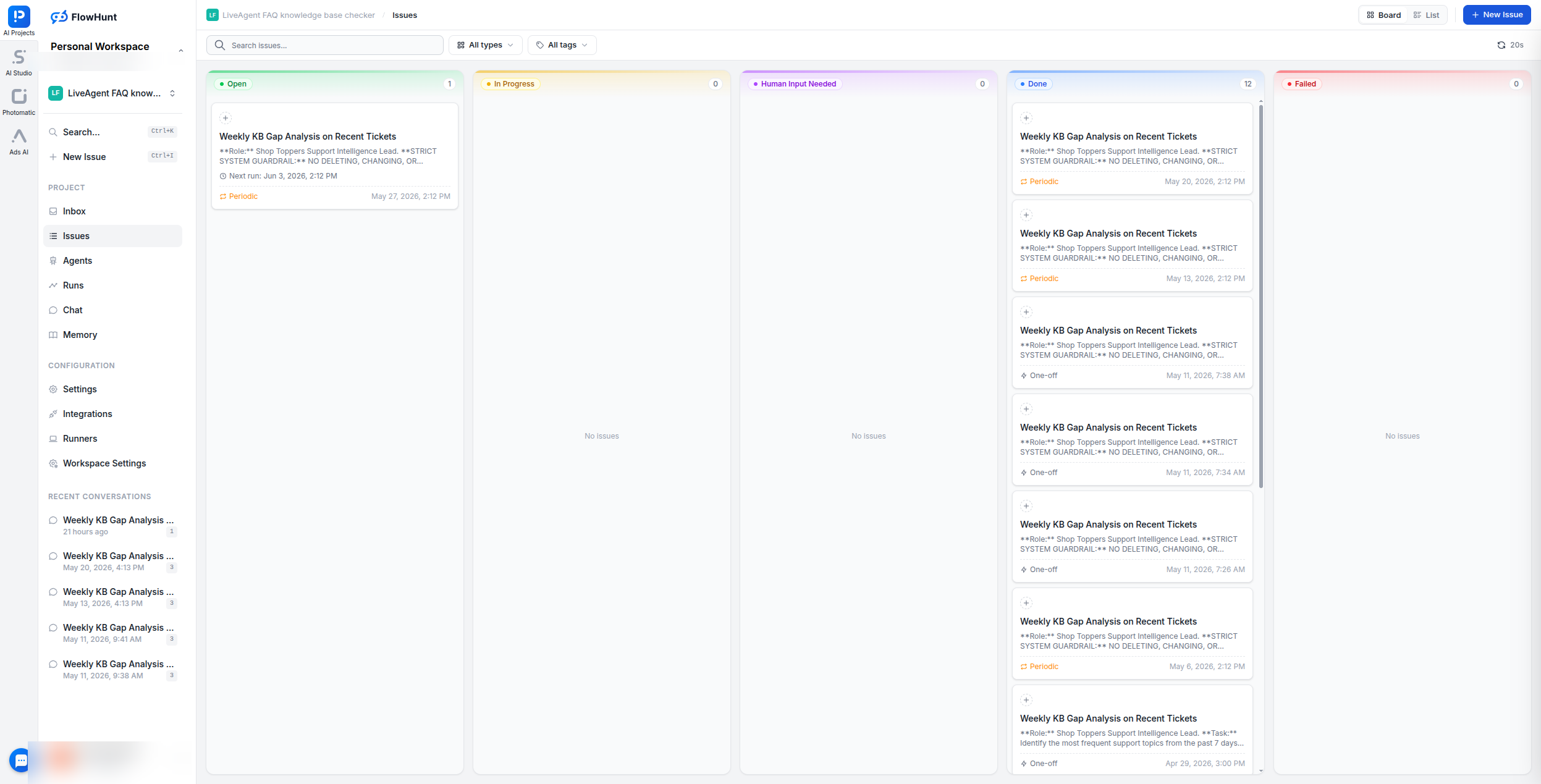
Inside FlowHunt AI Projects, the team runs a single project: LiveAgent FAQ knowledge base checker. Its job is to read every ticket from the past 7 days and tell the team exactly what documentation they are missing.
The agent is given a precise persona and strict guardrails. It operates read-only against LiveAgent — it fetches ticket data but cannot modify, delete, or close anything. This guardrail is explicit in the system prompt and enforced at the tool level.
The Two-Phase Pipeline: LiveAgent Ticket Clustering and Knowledge Base Cross-Check
The agent executes a two-phase investigation on every run.
Phase 1 — Ticket Clustering & Topic Extraction
The agent pulls all tickets from the past 7 days via the LiveAgent integration. It immediately filters out noise: automated platform notifications, Amazon order alerts, and any system-generated messages are discarded. Only genuine human customer inquiries are processed.
The remaining tickets are clustered by the specific question being asked — not by vague category, but by precise intent (e.g. “How do I return a defective item?” rather than just “Returns”). The top 5 most frequent topics are identified, named clearly, and documented with frequency counts and representative examples.
Phase 2 — KB Verification & Gap Analysis
For each of the top 5 topics, the agent searches the shared knowledge base:
If articles exist: the agent analyzes why customers are still opening tickets despite the coverage. It looks for staleness, missing edge cases, unclear language, or incomplete scope. The article is flagged as a KB Failure — the content exists but is not resolving the issue.
If no articles exist: the topic is immediately classified as a Critical Gap — undocumented territory that the KB content team needs to address.
This distinction matters. A Critical Gap and a KB Failure require different responses: one needs a new article, the other needs an edit.
From Raw Tickets to Actionable Briefings: Automated Weekly KB Gap Reports
At the end of every run, the agent emails a structured report directly to the team. No one needs to log into the platform to see the findings.
The email follows a fixed structure:
Top Questions Table — each row contains the specific customer question, how many times it appeared in the past week, two or three example ticket subject lines, the relevant ticket IDs, and a draft resolution the content team can use as a starting point.
Strategic KB Recommendations — broader topics, new article ideas, and portal improvements grounded in the week’s ticket data. Each recommendation includes the reasoning: why this matters based on what customers are actually asking.
The subject line is always Weekly KB Gap Analysis - [Date], making the emails easy to file and reference over time.
Persistent AI Memory: How Weekly Findings Compound Into Long-Term Support Intelligence
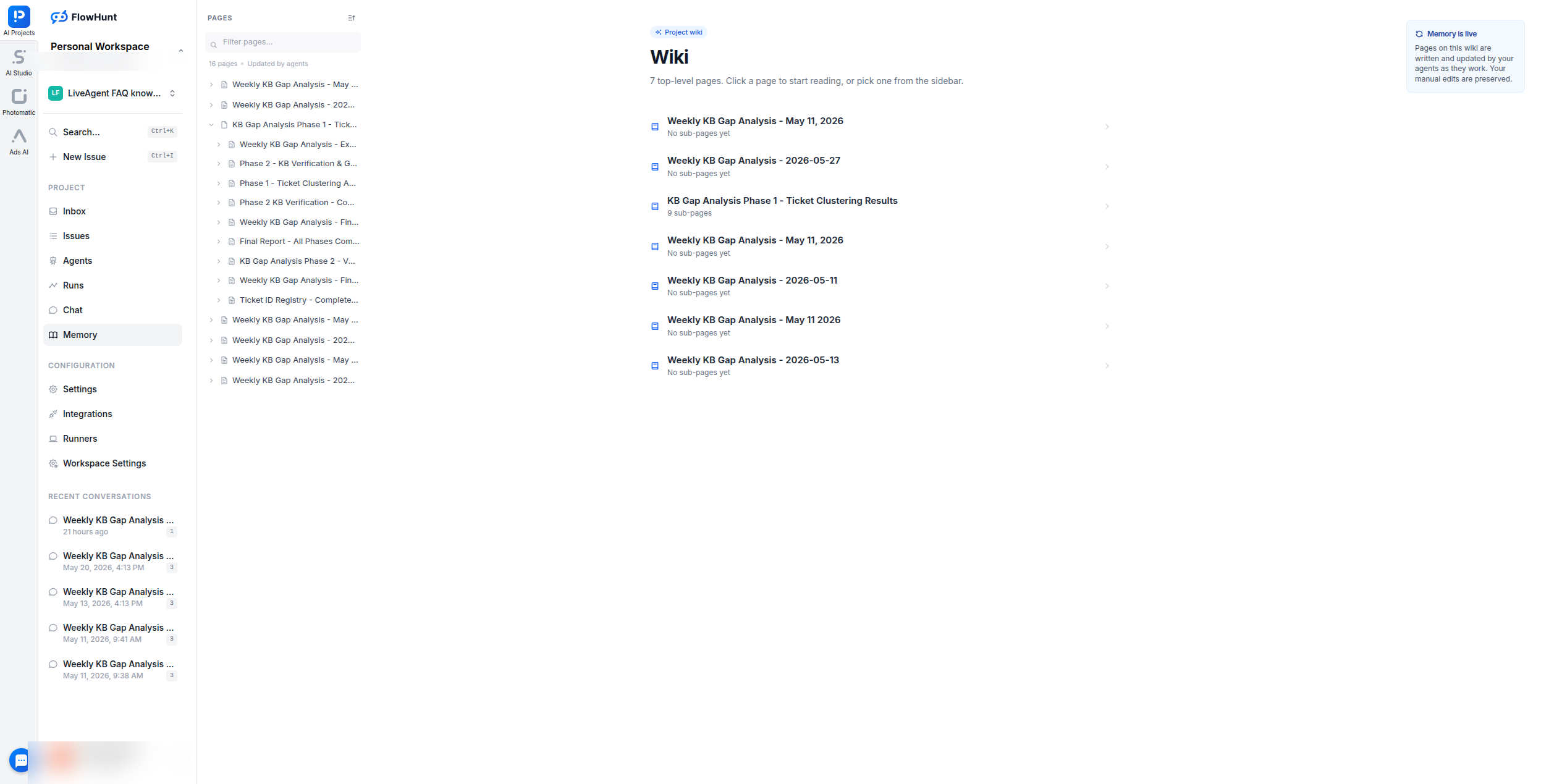
One detail that separates this from a one-off report: the agent writes its findings to Project Memory — a persistent wiki inside the AI Project that updates after every run.
The team builds up a longitudinal record automatically. Topics that keep appearing week after week despite previously being flagged stand out immediately. KB gaps that were addressed can be marked resolved. The agent’s accumulated knowledge gets more useful the longer it runs.
E-Commerce Support Automation That Runs Itself: Scheduled AI Agents With Zero Manual Triage
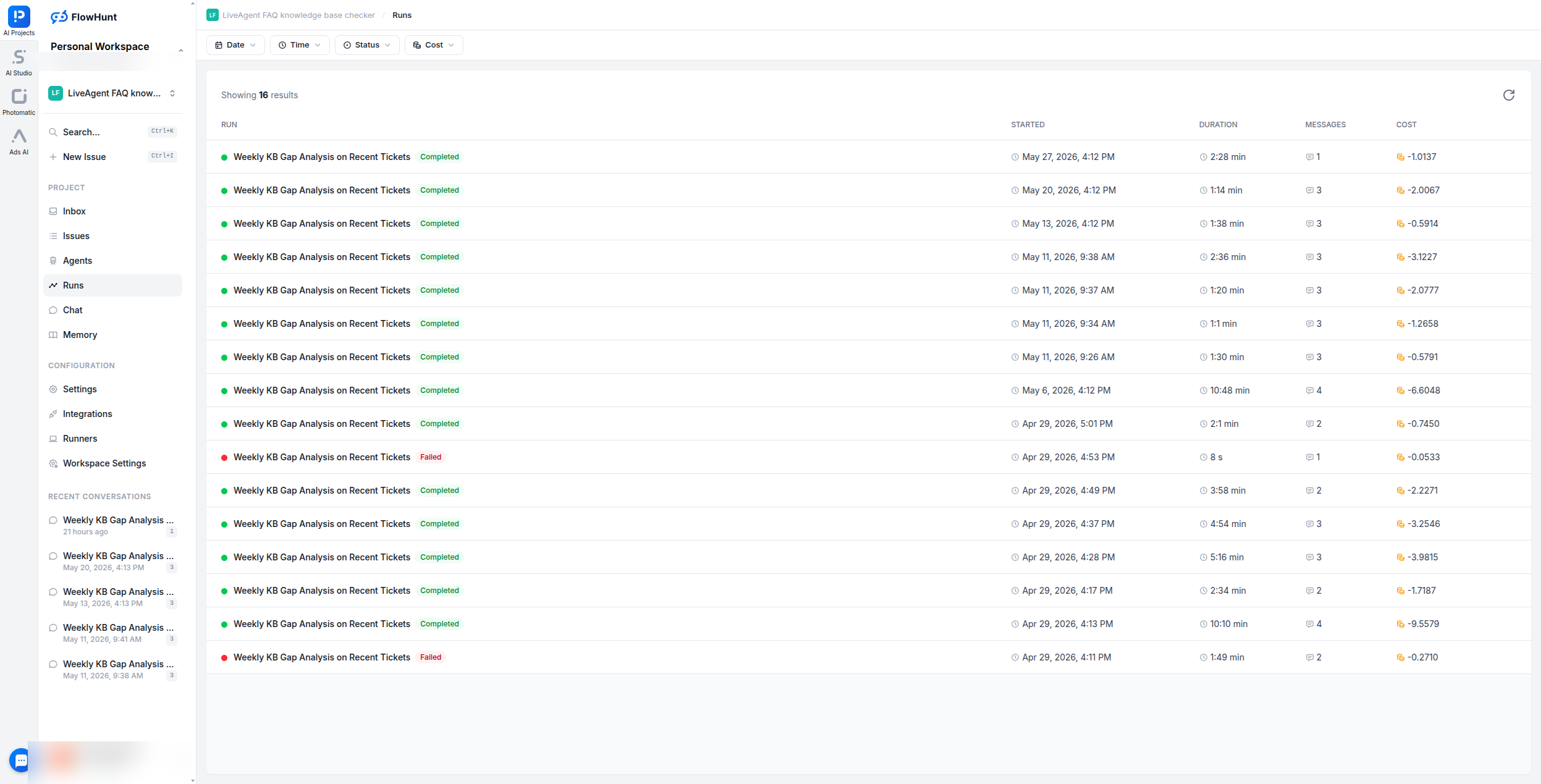
The entire pipeline is triggered by a Periodic Issue — a scheduled task in AI Projects that fires automatically on a set cadence without any manual intervention. The team set it up once; it has run 16 times since.
Each run takes between 1 and 10 minutes depending on ticket volume that week. The cost per run is a fraction of what a human analyst would spend doing equivalent work manually. The team receives a ready-to-act briefing every week without anyone having to log into LiveAgent, read through tickets, or compile a report.
“Feel free to also include our other websites if you want to. The knowledge base and all our flows are used for the following websites combined.”
Build once. Run everywhere. Let the agent tell you what is missing.
Companies: Shop-toppers.nl · Bolusso.nl · Eroticon.nl Industry: E-Commerce Location: Netherlands FlowHunt Features Used: AI Projects, AI Chatbot, Shared Knowledge Base, Flows, LiveAgent Integration, Email Notification Tool Agent Model: claude-4.5-haiku (Supervisor)
Frequently asked questions
Every week a Periodic Issue fires automatically inside FlowHunt AI Projects. The Support KB Analyst agent reads the last 7 days of LiveAgent tickets, filters out automated notifications, clusters real customer questions by topic, checks which topics lack coverage in the knowledge base, and emails a structured gap-analysis report to the team.
The report contains a ranked table of the top frequently-asked questions from the past 7 days — each with its frequency count, example ticket subject lines, relevant ticket IDs, and a drafted resolution. It also includes strategic recommendations for new KB articles the content team should prioritize, with reasoning grounded in actual ticket data.
In Phase 2 of each run, the Support KB Analyst delegates a search of the knowledge base for each of the top 5 clustered topics. If relevant articles exist but tickets keep coming in, the agent flags the article as a failure (stale, unclear, or incomplete scope) and explains why. If no article exists at all, it is immediately flagged as a Critical Gap.
Shop-toppers, Bolusso, and Eroticon share a single FlowHunt knowledge base containing product information, return policies, FAQs, and brand-specific details. All three site chatbots draw from this same source, so a single update propagates instantly to all storefronts without any manual duplication.
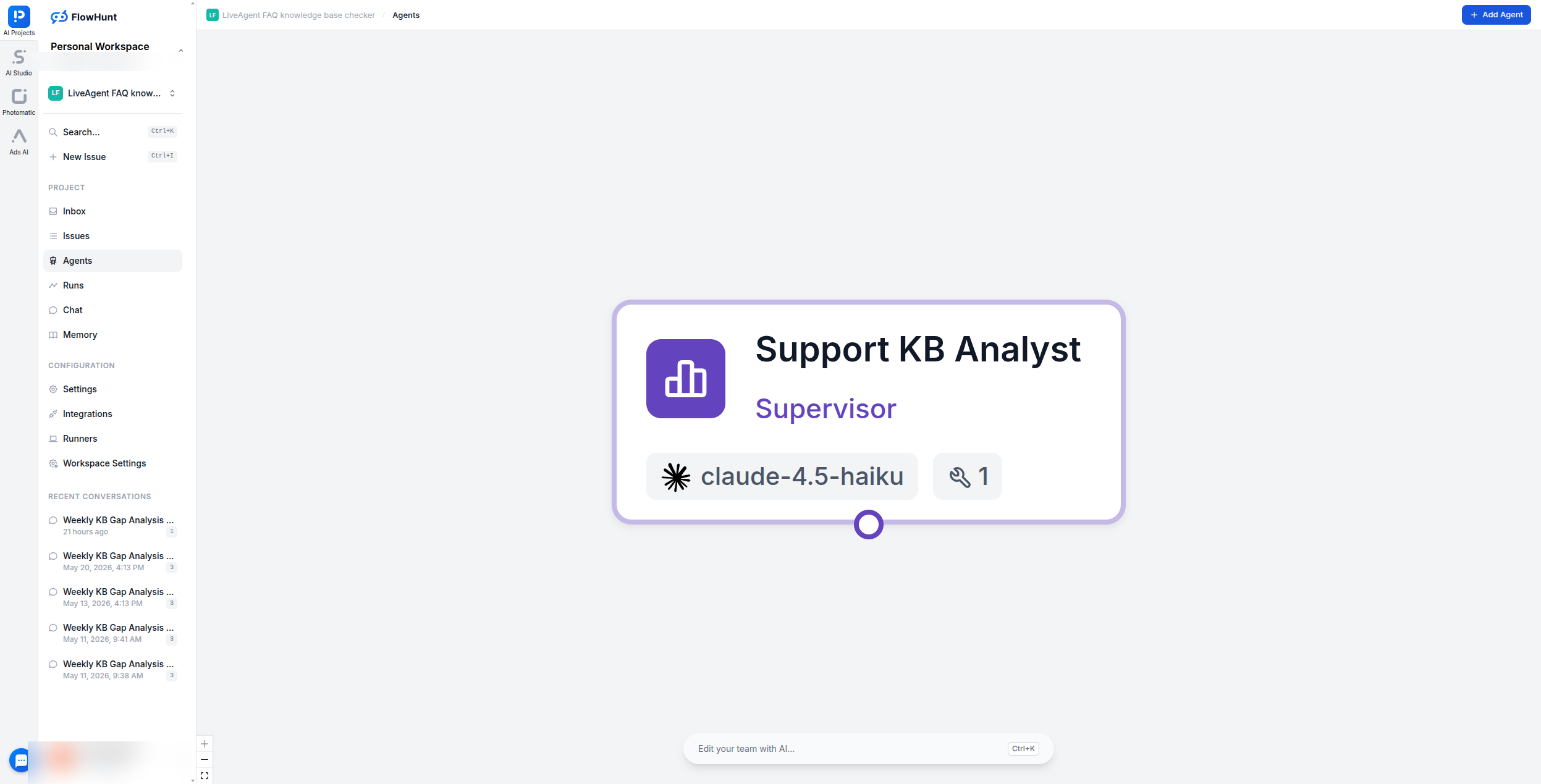
The Support KB Analyst supervisor agent runs on claude-4.5-haiku — a fast, cost-efficient model well suited for weekly data-processing tasks. The agent has access to all FlowHunt tools via dynamic discovery and stores its findings in a persistent Project Memory wiki that accumulates across every weekly run.
Yes. Shop-toppers, Bolusso, and Eroticon all share the same set of FlowHunt flows. There is no per-site rebuild — the team builds a flow once and deploys it across all three storefronts, dramatically reducing maintenance overhead.
How to Build an AI-Powered Chatbot for Your Shopify Store: Complete Guide
Learn how to build and deploy an AI-powered customer support chatbot for your Shopify store using FlowHunt's Shopify integration. Automate order tracking, produ...
Ship faster without scaling headcount. AI agents that write feature docs, answer technical questions, automate support tickets, and generate marketing assets fo...
How a Small E-Commerce Team at Babynabytek Found Their Always-On Assistant
Discover how Babynabytek implemented FlowHunt's AI chatbot to provide round-the-clock customer support, increase orders, and free up team resources for strategi...
3 min read
Case Study
E-Commerce
+3
Cookie Consent We use cookies to enhance your browsing experience and analyze our traffic. See our privacy policy.