


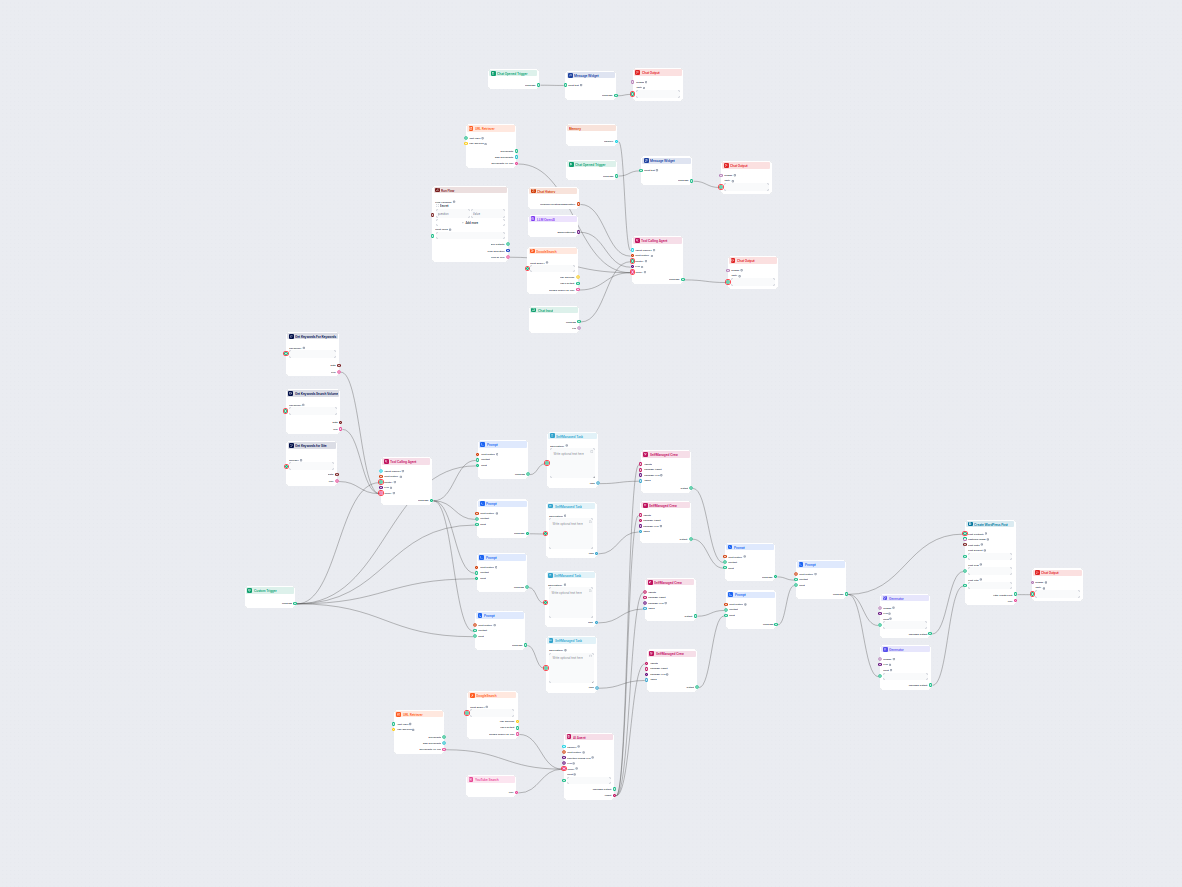
SEO Article Generation From Question With Human in The Loop
This AI-powered workflow automates the generation of unique legal or professional blog questions based on user input, competitor research, or trending topics, a...
5 min read
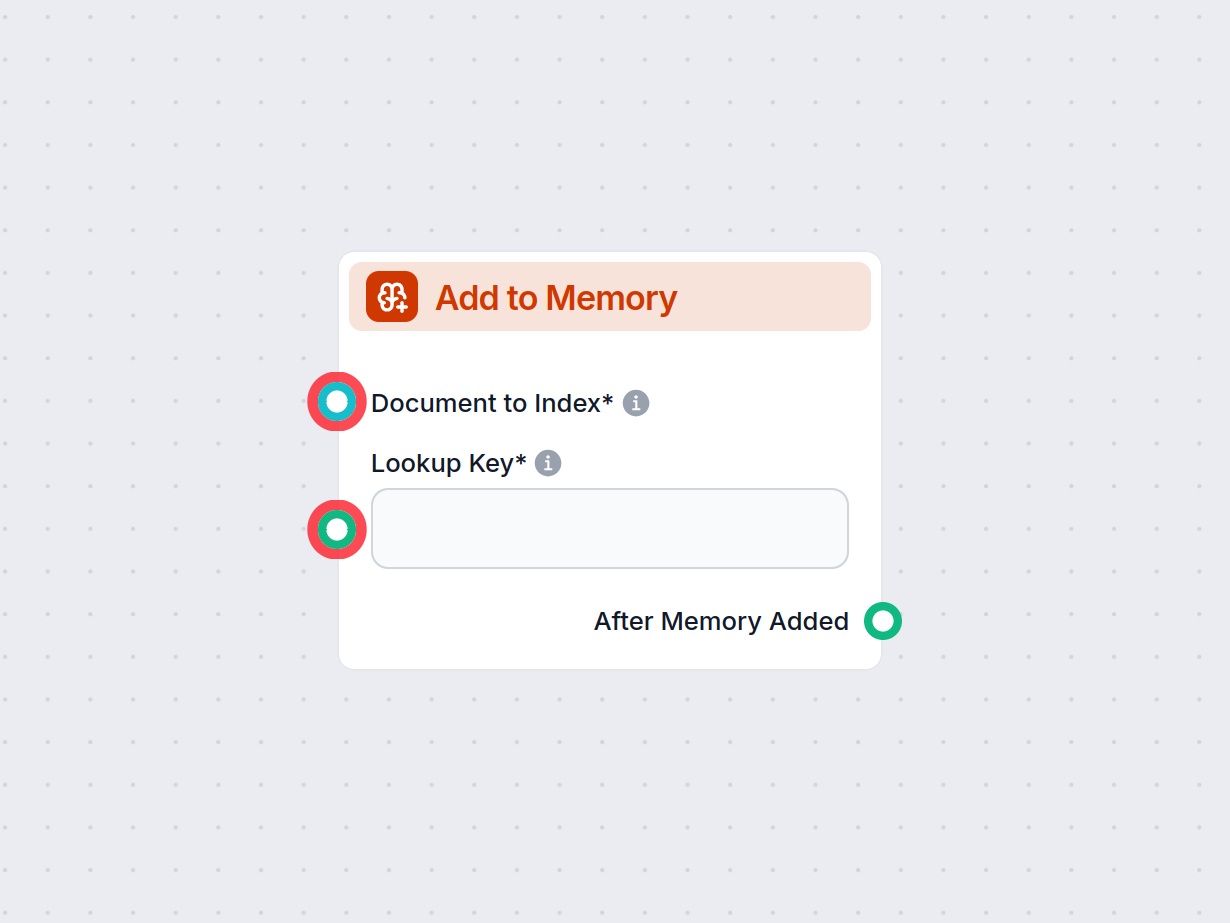
The Add to Memory component enables storing documents or messages in long-term memory, tagged with lookup keys for future reference within your workflows.
Component description
The Add to Memory component is designed to enhance your AI workflow by enabling the storage of documents or messages in a long-term memory index. This is particularly useful for workflows that require context retention, knowledge management, or information retrieval across different stages or sessions.
This component takes an input document (such as a message or piece of data) and stores it in a long-term memory store. It also associates the document with a specific “lookup key,” which acts as a category or identifier for easier retrieval later. By indexing information in this way, your AI system can build up a persistent memory, which can be referenced in future processes or conversations.
| Input Name | Type | Description | Required |
|---|---|---|---|
| Document to Index | Document | The main content (e.g., message, file, or text) to be added to long-term memory. | Yes |
| Lookup Key | Message | A text identifier used to categorize or label the document for efficient future retrieval. | Yes |
Details:
After adding the document to memory, the component produces an output:
| Output Name | Type | Description |
|---|---|---|
| After Memory Added | Message | Signals that the document has been successfully stored. |
This output can be used to trigger additional steps in your workflow, such as confirmation messages, further processing, or logging.
| Property | Value |
|---|---|
| Name | Add to Memory |
| Version | 1.0.0 |
| Inputs | Document, Lookup Key |
| Output | After Memory Added |
| Use Case | Long-term storage |
By using the Add to Memory component, you empower your AI systems with the ability to remember, organize, and re-use critical information, making your workflows smarter and more context-aware.
To help you get started quickly, we have prepared several example flow templates that demonstrate how to use the Add to Memory component effectively. These templates showcase different use cases and best practices, making it easier for you to understand and implement the component in your own projects.
This AI-powered workflow automates the generation of unique legal or professional blog questions based on user input, competitor research, or trending topics, a...
Enhance your workflows with persistent memory. Use the Add to Memory component to save and organize crucial data for smarter automations.

Give your FlowHunt agents persistent memory across all workflows. Learn how to create memory nodes manually and how to let agents read and write memory on their...
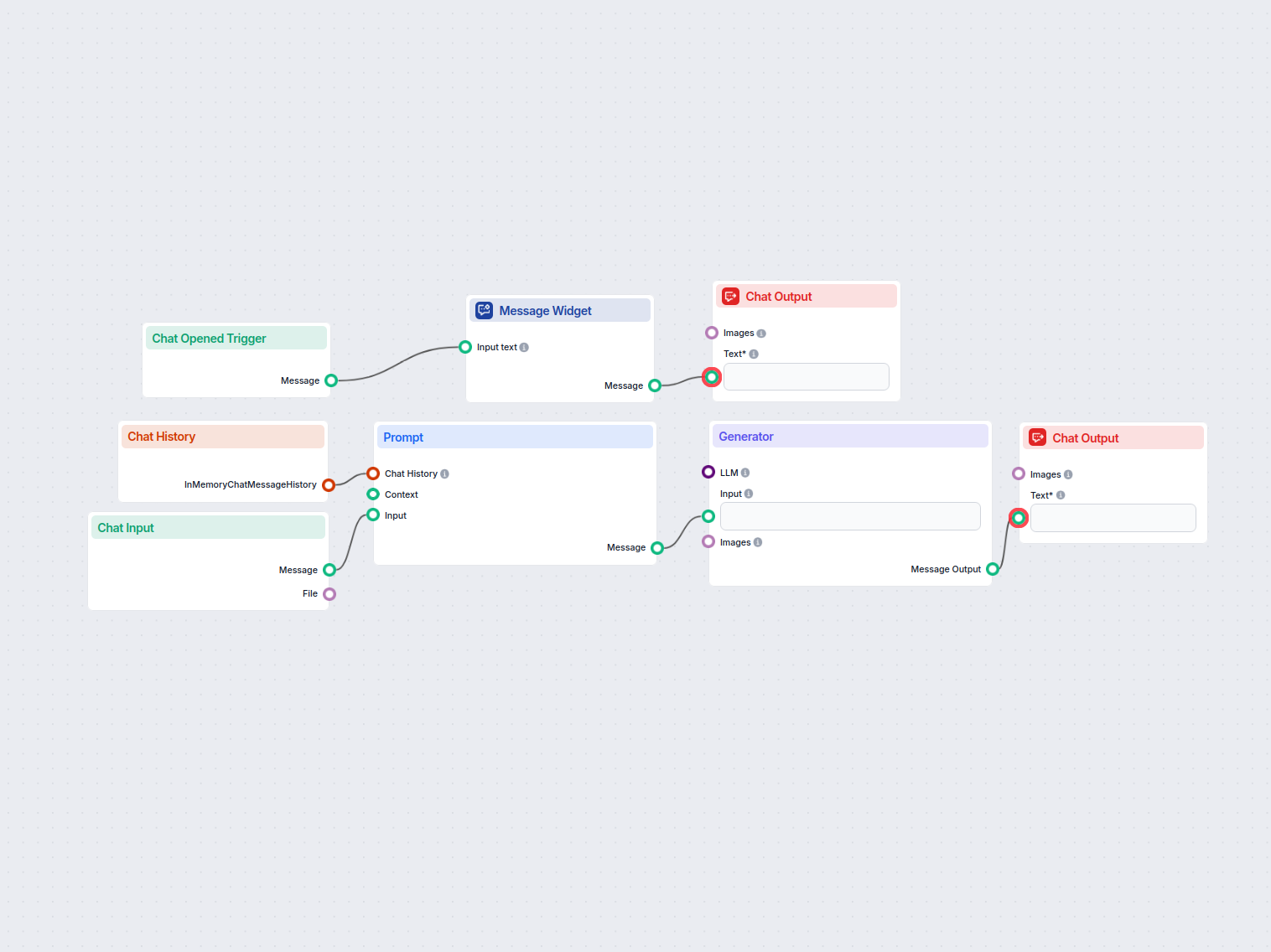
A simple AI chat assistant workflow that leverages previous conversation history to generate relevant responses to user input. Includes a welcome message and us...

Cookie Consent
We use cookies to enhance your browsing experience and analyze our traffic. See our privacy policy.