


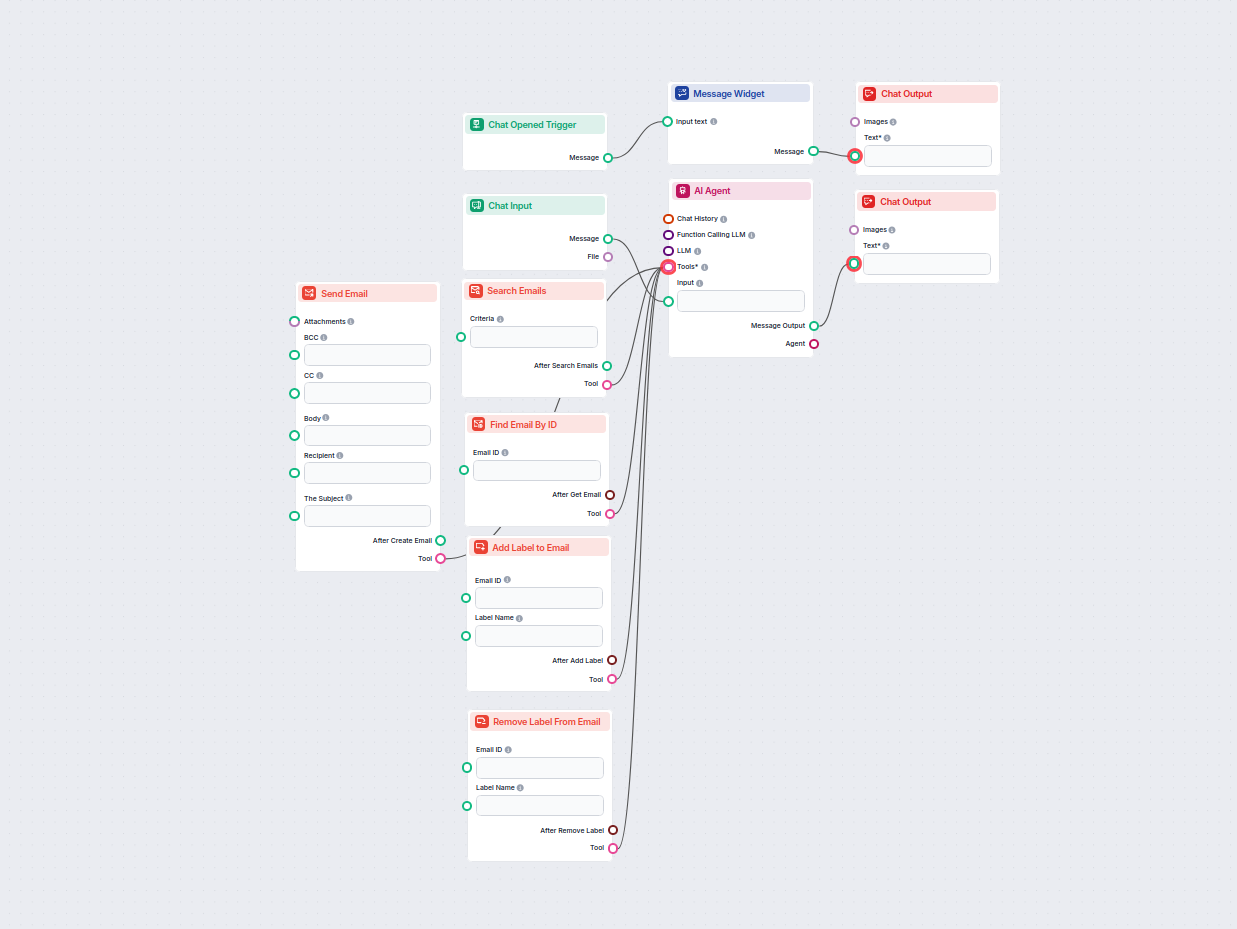
AI Gmail Assistant for Email Management
Streamline your Gmail workflow with an AI-powered assistant that can search, organize, and manage emails, create and send new messages, and automate label manag...
3 min read
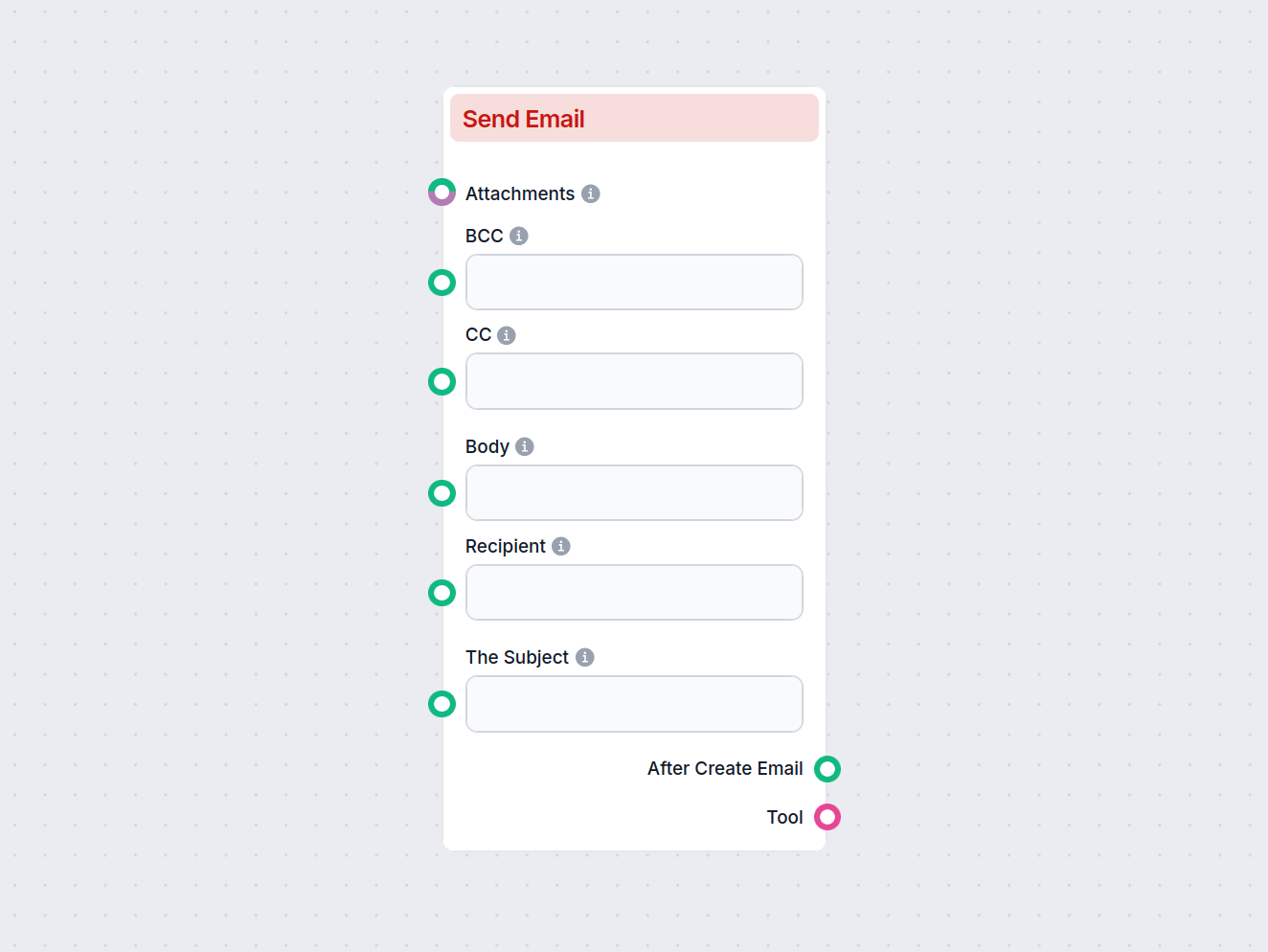
The Send Email component lets you automate email composition and sending in your flows, with support for recipients, subject, body, CC/BCC, attachments, drafts, and replies.
Component description
The Send Email component enables the creation and sending of new emails, specifically designed to interact with Gmail. Users can configure various aspects of the email, such as recipients, subject, body, attachments, and more. This component can be a valuable part of an AI workflow where automated or dynamic email communication is required.
This component automates the process of composing and sending emails. By providing the necessary input fields, it allows workflow builders to generate emails, save drafts, add attachments, set recipients (including CC and BCC), and even reply to previous messages. It is particularly useful in scenarios such as automatic notifications, customer communication, or integrating email responses into larger AI-driven processes.
The component comes with several configurable inputs:
| Field | Type | Description | Required | Advanced |
|---|---|---|---|---|
| Recipient | String | The main recipient(s) of the email. | No | No |
| CC | String | Email addresses to be included as CC (carbon copy). | No | No |
| BCC | String | Email addresses to be included as BCC (blind carbon copy). | No | No |
| Subject | String | The subject line of the email. | No | No |
| Body | String | The main content/body of the email. | No | No |
| Attachments | Message/Attachment | Attach files to the email. | No | No |
| Draft | Boolean | If set to true, the email will be saved as a draft and not sent. | No | No |
| Reply | Boolean | If set to true, the email will be sent as a reply to a specified message. | No | No |
| Tool Name | String | (Advanced) Internal name to refer to the tool in an agent-based system. | No | Yes |
| Tool Description | String (multi-line) | (Advanced) Describe the tool to help agents understand its usage. | No | Yes |
| Verbose | Boolean | (Advanced) Toggle for verbose output, useful for debugging or logging. | No | Yes |
When the component is executed, it generates the following outputs:
Message):Tool):| Feature | Supported |
|---|---|
| Multiple Recipients (To/CC/BCC) | ✔️ |
| Email Subject & Body | ✔️ |
| Attachments | ✔️ |
| Save as Draft | ✔️ |
| Reply to Existing Message | ✔️ |
| Advanced Agent Integration | ✔️ |
| Verbose/Debug Mode | ✔️ |
This component is a flexible and robust solution for integrating email functionality into your AI-powered workflows.
To help you get started quickly, we have prepared several example flow templates that demonstrate how to use the Create New Email component effectively. These templates showcase different use cases and best practices, making it easier for you to understand and implement the component in your own projects.
Streamline your Gmail workflow with an AI-powered assistant that can search, organize, and manage emails, create and send new messages, and automate label manag...

Integrate FlowHunt with Gmail to automate email sending, smart labeling, inbox management, and AI-powered communications.
Start automating your email communication—create, customize, and send emails as part of your workflow using the Send Email component.
Streamline your Gmail workflow with an AI-powered assistant that can search, organize, and manage emails, create and send new messages, and automate label manag...
Cookie Consent
We use cookies to enhance your browsing experience and analyze our traffic. See our privacy policy.