


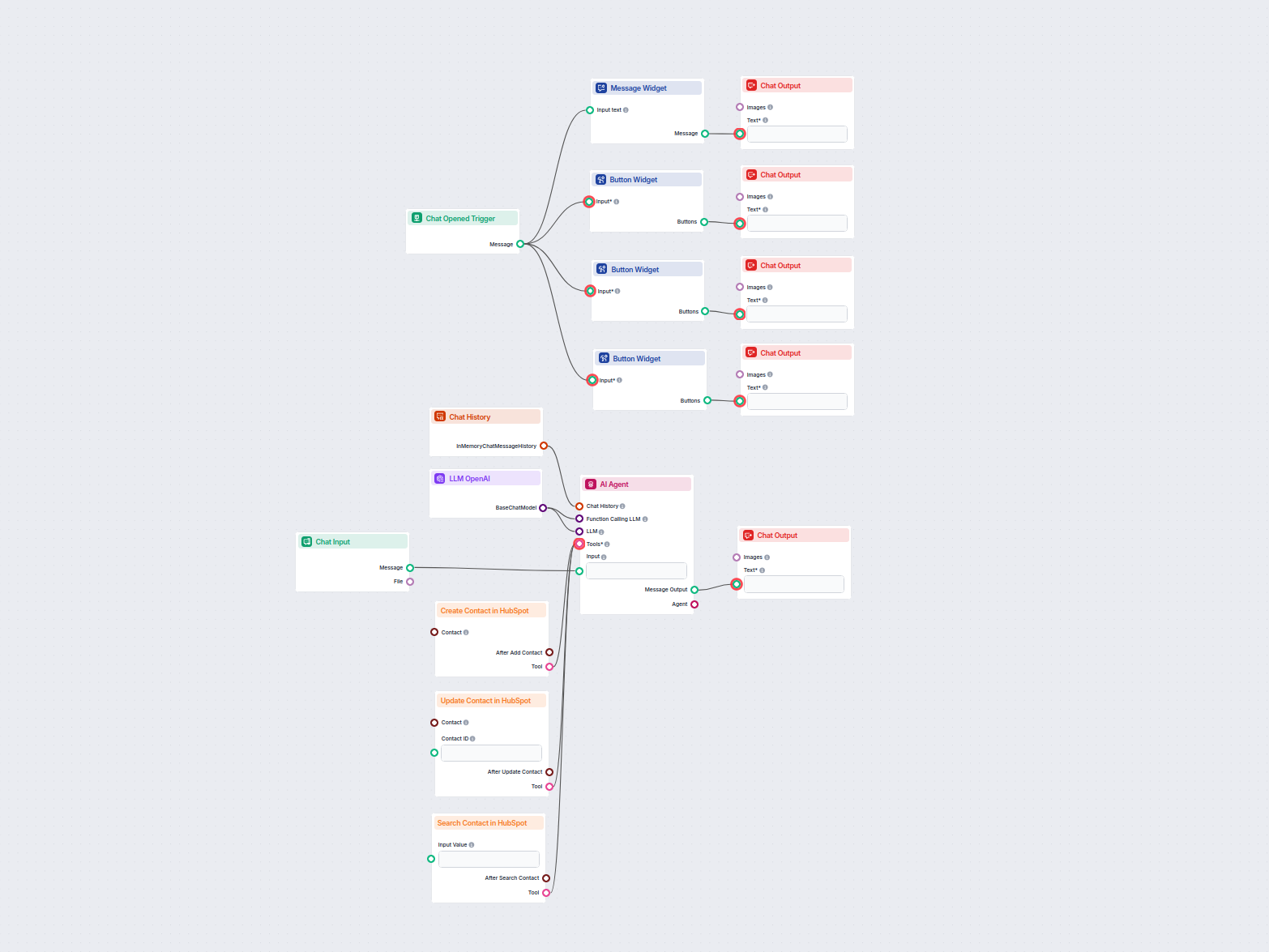
AI HubSpot Contact Manager
This AI-powered workflow automates contact management in HubSpot CRM. Users can easily search, create, or update contacts through a chat interface powered by an...
4 min read
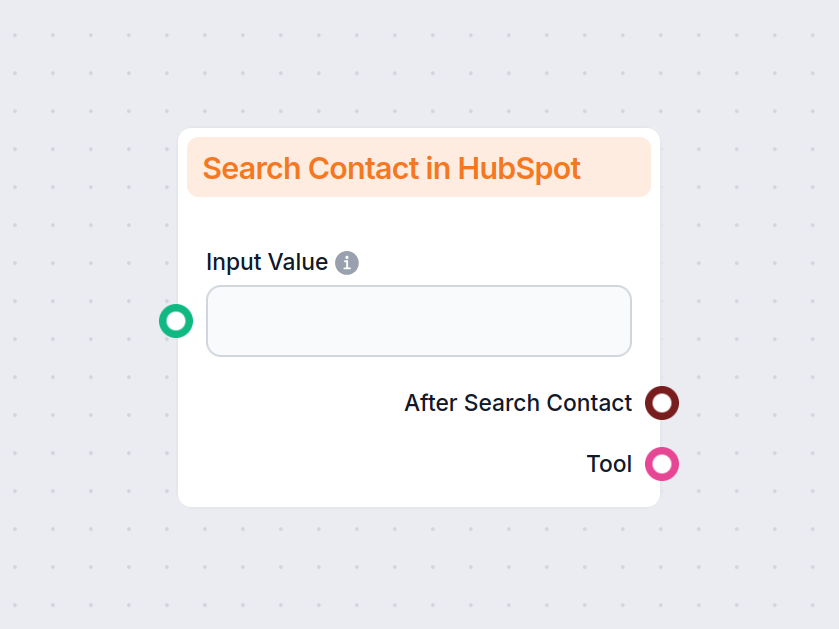
The Search Contact in HubSpot component lets you flexibly search and filter HubSpot contacts by any property, enabling tailored workflows, reporting, and automation.
Component description
The Search Contact in HubSpot component lets you find and filter contacts based on any possible HubSpot property, including custom properties. Coupled with operator options, it allows for dozens of unique use cases.
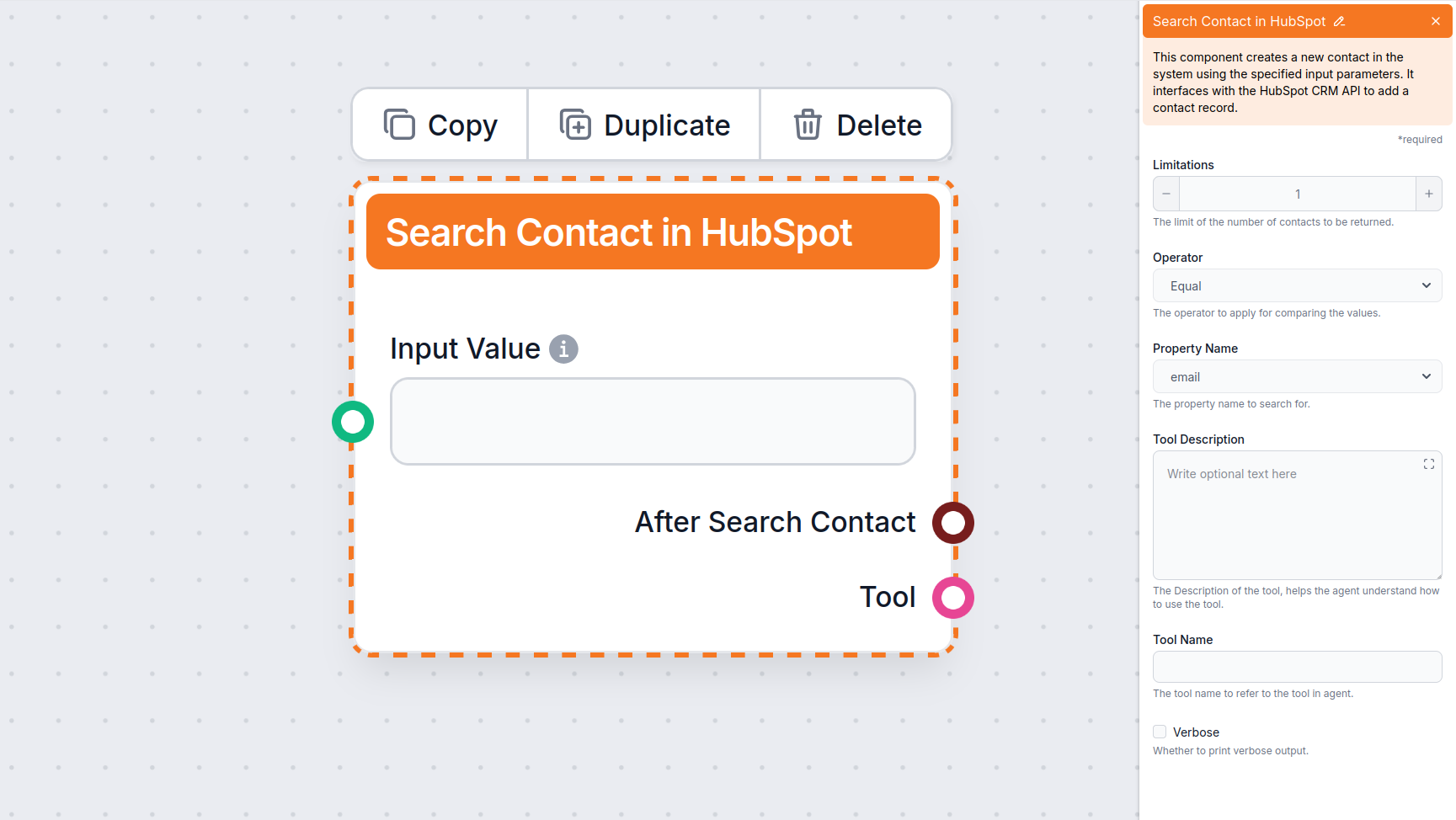
Operators are mathematical functions describing the relationship between your query and what you’re searching for. For example, you can search for an exact match of emails, but also for contacts created after a certain date, contacts missing specific properties, and much more.
You can search by HubSpot properties or custom objects. Coupled with operator options, this allows for dozens of unique use cases. In addition to contact information such as names, emails, or companies, you can also filter by creation or modification date, lifecycle stage, and more.
Now that we’ve covered what the component does, let’s take a look at how to use it. Before seeing it in action, here are some popular use cases to show the kinds of problems this component can solve:
Let’s test out the component. We’ll create a very simple stale lead detection Flow. In other words, we will search for contacts with lifecycle stage = lead AND last modified date X days ago.
For this purpose, we will be testing it as a chatflow. However, this process can be fully automated as a cron job and output wherever you need, whether Slack or Gmail notifications for easy access, or a spreadsheet for creating automatic reports.
Steps:
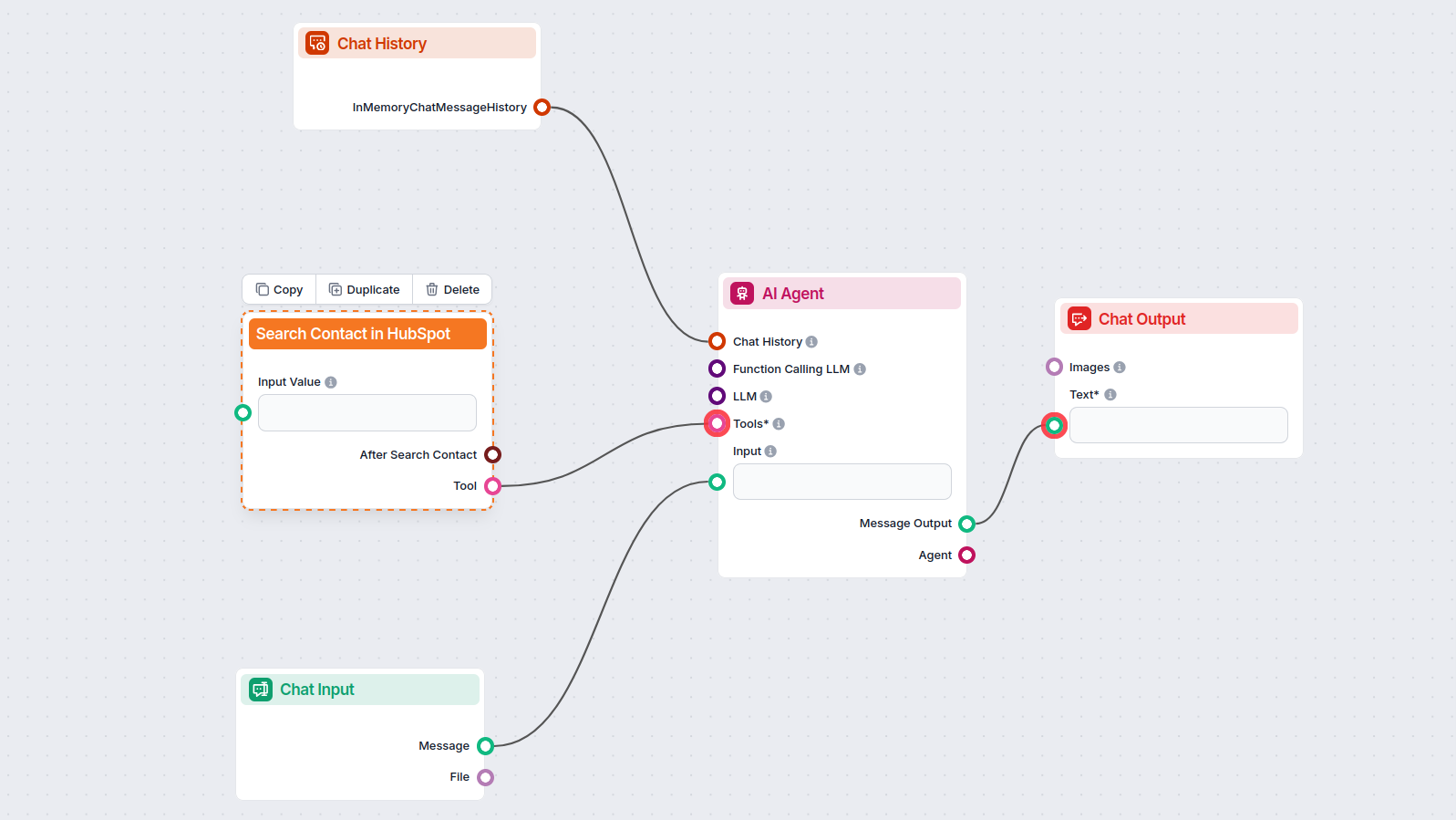
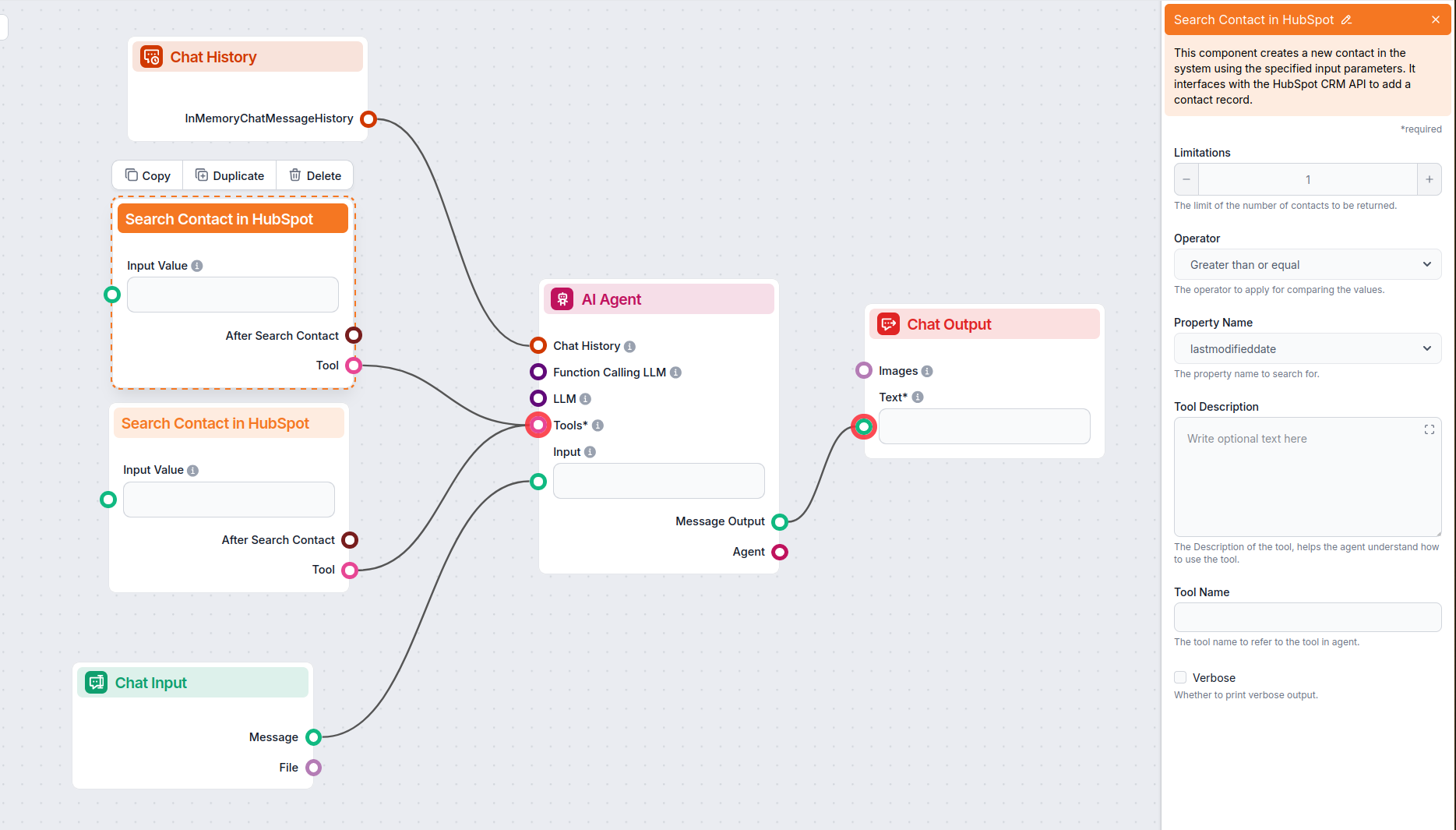
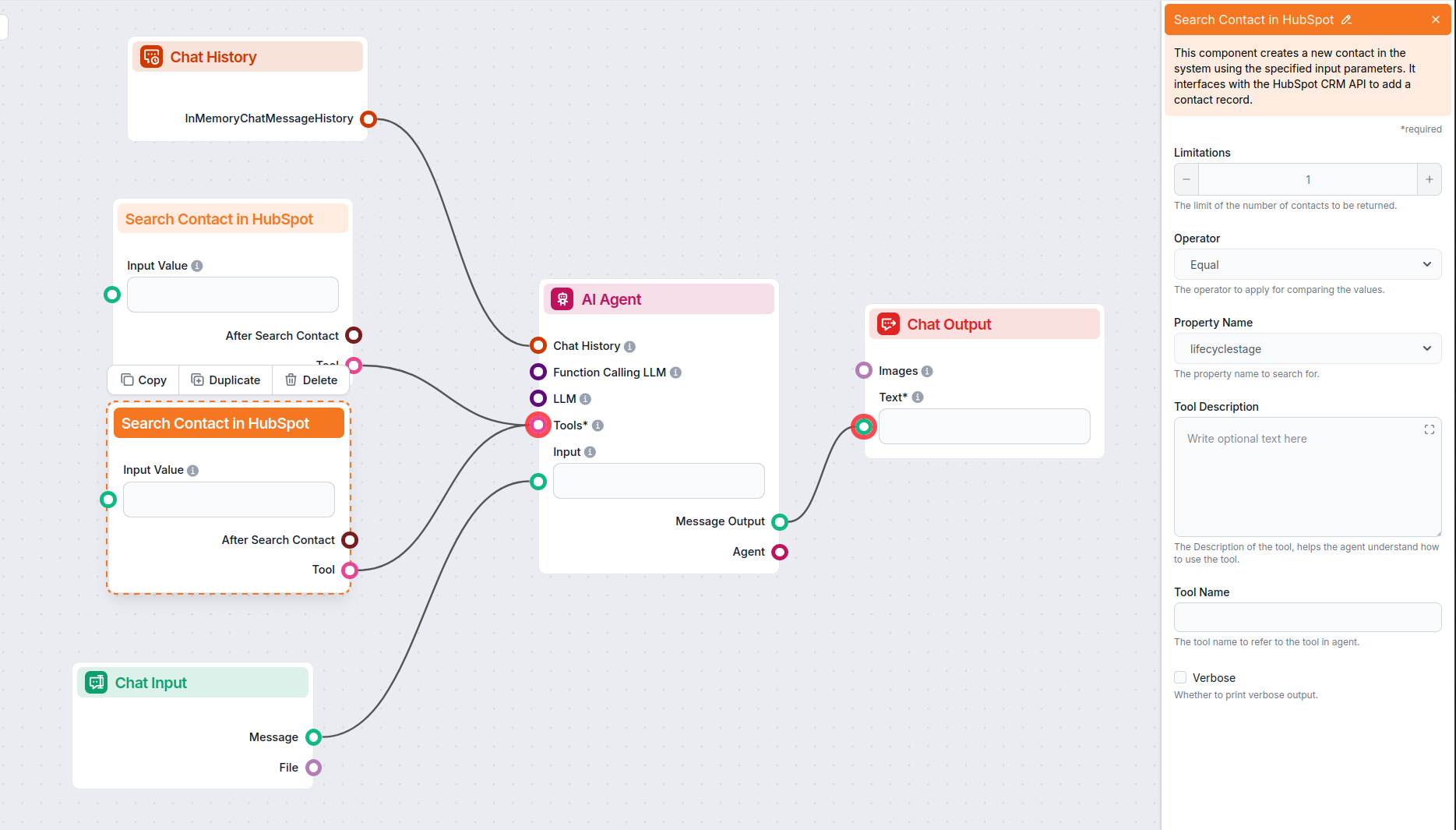
Let’s test it out. We will send the following instructions in chat:
Return contacts where lifecycle stage is lead AND last modified date greater than or equal 5 days.
In a fully automated workflow, you’d permanently insert the instructions into the AI Agents and Search Contact component settings. Since we’re doing a chatflow, we can simply send the instructions in chat.
After a bit of processing, the Flow returned a single contact:
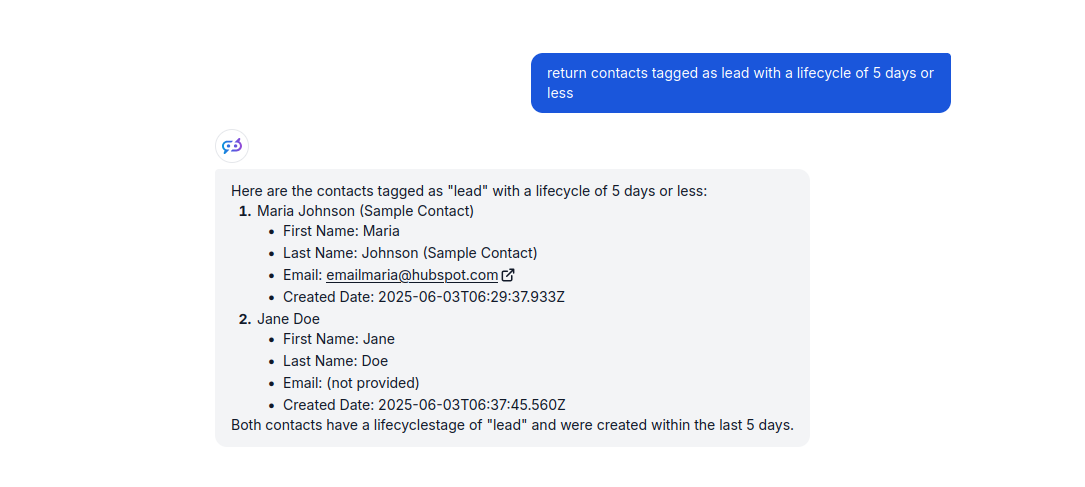
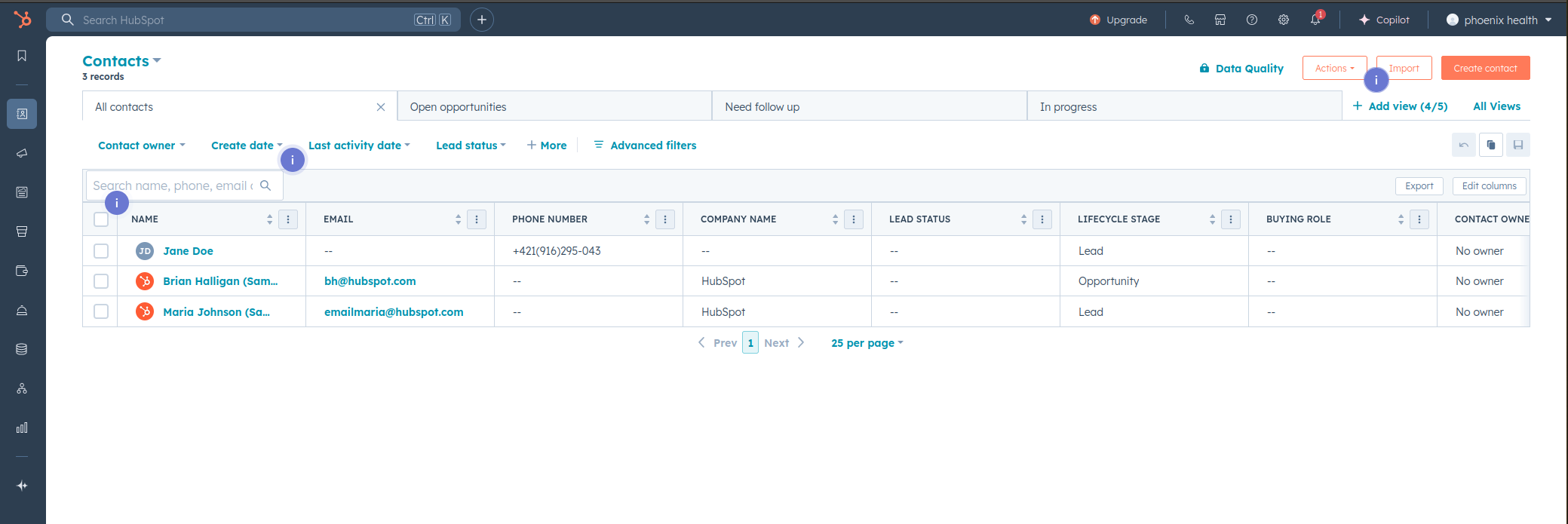
Let’s see if the result is correct. Looking into our HubSpot contact list, we can see 4 records. However, one of them is a customer. And the two others were modified today (April 10th). Meaning, the contact the Flow returned is in fact the only one to fit the given criteria:
In our example, we prompt the Flow manually, and the search results are returned in chat. However, you can simply rework it into a fully automated solution by running it as a cron job and swapping the chat output for any output source you need, such as the Create Google Sheet component for automated reports and Send Slack message or Email notification tool for notifications.
To help you get started quickly, we have prepared several example flow templates that demonstrate how to use the Search Contact in HubSpot component effectively. These templates showcase different use cases and best practices, making it easier for you to understand and implement the component in your own projects.
This AI-powered workflow automates contact management in HubSpot CRM. Users can easily search, create, or update contacts through a chat interface powered by an...
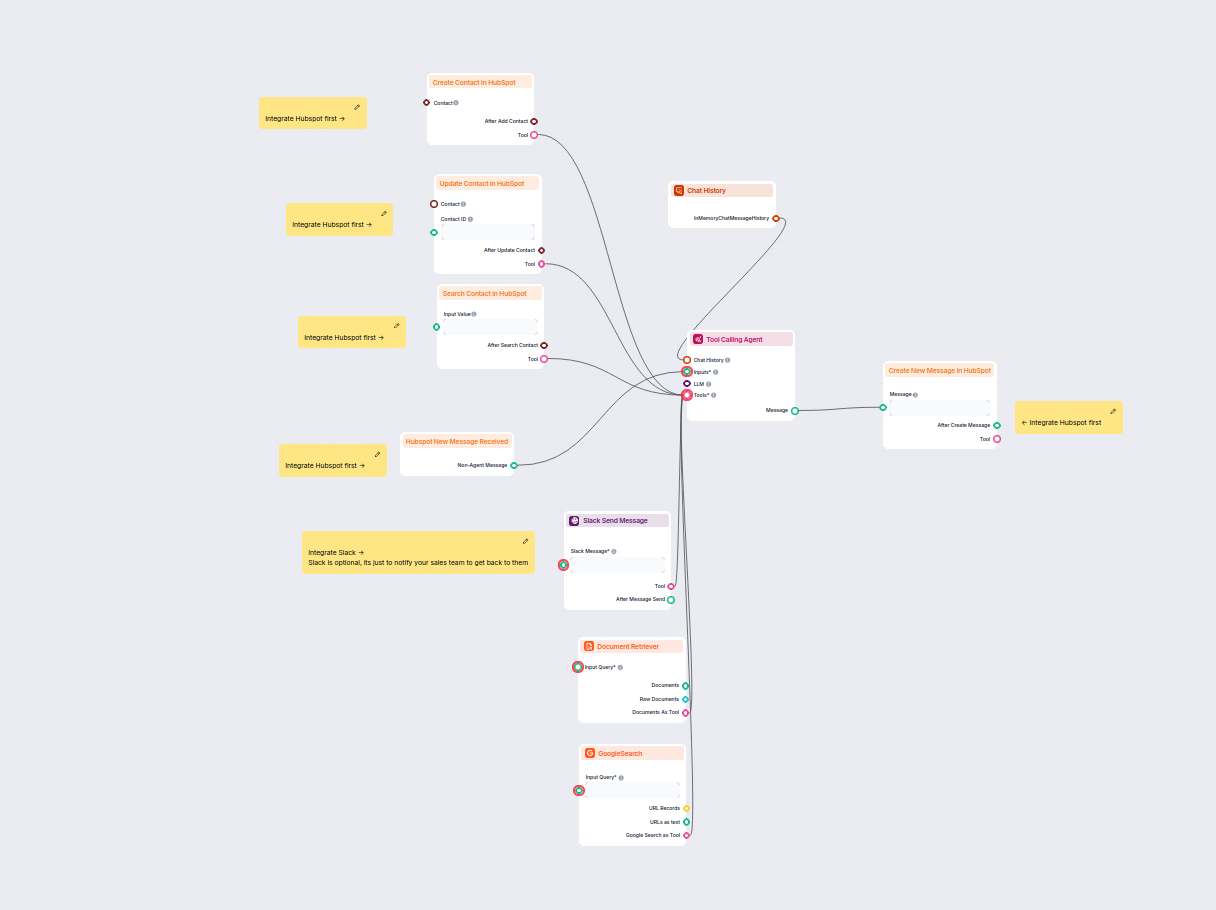
This AI-powered workflow automates lead qualification and contact management in HubSpot. The chatbot collects user information, researches company details, iden...
Discover how FlowHunt helps you effortlessly find and filter HubSpot contacts for smarter CRM management and automation.
This AI-powered workflow automates contact management in HubSpot CRM. Users can easily search, create, or update contacts through a chat interface powered by an...

Integrate FlowHunt with HubSpot to automate CRM workflows, manage contacts, companies, tickets, and conversations with AI—no coding required.
Cookie Consent
We use cookies to enhance your browsing experience and analyze our traffic. See our privacy policy.